Your EQ can probably do this too!
1:04

Your EQ can probably do this too!

In The Mix 17.04.2026 18 047 просмотров 601 лайков

Machine-readable: Markdown · JSON API · Site index

Поделиться Telegram VK Бот
Транскрипт Скачать .md
Анализ с AI

Оглавление (1 сегментов)

Segment 1 (00:00 - 01:00)

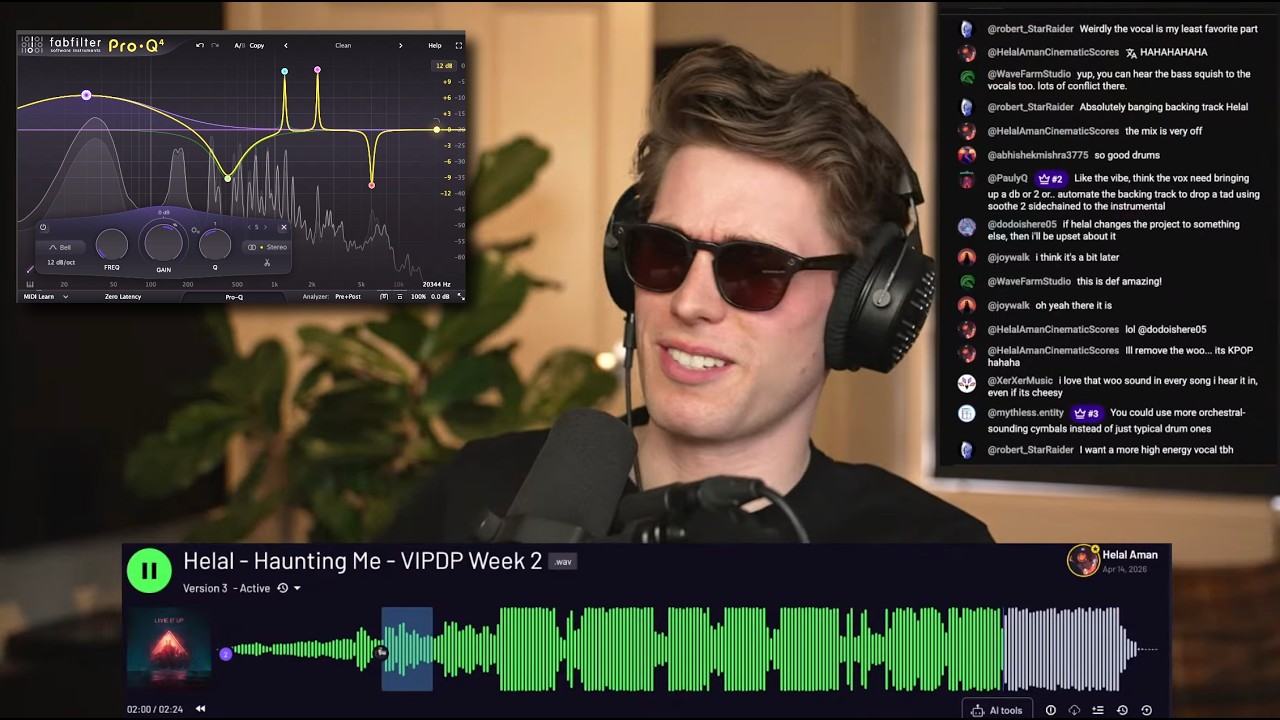
I showed this feature in my last live stream and it seemed to surprise a bunch of people, so I wanted to share it here as well. As you can see, as I'm adjusting this band, you've got a frequency, gain, all the readouts, all the information. But, if you go to help, show EQ parameter display, just disable this. Now, all of your visual cues are gone, so you've purely got to use your ears. Now, there's obviously the frequency analyzer underneath, but if you just turn this off, pre and post, now this EQ is still on. Obviously, I've muted the output cuz I'm recording my voice, but this is still on. It's still affecting the sound, but you have no feedback other than obviously just seeing the curve there. So, there was one other thing I shared that seemed to really surprise a bunch of people that have this EQ, and it's that you can zoom in. So, if I turn this mode here, change that there. Now, if you just click and drag or scroll with your mouse, you can just zoom in and get a whole bunch more resolution. So, if you want to make these really sharp cuts like this, which, you know, can kind of mess up your audio a bit, but if you want to make some really sharp cuts like this, you can really hone in on what you actually want to. But, you know, most of the time, you wouldn't want to do stuff like that anyway. But, yeah, I hope that helps.

Другие видео автора — In The Mix

Ctrl+V

Экстракт Знаний в Telegram

Экстракты и дистилляты из лучших YouTube-каналов — сразу после публикации.

Подписаться

Дайджест Экстрактов

Лучшие методички за неделю — каждый понедельник