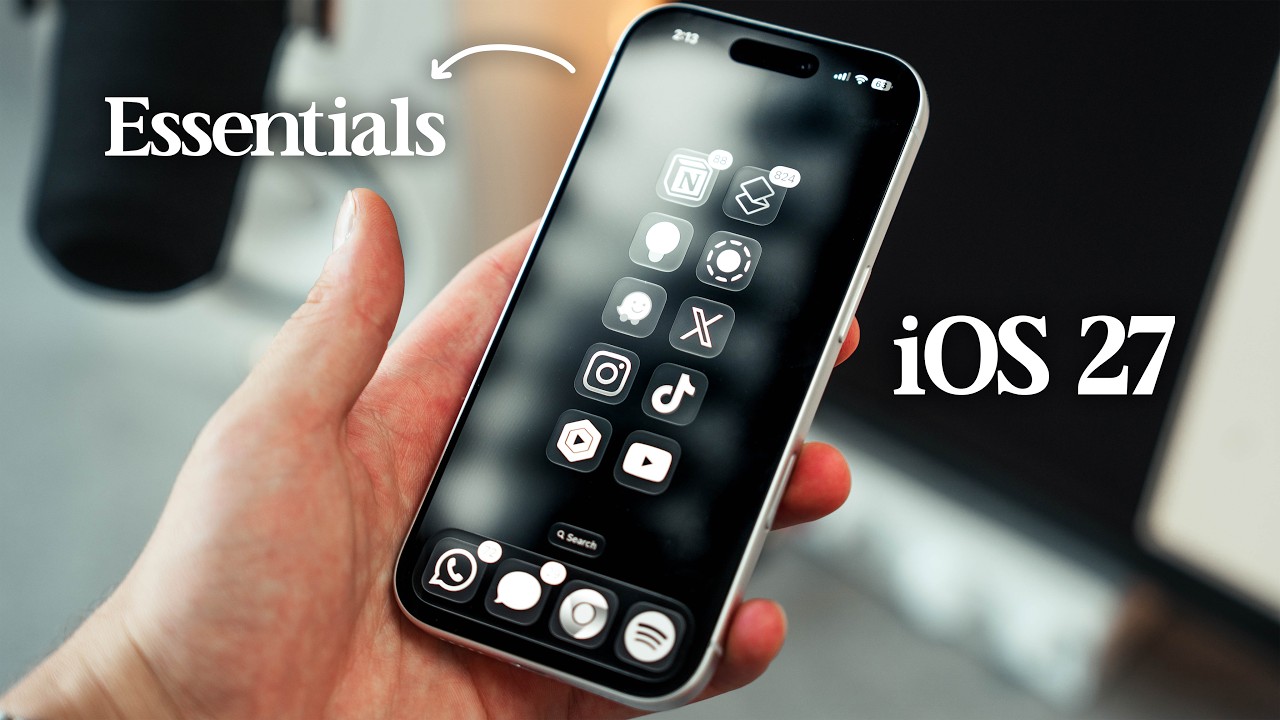
home screen. Shout out to Joshua Chang. I love the way he laid out his icons, so I kind of just copied him. I watched his video as I was coming back from Dubdub DC since I had then just recently switched from Android to iOS. And I really liked his layout. [clears throat] So, here is mine. These are the most useful apps that allow me to run my life. I am praying though that soon enough when we open the dealer in a couple of years, we'll be adding the wholesell app to buy and sell cars. That does mean though that you guys have to subscribe to the channel so we can hit a million subscribers and potentially grow that business. Anyways, my home screen wallpaper is actually from all year. It's called 3D pallet. That's what it's called. And I've actually gone ahead and added a little bit of a blur uh into the wallpaper. So that's actually very nice. If I click here, I go to edit wallpaper, you guys will see I have this blur going on. So I like that. I click done. And I also have my icons uh completely modified. If I go into customize, I have this clear thing going on. I can choose dark if I want to, but I like the clear. And it's pretty much set on auto. It kind of matches the aesthetic of my wallpaper. And I've actually gone ahead and eliminated the names of each app because I don't need it. Now, with iOS 27, you can actually go ahead and modify the transparency of your liquid glass. So, if you actually hit the settings, you can just go ahead and type right here, liquid, sorry, liquid glass, and then you can go ahead and modify that appearance right here. I like it to be super transparent because I actually enjoy liquid glass. So, this is the way I've been just keeping it. And then, believe it or not, I actually went ahead and removed the phone app from the dog because to be honest, if I'm going to call someone, I'm either probably already texting them, so I can do it through the text app or I'm looking at their phone number online, so I don't need to bother with it, right? I also love that iOS 27 keeps Apple's new full screenshot preview. So, it makes it much faster to tweak your screenshots right away. I actually really like that. It's very much like Android. However, uh you can go ahead and disable this if you want to. You can head to settings and then if you type preview right here, uh you can very much search for that right here. Full screen previews. You can enable it, disable it, whatever you guys want. And then I've actually moved all my widgets. Um, you know what? I've actually made a dedicated widgets page, which is you swipe left and there are all the widgets I usually use. Right now, my Uber widget is actually bugging. But I guess that's good because my address is right there. But the widget that I tend to use the most is the Chad Gypt widget. I use it all the time. If I need to search something quickly, I use Chad Gypt. Then I usually like to take a look at my devices connected and their battery life. Of course, I've got Uber that is currently bugging. And then I have my weekly agenda with Notion, which I use all the freaking time. And then I have my Google Drive, which for me pretty much has replaced iCloud for years now. And I use it in order to scan receipts, believe it or not. And I've been able to do this thanks to the new Shortcut app. I was able to easily describe what type of shortcut I wanted in order to create a shortcut that would allow me to open a specific folder within my Google Drives. So, every time I open this app, I can scan all my receipts for accounting. So, that's uh that's really cool. Android offers having a direct Google Drive folder available within your home screen, but with iOS, you kind of have to jump through these hoops. However, I love this new shortcut app. It's actually so freaking good. And then comes my last page. My last page is super simple. I have the settings app available right there. And then I have a folder for my finance. u Netflix, DSN, Prime Video, all my streaming services, uh Uber, Uber Eats, you know, travel services. I also have Amazon, uh the receipts that I just showed you, Cursor Files, Google Health, and even realities. And I'll talk about these in a bit because if I slide down right here, man, do I wish this was like Android. And what I mean about that is that with Android, you can actually slide down and have your control center and notifications in one single page. I feel like iOS 27 should have definitely introduced that. But really, my control center is actually so simple. And there are for the most part there are two toggles that I use the most aside from the brightness, but that's focus and also hotspot. And I tend to use hotspot quite a lot because I'm usually on the go and I'm usually using local send and sometimes I want to be within the same network in order to transfer files from
well, uh my wearables. My wearables consist of these two little apps right here. Google Health app and uh the Even Realities app. I will say, okay, as someone that's just recently ditched Whoop for the Fitbit Air, I love, okay, I love the widget dashboard Whoop delivers with their app. It's definitely something I would love to see Fitbit do. I kind of really like that about Whoop, but I mean, uh, recently I made this whole Fitbit video where I used both Whoop and Fitbit. compare them and man, Fitbit is just clean and it's what you and I, okay, the average athletic person, it's what we need. I actually love the Fitbit app because it's so damn simple. I mean, you know, you can look at today, what's going on today. It's super nice. The data is available right here right away. There's no complex graphs or anything like that. You got fitness to start a workout and so on. You got your sleep tracking, which I'll talk about in a bit actually. Um, the health, you know, it's super good. And I love the Ask Coach feature. I mean, I use it um to, you know, tell it a bit about myself, about my day. I use it to also log in calories. Uh, I take pictures of my meals and just keep up with my uh intake in terms of liquids. And I love it. It's actually really good. It's simple and it just works for me. But I do want to point out, okay, that um asleep tracking is definitely not as accurate as Whoop. And there's no stress tracker, which for me is a bummer. But I came to the conclusion, guys, that I can live without it. It's not the end of the world. Again, if you guys really want to uh like know more and you guys want to know a bit about Fitbit versus Whoop, just go watch the video. I made it a few weeks ago. I think it's a really good video and it it's got plenty of information in it. Anyways, that said, the last one, even realities. This for me guys has been such a game changer, but I do hate the fact that it logs me out every freaking time. Like every couple of days, it just logs me out of my account. Even realities, if you guys are watching this, please fix that. Anyways, look, I really love these glasses, okay? I really do. Okay, these glasses, let me just put these on. They should be able to connect right away if they're charged cuz they were charging. They're dead because I use them all the freaking time. Okay. Uh listen, so the way that I use these glasses, okay? Um when I know that like I won't have access to my phone or I can't really be using my phone, a lot of times they come in clutch, okay? In places like airports while running from one terminal to another or while doing work. Really, they are so freaking good because I don't need to pick up my phone and get distracted. And then well I use the app a lot for when I go to events and the way that I use the app is actually super clutch. Okay, when I was at DDUB DC um you know like they spill a bunch of information out like it doesn't stop. They're presenting a bunch of features. It's just like very overwhelming. But sometimes it it's so much that I just can't type it all. But what I do is that I enable the conversational mode with this and it keeps track of everything that is like being said through the glasses. And then well later on I just open the app and take a look at what was said and it summarizes everything. It breaks it down and it even has like uh an entire script written down of what was said during the event. I actually