I Automated Long Form Video Ads (Veo 3 + N8N!)
11:20

I Automated Long Form Video Ads (Veo 3 + N8N!)

Julian Goldie SEO 16.06.2025 5 649 просмотров 108 лайков обн. 18.02.2026

Machine-readable: Markdown · JSON API · Site index

Поделиться Telegram VK Бот
Транскрипт Скачать .md
Анализ с AI
Описание видео
Want to get more customers, make more profit & save 100s of hours with AI? https://go.juliangoldie.com/ai-profit-boardroom 🎥 Credit & Inspiration: Big shoutout to Adrian Viral AI Marketing for the original inspiration behind this automation setup. Check out his awesome breakdown of Veo 3 automation here: https://youtu.be/J8pvXY3fh6A Go subscribe. The guy’s a beast in the AI game. Free AI Community here 👉 https://www.skool.com/ai-seo-with-julian-goldie-1553 🚀 Get a FREE SEO strategy Session + Discount Now: https://go.juliangoldie.com/strategy-session 🤯  Want more money, traffic and sales from SEO? Join the SEO Elite Circle👇 https://go.juliangoldie.com/register 🤖 Need AI Automation Services? Book an AI Discovery Session Here: https://juliangoldieaiautomation.com/ Click below for FREE access to ✅ 50 FREE AI SEO TOOLS 🔥 200+ AI SEO Prompts! 📈 FREE AI SEO COMMUNITY with 2,000 SEOs ! 🚀 Free AI SEO Course 🏆 Plus TODAY's Video NOTES... https://go.juliangoldie.com/chat-gpt-prompts - Want a Custom GPT built? Order here: https://kwnyzkju.manus.space/ - Join our FREE AI SEO Accelerator here: https://www.facebook.com/groups/aiseomastermind - Need consulting? Book a call with us here: https://link.juliangoldie.com/widget/bookings/seo-gameplanesov12 Automate Your Ads with n8n & Veo3: Step-by-Step Workflow Tutorial In this tutorial, you'll discover how to automate ad creation scene by scene using the new n8n workflow with Veo3. The video provides a detailed walkthrough on setting up automation for generating ads, creating characters, locations, and scripts. It elaborates on the cost-effectiveness of using Google Flow compared to alternatives like Fal AI. Inspired by Adrian from Viral AI Marketing, this process shows you how to simplify generating high-converting ads for various business types. Join the AI Profit Boardroom for access to automations, workflows, and community support. 00:00 Introduction to N8N Workflow with Veo Three 00:29 Creating an Automated Ad 02:02 Using Google Flow for Cost-Effective Video Generation 03:28 Generating Characters and Locations with Chat GPT 08:17 Automating Ads with HeyGen and Avatar Creation 09:08 Accessing AI Profit Boardroom and Additional Resources 10:55 Conclusion and Contact Information

Оглавление (7 сегментов)

Introduction to N8N Workflow with Veo Three

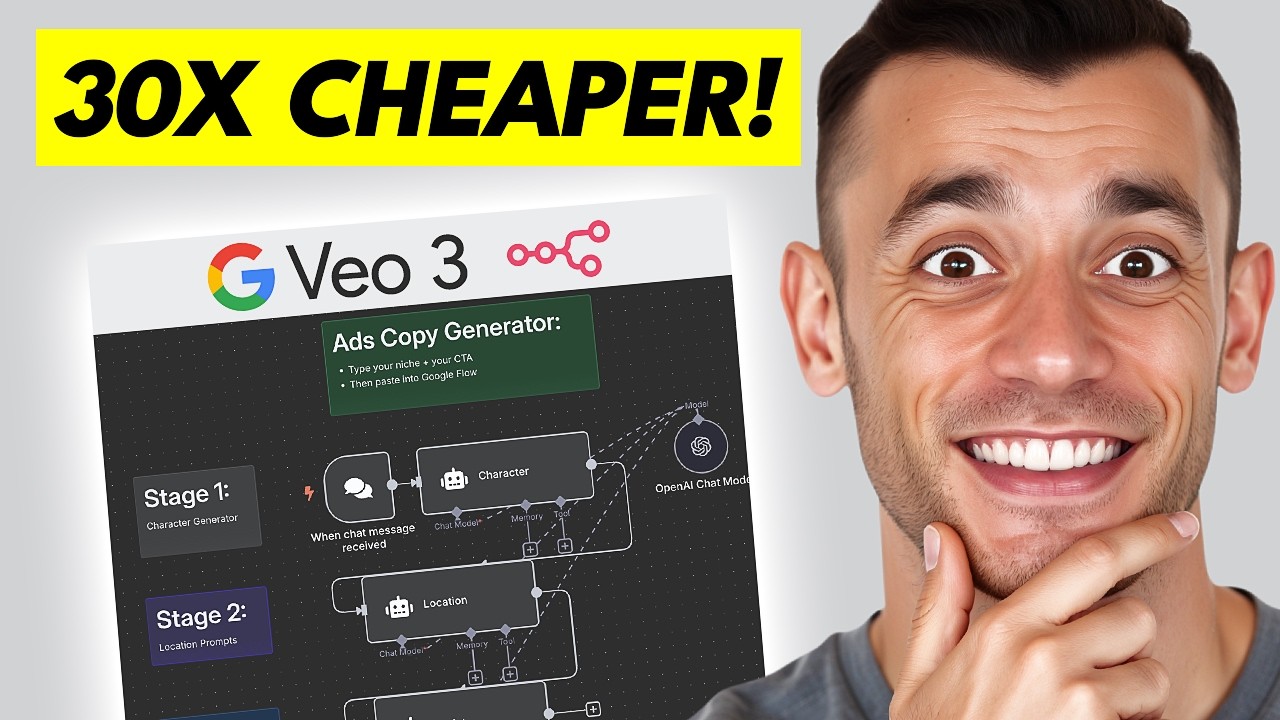
Today, what I'm going to show you is a new NA10 workflow with VO3 that can literally help you automate your ads scene by scene. So, what you can see here, for example, is an automation that we created. If I go in here, for example, and I tell it the ads I want to create. So, for example, SEO agency free SEO strategy session. We'll hit send in that. Basically, that's generated the result now as you can see.

Creating an Automated Ad

And then if we go over to our scene here, we've actually generated a workflow with A3 using this exact process. So for example, let's play this back leads and sales from Google. I'm here to help you with a free SEO strategy session. And then for example, if we play the end as well, the link on this ad and book your SEO strategy session today. Let's boost your online presence together. So the way that this was generated is using this workflow right here. And essentially step by step you can easily generate a character location and script using NA10 that you can then plug into for example V3 or in this case I actually used flow to generate a few different ads like you can see using this process right now. This is actually something that was inspired by another video from Adrian viral AI marketing. I'll actually link to his video, awesome workflow that inspired this right here. And essentially what you can do is you can go inside the chat and you're going to say, "Okay, here's what I do and then here's what I sell. " So, for example, for me, SEO agency free SEO strategy session is what I'm giving away. So, if you want to use this step by step, essentially what you can do is you plug in what you want and then it's going to generate the scenes and the character. Okay. So, let's pull this up and I'll show you how the prompts work. So, essentially this is the ads copy generator. You could use this with something like foul as well. What you

Using Google Flow for Cost-Effective Video Generation

can do with foul is you can actually, for example, take your ideas and then send them over to an API request on foul. ai. But the biggest issue with that is it's going to cost you quite a lot of money. Whereas, for example, you can actually do it a lot cheaper just by taking the prompts and then plugging them into something called Google Flow. Now, Flow takes about $200 per month, but if you're generating a lot of videos at once, then this is going to be way cheaper per video, right? And you can actually use something called Veo 3 fast to generate the prompts, right? This is way cheaper. So you select in your settings here when you're using Google flow on ultra ve 3 fast text video and then you can generate the video that way. The other way that you can do this is you can use foul that's typically $3 to $6 per video which is cheaper than $200 per month but it depends how many videos you generate it. And then if we play this back for example we've taken the example prompt from NA10 and if we open this up we'll go full screen on this. get more leads and sales from Google. I'm here to help you with a free SEO strategy session. So, this is completely AI generated with AO3. Want to get more the audio, the person, everything else is synced as well perfectly. And then you can actually download that and then plug it into a video editor and just click them all together. Pretty simple and easy. So, let's have a look at exactly how this

Generating Characters and Locations with Chat GPT

works. So, basically, we plug in a chat message. So, you just open up the chat. You tell it what you want. Then from there you're going to generate the character prompt. Right? So you can see for all of these generations we're using chat GBT 40 mini. And inside the AI agent for the character prompt we got this connected to the chat trigger. So for example I've typed in SEO agency free SEO strategy session over here. And then inside the settings for the system message. Let me pull this up and I'll show you some examples. So you see here I've said you are a worldclass Facebook ad strategist trained to generate scroll stopping characters specifically designed for high converting ads right your job is to do this example John 30 years old blah blah make sure the character is unique and different based on the business now each time I run this will actually generate different outputs right so for example if I say okay pet food business selling dog food for example example, it's actually going to come up with different responses based on that. Right? So, let's just refresh the chat here. And then you can get different characters each time. Right? Now, in terms of the location, you can see the prompts right here. So, for example, the prompt, we say take the company offer, take the character in the advert, and then come up with a relevant location for this process. And then finally for the script what we're doing here is we're saying right in the first line include a clickable link to labs Google flow right so we can just quickly copy and paste our prompts in and then add the information below generate five scenes take the information from the chat the company etc and then just generate the ad using that process really simple and easy and then you know you can easily generate whatever you want right using this so let's test this out again just going to in all the data And now you can see for example it's come up with Lola Hispanic blah blah. And what we can actually do is take that scene. So let's grab that. We'll go over to flow. We'll generate a new video. We're going to use veo fast. Make sure you change your settings. You actually get audio from there. And then you can hit enter. Right now if you actually want to just use foul actually got an automation for that. But essentially you would set up a HTTP request wait and then grab the video from there. Right. is you can add a HTTP request inside this directly. So as an example of that, let me take this and then what we can actually do is we can take the prompt from the AI agent and send that over to foul. So let me copy this for example. Then we're going to go over to automation. If you wanted to just automate this directly, you can grab that. And then you can take the output from the previous module and plug this into the value section over here. And that will be the prompt. Bear in mind as well that you only want to generate one prompt at a time. So what you can do with the script is you can just say okay only generate one line, right? Only generate one scene for example. And that will give you like just one scene to generate with the HTTP request. And then you would just wait a minute, get the information, the URL back from foul and then plug that in wherever you want. But pretty simple and easy to automate using this process. I like it because it's a lot cheaper than using foul which is way more expensive if you don't have access to the bayast automation. And then also if we go to float now we've got the new generation. So this is the new example of the prompt we automated for our dog food example. Let's open this up full screen and see what it's like. Could be terrible because I've just generated it live, but let's see what it's like. Do you worry about what's in your dog's food? Let's talk about healthy options for your furry friend. That actually worked out perfectly. I can't believe it. That was live. So, yeah, you can see exactly how it works step by step. Literally, all we did was we grab the scenes inside the chat and then you can just generate them step by step, right? If you want to generate the second scene, we can just take that and then we can plug this in. One thing that I'm going to say and just warn you about is the character congruency is not great, right? So, you might find that like the character congruency overall is not amazing, but it does the job. So, you know, it's up to you. And I think some people worry about what's in your dogs. Why is that playing? Yeah. So, let's play another one. So, we'll grab scene two now. And that will generate the second scene. as you can see right here. So, for example, this character is not perfectly congruent, but it could work on an ad if you had like B-roll and that sort of thing, right? The other option that you have

Automating Ads with HeyGen and Avatar Creation

for automating ads is that you could take exactly the same prompt and then you can go over to Hey Gen as well. So, hey genen is another one where you could create avatar ads with this too. So, for example, if we take that, then we could, for example, go to home, try Avatar 4, type in your script, and plug in the image of the person that you want to use. If you don't have any images, you can just use a sample like you can see right here of one of the other avatars that they've got like this for example. You would remove the character information and just insert the script. Right? So you can take that, delete this everything else, plug that in. You can add motion as well. And then you can just generate the avatar video. But either way, you can easily automate ads using this flow. Super simple. So if you

Accessing AI Profit Boardroom and Additional Resources

want to get access to this stuff, feel free to get it inside the AI profit boardroom. Link in the comments description. Shout out to Adrian Viral Marketing who came up with the idea for this. Definitely check out his video on this stuff. Great. I'll link it inside the organic video. I've also added a link inside the air profit boardroom as well channel and you can also just download this blueprint. So click on download and then we'll go into a new NA10 workflow and you can just import the workflow. Right? So if you click on import from file get that file you just generated and that's automatically uploaded into the workflow. Right? Really nice and simple. So link in the comments and description to that in the AI profit boardroom if you want to get access you can connect with me directly too also comes with three weekly coaching calls you can ask me any questions that you have as well inside the community and additionally what we do is like we say each week we say what automations do you want us to create and then based on your answers we actually create all the automations you want to see right so you get massive value out of this because normally you would pay an agency thousands of dollars you can Just go inside the AR profit boardroom, ask us to build whatever automations you want within reason, of course, and then within a week, we actually just get back to you, record a personalized video for you with a time stamp and then create the links to the videos and everything else, right? So, link in the comments description to that. It's also where you can connect with me personally and a community of awesome entrepreneurs like you can see. Also, it comes with all my best automations, workflows, and NA10 AI agents, right? So, for example, if you click on NA10 templates inside the classroom, you get all of these different NA10 automations, and we're pretty much updating it like almost every single day at this point. So, feel free to get that link in the comments in description. If you're like, okay, I

Conclusion and Contact Information

just want your AI automation agency to implement it for us. Feel free to book in an AI strategy session, link in the comments description. What we can do on that call is audit your time and figure out exactly what you need to automate. Then from there, we can just go off and automate it for you, right? And we just each month we automate different processes based on what's going to save you the most amount of time. Link in the comments description to that and appreciate you watching.

Другие видео автора — Julian Goldie SEO

Ctrl+V

Экстракт Знаний в Telegram

Экстракты и дистилляты из лучших YouTube-каналов — сразу после публикации.

Подписаться

Дайджест Экстрактов

Лучшие методички за неделю — каждый понедельник



