My Multi-Agent Team with OpenClaw
14:28

My Multi-Agent Team with OpenClaw

Brian Casel 16.02.2026 440 526 просмотров 11 232 лайков

Machine-readable: Markdown · JSON API · Site index

Поделиться Telegram VK Бот
Транскрипт Скачать .md
Анализ с AI
Описание видео
I ordered a Mac Mini just to run OpenClaw — and set up a team of 4 AI agents to help me run my business. In this video, I walk through every decision I made: hardware, security, costs, chat interface, multi-agent architecture, and what I'm actually using my agents for. This isn't a plug-and-play setup. I'll show you the strategic and technical questions I had to figure out, how I landed on each answer, and the rough edges I ran into along the way. 👇 **Your Builder Briefing (free)** https://buildermethods.com - Your free, 5-minute read to keep up with the latest tools & workflows for building with AI. 👇 **Join Builder Methods Pro** https://buildermethods.com/pro - The membership for pros building with AI. Courses. Workshops. Private community. Video training library. 👇 **Try my tools** (free open source): https://buildermethods.com/agent-os https://buildermethods.com/design-os ▶️ Related videos: From AI Skeptic to Unfair Advantage: https://youtu.be/7JBuA1GHAjQ Claude Code is all you need in 2026: https://youtu.be/0hdFJA-ho3c 💬 Drop a comment with your questions and requests for upcoming videos! Chapters: 0:00 I've been OpenClaw'd 3:03 What is OpenClaw? 3:55 Mac Mini vs. VPS 4:53 What about Security? 6:16 OpenClaw Token Costs 8:05 Multi-agent chats 8:50 Multi-agent configuration 10:50 Custom agents dashboard 11:41 My OpenClaw Use Cases
Оглавление (9 сегментов)

I've been OpenClaw'd

Well, sitting on my desk is a new Mac Mini that I set up just for the purpose of running my team of AI agents using OpenClaw. I've got a developer, a marketer, a project manager, a system admin. They each have their own personality. They've got a queue of tasks tracked in this custom dashboard that I built and I'm chatting with them in Slack just like I would with my real team members except they're agents powered by OpenClaw and various large language models. What a time this is. But, you know, getting this up and running was not a plug-and-play situation. Over the past week and many late nights, I had to figure out my answers to question after question, some technical, some strategic, like, should I order a new Mac Mini or can I run OpenClaw on a VPS? And what's this going to cost me in API tokens? And could I use my Claw Max plan? And what chat tool is best for my agents, Telegram or WhatsApp or Slack? Should I have it power one agent or can I set up a team of agents? and am I going to need a custom dashboard for managing them? And let's not forget about security. What should my agents be able to access? And how should I think about safeguards? And most importantly, what's my use case here? What will I have my team of agents actually do for me? So today, I'll share where I've landed on all of those questions, and I'll show you my setup for all of it. You know, to be honest, I didn't see the appeal of OpenClaw at first. Back when it was called Claudebot and then Moltbot and it was buzzing around Twitter a couple weeks ago, everyone was talking about having their agent respond to their emails for them or book flights or order takeout. And I don't want or need an AI agent in my personal life and I don't even want it to manage my calendar. But then I started thinking about a real challenge that I've been having in my business and how setting up OpenClaw could help me solve it. You know, I run this YouTube channel and Builder Methods Pro on my courses and a weekly newsletter. And thanks to things like Claude Code, of course, building things has never been easier. But building it is only half of what I do. I develop training content. I manage a publishing pipeline. And I oversee my membership business. But lately, I've been bottlenecked. There's so much more that I want to create and deliver. If only I had the bandwidth. In my past businesses, I solved this by hiring real teams and building processes to help us scale. And that worked, but the overhead was real, too. So, when I gave OpenClaw another look, I asked a different question. Not do I want a personal assistant, but what if this could fill roles on my team? And now, I'm convinced that this paradigm, autonomous agents with defined roles running on their own machines, I think this is here to stay. Now, OpenCloud is just the first generation of what I think will be much bigger. So, I want to be figuring this out now, and maybe this video can help you get started, too. If you're new here, I'm Brian Castle. I help builders stay ahead of the curve with AI. And every Friday, I send my builder briefing. That's a free fiveminute read where I give you my no hype take on making this transition to adopting AI. You can get yours by going to buildermethods. com. And if you're serious about leveling up, check out builder methods pro where you can join our community and get training for builders. All right, so what

What is OpenClaw?

actually is OpenClaw? It used to be called Cloudbot and then Moltbot. And how is this actually different from how you might use cloud code or any other agent? The core of OpenClaw is what's called the gateway. That's a process running on a machine, which shouldn't be your personal machine, but we'll talk about security in a moment. The OpenCloud gateway can run tools. It could use a browser. It can execute bash scripts. Of course, cloud code can do a lot of that, too. But what makes OpenCloud different is that it's always on. It maintains a persistent workspace with memory and session logs. So you can chat with your agents through Telegram or Slack and delegate tasks that they can do on their own in the background. So that's a fundamentally different paradigm from you personally managing cloud code sessions in your terminal. OpenClaw is closer to having teammates who do their work on their own workstations. The first question is

Mac Mini vs. VPS

where should this thing run? Now I don't recommend you run OpenClaw on your daily driver machine. You don't want to give it unfettered access to your files and your accounts. And even if you isolate it with something like Docker, your machine would need to be on and awake 24/7 for your agents to work. So, OpenClaw needs its own dedicated machine. That could be a cloud VPS starting at around five bucks a month. Or it could be a physical machine. Doesn't have to be a Mac Mini. Any kind of computer on your network. Both are valid and a lot of people are doing well with the VPS setups. But I went ahead and I spent the 600 bucks on a new Mac Mini M4. And call me old school, but I like to be able to screen share into it, see the desktop, install things, and manage it visually. And I SSH in too when I just need to run a quick command. And if I end up using my agent team for all the use cases that I have in mind, I'll need more storage and bandwidth than the cheap VPS tiers offer. So, the cost would start to balance out anyway. And hey, if none of this works out, I'll throw that Mac Mini up in my home music studio. I'll use it up there. So, I've

What about Security?

got the dedicated machine. But that's just the first layer. I need to think carefully about what my agents can and can't access. Now, this is where the hiring metaphor really kicked in. If I'm bringing someone onto my team, I wouldn't give them access to my personal laptop or let them loose on a browser where I'm logged into everything. No, an employee would get their own machine, their own email, access to the files and services that they need with the right permissions, nothing more. So, that's what I did. I set up a dedicated email address for my agents. I created a GitHub username that I can invite to specific repos. I can grant and revoke access to services just like I would with any other team member. Now, files were a bit trickier. I want easy two-way syncing between my computer and the OpenClaw workspace on the Mac Mini, especially since I'm developing a brain system where all my business activity gets logged into Markdown files that my agents can access and work with. More on the brain maybe another time. So all my files live either in GitHub repos or my main Dropbox account, but I don't want to just share my personal Dropbox with OpenClaw. That gives it access to way too much. So I had OpenClaw set up its own Dropbox account. And so the specific folders that I want to share between my main Mac and the OpenClaw Mac Mini, both Dropbox accounts have access to those. And so everything else stays walled off. All right, let's talk about

OpenClaw Token Costs

costs because if you're not careful, you can easily run up hundreds or even thousands of dollars in token costs just chatting with your agents and running tasks. I blew past $200 in the first two days of setting up my system. Now, I already pay for a Cloud Max plan and I was hoping that I could just use that, but then I heard the stories of accounts being shut down because this type of usage might be against Anthropic's terms of service. And then within a few days he upgraded to the $200 subscription or euros because he's in Austria. And he was in love with that thing. That for me was like a very early product validation. It's like I built something that captures people. And then a few days later Andropic blocked him because based on their rules using the subscription is problematic or whatever. — So there's real ambiguity there. And I genuinely wish that there would be some official word one way or the other. Now I intend to play by the rules. So, here's where I landed. My Cloud Max plan stays for my personal use with Claude and Claude code on my devices when I'm working. My OpenClaw agents use API tokens completely separate. I'm running those tokens through Open Router, which centralizes all my API usage and makes it easy to select from hundreds of models and providers. More importantly, it lets me carefully optimize which agents use which models for which tasks. You know, honestly, that optimization is probably where I spent the most time this past week, just figuring out which tasks need the power of Opus and which can run on cheaper, faster models. Still, running this team of agents is not cheap. And if you've been building with the frontier models, then you already know this isn't a free ride. And from a business standpoint, if you compare the token costs to the cost of hiring multiple team members to do the work that can maybe should be delegated to agents, the ROI math gets pretty compelling. Now to the question of

Multi-agent chats

chatting with my agents. OpenClaw supports a wide range of chat tools. I started with Telegram since that was the easiest to get up and running. It worked for a few days and I was even able to set up separate Telegram bots for each agent. I'll talk about my multi- aent configuration in just a minute. But after a few days on Telegram, I found the interface just wasn't comfortable, especially when agents would send me markdown formatted content, which kind of works, kind of doesn't. So again, I'm working with my agents like I tend to work with teammates. and my teams have always used Slack. So, I set up Slack bots for each of my agents and that was super easy. And Slack has great markdown support. And I really like how we can use threaded replies and that makes it easy to manage multiple agents with multiple requests and responses flying

Multi-agent configuration

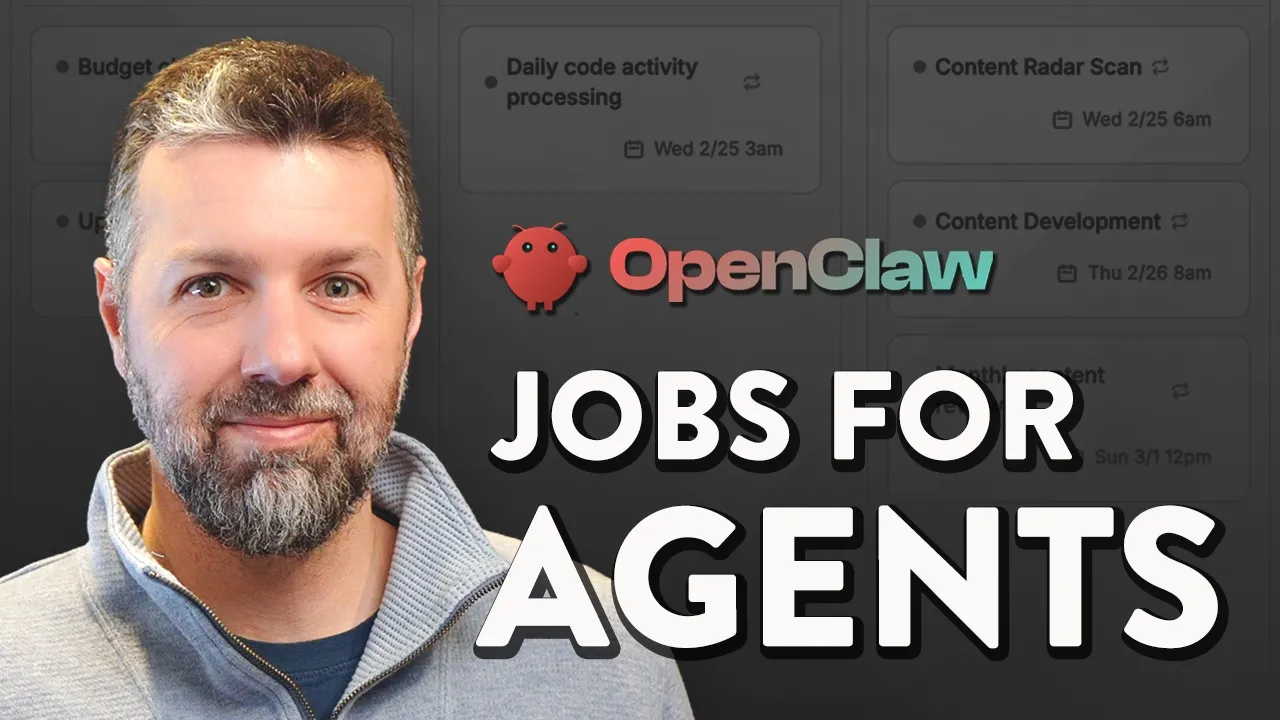
around. Now, here's what made OpenClaw really click for me. Instead of using it as a single agent, I set up a multi- aent configuration so that I can build an actual team of four agents. Claw is my system admin who I work with when I'm tinkering with my OpenClaw system itself. Bernard is my developer. Vale works on marketing tasks and Gumbo is my general assistant. Each agent runs as its own Slackbot with its own conversations. And I experimented with having them all in a group chat which kind of works but has some quirks. So I assigned a default model to each agent. Opus for Bernard the developer and Claw the system admin. That's where reasoning power really matters. And then Sonnet for Vale, the marketer, and Gumbo, the assistant. That's where speed and efficiency make more sense. But I often direct them to delegate parts of their work to sub agents for tasks where I need to specify a more expensive model or a cheaper model. Now, I decided to have them all share one workspace, which means they all access the same memory and I can manage configurations and agents MD directives all in one place. Also, my brain folder lives in this workspace and that's where all of our work gets synced up. And if you want to hear more about my productivity system with my agents, let me know in the comments and I'll make another video all about that. Now, OpenClaw has an identity. md file and that's typically used to define a single agents identity, but I use it to define multiple identities, one for each agent on my team. I even used Claude and Gemini to develop unique personality traits and a visual avatar for each agent. I wanted to have fun with it. You know, my bots are characters inspired by one of my favorite bands, Gorillas. Now, I did run into some challenges with OpenClaw's built-in cron system for scheduled tasks. It was hard to associate those tasks with specific agents on my team. And so, that ended up being one of the main reasons I built my own custom dashboard and task dispatching system.

Custom agents dashboard

So, I quickly realized that managing my agents via chat alone was not going to cut it. I wanted to see all my scheduled tasks in one place and be able to assign them to specific agents. And I wanted to track token usage so I know how much all of this is costing me. You know, I just wanted a central dashboard where I could see the whole system at a glance. So, naturally, I built one. Any excuse to build something, right? I used cloud code and my design OS process and I had a working app in about a day. It's a simple Rails app that connects to OpenClaus Gateway and gives me a clean interface for managing everything. Honestly, that HQ dashboard was just the beginning. Now I'm building another app for editing and reading markdown files in my brain system so that I can easily manage what my agents have access to. This is what I love about this moment for builders. When a tool that I need doesn't exist yet, I just build it in a day. Now, the most important question

My OpenClaw Use Cases

and the one that I keep hearing everywhere is what are you actually going to use your agents for? So, I've identified a few specific areas where my agents can fill real gaps in my business. Let's start with the content that I publish. Now, I only put things out when I have something to say, and that'll never change. But the truth is, so much happens inside my projects and in my conversations with other builders that never makes it to a video or a social post. So, I'm building systems now that let my agents observe and capture more of that work and help me share more of it across my platforms. Second is development. Now, I still love to spend most of my time in cloud code and cursor designing and architecting products. That's not going to change, but I'm having Bernard, my developer agent, pick up backlog issues and track production errors and submit PRs during times when I can't get my hands on those things. Third is the glue work. This is a bottleneck that I feel every single day. Every minute that I spend project managing or copying and pasting or scheduling content or documenting things, that's time that I'm not thinking, creating or building. And those tasks should be automated or delegated. And that's exactly what my general assistant Gumbo is for. And the use case that has me most excited is reporting. So, having my agents surface trends and patterns and new ideas on a regular basis, helping me see blind spots that I wouldn't notice on my own, that's the kind of insight that helps me teach ideas that actually help builders get ahead and helps me create tools that solve real problems. Now, I've already started assembling the building blocks, the processes for my agents to follow, the automations, the custom tooling, and I'd love to report back on a future video to show you how all that's coming together. So, make sure you subscribe to the channel. Now, I want to be careful not to oversell OpenClaw. It's still very early, very raw, and I spent more late nights than I'd like to admit just getting things configured. But there's no denying the breakthrough as a concept that OpenClaw has broken open here, at least in our circles of AI pill builders. And I see this as one of those things that's worth our extra effort to be an early adopter on because systems like this are only going to become more commonplace as this year and next year play out. And that gets at something that I think is a fundamental skill for us as builders in 2026. We have to be willing to explore and tinker to figure out how new tools can help us make real progress in our business. That's the value that we bring to the table and it's one of the five essential skills that I think we need to master to go from being overwhelmed by the speed of change to actually thriving in this new environment. And I cover all five in my video on going from an AI skeptic to building an unfair advantage. So, right after you hit subscribe on the channel, I'll see you on that one next. Let's keep building.

Другие видео автора — Brian Casel

Ctrl+V

Экстракт Знаний в Telegram

Экстракты и дистилляты из лучших YouTube-каналов — сразу после публикации.

Подписаться

Дайджест Экстрактов

Лучшие методички за неделю — каждый понедельник