The number one question after my last OpenClaw video was: what are you actually having your agents do? Instead of just listing tasks, this video gives you a framework for hiring agents like real employees. I cover how to identify recurring needs that become real jobs, and the three systems you need so your agents can work without you in the middle of everything.
I also walk through my own setup — the custom dashboard for scheduling and dispatching tasks, how I use Skills for consistent processes, and how I've reorganized my business around markdown files so my agents always have the context they need.
👇 **Your Builder Briefing (free)**
https://buildermethods.com - Your free, 5-minute read to keep up with the latest tools & workflows for building with AI.
👇 **Join Builder Methods Pro**
https://buildermethods.com/pro - The membership for professionals (and soon-to-be-pros) for building with AI. Private discord. Video training library. Official support for Agent OS.
👇 **Try my tools** (free open source):
https://buildermethods.com/agent-os
https://buildermethods.com/design-os
▶️ Related videos:
My Multi-Agent Team with OpenClaw: https://youtu.be/bzWI3Dil9Ig
Claude Code is all you need in 2026: https://youtu.be/0hdFJA-ho3c
💬 Drop a comment with your questions and requests for upcoming videos!
Chapters:
00:00 What should agents do?
01:53 Jobs for agents
05:58 3 systems for agent teams
10:04 Agent instructions (processes & skills)
15:55 Your source of truth (the Brain)
So, the number one question that I've been getting since my last video on OpenClaw is, "What are you actually having your team of agents do? " And I get it. Use cases for OpenClaw are what everyone wants to know about. But here's the thing. My use case is probably going to be different from yours, and yours is the next person's. So, the specific tasks that you hand to your agents will always depend on your business, your operations, your goals. So yes, I will share what I'm having my team of agents work on, but more importantly, I want to give you a framework, a mental model for how to think about structuring your operation so that you can actually hire a team of OpenClaw agents to work in your business. You know, I think that most people are approaching OpenClaw right now like a personal assistant or maybe even an extension of themselves. So they would chat with it and when they need something, they give it a task and wait for a result and repeat. But that's not how I'm using it. I'm treating OpenClaw like I'm creating real jobs in my business and hiring agents to fill them. So, there's a big difference between these two mindsets. One keeps you as the bottleneck. The other actually scales. So, I want to frame this through some lessons that I've learned from hiring and managing real teams in my businesses over the years. You know, these principles carry over more than you would think, but we'll also look at where hiring agents has some unique advantages over human hires and how it changes the equation in some really interesting ways. Now, if you're new here, I'm Brian Castle. I help builders navigate this transition to working with AI. And every Friday, I send my builder briefing. It's my free five minute read where I break down what I'm learning as I build and ship and work with agents week to week. No hype, just my take on what I'm seeing. You can get yours by going to buildermethods. com. And if you're serious about building with AI, check out buildermethods pro where you can join our community of builders, get access to my courses and live workshops. You can join us by going to buildermethods. com/pro.
Jobs for agents
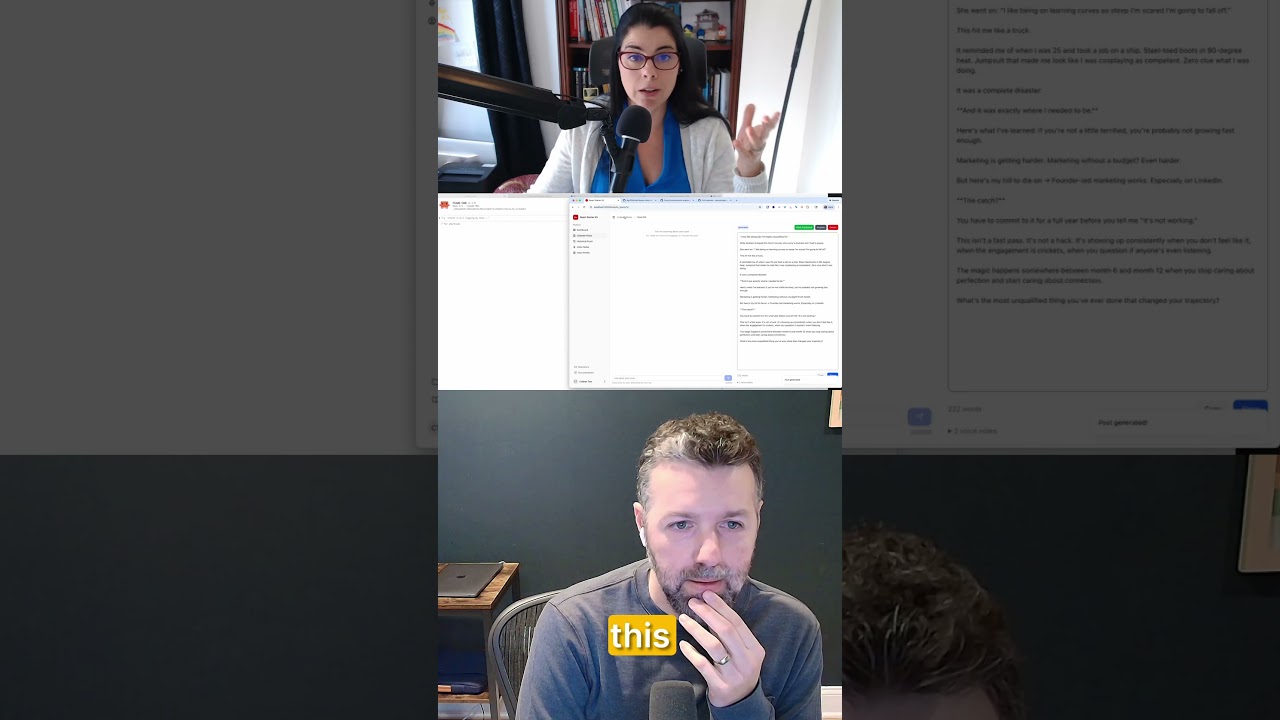
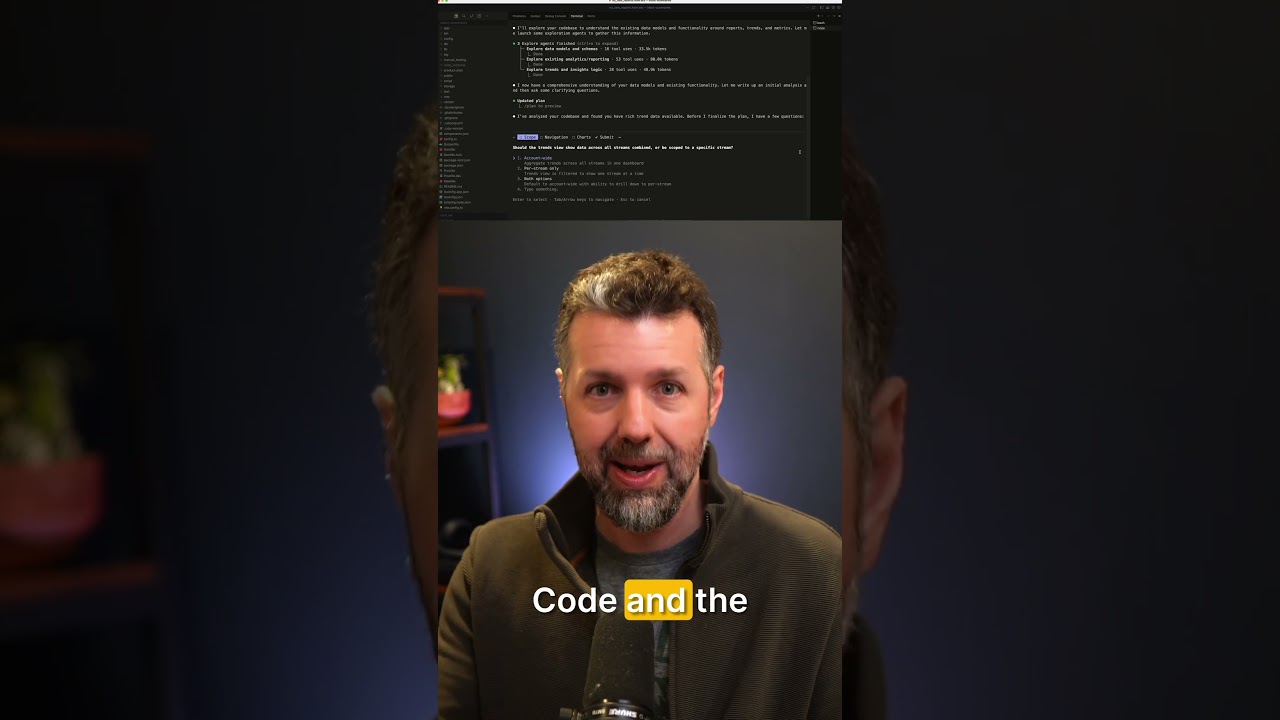
Now, let me know if you've seen this. If you've tried to delegate tasks to an agent or even a human teammate, you spend more time explaining how you want it done than it would have taken you to just do it yourself. and once they finish, you're scrambling to find the next thing to keep them busy. Well, that's what happens when you delegate tasks instead of defining jobs. What I learned from building real teams is that a hireer only works when there's a steady flow of recurring needs that a role needs to fill. Not one-off tasks that you're pulling out of thin air, but work that comes back on a predictable cadence every day, every week, every month. You hire when you have a job to fill, and a job is a recurring need. Now, here's where using something like OpenClaw to hire agents changes the equation in a really interesting way. When you're hiring a person, you need to justify that hire. You need enough recurring work to fill a full-time role, or at least enough for a meaningful part-time commitment. You know, nobody's going to take a job that's just two tasks a week. So, you end up waiting until the need is big enough to justify the cost and the overhead of bringing someone on. But when you're hiring agents, that constraint doesn't exist. You can start with one or two recurring tasks. There's no minimum. There's no salary to justify. You're paying pennies or a couple dollars per task in token costs. So, the threshold for creating a new role is dramatically lower. And that means you can start to scale your team and your business way sooner than you could have before. You don't have to wait around until you can afford a full-time hire to start getting recurring work off your plate. You can start freeing up bandwidth now and put that time back into things that actually grow your business. So, let me show you how I'm applying this thinking to my business. I identified two types of recurring tasks that I could build into jobs for my agents. First, there are things that I'm currently doing that I want to get off my plate. And second, there are things that aren't currently getting done, you know, missed opportunities that I can now start to take advantage of. Now, your business might be different than mine, but hopefully that mental model helps you go through the same exercise that I did. Now, in my case, research and content production make up most of the big recurring tasks in my work week. So, naturally, that's where I started. My starting point when figuring out my recurring needs and processes in my business, was to use Claude as a thought partner uh in this process, which I'm doing almost all the time these days. So, here's an example of just one of many conversations that I've been having with Claude over the past month. You know, you can see it goes super deep back and forth. It actually started with a prompt that looks like this. And when you see a big wall of text, that usually means it was a voice recording. And I think I was actually out on a walk when I recorded this. So, you know, sort of just like brain dumping my uh my content production process and uh and getting Claude's feedback on that and then trying to kind of hammer out what this would look like to have a team helping me in the research and planning and production of the content that I produce. And so, you know, lot lots of detail goes into this. Lots of uh changing of direction and trying out, you know, different cadences, different uh different mechanics, if you will, in this process. But ultimately, that messy back and forth strategy conversation turns into skills. And I'm going to talk more about skills later in this video, how they work into the system here. But, you know, skills are files that live in my file system. And so this is where I can actually work on them and then continue to refine them using cloud code. So here is a conversation that I've been having with claude code to rework and improve some of the processes that are built into the skills that my agents use in our task system. And so once I have, you know, all these customuilt skills which define processes in my business, I'm able to use my task system, another customuilt app I'll talk more about later in this video. And you can see each of these recurring tasks, it doesn't actually include detailed instructions. It just instructs the agent to use a specific skill and then carefully read its instructions and run them there. So, I'll talk more about that in just a minute.
3 systems for agent teams
So, you've identified your recurring tasks. You know what jobs your agents need to do, but here's where it's easy to get stuck. You end up being the one who kicks off every task. So every morning you open up Telegram and send your agent a message, hey, go do that thing again and then you wait for the result and then you do the same thing again tomorrow. That's not delegating. You're just creating another job for yourself. Think about it this way. When you hire someone to join your team, you shouldn't need to remind them to do their job every day. If you're doing that, then either they're a bad employee or you're not a great manager. I mean, the whole point of hiring is to have the needs of your business get handled without you needing to initiate and instruct and prompt every single time. And for that you need systems. And when it comes to running a team of agents, I found that there are three systems that you'll need to build. So your agents need to know what to do and when to do it without you being the one to press go. Now OpenClaw has a built-in cron system, but I found it to be too limited for a multi- aent setup like mine. It was hard to associate scheduled tasks with specific agents on my team. So let me show you this custom app that I built called BMHQ. It's my builder methods HQ. It's kind of like my mission control dashboard for running my team of multiple agents with OpenClaw. It's a simple Rails app that's actually running on the Mac Mini where OpenClaw is running. It's got a bunch of features built into it, but the one that I use all the time every day is the tasks board and it's set up like a simple canban and it's got a few different modes. This one is like the traditional, you know, scheduled Q in progress and done. But what I actually find more useful is the view that breaks it down by agent. And so these are all of the recurring tasks that each agent is responsible for. It has a system of setting up task templates. So these are the tasks that are used every time we you know regenerate the recurring tasks. Over here I can manage all the different schedules for each task. So some of them run daily, three times a day, some of them run twice a week, sometimes monthly. And I've got this section called pre-instructions. So these are things that I want kind of prepended to uh every single task. But then in the tasks themselves, I can add instructions here. Although these instructions tend to be really simple because most of the time I'm just pointing my agents to run a specific skill that I've developed and put into my system. And I'm going to talk more about skills in just a minute. Now all of the scheduling and dispatching of tasks to my agents happens through my own custom application. So we have this section of code that runs when a task is scheduled to be done by an agent. It dispatches that task directly into the open cloud gateway. So it sort of assembles the uh the task instructions and assigns it to the right agent. And so this system with a bit more logic under the hood helps me assign specific tasks to agents and have those agents pick them up and execute them and then those agents actually message me back on Telegram when it's done. Now another cool thing here is that I can open up any individual task. I see the activity status of everything that happened here in the board, but I'm also capturing all of the execution logs. So these are the actual execution logs from the open claw gateway. I almost never need to look at these, but if anything goes wrong or if we run into a to a hitch with the process or with the instructions, I can see everything that happened with this task here in the logs. I mean, it's really good for troubleshooting issues. And, you know, when you're getting up and running with OpenClaw, especially if you're building a sophisticated task system like this, you know, it's really going to take a few weeks to hammer out all the bugs and all the quirks. That's sort of just the nature of OpenClaw since it's still very early. By the way, in my membership, Builder Methods Pro, I'm doing a deeper dive into the design and the structure of this BMHQ app and all the other custom projects that I do in there, I do what I call ride along videos for members. So, that covers the scheduling system for your agents. Now, we've got two more systems to figure out in order for your team to really be productive.
Agent instructions (processes & skills)
So, when your agents are running jobs on a recurring basis, you need them to follow a consistent process every single time. Now, the key is to be able to improve your processes over time because the first version of any workflow is never going to be perfect. I'm constantly reviewing the output and identifying what's off and tightening up my team's processes so that the next run is better. Now, where should those instructions for your agents live? You could bake them into the task itself, but then every time you want to improve the process, you're editing or rewriting task instructions. This is where skills come in. If you've worked with skills in cloud code or cursor or codecs, it's the same concept here. Skills are just folders with a markdown file, plus optional reference files and scripts to support the process. A skill is the operating manual for a particular job. It lives in one place, so it's easy for you and for your agents to read. And most importantly, it's where you go to work on your business. Because when you're improving your set of skills, you're literally making your team of agents better at their jobs. All right, so let's dive into my growing collection of customuilt skills which I'm using as the processes or the operating manual for my agents to work in my business. Now to show you where these skills actually live in the system, I'm opening up a screen sharing window on the Mac which is looking into the actual screen of the Mac Mini which is sitting on my desk. That's the Mac Mini where I'm running OpenClaw. And so now I'm like looking at that machine and this is a finder window in there. I'm looking at the home directory for the OpenClaw user, which by the way is its own user on the machine. It's not my user, not the admin user. I talked more about the security and the setup of my openclaw system in my previous video on the channel. So, here in the uh home directory, I've got the OpenClaw folder and inside that is the skills folder. Now, I could have also put the skills folder in the workspace folder, which would work just fine. I put it up here in case I ever go with like multiple workspaces, then all the agents in all the workspaces could access the same set of skills. Currently, I'm actually having multiple agents share the same workspace. Another story that I got into in the other video, but anyway, all of the skills are here. Now, something that you might notice if you look closely, this is actually a sim link. This folder is actually pointing to a version of that folder which is living in a Dropbox folder that I called open claw. And that's where this skills folder along with a couple of other key folders are sim linked into there. So why did I set up that whole sim link system? Well, that's how I can easily access the same set of files on one of my Macs. And so these files are being synced using Dropbox. Again, I talked more about my Dropbox sharing system in the other video. It's actually set up in a way so that OpenClaw only has access to a certain subset of my files. that doesn't have access to my entire Dropbox and some other sensitive stuff that's in there. Here is the set of skills which is growing and constantly changing. Again, I'm constantly working on and improving the skills that run my agents in my business. This one happens to be uh one for content development. I'm still kind of working this out, but this one is basically just one big skill. md file uh where we do some uh some kind of planning and research and drafting of ideas. And I've got a couple of other skills. A lot of them right now are built around capturing all the activity that I work on from transcripts that I publish to my content to the code activity that's happening in GitHub and the code activity that I'm even capturing from my claude code conversations. So actually one of my skills here is called code activity capture. So here's the skill that one of my agents handles and this has two pieces to it. uh one is capturing the activity from my cloud code sessions and storing it into markdown files and the other is actually running this script. So here's a script that we wrote up to pull all of the activity from all of my GitHub repos. And again, it's going into these like code summaries that my team is then um documenting into my brain system. I'm going to talk more about the documentation and the markdown files coming right up in this video. So again, uh, skills are where I go to, uh, tinker and work on my processes. And for most of the time, I actually use claude code to help me with that task of going through and making improvements to my skills. So, you know, I'll usually like prompt in here to talk about, you know, what I want to change in my operation or my system or even some details like how I want the agents to craft their messages back to me or the sequence that I want them to work in. I'll collaborate with cloud code on those changes and have them done directly into the skills files and then my team works off of these. So over in my tasks board which lives in my BMHQ dashboard here again if I look at the instructions on any of these tasks, I could have given this agent all the detailed instructions, but instead I'm pointing this agent to go to my content radar scan skill. That's a skill where my marketing agent is going to scan for announcements from companies and people that I want to follow in the industry to stay up on some research tasks. So, uh, this agent, uh, collects that kind of stuff and puts it into a report that helps me stay on top of stuff, but also helps my team and I draft ideas for content. So, that is a highle look at how I'm putting these skills together. At this time, I'm not going to be, you know, releasing these skills as like an open source thing because they're just changing so much from day to day and they're highly personalized to my business. But again, inside my membership, I talk more about how I structure these operations and I will be doing more of that in the future. Just wanted to give you this highle look for now. So, we figured out our scheduling system. We've set up processes for our agents using skills. Now for the final piece.
Your source of truth (the Brain)
When your agent finishes a task, where does their output go? How do you know it was done? How do you review it? Now, we know that OpenClaw is built around your chat sessions with agents. But that's only one piece of this. Sure, I want my agents to proactively message me about updates on the tasks that they're working on. And in my task instructions, I even dial in exactly how I want those messages sent to me. But more importantly, the work that my agents and I do together has to produce artifacts. And in this new world of teaming up with agents, it's best that we start to organize our business around markdown files. So to make that easier, I built myself an app that I call Brainown. It's a markdown editor and viewer that lets me and my agents send links to our markdown files that live in our shared Dropbox. This makes it much easier than having to remote into the Mac Mini and locate those files and open them in a text editor. You know, in 2026, it's actually easier and better to just build your own tools to power your business. Now, I currently use Claude Code primarily to build my tools. Could I just have OpenClaw agents build my tooling for me? Sure. But I actually see that as a core part of what I do. I'm working on my business by building these systems that enable me to delegate jobs to agents. So, here's a look at my Telegram where I have all four of my agents in a dedicated agents folder separate from my humans folder. Um, and here is my chat with Gumbo. That's my general assistant. And so, uh, you can see in the most recent one, uh, he did his normal intake processing where he's capturing all the activity in my business and storing it into markdown files. And when he does, he links me to these markdown files that live on my system. So where do these links actually point to? Well, they actually point to markdown files on my Brainown app. So if I click this link, it'll open up in my Brainown app. Now, you know, I'm still working on the styling of this. And this happens to be my daily note that my agent will uh will sort of compile as the day goes on. Today is still in progress. So, and so here's one from a few days ago. You know, some items for me to take a look at. This is one part of the brain system that helps us capture uh summaries of what's going on that we can then use in content production and other strategic planning stuff. But now, what I'm seeing here is a file which I could, you know, edit and I can do things in. But that's a file that actually lives on my file system. These are actual just markdown files that live in the brain. All of this is accessible in the file system for my agents and for me to work on. But it's also really easy for me to just receive a message from Telegram and then hop right into uh Brainown and then be able to use this to uh you know quickly get to some of my files and folders. So the Brainown app actually integrates with Dropbox and that's how we sync between what's actually on our file systems and here in this easy to use app which you know I'm still refining it but it is you know it's all mobile friendly. I like to use it on my mobile device a lot and you know jot down notes and read the notes that my agents are sending me from Telegram. And by the way, I can also capture new notes by writing out a new note or using a voice recording or uploading a recording or files and images. All of that easily gets captured into markdown and files that gets synced into Dropbox. So, it's a really easy thing. I've only been working on this for a few days and it's just a really good example of a customuilt tool that helps me run my operation with my agents. Now, you'll probably hear me continue to repeat this, but the real value of OpenClaw, whether you're running a solo business or a larger company, is to think of it like an employee, or even better, a team of employees that fill real job functions in your business. The difference now is that getting started is more a matter of building the right systems rather than needing to justify taking on the cost and the commitment of additional full-time salaries. Now, like I said, the jobs that I'm hiring my OpenClaw agents for are less about coding and more about freeing me up to spend my time building tools and improving the systems that help me grow my business. So, day-to-day, I'm still very much a builder, and Cloud Code continues to be my go-to for being able to design and build any tool that I want in a matter of days. Now, if you're new to building your own tools using Cloud Code, now is a great time to become a builder. I made a video a couple weeks ago to show you how in 2026 building with cloud code doesn't have to be over complicated. Check that out and let me know if you find these videos helpful. So, right after you hit subscribe on the channel, I'll see you over there next. Let's keep building.