Google's New Model + Claude Code Just Changed RAG Forever
15:10

Google's New Model + Claude Code Just Changed RAG Forever

Nate Herk | AI Automation 11.03.2026 3 529 просмотров 297 лайков

Machine-readable: Markdown · JSON API · Site index

Поделиться Telegram VK Бот
Транскрипт Скачать .md
Анализ с AI
Описание видео
Full courses + unlimited support: https://www.skool.com/ai-automation-society-plus/about All my FREE resources: https://www.skool.com/ai-automation-society/about Apply for my YT podcast: https://podcast.nateherk.com/apply Work with me: https://uppitai.com/ My Tools💻 14 day FREE n8n trial: https://n8n.partnerlinks.io/22crlu8afq5r Code NATEHERK to Self-Host n8n for 10% off (annual plan): http://hostinger.com/nateherk Voice to text: https://ref.wisprflow.ai/nateherk Google just dropped Gemini Embeddings 2, a new model that natively understands images, videos, and text all at once. In this video I use it with Claude Code to build a full visual search engine from scratch. The crazy part is you don't have to build any of the chunking or ingestion pipeline yourself anymore. Just describe what you want, point it at your files, and Claude Code handles everything. It extracts content from images, generates descriptions, builds out your Pinecone vector database, all of it. You basically just throw everything you want to be searchable at it and it works. This is a massive unlock for anyone building with RAG. Sponsorship Inquiries: 📧 sponsorships@nateherk.com TIMESTAMPS 0:00 What Gemini Embeddings 2 Can Do 0:38 Instruction Manual Demo 2:24 Roofing Company Demo 4:01 Why This Is a Big Deal 4:22 How RAG & Embeddings Work 6:54 Setting Up Claude Code 7:31 Planning the Build 9:30 Creating the Vector Database 10:13 Building the Chat App 11:48 Testing & Improving Results 13:40 Searching Videos with RAG 14:04 Current Limitations 14:53 Final Thoughts
Оглавление (13 сегментов)

What Gemini Embeddings 2 Can Do

Google just dropped Gemini embedding 2, which is their very first natively multimodal embedding model, and it is already blowing my mind. This means that you can have completely multimodal databases with text, images, videos, audio, and documents. And it can actually understand the nuanced relationships between these different types of media so that you can have actual realworld answers back. And here's a quick look at some of the benchmarks, which I always think are important to look at, but I think it's always worth taking it with a grain of salt. And that's why in today's video, I'm going to show you a few examples that I already built out that are super practical. And then I'm going to show you exactly how you can set this up for yourself. And trust me, it is so much easier than you probably think. So, let me show you some examples and then I'll teach you how to do this yourself. So

Instruction Manual Demo

right here, you can see that I've got a project called manual, which basically stands for like instruction manual. So, what I did is I dropped in this PDF right here, which is a 68page PDF about how to use this vacuum cleaner. You can see that it's pretty complex. It's got tons of different text. diagrams. It's got images. And if you wanted to be able to chat with it, it would be pretty complicated to build this ingestion pipeline if you use something like Naden because you'd have to figure out exactly how you want to chunk it and how to capture the images and how to store those and how to pull them back. But I kid you not, I dropped in the PDF right here and I said, "Hey, Cloud Code, there's the PDF. I want to be able to chat with this using Google's new embeddings model. Just go build it for me. " And not only did it build it for me, but it built this app where I can actually talk to it. So let's say I ask, you know, how do I clean the filter? It's searching right now our Pine Cone database. And in the database, we're storing both text and images. So here you can see it says to clean the filter, follow these steps. Number one, number two, blah blah. And then down here, we have actual images. So if I click on this one, we can see the actual diagram that it pulled from because sometimes when you're trying to troubleshoot things, especially if it's physical, an image is way more valuable text. And what you can see here is that it also returned the same diagram in different languages, but you could turn that off if you didn't want to. And what's super cool is at the end I can actually expand the sources and it shows me the different pages that it looked at and the confidence score or the percent match that it had for that page. Let's go ahead and try one more for this demo which is just a very broad what are the parts and I'm assuming there's lots of different pages that it might need to figure out what the parts are. So what we got here are we have the main components from page six. We have what's included on page seven and then we have available accessories. So that's super good. And it looks like we got three different images. So we have what's in the box. We have the actual getting to know your Hoover Impulse cordless vacuum. So all the other different kind of components here. And then the final image is how to order extra accessories.

Roofing Company Demo

So that's just super cool. Okay, so that was our instruction manual example. I dropped in one PDF and it basically was able to turn that into text and images in our database and pull everything back accurately. So then let's scale it up a little bit. I am doing a roofing example. So in this one I gave it 13 images and all these images are different roofs that might have some sort of issue. So, let's say you're a roofing company and you help fix roofs. What might be helpful is if you had an app where you internally or a client could upload a picture of their roof and you could get like a quote or an internal brief about any past work that you've done on a roof that looks like that. So, if I drag in a picture right here, it shoots it off and says, "Find similar past projects for this roof. " It's searching the database. It's looking through all of our different past projects. And all of those images have metadata like how much this costed us or, you know, how long it took, how many team members. So here are the five similar projects. We get a percent match for each of them as you can see. And then we get a description like quote range and averages, team size, trend, roof types, breakdown. And so obviously I'm not a roofing expert. If you had some subject matter expertise about roofs that you could add into here, this would obviously be better and you would have your own data. But it's just really cool that you can get a quick search across potentially hundreds and hundreds of projects to do this. And I could ask a follow-up. So let's say I said, "Okay, awesome. Can you tell me about the one that we did in Richmond, Virginia? It looks pretty similar. And at this point, it could pull the metadata from this image and it could go grab other pictures from that file if we had them. But anyways, we get the basic info, the scope, what stands out, pricing, context. Super awesome. But yeah, clearly this needs some subject matter expertise. It obviously made up all this data because I feel like this roof would have costed more to fix than this roof.

Why This Is a Big Deal

So, so if you've never built a pipeline like this before, then it might not seem super impressive because that type of functionality is pretty standard on a lot of chatbot based features. But the fact that I built both of those demos in less than 30 minutes is what truly blows my mind because that would have taken me several hours if not several days to build out an NAN. And that's why I had to show you guys this stuff. All right

How RAG & Embeddings Work

so we're going to hop into the live build. But real quick, in case you haven't really heard of like Rag or why this multimodal stuff is awesome, let me explain it real quick. So rag stands for retrieval augmented generation and it basically is just the concept of your AI agent only knows so much in its training data. So if you ask it a question and it doesn't have that information, it has to go grab it in order to generate a better answer. So it basically retrieves information, it augments its answer because it has more data and then it generates an answer or generates a response to you. Now typically when we think of rag and we think of a vector database type of rag, we have to look at it like this. We have some sort of data source, right? whether that's document or video or an image. And what happens is we have to turn this document into vector points or little chunks. So for example, if this was a document about our company, then maybe we'd split it up into three chunks. Those chunks would run through an embeddings model, which is, you know, Google's new embeddings model 2 that we're talking about today. And then it would spit out these vector points, which would basically just be a numerical representation of what the data means. So this chunk might be placed over here because it's company overview information. with financial information. And marketing information. And just to help you guys contextualize that, when I was first testing this out, I did a demo where I dropped in an Adam Sandler and me picture that was Nano Banana. Um, a random picture of me, a video of me using Claude Code, a video of a dog playing guitar, a video of me speaking, um, a couple text files, and a couple more images that were just literally so random. I put a picture of smiley face potato fries in here. And what happened after it embedded all of those is it gave me this report which is basically the multimodal embeddings but this is a 2D view rather than a 3D view. But you can see that it's placing things where it deems appropriate. So up here we have you know first agentic workflow which is in the category tech and it is a text file. We've got over here a dog playing guitar which is in the category entertainment and the modality is video. We've got the smiley face for eyes which is category food. The modality is image. So I think you guys understand the point. we have a source of truth that gets embedded and then it gets placed somewhere in a multi-dimensional space based on the actual meaning or you know value of what that source of truth is. And so that's why it's so cool that we can have a space where we have images, videos, audio, text, documents all in the exact same space and the AI is intelligent enough to query through it to find what it needs in the right context and when. And this is obviously a bizarre example because smiley face fries and a dog playing guitar and a video of me talking have nothing to do with each other. But if all of these were pictures of roofs for example, then they would be very split up based on like is this water damage or is this just like old age or you know other

Setting Up Claude Code

things about roofs. So if you've never used cloud code before or you want to follow along with this video exactly, I use it in Visual Studio Code which is free to download. And when you download that, it'll look like this. All you have to do is open it up, go over here to the extensions, type in Cloud Code, install this, and then sign in with your account in order to get connected. You do have to be on a paid account. You cannot use free Cloud Code. And then what you're going to do is click on this in the top left to open up a new folder, which is basically just the project that we're going to work in. And I'm going to open up a brand new one. So my screen will look exactly like your guys' screen and you can just follow what I do. Okay. So I just opened up a folder called embedding demo. I have this stuff over here. I'm going to exit out of. I'm going to click on this orange button

Planning the Build

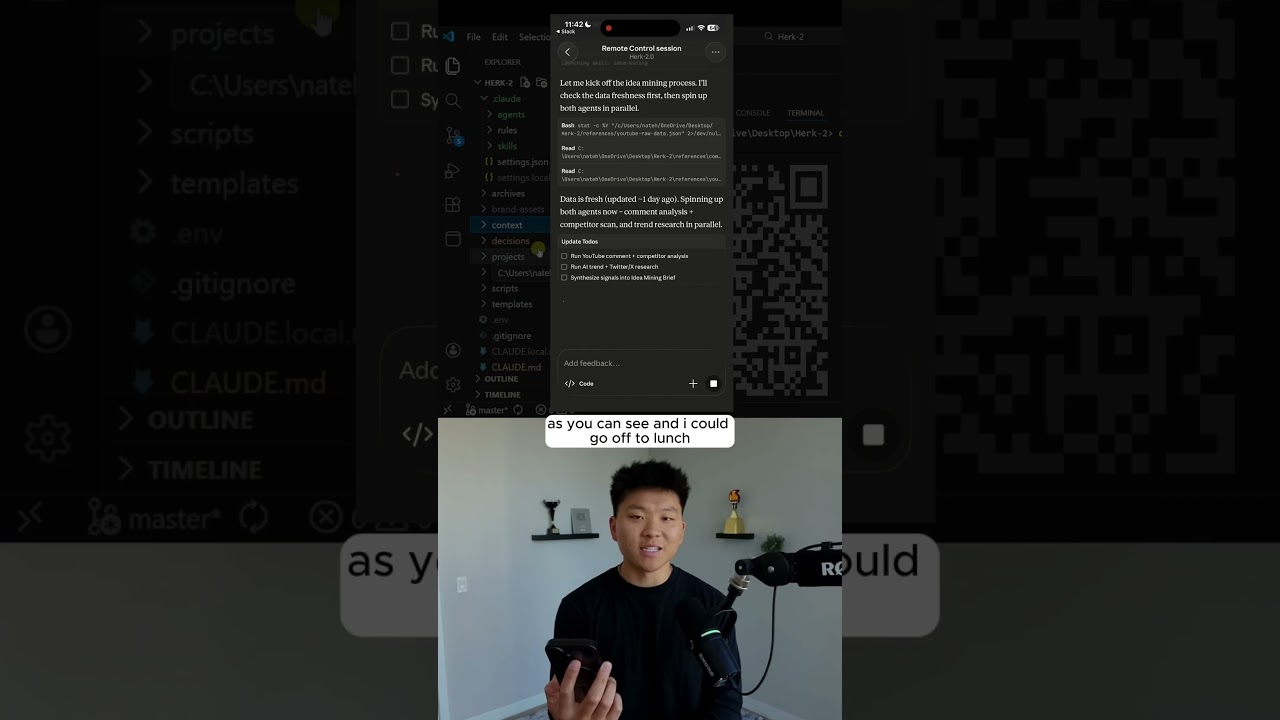
which opens up cloud code. And now your screen should look like this. So I'm going to show you exactly how I got everything set up. I went ahead and I switched to plan mode. I went over to this documentation from Google and I went to the actual like API embeddings information. I copied this URL, pasted it in and said, "Hey, Cloud Code, I want to use Gemini's new embeddings 2 model in order to have a Pine Cone vector database filled with videos and images and text. Can you please build me a plan to set all of this up? create me av file with the placeholders and I will drop in my Pine Cone API key, my Gemini API key, and my open router API key. So, the Pine Cone API key is so we can set up the database. That's actually going to look like this. Just go to pine cone. io. And you can see in here we've got our different databases for our manual multimodal for our roofing projects. And then this was just a random one. And the cool thing is all you have to do is give Cloud Code your API key. It will build the database and it will throw everything in there. You don't have to do anything. So on Pine Cone, you can go ahead and use the starter plan, which is free. And this will be more than enough to just get started to see how it works. And then you're going to go over to Google AI Studio. You're going to come over here to get API key and then create a new API key right here. And that's going to be for accessing Gemini's new embeddings model. And then you're going to go to Open Router. AI. If you wanted to, you could use an OpenAI key or anthropic key. But Open Router basically just lets you have all of these models in one, which is why I like to use it. So once you get an account in here, you'll basically just go to your account. you will come to your API keys, create a new one, and then give that to Cloud Code. So, those are the three things we need. So, what it does now is it spits out this plan. So, we can basically read what Cloud Code is planning on doing. Here's the context. Here's the proposed project structure that it's going to create. Here are the dependencies. And here is the basically step-by-step plan. Now, if you wanted to change anything, you could highlight it, you could add a comment, and you could make suggestions. For the sake of the demo, I'm just going to go ahead and auto accept what Claude is thinking to do. And hopefully, it gets everything built out for us. And then all we have to do is give it the documents that we want to embed. So here's the to-do list.

Creating the Vector Database

I'm just going to check in with you guys once this has finished up. Okay, so you can see it built all those files. And now in ourv it gave us these placeholders. So this is where you would go grab Gemini, paste it here. Go grab Pine Cone, paste it here. And then after you paste all three, just make sure you save this file before you exit out of it. All right, so I added those keys and now I said, where should I add my images, videos, and text? And it wants me to put them into the data folder. So, I could open this up and make subfolders for image, videos, and documents. But what I'm going to do is I'm just going to drop everything in there, and I'm not going to tell it which is which. Obviously, it will be able to figure it out. So, I'm sorry for being boring, but I am going to use the same nine files that I used for the earlier demo just because it's a good mix of, like I said, images, videos, text, and we're going to shoot this off now. All right.

Building the Chat App

So, normally I would say this in plan mode, but I'm just going to keep sending it. Right now, I said media has been dropped in, as you can see over here. Get that into Pine Cone. then build me a simple chat web app on a local host so I can test that everything works well. I want you to use sonnet for the chat model. So these are the three pine cone indexes that we currently have and like I said it's going to go ahead and build us a new one because it has our API key now. Okay, so right now it just created that pine cone index and now it's doing the ingesting which like I said this is my favorite part because cloud code is so powerful at being able to do this and then the new model the new embeddings model is also so powerful. So combining them together makes this so seamless where you can build a database with natural language because like I said, I've built multimodal vector store agents before in nodn, but it's so complicated. They're super fragile and there's a lot of hoops that you have to jump through in order to just store these different buckets and have all these descriptions of the images. This is so much better. And there's one thing I noticed is that it says to build the chat web app with sonnet. So once it's done ingesting, I'm going to stop it and correct it. So if you ever notice that it's doing something wrong, there's nothing wrong with stopping it and sending a new message because it still understands the context. So now I'm going to go ahead and stop this. I'm going to say, "Hey, so I don't want you to build the chat web app with Sonnet. I want you to still use Opus. I just meant on the web app when we're actually talking with the AI, I want that AI model to be Sonnet. " So make sure you use the front-end design skill to build this chat web app. Just keep it super simple. Okay, now I'll check in with you guys when we have our PC. Okay, so it looks like our chat app is ready. I'm going to click on this logo host and we have multimodal rag chat. So now I can ask a question. Okay, so I'm just shooting this off to see what happens. I

Testing & Improving Results

said, how should I be looking to get workflow clients and do you have any interesting pictures of people meeting each other potentially warm connections? So I wanted to see if it can pull the workflow clients text, which it probably will, but I wanted to see what it did here with the picture of me and AI Adam Sandler. Okay, so it came back and has some methods which came straight from my text document. But it says that it doesn't have any pictures of this exact thing. So what I'm going to do is I'm just going to copy this actual string and I'm going to go back into cloud code and say awesome, it's working. Here is a conversation I just had with it. And then I'm going to paste in that conversation I just had. I want to understand the way that it thinks about the images or videos in the database so that I could ask a question that would get it to invoke and send me the image or video. And this is really the mindset shift when I work with Claude Code. It's just about being genuinely curious. If you don't understand something, just ask. So here it says, "Right now, the system can't actually show you images or videos. It only stores a text description alongside each embedding. Here's how it works. Images just the description I wrote during ingestion. Videos, same thing. It's just the description. So what you can do from here is you can have better descriptions to go along with all your pictures and videos which you kind of saw earlier in the demo where all of them had some metadata. And then what we can do is actually serve the media so we can update the chat app to display images and videos inline when they come back so that you're not just getting a file name. Thanks for explaining that. I'm just doing a quick demo right now for YouTube. So what I want you to do is just add some metadata about the dog playing guitar video. Just saying that it is a cartoon golden retriever I think playing the guitar in front of a fireplace. and update the actual app so that it can serve us that media. And I just want to validate that this works and it's able to search through different types of media. So, as you can see now, what it's going to do is it has to reingest the video for better description and update the app. And I don't think by default it's going to do this, which is why I would say to use plan mode, but in this case, you might have two duplicate videos in the

Searching Videos with RAG

database, and you would want to make sure that it's deleting the old ones or it's basically just upserting this new one. So now if I say, "Show me the golden retriever playing guitar. " It can actually pull that back and right here in our app, we can watch the video. So this is just so cool. You can have a database of tons of different videos and you could be able to actually search through them with rag. Now the one limitation of that

Current Limitations

right now is that the videos are up to 120 seconds and only MP4 orov. The images are capable of processing up to six per request supporting PNG and JPEG formats. And I imagine that this stuff is going to get a lot better. You can even see that it was able to get over this limitation because the document that I gave it was like 68 pages long. It just had to figure out how it could break that up, chunk it up, and still maintain context. And I didn't try with audio yet, but that would be very similar to the way you do your videos and images. The key thing about the audio is being able to give it good descriptions so that the AI understands what's actually in that audio file. So that's where the subject matter expertise of the systems that you're building really, really does matter. The importance and value is way more shifting towards being able to communicate clearly, having understanding of processes, deep understanding of processes and where holes might be and where you need to be very explicit rather than just knowing

Final Thoughts

technically how to configure different nodes and how to formulate a JSON body for an HTTP request. But anyways, that is going to do it for today. So, if you guys enjoyed the video or you learned something new, please give a like. It helps me out a ton. And as always, I appreciate you guys making it to the end of the video. I'll see you on the next one. Thanks everyone.

Другие видео автора — Nate Herk | AI Automation

Ctrl+V

Экстракт Знаний в Telegram

Экстракты и дистилляты из лучших YouTube-каналов — сразу после публикации.

Подписаться

Дайджест Экстрактов

Лучшие методички за неделю — каждый понедельник