Agent memory resolved?
15:28

Agent memory resolved?

AI Jason 18.02.2026 39 958 просмотров 1 268 лайков

Machine-readable: Markdown · JSON API · Site index

Поделиться Telegram VK Бот
Транскрипт Скачать .md
Анализ с AI
Описание видео
20 AI apps to vibe code in a weekend: https://clickhubspot.com/2437e6 🔗 Links - Get in-depth agent memory workshop: https://www.aibuilderclub.com/ - Use superdesign AI design agent for free: http://superdesign.dev/ - Follow me on twitter: https://twitter.com/jasonzhou1993 ⏱️ Timestamps 0:00 The problem & method 3:16 How Git Context Control works 8:31 How to setup oneContext
Оглавление (3 сегментов)

The problem & method

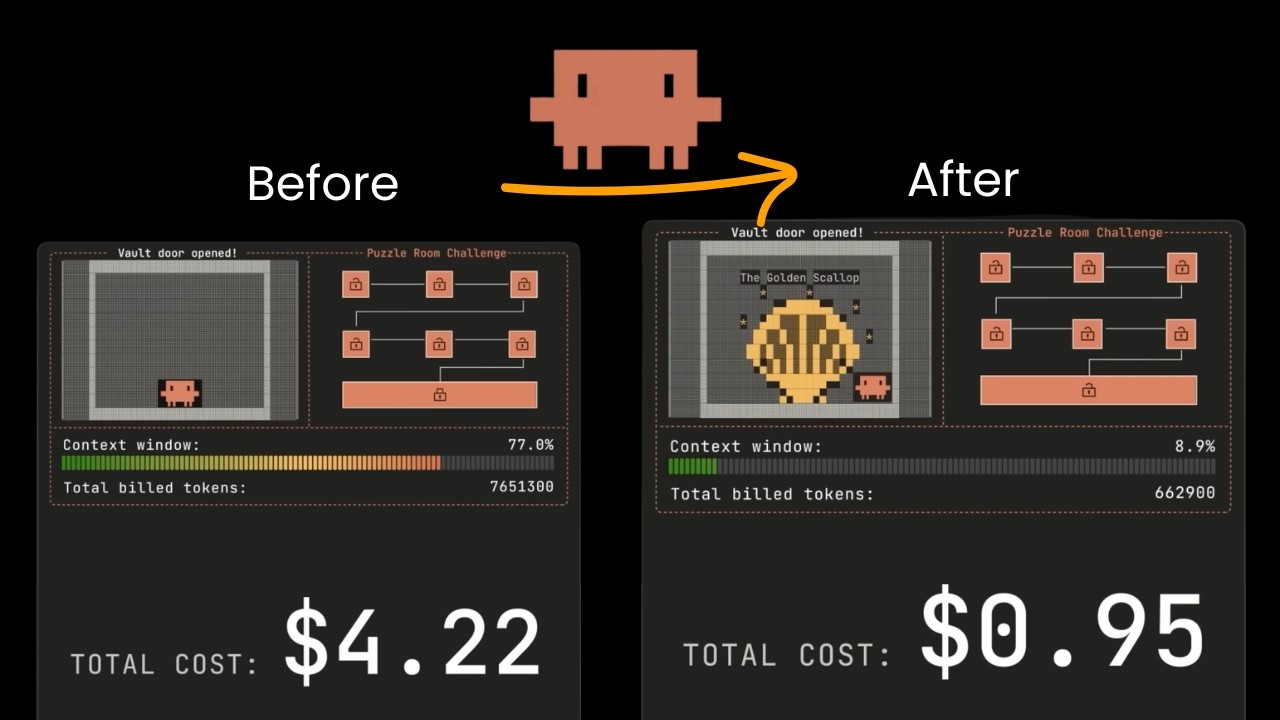
So one of the key limitation factor for cloud code or any coding agent is a context management. If you use coding agent enough you will you often notice is that agent just seem to became dumper as it works longer and more complex tasks. You'll make same mistake and made also forget about some stuff that it tried before. If fundamentally it is limited by the context window of learn model. Even though modern model can take around 1 million token, the actual effective context window is somewhere between 120 to 200k. That's where all the coding agent today is designing this conversation compacting mechanism around those optimal contact window limitations. But ideally, you want agent to be able to remember every single trace it did before. And even though cloud code introduced this memory feature recently where agent can log information into its shared memory file of the project, but fundamentally the way it work is still somewhat limited. It is basically keeping a separate memory MD file for every single pure. So if your project is actually pretty complicated, this document can blow up very quickly as well. And also this is very specific to cloud code. In an ideal world, you want those knowledge and memory shared across any possible agent sessions no matter which agent it is accessed to. Only by doing that your team's knowledge is actually accumulating and agent is getting better the more you use it. But this is a hard problem. Many team attempt to solve this but haven't got a ideal solution yet. I found this project called one context that is released this week where they are utilizing this method called get context controller that is defining a specific memory framework that is extremely simple and basic. So the agent is managing the context just like git and this memory is persist across any session and any coding agent. It can even be shared with your open cloud as a memory file where you can chat to in slack or telegram and with this method they found cloud code is performing 13% better on software engineer tasks and even enable some cheaper and smaller model like gr 4. 5 air to perform at similar level as frontier models and most interesting part is that this setup is extremely simple and basic something you can literally set up now and this is what I want to share today I'll take you through how does one context actually work the idea methodology behind it and how you can start using it. But before I dive into that, I know many of you are first-time vibe coder and when you're just getting started, I know things can be pretty hard and the best way to learn is by doing and practicing real purchase. That's why I want to introduce you to this awesome free resource from the hustle where they did a whole bunch of research and come up with 20 AI app ideas you can start building and practicing. They did a whole bunch of research on Reddit and Twitter to find real pain points that people have been asking and specifically those ideas are easy to start and execute. something you can just spend a weekend to build, deploy and launch to the market. And for each idea, it also give you step-by-step breakdown and prompts for generating prompt specs to get cloud code or cursor to start implementing. Blue should give you a good sense about how to write good prompt and specs for coding agents. And they even give you some ideas about what you should do to start generating your first revenue. And those app ideas across both consumer and business facing. They even link to a big database of all side hustle that you can start practicing. So if you're looking to actually chipping something real and honing your AI coding capabilities with cloud code or cursor, I highly recommend you go check out this resource. I put a

How Git Context Control works

link in the description below for you to download for free and thanks Hopspot for sponsoring this content. Now let's get back how does one context works. So at its core the get context controller is a basically defined rules or skill that agent can follow to maintain a list of memory file that is saving all the actions and learnings agent had at different level. It has this four main files. One is main. md which is storing the global context of the project that you are executing. Then they also introduce this branch idea to log different approach paths and tasks that agent is ever worked on. And for each task and branch it has this three files. One is commit. m MD. There's high level milestones the agent has hit like after every time it finish a subtask or deliver a meaningful piece of work it will log commit MD file just like how we normal do get commit and then the log. md is where it will store the full row conversation history. This is what they refer to otaa observation sort actions and if you're using cloud corax is basically the row conversation message as well as metadata. That is storing the metadata of the project. Then again give high level information for agent to find specific piece of knowledge. So this structure provide foundations of how the memory is stored for particularly longunning tasks and they have four different actions that agent can take. One is branch they should be triggered when agent decide to exploit alternative strategy and second is commit. This is what agent do when they hit certain milestones or completes certain subtasks and merge. This will be triggered when agent complete certain task or exploration and want to merge this history of exploration by certain branch and this is quite important because for complex longunning task this branch commit merge methods allow agent to fork conversation very easily without losing the overall context and this might be abstract let's take you through a actual example so you might have this task for agent to build a web scraper for LinkedIn and with this methods agent will firstly try to set up a main. MD that is logging the global road map. It can be just a folder in your ripple. Then it will start deciding a method or approach like it might decide to build a playright script first as a direction. This where it will create a branch playright. And what does this branch action actually means? It's just creating a folder called playright under the branch folder and start initialize commit. md file blog. md file which should automatically retrieve and save all the conversation history and then the metadata. So it set up foundation about how do we track memory and knowledge of this specific playright script based approach and as agent works along this approach it might hit some milestones like got a v1 script finished and tested and that's where it will commit a memory and what this commit action does is basically instruct agent to update commit. md file to log a summary of what it did and also has option to revise the maind file and the benefit of this is that you basically start having this log and source of truth of actions that agent is taking and after finish it can run this merge command and what this merge command do is that it will try to merge the commit. md file into the main one and combine the log. md file as well as update the min. md file to provide a highle summary. So this is like a basic flow of how agent should maintain the memory in this structure and it can be much more complicated and flexible. For example, agent might find this approach of playright script is not correct. Instead, it should use API instead. Then it can create a branch for API exploration and maintain all the learnings around that approach in that specific branch folder. And the interesting part is that once we set up the file structure like that agent is also able to retrieve information progressively. If later we ask it, hey, help me understand where we are at in terms of this LinkedIn scrap per project, you can firstly look at the M. MD MD file to understand the overall project scope and what kind of exploration it has been done. And if you decide to dive deeper, it can fetch a specific branch information. Looking at the commit file to see for the playright approach, what are all the different commits and milestone we ever hit and if there anything interesting, it can also dive into the row conversation history of a specific commit by looking at the log. md file. So this is a whole setup. It's basically this four commands plus a file structure that is maintaining agents learning and allow cloud code to achieve a 14% more performance by just logging and feeding relevant actions that agent is taking along the way. And just later this week, let also introduce this context repositories feature which is very similar concept of what we just talked about here except it is maintaining a different structure of memory but overall approach is very similar using file system to create multiple different levels of information. So any coding agent can access memory and information progressively. And the most interesting thing is that it works across any sessions and any coding agent. That means for any project we can spin up multiple different agents working on different things. And they all share the same context and memory in real time about what the other is doing so that they can make decisions better. and the author of Git context controller basically introduced this tool called one context that's capsulating the overall methods that he just showed in the paper into command line tool they can run here and share context across different agent sessions and this is

How to setup oneContext

what I want to show you how it works and meanwhile if you're interested in agent memory and context management we have a few workshop in AI builder club where we share practical tips and learnings of how to best set up your coding agent memory MD file as well as tricks for building production agents alongside size step-by-step tutorial for how to set things up. So, if you're interested, you can click on the link below to join. Now, let's set up one context together. So, firstly, you do npmi-g one context- ai. This will install one context on your computer. Then you simply run one context. This will open up view like this, which will give you a split view. On the left is agent session and on the right side is the actual agent. So, the first thing you will do is that you will want to add context. So for context you can consider as a kind of group of information that you can share with others later. So I can click add context and here I can give a name and it could be anything to be honest. Each context is considered as a group memory later they will allow you to share this group of memory with others but easiest way could be for each project you can set up one memory. So let's say I call a demo project and then we can start adding a new session to this context. So I can select a coding agent. It can be cloud or codeex and then I can choose the workspace. Click create. Now here it open a new session on the right side. So if I ask it information like what's my name? It wouldn't know this information but you can see here after finish it is showing that it's running this stop hook. And on the left side you will see this session already generate a quick summary called username inquiry and identification. And if I hover this context already have some highle summary. And now let's test again. In here I tell it my name is JSON. Okay. So name has been remembered even though here it ran memory which is using cloud codes own memory and we don't want that. So I'm going to tell it remove that from memory. We don't need it. Okay. So now we're making sure it is not part of memory. And just to double confirm that I'm going to open docloud folder and I can see in that specific project folder the memory is empty. And now I can create a new session. And this time I will even try something new. I'm going to add a new folder called new one context demo. And I will ask it what is my name using one context. And you can see it is start running command line align search. Align is a company behind one context. And it is basically doing the search in memory and return back information. My name is Jason. So you can see it is totally across different folders but it is still able to share same information. And what's really cool about this one you can imagine is you can use the same mechanism and getting agent explore totally different directions but still share the same memory about what's going on. And to understand how this information actually saved if you're using one context you can do code align which will open this folder. It has this skill file which including context for agent about how to use it and it has very specific context here that it will firstly do a board search to search a specific query within that context folder but then they can also narrow down scope by passing dash s which is a specific session information or a specific turn and if they really want it can also dive deeper to do search on a specific turn to look into the actual conversation of a specific session and all that knowledge is saved locally on your DB folder here called line. DB, but it's basically replicating your actual cloud code conversation history as well as a summary information. And the way it works is that every time you add a new session here, this session will be logged and captured by a watcher service and automatically has a stop hook. And the stop hook will run to save that new conversation information into the DB here as well as triggering a large model call which default is using GPT4 mini to generate summary of the information and to just demonstrate a real world use case. Let me add a new context to be memory research. And here I can set up two sessions and open another session with codecs. And I'm going to ask it to research about different memory setups. So here I'll ask it help me investigate and learn how does open claw memory mechanism work and while it is working for the cloud code session I'm going to ask help me research and investigate how does let us context repositories work and I might add another session here to say help me research how does one context memory mechanism works okay so now each session finishes research one for the one context memory mechanism one for let us context repository and another is for the Open claw memory setup. Now let me add a new session. And now I'm going to tell you it reminds me how different agent memory setup works across open claw letter one context from our past exploration. Don't use internet just from our own memory and give me a breakdown of pros and cons. Now you can see what happened is that it will firstly search for relevant sessions. Firstly try to search the memory which will return list of relevant sessions within the project. And each session basically means the title and the description that we have here. Then it start looking deeper each session and each turn. In the end it return me each methods and its porns and corns and in the end a summary comparison. Even though it does seem make some mistakes the open call somehow it says it do claw/per/memory which is not exactly true. Let me check if it's because we researched wrong thing. Oh no. Okay. It looks like there's something wrong about retrieval probably because cloud code also has its own memory. But I'm sure this can be improved. What's really cool is that you can see this very effective way for agent to retrieve that and look at what has been done collectively not just one session but across all the sessions and if you have teams works together this became a really good tool since all of you can contribute to the same knowledge graph. And they actually have this share button as well. So I can click on that. It will ask me to confirm but once confirm it will return me a link which I can copy the link. This basically create this URL where people can talk to this is like simple chatbot but loaded with the conversation context that we had here. So I can ask here how does let us contact memory works. It will do the same thing search across different sessions and retrieve information and then it will return back this uh summary learning which looks correct. Obviously it's like whole interface very bad but it help you understand how did this memory system works but the core thing you just need to remember here is that fundamentally the way it works is a file system to store and summarize abstract all the past actions which you can easily set up and achieve your own skill for your cloud code and save their memory locally and if you're interested I can show you a setup I personally have next time that's it I hope you enjoy this video thank you and I see you next

Другие видео автора — AI Jason

Ctrl+V

Экстракт Знаний в Telegram

Экстракты и дистилляты из лучших YouTube-каналов — сразу после публикации.

Подписаться

Дайджест Экстрактов

Лучшие методички за неделю — каждый понедельник