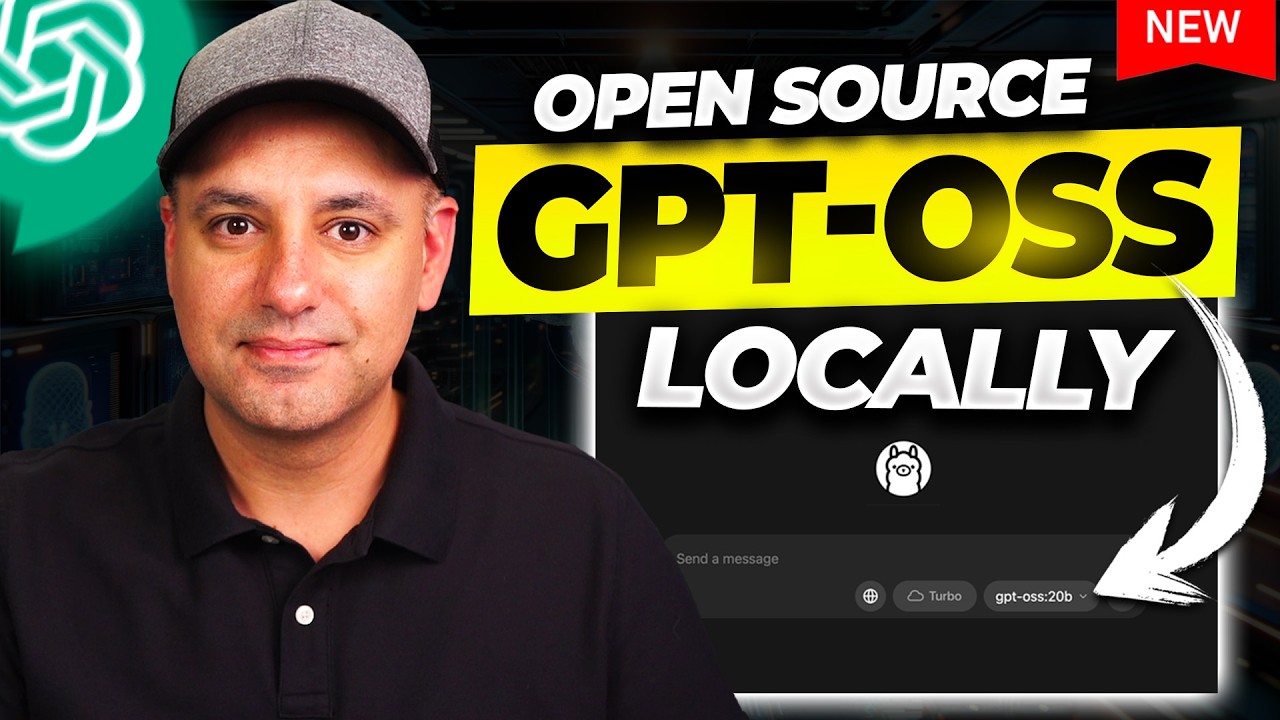
OpenAI Open Source Models Are Here - Run GPT-OSS Locally on your computer
7:05

OpenAI Open Source Models Are Here - Run GPT-OSS Locally on your computer

Skill Leap AI 05.08.2025 74 088 просмотров 1 333 лайков

Machine-readable: Markdown · JSON API · Site index

Поделиться Telegram VK Бот
Транскрипт Скачать .md
Анализ с AI
Описание видео
You can download them here: https://openai.com/open-models/ 🚀 Learn how to use AI to grow your business. Access 20+ expert courses & community—free for 7 days: https://bit.ly/skill-leap OpenAI just released GPT-OSS, their first open-weight AI model since GPT-2. It comes in two versions: a big one (120 billion parameters) and a smaller one (20 billion parameters). You can download it for free, and it even works on regular computers with 16 GB of RAM. It’s as powerful as OpenAI's smaller GPT-4 models, and it’s designed for people who want more control and privacy. I’m going to show you exactly how to install it and start using it using Ollama and LM Studio.

Оглавление (7 сегментов)

Intro

OpenAI has finally released open models. They have two open weight models. They're both reasoning models. I'm running it right now on my laptop. One of them I'm going to show you how to install it locally. It's going to be very, very easy, non-technical. You can install and run it right now. And I'll put a link in

OpenAI Models

the description to this page, too. So, you'll see the two open models here. And as usual, the naming is kind of weird, but GPTOSs 12B. This is a bigger model and currently it doesn't run really well on my laptop, but I do have an Nvidia PC that runs a really beefy GPU. So, I'm going to do a different video running this one locally on that computer. Right now, I have this one running on my computer, GPTOSs 20B. This is the mediumsiz open model that runs on local desktop and laptop. So, this is going to require a high-end desktop and laptop. And just so I could show you what I'm running this on right now, this is my current laptop that I'm running this on. So, Apple M3 Max, 64 gigs of RAM, and I have plenty of storage here. So, the size was actually in like 12, 13 GB, so no issues there. So, again, this is a pretty high-end laptop, but 120 is still kind of out of the range. This is 120 billion parameter. This is 20 billion parameter.

How to Install

But let me show you how to install it. So if you click right here to start building, it's going to take you to hugging phase. So if you're more technical, you can download it this way, but I usually try to show things that are a lot less technical. So let's try to figure out how to do this in a lot less technical way. On the same page, they have this interactive mode where you could go ahead and try this on the web. This is at gptosss. com. And you could try it here. So you could just type in a prompt and it will go to work. It's probably going to be slow right now because it just came out. So, a lot of people are going to use it

Interactive Mode

locally, it's a whole different story. It's actually really fast. So, to run it locally, and by the way, when you first run it, it's going to ask you if you want to show the reasoning or hide the reasoning. So, you could do that with this checkbox at any time. And on the website right now, they do have three different reasoning models to choose from. I'm assuming it's going to jump between these different models when you choose different ones. But if you press the download option right here, there's three different ways you can run this locally on your computer. Again, I recommend just doing the 20B for most computers. If you have a super high-end one, I'll do a dedicated video about the 120B on a different desktop. So, you could run it with an app called Olama, which has gotten a million times easier than the last time I covered running local models with Olama. They have something called LM Studio which is another app you could install and run locally on your computer. They both work for Mac and PC. And then you also have the hugging face that I showed you again more technical. Now I've already installed it with Olama and LM Studio. So let me show you Olama right here. The way you do this is you just go to. com to this website. This is free too. So you're just going to download this to run open source openweight models. Just go ahead and download this for Mac, Windows, and Linux. As soon as you

Download and Install

download and install it, this is what the app looks like. The Olama app and you don't have to open terminal. literally do anything. You'll see this dropdown right here. And the GPT, the open weight models are going to show up right on top. They're actually not installed on your computer yet, though. And you'll see other open source models, too. You could do DeepS and all these other ones. Llama is here, too. So, all you have to do is have this selected. And if you just type in a message, it will ask you, I'll show you a screenshot what happened when I did it. It will just automatically start downloading it. Okay? And as soon as it's downloading, it's ready to use. That's it. You now have the new chat GPT open model running on your computer locally using Olama. Now, they also have a web search function right here. Right now it's not working very well, but I think that's just because it just came out. But you could turn it on here and you just have to make a free Olama account in order to use this function here. And then you just type in any text prompt and any previous text prompts will appear over here. And it's going to be very limited as far as the functionalities you get inside of chat GPT like file upload and all that type of stuff right now. But you do have this web search function that's only available in this Olama version of it.

Web Search

If I go to the GPT version of it, you see I don't have any type of search and it looks like that first answer is still not working. So, I highly recommend you run this on your computer instead of this website right now. Okay. Now, let me show you the speed of it. Let's go ahead and just paste the simple prompt here. And I'm going to turn off web search. No Turbo. Turbo I haven't actually tried, but we'll try in a second. Again, the model that I just downloaded. I'm going to send this out. It shows you the thinking and you see it was almost instant here on my laptop. And there you go. We got the answer. Three Rs in Strawberry. I actually tried to misspell this to see if it gives me four. But I will do a deep analysis and compare to things like DeepSeek in a bit. Right now, I just wanted to show you how to install it and get it running. So, this is one way to do it. Let me actually try with the turbo mode turned on. Let me see if it's any faster. Oh, looks like I have to upgrade to a paid version of Olama for that. So, I won't test that right now. But this is just Ola has nothing to do with the model that we have. And then LM Studio. LM Studio kind of is the same way. Olama, I think, is a lot easier, but you can download this for your computer in a similar way, but if you use the LM Studio, it's a little bit more complicated. It will actually ask you to download something called LM Studio CI. So, it says you have to run LM Studio at least once before you could use LMS. And this will require you to open terminal. So, all you have to do is look for the terminal app. And you'll just take this code right here for Mac and this one for PC. If you're using PowerShell instead of terminal, you type that in over here in terminal. It's going to show you this right here. And then all you have to do is on the previous page, you just take this code, this one right here, go back over here, paste that, and it will download everything which I've already downloaded. So this model will be downloaded. So now if I open LM Studio

GPTOSS in LM Studio

and if I go to this discover link right here, you'll see that model appears right on top over here. And then I could use it in chat. Now I'm inside of this model right here. And this works in a very similar way as a you send a text prompt, it's going to give you an answer here. So, it's really up to you which one you like. I prefer Olama. I've used it for a very long time, even when it was far more technical. But that's how you run these models locally in a really simple, non-technical way. And stay tuned because I'm going to make a video showing you the 120B model running on my desktop. And then I'll do a lot of different tests and see how it compares to things like DeepSeek R1. And Chad GPT has had some really hidden updates that I covered in this video

Другие видео автора — Skill Leap AI

Ctrl+V

Экстракт Знаний в Telegram

Экстракты и дистилляты из лучших YouTube-каналов — сразу после публикации.

Подписаться

Дайджест Экстрактов

Лучшие методички за неделю — каждый понедельник




