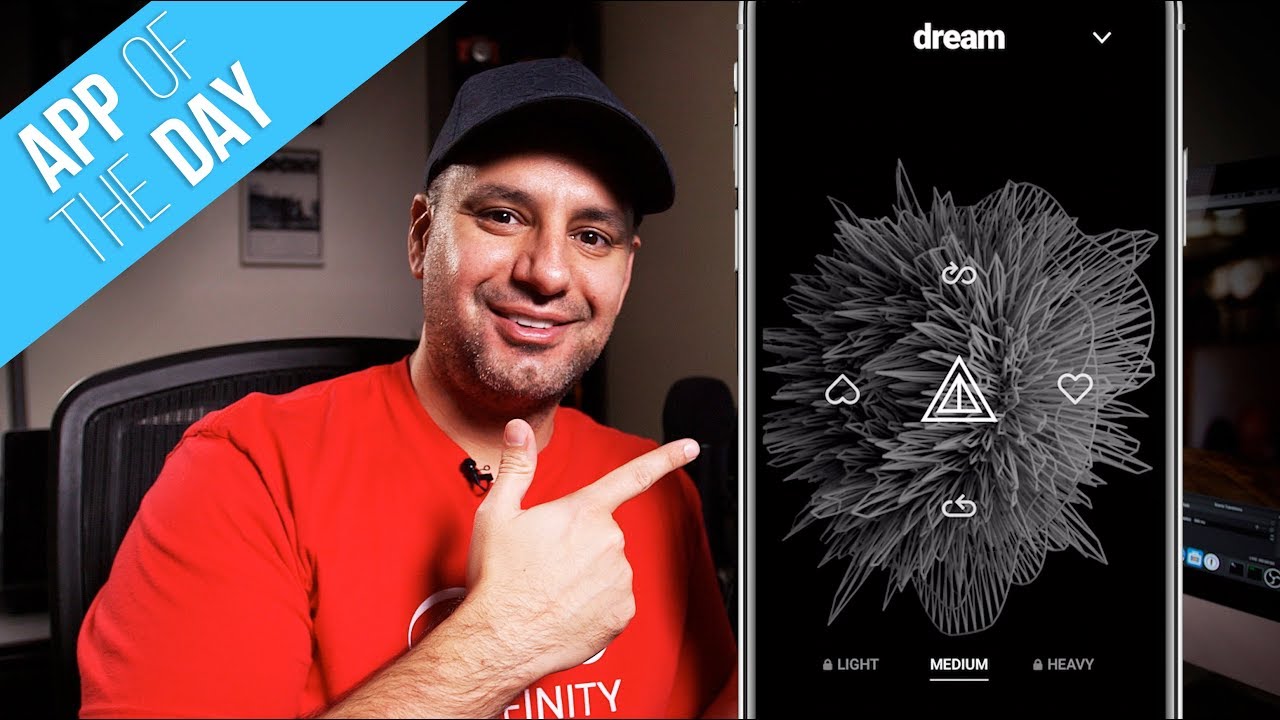
How to Make Music on Your Phone Using Ai with Mubert
5:49

How to Make Music on Your Phone Using Ai with Mubert

Skill Leap AI 19.11.2019 5 743 просмотров 96 лайков

Machine-readable: Markdown · JSON API · Site index

Поделиться Telegram VK Бот
Транскрипт Скачать .md
Анализ с AI
Описание видео
Making music on your phone just got a lot easier with Mubert. Mubert is an Ai based app that creates generative music. It uses individual music elements created by humans and uses Ai to create original music in different genres. You can also choose by mood, activity, and choose from the special selection. To learn more and to try Mubert, visit their website. https://mubert.com/ Thank you for watching this video

Оглавление (6 сегментов)

<Untitled Chapter 1>

everyone in today's app of the day video I wanted to show you this app called Moo Burt and he said AI based app that generates music in real-time now what does that mean it takes a lot of elements that are created by humans like bass and drama things like that and then he uses AI technology to generate music in real-time using this app so I know that sounds a little bit crazy but what it basically does is it takes your input

choose the type of tempo

into the app so you choose the type of tempo you want medium fast and then you choose the type of genre you want or maybe you're at work you want something for work or something to relax with it has all those settings built in and then when you choose those settings it builds that music for you in real time and then you can basically train the AI by giving it a heart or a hard down and then over time it will learn and it has a lot of free options that you could use you

export your music files

could export your music files and then you could post them to Instagram story for example and you could also subscribe to get a lot more features out of that I'm gonna download that and talk about all those and show you around the app and at the end of the video I'll give you my rating from 1 to 5 and if it's your first time here I post these type of app of the day videos multiple times a week so you never miss the next great app so please consider subscribing so you could look up you burped in the App Store any spelled mu ber T and then go ahead and download it and open it and I just have my phone here on mute so I don't get any penalties here on YouTube for using this music but let me show you around the app I'll show you some of the free option and the paid options and then I'll explain the end-use and basically exporting videos to share on social media and other applications so

the tempo of the music that is creating

as you could see here the tempo of the music that is creating for me is on medium but if I go to light or if I try to go to heavy it's gonna require me to subscribe so the free option comes with this medium tempo which for my liking it's actually pretty good but if you want a more light or heavy music on the tempo you'll have to subscribe so let's look at the subscription here it's about $7 a month right now or $70 but the annual version does have a 7 day free trial which is great that will unlock all those options on the very top of the app you have the option if you press this down arrow you could basically select what type of music you like so you want to choose

choose your different genres

your different genres you could go from house techno hip-hop all these different options here so if I chose ambience now my genre or changes to ambience and it's gonna create that music for me if I press the drop down again I could slide over to the right here and you could choose based on your activities or your work are you relaxing are you meditating you could choose music based on that let's go again you have a special section where you could choose from these options and then there's a secret one that's gonna be unlocked with secret codes for doing different things like sharing through social media and on the very last you could create an account to

create a favorite list

create a favorite list for yourself so let me press the triangle here to come back to the home page so that's what's going on the top and on the bottom the start is obviously your favorite but it's gonna require you to sign up via email now this is not sign up for a subscription this is just to unlock these features here and on the right here if I press that that's the share option so now it's creating that music for me and here I could either share the video that will basically generate it for me an exporter for me I could press C to remove that branded watermark by subscribing so you see that watermark is gonna be part of your export or I could press the image icon to add my own image as the background of this instead of what is creating for me and now I'm gonna just press X here to show you the middle section so you see the heart and the heart down that's basically you training the AI and telling it what you like and what you dislike and it will use that to basically improve its quality if you press the triangle you basically pauses that last music and then creates a new music if you tap it again that's the interesting thing about this app is generative music meaning no song could be paused and is created in real time using AI so it's taking all the different little elements that humans made and combining all that in real time based on all these different selections that you make and then if you press the icon on the bottom you will basically let you reload but again it's gonna be a different song every time it's basically creating something from scratch and then the one it's a loop option here there you're gonna need a subscription for so all in all this is a very advanced app to take AI and music and combined them to be one force and when I went to their website what's great is they're gonna let you basically license different applications using API so if you wanted to use this for your video editing or even for your YouTube videos it looks like they have different licenses they don't say anything in the app about that in fact if you press this down arrow you could press those two lines here and then go to the about page their website to read more about how they license different options or go to the general tab to turn on a couple options here but that is kind of missing from the app so I wish to explain a little bit more because I could see using these for my videos as background music that's never the same but that part was not so clear but as far as an application to create music that's never the same that's always different and always unique I give it a solid 5 out of 5 I think this really has a good chance to become a pad a year even because this technology is really incredible looking at all the apps that I've looked at this year I hope you found this useful please make sure you give this a thumbs up I post these type of app of the day videos multiple times a week so you never miss the next great app and I'll catch you on the next video thanks so much for watching

Другие видео автора — Skill Leap AI

Ctrl+V

Экстракт Знаний в Telegram

Экстракты и дистилляты из лучших YouTube-каналов — сразу после публикации.

Подписаться

Дайджест Экстрактов

Лучшие методички за неделю — каждый понедельник




