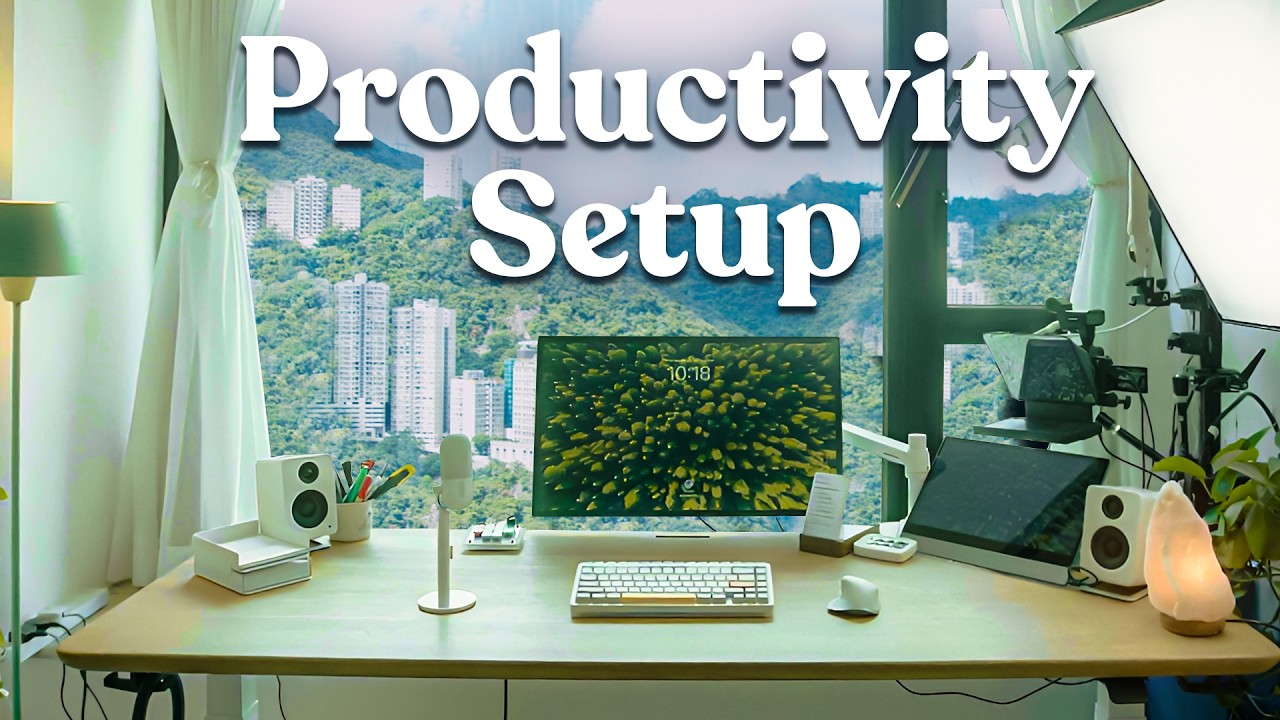
My Productivity Desk Setup Tour (2026)
31:56

My Productivity Desk Setup Tour (2026)

Ali Abdaal 17.09.2025 158 380 просмотров 3 265 лайков

Machine-readable: Markdown · JSON API · Site index

Поделиться Telegram VK Бот
Транскрипт Скачать .md
Анализ с AI
Описание видео
Get Riverside for 1 month free when you visit https://riverside.com/lp/ali-abdaal and use the code ALIRIVERSIDE If you fancy getting more creator-focused tips, join CreatorNotes - my free, weekly newsletter - https://go.aliabdaal.com/creatornotesytd -------- MY PRODUCTIVITY APPS 📝 Momentum: Energising Habits (iOS) - Download Here → https://go.sparkle.so/momentum16yt 👻 Voicepal: AI Writing App (iOS/Android) - Download for Free → https://go.aliabdaal.com/voicepal/ytd MY BOOK 📕 My New York Times bestselling book Feel-Good Productivity (2,000+ 5-star reviews) → https://go.feelgoodproductivity.com/amazon/yt MY COURSES 🧠 My Productivity System: LifeOS → https://go.aliabdaal.com/lifeos/ytd 🤑 Grow / Monetise your YouTube Channel → https://go.aliabdaal.com/PTYA/yt CONNECT WITH ME 💌 Join LifeNotes, my weekly email where I share what I’m reading & learning: https://go.aliabdaal.com/lifenotes/yt 📸 Instagram: https://instagram.com/aliabdaal 📱 TikTok: https://www.tiktok.com/@aliabdaal 👨💻 Linkedin: https://www.linkedin.com/in/ali-abdaal/ 🌍 My website / blog: https://www.aliabdaal.com/ -------- Hey friends, it’s been a while since I last shared a desk setup, so in this video I’m taking you behind the scenes of my current productivity studio. I’ll show you the tech powering my YouTube channel, the tools I use for live teaching, and the small touches that add vibes to my workspace. Hope you enjoy xx 🔗 LINKS MENTIONED IN THIS VIDEO 🖥️ Desk & Chair Desk: Oakywood Solid Oak Standing Desk – https://oakywood.shop/collections/standing-desks Chair: Anthros Ergonomic Chair – https://www.anthros.com/ Honourable mentions: Herman Miller Embody / Sayl chairs – https://www.hermanmiller.com/en_lac/products/seating/office-chairs/embody-chairs/ and https://www.hermanmiller.com/en_lac/products/seating/office-chairs/sayl-chairs/ 💻 Tech & Displays Apple Studio Display – https://www.apple.com/studio-display/ Ergotron Monitor Arm – https://geni.us/ergotronarm Espresso Portable Touchscreen Display – https://us.espres.so/products/espresso-touch CalDigit TS4 Thunderbolt Dock – https://geni.us/caldigitdock Mac Mini (M2 Pro) – https://www.apple.com/mac-mini/ 🎧 Audio & Video Kanto YU2 Speakers – https://geni.us/kantoyu2 Elgato Wave Neo Microphone – https://geni.us/elgatomic Sennheiser MKH 416 Microphone – https://geni.us/sennheiserkh416 Rode PSA Boom Arm – https://geni.us/rodepsa1studioarm Sony WH-1000XM5 Headphones – https://geni.us/sonyheadphones1000xm5 Elgato Teleprompter – https://geni.us/teleprompterscreen 🎥 Cameras & Rigs Sony A7S III – https://geni.us/sonya7siiiff Sony A7C – https://geni.us/sonya7cff Sony FX3 – https://geni.us/sonyfx3ff Fujifilm X100VI – https://geni.us/fujix100viali Manfrotto Autopole System – https://geni.us/manfrottoautopole2 ⌨️ Peripherals & Accessories Logitech MX Master 3S Mouse – https://geni.us/arf91 Logitech Lift Vertical Mouse – https://geni.us/logitechlift nuPhy Halo75 Keyboard – https://geni.us/nuphyhalo75 Elgato Stream Deck – https://geni.us/elgatostreamdeckmk2 Work Louder “Big Shortcuts” Keyboard – https://worklouder.cc/figma-creator-micro 📓 Analogue Tools Ugmonk Analog To-Do System – https://ugmonk.com/en-tw/products/analog-starter-kit Ugmonk Capture Bundle – https://ugmonk.com/en-tw/collections/capture-system/products/capture-bundle-2-large-trays-black-steel Moleskine x Harry Potter Limited Edition Notebooks – https://geni.us/harrypotterlumos Big A## Calendar (by Jesse Itzler) – https://geni.us/bigcalendar 💡 Lighting & Setup Amaran F22x Key Light – https://geni.us/amaranf22x Amaran Tube PT4C Light – https://geni.us/amarant4ctube ⌚️ TIMESTAMPS 00:00 Introduction 0:42 - Oakywood Standing Desk 1:22 - Anthros Chair 2:02 - Apple Mac mini 2:09 - Apple Studio Display 2:15 - Ergotron Monitor Arm 3:04 - espresso Display 5:54 - Kanto YU2 Speakers 6:01 - Salt Lamp 6:05 - CalDigit TS4 Thunderbolt Dock 6:18 - Logitech MX Master 3S (for Mac) 6:32 - NuPhy Halo75 Keyboard 6:43 - Elgato Stream Deck 6:57 - Work Louder Figma Creator Micro 7:28 - Ugmonk Analog 8:28 - Ugmonk Capture Bundle 9:36 - Feel-Good Productivity Book 9:50 - Cup holder 10:09 - Elgato Wave Neo Mic 11:09 - Sony WH-1000XM5 Headphones 12:11 - Elgato Teleprompter 15:38 - Sennheiser MKH416 Shotgun Mic 15:44 - Rode PSA1 Boom Arm 15:52 - Standing desk mode 16:59 - Sony A7S III 17:03 - Sony XLR-K3M XLR Adapter 17:50 - Manfrotto Autopole 18:24 - Sony A7C 21:19 - Amaran F22X 23:15 - IKEA Drawer Unit 23:22 - Amaran PT4C Tube Light 24:17 - IKEA NISSAFORS Utility Cart 24:44 - Yoga Mat 25:02 - Story Bookcase 26:25 - Moleskine Limited Edition Harry Potter Notebooks 27:32 - Displate Poster 28:05 - Muji Drawer Unit 28:52 - Fujifilm X100VI 28:57 - Sony FX3 (Spare Camera) 29:25 - Guitar 29:37 - Blue Eyes White Dragon Area Rug 30:00 - Ikea Plant 30:42 - The Big A## Calendar 31:35 - Final Thoughts PS: I donate 10% of my income to charity every year. Would you like to join me? Learn more about the 10% Pledge: https://aliabdaal.com/giving-what-we-can/

Оглавление (44 сегментов)

Introduction

Ladies and gentlemen, welcome back to the channel. We are going old school today. So, this is a tour of my latest productivity desk setup. It's been a while since I've done one of these productivity desk setups, but I'm just going to talk you through everything that is going on here. We're going to talk about the desk, about the tech that's powering all this. We're going to talk about this whole situation we've got with like camera A, camera B, light A, light B, and all of this stuff. And I'll give you a little bit of a tour of what's in my little box studio office kind of thing as well. Okay, so let's

Oakywood Standing Desk

kick things off with the desk. Now, the desk is a lovely solid oak from Okiwood. They very kindly sent me this about a year ago, and I've been absolutely loving it. It's like solid oak. It's good vibes. It's a standing desk. I'm going to show you the standing desk functionality a little bit later because I have to move things around to get the standing desk to work. But this is really nice. Um I really like a very wide desk. I do wish it was a little deeper, but I did a custom dimensions based on the dimensions of this room and like the filming setup cuz I live in Hong Kong where rooms are tiny and so at some point I want to move into a bigger space and have like a way deeper desk. But this is Okiwood desk so far. The chair is one that I bought from

Anthros Chair

Anthros. We have like a partnership with Herman Miller, but unfortunately it was a nightmare to get Herman Miller chairs in Hong Kong. And so I watched a bunch of reviews and they said that the Anthro chair was apparently very good for your posture and stuff. So it's got all of these like adjustmenty knobs and all that jazz to apparently improve like posture and you do this sort of thing and this like honestly t uh I actually prefer the Herman Miller chairs. the Herman Miller embody and the Herman Miller sale which were the chairs that I had in the past but it was just a nightmare to get them shipped to Hong Kong. So Herman Miller if you're watching this I love a chair. Um so yeah this is the Anthros chair which is pretty nice. All right let's now talk

Apple Mac mini

about the tech. So the tech powering this entire setup is the M2 Pro Mac Mini from a few years ago and the Mac Mini is

Apple Studio Display

connected to this which is the Apple Studio display that is currently on this uh what's it called? Erggo body. Not oo

Ergotron Monitor Arm

body. Uron erggo body is a baby brand. So, I now have like all these baby brands in my mind, but this is the Ergotron monitor stand. And what I've done is that the height of this monitor is unusual. Uh, normally you would have a monitor at eye level, but with this monitor, it's more like sort of down here. So, the reason I wanted to do that is because I have a very nice view and there's a big ass window. And I wanted to obstruct the view as little as possible with the monitor. And I've actually started to really like this kind of monitor configuration because I can set up straight. My eyes naturally kind of look down rather than previously I'd have been sort of looking up at the monitor and it would have taken up my whole like um field of vision. Now it's sort of further down and that means I can feel the vibes of like the nice view and stuff. So this is the Apple Studio display. We have a second display

espresso Display

connected as well. It's the Espresso display. So that's actually this is like a portable. It's also touchscreen. Weirdly, I never use the touchcreen feature, but it's basically a portable monitor. Plugs in via a Thunderbolt cable. You can like put it stick it in a bag. This the stand for it is detachable, so it's like a insanely thin like just a portable display. I was traveling around with this when I was doing my digital nomad stuff cuz it's always nice having an external display for your laptop. But now I have just shoved it on my desk and normally it just goes here underneath my teleprompter setup and it sort of masks the sort of tech and the wires and stuff. And the reason I like this is because as part of my various online courses like our lifestyle business academy and our YouTuber academy, I do a lot of like live online workshops and so it's very useful for me to have multiple monitors. One where I can see like the Zoom chat, my presentation. Now, as you've seen in this video, one of the most important uses for my own desk setup is to have it as a recording studio environment. Whether I'm recording YouTube videos like this one or whether I'm interviewing people over the internet who can add massive value, and then we can turn those into content for the channel. And for that purpose, Riverside is absolutely incredible, and they are partnering with us on this video. I've been using Riverside now for over 5 years. Riverside is an all-in-one recording and editing platform that lets you capture studio quality content from literally anywhere. And actually, every single remote interview you've seen here on this channel, or if you watch the podcast that I do with my brother, 100% of those are captured on Riverside. And hopefully what it looks like is that we've hired a professional studio, but it's literally just me at my desk talking to the person over Riverside. Riverside records locally on each person's device first, which means you get uncompressed 4K video and crystal clear audio, and then everything uploads seamlessly. So, for example, in my recent interview with Joe Hudson that we featured on the channel, my Wi-Fi dropped for about 30 seconds in the middle of the conversation. And if we were doing this over Zoom or something, that would normally ruin the whole episode. But with Riverside, because it uploads locally and it can figure out when your internet's dodgy and stuff, like the final video looks absolutely flawless. They've also just launched a really cool co-creator feature, which feels like having a content assistant built directly into the app. So, pretty much immediately after recording, I can just ask it to pull out the best clips from an interview or to create Instagram posts. And it does this instantly while keeping the tone and message on brand. And then after I finish a recording, Riverside already has polished clips ready for my team to post on Instagram and Tik Tok. And it really does feel like cheating because it saves us hours and hours of editing. And this is all stuff that we used to have to do manually and by hand. And this is the real boost that a platform like Riverside can give you because recording the content is only half the battle. But the real leverage comes from repurposing that one conversation into a week's worth of content because one long form interview could become itself a main channel YouTube video, multiple YouTube shorts, an Instagram reels, even LinkedIn posts, a newsletter, and so much more. So, if you want to try this yourself, especially if you're serious about building your online presence in a more efficient fashion, then you can get Riverside for 1 month completely for free to try it out when you check out the link in the video description and use the code Ali Riverside, which is also in the video description. So, thank you Riverside for partnering with us on this segment of the video. And let's get back to the rest of the desk setup. I

Kanto YU2 Speakers

can show you what the tech actually looks like. So, over here we have the Kanto U2 speakers that I've been using for absolutely ages. We have a random

Salt Lamp

salt lamp cuz why not? Salt lamps are

CalDigit TS4 Thunderbolt Dock

good vibes. The Mac Mini is connected to the Cal Digit TS4 Thunderbolt dock. And so that is basically an extra dock. It gives me a ton more USBC and USBA ports. In terms of peripherals, we are using

Logitech MX Master 3S (for Mac)

various different things. So this is the Logitech MXM 3S mouse for the Mac. It's great. I love it. Fantastic stuff. I am getting a little bit of like I think repetitive strain injury in my like wrist though. So I might have to switch to the Logitech Lift, which is what I used to use in the past a little bit.

NuPhy Halo75 Keyboard

The keyboard I'm using these days is the Nufi Halo 75. I've been testing this for the vibes. I often like to test different keyboards just to get a feel of different keyboards and how they feel and switches and stuff like that. This

Elgato Stream Deck

is the Elgato Stream Deck, uh, which I use basically when I'm doing live sessions and I have stuff on OBS. In theory, I use this to switch between screens, although for some reason it's buggy and not working right now, but like that's the theory behind that. I got this mostly because it looks

Work Louder Figma Creator Micro

good. I don't even know what this is. This is like a work louder little big shortcuts. It's sort of like Figma themed and so it's got these like cute colors, but really I got it because um I think it looks nice in an overhead shot. So if I have an overhead shot where I'm like showing or I'm doing some drawings or some graphs and stuff, having these cute little colors in the background just sort of looks nice. So that's mostly for show. Although you can like set macros and program the keys and stuff. I just haven't gotten around to doing that just yet. It is admittedly mostly for show. On the desk, we have a

Ugmonk Analog

couple of analog accessories as well. So, for example, this is the analog to-do list thing. Whoops. From a brand called Ugg Monk that I've been a fan of for many, many years. I pay for all their stuff. Unfortunately, they did not send this to me for free. Although, Jeff, if you're watching this, I'd love some free stuff. This is basically like an analog to-do list. So, I mean, essentially it's just a expensive block of wood that you stick a thing on and now you have an analog to-do list, which is actually just quite nice. And then it's got this section at the back where you can store like past to-do lists and you can then retrieve a new to-do list and then it goes on the thing. So, this is actually what I use as my daily to-do list. Um, I use the app Things 3 to keep track of everything I need to do. When it comes to the stuff that I I'm actually going to do, I tend to stick it on the to-do list because there's something very nice about just sort of like manually analogly like crossing things off and

Ugmonk Capture Bundle

stuff like that. We also have another product from Ugg Monk. Again, they did not send this to me. I paid for it myself. Basically, they've got these pieces of card and I use them for a lot of different like note-takingy bits and bobs. Hopefully, there's nothing confidential on here. There probably isn't. Um, but this is nice because in the bottom of it, it's my used cards and at the top of it, it's like some fresh cards. I'll be sitting over here. I'll be doing some stuff and I'm like, "Oh, I want something to write on and I can just reach across like grab the thing, grab a pen, do my writing and my drawing and like draw my boxes and do whatever I need to do. Blah blah blah. Turn it over, do some more writing, whatever I need to do, whatever I need to do. And then I can just store it away in this little bottom thing, which is actually kind of nice. Again, these things are very expensive. They're quite overpriced for what they are, but I like them because they're really nicely designed. They're really sturdy. And in my drawers, I have like a whole stack of other like paper and things. But yeah, I've just, you can see I've just been taking notes and stuff over the, you know, often I plan videos like this or plan lessons for our courses and stuff just cuz it's nice to be able to then like move this sort of these little pieces of paper around. On

Feel-Good Productivity Book

my desk, mostly for show for this shot, I have a copy of my book, Feelgood Productivity, which is a New York Times and Sunday Times bestseller. So, if you haven't checked it out yet, you might like to. It's available everywhere books are sold. What else? What else is on here that we can talk about? I have

Cup holder

these like this little cup. My wife got me this little cup. It's got a little seal on it, which I think is quite cute. I just have random pens and markers and even a screwdriver for some reason. I'm not entirely sure why, but that goes over there. And that's the second copy of the Kanto U2 speaker, of course, in the background. Oh, this. Everyone always ask me about this mic. I love

Elgato Wave Neo Mic

this mic. This is the Elgato Wave Neo microphone. It's not as good as a fancier microphone like the SH SM7B or like, you know, the microphones that you see the podcast bros use, but I just think it looks really cute. Like my whole aesthetic that I like to go for is kind of white and blue and I like to go sort of light mode rather than dark mode. That's why a failed keyboard brand that we tried to start was called light mode. Uh but that didn't really work out. Uh but I really like the vibes of this particular microphone. I just think it's very cute. And so often I buy things for my desk setup given that I'm a YouTuber just cuz they look cute. Um, to be honest, I think there is value, even if you're not a YouTuber, to have stuff on your desk that you think looks cute. Because I'd honestly I'd rather take 10% reduction in audio quality for the sake of like a microphone that looks cute and nice rather than a microphone that's sort of big black thing that's in my face. That sounds weird. Anyway, um, okay. So, we now get to the tech. Oh, we have a actually before we do that, we have a little headphone stand. This is

Sony WH-1000XM5 Headphones

the Sony WHXM5s. I hate the naming of the Sony headphones. I just Why not call them the Sony headphones, but no, they WHHX100 M5 or whatever. My main use case with these is that if I'm on a Zoom call and I want to listen to background music or if we've got like drilling in the apartment and I want to like concentrate, I'll just whack these on. The nice thing about listening to background music on Zoom calls is that I like to have like Lord of the Rings Shire music on in the background when I'm on a Zoom call, which means the other person can't hear it, but I can hear it. And so it just makes every Zoom call sound way more epic and way more vibe, way more adventurous when the thing that the person is saying and the thing that you're saying is overlaid onto a background of like gentle, shy, concerning hobbits from the Lord of the Rings type music. So that's really the main use case of the headphones. Okay. So I want to talk you through like what is going on over here. So unless you do a lot of like video filming and stuff, you probably don't need any of this sort of stuff, but this sort of stuff is very nice. Basically, what we

Elgato Teleprompter

have here is an Elgato teleprompter. And the main function of the Elgato teleprompter is that it acts as a secondary display. So, it's really, really good. Cuz previously, when I used teleprompterss in the past, I used to hate it because you'd have to shove an iPad there and then you'd have to like get the teleprompter software to go on the iPad and then it would mirror up and it would just be kind of annoying and I would never use a teleprompter. But with the Elgato teleprompter, again, not sponsored or anything. I literally have bought multiple copies of this cuz it's that good. You can basically I I'll just take a random notion page like my business journal page and I can just like drag it across to the teleprompter. And now currently I'm looking at this from the teleprompter. But hopefully you can't tell that I'm reading something through the teleprompter. So this is like absolutely gamechanging if I'm doing like a sponsor read or if I'm doing a video. I've got my talking points on the teleprompter. But the other thing I like about it is when I am filming videos, you know. Okay. Okay, so this is what my camera angle currently looks like because my camera is connected via HDMI to my Mac Mini. But obviously I need to speak to the camera, right? And so I can't monitor myself. And if I look at that screen on my camera, like the actual camera monitor, it looks like this. And then that looks weird, right? Because it looks like I'm not making eye contact with you through the lens. But if I make lens, I can't see myself. And it's kind of annoying. So, what you do is you use a teleprompter and you open up like a preview window and then you sort of drag yourself onto the teleprompter. So, now I can talk to you through the camera lens, but I can see myself. And this is remarkably useful. It's so nice. It's like, you know how when you're trying to film videos on your phone, it's just way more comfortable using the selfie camera because you can see yourself and there's something nice about being able to see yourself as you're recording content. Whereas, if you were to, you know, really the back camera of your phone is like the proper one. But if you were like to speak to your phone like this and you can't see yourself, it just feels kind of weird, right? Like you're speaking to your phone like this, you can't see yourself. You don't know what you look like. You don't know if you've got like weird going on. You don't know what the background's like. So, it's just really vibe being able to see yourself. And the Elgato teleprompter is my main I mostly use it as a monitor to be able to see myself while I'm talking to the camera, which just makes filming videos way more nice and way more comfortable. And sometimes I'll record on this microphone, microphone up here if I feel like it, you know, depending on what's going on. But I freaking love the Elgato Teleprompter. Now, the Elgato Teleprompter is attached to my camera. The only downside actually before we do that of the teleprompter is that if I want to use my standing desk, we run into a bit of a problem because this is going to decapitate the camera and I do not want or the teleprompter. So, annoyingly, when I switch to standing desk mode, I have to unplug the teleprompter, take it off the thing, and now I usually just put it aside and like somewhere out of the way or whatever. Let's just stick it over here on the floor for now. Oh, by the way, quick announcement. On Saturday the 20th of September, 2025, I'm going to be hosting my usual completely free quarterly reflection workshop. The idea is that this is a totally free workshop. There's a link down below to register if you'd like. And I will be hosting it and me and hopefully you and several thousand people from all around the world. We're going to get together on a Zoom workshop and together we are going to be reflecting on how 2025 has gone so far and we're going to be setting some goals for the next 90 days. It's going to be fun. vibe. There's more details linked down below if you would like to join and I will hopefully see you on Saturday the 20th of September 2025. And then this microphone is the

Sennheiser MKH416 Shotgun Mic

Sennheiser MKH416 or something which is

Rode PSA1 Boom Arm

connected to the Rode PSA boom arm which means if I'm switching to standing desk mode I can just do that and then I can

Standing desk mode

switch to standing desk mode and generally when I'm doing like hang on this is what it looks like. Generally if I'm doing like a this looks weird right you see my terrible cable man cable management situation. Generally, if I'm doing like a workshop or something for my students in our lifestyle business academy or our YouTuber academy, I much prefer to be standing up and talking. And even though I don't have the fancy camera and I just use my sort of studio display webcam, I just find myself so much more energized when I've got like my little microphone here. I've got and I'm able to do this sort of thing and it just feels nicer to be to sort of do teaching sessions when I'm able to stand up on the standing desk. I use the standing desk for Zoom calls and stuff. I also have a treadmill that I sometimes put underneath the standing desk. It's really annoyingly large and heavy, so I don't use it very often, but I really should use it more often. Anyway, this is the standing desk. I love standing desks. I've been using standing desks since like 2018 or something, and it's just so nice to be able to with a press of a button just be able to switch between sitting and standing mode. Anyway, we were going to talk about the camera. So, the camera is

Sony A7S III

the Sony A7S3 that is filming this right now. This microphone is attached via the

Sony XLR-K3M XLR Adapter

Sony XLRK3M, I think is the gizmo, which is basically this XLR recorder thing that sits on top of the camera and an XLR microphone can plug into that, which is very cool. The Sony A7S3 is connected to my laptop via an HDMI cable. And I used to use the Elgato Cam Link, but every time I use them, they break on me after a few months. So, I've gone through like maybe five or six Elgato Cam links that basically allows you to stick an HDMI cable into a USB port on your computer and then you can like bring up your camera feed onto your computer and use it for like videos or Zoom calls or streaming or whatever. These days, I just use some generic thing that I got off Amazon that's like another HDMI capture card, capture cable, whatever it is. But anyway, the camera is plugged into my Mac Mini using HDMI. And the

Manfrotto Autopole

camera is held up by the Manfrotto auto pole, I think is what these are called. Now, this is amazing because this is basically a pole that extends from like my window sill or from like the floor to the ceiling, and it like stays in place using tension. So, there's no screws or anything cuz this is a rental property and I don't want to like hammer stuff into the walls. By the laws of physics, somehow this thing stays up. And then at the top here, we have another Manfrotto autopole that goes all the way across the room. And that is what my overhead camera rig is connected to. The overhead

Sony A7C

camera is the Sony A7C that I got many, many years ago. And again, that is also connected via a long HDMI cable that sort of snakes down here into the Mac Mini. So that if I want, I can switch between the overhead camera and the primary camera or my studio display camera. And in fact, I'll show you what that looks like. If I open up OBS, this is kind of my studio display camera right now. We've got Charlotte and Anthony in the background over here doing our videography for the day. I can switch to the main camera angle, which would I don't know why that went weird, which is that camera over there. And I can switch to my overhead camera, which is currently I don't usually have it in this kind of configuration. Usually, I'll zoom it all the way in, twizzle it a bit to get it. Okay, it's a bit wonky, but who cares? And so when I'm doing like a video or something, I can then do that and I can do that. I can grab my little pad over here. And then I can do some drawing and writing. And you know, I was drawing this stuff the other day about like how to make $100,000. You can make $100,000 by selling something for $100,000 to one person or $10,000 to 10 people or $100,000 to 100 people or $1 to 100,000 people. and sort of just sort of talking through uh the pros and cons of each different pricing model because there are more difficult and more easy ways to make $100,000 depending on where you are on this graph. Anyway, so this is a kind of sketch pad that I use and this is the primary function of this overhead setup. If I'm like doing a Zoom session and maybe I'm using this camera and someone in our audience for our courses asks a question. Just being able to do Oh, that's a really good question, Johnny. Let me just uh draw you a little diagram. and being able to just do that, people's minds are blown because usually people don't have a fancy overhead rig connected to a Zoom call. So, it's like a fun little way of adding vibes and drawing diagrams and stuff while I'm doing a teaching session. And also, I like using the overhead rig when it comes to a YouTube video so that I can then monitor on OBS exactly what's going on as I'm like writing stuff and drawing stuff. And this is like a little Jcurve diagram. This is this other price value thing. This was something about email marketing. This was impact effort. This was for helping people find their niches when it comes to their lifestyle business. This was the road map to financial freedom that we were drawing the other day. This was helping someone with Instagram strategy. This was some helping someone else helping someone figure out their niche for their lifestyle business. This was a video that I was filming about how business works with like post-it notes and stuff. This was sort of the difference between an entrepreneur and employee. This was risk asymmetrical riskreward. This is this new thing that we're doing where we help you build a $100,000 a year lifestyle business in under 12 months guaranteed. This is sort of like agricultural age, industrial age, digital age. And yeah, so this is the sort of stuff that I like to draw diagrams about and things when I'm doing YouTube videos. And that is based on this random pad that Becky, one of my team members, got me from a local shop here in Hong Kong. Anyway, so we've got the camera A, we've got camera B. They're all connected to the Manfrotto autopole. And then we come to

Amaran F22X

this light. This light is kind of annoying because the problem is like when you're a YouTuber, you kind of need a key light. And I have yet to find a light that does not look like an absolute eyesore. So this is nice. It's the Amaran F22X. It's a very good light. It's foldable. So when I'm traveling and stuff, this is I literally take this down, fold it up, put it in the suitcase so that I can then film videos. But it just makes such a difference having a key light. Like I personally don't like the fact that all of this random is I'm having to look at it when I'm on my desk cuz I would in my dream world my desk setup would be clean and minimalistic and you wouldn't see any wires and you certainly wouldn't have these big ass black poles going all the way across the floor and the ceiling and the camera up there and the camera there and the light there and the microphone. I would like to ideally not have any of that kind of stuff, but the career that I've chosen is to be a YouTuber and to film videos. And it just comes as part of the job description that you have to have an annoyingly kind of desk setup that has all this random on it. In my dream world, once we get an office, um me and my wife have started a family business called Sparkle Studios where we build apps together. Uh we've got two apps that are out right now, Voice Pal and Momentum. I'll put links down below, but we are in the process of trying to find an office for Sparkle Studios. So then my dream world is that in my office I have a really viby desk setup that doesn't have all of this crap and then I have a separate filming desk setup that does have all of this crap and I only use the filming desk setup when I'm filming videos. That would be amazing. This is like the first world problems, the champagne problems that you can get out your tiny violin for that like you know once you're a YouTuber and you're like how do I get some more excitement in my life? The solution is like let me have two different desk setups. That's how I can make my life feel a little bit more exciting. Anyway, that's all a bit of a digression. So, yeah, we've got all of this stuff. F22X light that's connected to the whole thing. That's also attached to the autopull, which is great, which means I don't need tripods and stuff taking up floor space cuz this is a tiny ass room and I don't have much floor space.

IKEA Drawer Unit

Underneath this, we have this IKEA drawer unit, which is just like a random IKEA drawer unit, chest of drawers. This

Amaran PT4C Tube Light

is a Amaran tube PT4C light that I sometimes use if I'm filming at nighttime. I use this as a sort of backlight and it sort of lights up the bookshelves and stuff, but I very rarely film at nighttime. This is a random plant. I like having random plants around. And I think that basically covers what is on the desk. Let's now cover what is in the rest of the room. So, room? I put a lot of thought into what's in the background and what is on camera versus what is not on camera. And I have another video on the channel which I'll link down below where I show the process of setting up the studio from completely from scratch because again when you're a YouTuber first of all problems you really have to think about what looks what does your main shot look like. So quite a lot of the stuff in the studio is designed primarily to show up in the main camera shot and the storage and stuff that I've got here is designed to not show up in the main camera shot. So that's kind of like the thinking behind it. We've got this over here is

IKEA NISSAFORS Utility Cart

this IKEA drawer thing unit. I don't even know what it's called, but it's like I mean, everyone's got this. It's in every IKEA showroom imaginable. I stick a plant on top of it cuz it looks nice. I just have some camera lenses. And this is the Peter McKinnon camera multi-tool, which I use for a lot of things. This is like, you know, a phone tripod that I sometimes use. This is like a little massage ball. I actually

Yoga Mat

have a yoga mat on the floor here because I'm trying to like improve my posture and stuff. So, like sometimes if I'm getting hip pain, I'll just like, you know, do this sort of thing and then I'm like, "Oh, there we go. " This is kind of I feel weird about doing that, but that's okay. We have this

Story Bookcase

bookshelf. This is the I think this is called the story bookshelf, and it's from one of the Homeman Miller brands. So, we've got a white one here, and we have a nice little baby blue one on the other side of the studio. And I quite like this because this is like I think it looks nice in the background. It doesn't feel as intense as like a big ass kind of bookcase from IKEA. It looks kind of minimalistic. Looks kind of nice. We just have a bunch of books here. Little bookshelf tour in case interested. This is Feelgood Productivity. My book. This is the Mistborn series by Brandon Sanderson. One of my favorite series of all time. I've I'm just reading this book by David White. Crossing the Unknown Sea: Work as a Pilgrimage of Identity. Annoyingly not actually available on Kindle because it's old school. So, I had to get it physical copy. We've got Poor Charlie's Almanac, which is Charlie Monger's book. The Dream Machine, which is about the invention of the computer, and The Making of Prince of Persia Journals 1985 to 1993, which I thought was kind of interesting. We have uh Horizon Forbidden West for some reason. Meditations for Mortals by Oliver Burkeman, very, very good book. You can see I've done a lot of like highlighting in this. The Longhaul Leader by Chris Ducker, which is very good about like how to build a sustainable business without burning out. and outlive the science and art of longevity by Peter Ratia. I haven't actually read that. I've listened to it on Audible because it's kind of annoying to read because it's very big, but it's very easy to listen to on Audible. And then a bunch more books. Oh, this is interesting. These are This is one of my favorite

Moleskine Limited Edition Harry Potter Notebooks

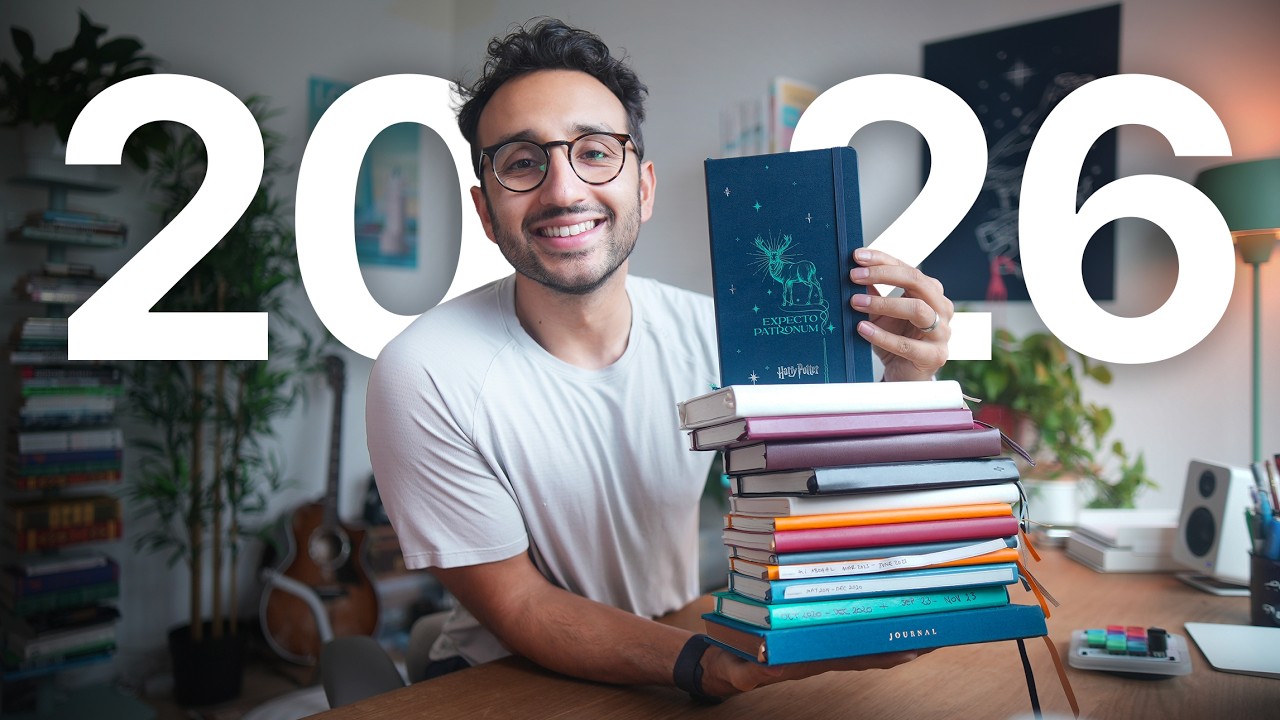
things. These are like three separate Moleskin/ uh Harry Potter limited editiony type notebook things. So, this is the one that I use when I'm planning my YouTube videos. So like if it's a YouTube video, this is like how I plan YouTube videos and stuff. So you can see focus like never before with the deep work system. I'll often just go to a coffee shop and like you know plan the videos like that. Then I have this patronum one which is for our courses and products and stuff. Sometimes it's sort of like designs for the apps that we are building. Sometimes it's like flowcharts and stuff for our courses and our lifestyle business academy. And I'm I sort of when I'm trying to find ways to explain different frameworks, I'll often sort of noodle them on this particular notebook. Uh whether it's in a coffee shop or just sort of here on my desk. So, it's nice having that. And then I have my Lumos notebook, which was a gift from two former team members of mine instantly, which I just use as a general kind of business and life journal. I'm not going to show you what's in there cuz there might be some confidential stuff, but it's nice having like different Harry Potter themed notebooks for different aspects of my work and life. Speaking of

Displate Poster

Harry Potter themed stuff, uh we have a Ravenclaw poster over here. This is from Displate. Displate is this company that does metallic posters that stick onto your wall. You basically stick a magnet on your wall and then you stick the poster onto the magnet, which is quite nice if you're in rental property and you don't want to hammer things into the wall. So, it's matte, which means it doesn't reflect light, which is kind of nice because if you had like a glossy poster, it would show the key light in the background, which just would not be a vibe. So, nice little Ravenclaw poster there. Rest of the stuff on the bookshelf. If you guys are interested, maybe we'll do a what's on my bookshelf at some point. Not sure if anyone actually is interested. And then we have

Muji Drawer Unit

this drawer unit here from Muji where I've got like cables, HDMI cables and USBC cables and my glasses and like more cables and camera chargers and stuff and cable management tools and stuff. And so I'm just trying to keep things relatively organized. I have a storage section over here. We've got Alex's lit book 100 million $100 million money models that I need to read. We've got Alex's first book, $100 million Offers, or his second book or third book, whatever it was. And those don't really fit nicely on a bookshelf, so I just shove them on the side over here. Uh, we have a snake plant with my million subscriber YouTube plaque in the background that at some point I want to put up on the wall, but it's a rental property, so I don't want to hammer things into the walls. And then we have storage of a bunch of random stuff. Spare camera here. This is the Fujifilm

Fujifilm X100VI

X1006, uh, which I take out and about when I'm going places. We have a spare

Sony FX3 (Spare Camera)

camera here, which is a Sony FX3, which I use if I'm doing a podcast, cuz then we need multiple camera angles. So, that just goes over here because I have no other place to store it. We have a little uh this little LED face mask that I haven't yet opened from a company called Me Time. We had someone I don't know when this video is coming out, but there was someone called Daniela who lives here in Hong Kong and runs this company. And so, we did a bit of a business coaching session and she sent me one of her LED face masks. So, I need to start actually using that. Got my little guitar over here. Sort of just

Guitar

about as visible in the background. But if I'm procrastinating from filming YouTube videos, I will often bang out the guitar and that will help energize me. This is one of my favorite things. This is a rug, a Blue Eyes White Dragon

Blue Eyes White Dragon Area Rug

rug that my brother gave me as a birthday present like 2 years ago. And so that has a nice prime spot in the office um alongside the yoga mat. And it's nice because like there's quite a lot of echo here in this office cuz the ceilings are quite high which is nice. And you know, in theory, rugs and soft furnishings help to reduce echo. So that's why we have this big ass fake

Ikea Plant

plant from IKEA that's been here forever. And we have another story bookshelf from one of the Herman Miller brands. More plants, more and again, all primarily designed to look reasonable in that main camera shot over there. And again, if you guys are interested, we'll do a what's in my bookshelf tour at some point. And now if we move around, this door is annoying. I hate the color of this door. And so I do whatever I can to not have this door in the shot. Which is why like this camera angle is like so specifically pointed because I just hate this door. And given that it's a rental property, it just seemed a little bit excessive to be like changing up the doors just for the aesthetic. So we just avoid showing the door in the shot. And

The Big A## Calendar

this thing, this is interesting. This is this thing called the big ass calendar, which is run, I think it's created by a guy called Jesse Ller, whose content I like. I have a Google sheet where I do my year at a glance calendar. Again, it'll be linked down below if you're interested. But I discovered this the other day and so I installed it earlier today cuz it's just been lying on the floor otherwise. I was like, might as well install it. And this basically shows you 12 months of your life on a calendar format. It's like a dry erase thing so you can like draw on it. And so me and my wife at some point are going to get round to going around the calendar and blocking out like when are we going on holiday, when are we doing our team off sites, masterminds, when do we want to visit Australia, Pakistan? All of that kind of stuff. And then in theory, being able to see it all at a glance, planning your year out like that would be a nice thing to do. We also happen to have another poster from Displayed with London again just purely for the vibes in the background. But that pretty much wraps

Final Thoughts

up this productivity desk setup and studio tour. If you enjoyed this video and you would like to actually see how this whole studio came about from completely a completely empty blank room to now looking like this, uh then you might like to check out this video over here where I go through that entire process. But otherwise, thank you very much for watching. Have a great day and I'll see you next time. Tight.

Другие видео автора — Ali Abdaal

Ctrl+V

Экстракт Знаний в Telegram

Экстракты и дистилляты из лучших YouTube-каналов — сразу после публикации.

Подписаться

Дайджест Экстрактов

Лучшие методички за неделю — каждый понедельник