Getting started with Figma on-canvas AI features for Education
2:59

Getting started with Figma on-canvas AI features for Education

Figma 19.03.2026 6 889 просмотров 258 лайков

Machine-readable: Markdown · JSON API · Site index

Поделиться Telegram VK Бот
Транскрипт Скачать .md
Анализ с AI
Описание видео
Starting today, verified Figma for Education users* now have access to on-canvas AI tools in Figma. 00:00 Intro 00:07 Actions menu 00:24 Remove background 01:03 Edit with prompt 01:36 Select and erase 02:15 Translate to 02:44 Recap and wrap Education users already had access to Figma Make. With this expanded access to more AI tools, you’ll be able to use AI directly within your files to help speed up your workflows, generate content, and explore ideas with ease. ____________________________________________________ Find us on ⬇️ X (formerly Twitter): https://x.com/figma Instagram: https://www.instagram.com/figma LinkedIn: https://www.linkedin.com/company/figma TikTok: https://tiktok.com/@figma Figma forum: https://forum.figma.com/
Оглавление (7 сегментов)

Intro

Hi friends, from Figma here and today let's walk through some AI features that are now available for Figma's education plan. So let's go.

Actions menu

Many of the new commands can be found in the actions menu. If you hit command K, control K on Windows or come down here, you can pull those up. The thing that you'll notice here is you'll see them classified by their function. Image editing, design tools, riffing and writing. Let's begin with some of the image tools. I'm going to paste in this

Remove background

image and select it. You'll notice that many of the AI features are going to be highlighted here when you select that image. We have remove background, edit with prompt, and if I click on more, we can choose it to expand beyond the area. We can boost the resolution of the image. We can even vectorize that image. I'm going to begin by choosing remove background. What that's going to do, it's going to look for the subject of this image and try to remove and make transparent any of the background area. So, we could see here it's done just that. And if we look at the fill of that image, we can see that the original image is still maintained as another hidden fill layer right there. That's pretty cool. Let's try something a

Edit with prompt

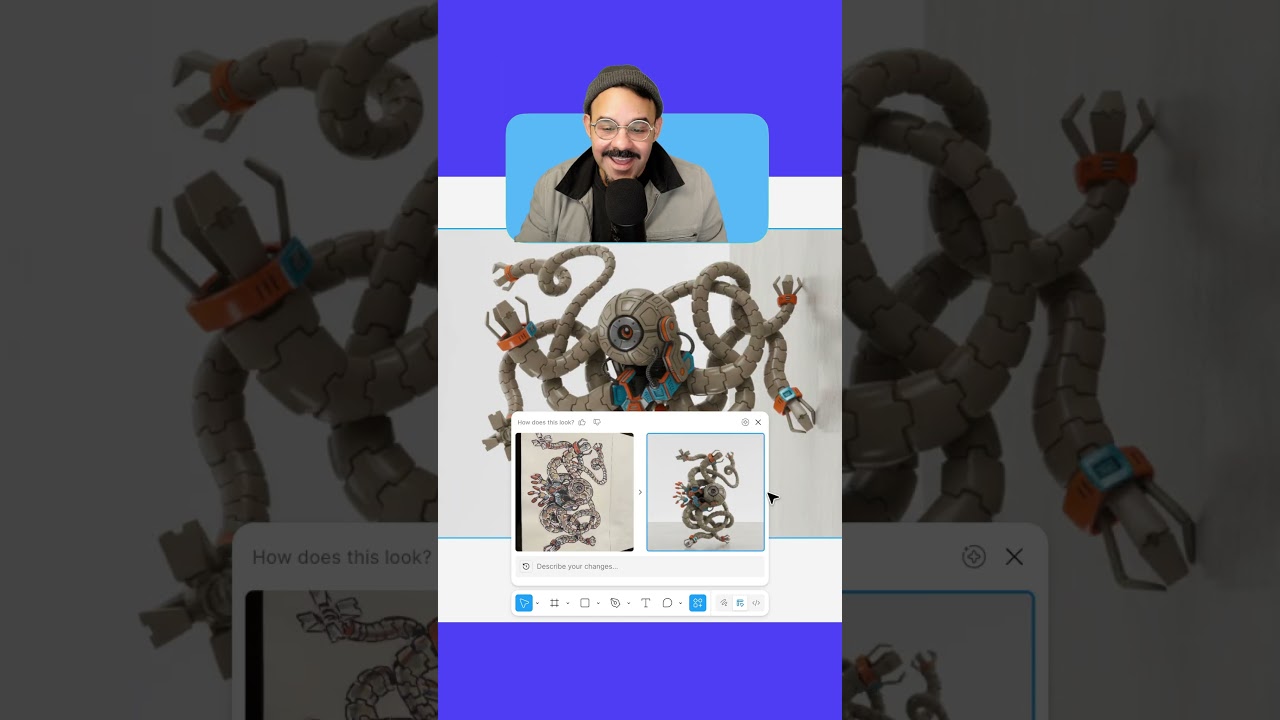
little more fun. I'm going to paste this in here. This is a drawing that I made. I'm going to choose edit with prompt. Make this into a plastic toy. Take the drawing, make it 3D, put it into a minimal environment. Now, what that's going to do is it's going to take the image. It's going to analyze the drawing there and do its best. And let's see what the output looks like. Okay, cool. So, here is the output. I can see the before. after. I think it's really cool to see my artwork visualized in this way.

Select and erase

Let's dig into some UI and how those image tools can be helpful. Let's say you're designing an app and you see an image like this. I'm going to commandclick on that image. I'm going to use this select area and we're going to highlight an area of the image that we may want to edit. Now that I've selected that, you're going to see I have two options down here. I have erase and isolate. I'm going to choose erase. And what that's going to do, it's going to look at the image. It's going to make the best guess of what it is that we want to remove from it. And in performing that, we're going to see it erase the lemon off of the top of the cake. And there we go. We can see that cake is now lemonless. There is no lemon on that cake there in that image.

Translate to

Let's try one of the newly available text editing features. So, I'm going to bring over this card. Let's make a duplicate. With it selected, I'm going to type in command K and type in translate. We're going to choose translate, too. It's going to give us some options. I'm going to choose Latin American Spanish. So, now it's going to be updating in real time. So, instead of super lemon sponge cake, we got pastel de lemon eso, right? Ingredients. Instead of flower, we got arena. So, it

Recap and wrap

looks like it did a pretty good job. These are just some of the AI features now available in the edu pro plan. Please let me know what features you'd like me to demo next. And as always, happy designing.

Другие видео автора — Figma

Ctrl+V

Экстракт Знаний в Telegram

Экстракты и дистилляты из лучших YouTube-каналов — сразу после публикации.

Подписаться

Дайджест Экстрактов

Лучшие методички за неделю — каждый понедельник