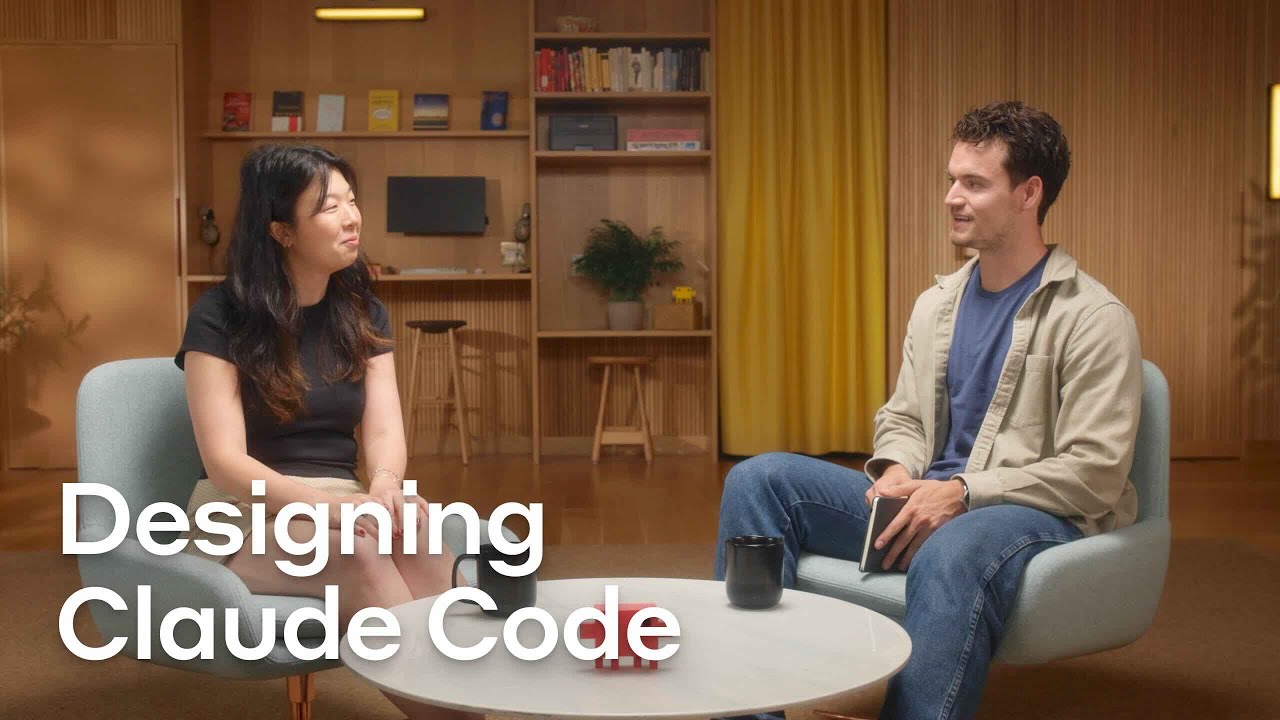
Designing Claude Code
12:03

Designing Claude Code

Anthropic 26.09.2025 42 151 просмотров 956 лайков обн. 18.02.2026
Поделиться Telegram VK Бот
Транскрипт Скачать .md
Анализ с AI
Описание видео
Anthropic’s Meaghan Choi (Claude Code) and Alex Albert (Claude Relations) discuss the design principles behind Claude Code, the evolution of the terminal in the age of large-language models (LLMs), and how product designers can prototype new features with agentic coding. 0:00 - Introductions 00:20 - Claude Code’s design principles 1:40 - The evolution of the terminal 3:22 - Mapping the developer workflow to Claude Code 5:10 - Prompting in the terminal 6:45 - How we design new features 8:10 - Meaghan’s favorite Claude Code design elements 9:10 - Tips and tricks for designers using Claude Code (brainstorming with Claude, scoping product development timelines, and making design tweaks after new product releases) Learn more: https://claude.com/product/claude-code
Оглавление (8 сегментов)

  1. 0:00 Introductions 55 сл.
  2. 0:20 Claude Code’s design principles 270 сл.
  3. 1:40 The evolution of the terminal 367 сл.
  4. 3:22 Mapping the developer workflow to Claude Code 393 сл.
  5. 5:10 Prompting in the terminal 340 сл.
  6. 6:45 How we design new features 303 сл.
  7. 8:10 Meaghan’s favorite Claude Code design elements 234 сл.
  8. 9:10 Tips and tricks for designers using Claude Code (brainstorming with Claude, scoping product development timelines, and making design tweaks after new product releases) 608 сл.
0:00

Introductions

- Hi, I'm Alex. I lead Claude Relations here at Anthropic. Today we're talking about design for Claude Code and I'm joined by my colleague Meaghan. - Hi, my name is Meaghan and I'm the design lead for Claude Code. - Meaghan, I wanna start with the very unique form factor that Claude Code has.
0:20

Claude Code’s design principles

So, we built this coding product and it lives within a terminal. Can you tell me how we even got to that? - Yeah, definitely. Well, if you've seen some of our previous videos, you know that Claude Code was a brain child of a few folks here at Anthropic who are really passionate about Claude's ability to solve coding problems and help developers. And, part of the initial decision for CLI was really just the ease of the form factor to be able to build really quickly and to iterate on features and functionality. But I think from there, really, kind of against honestly my expectations and all our expectations, it took a life of its own because it's just so versatile. Like, a terminal is in every developer's workflow. Whether or not you're primarily in IDE or even if you're just like a Vim user, you're using terminal as part of your workflow in one shape or another. And so, it lets you really integrate directly into developer's workflow, where they are today without needing to adopt a new tool of any sort. - I think that's like a really good point is like the terminal's kind of been a foundational piece of software development since, man, since forever basically, as long as we've been doing this. So it's almost natural to kind of embed the next generation of a coding product within it. But Claude Code does some things that I didn't even know were possible with a terminal. So, maybe like, walk me through what has kind of the history been of terminal products thus far
1:40

The evolution of the terminal

and how is Claude Code like the next step there? - Yeah, this is something I'm personally, very, very passionate about. I think terminals are like the first user interface, right? Like, they're the first ways that people used to talk to computers. They were text-only. There were like very specific commands you needed to know in order to be able to interface with these devices. And they're like a super-powered tool. And then, kind of from there, we evolved into these really rich web interfaces. We had like all these beautiful web UI, we had like Tailwind, we had like CSS, we had JavaScript, everything became very animated and very polished. But then when LLMs came out, we actually went all the way back to just chatting with a computer again. Like, you didn't actually need all these buttons, you just needed to chat. And so I think terminal, interestingly, is actually the perfect form factor for an LLM. 'Cause you're giving text in, you're getting text out, and it just is like so native to how you think about using like a command line interface that it was like a beautiful marriage, I think, of like what the technology can do and what the product can do. And then it just happened to be that developers also spend their time there, so it's great. - I see. So we're almost like going full circle to some degree, because the model allows us to do it in some sense and removes the need for the UI abstractions that we've had to develop previously for different applications. - Mm hm. Exactly. I also think big part of why I think Claude Code is successful is, you know, no one likes copying and pasting things, from like a web UI to like your local file. Like, I definitely do this all the time when I'm using Claude AI. And so being able to be like natively in the environment where everything lives is just such a rich part of the experience. But it does come with some challenges. You know, CLI is not necessarily the most rich interaction surface. - Mm. Let's talk more on that workflow piece
3:22

Mapping the developer workflow to Claude Code

because I remember very vividly when I was first using Claude and using language models for programming, and I would be on the website on claude. ai and type in a prompt and paste in a file, then all of a sudden I'd get a code output and I have to copy it, find my file on my local computer, paste it in, make the edits myself manually. And now, we've kind of taken out that piece of the developer workflow and gone straight from the prompt to the direct edits on the file. - Mm hm. - Can you tell me a little bit more about how we're thinking about future iterations of this dev workflow and this dev loop within Claude Code? - Mm hm. Absolutely. I think the way that I've been thinking about it within the team, and a lot of folks will talk about it, is, you know, the developer workflow initially started as writing lines of code. Like you're at a word level, you're at a function level and like that's where you spend time. And then the first really big AI development for coding was tab to auto complete. But that's still not a line level of code. When we get to kind of the first-generation of Claude Code, we're up-leveling it to like full file changes or like full task changes, almost like a PR level. And of course, there are some things that Claude Code can do better or worse, but we're trying to kind of move in that direction. As time goes on, as our models get more intelligent, as our capabilities get stronger, I think we're gonna be moving not just from a specific task, but almost to like a project level, where you're orchestrating multiple Claudes from multiple places in order to be able to accomplish something. And I think the tasks will be longer running and the Claude will be a lot more autonomous. And so, you'll just get into a place where I do believe eventually, well, we might outgrow the CLI, but also you're operating at a higher order of workflow than you ever were before as a developer. - Mm, okay. Related to the agent front, I know that we just recently, a few weeks ago, put out subagent a product. Can you talk more about that
5:10

Prompting in the terminal

and how this kind of paradigm of slash commands and subagent workflows and some of the other features that we've shipped under the hood of Claude Code, how do those all tie together? - Yeah, definitely. So I think part of the reason terminal is so great is because it has a built-in architecture of how you control the interface, right? You have your flags that you put in as you launch Claude, and then you have your commands that you have within kind of a terminal. And we introduced a very new paradigm, which is prompting in the terminal. There was so much debate. I even have a doc that I have with Boris from like I think November, December of last year of like, we can't put outlines in terminal because when you resize the window it's gonna break everything. Every experience I've ever had with designing for CLIs before, I like avoid outlines like the plague because it breaks everything when you have that much- - What is an outline? - It's like the outline around the input box- - Oh, I see, yeah. - That you have right now. You tend to avoid those in CLI design because when you resize, it's all just characters and spaces. - Right. - And so it doesn't align properly. But Boris had a vision and I was wrong. Like, we found a great library and a great interface and the team worked really hard to make it usable. And so the combination of being able to separate your prompting, which is how you're talking to the model, and then the tools that you have available, which is our slash commands, and the settings and the way you configure it, which is in our settings. json and our CLAUDE. md, I think that's kind of the architecture that I think powers Claude Code, but also is just part of the regular architecture of software development. Like a README file is very similar, so it just pairs really beautifully. - Mm.
6:45

How we design new features

How do we actually design new things like the outline box or just the visual aesthetics? Do we have design principles we follow? Is there rules or, just walk me through that process. - Yeah, definitely. I would say everyone is an inventor here at Anthropic and at the Claude Code team. So, for the most part, it's a small team of like one or two engineers coming up with ideas and then prototyping them and then we rigorously test 'em internally. For the most part, they are used by all of, everyone at Anthropic, everyone uses Claude Code. And so, that's where we get a lot of our feedback. And then we'll typically do a cycle of UX polish towards the end when we feel like we have the right shape of what this technology should be. Subagents was a really fast one, where it went from like an idea to lend and there was a little bit of design polish on like how we show a subagent and differentiate from like a subagent versus Claude, how you set it up. Same thing with MCP. But the big principles I think that I hold and push for very dearly is, you know, a CLI is a very limited interface. We need to keep it clean as possible, and so we wanna make sure that we're not flooding it with a lot of information and just keeping it really focused on the task that you're doing. The second is that we really want the model to shine because at the end of the day, part of the reason CLI is so nice is that it's the thinnest wrapper possible around our models. And so you just get access to the raw capability of Claude and that's honestly what makes Claude Code so powerful.
8:10

Meaghan’s favorite Claude Code design elements

- Mm. Do you have any favorite little design polishes or things that, touches in Claude Code? - I definitely do. I really like the ASCII reticulating and thinking. I think those are such a great point of personality for Claude. And I also really, really like the different modes, how we've like outlined if you're in thinking mode, or planning mode, or auto-accept mode, I think it's just a very rich way to communicate complex information in a way that people can understand. - I agree. And I love the personality touches as well. It feels like, sometimes programming and the process of programming can be like a robotic thing. You know, you're dealing with lines of code and lots of characters, but when you're using Claude Code, it's almost like a different experience and it kind of elicits a different emotion than just like if I'm in an IDE and I'm just typing line after line of code. - Yeah, definitely, definitely. I think there's actually a lot of really rich things you can do in terminal, and sometimes it's even about pulling us back. It's like, "Oh, actually we don't need to over design this. We can just let the model take care of it. " - I see. - Because it is really great at it, honestly. - That's, that's great. I'm really curious to hear some of your tips
9:10

Tips and tricks for designers using Claude Code (brainstorming with Claude, scoping product development timelines, and making design tweaks after new product releases)

and best practices for using Claude Code, especially as a designer and not a traditional technical person. How do you best use Claude Code day-to-day? - I love this question. It's something I'm personally very passionate about. I am a product designer. I will be the first to admit that I should not be writing any code and any code I write is definitely vibe coded and should be reviewed. But Claude Code and all these coding agents have what I consider unlocked a new skill set, or like a new skill tree for non-technical folks. Where before, I would need to maybe request time for a software engineer, or kind of let some things go if it didn't necessarily make it to the right level of priority. I now have a new set to reach into to do it myself. And so, the two big axes that you'll hear a lot, like designers talking about, the first one is the cost of an idea is zero. You can prototype very, very quickly. And I think that's interesting, but it's actually not the most exciting unlock for me. I think the more exciting unlock is I can actually push code to production. I can make the changes that I want. I'm in the live code base itself. And so, some of the most common use cases that I do almost on the daily is if I'm designing a new feature, I'll actually brainstorm with Claude Code at first. I'll be like, "What are the most common use cases here? What are the edge states that I should think about? How would you design this, maybe? " And then I'll do some iterations from there. I also ask Claude Code sometimes to help me scope designs that I've proposed. I'll like drag and drop it as an image. I'll be like, "Hey, how long do you think it'll take to make this? " And Claude will give me estimates so I can, you know, friendly debate with the engineers, how long it'll actually take to build something and we get to a good compromise. And then the last one is, you know, when you're launching a new product, you often don't really get to do the last 2% of design polish you always want to do. And, that's no longer true, because I can just go in there once the engineers are done and in the last day before launch, or even in the few days after launch, I will go up and clean up all those things that are P2s- - Wow. Yeah. - That I really wanted to happen in the product. - Wow, that's amazing. I love that. And those are awesome tips. It's kind of exciting to hear about this almost convergence almost of like the designer and the engineer into this design engineer, I guess in some sense, because of Claude Code and what it allows. - Yeah, absolutely. And I think one thing that it's actually done, surprisingly for me, is it's made my partnership with my engineers a lot better because there's a lot of things I honestly can't do on my own right now. But, even making a first attempt and then going and chatting with the engineer, it makes our collaboration a lot stronger as well. So it's not just like giving you a new skill set, it's also helping you collaborate better with your partners, which I think is a really important part of this kinda whole cycle we're building out right now. - I agree. That's great. Well, Meaghan, this has been awesome. I really appreciate the conversation.

Ещё от Anthropic

Ctrl+V

Экстракт Знаний в Telegram

Транскрипты, идеи, методички — всё самое полезное из лучших YouTube-каналов.

Подписаться