INSANE New Google AI Studio Update - NEW FULLY Free App Builder!
10:32

INSANE New Google AI Studio Update - NEW FULLY Free App Builder!

Universe of AI 22.10.2025 5 785 просмотров 140 лайков обн. 18.02.2026
Поделиться Telegram VK Бот
Транскрипт Скачать .md
Анализ с AI
Описание видео
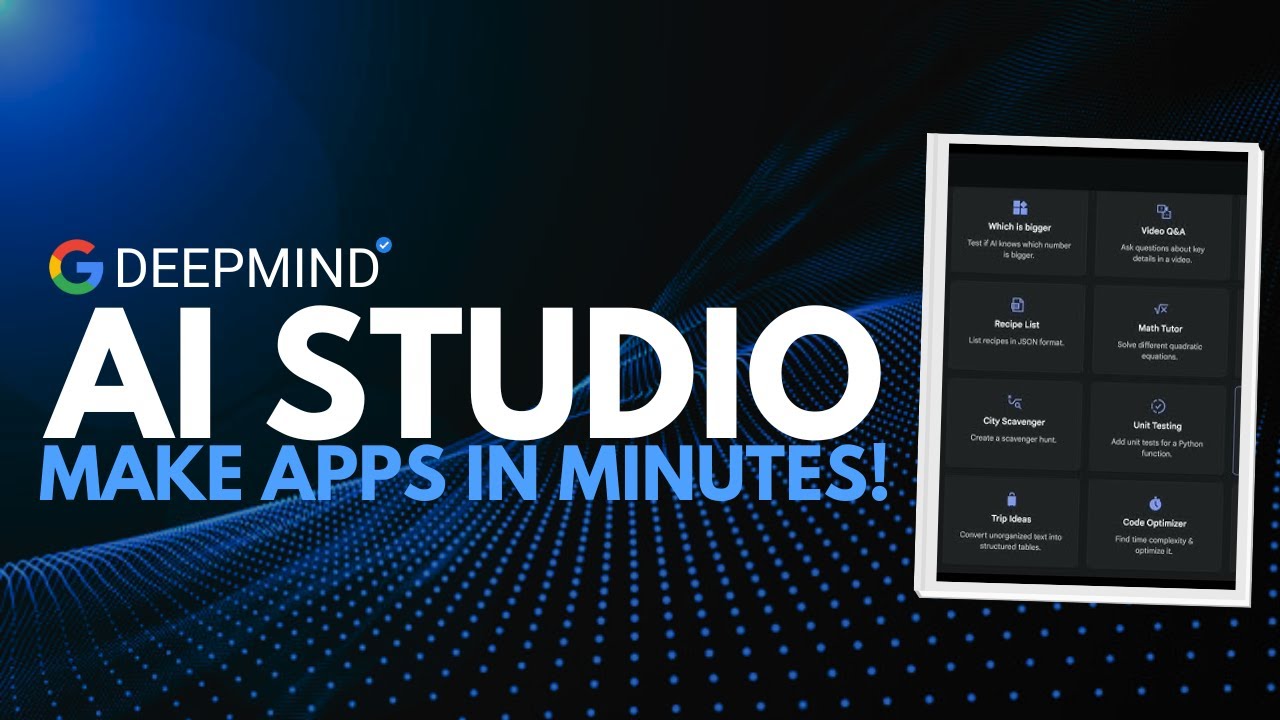
🚀 Google just unveiled Vibe Coding, a brand-new experience inside AI Studio that takes you from prompt to production in minutes. This massive update introduces a redesigned Build tab, app gallery, secret variables, and one-click deployment — turning AI Studio into a full creation platform. We’ll break down every new feature, how it works, and why Google is officially entering the AI-creation race against OpenAI’s GPTs, Anthropic’s Projects, and Replit’s AI Agents. 0:00 - Introduction 0:27 - Google AI Studio 1:07 - News Drop 1:30 - New Features 3:30 - Demo 9:25 - Conclusion 🔗 My Links: 📩 Sponsor a Video or Feature Your Product: intheuniverseofaiz@gmail.com 🔥 Become a Patron (Private Discord): /worldofai 🧠 Follow me on Twitter: /intheworldofai 🌐 Website: https://www.worldzofai.com #GoogleAI #Gemini #VibeCoding #AIStudio #AIDevelopment #AIApps #NoCode #GeminiPro #GoogleCloud google ai studio, vibe coding, gemini pro, gemini ai, google ai, ai studio demo, universe of ai, ai tools 2025, ai news, openai vs google, replit ai agents, custom gpt, ai app builder, google cloud run, ai coding, no code ai, ai updates, ai apps 2025

Оглавление (6 сегментов)

  1. 0:00 Introduction 76 сл.
  2. 0:27 Google AI Studio 94 сл.
  3. 1:07 News Drop 62 сл.
  4. 1:30 New Features 350 сл.
  5. 3:30 Demo 1098 сл.
  6. 9:25 Conclusion 186 сл.
0:00

Introduction

What if you could go from a single idea to a working AI app in minutes? That's exactly what Google's promising with this brand new update to AI Studio. And this isn't just another UI refresh. Google calls it vibe coding upgraded. It's a complete re-imagining of how you build with Gemini. Today, we're breaking down what vibe coding actually is, how it works, and why this could completely redefine what coding means in the AI
0:27

Google AI Studio

era. Let's start with the basics. Google AI Studio is the company's browserbased environment for working with the Gemini models. It's where developers can prototype, test prompts, generate code, and even deploy full apps to Google Cloud Run. Until now, it's felt more like a developer sandbox, great for experimentation, but not exactly beginnerfriendly. This new release, however, changes everything. The focus shifts from prompt engineering to product creation. You describe the vibe, the purpose, the feel, and AI Studio builds the logic around it and presents you with the final product. The update
1:07

News Drop

first appeared in a tweet from Logan Kilpatrick, Google's developer relations lead. He wrote, "Introducing the new AI first vibe coding experience in Google AI Studio. Built to take you from prom to production. " That phrase prom to production is the key. It's not just about writing prompts anymore. It's about building usable apps directly inside the studio. Here's what's new
1:30

New Features

inside the revamp build tab. Number one, you have your application gallery tab. So, which is up above here. An application gallery is a place to explore projects made by others almost like an AI app store for prototypes. We also have a model selector over here letting you start with Gemini Pro, Flash, or other variants right up to front. We also have secret variables, which means you can securely store API keys and environment data, which is a huge step toward real world readiness. We also have AI superpowers, a grid of modular add-ons like media editing, enhanced reasoning, or faster response time. You also have this I'm feeling lucky button, which is a playful button that sparks random prompt ideas when you hit creative block. You also have visual annotation, where you literally click an element in your interface and tell AI Studio what to change. And finally, you have a one-click deployment to Cloud Run. So when you're ready, your app gets his own live URL automatically. So this is a massive shift from coding line by line to shaping an experience conversationally. Perfect for someone that loves vibe coding. So how does this flow work in practice? Overall, there are six highle steps. Step one, you would kind of start a new project and choose your Gemini model. Step two, you would pick your superpowers. Do you want better reasoning, image generation, faster replies? Step three, click on parts of the UI and say things like, "Move this button here or add a chat input. " Kind of like a refinement phase. Step four, store your API keys safely using the new secret variable section. Step five, test everything in the app. Tweak prompts. Try the I'm feeling lucky button for quick iterations. And step six, hit deploy. And within seconds, your app runs live on Google Cloud Run. No backend setup, no servers, no Docker. It is as if you're pair programming with Gemini itself. You describe the vibe and it builds the structure around your intent. So, why don't we try out this
3:30

Demo

app builder itself? I'm going to go through the I'm feeling lucky button until I find a prompt that I actually like. I generated this one, but I don't really care about gardening. So, I'm going to try another one. Okay, let's try this app. This is actually a really cool prompt where the prompt is which is a photo tourism app. You take a photo in the city. AI recognizes the landmark is going to fetch history via search and shows an AR style narrated clip. Sounds all cool. Let's see what Gemini actually comes up with. And you can see the superpowers that it has selected by itself, which is use Google search data, analyze image, and generate speech. So, and we're going to use the Gemini 2. 5 Pro model. Let's try it out. So, as you can see, it's running on the side. You can see it thinking um and you can see the phases it's going through like planning the project scope, structure, app logic, designing, detailed implementation, and we're going to see a preview of it on the right side. You can also see the prompt that we gave it at the top. You can also see the superpowers we selected up here. And uh let's see what it comes up with. So, okay. So, looks like it's generating some files. You also have a live timer at the top above here where you can see how long it's taking to build this, which might be cool if you're trying to compare to other applications out there that you're using to build your app with. All right, so this is what it looks like. Uh we can select let's choose a mobile device. So I have uploaded an image to the application. Let's see what it comes up with. So currently it's identifying the landmark. Now it's going to fetch some history for that landmark. I'll reveal what image I have uploaded. This is the image. I uploaded a picture of the temple of Poseidon. It's also generating an audio narration now. So, it's going to describe the history to me in a more interesting way, which I think is cool. So, if you're traveling and you have this application, maybe you don't have to deploy it, but maybe you can just build this app for yourself that you can use uh for your travel. So, let's see how good it is. All right. So, it has generated a 2minute audio from that clip, which I think is amazing. And obviously it did get the picture down correctly. It is the temple of Poseidon. Uh just so we can kind of enjoy this. Oh, if I rotate the app, it gives me the I guess what is about to say. Also shows you the sources. Let's take a listen to the audio. Perched majestically on the southernmost tip of the Adica Peninsula, the Temple of Poseidon at Cape Sunnian commands breathtaking views over the Aian Sea. this iconic ancient Greek temple dedicated to Poseidon. — Okay guys, this is really sick. I know it doesn't look super pretty, but what it's able to create in literally couple of seconds. You guys saw the video I used I'm feeling a lucky prompt and it was able to generate this application. Obviously, you still have the option to further improve this app which we'll try right now. So, when you're trying to improve your application, Gemini actually provides you with some suggestions. You can add AI features, add an AR overlay, improve error handling. Let's see what other improvements it has suggested. Uh you can add sharing feature, uh visual feedback for audio, clear cache. Interesting. For us, let's say that we want to see restaurants nearby. So when we upload a picture, we not only get a history of that place, but since I love food, and probably you do, too, we want to see any restaurants nearby that we can check out. So let's add that feature in. All right, I've typed it in. Let's send that over. So now once again, it's going to do some thinking. Adding the exploring feature edition implementing food discovery. Okay, interesting. Let's see what this gets us. All right, so it says, of course, I can add that feature to your photo tourism app that finds nearby food places based on the identified landmark. And it also shows me how they're going to do it. They're going to use the user's location and the Google map grounding feature from the Gemini API to provide relevant restaurant suggestions. And then it's uh suggesting some code changes that it's going to do. Okay. And then I have to provide it with geographic location. So I'll allow it for now. Obviously the location is going to be my home location, not where the picture is. The app looks like it's ready. So let's try it out. I'm going to upload the picture. All right. So, it did generate the, you know, the typical got the picture right where it is and the I guess the words that it's going to say like the last time. There's our new mode which is the fine food. Let's click on it. It has suggested me five highly rated local restaurants near the temple of Poseidon. So, we have I like obviously I haven't been to this place or heard of these restaurants. Uh but we can check some of them out quickly on Google. Oh, it also gives me the feature on view on map. So, I'm going to click on one of them. Let's try Why don't we just try the first one? Or actually, the second one sounds cooler. Okay, so it does look like it did get it correctly because this is close to the Temple of Poseidon and it is in Greece. So, looks like the application was correct and it works, which I think is really cool. I was able to make a custom tourism app for myself that I can use when I'm traveling to learn about the history of a place landmark as well. After I'm done learning about that and I'm hungry, I want food nearby, I can ask the app to provide me with that, which I think is crazy because all of this took maybe less than 5 minutes. The first time it ran for about 61 seconds, then an additional 91 seconds. So, less than 5 minutes, which I think is really crazy what it's able to create in that
9:25

Conclusion

short amount of time. So, when you really think about it, this update isn't just another feature drop. It's Google redefining what building with AI actually means. They lowered the barrier to entry so anyone with an idea can now build. They made iteration faster so creators, startups, and students can go from concept to demo in a single sitting. They've added productionready tools so projects don't just live as prototypes. They can scale. And more importantly, they made it clear Google isn't just competing in the AI chatbot race anymore. They're competing in the creation space. Because the future of AI isn't talking to models, it's about building with them. This is the beginning of a new era. One where coding is less about syntax and more about shaping ideas. And with vibe coding, Google might have just made that feature feel a whole lot closer. If you enjoyed this breakdown, drop a like, subscribe, and tell me in the comments what's the first app you built with Google's new AI studio. This is Universe of AI, and I'll see you in the next one.

Ещё от Universe of AI

Ctrl+V

Экстракт Знаний в Telegram

Транскрипты, идеи, методички — всё самое полезное из лучших YouTube-каналов.

Подписаться





