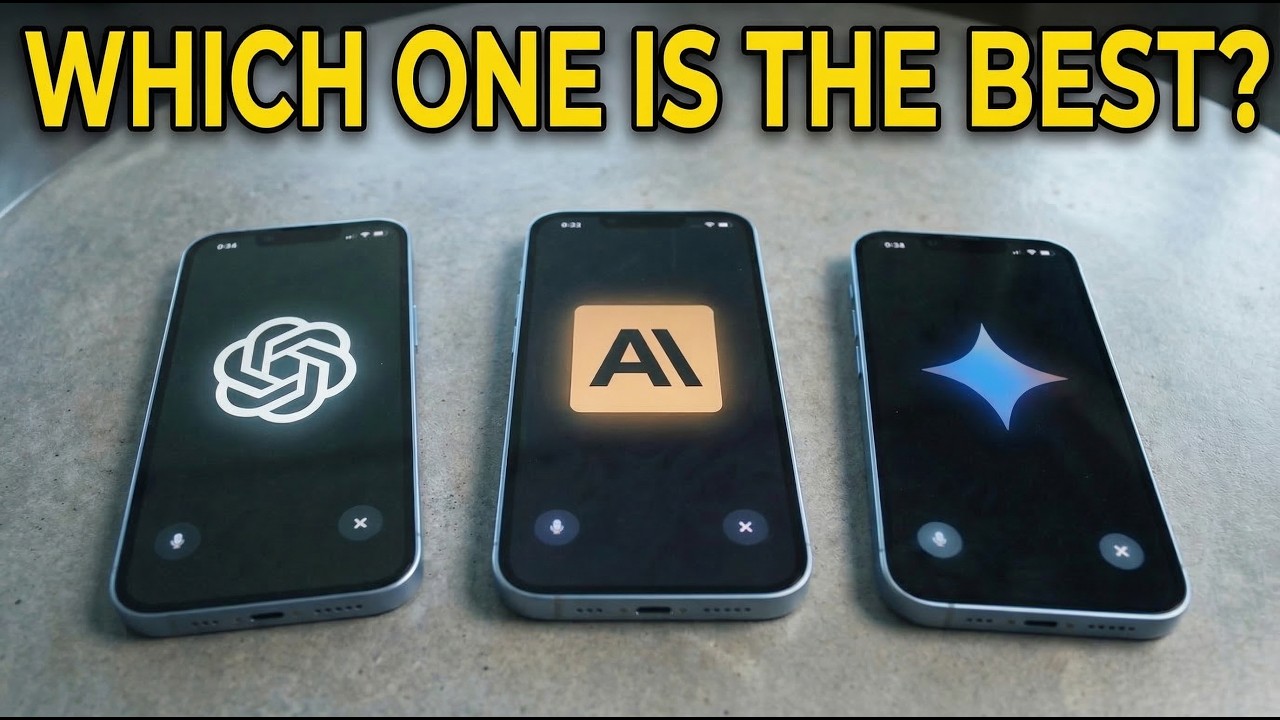
I asked five different AI models the same question. What are the best tools for monitoring search results and every single one gave me a different answer. That's different tools, different rankings, different framing. For example, Chat GBT put one brand at number one. Perplexity didn't mention it at all. Gemini recommended something that the others completely ignored. And here's the thing, millions of people are getting these answers every single day. They're asking ChatGPD for product recommendations. They're asking Perplexity which tool to buy. They're asking Gemini if a brand is legit and the answers that they get are shaping real purchasing decisions without a single click to a website. So here, even look at my YouTube channel. There's people that are finding it from Chat GBT. You can see com. openAI as well as ChatgBT for external search results. 60,000 results is not a small amount. More and more people are searching for things through LLMs and AI models. And that's what I want to talk about in today's video. Now, if you're building anything in the marketing or SEO space, you already know how to track Google rankings. This has been solved for probably 20 years now and everybody knows about SEO. But here's the blind spot. Most people aren't tracking where brands show up inside of LLM responses. And it's not just one model, right? We have chat, GBT, Perplexity, Gemini, Grock, all these different models, right? And each one tells a different story. Each one updates unpredictably and then the answer changes based on how you phrase the question and also what country you're asking the question from. So, if you're a developer and you're building a marketing platform, a competitive intel tool, really any kind of SAS product that touches brand visibility, you now have a new problem. You need to monitor what AI is saying about your customers brands across multiple models at scale over time in different countries. Now, because of this, I spent last weekend building out a tool that can do exactly this. What it allows you to do is send a prompt to five different LLM models, so things like chat, GBT, Perplexity, etc. from different locations and then get the response, extract it, track what brands it's actually discussing and then compare those over time. Now, this is something that teams and companies are already integrating into their platforms. Whereas with traditional CEO, we were just talking about one search engine, which is Google. You have one set of rankings. Now, you have different AI models giving you different answers and those answers are changing constantly again based on the country you're asking from and when the model gets updated. Okay, so I'm going to show you what I built. I also am going to walk through the architecture. Sure. I have some diagrams here so you can understand how you could replicate this on your own machine. Now, the key piece of the puzzle here is that I need to effectively simulate real user behavior by being able to like open up a chat GPT browser instance, right? Like open up the, you know, chatg window in the browser and then type in a prompt and get the response back. And I need to be able to do that at scale in parallel for multiple different devices or multiple different LLMs. So, what I've used to do that in this video is Bright Data's SER API. They have a bunch of tools, but they have one specifically for AI models where you can go to chat, GPT, Grock, Copilot, etc. And what this will actually do is it doesn't use the API. It goes to a browser window. So like it literally will simulate this like go to chatgbt. com, open up chatgbt, type in the prompt, and then parse the response. So when you do that, you actually get the real answer that a user would get from a specific location, which is better than just triggering the manual API because again based on the country you're browsing from, you get a lot of different responses. And then of course you can do this at scale because chat GBT will rate limit you. Perplexity But with this, you're actually using a residential proxy network that works in the background where you're connected to a real physical device that's in some location. So it looks like a real user is actually browsing and you get the real response. Anyways, Bright Data has been a long-term partner of this channel. If you want to check it out and use it, you can do it for free from the link in the description. But let me show you kind of how this works and then we'll walk through the architecture. Okay, so here's a look at the finished product. Now, like I said, what you do is you type in a prompt. You specify what models you want to get the response from. You pick what country you want to do the browsing from. I just put a few different ones here. And then you can see what happens is we're actually able to run this query on all these different LLMs and then get all of the different responses which I want to quickly run you through. So in this case just as a test I asked what tools monitor search results in LLMs and then we had search location United States and then you can see chat GBT actually didn't explicitly mention any of the tools that we were looking for. So we kind of have a list of tools here that we're looking to find, right? So like, you know, Otterly, Google, all of these kind of things. And you can see Chhat didn't mention any of them. Perplexity mentioned these ones. Gemini mentioned these ones. Grock mentioned these ones. You get the idea. And then if we scroll through, we can see that we got different responses from all of them. And we're highlighting all of these key terms that were kind of interest for us. So if you were like a brand or an ecom company or something, of course, you would put, you know, your company name there. and you can see all of the different results showing up in the AI model. Then what I also did is added a feature where we can directly go and use a Google SER API. So this goes to Google and searches for the results on a
Segment 2 (05:00 - 10:00)
traditional search engine and then we can run a comparative analysis which I'll do right now where we take these results plus all of this stuff and then it compares it using AI and says how does traditional search compare to AI search because a lot of times you do get different responses. Now, this SER API also used bright data for just because it's a lot easier than trying to simulate it yourself because again, you don't run into the capture blocks, rate limits, all of that stuff. But let's see what we get. And you can see that it looked at our keywords. It said this wasn't mentioned. This was not mentioned. Okay, Otterly was mentioned here. Okay, Google was mentioned here. And then here's the summary. And then gaps and recommendations so that you could improve this. Then, of course, we can save it. And I have a bunch of other runs that I've put here. So, let me show you another example. So, I actually ran this in bulk on 10 different prompts with five different models, all related to the best running shoes in 2022. I actually had AI generate a bunch of different search results that I wanted to type into the LLM to kind of see, you know, how this would vary based on what we actually typed. You can see one of them is best running shoes 2022, search location, United States. And then we see all of the different key kind of brands showing up. And notice that like Perplexity isn't mentioning Under Armour, for example, right? And Grock isn't mentioning that either. And if you're under armor, that's probably something you want to be aware of. So you can adjust that. And then again, you can see all of the different responses. And then same thing, we ran a comparative analysis as well as the Google search results. And we can see if we take a look at the Google search results, although that's a little bit difficult to read here, that we get a completely different result from Google here than we do from AI. So this is honestly pretty interesting to me how kind of AI differs from the traditional SER. And this is a tool that I think would be, you know, extremely useful to a lot of different companies out there. And if I click through these different, you know, uh, kind of sections, you can see all the different results that we're getting for these different variations of the prompt. Now, you also notice that I added a feature to just do a bulk run. So, you could set this up to run like every single day to just keep tracking it over time, or you can put in, you know, like a ton of different prompts that you want it to run against and get all of the results and it just runs it in parallel. But what I want to do is I want to go back to the computer. I want to walk you through kind of the highle architecture here so you understand how this works and how you could build it out yourself because I think this is going to be a pretty big opportunity coming here in the next few years. Okay, so let me run through the architecture here. I just want to show you how this actually works. And you can see I just kind of whipped up a diagram so you can understand the flow of the components. Now of course we have our streamllet user interface. So right away on load the sidebar loads up the different prompts that we had which allow us to load the past runs. We can also run across all the different models. That's a button where you press where it actually triggers this which I'll show you in a minute. We have the fetching of the SER results. So this is directly from Google again going to Google getting the search results as opposed to the AI results and then running the comparative analysis. These are kind of the key operations that this you know app is capable of running. Now with the run across all models what we do is we call this run all LLMs. And what this does is kind of asynchronously run all of these in parallel. So you can see run async. What we do is we send a request to the bright data API. This is their SER API where we can specifically trigger one of these different search results. Again, we can pass geoloccation as well as the prompt that we're looking for. So then we go to chatgd perplexity gemini gro copilot. We get all those results that actually gives us a snapshot. So we then pull the snapshot to eventually get the result. So we trigger it says okay it's loading. It takes like you know 20 30 seconds whatever then we get the snapshot. Once we have the snapshot, what we do is we normalize that into an LLM response so we can compare it across all of the different values. Then we parse it. So by parsing it, we actually have some clever code that can look through and see, okay, what type of response is this? Is it a listbased response? Is it a ranking based response? Is it just a general kind of paragraph response? Because that's also interesting to know. Perplexity, for example, almost always gives you like a list based or kind of ranking based response, whereas chatgbt tends to favor more like natural language. And then from there, we pull that into a JSON file and just store that. And then same thing with all these, we store the prompt, we store the metadata, we store the results, and then from there, all of that just goes back to our main streamllet UI where we're able to view the results. Okay. Now, the next piece of it is just the SER. So with the SER, same thing. We use the SER API. Again, this one comes from bright data just to use the Google search. And what this does is give us the results. Same thing, we just store that in the SER results. So then we can see Google. Now once we have both of them, then what we can do is we can use OpenAI. So we can pass in our tracking keywords as well as all of the analysis that we had. It then saves that as a markdown file for us so we can look at it later and then again gives us the response back to the UI. So those are kind of the components. It's actually relatively simple and I'll show you a few of the key code snippets here so you understand how it works. Okay, so quickly if you do want to run this on your own, you just need two API tokens. So you need the bright data one and then the open AAI one. I just have them in a file. Just want to make you aware of that. So first things we have kind of the scrapers here. These are just the different scraper ids which is really like kind of the SER I don't know scrapers that are pre-built that will automatically go and then pull the data for you so that you don't have to build that out yourself. So you can see I have them for the different LLMs. Then we have the SER
Segment 3 (10:00 - 14:00)
itself. Now this uses the Google search engine. You also could use like Bing or Duck. Go or whatever one you want. Uh effectively we just have the URL and then of course we have the token. What this does right is it says okay we want to be from you know this language with this query from this country. We want this many pages. We're going to go to google. com and we're going to search that data. I'm not going to run through all of the code but effectively it goes through uses async pulls it and then parses all of it out into a SER result object so that we're able to actually view it in the UI. Then we have the other scraping. This is what we use for the AI search. So again same thing we effectively go here. Here, I'm not going to run through all of the code. Actually, there's a lot here, so it's going to be kind of difficult to explain, but this just makes sure that we can parallelize all of the operations. So, we're running this all asynchronously and that we can just effectively go and have all of these results come back at once. So, normally, if you were going to automate this yourself, like on your own browser, you'd have to do it one at a time or you could only run maybe like 10, 20, 30 browser instances on your own computer. In this case, because I'm using a proxy network with bright data, I can just essentially trigger a result to go out in the cloud and run. I can do as many of them at the same time as I want. So, it doesn't take me significantly longer to run this for like a 100,000 results than it does for just one because all of the compute that's actually going and scraping and giving me the result isn't managed by me. It's managed in the cloud. So, that's just kind of how all of this is set up with these like async cues and stuff. Again, I'm not going to walk through all of the extreme details and that's really the key piece of it. And then I guess we have the comparative analysis part. So, let me find so here. Yeah, this is for the comparative analysis. You can see that I have a long system prompt where it's like you are an analyst whose main job is to report on visibility of specific brands and tools across AI search engines. The track terms are these. These are the ones that you care about. And then we inject all of the other user data, right? So we build the prompt, add all of the stuff inside of here. And it's quite a long prompt, but that gives the model enough context to be able to actually give us that really structured response that we could then give to the model. We also have a prompt generator. So this is when we're generating the prompts with AI so that we have multiple variations and same thing you generate search queries blah blah blah you get the idea. So let's pop back into the tool. Let me show you a few more examples because I think now you understand the architecture it'll make a bit more sense. So what I'm going to do now is I'm going to go to my batch prompts section here so I can show you how this would scale up a little bit. And I want to generate something for maybe like food delivery. So I'm going to say best food delivery apps. Okay. And then for prompts, let's just go with like 50 or something. And then generate prompts for this topic. And let's wait for the results. All right. So, you can see it started generating them. I also just had it randomized the country so that we could see results from different countries. And you can see it's like top food delivery apps, fastest delivery, richest variety of cuisines and food delivery apps. Okay. Top food delivery apps in Italy, whatever. All of this kind of stuff. So now what we're going to do is we're going to actually get the results for those. So we're going to go to run bulk with generated prompts. Now, it's going to take all 50 of those. It's going to pass it to the SER API and then it's going to give us all of the AI responses across all of the different models for prompts. All right, so all of those prompts just finished and you can see that they ran in a variety of different countries and then if we want we can take a look at any of them. So, let's look at the first one here. We can see that we found a few of the different results. Just eat, Deliveroo, Zamato, Swiggy, some of the ones I've actually never heard of before, Uber Eats, Door Dash, etc. And then if we go through, we can see if we look at chatbt for example. Here we go. We get the results. Uh let's look here. It also says top food delivery apps in Vietnam. So because this is running in Vietnam, it's giving us the Vietnam related responses. Perplexity. You can see we get the answers here. Although it doesn't look like it's specific to Vietnam, so maybe it just didn't do that in this case. Uh same thing here. And then I know if we go to co-pilot and then you can see Vietnam's leading apps in 2021 because that's what this specific prompt asked 2021. Let's switch to another one. Okay. Um now this asked top rated food apps in Germany but then searched it in Canada and you can see it gave us the responses for Germany. Same thing. Go through here and you get the idea. So I'm not going to go through all of them. Point is that we have 50 prompts. All of them worked. We did it at scale. And that is the benefit of this type of system is that you just say okay what do I want to know? what are the targets I'm looking for? And then you can just automate it to run literally 24/7 at any amount of scale that you want. Obviously, you know, you're going to have to pay the price for all the scraping, but that is up to you. So, anyways guys, with that said, I'm going to wrap up the video here. If you want to reproduce this again, I'll have the code available from the link in the description. Shout out to Bright Data for sponsoring this video and making this type of project possible. If you want more on this type of topic, definitely let me know in the comments down below. And I will see you in the next video.