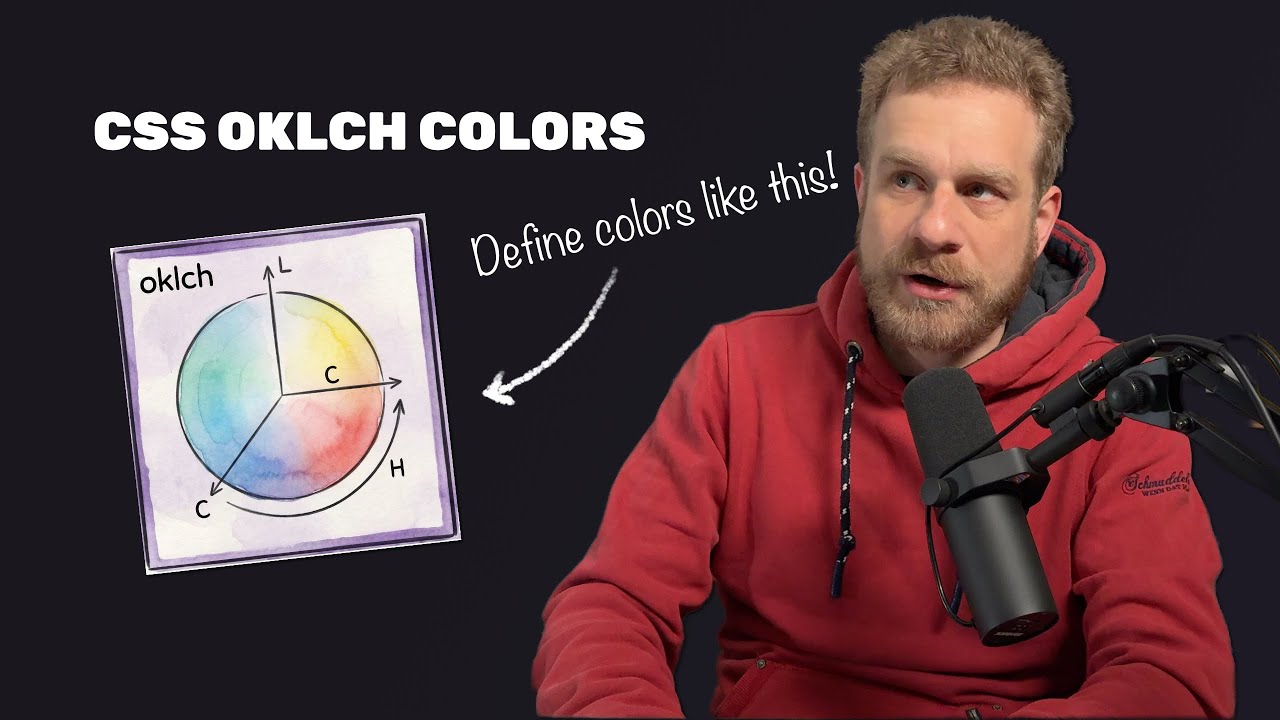
There are different ways of defining colors in CSS: HEX code, RGBA, HSL, and also OKLCH. And even though that's the weirdest confusing one, that's the one you should actually use. I don't know what the OK stands for, but the LCH stands for lightness, chroma, and hue. And that's not too far away from HSL, where we have hue, saturation, and lightness. But there's a key difference, and it's a difference that makes OKLCH much better than HSL. And by the way, before we dive deeper into it, yes, you can use OKLCH today. It's supported by all major browsers, and unless you need to support very old versions of these browsers, you're fine using it. But why is it better than HSL or those other ways of defining colors in CSS? Well, let's start with the syntax. The L, as mentioned, stands for lightness, and by changing it, you make a color darker or brighter. So for example, here we have a blue color, and if we have the lightness set to 20%, which in code, by the way, looks like this, that's the lightness set to 20%, then you can see, that is pretty dark. And of course, with more lightness, we get brighter and brighter, and you can see the concrete syntax here. So the lightness defines how dark or bright a color is. The chroma defines the saturation, so the purity of the color, you could say. So you can have a more washed out grayish color if you have a super low chroma, like. 02, and you get more saturated colors if you ramp up that chroma. And you can see the syntax for that here, and you see those chroma levels, the middle column, rise. And then lastly, the hue is simply the color itself on that color wheel. You can think of it like this. So that is simply an amount in degrees from 0 to 360 in the end, and here you would, for example, have bluish colors in the 200 to 280-ish ranges. And you can, of course, pick other colors by shifting that color on that color wheel. So here's the syntax for that swatch, you see all values are stable except for the hue, which that syntax. Last but not least, you can also control the opacity with an optional fourth parameter that's passed to the OKLCH CSS function, separated with this weird forward slash, but that is how the syntax looks like. And that is simply a value between 0 and 1, and controls how opaque or transparent the color is. So that's the syntax of OKLCH. But why is it better than HSL? The difference is that when using HSL, that lightness value, which both syntaxes have, kind of lies to you. When keeping the lightness with HSL colors look different to our human eyes. OKLCH, on the other hand, keeps those colors stable as perceived by our eyes. So for the same lightness with OKLCH, equal levels of brightness for the human eye. With HSL, we don't. Let's say we set the lightness to 50% for both OKLCH and HSL. Then you can see, those HSL colors are pretty popping, pretty bright, and almost too bright, you could say, for a lightness of 50%. Keep in mind, it's in the middle. OKLCH is much more dim. Now, the question is not if you prefer one color set over the other. You can simply change it by changing the lightness. The problem is that the lightness is not very stable when using HSL. If I ramp up the lightness, we go almost up to white for HSL, whereas we still have pretty good colors OKLCH. And most importantly, the contrast ratio of the text in front of the color compared to the background color is stable too. No matter where I set this range, it stays readable. Obviously, more readable for darker colors, unreadable here for HSL, and therefore, there is a clear advantage when using OKLCH. It's much easier to derive colors from a base color and, for example, construct color palettes. Here, we're trying to create color palettes with HSL and OKLCH, and we do this by only changing the lightness because the idea is that the hue should stay stable and the saturation should also stay stable. And we simply want to go through different shades by ramping up or decreasing the lightness. And with HSL, you can see that one problem we have is that the middle color is the most popping one, and the rightmost color is almost white. We have a more evenly distributed palette OKLCH, and that is the huge advantage. Deriving colors and creating colors dynamically is simply easier and more predictable when using OKLCH. That's the main advantage of this syntax of this color. Now, therefore, OKLCH becomes particularly powerful if you use the relative
Segment 2 (05:00 - 09:00)
color syntax CSS offers, which, and that's important, is not exclusive to OKLCH. Instead, it's a general CSS feature. You can construct colors relatively in modern CSS, and that also is possible for HSL, for example, because those color functions like RGB, HSL, and, of course, also OKLCH, do not just accept fixed values, but instead, you can define a base color with the from keyword and then define the color, either one of those built-in hardcoded so on, or by using a HEX code or another color defined as OKLCH or anything else. You can also use a CSS variable here. And then you can define how the different color channels or values should change. For example, let's say we have this base color, which is defined like this. So it's using the OKLCH syntax to define a color with a certain lightness, chroma, and hue on that color wheel. And then let's say we wanna derive a brighter and a darker version. We could do this by repeating the syntax, and simply changing the lightness. But instead, we can also use the relative version of OKLCH to define that we want to derive a color from that base color, which is that middle one. And that we then want to keep chroma which we do by simply putting C and H in there. And the same is available for HSL and so on. If you don't wanna change a certain part of the color, you just repeat its placeholder name. C and H, for example. But I do wanna change the lightness, the L. So instead of putting just L in there to keep it stable, I use the CSS calc function, which existed forever, but which can also be used here, to change the lightness by adding. 15 to it, to make it brighter. And for the darker color, but we deduct. 15. And that, of course, makes it very simple to construct entire color palettes from one base color by then just using this relative syntax over and over again, and changing that lightness, for example. And obviously, you can also change other parts like the that for your application. So for example, we could derive this entire color palette dynamically here from a base color, which is in the middle here, by then defining lighter and darker versions by simply changing that lightness, as you see here, for example, which is for that very bright version. That is why OKLCH, especially in combination with that relative color CSS feature, is pretty, pretty useful, and you should strongly consider using it for your new modern applications. One other last advantage you can get out OKLCH is more stable, potentially better gradients. For example, here I have HSL and OKLCH gradients. And just to make sure we're all on the go from one color to the other with help of the linear gradient function in CSS, for example. Now you can see for HSL, we go through all the colors in between on that color wheel essentially, and we have some very bright greenish here. Now maybe you like that, but it's maybe not what you would necessarily expect when going from blue to yellow to have green in the middle, since both the blue bright, at least perceived by our eye. But that's exactly what OKLCH fixes. It focuses on going through colors and using colors that make sense for our eye. And here, for example, the green looks brighter than the blue and the yellow, though they all have the same lightness. But HSL is not very stable regarding that. For OKLCH, this gradient looks much more stable. All the colors in there have the same lightness due to how OKLCH works. And that is why OKLCH, despite its weird name, can be super useful it.