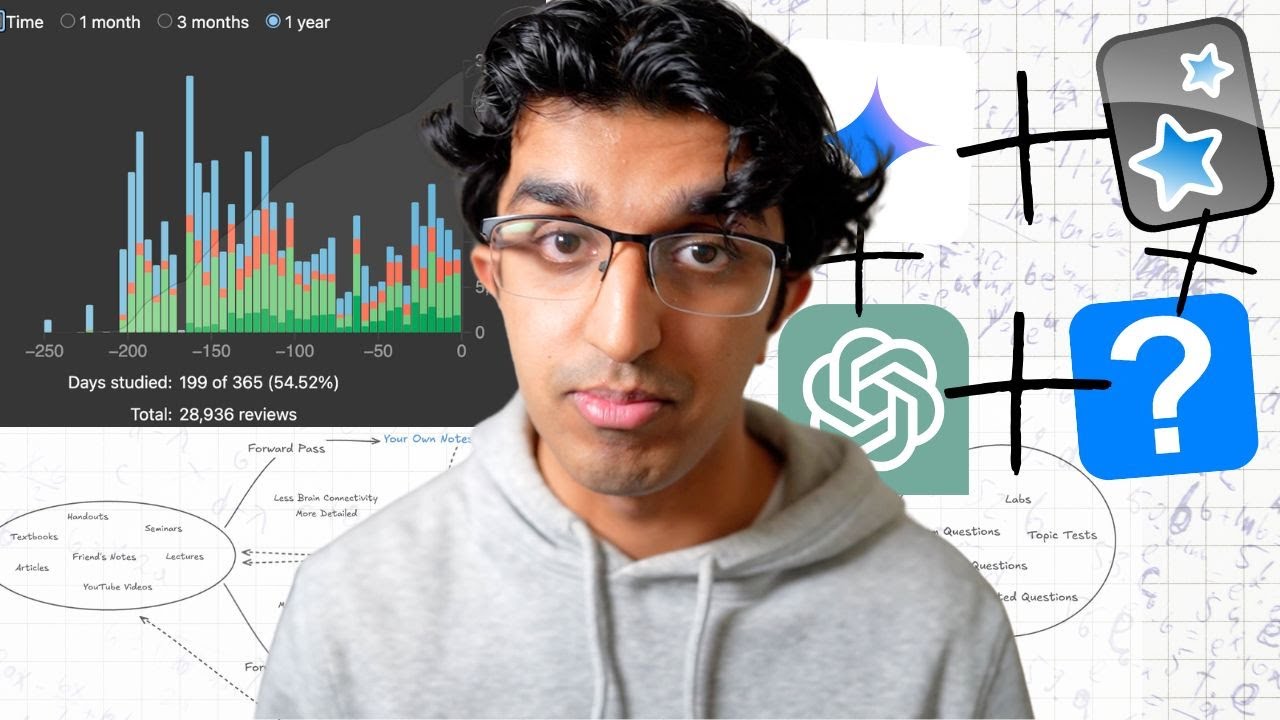
The AI Study Method Top Students Are Now Using
14:13

The AI Study Method Top Students Are Now Using

Ray Amjad 21.06.2025 31 015 просмотров 1 483 лайков обн. 18.02.2026
Поделиться Telegram VK Бот
Транскрипт Скачать .md
Анализ с AI
Описание видео
Join AI Startup School & learn to vibe code and get paying customers for your apps ⤵️ https://www.skool.com/ai-startup-school —— MY APPS —— 🎙️HyperWhisper, write 3x faster with your voice: https://www.hyperwhisper.com/ - Use coupon code 93XWLUJE for 40% off 💬 MindDeck, an advanced frontend for LLMs: https://minddeck.ai/ - Use coupon code 64ULKRB8 for 40% off 📲 Tensor AI: Never Miss the AI News - on iOS: https://apps.apple.com/us/app/ai-news-tensor-ai/id6746403746 - on Android: https://play.google.com/store/apps/details?id=app.tensorai.tensorai - 100% FREE ————— CONNECT WITH ME 📸 Instagram: https://www.instagram.com/theramjad/ 👨‍💻 LinkedIn: https://www.linkedin.com/in/rayamjad/ 🌍 My website/blog: https://www.rayamjad.com/ ————— Making Anki Cards 10x Faster: https://youtu.be/ziPwestGTxI Google AI Studio: https://aistudio.google.com/live Paper: https://arxiv.org/pdf/2506.08872 Summary of Paper: https://x.com/itsalexvacca/status/1935343874421178762 Timestamps: 00:00 - Intro 00:26 - Aside 01:01 - Overview of Studying Phases 01:45 - Input Phase 03:58 - Google AI Studio Overview 04:44 - Demo with Gemin 2.0 Flash 07:14 - Demo with Gemini 2.5 Flash Exp Native Audio Thinking Dialogue 08:14 - Using the Socratic Method 09:55 - Learning with Anki Leeches 11:16 - Summary So Far 12:29 - Study Loop 13:40 - Time Savings

Оглавление (12 сегментов)

  1. 0:00 Intro 116 сл.
  2. 0:26 Aside 152 сл.
  3. 1:01 Overview of Studying Phases 183 сл.
  4. 1:45 Input Phase 542 сл.
  5. 3:58 Google AI Studio Overview 170 сл.
  6. 4:44 Demo with Gemin 2.0 Flash 584 сл.
  7. 7:14 Demo with Gemini 2.5 Flash Exp Native Audio Thinking Dialogue 235 сл.
  8. 8:14 Using the Socratic Method 335 сл.
  9. 9:55 Learning with Anki Leeches 244 сл.
  10. 11:16 Summary So Far 271 сл.
  11. 12:29 Study Loop 263 сл.
  12. 13:40 Time Savings 129 сл.
0:00

Intro

Now there's a paper that came out by MIT last week which is basically about how AI is making students stupid and you can read this paper using the link in the description or you can read a summary of the paper and I imagine this is true for other things in education besides just essay writing. A lot of students nowadays are using it to replace their thinking instead of actually enhancing their thinking. And basically I want to go through how I would study in the age of AI if I was back at university. And hopefully you can take some information away from this video and improve your own studying techniques and save
0:26

Aside

yourself a lot of time. So, as a short aside, if you feel like there's so much new AI news every single day that it's pretty hard to know what's relevant for you, then you can download my brand new app called Tanza AI basically helps you stay updated with the latest AI news. You make your account, you put in your interests, and it only notifies you about the AI news that is relevant to you every time it happens. So, it updates every single hour. And then basically, you can also listen to audio summary of all the AI news from the last 24 hours. So, you feel like you're never missing anything important. It is brand new, so there will be a few issues and bugs and so forth. So do email me if you find anything wrong and if you have suggestions on how it can be improved.
1:01

Overview of Studying Phases

Now the way that I see it is you have two phases. You have a input phase where you're learning material and then you have a practice phase your exam and then most people just forget all information after their exam. Now your brain connectivity increases over time and if you use AI effectively then during the input phase it can increase a lot more and then it will be even higher starting point when you get to a practice phase where you're doing exam questions and past papers and so forth. And I think the gain in brain connectivity is slightly higher when using AI compared to not using AI in the practice phase. But you're still doing the exams, exam questions and so forth. I think where you will save a lot of time is the input phase and actually you can probably start the practice phase sooner as well. So it can be more like this as well. So then your gains will be even higher and then you will do better on the exam as well. Now during the
1:45

Input Phase

input phase what you want to be doing is you have a bunch of material over here and you want to get into your brain. So you have handouts, your friends as notes, lectures, YouTube videos and so forth. And the way that many people would get it into their brain is firstly they would make their own notes and flashcards use the information and then they would look over the information and be like oh I'm missing something and they would go and find a YouTube video, add some screenshots and so forth and basically they'd have their own set of notes or customized flashcards. And that is exactly what I did during my A levels and during university. A lot of videos on my channel before the widespread use of LLMs were about this and the studying technique. And I think it does lead to more detailed information because you have exact numbers and dates and so forth, but it leads to lesser brain connectivity because you don't have a higher level conceptual understanding of many topics or ideas. A way of developing a higher level conceptual understanding of those ideas and topics would be to actually explain that to someone else and that's known as a finan technique. And the finan technique is basically that as you're explaining a topic or idea to someone else, you notice gaps in your understanding and then they may ask you questions as well and then you have to answer those questions and so forth. And then you can go back to material and then fill in your gaps and then go back to explaining someone else. But this is pretty hard to do because it's hard to find someone else to explain the information to. You can get a friend or your parents or something one time and then another time, but eventually they will get sick and tired of it and they won't really ask unique questions that will test your understanding. But that is where AI comes in. So AI can replace this part over here where it comes to explaining to someone else. It can replace someone else and then help you get a higher level conceptual understanding of the ideas in your mind. And then you can also make your own notes and flash cards over AI. So you can just go straight to the flash card making process. And I have a whole video about this over here. So you can watch my previous video over here which will teach you how to make Anki flashcards 10 times faster using AI. So if you watch this video and follow this technique then you can import all information into Gemini and then just have it make you flash cards and then import it back into adds later. So you've covered this detail like your more detailed less brain connectivity part and you're reviewing the information regularly and keeping it fresh in your mind because AI has basically made all the flash cards for you and the many hours that you have saved by making your own flash cards. You can focus on the highlevel conceptual ideas behind what you're learning and the way of doing this is to
3:58

Google AI Studio Overview

go to Google's AI studio which is linked down below in the description and it's completely free to use except there are rate limits so you can't use it way too much in one particular day. and then go to stream tab which is on the left hand side over here and you should see something like this. Now to get started you want to choose a model over here. You don't want to choose the Gemini 2. 5 flash preview native audio dialogue model because that's more about like expressive tones and stuff. So you either want to choose the Gemini 2. 0 flash 001 model or the Gemini 2. 5 flash XP native audio thinking dialogue. That's a mouthful. Now, the model numbers may differ slightly if you're watching the video much later, but basically the audio thinking model actually has like more thinking capacity. So, it can often be better when you're trying to explain more difficult, conceptually difficult topics and ideas. So, I'm going to go
4:44

Demo with Gemin 2.0 Flash

for the flasher 0. 01 model because it supports screen sharing for now. And then you can choose audio and text over here as output format. And then choose any of the voices that you like the sound of over here. So, I'm just going to go for the default voice. Choose United States English. And then everything else looks fine. And you may also want to turn on code execution which can help it when it comes to more difficult tasks. And you also want to turn on grounding with Google search. So it can also search the internet as you're waiting or like basically as you say something difficult it can search internet and then double check. And then the rest of these you can just leave off and then you can go to share screen over here and then choose your entire screen if you're like going through lecture notes or something or you can use your webcam or you can just talk. So I'm going to press share screen over here and then I'm going to choose this window over here which has some lecture notes. So these lecture notes are ones I used during university and you can see it over here and now it will start talking with me. So I'm going to say like hey basically like I'm pretty confused about what this is about like can you explain what I'm looking at and what is going on here and these equations as well. Certainly the image appears to be a slide from a physics lecture specifically focusing on the concept of a firmy gas in 3D with spin s= 1/2 and sigma= 2 exemplified by electrons. Now I'm just basically going to make it stop. But you can see in this history over here that when I press uh let me just press stop recording stop sharing. Uh let me press disconnect as well. Now, it takes a audio and video of what I just showed it and then start to explain it and honestly the explanation is pretty good. This is quite surprising. So, you can go through any topics that you don't understand. You can have your like window or PowerPoint or any video slide or any image open and then just have the thing explained to you. And then if I resume the stream, I can also get it to do Google search for me as well. And then if I press audio, which is start recording over here, then I can just do audio only thing. Hey, so can you tell me the difference between Fmians and Bzons? What is the difference between them? How do I know which one is which? Verian and Bzans are two fundamental classes of particles with distinct properties. Can you search online just to double check? Like I don't believe what you're saying over here. Okay, I understand your concern. Here's a breakdown of the key differences between firmians and bzons with examples to and just like that you can see it ran executable code over here and then basically did a Google search. So it looks at the differences and some examples of both. So, it seems to have run three different Google searches and then it just found the information online and then gave it back to me. Now, we can also try using the thinking model as well. So, I'm going to make a new chat over here and then choose a audio
7:14

Demo with Gemini 2.5 Flash Exp Native Audio Thinking Dialogue

thinking model I can choose a voice that I like. So, I'm just going to go for the default voice and turn on grounding with Google search as well so it is more accurate as well. And then uh you can ignore all these other settings. But unfortunately right now, I don't know if it's a bug right now, if you do share screen with this, then it can't actually see your screen. So, you might want to double check it. If you say, "Hey, what is on my screen right now? " Then it should say what's on your screen. And if it can't, then that thing is not working. So, I'm just going to go to talk instead of for now, and I'm going to get it to explain some stuff to me. Hey, so what is this difference between firmians and bzons? How do I know which one is which? Are there any examples of either? And why are they even useful? Like, what is the deal with them? Firmians and Bzons are two fundamental categories of particles. The main difference lies in their spin. Firmians have half integer spin like 1/2 three halves. And now you can see it's thinking over here. So this is a summary of all the thinking I did over here. And something I like to do with the thinking model is to go through the Socratic
8:14

Using the Socratic Method

method. Now the Socratic method is kind of like the Fineman technique. It's a form of dialogue primarily used in teaching where a teacher uses a series of questions to guide a student to a deeper understanding of a topic rather than simply providing information. So I'm going to start the conversation again and then say, "Hey, can you use a Socratic method to help me understand this better? " So connect to server and then press start recording over here. Hey, so can you use a Socratic method to basically help me understand this information better? Absolutely. I can definitely use the Socratic method for that. So based on what we talked about, can you tell me in your own words why firmians like electrons have certain restrictions on where they can be while bzons don't? It's because firmians have to follow the poly exclusion principle which states that no two firmians can occupy the same quantum state. Exactly. That's the key difference. So if firmians can't occupy the same state, what does that suggest about how they arrange themselves say within an atom? And what about bzons since they can share states? Now I'm going to say something wrong instead which basically is that it means that firmians can occupy the same state and they can have the same spin. Actually that's the opposite of how firmians behave. Because of the pi exclusion principle two firmians cannot occupy the exact same quantum state including having the same spin. It's bzons that can share the same quantum state and have the same spin. Does that clarification make more sense? Now, this may also be a bug in Google's AI studio because when you click here, it says you can import images, videos, and so forth. But when you press upload file over here, you see I can't actually select any of these PDFs or any videos. But one thing I found I can select is to select text files. So, I'm going to actually
9:55

Learning with Anki Leeches

upload some of my leeches from Anki. And if you don't know what Anki is, like Anki is a flashcard program. And your leeches are basically the cards that you're really struggling with. So I went to leech tag over here in the card explorer pressed right click went to notes press export notes and then chose a format as being notes in plain text txt over here and then the selected notes and pressing export. You can then save it to your downloads. So I've already exported this and I'm going to import it over here and then press open over here and now it's importing and then I can have it explain these particular words or flashcards to me. So now it's connecting to the server. So then if I press start recording over here, I can say, "Hey, so I'm really struggling with these words over here. I want to use them in some example conversation to help me really understand the meaning of the word. Can you do an example conversation with me for these particular words? And just like that with any anki flashcards that I'm struggling with and I keep getting wrong, I can import them into here and then have it explain certain ideas and do example conversations and basically whatever topic you want to learn about. And because it's a reasoning model, you can probably have it find higher level trends in whatever you're struggling to
11:16

Summary So Far

understand. Now to basically summarize what we've done so far is we've turned all these flash cards over here following the technique that I showed in my previous video that is linked down below in the description into flash cards. And these flash cards we can then import into an slowly drip into our brain over time as we go through like 10 20 new flash cards every single day. But the problem is we haven't developed the brain connectivity of the concept or idea in our mind even though the flash cards are pretty detailed. So it's more useful for remembering facts than actually developing this high level conceptual understanding. And then we've also used a lot of the same material and grounded it in Google search and imported text files and so forth into Google's AI stream and then explained ideas to Google AI using the Socratic method and also developed a higher level brain like understanding of the ideas by answering the questions and then teaching it back to the model and then after the simple phase you would apply the knowledge in your topic test supervision questions get AI to generate you questions or ask you questions to join the Socratic method in your exam questions and labs and so forth and then you can review the information into your brain after getting anything wrong over here and then if it's not in your brain you can then go back to the original sources and then update your flash cards or then try and explain it back to the AI again. Now this is a whole circle
12:29

Study Loop

when it comes to understanding a new topic or idea. You have the orienting stage where basically you can either use chatbt or notebookm is a tool for understanding and there are many videos about it on YouTube and then you can import all your material study material into notebook and understand a highle idea of how this topic relates to many other topics and then ask questions and then basically understand a highle idea of how things are important and what things fit where and then after that you can go to your understanding stage. So you can use CHP, you can use notebook color and watch YouTube videos and you can also use Google AI studio as well. And then you have the remembering stage where you use my video, Google AI studio and so forth to make flashcards. And then you have the applying stage where you apply the information to your exam questions and so forth. And then you can import the questions that you got wrong into something like Chad GPT or Google AI studio or no ALM or something to then reflect on what you got wrong and then try and have the model hypothesize why you got it wrong to begin with. Maybe it's identified like a high level like misunderstanding in a certain topic and then you can correct that understanding. You can then reorientate yourself and then you can go back to understanding and then just continue through this loop until you feel satisfied with your score in that particular topic or idea. And
13:40

Time Savings

yeah, that's basically the pathway that I would follow when it comes to studying with AI. And a lot of the time savings are coming from this stage where you're not having to synthesize all the material yourself into notes and flashcards. you can just get AI to do it for you and then you can use that time that you saved to better understand the material by explaining to AI and then having the AI quiz you ask you questions using the Socratic method so you can understand the idea better or you can use the time you save to do other things like develop more skills uh I don't know watch videos like do projects or anything else that will set yourself up better for the future

Ещё от Ray Amjad

Ctrl+V

Экстракт Знаний в Telegram

Транскрипты, идеи, методички — всё самое полезное из лучших YouTube-каналов.

Подписаться




