Building AI agents with Claude in Google Cloud's Vertex AI | Code w/ Claude
30:22

Building AI agents with Claude in Google Cloud's Vertex AI | Code w/ Claude

Anthropic 31.07.2025 28 392 просмотров 442 лайков обн. 18.02.2026
Поделиться Telegram VK Бот
Транскрипт Скачать .md
Анализ с AI
Описание видео
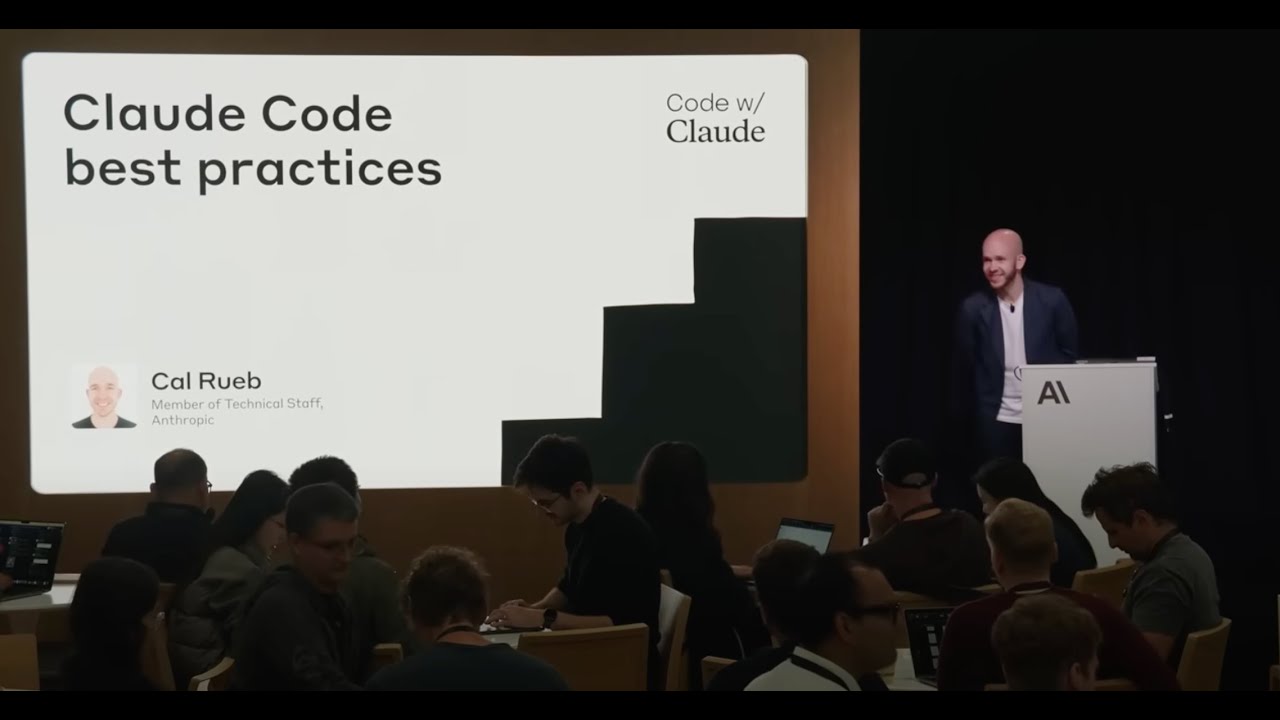
Presented at Code w/ Claude by @anthropic-ai on May 22, 2025 in San Francisco, CA, USA. Speakers: Ivan Nardini, Developer Relations Engineer, AI/ML, Google Cloud
Оглавление (7 сегментов)

  1. 0:00 Segment 1 (00:00 - 05:00) 829 сл.
  2. 5:00 Segment 2 (05:00 - 10:00) 936 сл.
  3. 10:00 Segment 3 (10:00 - 15:00) 994 сл.
  4. 15:00 Segment 4 (15:00 - 20:00) 877 сл.
  5. 20:00 Segment 5 (20:00 - 25:00) 881 сл.
  6. 25:00 Segment 6 (25:00 - 30:00) 898 сл.
  7. 30:00 Segment 7 (30:00 - 30:00) 35 сл.
0:00

Segment 1 (00:00 - 05:00)

Hello everyone. Uh thank you for joining this uh  this session. So in this session we are going to   talk about how you can build uh AI agents uh using  uh cloud on vertex AI. So before to start let's   see the uh let's set the scene. So as you probably  know like building AI agent is very powerful.    with the II agents you can build such a cool  applications but the reality is after you start   developing and you know prototyping agents and  let's assume that you are happy with what you   built it's so hard to productionalize  these agents right and the reason are   essentially three uh so first of all you need to  because uh right now to build agent you have so   many frameworks that provides you know tools  that provides uh capabilities that you can   uh that you can use to enhance your agents like  the landscape is so fragmented. So you need   to figure it out how to integrate the different  frameworks and different tools to make the system   work. So the other the other reason is let's  assume that you are capable of building one agent   or a multi- aent system with one framework but at  the same time you want to use different framework   together. It's not easy to um like make um make  the communication happen between these two set of   uh you know different agents. And then even let's  assume that even if you're able to you know build   agents uh create this network of agents that  are capable of communicating between them it's so   hard to manage uh them in production because you  need to take care of all the operation around the   agents and the relative governance. So all the  monitoring capabilities the logging capabilities   that you need to implement on your agent they are  very hard to uh be managed. Uh in this sense uh   let's imagine that uh you we you will be able to  have a toolkit that will allows you to standardize   and develop your agent in a very efficient way  and then together with this toolkit you get   a set of protocols that will allows your agent to  consume uh tool and context with the M but at the   same time connect with other agent in a seamless  way. And third you will get an u agent   platform that will allows you to deploy at scale  these uh agent system and you know manage all the   uh operations that are around these uh this new  kind of application. So with these challenges   in mind and these three you know um three main  um reason that we want to address that's why we   define our own agent stack on Google cloud and our  agent stack is composed by four main components.    So the first one is agent development kit which is  a an open-source code first and developer friendly   uh framework that will allows you to build  evaluate and deploy your agent uh at scale. But   in order to enhance your agent you have a you need  a way to standardize the agent communicate with   different tools as I saw you before. So to address  these challenges of protocols, one thing that   we did when we designed agent development  kit is made and is making it compatible with   um MCP. So probably you know what is MCP uh you  already uh heard about it but with MCP essentially   you will make the agent compatible uh with uh  several tools and in general application will be   uh you will provide your context to your  application using LLMs on top of MCP.    So we also introduce like this Vert. x AI engine  engine which is essentially a managed platform   that has been designed to deploy, manage and scale  your AI agent in production and uh it takes care   of all the those operational challenges and uh  you know possible capabilities that you need   uh in order to uh deploy your agent in production.   And finally to address the challenges of   uh allow communication between different agent um  build with different frameworks we also introduce   uh agentto agent protocol. So which is essentially  you know uh open source uh an open source protocol   that will allows you to create this seamless  communication and collaboration between agents   in whatever framework you build. So with this  talk we so today we are going to use this talk to   uh build uh multi- aent systems and but before  to do that let me to introduce myself I'm Ian   Ardini I'm a developer advocate at the Google  cloud I'm based in sunny and uh today I want to   go through this journey with you and the journey  will starts with building a very simple ADK agents   uh using cloud and then we are going to enhance  these agents using uh some uh pre-built tools and   MCP and finally Finally, we will deploy  the agents on agent engine. As a bonus,
5:00

Segment 2 (05:00 - 10:00)

we will try to cover which I will try also to show  you how you can connect multiple agent using agent   to agent protocol. Uh but in case we are not  we will not able to do that. Don't worry,   we are going to have a live webinar at the end  of the month. So we will show you how to do that   later. With that being said, we want to build an  agent. But to build an agent, we need an LLM.    So let me show you how you can get access to cloud  models on vertex AI. So cloud model cloud models   on vert. xai are accessible through vert. xi model  garden which is essentially a centralized hub   where you can discover, deploy and manage a wide  variety of foundational and open models including   uh cloud. So on uh on um model garden you will  find the latest and greatest cloud model. This   morning we just rolled out uh cloud uh 4. So I  will show you and um after you simply you know   fill um you know you provide some credential and  everything you will get access to the model and   you will able to use it through API or through the  console. So without further ado let me show you   how you can get access to cloud. So let's switch  on the yes so for people that doesn't know vertex   AI this is how the vertexi console looks like.   So you vert. xi provide a set of services to build   both generative AI and predictive AI application  and model garden as I said is a centralized app   that provides you several model from different you  know model providers including cloud in including   entropic. In fact in the uh partner session you  will find the entropy models and here you can see   all the entropy models that we provide including  the latest that we released this morning. So in   order to you can use model garden to test this  model. So uh here is u the vert. xi um vert. xi   studio which is our prompt UI that you can use for  test this model. As you see I already select cloud   3. 7 sonet which is the model that we are going to  use today to build our agent. Uh we are already   integrating cloud uh 4 with ADK. So stay tuned  in the coming weeks. But through this UI what you   can do you can test the model and uh you know you  can start you can start interacting with it and uh   using the API that you can get here to integrate  with your uh application. So with that being said   now that you know more or less how you know to get  access to cloud through vertex AI let's go back   to the presentation and let's start building  agents using this model. So for the in this   uh in this um in this demo we are going to build  a very simple agent which is a birth uh birthday   a birthday planner agent. So uh we will u  we will it's an agent that essentially will allows   you to organize a birthday party such as in teams  and you know getting the guest list and so on and   uh in before to start this uh before to build this  agent you need to know some concept related to   ADK. Uh just one thing I know this uh this  session is supposed to be a workshop but because   all the Wi-Fi issue that you've already faced I  will uh I know we will uh we will already give you   some credits and I will share the repository with  you. So after this session you will be able to   reproduce this code I'm going to show you at home  and if you have question you can always come back   to me. Okay, with that being said, these are the  core concept that you need to know about ADK in   order to build an agent with the agent development  kit. First of all, agent development kit provides   several type of agents that you can use. Uh  you already pre-built some you know pattern   uh so aenting pattern including sequential agents  that you can use in order to implement your   application. But the simplest pattern that you can  find is the one that we use with the LLM agent   which essentially used just an LLM to feed uh to  you know um build to use the agent to build the   agent. And so uh the this class represent  the brain of the agent and it supports several   models including claude uh claude and essentially  it allowed uh it requires you to set the model   give it uh the agent a name some instructions  and define the tool that you want to use and   then after you have done this you get your agent  already up and running with respect of tools you   know what is a tool is it's essentially a mean  that you can use to you know assign some skills   to the agent and um uh ADK A we provide some  pre-build tools that you can use but you also can   you can also define your own tools and integrate  with the framework. So you have the   agents, you have the tool in ADK. You have this  concept of runner that puts together everything   and coordinates um you know execute the agents. So  it manage the session. So the conversation state   along the uh while you're running the agents and  it is integrated with a very nice CLI that you can
10:00

Segment 3 (10:00 - 15:00)

see here uh ADK run and ADK web that will allows  you to interact with the agent programmatically   or you know through a web UI that I will show you  later. And then uh last important thing that   I want to mention you have this concept of session  which essentially will allows you to store uh the   conversation and interact with the agent in a  way that you know it remembers what uh what you   already discussed with him before. Okay. So with  that being said, I told you ADK support cloud how   it is support cloud with two you can use cloud  in two ways with ADK through the LL light LLM   integration which is something that I will assume  you're familiar with or you can use the pre-build   integration that we provide as a vertx team uh  using cloud and the LLM registry which is the   one that I will show you uh today. It's just a  nice way you know to integrate the model with the   with the interface. So with that being said, let  me show you how you can build um an agent using u   using ADK. So this is the repository that uh  you will u you will get once you uh download   from once you get once you clone the repo from  GitHub. So in the repository you will have three   agents. We are going to cover them uh today. And  the first one as I said is the birthday planner.    So in order to build an agent with ADK all you  need to do is providing essentially three file   uh the agent. py PI which contain the agent logics  uh the environment variable file which contains   all the environment variable that you want to use  for your agent and an init file as you probably   are familiar with. So just these three file will  allows you to run the agent and as you can see   we designed ADK to be so close uh to software  engineering best practices. So this is something   that you should be capable of running easily. With  that being said here you can see how you can use   ADK. So you need to import the LLM agent class,  the cloud class which is going to represent the   cloud model that we are going to use today and uh  then you can introduce uh you can also use some   other classes related to memory the runner that  I already explained. But with that being said   once you get this uh once you import this class  this is all the bullet plate code that you need   to write in order to create your first agent. So  you use the LLM agent class. You define a name,   the model that you want to use, in this case the  cloth 3. 7, the description, so what the agent is   going to do and the instruction that you want to  give to the agent. That's it. Once you have this,   you are ready to go. So all you need to do is that  running if you want to interact with the agent in   a programmatic way, you can run ad run and then  behind the scene it will start a session with   your agent. Oh, sorry, I forgot one thing. NDK  run birthday and then uh it will run a session   uh an interactive session with your agent. So from  here you can start interacting with your agent and   you can start you know understanding how it works  and so in this way you can iteratively develop   develop the agents. So and you can improve the  agent depending on the task that you are trying   to achieve. So again three files one CLI and  you're done and you can start you know   uh improving your agents. So let's go back to  the slide. Okay. So let's assume that uh you   know you clone the repo, you get your agent up and  running. Uh let's make things a little bit more   complicated. So we want to extend our agents uh in  a way that it becomes a multi- aent system. So we   have this agent that it will give us suggestion  for the birthday party. But then once we get the   birthday party, we want also you know to schedule  some time in our agenda for example for going and   buy the gift for the party or you know just  setting a reminder of the birthday day. So   how you do that you do uh you introduce you know  tools and uh the cool thing of ADK is that we we   didn't want to reinvent the wheel. So we uh we by  day zero we introduced this integration with MCP.    So again I'm not going to explain you what uh it  is MCP and the difference between you know the   language specific tools or the API. The idea is  essentially with MCP you standardize the way LLM   u get access to the context not only LLM but  also but also agents. Uh with ADK you have two   ways to use uh MCP. So you can use MCP uh some MCP  existing uh server and uh you know integrate them   as a tool with ADK. This is something that we are  going to do today. So whatever MCP server is out   there you can use just uh like you can use today  already with the ADK without you reinventing you   know the wheel in that sense or if you have a ADK  and you build some tool in ADK you can use MCP to   deploy this tool and interact with other agents.   So these are the two ways that you have uh that   you can use to leverage NCP with ADK. So with that  being said uh let me show you how you can use uh   ADK with MCP. So let's go back here. Let me exit  to this agent and then let's go to So this is the
15:00

Segment 4 (15:00 - 20:00)

second agent. So again as I said now we want to  what we want to do is that we want to introduce   um a calendar service agent which will allows  me to schedule some time in my agenda and   because now we have two agents the birthday one  and the calendar one we want to also introduce   an orchestrator which route my you know request  to the right agent depending on what uh I want to   achieve. So in this particular case the birthday  planner is exactly the same agent that we defined   before except that now I want to create an IB  system um because for example like for scheduling   for some for getting some birthday idea I can use  also a very you know I can use also a different   model like Gemini but then I have these calendar  agents that in this case we use again cloud 3. 5   with an NCP server to schedule some time in my  agenda. So in order to use an MCP server with ADK,   these are the two line of codes that you need  to uh introduce. So you get um you get to   the MCP server that you already have out there  or you already created right or deployed as a   as a serverless service and then you create a  connection with it and then what happened behind   the scene when you start building your agent when  you run this command and you start building your   agent what it does it like get all the information  all the requirements to run your MCP server it   converts these MCP servers as a tool and he  use of the agent   That's it. But again, the cool thing, what I  really believe is powerful of ADK is that it will   allows me with two line of codes to integrate  any kind of NCP tool that you have already.    Once you have this MCP tool, you integrate it  as a tool again in the our agent and you're   done. Same similar things. Uh so now we have the  birthday agent, we have the calendar agent. This   is how the or the organizer look like. So look  at how easy it is to pass multiple agents in a   uh in an orchestrator like this one. Again you all  you need to do is defining a better instruction   because in this case this agent is going to  orchestrate a multi- aent system. So you will   define what agent like what each agent is  capable of doing and then you pass all the agent   as a tool in this orchestrator. So again it will  figure it out what agent to use depending on your   request. Once you have done this, you are good  to go. So what we can do is that running u uh going back here local actually let me do this. Let me  show you this. So before I show you how you can   interact uh I can spin up an agent interactive  programmatic programmatically. But because now   this system is more complicated. We have three  agents, right? We want something more a little   bit more solid to try to understand what is  happening behind the scene. So in ADK you have   this uh web UI which allows you to um debug and  interact uh interact with your agent. So this is   uh the web UI. So in this case this is how it  looks like. So the web UI we select the agent   that I want to run and this is uh so in this case  it's like what we did before except that now we   have the um we have the other agents we have the  multi- aent system that is running behind the   scene and as you can see here this UI will nicely  provides you a way to see what is happening behind   the scene with your agent. So while you are uh  while you're running the conversation with it,   you will see which agent is using for  doing what. Okay, with that being said,   so now you know also the web UI. Let's go back on  the on the presentation. Thank you. So uh let's   um for the last part of this presentation, I want  to show you also how you can easily deploy uh the   uh the agent on agent engine. So in order to do  that um let me do this. Yeah. In order to do that   um let me first introduce you what is an  a what is why you need an agent engine like   this one. Essentially when uh when you need to  deploy agent at scale in order to do that you   need to figure it out a lot of complexity right  you need to get your agent code you need to   uh um you know wrap the agent in one of those  services like fast API or jungo you need to   build your container and then you know you need  to figure it out your environment to run it in   this case it can be a GCP environment and then uh  you need to uh handle all the operation related to   infrastructure and at the same time you also also  need to monitor this agent because at the end of
20:00

Segment 5 (20:00 - 25:00)

the day is a is an application right. So with the  agent engine what uh you can simply deploy the   agent using a method like agent engine create and  you will get your agent up and running as well as   all these observability um all the observability  capabilities and the monitoring that you need in   order to deploy your agent. they are directly  managed by the platform itself and uh also all   the interaction that you have with the agents they  are going to be automatically uh collected by our   logging system and you will directly use them to  run some evaluation in a way that you know you   can keep improving your agent along time. So these  are like this gives you an idea of the reason why   you want to consider an agent engine and this give  you the picture the overall picture of the agent   of vertxi agent engine. So in this picture as you  can see agent engine is capable of integrating you   know any kind of agent framework uh ADK as you as  a as I just said but if you build agent with lang   graph lchain you can do that you can use  those framework as well and then um with whatever   tools and whatever model that you want and the  agent engine will take care of deploying your   agents and we'll enable all these observability  uh capabilities or features that you need using   some cloud tools and uh the evaluation part is  also covered by one of our services which is the   vert. x AI evaluation service. So to wrap up like  the agent engine capabilities. So you can deploy   any uh agent that like uh you can define agent  in any framework that you want. You can use this   uh manage runtime to deploy these agents and then  you will automatically get you will automatically   be able to observe the behavior of the agent. call  the agent at scale and we uh the agent engine uh   uh it also has an integration with another with  another services that we provide on Google cloud   which is a agent space which I'm not going to  cover today but just to give an idea it's the   gate that will allows your agent to go in the  ends of business. So really you know have an   impact of the agents that you're going to build in  an enterprise context. But with that being said,   uh let me jump in the last lab that we are  going to cover today. So I already show you   um how you can build the agent. So in this last  lab what I want to show you is how you can easily   deploy an agent with a few line of codes. So  in the repository you will find this uh this   uh module that essentially will allows you to  iteratively deploy your agents. All you need to   do to deploy an agent on vertxi agent engine  is providing the base requirements that your   agent needs in order to run and then as I said  we provide already a class that will allows you   to create an agent endpoint in this case on  the agent engine. So in this class you have   your agent that you define. In this case we are  going to deploy the first agent the birth planner   agent. And then here you have the requirements.   You can provide extra packages if you want. But   then again few line of codes to deploy your agent  in a in a manager in a managed service that is   scalable and will allows you to open your agent to  several users. So with that being said, let me run   this script. So first of all, let me close this  session. Clear. Then let me go in the repository ls and then here I have my module. So  in this case I do python deploy agent. So what happened behind the scene is that it  will start uh deploying my agent. So you can   monitor the deploy on the agent directly in  the Vert. exi console. Now this step is going   to get some time as you can imagine because it's  building the image and deploying the agents. So   let me directly jump into the UI. So once you once  the deployment of the agent will successfully run,   what you will do is uh you will get an entry in  the Vert. Ex AI agent engine UI and from this UI   you will be able to monitor this agent. So the  query that it receives uh the latency that uh it   takes so how long it takes to respond to the  query and you will also monitor you know the CPU   and the memory that the agent is using. So you  can better understand if um you allocate enough   uh resources to serve this agent at scale.   The engine is also manage session. So in   this case I just deployed one. So we don't start a  session yet. But here you will see the session and   uh it will gives you all the information that you  need in order you know to integrate this agent   in application both in a real time or streaming  depending on the method that you want to use and
25:00

Segment 6 (25:00 - 30:00)

you can always check the details of the of the  deployment. Okay. So let's go. So now you have   also an idea how to deploy uh the agent. Let's  go back to slide. Thank you. So as I said this   was a bonus part. I don't think we are going to co  we have time to cover it but what I want to tell   you is that let's assume that you build your  agent you deploy it on agent engine right and   u right now we build all our agent using just ADK  but what if you want to deploy or build your agent   build and deploy your agent using lchain crew  AI or whatever framework as I already said agent   engine support this but what the main problem  is that you don't have a way to connect these   agents that are built with different framework  together Right. So that's when you need a protocol   to do that. So in a world where you have you  are going to have multiple agents that they are   uh they are uh built and deployed with different  framework there is this need to find a common   language between these agent to interact to  interact and collaborate in order to achieve some   task and that's why as a Google cloud we introduce  uh agent to agent protocol. So again, it's an open   protocol that has been designed to uh enhance to  foster the agent collaboration using very simple   um uh concept that I will show you in a minute.   But the key thing that I want to share with you is   that has been already designed to be enterprise  ready. So it has a bunch of features that will   allows you to govern and uh in a secure way  your agents and we again also in this case we   didn't invent the wheel because it's based on some  standard protocol HTTP JSON RCP something that is   common adopted in the industry. The concept that  you need to know about is the concept of agent   skills. So which essentially describe the function  or the capability of the agents and it's a   like a business card of your agent with respect  to other agents and then you have u the sorry   the agent skill describe what the agent is  capable of doing. So uh it manage the function   that the agent has and then you have the agent  card that essentially is a digital business   card for the agent will allow other agent or other  application to know what the skills what are the   skills of the agent and how to interact with  it. So one is describe the agent the other one   describe what is the agent capable of doing to the  other agents and then as before you have an agent   executor that essentially manage the communication  the request and the response that this system   generates between agents. So these three concept  with this three concept you can build system like   this one where you will essentially  have multiple agents uh written with different   framework communicating between each other in  order to achieve a particular and more complex   task rather than the one we build today of you  know uh scheduling or buying a birthday gift. So   we are not going to cover this today but again as  I said at the beginning we are going to have a web   uh live webinar at the end of the month. So I  will share with you the QR code. So just recap,   we start from these three main problems, right?   Building agent that is powerful but there   are several challenges when you want to put them  in production. You have a fragmented landscape.    Uh there are some integration complexity that  you need to manage. And even if you're capable   of fixing this, you have to manage all the  operational overhead that uh you need to you   need to handle in order to deploy these agents.   And then that's when you want to enable like you   want to get access to a toolkit protocols and  engine platform that at the end it allows you   to standardize the way you build your agent and  scale them to production and to give you this   kind of tool. We put together this agentic stack  using ADK, MCP, agent engine and entway that will   essentially allows you to confidently build um a  gentic system and scale them in uh in production   as uh required. Okay. So scanner alert. So uh  please get your phone out. I'm going to share with   you some useful uh uh circ codes. So the first  one that I want to share with you is code. So in   this in this repository you will find all the code  related to ADK. So samples you know getting start   everything you will find here. Three two one.   Okay. And then if you want to know how if you want   I mean we covered this in 30 minutes but it can  be like a onehour workshop. So here you can find a   webinar we are going to run together with entropic  next month and where we show also the integration   with gateway. So please scan this code. Three,  two, one. Okay. And then I mean I was fast. So   I I assume that you have uh several questions.   So feel free to reach out. I'm always helpful
30:00

Segment 7 (30:00 - 30:00)

happy to answer your questions. But with that  being said, I hope you enjoyed the session. I am   just 20 seconds late. So, I hope you enjoyed and  yeah, thank you for uh attending this

Ещё от Anthropic

Ctrl+V

Экстракт Знаний в Telegram

Транскрипты, идеи, методички — всё самое полезное из лучших YouTube-каналов.

Подписаться