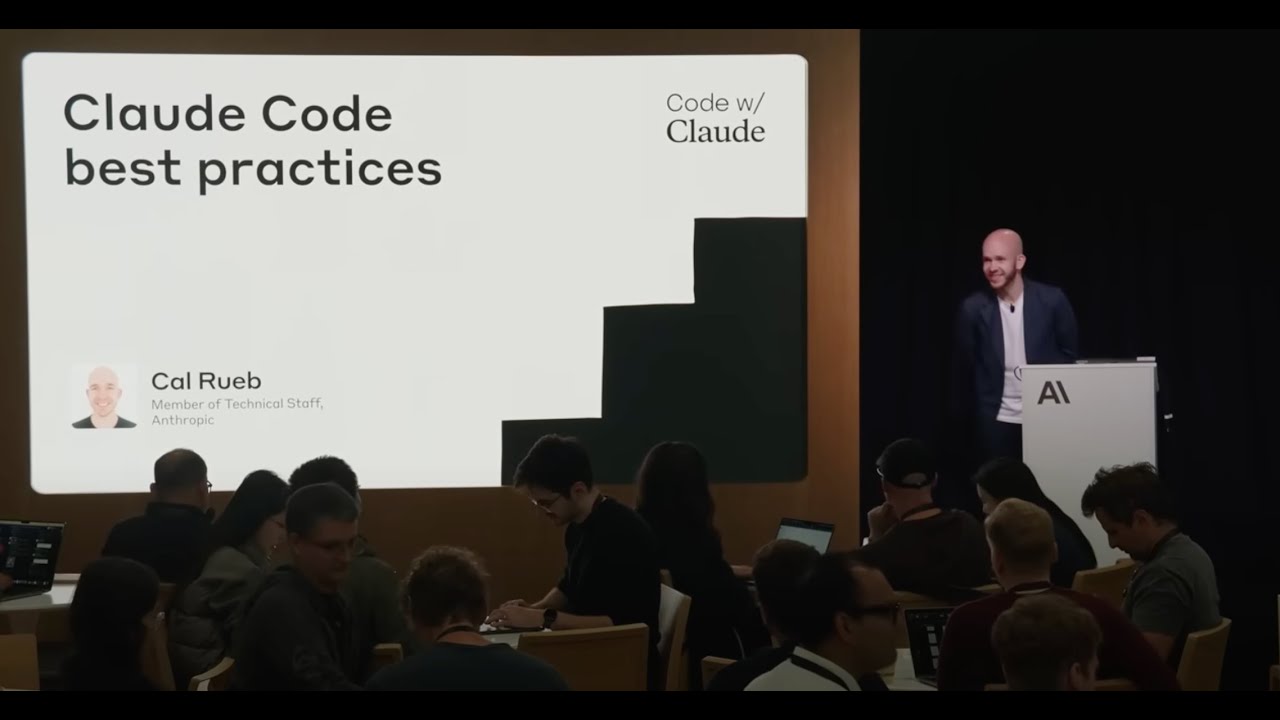
Presented at Code w/ Claude by @anthropic-ai on May 22, 2025 in San Francisco, CA, USA.
Speakers:
Sid Bidasaria, Member of Technical Staff @anthropic-ai
Оглавление (5 сегментов)
Segment 1 (00:00 - 05:00)
Good afternoon everybody. My name is Sedara. Um I am an engineer on the cloud code team. Um and today we're going to be talking a little bit about uh the cloud code SDK and uh the cloud GitHub action that was just announced today. Um cool. So a little bit about the agenda. uh we do a little quick start for the SDK uh just to give some examples of how to get started and how to use the SDK. Uh we will then dive into uh a live demo of the GitHub action which should be fun. Uh the GitHub action was built on top of the SDK. So it's meant to be um a source of inspiration for the kind of things that you can do using the cloud code SDK. Uh we'll then dive into some uh more advanced features of the SDK. Um, and then we'll end with having all of you set up uh the cloud GitHub uh GitHub action on your repo so you guys can start using it and build on top of it. Um, cool. Actually, before we get started, uh, can I get a show of hands here? How many people have used cloud code? Okay, it's a lot of people. And, uh, of the people who have used cloud code, uh, how many have used cla or know what that is? Okay. far fewer people. Uh it's good to know. Um if you guys don't have cloud code installed in your laptop, uh that's how you get it. Uh I'd encourage you to install it in your laptops and follow along. Uh there will be parts of this uh this talk that will be beneficial to follow along and then if you don't want to, you don't have to. It's all good. Uh cool. So what is the cloud code SDK? It is a way to programmatically access the power of the cloud code agent in headless mode. Uh this is powerful because uh it's a new kind of primitive and a new kind of building block that allows you to build applications that just weren't possible before. Um things that you can do with the with the SDK are like super simple things to get started. Like for example, you can use it like a Unix tool. Uh the Unix the Unixish tool philosophy is what really makes cloud code powerful because you can plug it in anywhere where you can run bash or a terminal. Uh so you can like use it in your Unix pipelines. Uh you can pipe stuff into it, pipe stuff out of it, have like make like complex chains out of it and stuff like that. You can then build CI automation on it. So you can have Claude review your code. Some people actually get Claude to write new llinters for them too. So like Claude can lint your code. If there are specific things that you can't define programmatically, you can get Claude code to do it. Uh and then we get into fancier applications as well. So if you want to build your own chatbot that's powered by cloud code, that's certainly possible. Um if you want cloud code to write you code in like a um a new environment or a separate remote environment, uh you can build those kinds of applications as well. Um and finally, the these are a few features. We'll talk more about the features in the coming slides. Uh and we have Python and Typescript SDKs or like bindings for the cloud code SDK coming up soon. Uh so that should make it much easier for you guys to consume it and build on top of it. Uh so let's jump into some basic examples. Uh calling claude the cloud code SDK is as simple as just doing claude-b and following it up with the string that you want to ask claude. So in this example uh I'm telling claude to write me a Fibonacci sequence generator. Um and if you notice I also give it a d-allow tools write which is uh a way for me to proactively give it access to the right tool so it can write files to my file system. Um, and then this is something I like doing too. Uh, piping logs to claude. So you can do cat log cat app. log and then pipe that into cloud-b looking at logs manually. So this is something I do quite often. Um, and as you can see, it does a pretty decent job of summarizing what the log failures were. Uh, similarly, uh, if you're anything like me, I just can't get myself to understand the output of if config. I still don't know what it means, but Claude does and Claude does it for me over here. Um, and finally, this is uh this is kind of what makes the SDK tick, right? It is this is a we have an output format. If you do d-output format JSON, uh, cloud code will actually output things or its response in JSON as opposed to plain text. And, uh, you can parse this JSON and build on top of it. Um, so we we'll talk more about details for how this is what else you can do with this JSON, but uh I wanted to throw that example out there. Uh let's get into a significantly more complex example now uh which is the uh the cloud GitHub action. Uh so cloud GitHub action was built on top of the SDK um and it can be used to uh review code. It can be used to create new features. It can be used to u triage bugs and so on. Um and uh this is also open source. So I'll include a link at the very
Segment 2 (05:00 - 10:00)
end of the talk. Uh so you guys can go have a look at the source for inspiration for how to use it. Uh but for now let's jump into a live demo on my laptop. So I have cloned a popular uh small like uh open- source quiz app for this for the purposes of this demo. Um and we are going to fire it up just to see how that works and then we will tell cloud to build something on top of it for us. So, I just did an npm start, which opened up my my shiny new quiz app. It's actually pretty nifty. It allows you to like choose a bunch of categories. Uh how many questions you want, difficulty, definitely easy for me. I suck at trivia. Um type of questions. And then there's like a countdown timer. So, we're not going to actually answer these unless someone feels very strongly, please shout out the answer. But I'm just going to just fly through these uh just to show you guys how this like little quiz app works. There we go. Uh not surprising. We got a great F, but that's okay. Um we So this was the little like demo quiz app that that's open sourced. And if we look at the issues for this uh for this um uh repo, we see a couple very interesting ones. Um, there's one issue that says, uh, we should add powerups for 50/50 elimination of options and skip questions for free. Um, because I suck at trivia, I really like that feature and I want to build it. Uh, and I before this presentation, I already installed cloud the cloud GitHub action on my repo. So, it it's already available. Um, but we'll go over like how to set that up uh later too. Um, okay. So, here's the issue. Um it has pretty sparse details on how to implement this. It's just literally a feature a wish list really like a wish feature. It's saying uh add a power up option in the config 50/50 elimination for the skip question. It should avoid user points even even though the user the question was skipped. Uh and user should be able to configure this from the config page. So there's a lot of like creative room for claw to do whatever it wants to do uh in this case and I'm excited to see what it actually ends up building. So what I'm going to do is say at cloud please implement this feature and comment on it. So it usually does take a four or five seconds for it to respond. And while it's doing that for good measure we'll just also take this other GitHub issue. Uh this is talking about uh a per question timer. So we saw there was like a global timer on the quiz app but there was no per question timer. Uh so that's what this one's uh talking about. So let's go and say cloud please build this. And now we have two things building. Um cool. So now when I get back to this tab you see that claude responded with a comment on this GitHub issue. Uh saying that it's working. Uh it also has a link to the job run which is the GitHub action run. If I click into it and if I actually like click on the logs, I'll see that it's doing a bunch of stuff. You can see all this JSON being output. This is from the SDK. Um, so we won't look at the JSON too much because it's not much fun to parse it manually. But over here we can see that it also created a to-do list for us. So claw is now going to actually go through this to-do list and try to implement uh implement the uh powerup feature. Uh and similarly for the question timer uh it's going to do something something uh similar. Uh one more thing that we should do here is um there are already a couple pull requests that have been opened uh for this repo. Um and let's get claw to review it or change some of these pull requests uh just for fun. Uh there's this one which is change background color to blue. All right. I actually think I like green better. So, I'm just going to be like, "All right, Claude, please change this to green. " Uh, this one is fairly easy, and I'm pretty sure Claude's going to do this, but I just wanted to show you guys that it can also add commits for a pull request that's already open. U Okay, so this is going to take a few minutes to run. And while this runs, uh, let's go back to the presentation, and then we'll check up on how this is doing, um, towards the end. Um, okay cool. So, let's do a little bit of a deep dive on the features of the SDK. Uh, when you call cloud-ba it has uh it has no edit or destructive permission access. Uh, which is great for safety, but it's not great for actually getting things done. uh which is why there is a d-allowed tools option which allows you to preconfigure cloud with uh any permissions that you think it might need in the future for for for your given task. Uh so in this case the first
Segment 3 (10:00 - 15:00)
example you see that I've given it permissions bash permissions to uh npm run build npm test and the right tool uh which is a good set of uh permissions because this allows cloud to uh self-verify what's what it's writing uh and build uh build your project and test and then continue writing. Um similarly for MCP if you have MCP servers configured um you can allow list those MCP tools as well. So it's a very similar uh very similar process. Uh then structured output uh we already saw an example of structured output both from the GitHub actions logs and uh also the the little screenshot I showed you earlier. But there's two modes here. There's stream JSON and JSON. Um it it's it does exactly what it sounds like. If you select stream JSON, it'll actually stream messages to you as and when they're available versus JSON will just give you one giant blob of JSON at the end. U and parsing this JSON and building on top of it is really how you can make use of the cloud code SDK um and create features for for your users. Um and then you can also configure the system prompt. So you can do d-system prompt talk like a pirate and you can get cloud code to talk like a pirate for the rest of your day. uh which is actually quite fun. If you haven't done it, I'd encourage you to try it out. Um we also have uh a few user interact interaction features built into the SDK. Um and what that means is like the first one is uh is resuming session state. So um when you uh when you call cloud-p in structured output or JSON mode, it's going to return a session ID. Uh and this session ID is useful because you can then reference the session ID to go back to the same context state that claude had when it finished that process. Uh so by preserving these session IDs and keeping track of them, you can enable or like build user interactive features where like you the user says something, you pass that on to claude, uh claude returns a response and now you want the user to give feedback on that response and that's how this kind of enables you to to build those types of interactions in your apps. Um, and then the last one, and this one's actually pretty interesting, and it's fairly recent, too. Um, it's d-permission prompt tool. Um, we talked a little bit about how to give cloud permissions using the allowed tools flag. And that requires you to preconfigure them in advance. Uh, but what if you didn't want to do them because you don't know what tools cloud wants to what tool tools cloud would want to use in the future? Um, in that case, you can use the d-p permission prompt tool and offload the permission management to an MCP server. U so you can ask users in real time for whether they want to accept a tool or reject a tool and you can have an MCP server kind of handle that for you as opposed to trying to predict which tools are okay and which tools are not. Um, so this is uh this is fairly recent and we'd love to get feedback on this if you guys end up trying it out. Uh, okay. Let's go back to our demo uh and see what Claude's done. Um, all right. So, this is the power up issue. Uh, we can see that Claude has actually gone through his to-do list. Um, okay. I'm going to open a PS. There's a there's a link over here to create a PR. And I'm going to click that uh and see what that gives us. I'll actually create the pull request too so it's easier for us to review. Um I don't really know how this codebase works but we'll still eyeball it just to see if you know it's doing the right thing. U so you see some set power up stuff seems all right. Okay. There's like some configuration in the main component. Um all right. I think what we should do and what would make this fun is we should just get this branch locally and see what Claude did because there's no way that we can actually figure out what it did in the short amount of time that we have. So, I'm going to go back to my terminal, do a good fetch, check out the branch that Claude just created, and restart our process. Okay. Uh, awesome. Uh, it looks like we have a powerup section now, uh, at the bottom of our config page. And it's a little check box. I like that touch. Uh, we'll keep both of them on. And, uh, no, let's select general knowledge. Uh, let's start playing this game. Let's see what it did. Oh, sweet. So, we You see it has like this little 50/50 button on the bottom left and a skip questions button on
Segment 4 (15:00 - 20:00)
the right. Um, I'm just going to with 50/50 because I have no idea what the answer this is. Does anybody know what that is? D. Okay, there we go. That makes sense. Cadbury. Yeah. Uh, all right. I'm going to skip this one and then let's just breeze through the other ones for sake of time. Um, all right. Still got a still got an F, but we got one correct answer. Uh, which is better than zero correct answers. Um, and yeah, uh, I guess uh, yeah, it tricked us. Uh, that was a good one. Um, but yeah, I mean, it seems like it worked. I think there's definitely more we could do here. We could like show how the power like which questions we use the power upon over here. And there's like definitely more we can do. But at the most basic level, I think uh Claude was able to do u do the task that we assigned it to do. Um which is exciting. Like this is kind of the power of the GitHub action because you didn't really have to run this on your own infra. You can just literally comment on a thread saying please build this for me. It uses your your uh GitHub action runners and just like does the thing. Um we let's also look at the PR that we told it to change from blue to green. Uh it's all hex code. So let's just see what it did in the commits. So you see there's two commits and uh Claude has added this last one to switch it from blue to green. And it did it for all three of the places where uh we uh where the color was defined, which is awesome. Um okay. Uh I'm not going to go over the last one, the question timer, because we might run out of time. Um, but this hopefully gives you uh insight into what the cloud GitHub action can do for you. Um, let's go back to the presentation now. Okay. So, just as a recap, uh, the cloud GitHub action um, as it's implemented today, uh, is able to read your code. It's able to create PRs for you from GitHub issues like we just saw. It's able to create commits for you. So if you already have a PR and you commit or you comment on it, it can add a commit to an existing branch or an existing PR. Um it can answer questions. It doesn't have to do something. It can just literally answer questions for you. If you don't understand something, you can be like, "Hey Claude, how does this work? " And you can get it to answer questions and it can of course review your code. Uh the best part of all of this is that you don't have to take care of the infra. It runs on existing GitHub runners which almost everyone has configured if you're using GitHub actions. Um, so that that's kind of the really nice thing about this is you don't have to worry about any of the infra. Okay. Um, so how were actions built, right? Um, I think I may have mentioned that these actions were built on top of the SDK. Um, we so the SDK does form the foundation of how these actions were built and then we have two other actions on top. We have the cloud code base action. Uh this is a thin layer that just uh it just implements the piece which talks to cloud code and returns the response from cloud code. Um and then we have another action on top of this which is called the PR action. And this action is responsible for all the fancy things that you saw um on the PR. So it's responsible for making comments, for the to-do list, for rendering it the right way, uh for adding the PR links and things like that. So um it it's kind of three layers uh in which it's built. Both the base action and the PR action are open sourced. Uh so I would encourage you guys to go have a look uh you know take inspiration from how that works and maybe that inspires more ideas. Um yeah. Um yeah and then uh finally uh we also um uh you guys can install the cloud GitHub actions today. Uh the easiest way to do this is to open up cloud code in a terminal uh in the repo that you want to install it in. Uh and once you open up cloud code, just do slashinstall github action. Um and that is going to present you with a nice flow which uh guides you through configuring your GitHub action as well as merging it. So the end the end result of this would be a PR which would be a YAML file for your GitHub action. Um, and once you merge that in and you configure your API keys and things like that, uh, you're off to the races and you can go ahead and start tagging Cloud and using Claude, uh, like we just did right now. Um, uh, small caveat, if you're a Bedrock or Vertex user, uh, the instructions are a little bit different and a tiny bit more manual. So, uh, please have a look at the docs. the docs uh are pretty comprehensive in uh in in helping you set up uh the GitHub action for both bedrock and Vortex.
Segment 5 (20:00 - 20:00)
Uh cool. Finally, uh resources. Uh these are resources for things that we've talked about today. If you want to snap a picture, uh go ahead. Um the the open source repos for both the base action and the cloud code action are here. Um and we absolutely love your feedback as well. So if you guys have any feedback on the SDK, on the GitHub action or on cloud code, uh please go to our um public cloud code GitHub repo and file an issue there and someone will have a look um and get back to you. Um cool. That's all I have for today. Uh thanks for joining me and I hope you guys have a good rest of the day.