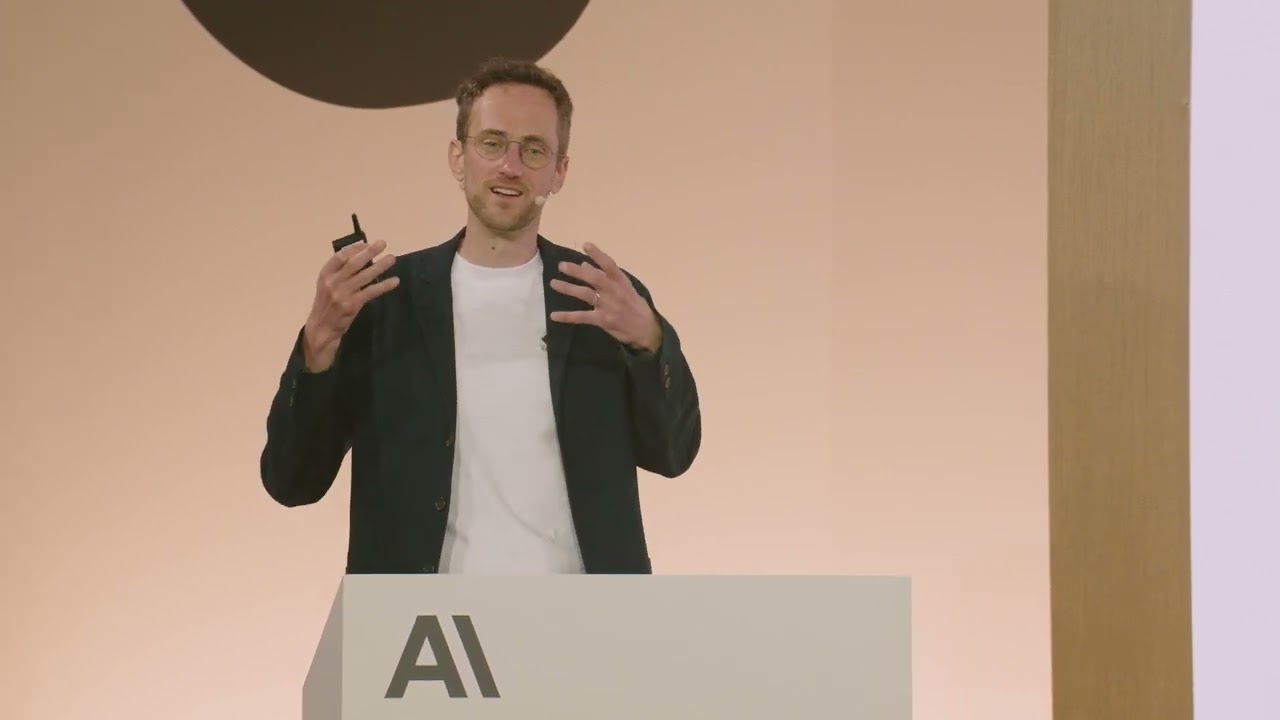
MCP 201 | Code w/ Claude
26:31

MCP 201 | Code w/ Claude

Anthropic 31.07.2025 30 987 просмотров 471 лайков обн. 18.02.2026
Поделиться Telegram VK Бот
Транскрипт Скачать .md
Анализ с AI
Описание видео
Presented at Code w/ Claude by @anthropic-ai on May 22, 2025 in San Francisco, CA, USA. Speakers: David Soria Parra, Member of Technical Staff at @anthropic-ai
Оглавление (6 сегментов)

  1. 0:00 Segment 1 (00:00 - 05:00) 806 сл.
  2. 5:00 Segment 2 (05:00 - 10:00) 786 сл.
  3. 10:00 Segment 3 (10:00 - 15:00) 793 сл.
  4. 15:00 Segment 4 (15:00 - 20:00) 746 сл.
  5. 20:00 Segment 5 (20:00 - 25:00) 827 сл.
  6. 25:00 Segment 6 (25:00 - 26:00) 262 сл.
0:00

Segment 1 (00:00 - 05:00)

Well, hello. Uh, my name  is David. I'm a member of technical staff at   Anthropic and one of the co-creators of uh, MCP.   And today I'm going to tell you a little bit more   about the protocol and the things you can do  um just to give you an understanding of um what   there's more to the protocol than what most people  use it for at the moment which would be tools. So   really the goal today is to showcase you what  the protocol is capable of and how you can use   it in ways to build richer interactions with MCP  clients. um that goes beyond the tool call tool   calling that most people are used to. And I will  first go through all the different like what we   call primitives like ways for the servers to  expose information to a client before we go   into some of the bit more lesser known aspects of  the protocol and then I want to talk a little bit   about like how to build a really rich interaction  before we take a little stab of what's coming next   for MCP and how we bring MCP to the web. But to  just get you started, I want to talk about one of   the MCP primitives um that servers can expose to  MCP clients that very few people know. And those   are called prompts. And what a prompts are really  are predefined templates for AI interactions.    And that's to say it's a way for an MCP server  to expose a set of text, you know, like a prompt   in a way um that allows um users to directly um  add this to the context window and see how they   would use for example the MCP uh server uh you're  building. And there are really the two main use   cases here is for you as an MCP server author to  provide an example for um that you can showcase   to the user so that they know how to use the MCP  server in the best way because realistically you   are the one who has built it. You are the one  who knows how to use it in the best possible   way and probably at the time you would release  it are the one who has used it the most time.    But since MCP uh prompts are also dynamic in  a way, they're just code under the hood that   are executed in MCP server, they allow you to do  even richer things than that. What you can do and   I want to showcase this in this scenario is an MCP  prompt that a user invokes um in this uh Z editor   here that will fetch directly GitHub comments  that um into my context window. And so what you   see me here doing is just basically um put into  the context window um the comments from my pull   request that is that you know I've written so that  I can go and interact with it and have then the   model go and help me you know apply the changes  that has been requested to me or whatever I want   to do. And so this is really a way for exposing  things that the user should directly interact   and wants to put into the  context window before it interacts with the yellow   lamb. So it's different from that from tools where  the model decides when to do it. This is what that   the user decides um I want to add this um to  the context window. And if you look carefully,   there's one additional thing that very few  people know um that you can do and that is prompt   completion. So if you have looked carefully, there  was a way where it showcased quickly a popup of me   selecting the poll requests that are available  to myself. And that is a way that you can that   is a thing that you can provide as an MCP server  author to build richer parameterized templates   for example. And this is exceptionally easy to  do in the code. Like if you're in Typescript,   building a prompt that provides users with um  like such a template and have parameters for it   and like autocomp completion is nothing more than  a few lines of code that cloud code together with   cloud 4 can most of the time write basically  for you. And it's just that simple. It's a   function for the completion. It's a function for  generating the prompt. And so this is already like   one of these primitives you can use to build  an interaction for users with an MCP server,   but it's just a little bit more richer than a tool  call. And a second one of these is something that   we call resources. It's another primitive than  an MCP server can expose to an MCP client. And
5:00

Segment 2 (05:00 - 10:00)

while prompts are really focused on text snippets  that a user can add uh into the context window,   resources are about exposing raw data or content  from a server. And why would you want to do this?    There are two ways why you want to do this. So  one thing is most of the clients today would   allow you to add this raw content directly to the  context window. So in that way they're not that   different from context uh from prompts but it also  allows application to do additional things to that   raw data and that could be for example building  embeddings around this data the server exposes and   then do retrieval augmented uh generation um by  adding to the context window the most appropriate   things. And so this is an area that at the moment  I feel is a bit underexplored. And I just want   to quickly showcase you uh how resources work.   In this case, this is again uh one of these um   uh ways where an MCP client exposes a resource um  as a file like object. And in this scenario here,   we are exposing the database schema for apostra  database um as resources and then you can add them   in cloud desktop just like files and that way  you can tell claude this is the tables I care   about and now please go ahead and visualize them.   And so in this scenario, what you're going to see   is Claude is going to go uh and write a beautiful  diagram that visualizes the database schema for   me. And I've exposed the schema via resources.   There's a lot of unexport space still here. Again,   if you go beyond just like adding it file and  think about like retrieval augmentation or any   other thing the application might want to do. And  so those are two primitives. one is prompts again   the things that the user interacts with there's  the second one is resources that the application   interact with then of course there should be a  third one that you all are very familiar with   um that I don't want to get into too much depth  because if you have built an MCP server you   probably have built it for exposing a tool and  so tools are really these actions of course that   can be invoked that's like one of the I think  most magical moment I feel when you build an   MCP server is when the model for the first  time invokes something that you care about   that you have built for and has this little  impact on you know it might be like quing a   database for you or whatever it might be. Um but  this is again the thing that the model decides   when to call to an action. And so these are three  very basic primitives that the protocol exposes. And if you think carefully about these three  primitives that I just showcased you to you,   there's a little bit of overlap about like  how do you use like they could like when do   you use what really and so there's something  that very that we don't talk enough about and   it's somewhere buried in the specification  language of the model context protocol is   what I call the interaction model and I think  showcasing it hopefully makes clear when you use   What? Because the interaction model is built in  such a way that you can expose the same data in   three different ways depending on when you  want to have it show up. And prompts again   are these userdriven things. It's the thing  the user invokes adds to the context window.    And the most common scenario where how you see  these pop up is a slash command, an add command,   something like that. Resources on the other hand  are all applicationdriven. The application that   uses the LLM be it cloud desktop be it VS code  something like that fully is decides what it   wants to do with that. And then lastly tools  are driven by the model. in between, you know,   an AI application using a model and a user, we  have all three parts that we eventually cover   using these three basic primitives. And that  allows you already to go to a little bit of a   richer application and experience than what most  people can currently do with tools because you   just have a way to interact with the user a bit  more nuanced um than if you just wait for this   model to call the tool. But we can even go beyond  that because while these basic primitives get us   a little bit further than what we see most MCP  servers do at the moment, there are even richer
10:00

Segment 3 (10:00 - 15:00)

interactions that we want to enable. And to make  this a bit more understandable, here's a really   an example I want to give you um that showcases  this problem. So how can you build an MCP server   for example that summarizes a discussion from an  issue tracker? So on one hand side I can build   an MCP server that exposes this kind of data very  simple and that's quite clear but how do I do the   summarization step because for the summarization  step I obviously need a model and so there in one   way to go and build this is you can build an  MCP server that is this issue tracker server   and you have a choice here you can bring your own  SDK and call the model have the model summarizes   But then there's a little problem to that and the  problem is that the client has a model selected   be it like clawed or whatever else but the server  the MCP server that you've built doesn't know what   model the client has configured and so you bring  your own SDK like of a model provider and be   it the anthropic SDK you still need then like  a API key that this user needs to provide and   gets very quickly very awkward and so MCP has  a little hidden feature or a little primitive   called sampling that allows a server to request  a completion from the client. What does this   mean? It means that the server can use a model  independently from like don't having to provide an   SDK itself but in but asks the client which model  you have configured and the client is the one   providing the completion to the server. And what  does this do? It does two things. First of all,   it allows the client to get full control over  the security, privacy and the cost. So instead of   having to provide an additional API key, you might  tap into the subscription that your client might   already have. But it allows also um a second part  which is that if you take multiple um if you chain   MCP servers in an interesting way, it makes this  whole pattern very recursive. And what do I mean   by that? It's a bit abstract. You can take an MCP  server that exposes a tool, but during the tool   execution, you might want to use more MCP servers  downstream. And somewhere downstream in this like   system, there might be then your Asia Tracker  server that wants to go and have a completion.    But using sampling you can bubble up the requests  such that the client always stays in full control   over the cost of the subscription whatever  you want to use. It stays in full control of   the privacy over the cost of this interaction and  basically manages every interaction um that an MCP   server wants to do with a model. And that allows  for very powerful chaining and it allows for like   more complex patterns that go already into like  ways of how you can build little MCP agents. But that's sampling. Sampling at the moment is  sadly I think one of the more exciting features   but also one of the features that's the least  supported in clients. for our first party projects   uh products. We will bring um sampling somewhere  this year. Um and so then you can hopefully start   building more exciting MCP servers. And then  there's the last primitive that I want to touch   on that's also a bit more interesting and it's  one of these things that in retrospective as one   of the person who has built the protocol um I've  probably named terribly to be fair I'm not a very   not very good at naming and you will see this  throughout the talk probably but there's a thing   called roots and roots is also an interesting  aspect because let's imagine I want to build today   an MCP server that deals with my git commands I  don't want to deal with git. I don't want to do   source control commands. I don't remember any of  that. I want to have MCP deal like an MCP server   deal with this. So now I'm going to hook up an  MCP server into my favorite IDE. But how does the   IDE know how does the MC sorry, how does the MCP  server know what are the open projects in the IDE?    Because obviously I want to run the git commands  in the workspaces I have open, right? And so roots   is a way for the server to inquire from the client  such as VS code for example what are the projects   you have open so that I can operate within only  those directories that the server has opened and I
15:00

Segment 4 (15:00 - 20:00)

know where I want to execute my git commands and  this again is a feature that's not that widely   used but for example VS code currently does  support this and so these are, you know,   just all the big primitives that MCP offers. So,  we have five primitives, three on the server side,   two on the client side. But how you put it all  together to actually build a rich interaction   because that's what we want. We want to build  something for users that's a bit richer than   just tool calling. And so, let's take a look at  how you will build a hypothetical MCP server that   interacts with your favorite chat application, be  that Discord, be it Slack. You could use prompts   to give examples to users such as like summarize  this discussion and you can use completions with   recent threads, users or whatever you want them  to expose. You can have additional prompts like   what's new, what happened since yesterday. And so  that's one way the user can just kickstart right   away into using the server you have provided and  get the ideas. um that you how you intended it to   be used and then you can use resources to directly  list the channels to expose recent threats that   happened in the you know chat application  such that the MCP client can index it deal with   it in ways um that it wants. And then  of course last but not least we still have our   tools. We have search, we have read channels, we  have reading a threads and we would use sampling   to summarize a thread for example and really  expose this. And that's a way to really build a   much much richer experience with MCP to use  the full power that the protocol has to offer. But this is just the beginning because most  of these experiences if we build MCP servers so   far have been experiences that stayed local. Out  of the 10,000 MCP servers the community has built   over the last six to seven months. The vast  majority are local experiences. But I think we   can take the next step and I think this is MCP's  really big next thing is bringing MCP servers away   from the local experience to the web. And so what  does this mean? It means that instead of having   an MCP server that is, you know, a Docker  container or some form of local executable,   it is nothing else but a website that your client  can connect to and exposes MCP and you talk to. But for that we need two critical components.   We need authorization and we need scaling. And in the most recent specification of  MCP, we made a ton of changes towards   this from the lessons we've learned and  the feedback we honestly got from the   community as well as like key partners.   And we work closely for example with like   people in the industry that worked on  and other aspects to get this right. And so with authorization in MCP, what you can do  is you can basically provide the private context   of a user that might be behind an online  account or something directly to the LLM   application. And it really enables MCP authors to  bind the capability of the MCP servers to a user,   an online account, something like that. And in  order to do that, the way this currently has to   work in MCP is that you do this by providing  OOTH as the authorization layer. And the MCP   specification basically says you need to do O 2. 1.   And that's a bit daunting because very few people   know what OOTH 2. 1 is. But OA 2. 1 is usually  just O 2. 0 with all the basic things you would   do anyway. all these security considerations that  people that have done a wall telling you anyway to   do. So it's just OS 2. 0 zero a little bit cleaned  up and you're probably already doing it if you're   doing a wall and if you do implement this wall  flow you get two interesting patterns out of that   and the first one is the scenario of an MCP  server in the web and a good example of this   is if you for example a payment provider and you  have you know website payment. com and I as a user   have an online account there now I as the payment  provider can expose mcp. payment. com that the user
20:00

Segment 5 (20:00 - 25:00)

can put into an MCP client and the MCP client will  do the or flow. I log in as my account and I know   this is payment. com. I know this is the person  that is my online account with the provider that I   trust. I don't trust some random Docker container  running locally built by a third party developer   anymore. I trust the person I already trust with  the data anyway and their developers. And on the   their development side, they can just ex like  ex like update this server as they want and they   don't have to wait for me to download a new like  docker image. And so this is I think will be a   really big step for enabling MCP servers to  be exposed on the web and MCP clients to interact   basically with all the online interactions  that you already have. And here's just a small   little example of this. In this scenario, we use  Cloud AAI integrations which we launched earlier   um this month to connect to a remote server and  use this oath flow to log in our user to then have   tools available that are aware of my data that I  care about it are for it is for me. But it enables   another aspect. It enables enterprises to smoothly  integrate MCP into their ecosystem how they   usually build applications. And what does this  mean? It means that internally they can deploy an   MCP server to their internet or whatever like they  use and use an identity provider like Azure ID or   Octar or whatever that central identity provider  that you usually use for single sign on and you   can have that still exist and it will be the one  that um gives you the tokens that you require to   interact with the MCP server. And that has a lot  to say that what it ends up with is a very smooth   integration. You as a development team internally,  you're going to build an MCP server that you   control that you could control the deployment and  the user just logs in the morning with their   normal SSO like you always would do and anytime  they use an MCP server from them on out,   they will just be logged in and have access to the  data that you know the that is their data that the   company has for them. And so this I think enables  a new way that I've already seen some of the big   enterprises do to build really vast systems of  MCP servers that allow um part of the company   to build a server um while the other part deals  about the integrations really nicely separates   uh integration builder and platform builders. And  then the second part that we require is scaling.    And we just added a new thing called streamable  HTTP which is just to say it's a lot of lot of   words to say basically we want MCP servers  to scale similar to normal APIs. And it's as   simple as that. you have as a server author you  can choose to either return results directly as   you would be in a REST API except that it's not  quite just REST or if you need to you can open a   stream and get richer interactions. So in the most  simple way, you just want to provide a tool call   result. You get a request, you return application  JSON and off you go. End of the story. You close   the connection and the next connection come in  and uh you know get served by yet another Lambda   function. But if you need richer interactions  such as notification or features we talked   about like sampling, a request comes in, you  start a stream, the client accepts the stream,   and now you're being able to send additional  things to the client before you're returning   finally the result. And those authorization  and scaling together is really the foundation   to make MCP go from this local experience now to  be truly a standard for how LLM applications will   interact with the web. And just to finish it all  up, I just want to show you quickly about like   what's coming for MCP in the next few months  of some of the most important highlights.    And the most important part is that um we are  starting to think more and more about agents and   there's a lot to do there. There are a synchronous  task that you of course want to run things that   are longer running that are not just like a minute  long but maybe a few like hours long task that   an agent takes and that eventually I want to  have a result for. So we think a lot about   that and we're going to work to build primitives  for that into MCP in the near future. The second   part of that is elicitation. So really MCP server  authors being able to ask for input from the user
25:00

Segment 6 (25:00 - 26:00)

and that is something that's going to land just  about today or on Monday in the protocol.    And then we're doing two additional things. We  first and foremost going to build an official   registry to make sure there's a central place  where you can find and publish to MCP servers.    um so that we can really have one common place  where we're going to look for these servers but   also allow agents to dynamically download servers  and install them and use them and then of course   we're thinking more about multimodality and  that can be for example streaming of results   but that can have other aspects that I just don't  want to go into details yet and that's just the   specification part on the e on the ecosystem part  we going and having a more things to go that we're   doing at the moment. We're adding a Ruby SDK that  is uh donated by Shopify uh in the next few weeks   and the Google uh folks, the Google Go team is  currently building an official Go SDK for MCP. And   so I just hope that I was able to give you a bit  of a more in-depth view of what you could do with   MCP if you use the full power of the protocol.   And with that, I think I'm bit low on time,   so I can't ask question. We can't ask questions.   We can't do Q& A, but just grab me afterwards   and I can happy to answer on the hallway any  questions you might have. So, thank you so much.

Ещё от Anthropic

Ctrl+V

Экстракт Знаний в Telegram

Транскрипты, идеи, методички — всё самое полезное из лучших YouTube-каналов.

Подписаться