Razer Wolverine V3 Pro Controller Unboxing & Review—MUST or BUST?

Razer Wolverine V3 Pro Controller Unboxing & Review—MUST or BUST?

Machine-readable: Markdown · JSON API · Site index

Поделиться Telegram VK Бот
Транскрипт Скачать .md
Анализ с AI

Оглавление (5 сегментов)

Segment 1 (00:00 - 05:00)

Today, I'm excited. We're unboxing and giving an early review of the Razer Wolverine V3 Pro. A controller that boasts many of the essential features we've come to expect from pro controllers, including additional buttons and paddles. But they appear to have done this with a simple, ergonomic design. And they are giving us some peace of mind with Hall Effect thumbsticks. If you're telling me I don't have to worry about stick drift and can go hard with my controller for months and years to come, I. Might just have a new all time favorite controller. But let's unbox this bad boy and see if it lives up to the hype. I've always liked their design with the color scheme. Obviously it's the Xbox color scheme, but I like the green on black, so not mad at this. And I feel like Everything just already looks pretty sleek. Here you see we have mouse click back paddles, hall effect thumbsticks, and hyperspeed wireless. It says lag free esports grade performance. So I'm wondering how fast that actually is. bumpers, razor pro hyper triggers. It says for instant response. With lightning fast mouse click triggers, razor mecha tactile action buttons, and an eight way floating d pad, so. Pretty standard there, but the mechanical switches are something that's unique here. Pro level customization for xbox and pc and it has a carrying case with a 10 foot cable. Huh, so most of these usually come with three feet, maybe six feet, but 10 feet, that's uh, Low some next level also the battery life for this is rated to be about 20 hours For the standard xbox controller. It's rated to be about 24 hours. Maybe even more So not very far off, but we'll see what that usage is like in real time I don't know if I can disable this light and maybe that might give it a little bit more battery life Let's crack this open up Go This is nice Okay, let's get to the big stuff, huh? That was more difficult than it needs to be a 10 foot cable, huh? USB a little cap. I will probably lose that but a little Keep out of the way strap. This is obviously it looks like USB C Which is great. USB C to USB A. Let's close you up. Bring you out of here. This carrying case is pretty nice. It feels so soft. It's like a velour sweatsuit if you ask me. I really like this. This might be one of my favorite cases, honestly. I like the extra indent here. I assume that is to also account for the thumbstick sticking up. So. There's not unnecessary pressure on those. That is what I assume, but yes, it is a pretty nice case. My goodness. Okay. We got the controller. Obviously we got additional thumbstick units. I didn't even realize there was an additional thumbstick units with this. It's just standard size. You have the convex and concave. Oh, that's what I'm looking for right there. for. Something with a little bit of light to it. Okay. They was trying to protect the thumb sticks and transport. I never seen this. This is next level. And I like it. I like the little rings. Okay. Appreciate that. I never seen that. That's responsibility. I can already feel myself clicking these buttons in the back. These feel really nice. And can I, oh okay, I can just pull it off. Just like the Elite Series 2. Doesn't feel as heavy duty as the Elite. I will probably do a review on the two of these and compare them. But it's not like a magnet like the Elite, or maybe it is, but it, I don't know, it doesn't quite feel like it to me. Like with the Elite

Segment 2 (05:00 - 10:00)

You just put it on there, and it just sucks, but this, you gotta push it on there a little bit, make sure it's on there. And, make sure it's straight. Look at that. This, that thing ain't even straight. Gotta do some finagling to get this joint on here nice, and I'm not sure how, what the methodology is for it, to really get this on here nice. Like I don't know if there's something in it that has to be put on correctly because you see the little dot right here I don't know if That has to be aligned with something in here. It doesn't really look that way when you look inside. It's definitely not as Intuitive as the elite series 2 We'll see we'll figure that out figure out what you need to do To make sure that this goes on properly If you look very closely here, right there, can you see it? A little arrow at the tip. That is what you want to make sure goes right in line with this metal piece right here. You're gonna want to put it exactly on that, like that push down and there it should go on a lot easier, be a lot straighter and more ideal. Just a nice feel in my hands. I hit all four buttons easily in the back. I hit the trigger as easy. I don't play claw, but I can hit those with my ring fingers. It's getting hit with my ring finger up there. We have the trigger stops. It's a good one. It's just two levels though. To compare this to the standard controller. This controller is pretty close to the weight. It's a little bit heavier but you don't feel it at all. The weight for this is 304 grams for this guy. where the standard controller is 287 grams. So just slightly heavier. So you're not going to feel that at all. And it's slightly a bit bigger in the dimensions where this one is 156. 7 millimeters in length, and then 105. 7 millimeters in width, and then 65 millimeters in height. That's going to compare to the standard being 152 millimeters in length, 101 millimeters width, then 64 millimeters in height. It's right there next to the standard controller. It feels like it has some substance. I don't feel like I'm just playing with a little toy. I feel like this is actually something worth that, that money. But also you hear the clicks. You hear that? It's beautiful. These are very satisfying to click. The front buttons as well, feel nice, all mechanical. This is mechanical as well, so that feels nice. The triggers, not so much, and I think that might have to do with the trigger locks, but I might even find myself using these claw buttons? I never even thought about being able to use additional buttons at the top. I can figure out something with those. Playing Call of Duty, you could probably make it just a ping right there. I don't know. I gotta figure out what those customizations are, but this is, it's pretty dope. Looking at my Elite, kind of has the same layout. There's no buttons right here. It's just, you have the main buttons, and then I have my profile button in the middle. It's just very similar to the standard controller. Oh, okay, so you hear these once you put on the trigger locks. Okay, once you open them up. You don't have a mechanical feedback, but you have the mechanical short triggers here. That's pretty solid. I like that. Everything is very mechanical here. You expect that from Razer. This is definitely a quality controller from the feels of it. The next test is obviously going to be how it feels in my hands when I'm playing, but so far so good. Let me take you through my first impressions thus far. And then maybe we can get into some gameplay and we can see how things actually feel in my hand. I give you my final thoughts on that before I come back for another review and maybe a few months and let you know how it's been after some time. But I am excited about this. I feel like this is holding up to its height thus far. We already discussed a lot of what this controller is like the physical features that you see with it.

Segment 3 (10:00 - 15:00)

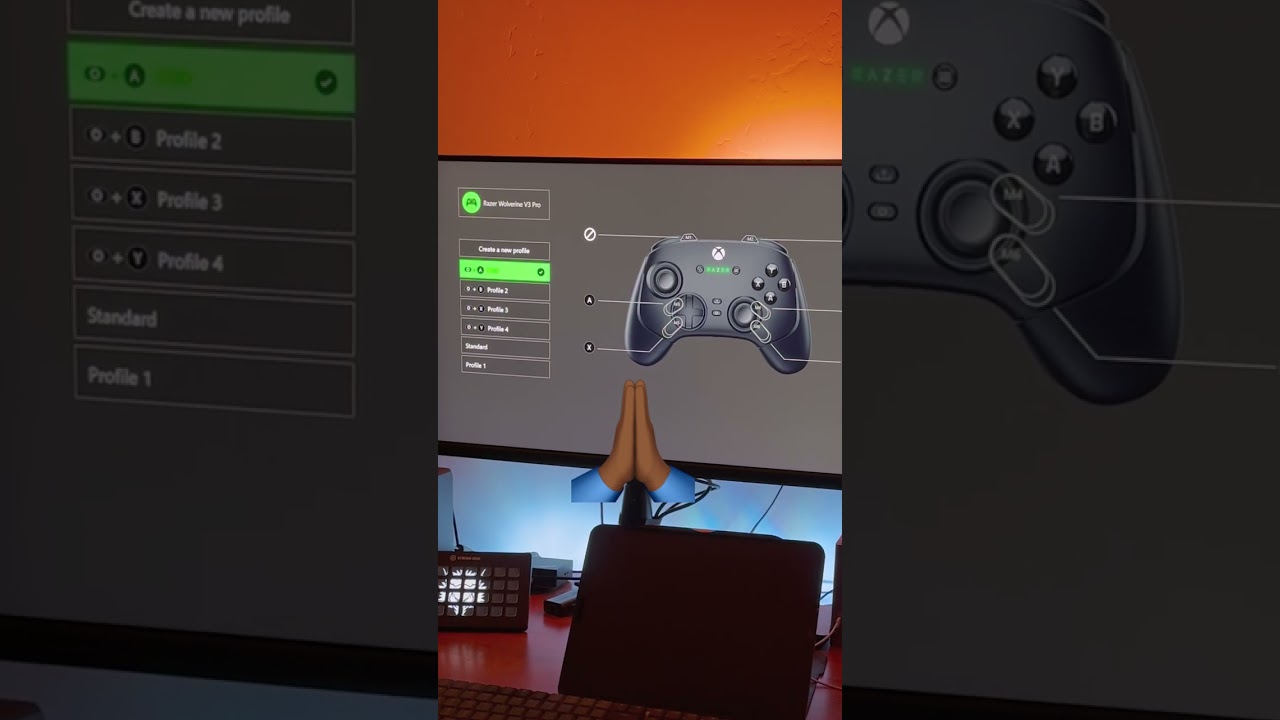
Like I said, you have the mechanical buttons, like pretty much all around the controller. You have your trigger stops in the back, only two settings, but that's all you really need. That middle setting is just an add on for some of those controllers, but The thing that is awesome here is when you set to the short setting, you get that mechanical click and it just fits in with the rest of the buttons. Then also these claw grip buttons right here that they added are pretty cool and you can actually utilize those. I feel without even being a claw grip player, adding two more functional buttons for you to what you already have here. And then what they did here in, Not really stepping on Microsoft's toes with proprietary builds is that they just made these buttons, mouse click buttons, other than paddles. And I haven't had the best feel with buttons on the back or alternate paddles. I just couldn't find any that really worked. And I like the elite paddles, but. Having this they don't even move like they're right there mouse clicks. Perfect So you don't have to worry about just a little extra slack or anything like that and they fit perfectly for the back fingers right here You know the special fingers And of course you have the hall effect thumbsticks But we're not gonna really be able to test those out until we actually get some gameplay So I won't really speak on those yet, but it's great that they have those put this to the side for now So we're not confusing what we're talking about today This Wolverine's time to shine, right? We also get the case. The case is pretty cool these I don't know. I might just keep these around for a while Storage. I feel pretty confident with them being Hall Effect thumbsticks that they're going to be okay, but this is great. These can be useful not just for this controller, but some of my other controllers that have cases like my Elite or my Turtle Beach. I think these are solid and you have this very similar to what you get with most other cases, but you just slide stuff in here. Only thing is it doesn't zip, so things are going to fall down and roll around. Then you get two extra thumbstick options right here So one standard and it's just the concave version versus the convex That's already in the controller and then you have the long version your USB hub Obviously USB a I don't think I've ever seen one that is different for a hub But I think USB a is the universal connection type for hubs so And the case overall, like I said, is very soft and it's a pleasant case. It's, it puts some nice aesthetics and work into this. I do want to add that here in the back of the box, you're going to have your instruction manual. It's going to be very essential if you want stickers. Seriously though, you're going to go in here and you're going to want to make sure you register for the warranty. I don't think many people do, but why not? Why not and You have the whole breakdowns other controllers But the main thing here is that it gives you a guide to the function button. So the function buttons here are clutch you can adjust a lot of things and You can even adjust your back paddles on the go but tells you exactly how to do that here You don't need that companion app just to do some of the basics that you need with your controller right out of the box. But to really unlock the potential of this controller, we're going to have to dig into that companion app and see how we can really customize it. So let's go there. The app is pretty easy to download just on your PC or your Xbox, go to the Microsoft store and download the app for the Razer controller. And from there, the app is pretty intuitive. You can go in there and you can remap all your added buttons including the back paddles and the claw grip buttons These can be remapped to just about any button on the front of your controller And if you're choosing to remap with the function buttons I want to note that it is going to say to the profile that you're currently on with your controller. So If you need to have that profile as is, you need to go back into the app, switch your profile and use a new one, which kind of defeats the purpose of changing them on the go. Also within the app, you can adjust your sensitivity curves when it comes to your joysticks and your triggers. You only have two options when it comes to the thumbsticks, but you do have the ability to adjust your dead zones here. You can go zero to five. Then for the chroma lighting, that is going to be the Razer logo in the center of your controller. You can change this just

Segment 4 (15:00 - 20:00)

between three different options. You're going to have basically the rainbow effect. Then you have a static color that it can be, and it won't rotate. Then you can just turn it off. You can basically speed up or slow down your animation. But it's really just one. Like I said, you have the ability to save multiple profiles. This is going to come in clutch if you're playing through multiple games where you have different configurations. The unfortunate thing, you have to go through the app to change your profile currently. Now, after getting a few hours of gameplay in, I was able to come up with a pretty good list of some of the pros and cons that I have for this controller early on. But before that I have to say that I like the feel of this controller when I was playing through it felt very much familiar to me as I'm used to playing with the Elite Series 2 and I got used to it very quickly and I enjoyed it. As for my early pros and cons of this controller. I have to say Starting with the pros. This controller is very well made. It is One of the better controllers that I have is very simple and it fits very ergonomic in my hands where every finger can have a job if it wants to and the additional buttons that they added that Never really thought about is a plus here with the claw grip button that leads me into my Second pro is the claw grip buttons that I didn't even know that I would like But I can see myself getting used to utilizing these a little bit more and maybe over time I might run into some unintentional actuations if I get too into a gunfight or something like that. But they feel nice. The next pro is that these paddles in the back are perfect. They don't move. They don't have that additional slack that you kind of get with the Elite Series 2 or some of the other controllers that have back paddles. I really appreciate the simple mouse click and that is going to save the milliseconds of time that's maybe needed for, you know, Whatever that I'm doing in the game, if it's very competitive. And I think it goes without saying that the Hall Effect thumbsticks are going to be clutch. I am not so concerned about my controller breaking on me and me having to utilize a warranty or looking deeper into their warranty and see, can I get this to be covered for years on end? I'm feeling a little bit more confident with the Hall Effect thumbsticks, but only time will tell if these are truly stick drift resistant. Next pro is the low latency connection with the hub. This controller doesn't have Bluetooth, but it is faster than Bluetooth. It connects via 2. 4 gigahertz frequency. It has a 250 hertz polling rate when wireless. Which equates to approximately four milliseconds response. This controller is also capable of responding approximately one millisecond when wired to a PC as you can enable it's 1000 Hertz PC mode. Via the app or function shortcuts and I feel this Controller feels nice in my hands and I can game with it for hours without feeling uncomfortable I don't have to put my fingers in awkward positions to actually any of the buttons I really like the way that they decrease the reliance on the app because you can utilize the function buttons to make adjustments on your controller on the go. And the most important thing is that you can adjust your additional buttons just on the go with your function button. Not many controllers are doing this. And if they have an app, they make you use the app to adjust that on that same note. I really like that they put the app on the platform that you're going to be using it. I've been calling for this for a while with some of the other pro controllers where they don't have an app on the platform that you're using it and you're required to go use maybe a PC or a Mac and maybe some people don't have computers at all. So, If you need to use the app to update your controller, you couldn't do it, but Razer really changed the game and made their app more accessible to users that need it. And last but not least is the satisfying clicks of the mechanical buttons all around the controller. It's something that just adds a little bit of uniqueness to the controller and gives it some character. And also I like when I'm pressing it, I know that I'm actuating said button. As for the cons. This controller is 200 bucks or 199 to be exact for this controller just launching its price at a very competitive price relative to others in the space.

Segment 5 (20:00 - 24:00)

While I still think the price is worth it, it's still pretty high and unaccessible to a lot. A notable con for me is something I wasn't expecting with this controller and that's when I went into the app to adjust my dead zones. I can't go all the way down to a zero dead zone without it showing that it has some type of stick drift. I think this is because that it has springs in the Halifax sticks that make it naturally have stick drift if it's at zero. So I had to move it to one, which is still pretty low, but I would like to be at zero. And I would think that they would have some recalibration that would help me get my thumb sticks in line, but it does. Maybe that's by design. But still if it is then they shouldn't have that zero option another bigger con for me relates to the function buttons I think are great in theory They did it with the dualsense edge and they're doing it with this controller And I like the theory that you can utilize shortcuts to make adjustments to your controller on the go But the problem with that is remembering the shortcuts, especially the As you probably won't have to make these adjustments very often and the biggest part of this is that There is no shortcut to change your profile on the go perhaps they make this adjustment and an update to the firmware, but We'll see a con that might get some people is that because it's connected via a hub Turn it on your controller isn't gonna turn on your Xbox the next con that I wouldn't even really say is a con But it'd be a con to some but I think this controller can be overkill for some people that really aren't going to Utilize all these buttons if you only have the desire to have an additional two buttons or you don't require the customizations of being able to remap multiple buttons, then this controller probably isn't for you. You're really overpaying for a simple controller that you can have for a lot less. And another thing that can be a con, but it isn't for me, but maybe for people with weak arms is that they might consider this controller a little bit more heavy. Like I said, it is just a few grams heavier than the standard controller, and it's definitely negligible when you feel it in your hands. So it's not anything to worry about, but those of you that are, sometimes I would say snobs when it comes to the weight of the controller, this is going to be a little bit heavier for you. If you have the weak wrists and the weak arms, but I still love you though. In conclusion, who is the razor Wolverine V3 controller for? It is for the more competitive gamers, even us casuals that lean a little bit more on the competitive side. And we get tired of getting dealt with by the people that have very good controllers and that are sweats. This is a controller for you. For those of you that aren't looking to utilize some of the extra features of this controller when it comes to remapping. Or the additional back buttons or the claw buttons at the top. This controller isn't for you. There are other options that are a lot cheaper that you can get. And I would recommend those for you. But for those of you that are looking for the top of the top experience when it comes to a pro controller, this one is right there. This is actually a controller that I feel has stood up to the hype. We'll see what that is in a couple of months. But so far so good for those of you that might be on your controller finding journey trying to figure out what you want check out this playlist right here and if you have any questions you already picked up this controller and you have additional feedback that you want to give and share with the community put that in the comments below it's you who i appreciate thank you for watching peace

Другие видео автора — LB of Eze Media

Ctrl+V

Экстракт Знаний в Telegram

Экстракты и дистилляты из лучших YouTube-каналов — сразу после публикации.

Подписаться

Дайджест Экстрактов

Лучшие методички за неделю — каждый понедельник