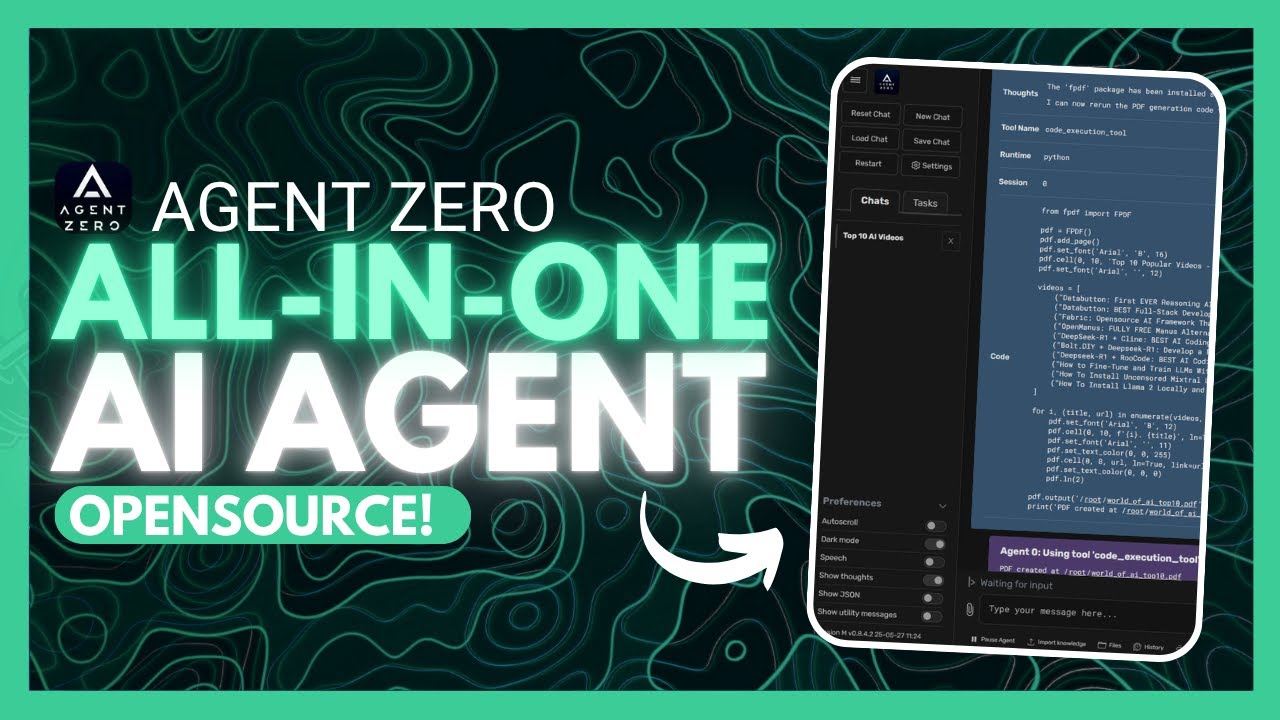
Agent Zero: ALL-IN-ONE AI Super Agent Can DO ANYTHING! (Opensource)
8:09

Agent Zero: ALL-IN-ONE AI Super Agent Can DO ANYTHING! (Opensource)

Universe of AI 04.06.2025 10 880 просмотров 331 лайков обн. 18.02.2026
Поделиться Telegram VK Бот
Транскрипт Скачать .md
Анализ с AI
Описание видео
Welcome to the future of automation. In this video, I dive into Agent Zero, an open-source, agentic AI framework that grows, learns, and evolves with you. From coding apps and automating tasks to browsing the web and managing workflows—Agent Zero does it all. [🔗 My Links]: Sponsor a Video or Do a Demo of Your Product, Contact me: intheworldzofai@gmail.com 🔥 Become a Patron (Private Discord): https://patreon.com/WorldofAi ☕ To help and Support me, Buy a Coffee or Donate to Support the Channel: https://ko-fi.com/worldofai - It would mean a lot if you did! Thank you so much, guys! Love yall 🧠 Follow me on Twitter: https://twitter.com/intheworldofai 📅 Book a 1-On-1 Consulting Call With Me: https://calendly.com/worldzofai/ai-consulting-call-1 📖 Want to Hire Me For AI Projects? Fill Out This Form: https://www.worldzofai.com/ 🚨 Subscribe To The FREE AI Newsletter For Regular AI Updates: https://intheworldofai.com/ 👩‍💻 My Recommended AI Engineer course is Scrimba: https://v2.scrimba.com/the-ai-engineer-path-c02v?via=worldofai" 👾 Join the World of AI Discord! : https://discord.gg/NPf8FCn4cD [Must Watch]: DeepCoder-14B: NEW Opensource Coding Model Beats 03-Mini! (Tested): https://youtu.be/U_OcMM_h-9g?si=MCkwIyGfxeLjSE72 Google Launches an Agent SDK - Agent Development Kit + Agent2Agent (Opensource): https://youtu.be/Cv6mUjdTowo?si=h0yqRsm0ZBAtkPVU Cline v3.10 UPDATE: Fully FREE Autonomous AI Coding Agent! (Chrome Browser, YOLO Mode, Drag & Drop: https://youtu.be/PodEIhAJco0 [Link's Used]: Github Repo: https://github.com/frdel/agent-zero Website: https://agent-zero.ai/#hero Docker Desktop: https://www.docker.com/products/docker-desktop/ Installation Guide: https://github.com/frdel/agent-zero/blob/main/docs/installation.md ⚡ Key Features Covered: ✅ Dynamic & self-growing memory system ✅ UI-driven interaction for full control ✅ 'Computer Use' tool to automate desktop actions ✅ Agents that write, debug, and build code ✅ Easily extendible and customizable ✅ Runs locally – full privacy & control 💡 Whether you're a developer, power user, or just curious about AI automation—this video shows how Agent Zero can transform your workflow. 🔥 Don’t forget to like, comment, and subscribe if you're into open-source AI agents, automation, and the future of productivity! 🔖 Tags: agent zero,open source ai agent,all in one ai,ai automation framework,agentic ai,local ai assistant,super agent ai,automate with ai,ai writes code,opensource automation,agent framework,auto ai,computer use agent,agent zero demo 📌 Hashtags: #agentzerog #AIFramework #opensourceai #aiproductivity #superagent #aiautomation #nocodeai 🚀🤖💡

Оглавление (2 сегментов)

  1. 0:00 Segment 1 (00:00 - 05:00) 1028 сл.
  2. 5:00 Segment 2 (05:00 - 08:00) 656 сл.
0:00

Segment 1 (00:00 - 05:00)

If you have been watching the main channel, you have definitely seen my videos on Agent Zero, which is an open-source agentic framework that grows and learns with you. Agent Zero isn't your regular Agentic framework as it's designed to be a dynamic, organically growing and learning as you use it framework. It's a quite extendable and interactive framework with a UI and it can automate anything you would like from computer-based tasks using the computer use tool to having agents code apps for you. You also have an inbuilt memory system that grows as you use it. The options are kind of endless with this and I'm going to be showcasing what you can truly do with it. Just take a look at it live in action. This is where it's requested to download this YouTube video that it was provided. The agent then creates a plan. It also is going to use a couple of tools such as the code execution tool as well as having it so that it is going to then infuse whatever contents it absorbs from the video into its memory so that it can reference through it whenever you would want and this way you can see the video has been then downloaded and then you can refer to that and then actually chat with that video. So in this case you can ask it anything uh such as merging the contents of a video as well as whatever documents you have into a PDF which it's doing right now. So in essence you can see that you can execute almost anything from having it download videos creating PDFs, powerpoints, various sorts of dashboards and whatnot. Before we get started, I just want to mention that you should definitely go ahead and subscribe to the World of AI newsletter. I'm constantly posting different newsletters on a weekly basis. So, this is where you can easily get up-to-date knowledge about what is happening in the AI space. So, definitely go ahead and subscribe as this is completely for free. And guys, there's so much more to this. So, I highly recommend that you take a look at their GitHub repo which talks a lot about the multi-Aian cooperation and a couple of other features of what you can do with it. For example, you can have it so that it is your data analyst or a system ad admin or even a researcher. But now what we're going to be doing is showcasing how you can install this. And it's super simple if you have Docker. So first things first, make sure you have Docker Desktop installed. You can easily install it for whatever operating system you have. So simply go ahead and install this. Now, if you're on Mac OS or Linux, make sure you follow through with the configuration guide, which I'll leave a link to in the description below. But essentially, you need to make sure that you have it and run it with the default settings. On Mac OS, drag and drop the application to your application folder. And once installed, you can then launch Docker Desktop. Now, for the Mac OS configuration, there is a couple things that you need to make sure that you set beforehand within the advanced settings. But now, what we're going to do is go ahead and showcase how you can set this up on all the operating systems. This is where you want to go and copy this line over here, which is the name of the developer, agent0 run. And then you want to go into your images, and you want to search for this. So, simply search for this, and you're going to be able to find this. This is where you're going to want to pull and then have it so that it installs agent zero onto your computer with Docker, which is going to keep it in a containerized environment. So, it's going to be completely safe and easy to install for you. And there we go. You can now see agent zero uh the image actually listed over here. And now what you can do is just simply click on run. Now there's a couple of optional settings that you can set like the host, the volumes as well as the environment variables, but we're just going to keep it at as default. And now it's going to then run it on our local host. So within a couple seconds, we should see it running within one of the links that it provides. It is finally running on our local host. And you can now see this UI looks pretty decent. Now, this is a really nice looking agent UI. And this is where first things first, you want to head in to the settings and you want to configure the agents. You want to make sure you have it linked to an API. So this is where within the chat model as well as the agent configurations you want to read through and set everything such as the memory subdirectory where you want the memory to be saved the chat models providing the API keys what provider you want to use. I'm particularly going to be using the DeepSseek R1. So I'm going to go ahead and change the model to the desired DeepS R1 model and then providing my API key within the settings. And to set your keys, just head over to the external services and provide it based off the provider that you're going to be using. You can also have it so that you can link it to flare and then provide authentication to access the agent zero web UI. Now something new that they have developed is taskuler. This is where you can create tasks with different AI agents to execute any sort of thing that you generate within agent zero. So you can have this running in the server itself and then you can schedule these tasks. But now let's go into showcasing the capability of agent zero. You have your chat and this is the way to interact
5:00

Segment 2 (05:00 - 08:00)

with your AI agent. So in this case you can say give me a summary on world of AI YouTube channel and due to it having like the model itself having web searching capabilities it is then going to work on generating a summary of our channel. So in this case, you can see right away it's going to use the search engine and it's going to provide the world of AI YouTube channel summary. It's going to find my channel, which it did over here. And then it's going to then provide the summary, which you see over here. So now what I can do is request it to actually create a PDF that shows me the top 10 trending videos. This is where it goes right away and finds the 10 top trending videos and then it's going to work on using the browser agent. So in this case you can see it's taking a screenshot or trying to take a screenshot of the world of AI channel which you can see it's doing it's using the browser use uh tool use to go in into the video section and then it's going to rank the top popular videos of my channel and then scrape the contents of it and put it into a PDF which is just insane. So right now you can see it's going to then use the code execution tool to then import all the contents it has found. So you can see that all the top ranking videos it has found within the answer after it used the browser use agent and it's going to then output it as a PDF and then we're going to be able to access the PDF. And there we go. Quite quickly it has now saved the PDF of the top trending videos. So let's go and download it and open it up. We have the top 10 videos. The data button one is the top trending one on my channel all the way through the llama 2 installation guide. So this was actually something that I did pretty quickly and this is just one small little example what it's capable of doing. You can have it so that there's execution agents that can fully code out anything. You can also have it so that it can scrape websites multiple pages can make edits to large code bases and much more. And this is why I really wanted to put some spotlight on it cuz this agent framework has gotten a huge revamp and it looks really awesome. And on top of that, it is open- source. And remember, every sort of action that has been completed will be stored within the in-built memory. So, it's going to be able to use less tokens over time, and it's going to be able to respond better based off the context that you give it, as well as how you want it to respond over a mass conversation that you have with the agents. There's so much more to it. So, let me know what you guys actually end up doing. This is something that will help you in a lot of ways as it's an all-rounded multi- aent cooperation framework that will help you build, work on automating anything. So, I'll leave all these links in the description below. Make sure you take a look at the Patreon to join our private discord. Follow me on the newsletter. Make sure you also follow me on Twitter as well as the main our second channel. Make sure you turn on the notification bell, like this video, and please take a look at our previous videos so that you can stay up to date with the latest AI news. But with that thought, guys, thank you guys so much for watching. Have an amazing day. Spread positivity, and I'll see you guys fairly shortly. He suffers.

Ещё от Universe of AI

Ctrl+V

Экстракт Знаний в Telegram

Транскрипты, идеи, методички — всё самое полезное из лучших YouTube-каналов.

Подписаться




