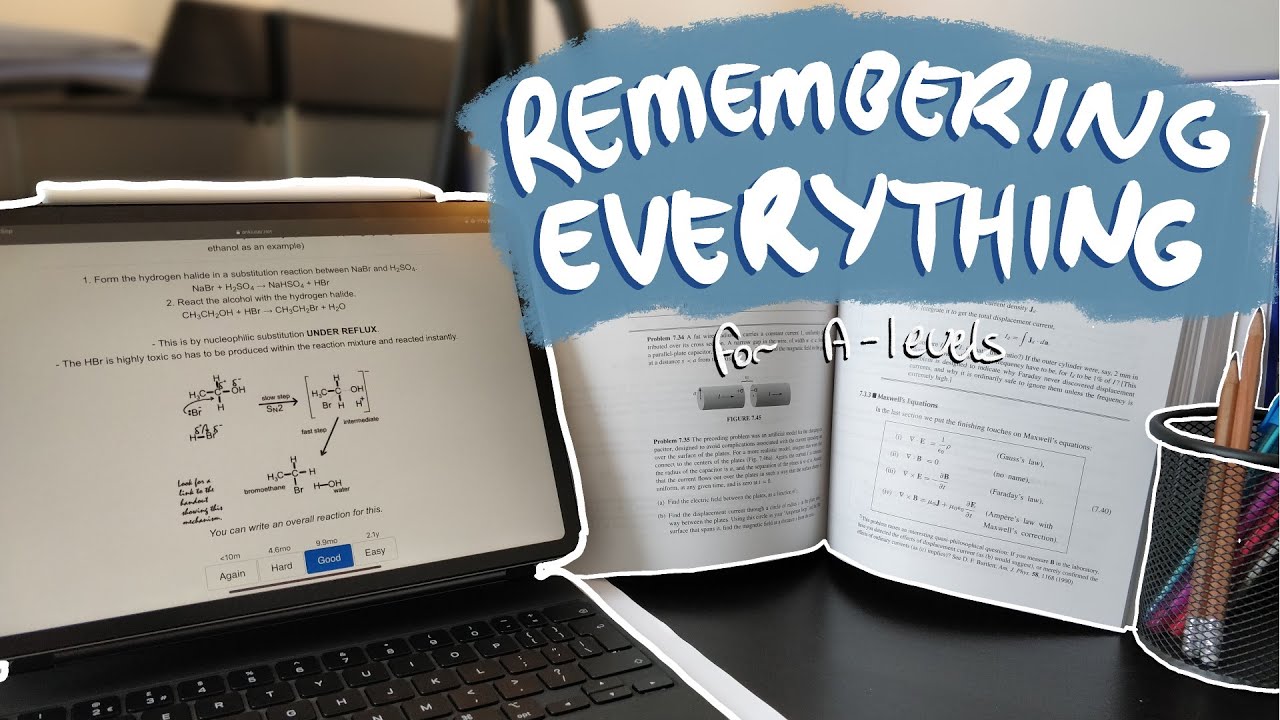
How I Remembered Everything for A-levels | Effectively Using Flashcards
14:57

How I Remembered Everything for A-levels | Effectively Using Flashcards

Ray Amjad 13.09.2020 10 610 просмотров 552 лайков обн. 18.02.2026
Поделиться Telegram VK Бот
Транскрипт Скачать .md
Анализ с AI
Описание видео
📷 Follow Me on Instagram: https://www.instagram.com/theramjad/ === Timestamps === 00:00 - Introduction 00:18 - Essence of flashcards 01:47 - Why digital flashcards are better 05:40 - Structure of my flashcards 11:20 - Making the most of Anki 13:20 - Should you make flashcards on everything? 14:43 - Conclusion === Links === - Download Anki: https://apps.ankiweb.net/ - Learn to Use Anki: https://youtu.be/Pn9IbAfpwuw - My A-level flashcards: https://youtu.be/yoUW5qjw9yI

Оглавление (7 сегментов)

  1. 0:00 Introduction 75 сл.
  2. 0:18 Essence of flashcards 306 сл.
  3. 1:47 Why digital flashcards are better 778 сл.
  4. 5:40 Structure of my flashcards 1170 сл.
  5. 11:20 Making the most of Anki 425 сл.
  6. 13:20 Should you make flashcards on everything? 293 сл.
  7. 14:43 Conclusion 56 сл.
0:00

Introduction

hey friends and welcome back to another video if you're new here my name is ray and i'm a cambridge student going into my second year to study physics and last year i achieved four stars at a-level in this video i'll be going over the most effective way i fans remember concepts and facts for my a-levels as always timestamps will be in the description down below so let's get straight to the video
0:18

Essence of flashcards

so of course i'm going to be talking about flashcards and if you're about to click off the video because you don't think that flashcards will work for you i would suggest sticking around until the end and seeing how i use them and hopefully they'll change your mind so flashcards are built on two key principles active recall and space repetition active recall is a process by which you actively retrieve information buried in your brain unlike passive reviewing where you just read through information in textbook or for your notes and have familiarity with the information active recall involves asking yourself questions and making an effort to dig the information out of your brain i found it to be the quickest way to study material and store it in the long-term memory meanwhile space repetition is based on the forgetting curve which shows how after your first encounter with the material the amount of related information you can retrieve from your memory gradually deteriorates yet reviewing the information at just the right moment with active recall the rate at which the information deteriorates decreases and each successful review reduces the rate of deterioration even further by spacing out your reviews effectively you know the right time when you have to review something and you may have actually experienced this when you learn a topic early on in the year and then weeks before your exam when you try to review the topic again you had forgotten everything and that's because you reviewed the information too late if you had reviewed it or just write moments in between then it would have been better using flashcards effectively combines these two principles together to reduce the amount of time you have to spend reviewing information and allow you to remember huge amounts of information with these
1:47

Why digital flashcards are better

so if you have seen any of my other videos on the channel you know that i'm a huge advocate of digital flashcards they're much better than paper-based flashcards for many reasons but the most important of which are number one they're much easier to make if you're anything like me and you type much faster than you can write on paper root paper-based flashcards you can end up spending too much time writing out flashcards with a pen and if you make a mistake then you may have to start all over and if you follow studygram accounts and you'll waste your time making your flashcards look aesthetic by adding pretty colors and fancy calligraphy all of which don't add to the practicality of your flashcards using digital flashcards takes your mind off making them look nice and helps you focus on making them practical and if you're making paper-based flashcards for all your subjects it can take weeks to do whereas digital flashcards can take a weekend to make number two they're easier to maintain if you spot a mistake on a paper-based flashcard or want to reword something then you may have to rewrite the whole flashcard because there isn't enough room it's much easier to edit digital flashcards number three you can use all your digital flashcards on the go i have had hundreds of digital flashcards on my phone and they meant that i didn't have to carry around flashcards in my bag with me all the time as long as i had my phone i was fine number four they have much lower activation energy to start doing if you have done any chemistry you may remember activation energy reactions with large activation energies are less likely to occur than reactions with low activation energies at the same temperature likewise before you do any task you have some reluctance doing the task this is activation energy for you you're more likely to do things with a low activation energy like opening up instagram which is a few taps away rather than doing things with a high activation energy like getting out of bed digging out your bag and getting your flashcards out using an app can reduce activation energy and make you more likely to use your digital flashcards which helps you use them more frequently there isn't much point in making paper-based flashcards if you never end up using them because activation energy for you to use them is too great the low activation energy for digital flashcards was especially useful when i wanted to do flashcards on my commute to and from 61 which added up to about an hour every day rather than playing games on my phone i could just squeeze in some more revision so i didn't have to do as much when i got home number five digital flashcards help you decide when you should revise a topic the problem with physical flashcards is that you have to manually decide when to revise a specific topic and it can be easy to make paper-based flashcards store them way and then forget about them for months because of the large activation energy of deciding which days to go over each topic in my case i didn't have to make a revision timetable deciding which days to do which topics because i had flashcards in everything and depending on how confident i was with the flashcard the app decided the next time to show me the flashcard so i would open up and see about 30 or 40 flashcards a day and get through them in about 10 to 20 minutes number six physical flashcards are too ordered to ensure that you're actually remembering the flashcards and not just the order in which the information appears it's useful to mix up your flashcards within a topic but to prevent yourself over revising certain topics you like or not comfortable with you should mix up flashcards across topics which can be off-putting if you like your flashcards being in a particular order flashcard apps often show flashcards for you in a random order whilst keeping them organized behind the scenes with index and by tags which is what you want number seven you can use google images if you do science and math subjects then diagrams are especially important because they capture the essence of a concept or idea that you need to understand it in a way that's difficult to do with words digital flashcards can save you so much time because you can just copy and paste images of google including moving images which is really powerful
5:40

Structure of my flashcards

powerful now i will be going through my flashcard setup on an app called anki i know there are some other apps out there but i prefer anki because it's free and there's a bunch of features and add-ons which are really useful i won't explain how to use anki here because i already made a video called learn anki in under 15 minutes which i highly recommend watching now i'm assuming that you've seen the video and you understand the basics of how anki works i will be going through the same flashcards i used for my a-levels which you can download from the description although i wouldn't recommend it because making your own flashcards is a huge part of the learning process anyways you can see i have a deck for each of my four subjects and my chemistry deck is split up into subjects with foundations organic physical and then another subject uh transition metal colors and that's because i had three chemistry exams one organic exam one physical and one combined so when i was preparing for just organic exam i would click on the organic deck and then study like that or i would go to the physical deck and if i wanted to study for the combined exam then i would just press the chemistry deck and it would show the flashcards from all the subjects within chemistry and when i'm going through flashcards i can say the answer to myself and then press show answer and check if i got it right and you can see i have four options over here if i got it wrong then i would press again and the flashcard would come back to me again if i pre if it was hard to remember or easy to remember or it was in between then i would press uh either of these three buttons and you can see above how long before that flash card would come back to me and because i've used all my flashcards so much i'm very confident with them which means that even if it's hard it won't come back to me as soon whereas you can see there for this new flashcard when i press show answer then it says one minute 10 minutes and four days so if i got it wrong then i'd press one minute if um i could remember it then i would press good and it'd come back in less than 10 minutes so if i press good now then when it comes back up um then i can just press good and it'd come back in one day so if i opened a pan key and went through the flashcards tomorrow then i would see this flashcard again and gradually over time as you come back to the same flashcard over and over the spacing would increase for each of the buttons which is exactly what space repetition is all about i don't like making a deck for each individual topic because of the thing to do with ordering i mentioned before but i understand many people may need to do this because of topic testing class so if i go to browse you can see i have tags on the left for um everything from the specification every single one of my flashcards is a tagged according to a topic on the exam board specification and the advantage of this is that it allows me to make custom study decks so if i see this flash card over here you can see that it's tagged with seven dash capacitance and if i wanted to make a custom study deck based on capacitance because i have exam on topic tests on capacitors coming up then i would go to the physics deck which is where the flashcard is press custom study press study by called state or tag and then choose due codes or buy all review cards in random order and then press choose tags and if i say it was on capacitors and electric fields and um i would select these two and then press ok and now you can see it's made me a custom study deck so if i press study now then all my flash quantity with capacitors and electric fields will be here and now once i go through this deck after a while and i want the flash cards to go back to their normal deck after i'm done using it then i can just choose a custom study deck press cogs button and press delete and then all those flash cards won't actually be deleted they'll go back to normal physics deck so i would highly recommend that you tag all your flash cards so you can use this feature and remember to have the tag separated by space the key thing is to go on the app each and every day and see what flashcards you have due that day set a specific time of day to do this like during your commute to school it's about revising for a few dozen minutes every day over the long term rather than for days on end in the shorts and before your exams or if i wanted to review a hand but i had no flashcards due that day such as for maps there are zero due today i could press the navs button go to custom study and then say review ahead and let's say i wanted to review ahead by a year then all the flash cards which are due within the next year would come up in this custom study deck and in this deck if i press study now you can see some of the fast cards are due in 9. 5 months if i say it's good which is almost a whole academic year and you don't want your intervals to be too long because you're only doing a levels for two years so you can set a limit on this by going back to dex and on any of your decks pressing the cards button press options reviews and then set the maximum interval to say 60 days which will be about two months so if i go back to custom studies session press study now show answer you can see the next review if this is good will be in two months so by using a combination of both reviewing ahead and studying by particular tags a day or two before an exam i could review all my flashcards again and because at that point i've been reviewing them throughout the year i can do each flashcard in about five to thirty seconds and i could get free a deck of about three or four hundred flashcards in about an hour or two which was really handy because i could bring all the information throughout the two years back into my mind and two or three days before the exam so
11:20

Making the most of Anki

now i'm going to share some tips on making the most of an key number one actively engage with the flashcard remember that the more effort you put into remembering what's on the other side of a flashcard the stronger the synapse connections for that piece of information will be in your brain and it'll be easier the next time that flashcard comes up if you're struggling to remember it and feel tempted to flip over keep on trying because putting in effort is part of the learning process but of course if you generally can't remember just flip over anyway number two try to speak out loud to avoid tricking yourself into the key you know the answers be care out loud or whisper it to yourself when you're going through the flashcards before you turn over if you say it in your hand you'll end up feeling yourself by telling yourself like you know it when the reality is you didn't quite fully retrieve the information from your memory number three for concept-based flashcards sit down with a piece of paper part of the difficulty in anki is using its test concepts i think you can still do by writing your flashcard with the best explanation of a concept on the other side and when that flashcard comes up use a piece of paper next to you to try and explain it like you would do it to a friend scrap paper can be especially useful for chemistry when you're testing yourself on reaction mechanisms because they're quite difficult to visualize in your head number four go over the leech cards so anki does this thing where if you get a specific card wrong too many times in a row it tags it as leech and the card won't appear in your deck anymore so you can see the leech cards if you go to browse and then on the tags if you go down to leech then you can see all the cards which are tagged as leech and this is a problem because these cards won't appear when you're reviewing your flashcards anymore because anki says you're getting this flashcard wrong too often so it's probably something wrong with the flashcard or your knowledge this may mean that you have to relearn that bit of the topic or the flashcard is a bad flashcard and you have to reword it and after you've done that then you can go to leech tag and then just remove it from here now a
13:20

Should you make flashcards on everything?

question i often get is shall i make flashcards in everything and i would say that if you're just starting year 12 then definitely yes but if you're a few months or even a year into a levels then it's worth making flashcards for the topics you'll next cover as for previous topics only make flashcards for the topics you find the most challenging and you can find out by doing topic tests or exam questions for example if you're in year 13 and you want to know which year 12 topics make flashcards on try doing some as past papers and see which one which topics you struggle with or if you're halfway through year 12 you should have a rough idea which topics you're weakest at from the topic sets you did in class for me i had time to make flashcards and everything but i understand not everyone will have this much time and that's fine you don't have to it just means that you have to plan which days to revise topics you don't have digital flashcards for as an app like anki cannot do that planning for you if you don't have flashcards on it ultimately i think the most effective plan is to make the flashcards in the topics you find the hardest and as those topics become gradually easier as you're going over flashcards then you can start to make flashcards in the other topics and keep going from there and remember flashcards aren't a replacement for doing past papers and applying the knowledge you're learning flashcards are useful for keeping information at the forefront of your brain and making it easy to retrieve during exams you still have to do past papers if you want
14:43

Conclusion

on a star but yeah that's basically it i cover a lot more advice in my a level playlist so do check that out otherwise if you found the video useful leave a like if not leave a dislike and let me know why but as always thanks for watching and i'll see you next time

Ещё от Ray Amjad

Ctrl+V

Экстракт Знаний в Telegram

Транскрипты, идеи, методички — всё самое полезное из лучших YouTube-каналов.

Подписаться




