Solar moving and blinking eyes - with schematic

Solar moving and blinking eyes - with schematic

Machine-readable: Markdown · JSON API · Site index

Поделиться Telegram VK Бот
Транскрипт Скачать .md
Анализ с AI

Оглавление (3 сегментов)

Segment 1 (00:00 - 05:00)

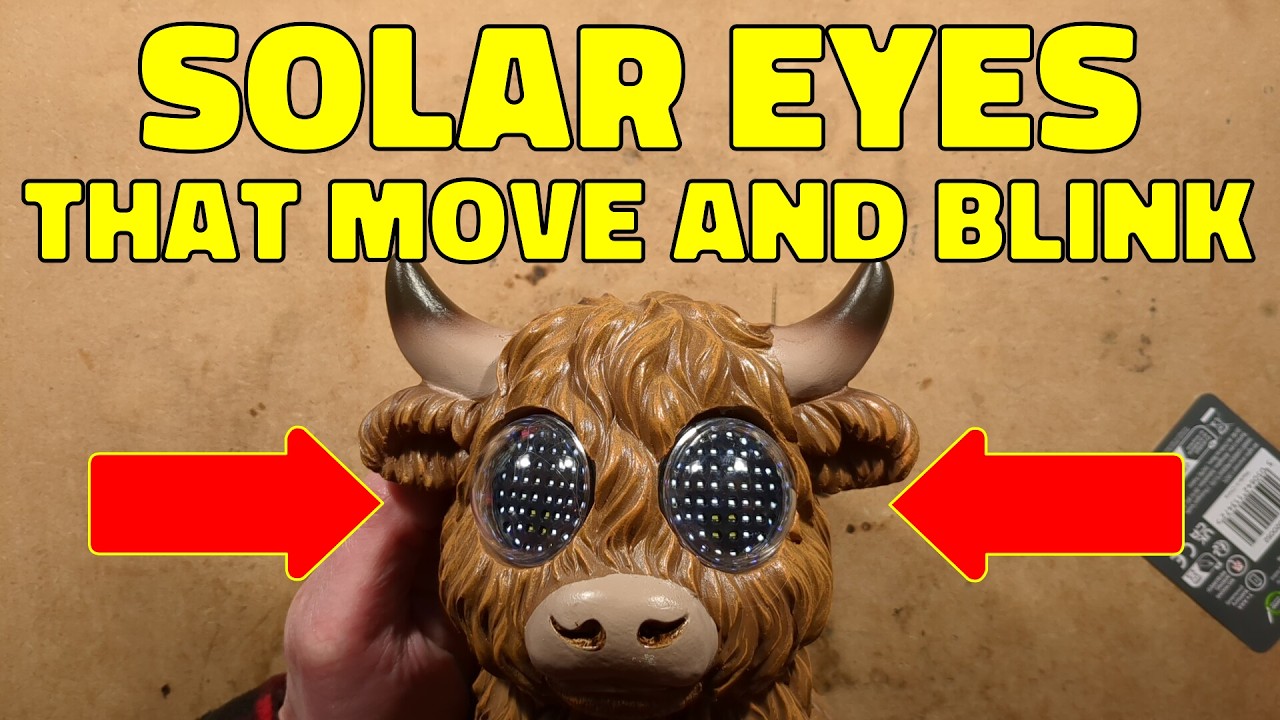
a solarp powered blinking Highland cow. Let's explore this. So, the idea is that this thing Well, let me show you. That's the best thing. I'll just turn the lights off so you can see this. So, the unit has an array of LEDs. I didn't expect that. I thought it was going to be something simple, but it is a matrix of LEDs. You can see a slight shimmer on the camera in brighter light, but it's got this very repetitive eye movement that well, it's very repetitive. It's very basic. It doesn't do an awful lot. That's it. Anyway, we're here to open this up. So, let's do that right now. So, this thing is made of resin. It's got these little domes. I wonder if that's to also help keep the water out. Uh there's the Hold on. There's the slight shimmer. You can see with the faster frame rate at the camera, not super bright, but it is solar and it's got very tiny solar panels there. Um, the first thing we could try and do, we could take these screws out, but I don't think that's going to reveal an awful lot. I think that's just the cover of uh solar module. Let me zoom down a little bit just so you can see more. So, we'll pop these screws out. Anyway, I think it's run by a single AAA nicome hydride cell and a very tiny solar panel. That makes me think this isn't going to run for very long. But having said that, it might be useful for the parts. Where's the spudger? There's a spudger. Let's spudge this. Is it going to pop out? It's got a seal. There's the uh there's the cell which it says is it's not going to be very high capacity. 200 milliamp power and that is that an active module or is it just basically the power module and everything else is done on the chips right it's going to be hot melt glued in. It usually is. So let's apply some isopropanol down the side here. flood some isopropanol in which usually releases hot melt glue quite quickly. Famous last words. It probably won't in this instance just out of spite. Also, it might be just jammed in very tightly. Let's use a screwdriver to apply even more. Oh, that's the resin giving way. That's the plastic giving away as well. Oh, I've broken it. Uh, but it's opening and revealing a little tube. Right. So, that is just power that's gone out. little two pin connector. This is a hideous thing anyway. So, I don't really have that much regrets. Where's the electronics? Is there another module in here? I'm seeing that the eyes plug together with power and data. So, one of these eyes is active. Right. Tell you what, let's uh let's get some more a preanel and then I'll poke my fingers in and shove its eyes out from the back. Brutal. But you know, sometimes you got to do what you do. So, I'll let that swim around for a while. I probably poured Yes, I have poured it all over the bench. It's now even more marked. And then I shall look in here with a flashlight. Oh, horrible sharp um Yeah, horrible sharp resiny edges. Okay, I'm going to have to get my finger in and shove the module out. There's one eye popped out. And there's the other I popped out. Excellent. So, one of these will just have power and data. That's the power and data one. And the other one will have power and data plus the power going in which will be paired up probably. Right. So, these are sealed modules. That's interesting. Wasn't expecting that. Was expected to be circuit boards. Right. So, now are these sealed shut? Let's get a bit more isopropanol on the hot melt glue around the cables. And we'll just squeeze that a little bit. Don't want to damage too much at this point in time. Want to get these as intact as possible for exploration. And I can see how we seam around here. What if we stick this in here? Is this going to be plastic welded together? Is it going to be glued with a solvent cement or ultrasonically welded? Who knows? Am I going to hurt myself? Probably. I think I'm going to have to squeeze this. Let's squeeze it in this. No, it's not going to fit in that. Squeeze it in. Hold on. My super mega squeezers. Professional plumber grade Let's get these to a suitable size and just give it a little tiny little tweak. Mhm.

Segment 2 (05:00 - 10:00)

That worked. It's gone somewhere in the room. Right. Let's h also do the same with this one. And see if we can not fire it everywhere. Right. So, there's a circuit board. Why did it look like there were more LEDs in the thing than this? But there aren't. Uh a bit more isopropanol. Then I'll go and hunt for that uh other one to see where it went. But I would guess that both of these are going to be the same and I'll take a picture of the back of one of them. They're both going to have a little microcontroller. Probably just scan the LEDs directly from the output. The microcontroller. Get out. Uh there's a little microcontroller. There's really not much, is there? A little decoupling capacitor locally. Right. Tell you what, I shall take a picture of both sides of the circuit board. One moment, please. Reverse engineering is complete. Let's explore. And you may notice the eyes are a lot brighter now. You can also see the slight scan of the multiplexing because these are on an 8 by8 LED matrix. And the higher intensity is because I'm running them from 3 volts, the bench power supply. And at that they are drawing a consistent 20 milliamps. So 10 milliamps per panel. Just useful reference if you wish to take these out of a solar ornament and put them into something else. But what's interesting is that after they've blinked, if you watch uh it go through the blink part the sequence there, it goes down to this corner. when corner, it takes this red uh signal line from high, it just dips it low very briefly, and that's how the two sync up. They are identical units, but they have uh an output wired to an input, and it could be done in their direction, and that's what keeps them in sync. They're not in sync at the moment effectively because I got one upside down, so they're all over the place, but that's only because of their orientation. Anyway, let's take a look at the first circuit board, which is this circuit board here. And this is the solar circuit board. We've got the negative connection at one end and the positive connection other end for the nickel metal hydride cell. When the unit is charging, it doesn't have to be turned on. That's a switch between the nickel metal hydride cell and the rest of the circuitry. But the solar, which is in orange here, can charge that cell via this diode. I would guess there's also a diode in this uh dedicated chip. But they've done this so they can actually have it sitting there ready for a party maybe in the off state and it will charge up and run for a decent time. Uh because it is, you know, fairly high current for the tiny little solar panel. I mean, that is really a minuscule solar panel. It's not very generous at all. However, when the switch is on and when it gets dusk and it detects it on that pin, it starts pulsing an inductor that's between here and here, it pulls it to the 0 volt rail and then that goes via this diode to the output, but also gets smoothed by this uh capacitor and also clamped by a 5. 1 volt xener diode. I shall show you that on the schematic afterwards. But let's go on to the LED array which looks like this. I'm just dropping all the stuff at the moment. I'll zoom out a tiny little bit for this because really uh it's quite a big sucker board. Well, the picture is. So, this is literally a grid. You've got the you've got eight negatives and eight positives forming a 64 grid of LEDs, but they're not all used. There's actually only 52 LEDs used in this. But what they've done is they've got the LEDs in the middle are on that grid. the X and Y arrangement, positives in the X and uh negatives in the Y. Is that right? No, it's negatives in the X and positives in the Y. And then so they've got these in the grid, but then the ones at the side just sort of they merge them into the lines as they go across, but they're in that's a different orientation. Um on the back of that circuit board is a microcontroller. And that microcontroller has the power coming in and looping out to the next one. It's got the negative and the positive, a little covering capacitor, and then it goes to two pins here. But it's also got two other pins marked out and in. And these are the synchronization units. And basically speaking, if you've got a couple of these units, you connect out of any one of them to the in of the other, and that will make this effectively the master unit, and it will provide a synchronizing pulse to the others. After that of the well, this is a 20 pin chip. They've used up uh four pins with power

Segment 3 (10:00 - 15:00)

and the synchronization. After that, the remaining 16 pins are used for that 8x8 LED matrix. It's quite ingenious. It's quite clever. Let's take a look at the schematic. It's very straightforward. There's not really much to show. I'm just going to turn this power supply off at the moment. — [snorts] — Uh right, I'll zoom up on this a little bit. In a way, the solar section, the circuitry is more complex. So, here is the solar panel and it is doing two things. It's signaling to the chip when it detects dusk. When it the chip sees the voltage drop too low in that, it knows that it is dusk. It's also got a shortcut diode that it uses to charge the nickel metal hydride cell. There's the switch for turning it off. And uh after that, we've got the 220 microhenry inductor that is pulsed. this end is positive. This end is pulsed to the negative rail. And when it's uh released, so to speak, the magnetic field collapses and it uh puts a higher voltage through this fast short Q diode. And then there's a smoothing capacitor locally and the little diode clamp the voltage from going up too high. That then goes out just differentiate that. um to the circuit boards that kind of loop across to each other and they have the 8 by8 grid of LEDs, eight positives and eight negatives and uh they've got a local decoupling capacitor to each but other than that they're just across those power lines that are going out and there's the synchronization and it's got the output is connected to the input of one of the others and that is it. You could have connected in either direction. And you could probably even have connected both and I would expect the software would just ignore it. Whichever got there first would be the master pulse so to speak. Not sure about that. But anyway, only one is linked across. And it's worth mentioning that uh there's nothing new about the use of LEDs for eyes like this because I can remember as a kid in the 1980s, early 1980s, there was a show called Terrahawks and there were the zeroid robots, the zeroids. And they were basically a spherical robot. And the eyes were a matrix of nine LEDs. And this is very early LEDs. They can't been that bright, but they were basically like that. They were rectangular LEDs. And I'm not sure what circuitry it was using. And they were complicated little things. The eyes could swivel. The eyes could also move in and out. And they had little shutters that came over it as well. They were complex robots really for props were impressive. But basically speaking, uh they could blink and they could uh just by moving the by blinking out the LEDs, they could actually make the sort of eye dart about all over it. And uh it was very clever and that's ultimately why this is not new at all. This is just a modern version with more LEDs of that effect. Now the software I would guess that the software for these because of the limitations of the memory size of the microcontroller and maybe the speed of putting the software out the pattern is very short and I reckon it's nothing more than a lookup table playing a sequence of frames um or even just the program itself just loading up uh eight bytes of data and then sending out to be scanned on the output of the uh display driver, but it's the fact that it's just basically got such a short sequence. It doesn't it could have used a randomizer and it could have loads of little bits of software routines for eyes in different positions and it could have actually made it look really random and random blinks as well. H it could have done so much better, but in this case, uh they've just done what they did and it's like the flame effects that it's a very simple repetitive pattern because the software was mostly likely banged out quite quickly. But there we have it. They're very interesting. You could remove them from um a solar ornament and you could put them into your own props or whatever you wanted really. Um all you need to do is provide them 3 volts. If you're going to provide them more than that, I'd recommend a resistor in series just to limit the current. I'm not sure what they draw at 5 volts. Well, there's one way to find out. One moment, please. Yeah, at 5 volts it's 120 milliamps and they're very bright at 5 volts. Not sure it's 50 milliamps per panel. It's probably treating the microcontrollers quite badly, but you know, it's not too bad. What if you stuck it down to say 4 volts? Let's turn it down to 4 volts here. And the current has dropped to 61 milliamps. Well, 70 milliamps there. Uh just nudging it down a bit more. Yeah, I'd say actually about 60 milliamps, 30 milliamps each at 4 volts. So, actually maybe they can be run at a modest voltage. But anyway, that's it. Uh they're quite interesting and it was worthy to actually take that apart and explore the circuitry.

Другие видео автора — bigclivedotcom

Ctrl+V

Экстракт Знаний в Telegram

Экстракты и дистилляты из лучших YouTube-каналов — сразу после публикации.

Подписаться

Дайджест Экстрактов

Лучшие методички за неделю — каждый понедельник