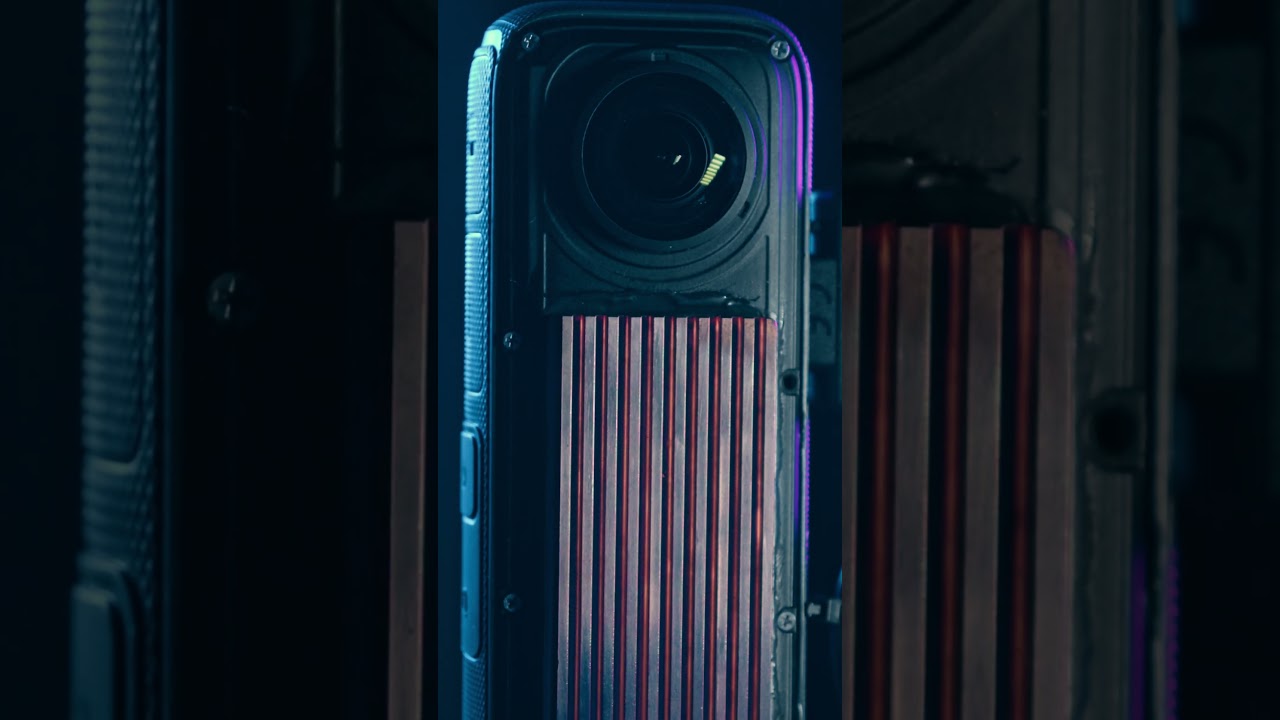
Speedrunning 30yrs of lithography technology

Speedrunning 30yrs of lithography technology

Machine-readable: Markdown · JSON API · Site index

Поделиться Telegram VK Бот
Транскрипт Скачать .md
Анализ с AI

Оглавление (10 сегментов)

Segment 1 (00:00 - 05:00)

this was the very first transistor and it was made in 1947 by 1978 the industry had Advanced to integrated circuits with features just one micrometer large that's 50 times smaller than a human hair and was done on a machine that cost about $2 million I want to replicate that capability in my own shop so I'm going to build a photolithography machine with the goal of hitting one micron features but you know it's 2024 which means I can cheat and use modern technology to speedrun through the last 30 years of progress and hopefully make it a little cheaper than $2 million if you're new to the channel here's a quick overview of what's going on there are hundreds of steps to make an integrated circuit but arguably the most important step is called photolithography it's the process of transferring a pattern into a photosensitive resin that's on the wafer that pattern is then used for every other step in the process of making a chip it's basically the same idea as cameras and film Emulsion the light sensitive resin that's used in SLA printers or the resist that's used to manufacture pcbs the only difference really is in size chips are very small and so the pattern we put on the chip also has to be really small I've daed with photo lithography a little bit in the past and the Machine I made was well charitably it wasn't very good in fact it was basically unusable other than as a demonstration I've also done some Electron Beam lithography in the past and it's perfect for really small features I've been working on some vacuum transistors that have gaps just a few hundred nanometers wide but my machine isn't really designed for patterning large areas so if you watch my DIY camera sensor video you'll have seen all the issues I had with stitching multiple Fields together to form like a bigger chip so I have two goals with this project first I really want to hit that one micron feature size it's you know just like a nice round number and it coincides with a historical kind of pivotal moment in the industry in 1978 GCA introduced the man 4800 DSW this was the first commercially successful wafer stepper that used reduction Optics to print patterns and it was basically a huge jump forward for the industry at the time so I figured the one micron mark would be a good Milestone to aim for also and this is just kind of fun the machine retailed for $450,000 which in today's money is about 2 million bucks making the equivalent of a $2 million machine in my own shop I don't know it kind of just sound like a fun challenge the second goal was to write patterns over a large area with a good microscope objective it's actually not that hard to hit submicron features but it's very challenging to do that over a wide area consistently with those goals in mind let's start designing this machine the device I made a few years ago was constructed from aluminum extrusions 3D printed components and basically bubble gum I kind of just assembled it as I went and it really wasn't great I want this new machine to actually work reliably so it's time to fire up the old CAD program and pretend to be an engineer I designed a frame that let us Mount the motion stage of the bottom and all the necessary Optical stuff at the top it also doubles as an enclosure photo resist is sensitive to ultraviolet light so there are large yellow acrylic panels to filter out anything that could expose the resist I decided to go with a sheet metal design for this project I've never really done sheet metal work before but it made sense for this machine 8020 Extrusion is a pain to work with in my opinion and I wanted something more professional than Home Depot wood panels unfortunately I don't really have any sheet metal capabilities in my shop I have cnc's but they aren't really designed for large sheet fabrication luckily you can order laser cut parts from send cut send the process is really easy just design in CAD export a dxf or step file and upload to their online system they also have bending Services which I use liberally on these parts to make assembly a little easier I'm a fusion 360 user and fusion has a pretty decent module for modeling bent parts you punch in the bending parameters that sen cut send provides for their different materials and then you just start creating bends and flanges I fired the parts off to Sun cut s and got to work on the optical system this is basically a DLP projector in a dev kit form from Texas Instruments there are a few main components to this there's a lens section here which we'll be removing because we don't need a projection lens there's the DMD chip inside of the device and we'll see that in a minute and then there's a bunch of

Segment 2 (05:00 - 10:00)

complicated Optical components down here to couple three high power LEDs into the projection system so one of these LEDs the blue one will be replacing with a UV LED and we'll keep red and green as they are because we can use those for uh inspection and Alignment purposes so the next step to do is pull off the uh projection lens and add in our own adapters so we can start adding Optics that we want in front of this system and now I'm going to roughly get all the optical components in place just to make sure everything fits and see if I need to make any more cage plates or if some of these don't work or whatever so we've got a lens a beam splitter another lens microscope objective and this is a camera okay uh I'm going to take a pause for a minute to explain the optical system kind of like all the different things going on here so the heart of the system is a digital mirror device or a DMD these are made by Texas Instruments and you'll see them on DLP projectors it's basically like a matrix of little micro mirrors that can be individually addressed flipping them back and forth turning it essentially on and off so when they're flipped one way they send light to the projector lens and when they flip the other direction it just sends light off into nowhere and you get a dark pixel but the trick here is we can take the projection Optics remove it and put some kind of reduction Optics like a microscope objective and that will project a pattern down to a small size on your substrate and this is basically what's called a maskless lithography machine because we don't have any mask we're just making the pattern digitally on a computer and display it with the DMD this is a very wellestablished route to take there are hundreds of academic papers that use this real commercial lithography machines will'll actually use a DMD internally and there's even a bunch of YouTube channels like Sam and huan's Optics that have done this as well so this is nothing new I'm just doing it again kind of with my own take on it my original plan was to build a direct right laser machine very similar to the first one I built a couple years ago but I changed my mind when I ran across the hacker Fab group this is a group of like self-organized students at CMU that are building an open-source lithography Fab so it's all the things you need to build a chip you know spin coders and litho machines and process development it's all being documented and put online so I decided to go their route and pick up a DMD similar to what they are using my system ended up being quite a bit different than what they have but it was really helpful having all this stuff pre-doc so if you're interested in open source litho definitely go check it out they're doing some really cool stuff over there and it's all accessible online the actual Optics are pretty simple UV light is projected onto the DMD which is toggling those mirrors on and off to form an image this generates a diverging beam that comes out and we colate it with a lens it then hits a beam splitter most of that light continues straight down into a microscope objective which focuses it down onto the substrate some of that light is absorbed by the photo resist and some of it bounces off and goes back the way it came hits the beam splitter again and is redirected into this horizontal arm another lens takes that beam and focuses it onto a small USB camera which we can use for alignment and focusing and that's basically it it's pretty simple as far as Optics are concerned we also have to replace the blue LED with ultraviolet LEDs I've never used solder paste before so please forgive the crimes I'm about to commit they soldered up a bit wonky because I don't know what I'm doing but they work fine so whatever then we need to drill some holes in the base plate so that the DMD can be mounted to the rest of the frame and assemble the whole Optical engine a week or so later the S cut send Parts have arrived and it's time to start assembling the frame itself the frame is made from 1/ Quin thick mild steel while the two door side panels are made from a slightly thinner Cold raled Steel and then there's like a back panel which is just a really thin aluminum a 1 quarter inch might have been a little Overkill but I want it to be super sturdy because any vibrations or movement of the frame will directly impact the resolution so I kind of messed up the design of this but I think it'll be recoverable uh basically there's a bow to this bottom plate that's just the nature of this type of metal so this is just A36 mild steel uh it's not the fault of the laser cting service that would happen if you bought

Segment 3 (10:00 - 15:00)

this sort of plate straight from the metal distributor so what I should have done is put a vertical section here bent upwards and then the same on the front to turn it basically into a box if we look at this piece uh this is basically what I should have done I needed a bend on the left and front and that makes this surface remarkably flat for being you know a piece of just bent sheet metal luckily having it fully assembled see seems to constrain the structure a fair amount and it's relatively flat to get these parts ready for painting I first had to deur all the laser cut edges laser parts are way cleaner than plasma cut but there's still a sharp bur that needs to be removed s cut send offers deburring services for a very reasonable rate and in retrospect I really should have opted for that service deburing all these parts on my little bench polisher took forever and honestly I didn't do a very good job I also had to degrease all the surfaces before painting especially the mild steel which is oiled to prevent rusting then it was time to Prime and paint the panels This was also something else I should have let s cut send deal with they have powder coating Services which would have result in a much nicer paint job and let me focus on other parts of build while that's drying let's take a look at the motion platform this delightful bit of equipment is an XY stage from zaber and honestly it's the reason I decided to work on this project in the first place it's a linear motion stage with 1 nanometer encoders and the specs are honestly just wild 50 NM step size 500 nmet repeatability on movements a max speed of 750 mm a second that's like almost a meter per second well-characterized pitch and yaw errrors with interferometry data for each stage and it's all controlled with a really nice python API now full disclosure this stage was donated to the Channel by zabber they are not sponsoring this video they don't get to preview or make any editorial changes and I'm allowed to say basically whatever I want good or bad but frankly I have nothing bad to say about it it's just like a really nice bit of Kit I'll talk about the stage a little more later once we start using it but for now let's focus on what goes on top of the stage so the stage was originally made for a microscope which is why it has the hollow part in the middle uh but I'm using it obviously for an upright mic scope so we need some kind of adapter which is what this is to just provide a flat surface for us next we'll mount a z stage now we are going to mount the rotation and wafer Chuck stage on top of this or the rough setup we've got a stepper motor a housing which goes on top another housing which sits there and then like a spindle unit which fits now inside of that huh that's interesting the top two holes are fine bottom two definitely do not match up uh nope that was definitely my fault I modeled the stepper motor hole spacing incorrectly so we're going to do the ageold fix of drill out two of the holes to make them a little bigger and hopefully it'll line up then all we're going to try the less age old approach of using an endmill in a drill oh yeah that'll do I mean it's not beautiful but H and rotate that this is such a terrible design who came up with this and the O ring on top and the kinematic Mount here's a cross-section view of how it all works the stepper motor directly drives the rotation stage to also pull a vacuum on it there's a hole down the center of the shaft and four cros holes which open into a chamber sealed by two O-rings the O-rings allow the shaft to spin while also keeping it airtight and pull a vacuum finally there's a kinematic mount on top composed of pins and ball bearings plus a few magnets for preload this allows me to take the top surface on and off easily without worrying about alignment you just throw it back on and it will click into place so now that we have all the individual components done we can finish assembling the whole machine put it all together

Segment 4 (15:00 - 20:00)

all right so we have it roughly assembled and I'm not displeased but there's definitely some problems uh most of it stems from just lack of experience working with sheet metal uh this is not flush because there's a cap head screw in the way and I neglected to make a cutout paint is starting to chip off already because there should be some clearance between the lid and the frame I'm currently holding the lid open with just a piece of aluminum stock which obviously is not how this is supposed to function I need to get a gas spring to help lift the lid up I forgot that the stage is bolted to the bottom of the frame with a through bolt and a nut and that means there's a sticking out the bottom which means it can't sit flush on the platform I totally forgot to put some bolt holes on this side up here which means that this acrylic piece flexes downward when it's in its resting position CU there's nothing supporting it and it's pretty thin when we close the lid we've got a few problems here first of all there's no handle and if we come around to the side we can see that it's not actually at a right angle because again there's a capad screw in the way next we need to mount the projector to the frame and all the Optics onto the projector cool so I have it all set up over here it's plugged in and running and it's controlled off of my laptop at the moment uh we are not at all aligned so the next step is getting all of the Optics aligned and configured so that this displays an actual image well I'm not going to bore you with all the details here there were many hours of fiddling and tuning and dialing and adjusting all of these components to get everything aligned and working together we are making progress so under the microscope at the moment if we zoom in you can see I've just got a random PCB just for something to look at basically and if we pop over to the webcam you can see well maybe you can't see I don't know if you can see but basically we've got a checkerboard pattern coming from the DMD and then there's texture in all the spots that aren't black and that is the PCB so if I move the stage a little you can see it moves under it this is really cool this means it's working and I am really excited right now so I've got the motion system wired up and basically working not programmed to do anything intelligent but I've got the rotation stage up here on top rotating and the XY stage XY staging so if we run a quick test program should see the stage rotate here okay and now the stage itself will Center and then start stepping through a grid pattern there it goes pretty cool okay so after all that work I think it's time to try some test exposures the procedure is similar to what you've seen in past videos photo resist is dispensed onto a glass substrate it's spun at a few thousand RPM forming a thin film on the surface it's then baked on a hot plate to remove any extra solvent I typically scratch a corner to give me something to focus on and then put it in the machine and hit run my python code then displays a test pattern for different lengths of time moving around between each different exposure after that's done the pattern is developed in dilute pottassium hydroxide and if all goes well we should have some microscopic patterns to look at I checked them out under the scanning electron microscope and the results are encouraging but mixed some are pretty good there's like nice crisp features with small details other patterns are frankly just plain awful blurry lines uneven development just like all around bad so it took me a while to understand what was going on here but I eventually realized these were mechanical inaccuracies that were causing the objective to go in and out of focus depending on the location and so the further out of focus the objective is the more blurry the resulting image so there's a few options the wafer Chuck itself could be not actually flat and so that'll show up when we move in X and Y or the rotation mechanism could have some run out so it kind of like wobbles as it rotates around if I had a motorized Z stage some of this would be easy to fix in software because we can basically refocus at each new location

Segment 5 (20:00 - 25:00)

but I don't have a motorized Z stage it's just manual which means we'll need to fix it mechanically as much as possible so I've got an indicator on the wafer stage we're going to rotate it around and see what it looks like yeah so it looks like it's got about 4,000 of run out either in the uh spindle itself or this uh platin on top which is not great yeah so if we move the stage in X is maybe a tenth of deviation which is great but if we move it in y there's I don't know maybe three thou across the whole thing and we know for a fact that the stage itself is has excellent linearity so all of the error here is in the stackup so something about my rotation Stage Vacuum Chuck manual stage all of this on top of the XY stage is causing the error and look at it this way now we have the error in X and a little bit in why it's probably mostly from this mechanism here there's just run out in how this is spinning uh and there might be a little bit of error from the kinematic Mount cuz honestly I didn't do a great job you can even kind of feel it here there's some rocking motion because I think probably this o-ring is a bit too large for this setup so it's not making good contact on the balls uh that should be an easy fix though I think I will uh so there's the high spot and if we take it to the other sideo that's toou yeah so there's all their error probably from sing that down by hand so I've got two stacks of shims down on this bottom plate I've got five th of shim on these two corners tilting the whole thing that way I spent more time shimming the setup so now everything is within about half a th and we can see in the Y I'm about 1110th and if I lock the stage and move to X we're about a tenth 2/10th depending on where you take it so hopefully this is enough to keep us in Focus uh a tenth is 2. 54 microns after a truly ridiculous amount of adjusting and many more test runs I've gotten consistent resolution down to two microns with a few notable caveats first adhesion of the photo resist to the glass wafer is proving Troublesome the resist I'm using is super old it expired in like 2018 and so I'm guessing it's just losing its adhesive quality over time this means patterns can have pretty small features in the resist and they develop pretty well and look really nice and crisp except for when it develops all the way down to the substrate as soon as that happens it starts to peel off the surface and whole areas get washed away I can fix that with adhesion promoters or a thin layer of metal but it really complicates the process by adding a lot more steps or pretty toxic materials the second unfortunate caveat is that I'm still having a difficult time hitting Focus reliably so despite all of my work mechanically trying to get everything square and parallel it's still struggling to hit Focus over a large area Okay fam we need to have a chat about this machine because things are not going quite as well as I had hoped it is 9:38 a. m. on a Sunday morning and I'm here working on this trying to get everything dialed in I think we've just hit a bottleneck as to like the ultimate resolution that I'm going to get with the current setup you need to reconfigure the rotation and Z stage so that it's a little more adjustable probably motorized the Optics themselves should probably not be hung off the projector like this or can of lever it off to the side it needs more adjustment

Segment 6 (25:00 - 30:00)

mechanisms basically the whole setup needs to be just kind of reconfigured which is a lot of work problem that I'm having the main issue there's a lot of problems the main issue is that the depth of field of this High numerical aperture objective is too shallow and with my manual Z stage we just can't hit that across a whole Stitch field even if it's relatively small so the fix is just to have a bigger depth of field and you do that by using a lower magnification objective now of course with that means you have a limit to the resolution you can hit I don't have the numbers off the top of my head I'm sure I can put them on screen but basically this guy could probably hit 800 nanometer features whereas a 4X objective I think is limited to like two or five microns something like that so plan B is basically to write masks using this maskless system and then once we have those masks we can put that into some kind of reduction system to take the mask and put it down to our final size ultimately that means if we could hit say 10 or 20 Micron features with this objective which frankly I think should be really easy we can take that 20 Micron feature use a 10:1 reduction lens and make a two Micron feature on our final substrate so this is obviously a lot more work because now we have to build a second machine and go through the whole process of tuning and dialing in all the parameters for that and building masks which is probably not going to be super easy in of itself because large things are always harder than small things which is counterintuitive but that's just like how this works because process development sucks but we will have a more reliable system on the Mascus side and it has a nice symmetry because like this is essentially how the semiconductor industry works you make a mask and then you use that mask to put in some kind of wafer stepper that reduces it to a small scale and there's cool things we can look at in the future like uh how you optimize masks for defraction limited Imaging and off-axis illumination and all this other like really kind of esoteric stuff so this is mostly just me convincing myself that this is a good idea and that I should stop what I'm doing and go build an entirely separate machine instead of fixing a machine that is honestly working pretty well just not well enough so I don't know if you think this is crazy or not you should probably tell me before I start yeah so I decided to build the mask projection system what can I say it seemed like a more fun option at the time this time around I tried to design the components to be reusable for example the two side panels are symmetric so they can both be used on either side and the support brackets are all identical just rotated into new positions ordering the side panels twice rather than two different side panels is like 20 or 30% cheaper and so it really makes sense to reuse components where possible to help Drive the cost down Optics are all down at the bottom on this machine and held together by 3D printed assemblies I decided to print these because the mechanical requirements of the system are quite a bit less stringent than the other one and it's just faster and easier to print things sometimes the reduction lens that I'm using is an old Zeiss lens uh it's a 10 to1 reduction dedicated lithography lens and it was probably made sometime in the late '70s I picked it up on eBay a couple years ago and honestly I've just been wanting to use it in a project for a while which is maybe one of the reasons I decided to go this route who can say I don't know this for sure but there's a good chance this lens was probably used in one of those GCA man 4800 wafer steppers that I mentioned at the very beginning of the video uh it's impossible to know exactly but this lens was used in those machines and I think Zeiss made them specifically for that machine at the time the mask is held by a printed component attached to an XYZ positioner this will let me adjust the mask by small amounts if I need to for alignment purposes and the position art itself has a magnetic base so it clamps onto a steel bracket which is attached to the back of the enclosure the light source slides back and forth along these

Segment 7 (30:00 - 35:00)

two steel rods the red alignment light goes on the left and the ultrav violet right but let's talk about that light source for a moment because it's a surprisingly tricky Topic in a perfect world we would have 100% columnated light passing straight through the mask and it would be generated from an infinitely small point source traditional light sources were typically Mercury or Xenon lamps filtered to remove all of the non ultraviolet components the output was then collected and homogenized and recollimated through a series of lenses and mirrors a more modern option is to use an array or a matrix of ultraviolet LEDs uh the problem with this is that LEDs have a pretty like diverging cone of light that they generate so you need to cumate that and the best way to do it is to put a single lens above every single LED but I decided to take a totally different technique from this paper it uses a stack of thin film light modifiers to generate a quasi columnated beam of light first in the stack is a diffuser to help homogenize the light I took the glass that was in my UV lamp and I just hit it with some sandpaper to make a ground glass diffuser and that does a great job next up are two orthogonally stacked brightness enhancing films these are plastic films with little like pyramid shapes and due to internal Reflections light mostly Escapes in the forward Direction the rest of the light bounces around and is recycled until it finds a way out so it's a way to enhance the light output in kind of a preferential Direction some of the light still escapes at more extreme angles than we'd like so on top of that are two orthogonal layers of Privacy Film this is like the stuff you put on your laptop to keep people from looking at your screen on an airplane so they restrict the amount of light going off axis and it's basically a clear plastic with thin vertical strips of black plastic inside in kind of like a grading pattern and so light that's going straight escapes just fine but light that is moving at an angle will hit those black strips and be blocked the final result is a beam of light that is mostly columnated it's kind of hard to capture on camera but there's very little light coming from any of the sides and most of it is traveling forward now the big downside to this is that you lose a lot of light energy going through this stack of modifiers I don't know the transmission specs off top of my head but say each one is 80% 85% transparent uh that's a lot of light that gets lost when you have five of them stacked on top of each other so it remains to be seen if this will work well or not I'm cautiously optimistic worst case we can just let it expose for longer if we need to finally there is a beam splitter that sits on top of the lens and a camera to focus and align the mask so hopefully you can appreciate from the state of chaos here and lack of fully assembled machine things haven't gone to plan um the long and short of it is that I had originally intended to use the Optics that came with the little camera uh this is like a small compact zoom lens and from initial testing I thought it would be okay to provide the alignment through the beam splitter uh it's not it doesn't work it there's just no way to make it work given the current Arrangement or probably ever it was just a bad idea I tried a variety of different Optics that I have sitting around you know I got a bunch of different stuff in my parts bin and I found a few Arrangements that would maybe work with this particular setup but it wasn't ideal and really I should just stop wasting time and redesign all of this and do it again okay so here's the new revision obviously it's all in metal now which is you know just makes everything easier uh but there are few distinct changes from before mostly around adjustability so you can see that the bottom stage where the wafer goes or the substrate uh has gained two more stages so now this is an XY Z Theta stage the lens is directly above it and then we see up here the uh alignment optic setup we have the beam splitter which sits on top of the lens using still just a 3D printed Mount I don't love this it doesn't fit very well uh so I'll probably replace this at some point but it's okay enough for now U we'll take the light bounce it into the alignment Optics that go into the camera in the back and you can see that is just a microscope objective kind of used in Reverse so it's taking the image that's coming out of the lens down here and magnifying it onto or really demagnifying it onto the sensor of the camera this setup also has three degrees of freedom so there is a translation

Segment 8 (35:00 - 40:00)

stage over here to move the objective kind of in y and that allows us to focus the image from the substrate onto the sensor so this is basically a focusing movement and then there is an X translation and around the back there is a z translation with that one and x and z allows us to change the position that we're aligning to so like we've got the mask up here and as we change this one and this one it will move this objective around and let us focus on different parts of the pattern that we're aligning to everything can be moved in basically all relevant degrees of freedom because I just wanted to work and I'm tired of messing around and then obviously since it's in metal everything's just a lot more rigid and we shouldn't have to worry about stuff flexing and moving uh just because you know polymers aren't great for this sort of setup so yeah uh let's throw it in the machine and see how it works okay so predictably enough there's something wrong that needs uh new component so this arm that holds the objective doesn't allow the objective to get close enough to the sensor so we need to replace this part with a new one and luckily I've already made it it's a new design uh but it gets everything a little closer there we go there is another problem but this one's a much easier fix and it's that the diameter of this microscope objective is basically the same diameter as the C Mount threads that hold the microscope uh camera in place and I didn't think that was a problem cuz I thought there was enough relief on the inside here to allow it to get in Focus but it's not quite enough luckily microscope objectives usually have a part of the housing that comes off sometimes it's the whole thing sometimes like this one it's just the front half take that off you can see now it's much thinner this diameter and that actually will allow it to go inside of that bore and get us into our critical Focus there is if I correctly here's how it works super simple we take a mask and we put it in the mask tray this is a test mask I made with my fiber laser a couple months ago so the features are enormous but it'll be fine for alignment purposes next we bring the substrate and The Mask into Focus using the red light if there's an existing layer we would also align it to the mask at this step then we switch on the ultraviolet light and let it Expose and that's it it's super easy with all of that tentatively working we need to go back to the maskless system and make a mask for mask substrates I'm using these large plates of glass coated with about 100 nanm of copper that's thick enough that you can't see light through it so it's opaque but the copper dissolves easily in feric chloride so just makes processing easier later on my third attempt I got something approaching halfway decent and it's certainly good enough to test with the start if we look at the mask under the microscope we can see a few issues that we'll need to correct in the future the stage is holding great positioning accuracy because it has those you know one nanometer encoders on it but there are still some misalignments if you look closely and this is actually due to a rotation in the optical system it used to be a whole lot worse but I applied some rotational calibration and now it's just slightly off but we can see that each field is rotated ever so slightly causing a mismatch between adjacent Fields it's something I need to fix it's just not bad enough for me to worry about at this point you can also see some of these I don't know like periodic triangles in the corners this is from uneven exposure there's a bit of tip tilt misalignment in my Optics and so the corner is slightly out of focus which means the ultraviolet light is a little more diffuse in that area and it doesn't expose quite as quickly and ultimately when it gets developed it doesn't develop as quickly either and more generally I just didn't develop long enough so this whole central region didn't quite clear and it's kind of like foggy cuz there's still copper left over I miscalculated my pixel to Micron scale and so I think the smallest line width is probably going to end up about two or three microns rather than the one micron so that's something we'll have to fix in future masks as well but like I said it's good enough for testing so let's take it over to the reduction system and see how it does hey I mean not bad honestly there are

Segment 9 (40:00 - 45:00)

some limitations and problems here but we knew about those already like the minimum feature size is about two 2 and a half microns due to the mask being scaled a little incorrectly and the features in the middle are kind of garbage because the mask was kind of garbage there but generally it turned out really well I do notice there's a bit of falloff around the edges where probably the light intensity isn't quite as uniform as it is in the middle that's something we might need to fix uh but we can also maybe just fix that with longer exposures I don't know that's a TBD but it definitely looks promising so let's go make a newer better mask and try this all again the system is not working anymore uh I can't get the device to boot up fully it gets kind of stuck during the boot phase and it took me a while to figure out but I think it's because the UV LEDs are dead they died somehow I don't know why uh this power cable goes to the red LEDs and this goes to the blue Channel which is now the UV Channel and if we check them both with a diode Test shows 6 volts in One Direction and Zer volts in the opposite direction which is what you'd expect from a diode so that's good and if we check the blue LED or the UV LED rather we get 071 volts one way and 071 volts the other way so that's cool uh basically from what I understand I don't know electrical engineering but I think that means the diodes are shorted open because we're seeing a voltage in both directions and unfortunately the UV LED is way up in here there's a heat sink and then behind that heat sink is the LED itself and there is just no way to get to that without disassembling the whole thing we have to pull the board off then Optics this cover off to get to those LEDs so the whole stack has to get torn apart and then we have to replace the LEDs which I don't have on hand so that's cool I do however have these LEDs these are 365 nmet wavelength as opposed to 405 which is currently in the system I got these CU I thought it'd be fun to try 365 not realizing that the pad is a different size so it doesn't actually fit the circuit board so these just been sitting around so I could use these without having to order new ones but that means I will have to instead order a new PCB okay well that kind of sucks not going to lie uh I did end up making those pcbs and I just received them but I don't know I feel like this is a natural stopping point for the video and frankly the prospect of tearing apart the whole Optical system for like the 100th time fills me with existential dread I just did I my one micron goal well not really close but two microns is not one micron so we can't really say we did but I do have some real photo masks from the late '70s and they're interesting to look at the resolution patterns go down to two or three microns but the actual features are enormous I mean they're like huge chips might need the finest resolution for certain areas like the transistor channels but for the most part most things on a chip are actually pretty big all the wiring and Vias and contact pads so I'm going to personally count this as a qualified win I built two machines a maskless photo lithography stepper and a 10:1 reduction system and I now have the tools to build features on par with 1980 which you can do a lot with that there's a lot of really cool chips out there from that time period big thanks to sen cut send for sponsoring this video uh funnily enough I'd actually ordered all of the sheet metal Parts with my own money because it just seemed like the right approach for this kind of project and it only occurred to me about halfway through that sen Cuts might be interested in sponsoring so I reached out to them and well here we are so yeah as far as sponsorships go this is one that I absolutely do recommend because I actually use my own money on it having access to laser cut sheet parts and especially the sheet metal bending is really huge for me like I would love to add the tooling to deal with sheet metal stuff here in my own shop but frankly I don't really have the space for it and I don't think I would use it enough to justify the expense but I'm more than happy to have suncut s do it for me and it was quick and easy to get the parts I don't think I'd really want to deal with the logistics of quarter inch thick sheets of Steel anyway a full-size sheet is about 600 lb and nearly $700 plus probably like twice that in Freight fees so really happy to just let Sun cut sen do that for me both times that I ordered the parts were here within a week and shipping was free which was a nice perk because metal parts get kind of heavy and especially that first batch which had the quar in

Segment 10 (45:00 - 46:00)

thick steel that was not a light package so free shipping was just kind of a nice extra surprise it was a lot of fun learning how to design and work with bent sheet metal and I'm pretty excited to use this capability in future projects so yeah if you are working on a project that could benefit from sheet metal I highly recommend checking out send cut send it was super easy and the parts were great as a final closing note keep an eye out for a companion video to this one I know this one has gotten very long but despite that I had to cut a lot of really interesting technical details about the motion and the kinematics and compensation and the Optics all the kind of really in the weeds details that are interesting but just didn't fit here So the plan is to edit together kind of an engineering cut of all the extra details and footage that didn't make this one and just do a kind of you know low production value stream of conscious looking at a webcam sort of thing uh and that'll be out in I don't know a week or three whenever I recover from editing this one all right cool I think that's all I got for you thanks for sticking it out to the end and I hope this was interesting I'll see you next time

Другие видео автора — Breaking Taps

Ctrl+V

Экстракт Знаний в Telegram

Экстракты и дистилляты из лучших YouTube-каналов — сразу после публикации.

Подписаться

Дайджест Экстрактов

Лучшие методички за неделю — каждый понедельник