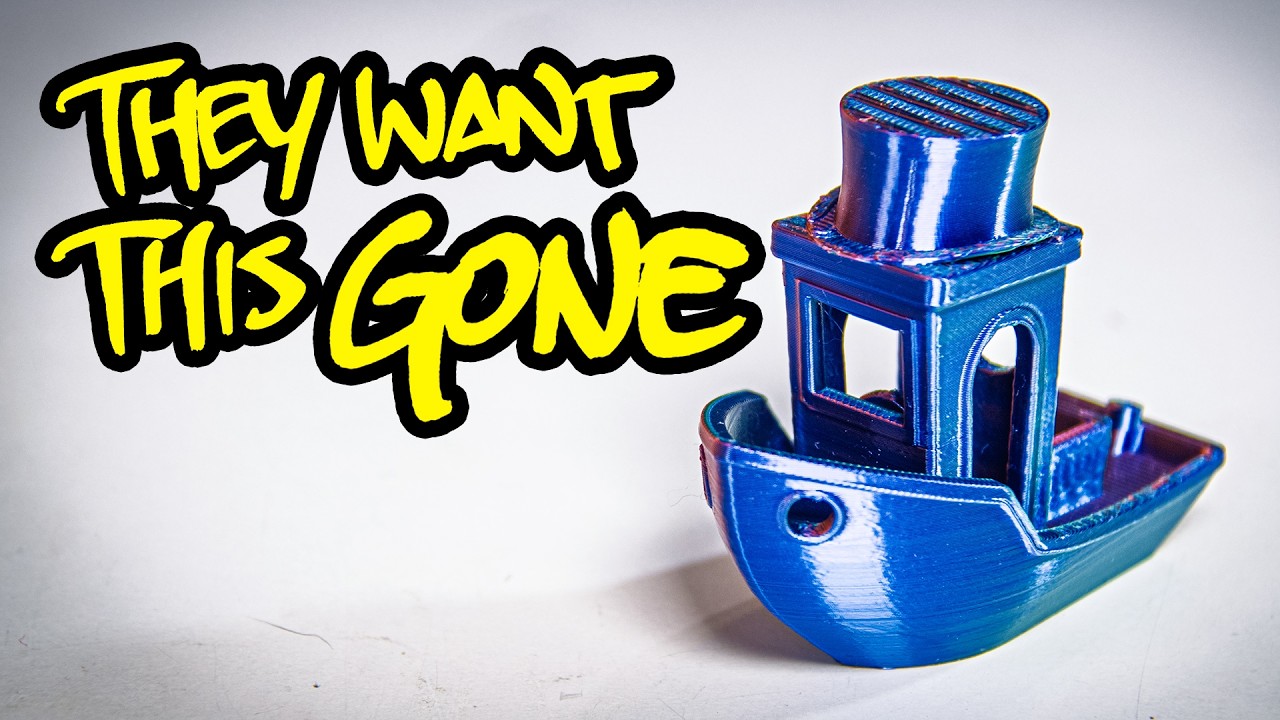
This episode is sponsored by Diamondback. What is the best 3D printer for a total noob who just wants to start making stuff? It's a great way to start a fist fight, but the honest answer is pretty much any modern machine will start cranking out models within minutes of unboxing. But back in 2013, when I was looking for my first printer, there was only a single serious answer. The MakerBot Replicator 2. This printer was so quick to set up, so easy to use, so rock solid, at least rocksolid feeling. It just had no competition. This printer finished projects. Other printers were projects. Without this exact machine, I would never have started my most iconic projects. I never would have met the love of my life, and I never would have got into making the YouTube videos you're watching right now. Or would I? Cuz the crazy part is the Replicator 2 is and was a terrible printer. This video is just going to compare my very first printer to my latest printer, a fully loaded Voron Trident, so I could show how far 3D printing has advanced over the last 12 years. But as I picked the Replicator apart, I realized this is not really a primitive printer. It's a barebones printer. It's an ill-conceived printer. And while it's wrapped in solid steel beneath the surface, it's a lazily designed and shapely built printer. But it was built this way on purpose. The Replicator 2 was a perfectly calibrated piece of marketing. It looked and worked just right to sell skeptics like me on 3D printing itself. But in retrospect, my first printer was far less reliable and way more frustrating than the serious tool I thought I was buying. Almost every corner was cut so aggressively hard, it's kind of funny. To Jewish people like me, a girl's 12th birthday is when she first becomes accountable for her sins. And this printer, my first printer, rolled off the assembly line in September 2013. Today is my replicator 2's Makerbot Mitzvah Groi Vikai. Shalom to Temple Beth Voidstar Lab. So, here's a fun fact. This printer effectively cost me $274,761. 3. It was May 2014 and I had kind of sort of maybe promised a client I could 3D print a prototype of their physical Bitcoin wallet before I actually owned a 3D printer. That has to be the most 2014 sentence I have ever uttered. I convinced the client to pay upfront in Bitcoin, of course, and I immediately liquidated the 2. 54 BTC for the 1,500 bucks I needed to buy a used MakerBot Replicator 2. Today, one Bitcoin is worth over a hundred grand. I regret nothing. I ended up getting more out of investing in myself than investing in virtual funny money. I only got into 3D printing because I could get a replicator, too. And without 3D printing, for one, I would not be on YouTube. My earliest videos both feature projects that I made on this exact machine. And the channel is more than reimbursed my $282,167 opportunity cost. Hi, Diamondback. And yes, my paper hands did cost me $7,500 additional dollars as I wrote this script. Pity me at patreon. com/sackfriedman. Besides, I ended up receiving a priceless dividend, and that was love. At the time, I was trolling a local Ingress player so relentlessly, she went out to fight me. Brooke and I ended up talking about 3D printing, and I was all like, "I have a 3D printer. Want to come back to my terrifying basement dungeon apartment and see it? " She did. So, as this exact printer made this exact bracelet, we smooched. Then a bunch of stuff happened and we got married. But this whole time, I've never really had any interest in 3D printers themselves. I hate spending a single minute messing with a machine unless it's the only way I can finish a project. And before the Replicator 2, the juice did not seem like it was worth the squeeze. Back in 2012, when the Replicator 2 launched, the best affordable printers were Rep wraps. They're basically piles of Home Depot hardware and science fair robotics parts zip tied to wobbly chunks of ABS printed on someone else's Home Depot hardware and science fair robotics parts or the same thing but plywood. I was volunteering at a hacker space back then and we had a literal pile of halffinish Huxley's Darwins and Puscha Mendals that were quietly abandoned during our openhouse events by people we just never happened to see again. Meanwhile, setting up a replicator 2 went as follows. Take it out of the box, pop off the clips, plug it in, and that's it. If you felt ambitious, you could slot in the filament holders. It came with ready to print jobs pre-installed, and calibration was just one script. And you know what? There's a decent chance it would actually finish its first print. The second print, though, for shadowy. A new Replicator 2 cost $2,200, about 3,000 bucks adjusted for inflation, but it looked like you got exactly what you paid for. The Repu's chassis is 100% 2. 5 millimeter folded steel powder coated to tasteful matte black with milled PVC panels that blunt the sharp edges. PLA
Segment 2 (05:00 - 10:00)
soarses from seemingly nowhere, gracefully cascading into the elegant cube of an extruder. The build plate rises like the stage at a hair metal concert, and it even has pyrochnics courtesy of a strip of urgl gamer lighting. From the soft glow of the go button to the scary warning labels to the neatly routed tucked away wiring, the real steel makerbot felt like a hardworking pickup truck in a world of go-karts on cinder blocks. For a guy who regularly watched folks fail so hard to tram their raw stocks they quit making things altogether, the Replicator 2 was a revelation. 3D printing had finally graduated from a free time disposal device to a true force multiplier. At least that's what I thought at the time. to have anywhere near a coin toss chance of actually getting through a job. I had to perform this tedious ritual of bed treatments and calibration scripts and watch the printer like it's a rabbit animal. But it worked just well enough that I kept using this thing until 2018 without upgrading literally anything. This Replicator 2 only has two modifications, both pre-installed by this printer's previous owner, cuz again, I bought it used. I'm about to mod this printer for the very first time. You know why? Because they sponsored this episode. You're looking at the only Replicator 2 with a diamond back nozzle. The easiest, most effective permanent upgrade anyone can put on almost any printer. Even if your printer is a 12-year-old relic, precision milled, laser engraved, and tipped with Americanmade polycrystalline diamond, the Diamond Back is the unambiguous best nozzle you can install on a printer. Diamond has the lowest coefficient of friction and the highest thermal conductivity of all known materials, so filament heats faster, flows smoother, and even prints cleaner. Since Diamond is harder than any filament or cleaning tool, it'll definitely last longer than the printer itself. This pair of Puscha MarkVs are still using the exact same samples Diamondback first sent me 4 years ago. The secret is this is no ordinary diamond. This is a poly crystalline diamond. Customuilt hydraulic presses over two stories tall apply almost a million PSI to a tiny capsule of diamond dust, fusing the microscopic crystals into a single polyrystalline mass. This scramles the molecular weak spots that make normal gems brittle, creating the toughest material on Earth. This diamond is effectively unbreakable. I really want to make a JoJo reference, but I don't know if they did enough lab tests for me to justify it. Diamondback has actually improved the design. Their nozzles are now nickelplated solid copper and the tips have a smoother filament path and a rounder silhouette. They now heat even faster. They purge even cleaner and they never leave lines on top surfaces, even if your extruder is very slightly tilted. which many replicator twos were. You'll see why. Oh, you'll see. No matter what you print, what you print it in, and on. The Diamondback is a set it and forget it power up. You will immediately notice. Click the link in the description to get the ultimate upgrade for almost any 3D printer. I actually had to remove this from the Replicator 2 cuz it was making it harder to show the printer's problems. So, why does a modern company make nozzles for a 12-year-old printer? Because the Replicator 2's nozzle is the nozzle of like every low-end printer ever. This is called the Mark 8 because the Replicator introduced MakerBot's eighth generation extruder. It needed a new nozzle design because this is an all- metal hotend, baby. Woo! Most printers of that era ran filament through a Teflon tube that went all the way into the hotend, sometimes even entering the nozzle itself. The problem with this is heat kills Teflon. So, MakerBot made the tube between the plastic pushy cold side and the metal squirty hot side out of metal. going all metal completely deleted a consumable part that had to be replaced like all the time and trashed prints left and right. Nowadays, all hotends are built like this, but back then this was hot Why use a material that is degraded by the heat of printing when you could use a material that isn't degraded by the heat of printing? Well, it's not because Adrien Ber had a smaller brain than Brie Pettis. It's because metal conducts heat. An extruder has to maintain two wildly different temperatures. a cold side that grips and drives solid filament and a hot end that melts and squirts liquid filament. The teflon wasn't only guiding filament into the danger zone. It was insulating the cold side. When you replace the plastic with metal, you now have a bridge that lets heat creep backwards through the system. It's called heat creep, and it causes all kinds of jams. There are a number of ways to mitigate heat creep. Makerbot them all up. First line of defense, just make less heat in the first place. When filament leaves the nozzle, it carries with it the thermal energy used to melt it. So, you want the heating element to restore just enough to maintain the printing temperature because every extra jewel it puts into the system has to be taken out before it causes problems. So, all printers, including the Replicator 2, have a thermometer in the hotend that regulates the heater. But for some reason, Makerbot decided to use a thermouple. This sensor generates a voltage proportional to the temperature. But each degree only changes the output by like 40 millionth of a volt. So you need an amplifier, but that will also amplify all the interference coming from all these motors picked up by these two foot
Segment 3 (10:00 - 15:00)
long wires. The chef's kiss, this is a ktype thermouple. Its temperature range goes up to 12,200 Celsius. A hotend of a 3D printer that only prints PLA should never go far above 220. The Replicator 2 was so bad at regulating its temperature, MakerBot's default profile prints PLA at 230 C. That's overdriv the hotend, a good 30C to make sure it never dips below the melting point. All that extra heat has to go somewhere. That somewhere tends to be the rest of the extruder. If you're curious, the correct choice for this job is a heat sensitive resistor called a thermister. It's easier to read. It's far more immune to interference, and you can match the specs of the sensor to the printer's operating temperatures to max out the resolution. All modern printers use thermostatrmers. This E3D Revo even integrates one directly into the heating element itself. The Revo's nozzle also illustrates the most effective way to contain heat creep. Notice how the metal changes color twice. The tip and the threads are made of brass, which is a great thermal conductor, but they're connected by a thinwalled tube of stainless steel, which is actually kind of a crappy thermal conductor. As a bonus, thermodynamic makes heat hate moving between two different metals. So, this so-called biometallic heat break forces thermal energy to jump from brass to steel, struggle up the steel, and then jump again from steel to brass. The brass happens to be screwed directly into a heat sink. This creates such an effective choke point. The Revel only needs one tiny fan to stop heat creep cold. You know, I intended the pun. Who the are you watching? The Replicator 2 is a short stubby cylinder they call the thermal barrier tube. This is bolted onto an aluminum bar, literally a chunk of aluminum bar stock using two jam nuts, and the lower nut actually increases the contact area between the hot and cold ends. I think the idea is supposed to be that the big beefy bar's thermal mass will divert excess heat away from the filament path before it can cause problems, sending it into this heat sink or into this big chunky extruder motor. This is a terrible design. There's no thermal paste between the barrier tube and the bar or the bar and the heat sink. and the heat sink is only like halfway on the bar. So, it's hard for heat to even get into this thing in the first place. But bolting the bar to the motor is actually making things much worse. The Replicator 2's Esteeer runs very, very hot, and that heat is going directly into the thing that's supposed to be getting heat away from the filament path. The Replicator 2 jams so frequently that even a decade later, I still catch myself avoiding prints longer than 2 or 3 hours. And the up part was I was playing on easy mode. This printer's previous owner had installed a mod that was making it much more reliable. This spring-loaded lever presses a ball bearing idler into the filament, which mashes it into the serrated drive gear and gives it more traction. It helps the printer control the filament more finely, and it's surprisingly modern. My Trident's Jabberwocki tool head works the exact same way. They even have the same little protruding arm that acts as a manual release, so I can pull out filament without having to mess around with scripts. It adds a thumb screw so I can adjust the tension and even flip it open entirely to clear jams. But note how instead of a ball bearing, the Jabberwocki has a whole second drive gear. This is called a dual drive idler, and it meshes with the powered gear to apply traction evenly on both sides. Twice the grip means half the tension, and that means a lower chance of chewing through the filament or snapping it. It also drives the filament directly into the heat brake, while the Replicator 2's ball bearing applies an asymmetric force that bends it and mashes it into the sidewall of the barrier tube, which I'll remind you is overheating. However, it gets worse. The factory fresh Mark extruder had none of this. No ball bearing, no release lever, nothing. This is an aftermarket part. The stock idler, finger quotes, was actually a spring-loaded Delrin plunger that mashed the filament into the drive gear like you're holding your thumb on it. Words fail. Compared to a rolling ball bearing, a sliding delrin pad adds a ton of friction, and that forces the motor to run harder and hotter for no reason. It also wore down as filament rubbed against the same spot over and over. So, you had to replace this part regularly. And this stupid bit of delerin bent the filament so hard it would often miss the thermal barrier tube entirely, snap against the aluminum bar stock, and need a complete extruder tear down to clear. I never experienced this firsthand, but let's just say there's a lot to read about it. This prima fascia dog design immediately became so notorious, Makerbot themselves actually combined a bunch of workarounds made by its open- source community and released them as a first-party hardware patch. They even sold parts kits. They charged buyers of their $2,200 product 11 inflationadjusted bucks plus shipping for two screws, one spring, and one bearing to reverse a bad decision they put into their product using a mod you still had to print and install yourself. A mod that Makerbot based on
Segment 4 (15:00 - 20:00)
work its own users felt compelled to do just to keep using their printers. As far as I can tell, none of the parts kit proceeds went to the people who made these mods. This is diseased. But it gets worse. This extruder mod is obviously meant to be printed on the same printer you're upgrading. And the Replicator 2 can only print PLA. PLA is brittle, so let's print a release lever in it. PLA deforms under constant load, so let's put a spring under it. PLA melts in a hot car, so let's mount it directly to a hot stepper. And the recommended print settings are only 10% infill and three shells. I don't even print benches with 10% infill. I don't know if it's more charitable to assume they did or didn't know what they were doing. Needless to say, many Replicator 2 users eventually bought a third-p partyy upgrade kit like this one that actually could handle standard operating conditions. This is the point where my rose tinted glasses began to crack. So, I went looking for more ways Makerbot might have tried to rat me. It did not take very long. One of the worst parts of this printer was the ceramic insulation around the heater block. It had a nasty habit of wicking up molten plastic, peeling off and causing an apocalyptic fiber reinforced mamm. But why was it necessary? And why was it tape? It turns out the part cooling fan had such a leaky duct it can out cool the heating element. You know why they didn't apply sealant or solvent weld the parts together or just mold this as one seamless piece? Cuz you. That's why. But then why did they use short-lived, failureprone, hard to apply ceramic tape insulation instead of a silicone sock? Because you, that's why. The Replicator 2 sister product, the 2X, released at the same time, and it has silicone socks. Makerbot designed extra space into the 2X's heater blocks for the sock to grab onto, but not on the Replicator 2. This extruder block is tiny. This ass tape was the plan from the start. I cannot believe how much time I wasted reapplying this tape than losing prints when it flapped open anyways. Then wasting even more time waiting for MakerBot to send me more tape. All because Bri buttshin Pettis wouldn't sacrifice 20 grand of his $10 million series A for one more injection mold. Cuz you. That's why he makes a good face of the company because he was literally the face of the company. I lost my place. But what I really wish this pigeon looking ass had splurged on is sensors, particularly a runout switch and a bed probe. The runout switch detects if you've run out of filament. I know it's very technical. Try to keep up. Without a runout sensor, you pretty much always lose the final model you print with each spool because you overestimated how much filament was left on it. Also, your nozzle is now clogged because the printer spent the last 8 hours incinerating the last drop of PLA to a carbonized crisp. A runout sensor is literally just a micro switch with maybe a ball bearing to reduce the friction if you're feeling frisky. This printer already has three micro switches on the end stops and MakerBot absolutely could have added a fourth. They just didn't. As for the bed probe, this detects how far the nozzle is from the print surface. Most 3D printing failures begin on the first layer cuz that is the only thing keeping the print stuck on the printer. If the nozzle begins too far from the build surface, there's not enough surface area to keep the work in progress from detaching and turning your print into a spaghetti. But if it's too close, the build plate plugs up the nozzle, building up pressure, jamming filament, causing grinding, and even triggering a total nozzle blob blowout. The Goldilocks magic middle might be a matter of mere micrometers. And it does not help that every bed, like every penis, is always a little bit sideways and curved. Pretty much every modern printer starts every job by taking a grid of height measurements. Then, as it lays down the first few layers, it nudges the Z-axis up and down, so the nozzle follows the actual contours of the build surface. This so-called mesh leveling basically guarantees a perfect start, and it's arguably the main reason today's printers are so much more likely to finish most jobs with zero manual intervention. The Voron Trident actually does one better. Its bed is mounted on three independent lead screws, so it can physically tilt the plate to bring it parallel with the gantry. Really cool. My new trident bed sensor is called the clickie probe, and it's a magnetic micro switch that docks right behind the nozzle. It's literally nothing but a micro switch on magnets. Before each print, the extruder runs over and collects the probe, and after it takes its measurements, it puts its toys away. It is so smart and yet so dumb and yet so smart. This could absolutely have been done with 2012 era printing technology. Let's see what MakerBot did instead. The Replicator 2 mounts the build plate bracket to the Z-axis carriage with three spring-loaded thumb screws. A script walks you through tightening and loosening these puppies as you wiggle a slip of paper under the nozzle like a feeler gauge. Not only is this awkward and imprecise, it means the reliability of your printer largely depends on the thickness and consistency
Segment 5 (20:00 - 25:00)
of the nearest piece of junk mail. And you have to do this every single time cuz the shock of the nozzle dragging across the print in progress is going to jiggle those thumb screws loose. And if you forget to heat up the nozzle and wipe it clean before you start this, then woe betide the epox onto your household. I literally, not figuratively, did this stupid paper wiggling procedure a literal thousand times. Not figurative. So, when I first saw my Trident level its bed the exact same way by probing three points and adjusting three screws, but automatically, it blew my mind. A computer controlled probe and some lead screws do a better job than two fingers and a fake extended warranty offer for a car I don't own. Who knew? But no matter how you do it, a three-point adjustment can only compensate for tilt. If the bed itself is bent, you cannot screw your way back to flatness. The bill plate that shipped with the Replicator 2 was not flat. It was very a/2-in thick acrylic slab engraved on one side with MakerBall logos and frosted on the other side, so you can't even see the logos. Acrylic is always a little bit warped. It's just what plastic does as it cools. The Replicator 2 gives you no way to compensate for this at all. And the original manual did specifically instruct you to print directly onto bare acrylic. No glue stick, no blue tape. Brie Pettis wants to see you raw dog in hot sticky PLA directly onto your overpriced plastic build plate. It didn't take long to ruin the surface because acrylic scratches if you think about it too hard and you couldn't flip it over and use the other side because someone engraved it with MakerBot logos. So consume more custom branded MakerBot build plates. Consume. So, the first thing everyone, including the previous owner of this printer, did was yeet the stock plate right in the trash and slap on an aftermarket one made of glass. Plate glass solidifies while it's floating on liquid tins, so it is really flat. Unfortunately, this particular plate was then tempered and frosted, which kind of unflattened it. So, I had to use a raft. I would start each print by printing a flatter print surface to print my print on. The raft would not always give up the print voluntarily. A lot of jobs needed a little manual persuasion and it always seemed to end with a knife in my finger. Also, the bed was not heated. It could have been. The 2X's bed was heated. So, why didn't they? Because, well, maybe not. you. I suspect Makerbot deliberately omitted the runout sensor, the bed probe, and the heated plate. Not due to technical limitations, not due to ignorance, not even due to the profit motive. I think they were scared of snobs on the internet. War never changes. You don't technically need a heated bed to print PLA. It makes it way easier. more reliable. Every single modern printer has a heated bed and is absolutely used for PLA. But if you want to be a total pedant about it, it's not strictly necessary. The 3D printing community of 2012 was viciously opposed to any sort of convenience feature. If it was physically possible for a task to be done using diligent skill in your hands, but you automated it out, you get your head ripped off. If Makerbot added more features, I think they would have been blasted even harder for their printer's outrageous price, even if they didn't increase the MSRP, they would be accused of shoveling in unnecessary components just to mark them up or making printing itself degenerate by letting cash replace skill. As it happens, they were accused of both anyways. So, they should have just add the sensors. Assigning moral goodness to a necessary work is a pathological madness that still infects the so-called 3D printing community to this very day. Makerbot could and should have ignored these demented, shrinking losers and released a significantly better product at very little cost to their bottom line. I think it would have set the pace for a healthier 3D printing community that would have advanced faster. But nothing could excuse this part of the extruder, the part where it joins the motion system. In fact, the whole motion system on this over $2,000 printer is so cheap and flimsy, it's not even suitable for a $200 printer. The Replicator 2 has fairly standard kinematics for its day, but implemented incredibly dumb. It uses an XY gantry with two smooth rods per axis, and the sliding elements ride on centered brass centered, that's hard to say. sleeve bearings, not ball bearings. These are made of oilite or porous brass impregnated with a nominally lifetime supply of lubricant. As it drags across the rail, lubricant supposed to trickle out and keep it coated. Did it work? Judge for yourself. Why aren't these ball bearings? Brie Pettis, show me your balls, Bri. Put them on the rail. I think someone at Makerbot read the cell sheet for these things, saw the word zero maintenance, and just switch their brain off. And while the Rep 2's chassis is solid steel, the structural parts, you know, the things that actually hold the components and make them work, are nothing but flimsy injection molded ABS.
Segment 6 (25:00 - 30:00)
Not even fiberfill, just wobbly ass ABS, 2 mm thick. This is so stupid. This printer's moving parts are wobbly. They're rickety and they're friction fit. You can just snap off the extruder. The bushings are just clipped in place using the flex that you only get because it's so cheap. Look how wobbly the extruder ends up. Round rods don't stop bearings from twisting. So, the only thing keeping the extruder perpendicular to the build plate are 2 mm thick non-fiberfilled ABS brackets. Many printers, such as Puscha's i3 series, also use rails and sleeve bearings, but they only ever apply force along the axis where there's a drive belt to absorb the inertia. The Rep's Yaxis moves its X-axis, and that applies a moment of inertia in a direction the bearings and belts cannot absorb. It's all down to the plastic brackets. Nowadays, if a quality printer has two linked moving axes, it's not going to use rods at all. It's going to use linear guides. These permit nothing but side to side motion. and even a single one can render an extruder almost impossible to tilt. This technology has existed for a very long time. At the Replicator 2's price point, they absolutely should have used linear guides, if only for the X-axis. Now, don't think that because I've been bullying the X and Y axis that Z gets off the hook. On principle, the Z-axis is actually fine. It's driven by a single lead screw, precise but slow, perfect for the Z-axis. And it's flanked by two hefty rails that also have self-lubricating brass bearings. But these rods seem to be coated with some sort of polymer that makes them super slippery. Why the didn't they do this with the other axis? Cuz you, that's why. Here's the problem. The rails and lead screws are all in a line against the back of the printer. So the Repu's build plate is basically a diving board. Of course, that platform is also made of injection molded ABS, so it's slightly flexible. And the build plate is mounted on springs, so it's wobbly. Our nozzle was calibrated with a coupon for a hamburger stand that's literally called hamburger stand. So, it's scraping and poking all over the print. The end result is the literal foundation between every single print job behaves like this ruler. All MakerBot had to do was move the rails to the other side of the bed. No, the rails would not block the build plate. You winging. You put them on the corners. You could even swap them for independent lead screws so the printer could threepoint level itself like my Trident. I already showed you this, but it's really cool. You've already watched most of this video. You might as well finish it, right? Some cost fallacy. Gets them every time. Some people are going to say that Ultimaker, Solidoodle, and even Dremel used this same cantal lever, but that makes it worse. Makerbot was very talented and very, very well capitalized. Yet, I cannot imagine this plastic tuning fork emerging victorious after months of comparative simulation and prototyping. Makerbot didn't have to do it. They chose to. My friends, my peers, and you, our foreheads are about to bump into the very bottom of the barrel. We have arrived at the shittiest part of this shitty printer. Some so shitty it should permanently break your trust in every company that makes everything you own. Trust that really should not have existed in the first place, but I'll take what I can get. The Replicator 2 requires a proprietary piece of MakerBot software to generate its files. And that program no longer runs. Not on anything. Not virtual machines, not nothing. I had to dust off my original Retina MacBook Pro and disable the Wi-Fi card cuz I knew if a single update went through, this thing would break. So allegedly, you can slice models for the Replicator 2 using this program, Replicator G. I couldn't run Replicator G either. I couldn't find any substitute program that would spit out the proprietary X3G binary G-code that this thing expects. It's actually illegal to reverse engineer it. 12-year-old unused software is still covered under the DMCA. And besides, it's not the point. Replicator 2 is not just a printer. It's an historic landmark in consumer technology. and for all intents of purposes, every single one that has ever been made is an unusable brick so worthless you literally cannot even give it away. Folks like me were so caught up in the opportunity to actually use a 3D printer that we allowed corporate reptiles to coax us against the proprietary wall. When we stopped buying their branded acrylic build plates, they simply disposed of us. Now, the company's been acquired by a company that's private equity firm. And you know what they think about 3D printers and the people who use them? They couldn't care about us at all. The company formerly known as MakerBot was and still is nothing but an investment vehicle for moneyed interest. At the end of the day, that is all the Replicator 2 really was. A precision shot to penetrate a new market. And I got to admit, MakerBot got me good. The steel chassis, the turnkey setup, and the pretty lights reassured me enough to
Segment 7 (30:00 - 33:00)
drop 2. 54 bitcoins. But the strongest powdercoated steel is meaningless if the filament release lever is printed in PLA. If you're nervous about building a challenging printer, you don't have to go it alone. Our classy community at discord. gg/voidstar lab is exactly what I wish I had when I got started doing this. Special shout out to LDO for providing kits for the Voron Trident printer, Box Turtle filament changer, and Jabberwocki tool head. And thanks to CookieCad and Sriate for the filaments I used to make it. I'm not sure if I'm going to make videos about it. I figured a video just about a printer that I built from a kit was too boring to make a video about, but whatever. I can be convinced. But the best part of the modern era of 3D printing is my patrons. They support my videos so I can tell it like it is. 12 years too late, but you know, each video I think three random lab scientist supporters. Give it up for Dennis Henderson, Boulder Creekyard James, and Zips as well. — Our totally tubular top supporters we call collaborators. Our returners a Shppy the Swagster, Zachary Vulpus, the Suits and Our Fun, the Benevolent Misenthrope, Scott Reini, SXP, Chuck Meard Baby, Zombo DB, and Gridfi. C. I've hidden their names somewhere in this episode, and you'll never find them. Ah, their plaques are also permanent parts of my workshop and so could you be in my workshop on a plaque. Give me money. Our extremely serious collaborators include Reagan, Nat, Shane, Quantumly, Tangled, Xan, Dez, Dale, Onyx, Moonkin, Daniel, Morgan, RTB, Good Suck, Chris, Kevin, Lost My Left, Nut in the Pain Olympics, Big Bird, Tommy, Jean Baptiste, Right to Repair, Paul, Not Prince Michael, Melvin 2001, Jack, Rihanna 99, and Auntie Tux, Lydia K, Walrus, Brin, Captain Helmet himself, Max Luck, Acorn, Doomcrew Inc., Aaron, Haley, Iron, Slippy, Eric, the Krollster Spam you, Michael Achelia makes Zach say trans rights are human rights. Period plots Martin, Zash, Talon, Scrotto, Crash Doom, Michael Jr., Brad, SKL, 6A6F, Clayton, Evan, Rusty, Urgay, Bill, Igore, Alex, Aorse, Elitist, Pilgrim Labs, Colin, Carrot, Sir, Squeaky, Reynold, Blammo, Cameron, Ama, Robert, Wuhan, Bill, Dr. Mrs., Danny Devoid, Grathy and Brent, Dan, Travis H, Bob Dob, Kermit, Eddie, TR, Tony G, Spire, Lfinger, Stormb, Renode, CCH, Sarah, Ry, Rob, Robo, Kim, John Z, Zap, Cliff, No Disassemble, Snow Chow, Cabal, Snow Cow, Kabal, I this up every time. Joseph R de orbital mechanic agent max proons in a pico lions lion cat 55 ltttstore. com burnduck 3 marcy levelvel quality doggo sunburnt cat water heaters with leaky auras lost socks cookie cataclysm tactical possum cullen vi roger transite sticks captain kirks jockstrap tites prd the cune zac Robbie Cox Travis P Mike Kameron VK Elmore the monk ry t dbd Dr. Lucifer, Morgan Stern, FarmD, Nuclear, Nova, Craft Computing, and Chardalos. Never trust a fartalos. Thanks for watching, and I'll see you in the future where 3D printers will have even more sensors.