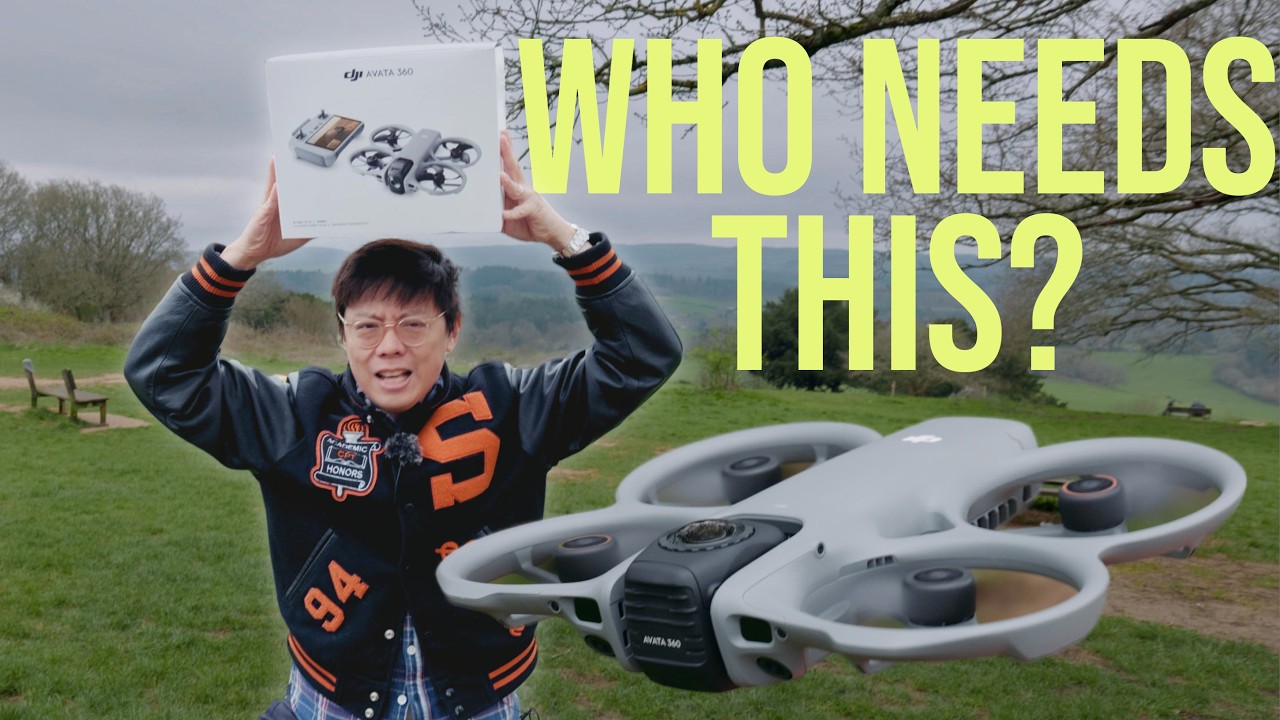
loading right now. — It's here. Oh, yeah. It's the DJI Avatar 360 and we're going to do an unboxing right now. Let's go. Where we going? Table. There we go. That's a little bit hard. — I don't know why I have to add sound effects as well. It's got it own sound effects built in. That is how windy it is today. Lock. — Yes, it's really cold. — This is going to be It's going to be a good test to see uh how this fares in the winter. — It's like a It's like um those you put your beer in. — Cold. — Yes, it is, isn't it? It's very square like. I think it's even more square than the previous bags that you get with DJI drones. But this is the fly more combo. So you get asked — fly more. — Yes, that's right. You get the drone itself, the DJI RC2 pictured enhanced transmission. Is that a product enhanced transmission or is that a feature? Anyway, let's have a look. Um, let's hope that doesn't fly away. Yeah, even the box. — Fly more. It's a fly more box. So, here we go. This is Oh, goodness. It do fry — a little soy packs like this. — Yeah. I wonder if it comes like this. The final product. I kind of like it cuz I don't like those bags where you just dump it, you know, that ends up in the bin. You can reuse this, can't you? For your, you know, when you go on holiday and you got your dirty underwear and then you want to put it in a bag cuz you don't want to dirty the rest of your clothes. — Is it Do you do that as well? Leave your comments down below. We'd love to know what your underpants habits are. Anyway, this is it. Let's put it there first because we've got more. — Oh, it's bigger than I thought because the usually like Avatar usually really small — and I guess because they need to maybe spread out the electronics because it's a 360. It needs to — Oh, yeah. You can't it can't be in the wheel of the camera. — It's a bit like those stealth aircrafts. You know the what's that stealth aircraft where it doesn't have any it's the B something — B yeah something — two — yeah I was thinking B2 but that sounds I don't know if that's one of the bigger ones but know you have lenses there. What else have we got in the Fly More package? — Landing pad I guess. Unless it's a diary for you. Flying diary. — That's what they give me during Christmas time. The DJI branded diary. Oh, you're right. Lock. I don't know if I'll use it, but well, let's use it today. That is really cute. See, look at that. The How do I take off now? — Take the pet will fly away. — It's taking off as well. Let's use this. Let's Why would you think it works? It It flew away before. — I don't know. Okay. Uh, yeah, remote controller. Oh, I'll use that. See? And then what we got in here? Power spare props. I guess that makes sense. — And it looks like package of um sea toy. So, Japanese seaweed. — Spin. Not spinach. Yeah, seaweed. USBC, which will be adding to the collection of USBC cables. — I do like this good one though. — Yes. I especially like the Hasselblad ones that they've got this kind of like they have Hasselblad USBC cable. — Yeah, that's just a flex. Uh instruction manual, clean cloth, one of these. — All right. Okay. — There we are. — Snacks dry. — It's a joke. — We Yes, we need to put a disclaimer, but if you do accidentally eat it, Sue lock, that's Let's get flying. I feel like I don't really need to explain the RC2 because — I'm actually surprised it comes with a normal controller. Anti-gravity have the gole and then the joystick thing. — Especially when you're flying 360 with a gole, you can look around. — Yes. — Not this. — You know, they probably assume that some people might already have a pair of goggles, in which case you don't want another pair of goggles. So, you've got different kits. You've got a more basic kit. You've got the FlyMore kit. And then you can get a kit with the goggles as well. So, — probably. Yeah. — Since you've mentioned it, you might as well bring it out now cuz you brought — Yeah. Keep talking about it. We do have it. — Magic cut. Okay. Here we are. It's the Well, that's a lie.
Segment 2 (05:00 - 10:00)
It blatantly has got gravity. Look at that. It's on the table. — Yeah. — How is it anti-gravity? What a lie that is. Wow. It's very Gundam like. — I mean, it looks like some kind of Honda type R kind of stuff. — Yeah, it does. Yeah, it looks like some Japanese superhero. The batteries. — And the drone is in here. — Yeah, you got it in a hard case. — Box. — Oh, it's cute. — Yeah, it's quite — That's really tiny, isn't it? — Yeah. I think I re I wouldn't be surprised if somebody from DJI defected and said, "Hey, oh shit. " Bloody hell, this is a nightmare lock. I mean, honestly, I have not seen it before. I just heard about it, but I involve looking at product pictures. Okay, let's put that aside first. Let's set up what resolution. Oh, it's AK30 as standard. So, there's up to AK60. — Should we uh take off not under the tree? — But first, a brief shout out to the sponsor of this video, Squarespace. It's just the best solution for setting up a website or online store quickly and easily because the interface makes it a breeze to do so. Start off with one of their neat looking templates. Customize it, shift things around, and that's it. Get going with a 14-day free trial and 10% off your first order. Links in the description down below. Okay. — Updated. — Oh, after take off, it rotate the um camera. I guess this is the optimal position for the 360. You did make a good point about the headset. It seems more suited for a 360 drone. Like, so you can just have a look around. And I haven't quite figured out. I think it must be one of these. All right, let's zoom. Oh, but anyway, it looks like you just have to rely on the dials and the buttons here. — So, right out — the left dial. Well, that you can see it moving up and down. Uh, how do you switch left to right? Well, this is zoom in one on the right. And then the this one switches — little planet mode. — Yeah, little planet. — Yeah. I mean, if you want to have the full experience, I think you might be better off with goggles. But let's just show you what it would be like if you just want to go for the basic kit, the fly more combo. So, yeah, AK50, AK60, which is quite generous, isn't it? I can't remember what the anti-gravity is. I don't think you got AK, have you? Or at least it's AK25. No, it's AK25. AK30 on the anti-gravity, isn't it? So, in theory with a 360 drone, you don't need to have too much fancy flying skills, especially with the omnidirectional obstacle detection. Like, you can just fly it straight and then afterwards in post, you can kind of do the camera movement because 360, right? You can just fly it straight and do the heavy lifting. Well, I will have to do the heavy lifting in post — from that exact same clip. You could have it fly backwards with tilt or forward with pan and tilt. Although you have to bear in mind that this is the untreated 8K 360 video and you have to crop into a small portion to get your normal flat video. So reasonably sharp AK 360 video would end up like this. You can zoom out more to get a sharper image, but it would become very fisheye looking flying fish. So, it just won't be as sharp as, for example, this taken with the DJI Mini 5 Pro. Also, with 360 cameras, you would get these artifacts at the stitching line between the two lenses. Worse when the object is closer, I don't know. Does it seem a bit I don't It's because it's wider. It just seems a bit kind of more flappy like, isn't it? — Or maybe because it's 360 like it a normal drone. It can do it can tilt. It can pan. Not pan. It can tilt. — But then it can't go over what the gimbal can do. — Yeah. — But this one, it can really do like — I mean the props definitely look different to your standard um you know like your Mavic props. I don't know why. I'm not that technically minded. It feels like I have to pick the right kind of view because it looks otherwise it might look really far away than further away than it actually is from
Segment 3 (10:00 - 15:00)
like offic. — Yeah, cuz like that I mean when I'm looking at from here I'm thinking okay I need to think about those trees coming up here. It's like what trees? Right. Okay. If we get to this big tree here. That looks really close, doesn't it? Here. It's tiny in the frame. Let me see what kind of quick shot features we've got. You got these fancy 360 novelty features. All right. So, this is rotate start. — Oh. What? I didn't like that. I thought it was going for my face. — Let's go this way because there's less obstacles. The rotate quick shots is pretty cool. It was previously only possible with the Mavic 4, which was able to physically rotate the camera. Now the drone nor the camera rotates, but it simply rotates the footage. Let's check out some old quick shots. Droney. Well, that's pretty standard stuff. I mean, this one is just like the regular drones. That's not really any different. This one's rocket. I mean, these ones are just the standard stuff. Yeah. With quick shots, you actually still get a 360 video in the memory card, but if you use the DJI app to open them, they can be exported as flat video with a finished quick shot effect or angle. You know, I think some people who are looking into this are probably people who haven't flown drones or used the DJI before. Well, the other ones we don't really have. We've got too many trees around for that. You can still use it as a regular drone. You can switch it to single lens mode. It is actually much sharper the single lens mode. Well, anyway, let's sort of turn it home. I did want to note that uh they've provided a kit — updated. — Shut up. — You can actually replace the lens on this. — Oh, yeah. Yeah, yeah. Yeah, that's a good thing. — Well, the thing with the DJI is that it's got your omnidirectional obstacle detection. I think the anti-gravity doesn't have that, does it? have some at least — not enough. Well, let's fly it into tree and find out. — Um I don't mean it like this. — Uh I think I mentioned should you like uh should we — should we uh take off not under the tree? — That was such a comedy takeoff. Right, let me try the rear obstacle detection. Let's fly straight into the tree. Yeah, it works. And sideways. Yeah. From the front as well. Well, there we go. — Yeah. And it stops. I guess the lesson here is that no sensor can detect all obstacle 100% in every single direction. It's the same for cars, isn't it? — It's got tracking capabilities. I mean, how many subjects has it detected there? — One. All right. Well, the tracking feature remains the same as other DJI drones, just like quick shots. Again, it also gives you a 360 file, so you can re-edit it as well. Let's try photo. So, we'll take 120 megapixel photo. There we are. 120 megapixel photos that takes unfacity photos. Ah, brings back memories of Facebook feeds where you can use your finger to pan around the photos. Amazing. I think it's quite useful the idea of a 360 drone because not everybody is like a drone expert and to just be able to focus on just flying it just to focus on not crashing it and just looking at where it's going and then you can think about the camera angles and where it's pointing later. Of course, it's not going to look as crisp. Surely you just have to have that expectation when you're using 360. That's the same with the Osmo 360. It's not, yes, this is going to be really top quality footage. It's just sometimes you need to have 360.
Segment 4 (15:00 - 15:00)
look at the footage afterwards and then pick where the camera is facing afterwards. Home point updated. — All right.