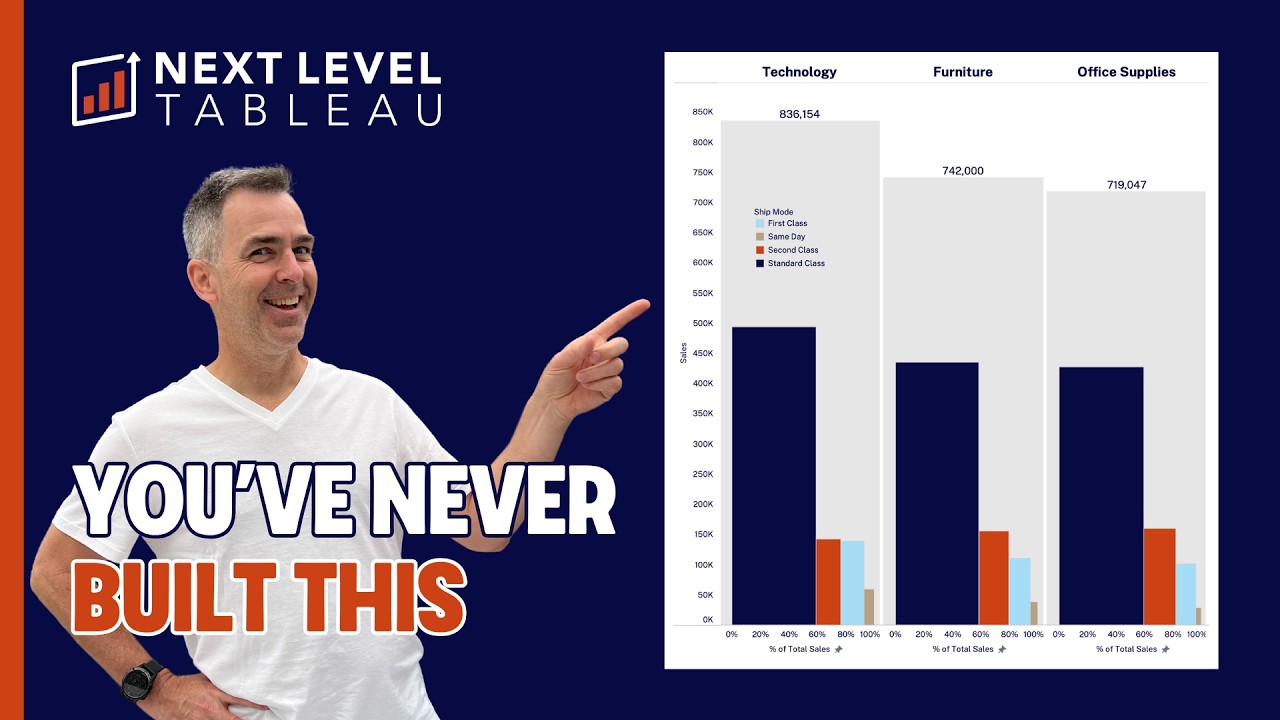
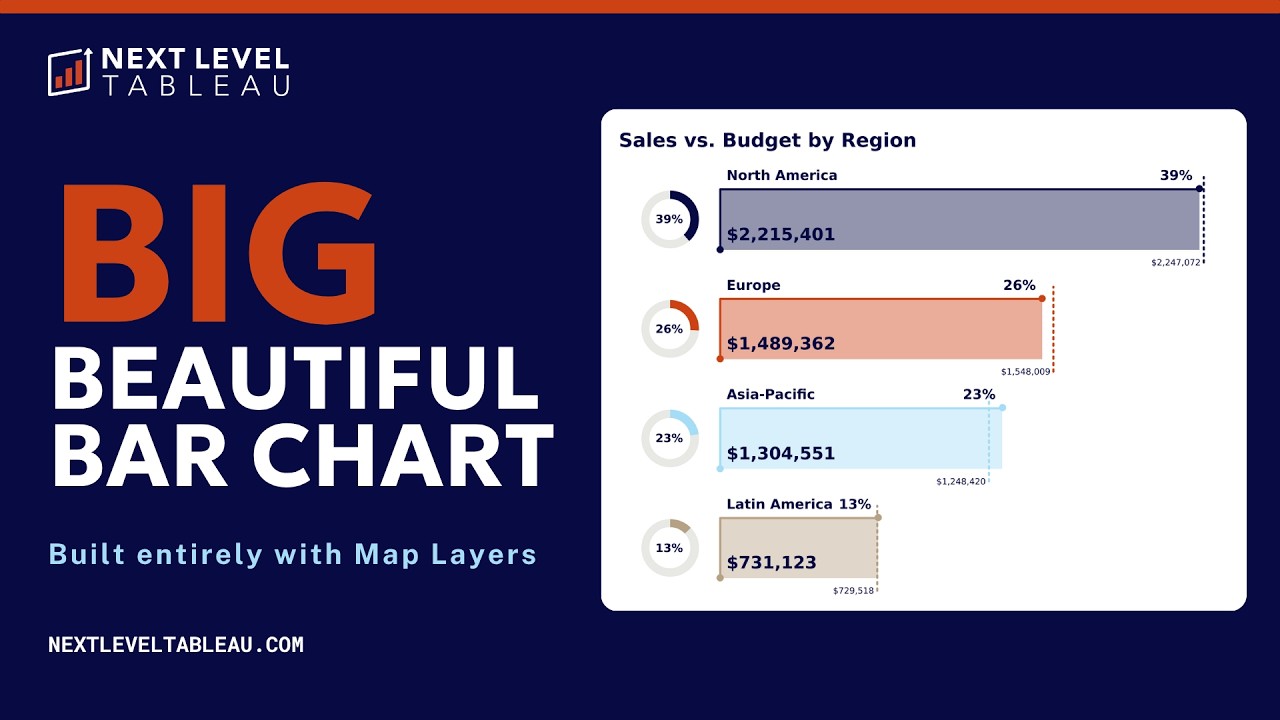
So Andy, we just had lunch, had a bit of a chat about work stuff as we always do, and we had this idea that for people to get to know you and your teaching style a little bit better, we should uh we should have these kind of conversations. And the other day, I think it was a couple of days ago, you were working for many hours on a chart. It was a gauge chart, and you're one of those people, you don't give up until you're done. Um, so we said we would talk about it. the gauge chart and your process of building it, why, and all of that. But before we dive into it, what do you want to add? — Well, first off, this was a class I'm going to be teaching in NLT. And when I prep for the classes, I want to make sure as I do my notes, I go through all of the content again, even if I've done it before, but I want to make sure that I understand it well enough to be able to explain it to other people because like what happened where you're talking about where I was just working on it, I was building the gauge chart and there was something that was off by one degree and it was really annoying me. Um, and I did some research and kind of eventually it just clicked in my head what I needed to do. I was explaining that to you and you're like, "Oh, that'd be good to share with people. " — Yes. Because I think well, one once I have Andy always has many different ways to do the same thing, right? That's why he's a great teacher. I've seen it in action. I've learned a lot from him over the years um interlo but also otherwise. And a gauge chart might seem quite simple, but there's so many like complex visualizations and it can be very tempting to say, well, I want to show how smart I am. I'm going to build something that's like really impressive. But the impressive things are the ones that people can actually understand and they can take action on. And to do something simple, you often have to do the hard bit first and then break it down. And I think that's, you know, what you bring out in your teaching as well. You need to understand the ins and outs no matter whether it's something simple or complex and different ways of doing it before you can really confidently teach it to others and confidence of doing something that people might you know a gauge chart or even a bar chart with like reference lines or something and you're like when you can do that confidently and clearly and in many different ways and in for many different use cases that's a lot of the magic rather than — building super complex dashboards — where Heaven forbid somebody asks you a question about it, right? You told me already, but tell people why did you want to figure out this gauge chart challenge for yourself? — Well, first off, I've never really kind of well, I shouldn't say I've never I've built them before — following templates, but not really understood what they do. Um, and I love doing kind of edge type stuff or edge use cases for people in NLT in the advanced classes. And I just get inspiration from the community for different ideas like different charts. Like people are always asking for gauge charts. They're not best practice. Totally get that. Whatever. But stakeholders love them. So if you know how to build them, well, why not do that, right? If that's going to be very satisfying. They're super easy to understand for people as well. Um but incredibly complicated to build in Tableau, at least the resources that I had used in the past. So um I wanted to make sure that I understood at a level that I can easily repeat back to other people um how to actually do this so that they can then do it themselves. You know, I make tons of notes along the way. I have like my template up on a second screen when I'm teaching in case, you know, well, not in case because I'm inev I'm inevitably going to get a calculation wrong and have to refer back to it, right? That's kind of the whole point of creating templates and things like that. Um, so it's like a I build a resource for myself that I can then leverage and I was also thinking about again looking at all these different ways that people have been building them like how can I leverage what they did but with the knowledge that I have with ways of building other charts and how can I combine those. So, I came up with the idea of I wanted to build a gauge chart that doesn't use any table calculations because when I look at the different examples um by people I really trust and actually I'll go ahead and share my screen with you Eva because I think it'll be really useful for me to kind of show you my process on how I did this. What I do is I go out to Tableau public and I always look for authors that I know and trust. So, um, you know, EH data and, uh, Fluriggages and Sam Parsons, that's probably enough to kind of, you know, give me a good background on what, um, what I need to do. So, I download the workbooks, kind of see what they're doing, get an idea.
Segment 2 (05:00 - 10:00)
And all of them use, they're very similar. All of them are very similar. Um, but they all use table calculations. They all look a bit different, right? You know, some of them look nicer. You know, Sam in particular has a really great eye for design and kind of mixing in a bit of flare with them as well. Um, the Flare Leges always have super easy templates to follow along on their blog. But again, it all required a lot of things that I thought I wouldn't be able to explain to other people and I just thought there must be an easier way to do this. um you know, in my head I have the concept of what I want to do. And so I go out to uh to Google and just make sure that even though I have a math degree, I do always want to remind myself how to uh calculate the angles of a circle. Um so I just go through here and kind of the main thing I need is um I need to determine the angle. So that's this kind of radians here. Um maybe I can circle this. So that's kind of this part. Uh, and then I need to know my x and my co my y coordinates, which is oops kind of these sections here, right? So my x is my radius times the cosine of the um the angle. Okay, so and I determine the angle by, you know, the degrees times pi / 180. Anyway, those are all functions you can call within Tableau. I'm like, okay, well, if I can come up with the X and the Y with a relatively simple calculation without table calculations, then I can probably use map layers to do it instead. Now, map layers is a relatively new feature. Um, but as long as you know what the X and the Y are, you can and you put them within the range of what would fit on a globe. So minus 180 to 180 on the longitude and minus 90 to 90 on the latitude. As long as I can do that, I can build absolutely anything in Tableau. So I'm like, okay, I just need to figure out how to get all 360 degrees into the view. — Can we look at Tableau? Because I think logically it all makes sense, but I think it's easy for pe easier for people to understand. Yeah. Once they see it in front of them. — Yeah. So, um, yeah. So, I've got the screen up here and first I wanted to understand, well, how do I draw an arc? So, can I use 360 points to create a circle? But basically, I knew, okay, I knew how to create a bar chart with map layers. It's just four points, right? You've got your start, you go across, you go down, you go back to the beginning, and then start. Right? So, you're kind of enclosing. So, it's five points to create a rectangle, which is four corners. So really all I'm trying to do is bend it. So that's kind of the concept that's in my head. And I knew that if I could figure out how to connect, basically I'm playing a game of connect the dots. And if I can figure that out, then I can just turn this turn a circle into a polygon. So what I have is I've got a kind of an inner circle and an outer circle that I'm connecting together. And I named them inner and outer just so that I get easier names. So I'm just using superstore. And then I have this other one I called gauge chart template. But it doesn't really matter. It's just a list of points that goes from 0 to 361. Okay, if I kept going down, it would go to 361. That's all that's in that data source. It's just that one thing. And then I create a relationship between the two so that I can get all of the points into the view. So what I wanted to do then is like, okay, I need I'm just going to worry about the inner circle first. I'm not even going to worry about the outer circle. If the point is less than or equal to 180, then do my inner X. Otherwise, do my outer X. And then my Y-coordinate is just the Y. So, I've drawn the inner arc, right? So, that's what my inner X and Y mean. So, I'm just playing a game of connected dots as I go around. And then I need to say, okay, well, when I get back down to the bottom, I need to shoot out sideways to get to the upper arc. Well, I already have those points because it's really the bottom of my circle, right? Right. So, if you think about this inner arc, make that a complete circle, cut it in half, and just flip it over. — Mhm. — I'm actually wondering whether we keep some of the magic for the actual class um rather than you giving all of it away. You're welcome to keep going. What I wanted to call out is — that because you said you want to find a simpler way of doing this. It just to me still seems like — like, — yeah, — not ne complex or complicated, just there's a lot of steps to it, right? a lot of understanding, but it's also really a good demonstration of how useful it is to understand how things actually work. Um, when I first started using Tableau back in 2013, um, there was a lot of me double clicking and using show me and like having — using stuff that's out of the box
Segment 3 (10:00 - 15:00)
because, right, — how else would you get started, right? But — over time, people ideally aim to figuring out well aim to understand how do these things actually work so that they can build things more their way and they can do bespoke things but also really understanding how something works in case it breaks. — Yeah. So essentially what I've done is I've cut the circle in half. I flipped the bottom. So those are the negative numbers. Uh so if you think about a globe, right? So the middle of the circle is the equator. So when you go below they become negative numbers. So I just flip the x over. So I just multiply negative times a negative to get a positive and I push it out to the sides. — Right? So I just use like a factor to have it a bit. Um and that was it. But then I knew, okay, well I want to put this big number on here. And in the um in a lot of the examples I saw, not just the three that I pulled up, and a lot of other examples, they just will stick the gauge on a dashboard and then float this on top of it. I'm like, well, I'm using map layers is I could just put this at zero and then add that on there, right? It's not I don't need to create a second thing there because every time you float something in Tableau, it might shift around when you publish all this kind of stuff. And then I was thinking about I was going to stop there and I'm like, "Okay, well, how would I do like an actuals line and a target line? " I'm like, "Okay, well, those are just that's just one point to the other. " So, these are map layers. They're just um spatial lines. And then I use another map layer for the points. So, you can say I end up with one, two, three, four, five, six, seven map layers to build this chart, which might sound like a lot. Well, it is a lot. Kind of opens up the possibilities to do pretty much anything you want. But my goal in the end was and even though I knew how to do it, I just wanted to make sure that I got it right. That was really it. That's kind of the process I go through. So I start with this idea for what I want to teach the class. And then I'm like, okay, it may be something I already know how to do, but I'll still go through it anyway. Make sure I kind of, you know, talk myself through it, make sure I understand. And then for something new like this, I try to see how other people have built it before and how can I simplify that process. but then be able to explain it to people that probably aren't most of them aren't going to have the same knowledge that I have because they wouldn't have been using Tableau for 18 years, right? So, um, and there might be beginners in an advanced class. So, how can I make sure that people don't get lost? Oh, and I have to fit it within an hour as well. So, — and I actually I wanted to give people a bit of context. um that's maybe helpful coming from me that this process even though Andy showed it very quickly now it was several hours I would look over his shoulder while you know I don't know I'm making dinner or something I'm like oh yeah there's a gauge chart and he had told me I'm trying to figure out how to make this simpler and a couple of hours later I'm like it still looks the same what's going on but now I see you know he's done this research he's like downloaded these other charts looked at how they built it looked at these formulas built his own formulas like there's a lot of back and forth and all of those hours of Andy figuring it out, how to break it down, how to rebuild it simpler, how to explain it, and then you know fitting it into an hour for people at different levels. I think that's where so much of the magic around your teaching happens is doing all of that prep work so that within an hour you can teach these concepts even though sure it might people like for people to then confidently build them again and again that requires practice but they learn it within an hour and — and I think that's really cool and I think a lot of people don't really know that if they've not seen you teach before if they've not experienced that live. So hopefully that gives them a bit of an insight into what you do, how you do it, and um and kind of what to expect if they want to join the program. Thank you for showing us. Um — yeah. Yeah, it's really Thank you for the idea because, you know, I don't really I kind of take it for granted that, you know, people might understand how I teach, but maybe this behind thes scenes look will um you know, people may think I just show up for class and know how to do these things. Um, and I will get something wrong when I teach this. I know I will. I'll have my notes which I'll go back to. Or it might be in class somebody thinks, "Oh, well, here's a better way to do that. Yes, I know you've simplified it, but here's an even easier way. " So then I get to learn in class as well. And what I really like about the classes is that people aren't afraid to stop and say, "Hey, here's a better way to do this. " Um, which is really, it makes me feel good because I've put them in a place where they're comfortable enough to do that, where they're not going to be judged and it probably makes them feel good in a way that, you know, oh, I know something Andy doesn't know or, you know, that kind of thing. Not I mean, that might sound a bit arrogant, but um, yeah. So, and you know, and when that happens, they get a star, you know, they get a bronze or silver star for helping make
Segment 4 (15:00 - 15:00)
things easier for me. And uh and yeah, that's kind of my process for how I get ready for a class, — you know, because this was a lunchtime conversation. What did you eat for lunch today, Andy? — Oh, I had uh what did I have? I had toast with bread from ladle. It has to be the uh seated sourdough. Seated sourdough with margarine or margarine as they like to say here. Uh and um vegan cheese. And then I had a gigantic peanut butter chocolate smoothie. Um, and banana. Sorry, I forgot about that. And I feel disgustingly full at the moment. — Well, you'll be fueled up for class to teach this. Um, we'll wrap it up here. I would love for people to leave a comment firstly like how they found this conversation, but also what other topics they would like us to cover in this kind of format. — Great. Thanks, Eva. — Thank you.