The Key Differences Between Amatauer & GOOD Designs!
10:09

The Key Differences Between Amatauer & GOOD Designs!

Satori Graphics 14.04.2026 10 933 просмотров 437 лайков

Machine-readable: Markdown · JSON API · Site index

Поделиться Telegram VK Бот
Транскрипт Скачать .md
Анализ с AI
Описание видео
Try Skywork for yourself, use the link to get 20% off: https://skywork.ai/p/7Yv6Xu 👉 Watch a 1 hour graphic design course to change your entire thinking with Satori Graphics: https://youtu.be/wBaTNvs8enw Most designers think they’re improving… but in reality, they’re just getting better at making things look nice without actually saying anything. If you’ve ever looked at your work and felt like something was missing but couldn’t explain what, this video will make it click. In this video, I break down the real difference between designs that just look good and designs that actually communicate something meaningful. We’re looking at visual language, idea clarity, and why so many designers get stuck at that “almost there” level without realizing it. If you’re working on logos, branding, or any kind of graphic design, this is the shift that takes you from average to genuinely sharp and intentional. We also get into workflow, tools, and how things are changing right now with AI and modern design processes. Not in a hype way, but in a practical sense—how to actually use these tools without killing your thinking, and how to stay efficient without falling into lazy habits. If you want your work to stand out and not blend in with everything else online, this is the kind of thinking that makes the difference. ▶▶▶▶▶▶▶▶▶▶▶▶▶▶▶▶▶▶▶▶▶▶ 1️⃣ New to graphic design? Watch this playlist: https://www.youtube.com/playlist?list=PL-c9Rq56P4Kl7QZa_mMwM1wjR79r8qKW0 💯 The Graphic Design Roadmap for 2026: https://www.youtube.com/playlist?list=PL-c9Rq56P4KkKDj7t4vn1thaswZkrwJQg 👉 The playlist that will take you from an intermediate designer to a pro! https://www.youtube.com/playlist?list=PL-c9Rq56P4KkVSa8huBzjHwIqE3qtHwzA 👉 Checkout The NEWEST Satori Graphics Videos: https://www.youtube.com/playlist?list=PL-c9Rq56P4KmLkA3fasRTp3M3GIw8UN4e 📌📌📌📌📌📌📌📌📌📌📌📌📌📌📌📌📌📌📌📌 💡 My Advanced Course On The Graphic Design Process: https://logodesignprocess.com/advanced-graphic-design-workflow/ 🔥 Take Your Logo Design Process To New Heights here: https://logodesignprocess.com/ or on Gumroad here: satorigraphics.gumroad.com/l/logoguide 🌳🌳🌳 SATORI LINKTREE: https://linktr.ee/satorigraphics 🔥 The BEST guide to colour in graphic design: https://logodesignprocess.com/marketing-colour-guide/ 🥇 Use ChatGPT like a PRO and elevate your design workflow here: https://logodesignprocess.com/ai-prompts/ 📌📌📌📌📌📌📌📌📌📌📌📌📌📌📌📌📌📌📌📌 🐦 Join Me On Twitter: https://twitter.com/satorigraphic2k 📸 Here's My Instagram: https://www.instagram.com/satori_graphics/?hl=en ******************************************************************** ❤️ SUBSCRIBE To My Main Channel: https://www.youtube.com/c/SatoriGraphics 🧡 SUBSCRIBE To My Backup Channel (in case this channel becomes compromised): https://www.youtube.com/channel/UCnQNh827deb9xToVxgx2LFQ ******************************************************************** ©️ Copyright The work is protected by copyright, produced by Satori Graphics® This is applied to the video recording of itself as well as all artistic aspects including special protection on the final outcome. Legal steps will have to be taken if copyright is breeched. Music is used from the YouTube audio library and or sourced with permission from the author 0:00 What Does This Design Say? 0:29 Designers Stuck Here 1:03 Don't Stagnate Like This 2:17 Less Layers Is More? 3:19 AI Is Not A Final 4:13 AI Concept Iteration 6:20 Slower Wins The Race 7:02 Prime Example 7:44 Quick Design Tip 8:40 Full Summary Subscribe to stay updated to all of my uploads and until next time, design your future today, peace ✌️ Satori Graphics®
Оглавление (10 сегментов)

What Does This Design Say?

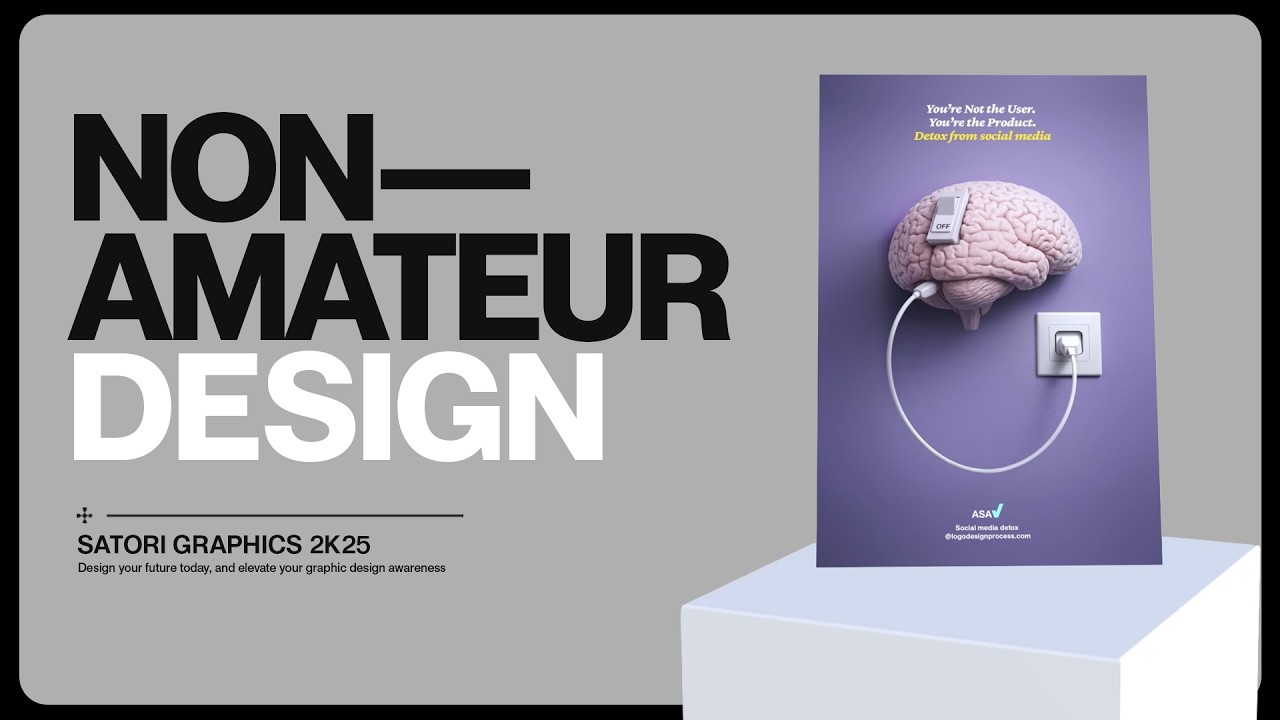
Look at this design right here. It looks fairly good, right? But if I asked you, what is this design saying? What is the message here? What would you say? Many, many designers won't be able to give you an answer on this, and that's the problem with this design. But then look at this one. Straight away, you probably get it, or at least you have a rough idea of the message behind this design. There was a clear-cut idea wrapped up in this work.

Designers Stuck Here

Now, many designers who are in the average or intermediate or even amateur level think they're improving, yet they're going in circles and staying in that category. And most of these people are actually stuck in this category without realizing it, because they're making things look good or at least attempting to, but they're not really saying anything with their visual language. And so, remember this to rise above that amateur threshold. Graphic design is visual communication, and you need to apply that to your work. But that's only one part of it, really. We do need to take a deeper look at how people work, as well.

Don't Stagnate Like This

You might sometimes hit a point where your workflow feels good. It feels great, even. You know what you're doing. You can get things done without thinking too much about it, and then you get comfortable. And that's the problem, because that comfort is where most designers stop improving in their workflows. It's a trap. And it makes sense that it's a trap, because why fix something that's broken, right? But what happens is that new tools will emerge, new ways of doing things come into being, and there will be small things that shave time off here or there. And you won't actually feel it at first, but over time, you'll start to fall behind in terms of efficiency. So, for a moment, let's put two versions of a design side by side as a kind of thought experiment. One built the long way, and one built with a more current setup. They might look the same in the end, or at least similar, if they're both derived from your creative brain. But one of them gives you a lot more space to actually think about what you're making, or simply to chill and do other things. And that is the bit that matters the most here. Staying up-to-date with new tools and having the willingness to change and evolve is so crucial for graphic designers.

Less Layers Is More?

And then you get to this crucial point, which kind of ties a lot of this together. It's the idea that more equals better. So, consider how many layers are possibly on this design, or how complex it is. And then consider this second design and how many layers are stacked in Photoshop on this one. They are trying to say the same thing here, but one does it simply and with less work and less headaches. And believe it or not, some designers do consider, somehow, that more layers, more effects, or more details always equates to a better design. And yeah, it can look impressive in some instances, but if you consider design thinking and look deeper into why the design should exist in the first place, then it becomes very, very obvious that more does not actually correlate to a better outcome. The key idea is to get the idea across with your visual language, and not stack layers and push the boundaries of the software. Rather, your concepts and your concept mindset.

AI Is Not A Final

And actually, that is one reason why the way a lot of people are using AI right now is a bit strange, a bit weird. Most designers are using AI completely wrong, actually, if you ask me. They treat it strictly like a shortcut. You type something into a prompt window, you get a result, maybe tweak it a bit, and then move on. And yeah, it might look decent. It might even work, but only up to a certain level, because the moment you compare it to a design a designer has actually worked on thoughtfully after the initial AI input, you see the difference instantly. It's pretty stark. The raw version feels safe, like a template, almost. The refined version has better decisions, more control, and actually says something really deeply inside the design itself, into the fabric. It's woven into that fabric of the visual language, and that's the difference.

AI Concept Iteration

difference. I'm sure you know this familiar situation all too well. It's where most AI design tools are basically, well, just here's a cool image, good luck using it. And as designers, that is really useless, because a real design is a process from brief to concept to final outcome, and that's where most tools do fall apart right now. But I've been testing something called Skywork AI, and this is one of the few tools that actually feels like it was built for designers and not just generating images. If we take a peek under the hood, it's powered by Google Gemini's Nano Banana model. So, even on the free plan, you do get access to Nano Banana 2, and this handles most everyday tasks really well. But if you do need a bit more power, a bit more juice, the plus plan is about a price of a coffee, and it unlocks Nano Banana Pro, which is where things feel noticeably more advanced. You can upload reference images or even documents, so it does understand your direction instead of guessing things. And when you're done, you can export proper files like PNG, JPEG, or even PDF. And so, this is actually usable for real projects, not just something that looks good on a screen. It really does feel like a [snorts] workspace with AI built into it, completely different and set apart from just an image generator. But one feature I found genuinely useful is the template layers feature. And so, if your image has multiple elements and you only want to adjust one part of it, you don't need to start over again. You just click elements in the top right, and it brings everything into editable layers, so you can tweak each part individually. It is a small thing, granted, but it saves a ton of time when you're iterating on designs. So, should you switch? Should you maybe give it a try? Well, if you're spending more than 10 hours a week on repetitive tasks, probably yes. There's a free tier with no credit card needed, but the plus plan at $20 a month is where the real value is found. And that's where the limited exports and full access to everything mentioned. And realistically, this pricing won't last forever. So, if you want to lock it in now, use the link below to get 20% off and try it for yourself today. I have spent time testing many different AI tools, and this one is one of the few that actually replaced part of my workflow instead of just adding to it, really.

Slower Wins The Race

really. All of this leads us into the whole speed thing, as well. Everything is quicker now, right? Which is great, but it's also why a lot of work is starting to blur together. Sometimes, you can scroll through a bunch of designs online in certain areas, and they might all start to sit in the same space, so to speak. And then you can come across something where someone has clearly taken a bit more time with it. Not loads, necessarily, just enough to think properly. And then it stands out straight away. And why is that? Well, because it feels more considered. Speed is useful, obviously, but it doesn't actually fix weak thinking. It just makes things happen faster.

Prime Example

So, maybe take something simple like a quote graphic. The fast version looks clean, nice font, center text, maybe a soft gradient behind it. Yeah, it works, but you've seen this kind of thing 100 times before. Then you see another version where the quote mark itself is the actual focal point and the main part of the design. Maybe the alignment is broken off a bit, and maybe the vibe is just very different here. It's a bit more minimal. design-esque, so to speak. And you can see how the vibe of this actually fits the visual language for this thing a lot more. And thus, it just feels more on point.

Quick Design Tip

But here's a very fast, but useful trick. You can flip your design upside down. Now, look at it again. When you do this, your brain stops reading the content and the context of the work itself, and it starts seeing the actual structure instead. This is good for testing and seeing if your design works on a technical level. So, the alignment, the white space, the micro white space. And if you don't know what the difference between those two is, I have a video all about it. I think it was called something like the white space masterclass or something like that. — Anyway, flipping your design on its head is a great way to pinpoint technical issues, and it's one of those quick checks you can do to tighten things up. And it does ensure that you don't have any kind of amateur mistakes, technically speaking. And just so you have a very solid understanding of today's content on how to design like non-amateurs, I'm going

Full Summary

to summarize things right now. And so, firstly, know what your design is trying to say, and then push the visual language of that design to really, really say that message clearly. Design is visual communication, and that's something to always remember. Even if your workflow feels solid and you're very efficient, don't get comfortable, because the design industry shifts and it changes more so these days. — You need to adapt and to evolve with it. Then, of course, more doesn't always equate to better. Try and keep your design simple, rather than complicated. Your visual language will speak louder this way. — And don't use AI for the sake of using AI. It might have a time and a place in your workflow, but it really isn't the final answer. And also, speed isn't necessarily better. Or moreover, it isn't the most important part of a project. That is, unless you have an insanely tight deadline. But what matters is the logic and the concept relating back to the brief. And when everything is said and done, sometimes you might want to flip the design on its head to check the technical issues. The way you think as a designer is becoming more and more important. And if you click the video on screen, we actually dive deeper into how to pivot and to evolve with the shifting landscape out there right now. But until next time, of course, design your future today. Peace.

Другие видео автора — Satori Graphics

Ctrl+V

Экстракт Знаний в Telegram

Экстракты и дистилляты из лучших YouTube-каналов — сразу после публикации.

Подписаться

Дайджест Экстрактов

Лучшие методички за неделю — каждый понедельник