You Need To Use This TSConfig Setting
1:19

You Need To Use This TSConfig Setting

Web Dev Simplified 16.04.2026 53 449 просмотров 1 752 лайков

Machine-readable: Markdown · JSON API · Site index

Поделиться Telegram VK Бот
Транскрипт Скачать .md
Анализ с AI
Описание видео
🌎 Find Me Here: My Blog: https://blog.webdevsimplified.com/ My Courses: https://courses.webdevsimplified.com/ Patreon: https://www.patreon.com/WebDevSimplified Twitter: https://twitter.com/DevSimplified Discord: https://discord.gg/7StTjnR GitHub: https://github.com/WebDevSimplified CodePen: https://codepen.io/WebDevSimplified #Shorts

Оглавление (1 сегментов)

Segment 1 (00:00 - 01:00)

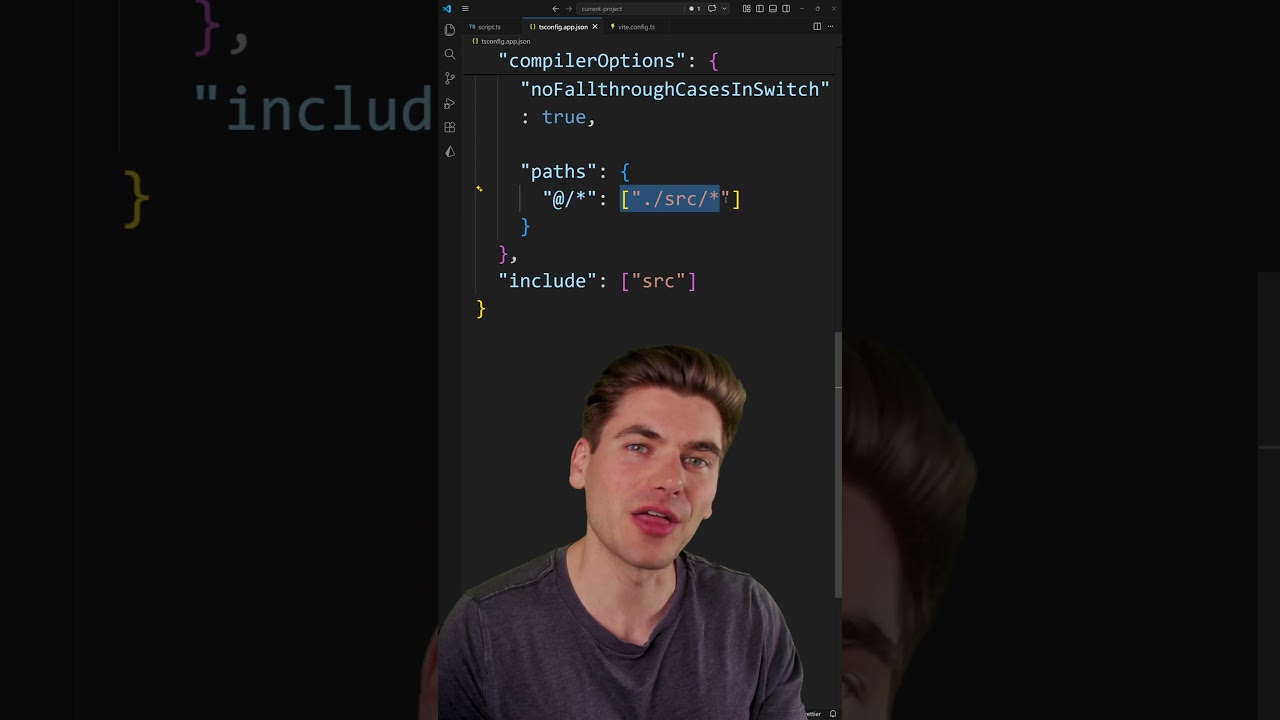
One of the more annoying things to deal with in JavaScript is these really long relative imports and exports because there's no way to do an absolute import in JavaScript. But, if you're using TypeScript, you can actually get around this problem. Inside your TypeScript config, all you need to do is to specify a paths. So, you specify paths inside your compiler options. This is an object where the key of that object represents the alias you want to create. In my particular case, I'm creating an alias for the at sign followed by a slash and everything after that is going to be essentially put star is in my path validation. So, inside this array here is what the actual path will result in. In my case, it's {dot} {slash} source. So, anytime I type in the at sign followed by a slash, it's going to replace that with my source folder and essentially allow me to do absolute imports because now I can take this entire thing and just replace it with {ampersand} {slash} at the start and everything is going to work exactly the same. The only caveat is you need to make sure you enable this in your bundler as well. So, if you're using Veet, for example, this is very easy to do. All you need to do is go into the resolve object and then you need to search for the TS config path, set that to true, and that's going to make sure it respects all the TS config paths that you specify inside of here. And you can create as many or as few as you want. I generally like to have at least one for my root of my application, but you can create as many as you need based on how complex your application is.

Другие видео автора — Web Dev Simplified

Ctrl+V

Экстракт Знаний в Telegram

Экстракты и дистилляты из лучших YouTube-каналов — сразу после публикации.

Подписаться

Дайджест Экстрактов

Лучшие методички за неделю — каждый понедельник