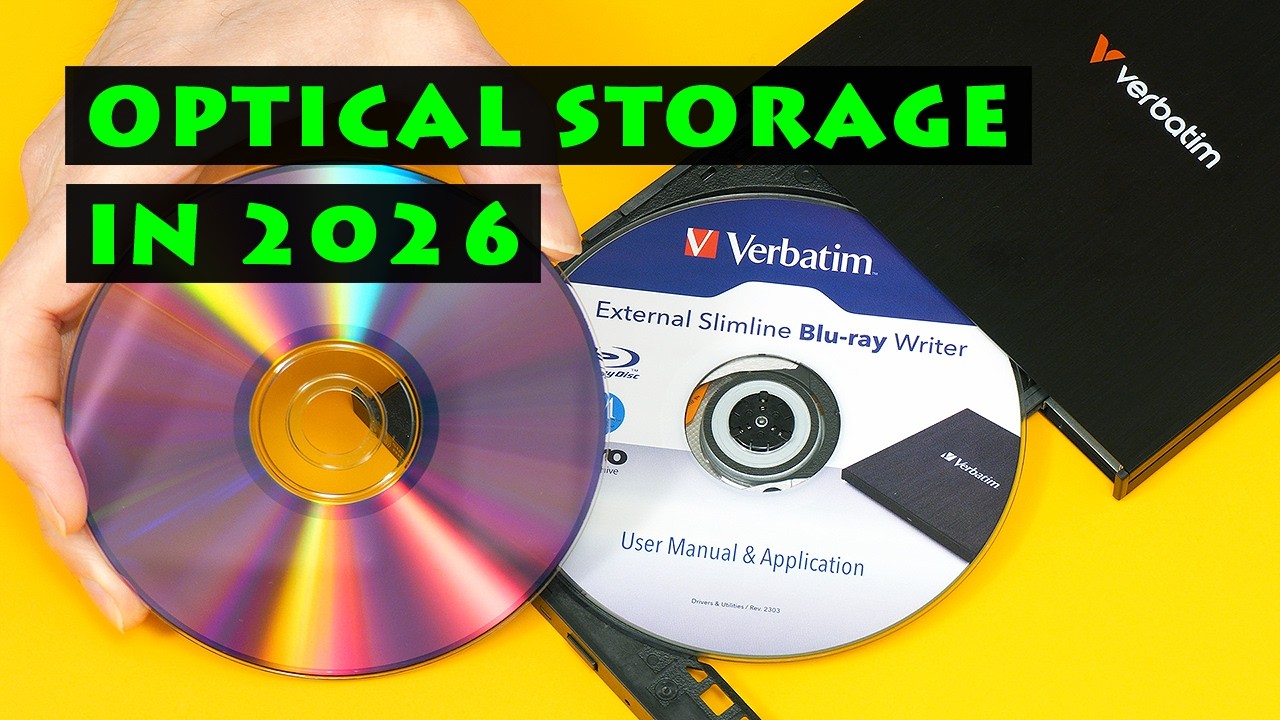
Optical storage can offer excellent long-term data retention. In this video we look at the state of the market for optical disc drives (ODDs) and media, and also unbox and test my new Verbatim external Blu-ray writer.
My recent video on “Long-Term Data Storage for Home Computer Users” is here: https://www.youtube.com/watch?v=ulh9z-JluBs
And my M-Disc video from 2016 is here: https://www.youtube.com/watch?v=pekgrP-v5O0
RECOMMENDED MEDIA for long-term storage:
M-Disc Blue-ray BR-R (only work in M-Disc compatible burners):
Verbatim M-Disc BD-R - Blu-ray Disc 25 GB: Amazon US: https://amzn.to/480gBwz and Amazon UK: https://amzn.to/4855dQ9
Standard Blu-ray:
Verbatim BD-R 25GB 16X Blu-ray: Amazon US: https://amzn.to/4svdELH and Amazon UK: https://amzn.to/3ODHFLz (NB, UK link is to 6X media).
DVD-R:
Verbatim DVD-R 4.7GB 16X UltraLife Gold Archival: Amazon US: https://amzn.to/3O9OynL and Amazon UK: https://amzn.to/4dR1auo
Note that the above are affiliate links, and that as an Amazon Associate I earn from qualifying purchases.
REFERENCES (in order of appearance)
Sony kills recordable Blu-ray: https://spectrum.ieee.org/recordable-physical-media
Pioneer ends Blu-ray drives: https://www.techpowerup.com/336803/pioneer-has-ended-production-of-computer-blu-ray-drives-transfers-pddm-business-to-shanxi-group
LG ends Blu-ray players: https://overclock3d.net/news/misc/lg-discontinues-all-of-its-uhd-blu-ray-and-blu-ray-players/
Panasonic Blu-ray recorders: https://www.tomshardware.com/pc-components/storage/cancelled-blu-ray-recorder-production-leads-to-flood-of-orders-for-panasonic-after-rivals-exit-market-last-supplier-standing-apologizes-for-delays-as-firm-inundated-with-orders
Reasons for Shanxi Lightchain purchase (scroll down): https://forum.makemkv.com/forum/viewtopic.php?p=191100#p191100
Shanxi Lightchain optical drive manufacture registration: https://www.federalregister.gov/documents/2026/01/02/2025-24183/notice-pursuant-to-the-national-cooperative-research-and-production-act-of-1993-dvd-copy-control
HL Data Storage: https://hitachi-lg.com
LG Burners: https://www.lg.com/us/burners-drives
Hitachi optical drives end-of-life: https://forum.makemkv.com/forum/viewtopic.php?t=40208
Buffalo stops Blu-ray drives: https://www.tomshardware.com/pc-components/storage/japanese-firm-stops-production-of-blu-ray-disc-drives-buffalo-says-there-will-be-no-successors-to-its-current-trio-of-portable-usb-attached-drives
Elecom stops Blu-ray drives from June 2026 https://www.tomshardware.com/pc-components/storage/another-major-japanese-electronics-firm-exits-the-blu-ray-market-elecom-publishes-notice-of-termination-of-nine-external-drives
Verbatim Jan 2025 CES press release, inc USB BD-R writer: https://www.businesswire.com/news/home/20250107358223/en/Verbatim-at-CES-2025-New-Brand-New-Products-New-Year-in-Tech
Verbatim press release April 2025: https://www.businesswire.com/news/home/20250401157716/en/Verbatim-Americas-Blu-ray-DVD-and-CD-Media-Solutions-Available
Verbatim press release January 2026: https://www.businesswire.com/news/home/20260106085707/en/Verbatim-Frames-the-Future-of-Everyday-Tech-at-CES-2026
Ritek Ridata optical media: https://www.ridata.com/english-cd-dvd-bd.html
Asus Turbodrive BW-16D1X-U: https://www.asus.com/uk/motherboards-components/optical-drives/external-blu-ray-drive/bw-16d1x-u/
Img Burn website: https://www.imgburn.com/
More videos on computing and related topics can be found at:
http://www.youtube.com/@ExplainingComputers
And more videos on film and other making, plus retro tech, can be found on my Christopher Barnatt channel: http://www.youtube.com/@ChristopherBarnatt
Chapters:
00:00 Titles & Intro
01:04 The Optical Storage Market
09:01 Long-Term Optical Media
12:06 Verbatim Blu-ray Writer
14:51 Windows & Linux (drive test)
16:06 RISC-V & Linux
19:28 Wrap
#optical #storage #blu-ray #dvd #dead #verbatim #sony #pioneer #lg #hitachi #ExplainingComputers
Оглавление (7 сегментов)
Titles & Intro
— Welcome to another video from explainingcomputers. com. This time, we're going to look at the state of play in the market for optical storage. As I've covered in previous videos, optical discs can provide better long-term data retention than hard drives or SSDs with archival grade media likely to keep data safe for at least 50 years. Many manufacturers have sadly now left the optical storage market. But right now, new external drives are still available and we'll be taking a look at this one from Verbatim that I've just purchased. So, how long will it remain viable to make backups and archives on optical discs?
The Optical Storage Market
Over the past few years, there have been many reports of companies leaving the optical storage market. These include official announcements from Sony in January 2025 and from Pioneer a couple of months later. Browsing specialist forums as well as supplier and retailer websites, it's also obvious that optical storage availability is decreasing. However, many reports have focused on specific categories of hardware from the perspective of certain user groups. And so here, we're going to consider the available evidence and then draw specific conclusions on the future availability of writable optical disc media, drives for writing CDs and DVDs, and drives for writing Blu-ray discs. In this context, it's important to consider how the use of optical storage has changed. Not that many years ago, optical disc drives or ODDs that were connected to computers had five common uses, which were to install operating systems and applications, to play, create, or duplicate CD, DVD, or Blu-ray media, to distribute large quantities of data, to provide general working storage using RW discs, and to create backups and archives. Today, for the vast majority of users, only the second and last of these remain relevant. Demand is therefore reduced and more specific, and so it's not surprising that there's been a market consolidation. It's also important to note that users in the second category often want to play and record 4K or Ultra HD Blu-ray discs, which has specific drive requirements. However, here we're focusing on the future of optical storage for creating backups and archives. In this context, we should note that many reports about the death of optical storage concern the sale of DVD or Blu-ray video recorders. Here, Panasonic is now the last player standing with this particular market almost certainly in terminal decline. However, we must be careful not to directly equate what's happening in the home video recording sector to the market for computer-based optical storage. So, what do we currently know with a reasonable level of certainty? Well, Sony no longer manufacture optical media or any form of recordable optical drive. And in March 2025, Pioneer definitely left the optical storage market when it sold its ODD subsidiary, Pioneer Digital Design and Manufacturing Corporation to Shanxi Light Chain Technology Industrial Development Co. Limited. What Shanxi Light Chain plans to do with the IP and physical assets they acquired is not publicly known with some reports suggesting that they were obtained for their optical R& D value. This said, Shanxi Light Chain have registered to make PC optical drives, although there are currently no reports of production. So, we will have to wait and see if new ODDs are ever made. Alongside Sony and Pioneer for many years, the other key manufacturer of Blu-ray and other optical disc drives was HL Data Storage. This was established in 2000 as a joint venture between Hitachi and LG and has made over 1. 4 billion ODDs. Today, LG's website still includes external USB DVD burners, although it no longer lists any kind of Blu-ray drive. Some credible reports suggest that key optical drives from Hitachi are also now end of life. As far as I can find, LG, Hitachi, and HL Data Storage have not announced their exit from the ODD market. But their production of internal SATA drives does appear to have ended with the manufacture of external USB drives apparently winding down. The really big question is the extent to which current sales are being met from inventory rather than fresh manufacture, and this I've been unable to find out. What we do know for certain is that several companies that used HL Data Storage mechanisms in their optical drives have themselves left or are leaving the market. For example, Buffalo and Elecom both recently indicated that they are ceasing production of Blu-ray drives, and this may be because there will be no future supply of mechanisms to put inside them. The other way around, as recently as January 2025, Verbatim launched a new USB Blu-ray writer similar to the one we're about to look at. And in April 2025 and January 2026, Verbatim gave a strong commitment to optical storage, noting that physical storage remains an essential part of modern technology ecosystems with optical media continuing to support everyday workflows that require portability, universal compatibility, offline access, and direct data ownership. This, I think, indicates that Verbatim will continue to be a long-term supplier of writable CD, DVD, and Blu-ray media. However, when it comes to Blu-ray burners, we know that Verbatim's drives are again based on HL Data Storage mechanisms. I did email a press contact at Verbatim to ask if they plan to continue selling optical drives but did not get a response. But if I do obtain information from Verbatim or any other manufacturer, I will post it in a pinned comment and also include it in the video description. Back on the positive side, in addition to Verbatim, Ritek continues to manufacture recordable CD, DVD, and Blu-ray media under its Ridata brand. So, the continued supply of recordable discs does seem to be secure with Verbatim and Ritek now sharing a smaller, more specialist market. And whilst the future production of Blu-ray burners appears to be uncertain, several Chinese manufacturers are still making DVD writers, if increasingly external USB rather than internal SATA models. Putting all of this together, my conclusion is that the long-term supply of writable CD, DVD, and Blu-ray media will continue from Verbatim and Ritek. Further, the future supply of external USB drives able to write CD and DVD media seems to be secure. And so, creating backups and archives on writable DVDs is still a reasonable long-term proposition. However, the future supply of Blu-ray burners looks far more bleak with prices now rising as buyers rush to obtain hardware for future use. The situation may change if Shanxi Light Chain start manufacturing Blu-ray burner mechanisms. But based on current information, I would suggest that using writable Blu-ray media as part of a backup or archiving strategy now requires the ownership of at least two burners, or at the very least a second drive that can read your backups or archives if your burner fails.
Long-Term Optical Media
Turning to optical media, here I have a few ancient discs. And the very oldest is this Memorex CD-R, and if we look inside, we can see I wrote this disc back in 2002, and I'm pleased to report that as of this morning, the data remains intact. Long-term data retention remains the key reason to use optical in your storage portfolio. After all, as I covered in my recent video on long-term data storage, if you left an SSD unpowered in a cupboard for nearly 24 years, it would be very unlikely to retain any data. And I'll soon be posting a requested video on software and methods for refreshing the data on SSDs and hard drives that are left unpowered for long periods. Back with optical, providing that you select the right discs, data retention of at least 50 years is a reasonable expectation in ideal storage conditions. Capacities range from 700 megabytes for CD-R through to 4. 7 and 8. 5 gigabytes for DVD-R and up to 25, 50, and even 100 gigabytes for the highest capacity Blu-ray or BD-R discs. For the longest term data retention, CD-R discs should be gold archival, as should DVD-R unless you can find any remaining DVD-M discs, which have an inorganic rather than an organic data layer for better data retention. Fortunately, M-Disc BD-R do remain widely available. However, any BD-R discs based on high to low or HTL technology use inorganic dyes that should preserve data for 50 years or more. Oh, and it's also important to note that you can only use M-Disc DVD-R or BD-R media in optical drives that are M-Disc compatible. In case you're wondering, here are the media that I personally use, which are single layer Verbatim M-Disc DVD-R until my stocks run out, single layer Verbatim gold archival DVD-R, and Verbatim M-Disc BD-R. To give you an idea of a price, Verbatim DVD-R UltraLife gold archival discs like these and now only available in a spindle of 50, currently costing $107. 07 on Amazon, which is about 46 cents per gigabyte. Meanwhile, this 10-pack of single layer M-Disc BD-R currently costs $26. 30, which is about 10. 5 cents per gigabyte. However, you can get a 50-pack of standard Verbatim 25 gigabyte BD-R discs for $46. 90, which is under 4 cents per gigabyte for HTL media that should retain data for 50 years.
Verbatim Blu-ray Writer
Earlier, I concluded that those of us still using Blu-ray storage should have at least two drives. And so, I've just purchased this Verbatim 43888 external slimline Blu-ray writer. This will now work alongside the internal M-Disc LG Blu-ray drive that I've been using since September 2016, and which has given flawless service. And I really can't believe it's nearly 10 years since I first tested M-Discs on the channel, but I'm pleased to report that not one has ever failed. Back with our Verbatim external drive, this can write all types of optical media from 700 megabyte CDs to 100 gigabyte BDXL Blu-ray discs. It has a USB-C port to connect it to a computer, which also provides power, so no separate power supply is required. Today, if you buy a new optical drive, whether Blu-ray or DVD, it's most likely to be an external USB model like this one, fitted with a slimline drive mechanism like we used to find in many laptops. Without doubt, this kind of drive is less robust than internal SATA hardware, and I did try to get hold of one of these, an Asus Turbo Drive BW-16D1XU. This is also an external drive, but fitted with a 5 and 1/4 inch SATA mechanism. However, supplies do now seem to be limited. So, let's bring in Stanley my knife and open this up. Then we just have to cut somewhere on the back. There we are, the usual tapey thing. We can now get inside. It's upside down. Oh, there it is, look, our new optical drive. And here is a wire to connect it to a computer and an adapter. Those look like sticky feet, I think. Let's get out with the drive itself. Here we go, and uh there it is. It's in a bag. Things are always in bags, aren't they? But there we are. We can get into a bag, and uh there we are. Nice little thing, so it doesn't take a lot of desk space. And uh also in the box we had a quick install guide. We had um user manual and application. We don't see many of these on optical discs these days, do we? But of course, this is an optical drive, so we can do that. And we also get with it a BD-R, a Blu-ray recordable disc. So, this is the drive, and it's now time to get it connected up and to check out performance.
Windows & Linux (drive test)
Right. I've now got the drive all connected up, initially to a desktop Windows PC. And if I press the eject button, there we go. And that's how these slimline drives work. And as you can see, I've got fitted the user manual and application disc. So, let's put it back in like that, and it will come to life. The noises made by an optical drive are lovely, aren't they? It sort of reminds us or gives us a prelude to the world of droids. It'll be here as we hear so often the sound of servo motors. Anyway, let's go across to the Windows desktop, and oh look, Windows 11 wants to update itself. Of course it does. How else would it get new bugs? Anyway, that's not what we want to do right now. Now I want to go to the device manager and have a look at a DVD CD-ROM drives. There is our new drive, and it clearly it's got an Hitachi LG mechanism, specifically a BU40N, a well-known mechanism. I was just interested to have a look what was inside. Anyway, as you might have noticed, I have installed from the disc we were just looking at the Nero software that comes with the drive. Although, I'm rather shocked to find that it requires
RISC-V & Linux
us to enter an email address to use the software. And guess what? That's not going to happen. And it certainly doesn't have to happen because we could go, for example, to this website for ImageBurn and download this nice freeware CD, DVD, and Blu-ray writing application. However, I'm not going to do that because I'm going to be using my drive not here in Windows, but in Linux. So, let's use the magic of filmmaking to do this, and here we are in Linux Mint, where again I've got the drive connected with its manuals and app disc inserted. Here it is. It shows software for Mac and PC, but do not fear. Here in Linux, I've installed K3B, which stands for KDE Burn Baby Burn, and it's an application for writing, ripping, and copying CDs, DVDs, and Blu-ray discs. And you can find it in the software manager. It's very easy to install. And guess what? I've got it running. Here it is. We're going to do a new data project, but before that, we better eject our disc. Let's go over here and just do a an eject like that. Oh, it's coming out. It's going to have a think. They always have thinks, optical drives, don't they? And there it is, it's come out. There's a certain nostalgia to optical drives, isn't there? Let's take out that disc there and put it in our BD disc that came with the drive. It's amazing how small and intricate the mechanism is, isn't it? And uh anyway, you might notice I've actually written on the drive already using a felt pen, an indelible felt pen, a Sharpie marker. I always write on the disc before I write on it, and that's because if you do that, any risk of causing damage to the data layer on the disc, at least you'll know about it because all the data will be verified after you've written on the disc. Anyway, let's put it back inside like that. There we are, and go back across to Linux Mint desktop, where we can now do our new data project. And I've already set up what's going to be in it. Oh, we can have the drive do all kinds of things. Let's drag these files down there. Hopefully they will fit. Oh, they do, just about the right size. You have to do a lot of planning when you're working with optical drives, creating your backups and archives. But all we now have to do is to go to project and burn. And I am going to verify written data. I always do that when writing an optical disc. But other than that, everything is set up okay. I think I'm okay with an auto speed. No, I think I'll set speed to be six. Let's take full control. And now, having fully considered matters, I will click on burn. And there we go. It came to life. The drive is doing its stuff, and this will take quite a while, and so we'll now transition forward in time. And here we are, almost an hour later. The drive has now moved on to verifying, currently verifying track one. Very exciting. And here we are. It has finished. We have success, as we can see. It took an hour and 13 minutes. That's quite a lot of time, so longer than it takes to do the same burn and verify on my internal Blu-ray writer. But nevertheless, I'm still very pleased with my new external optical disc writer.
Wrap
Optical storage is not yet dead, but it certainly has health issues. But now, that's it for another video. If you've enjoyed what you've seen here, please press that like button. If you haven't subscribed, please subscribe. And hope to talk to you again, though very soon.