From Problem to Plan - Part 4
8:02

From Problem to Plan - Part 4

Mossé Cyber Security Institute 10.04.2026 26 просмотров

Machine-readable: Markdown · JSON API · Site index

Поделиться Telegram VK Бот
Транскрипт Скачать .md
Анализ с AI

Оглавление (2 сегментов)

Segment 1 (00:00 - 05:00)

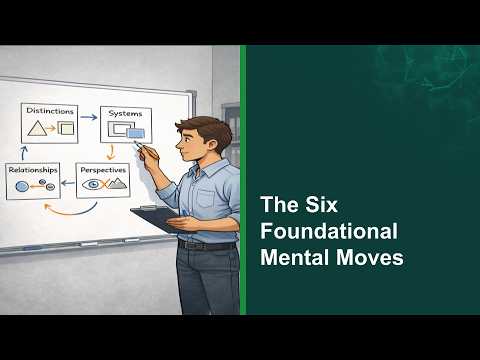
Welcome back. So, now that you've learned the six moves and you've maybe applied them on very simple things like looking at my diagrams and seeing where the moves are and how they're being used, maybe you've applied them on a social media post. It's time to actually take on a bigger challenge and that is let's look at how you would do this if you were solving a real practical problem from the MCSI exercise library. So the way you would go about this is I would recommend that you go and register a free account on a software called Plexica. And Plectica is the software I use to build the diagrams you've seen in the previous videos. Now, when you create a new diagram in Plexica, um there are two add-ons that you immediately want to turn on. So, you want to go into add-ons and you want to turn on perspectives so that we can be doing perspectives, circles, and you also want to turn on slides because slides are going to help us organize our diagrams in a way that is easier to track and understand. So to explain slides a little bit more, when you're working on understanding a problem, chances are that your diagrams initially are going to be very messy. You're going to throw many different parts. You might group them. It might be logical. You might need to come back and make changes. One way that will be incredibly helpful to you is if you think of these diagrams like a bit of a PowerPoint presentation where you create different slides and each slide might repeat content from previous slides, but each slide would only show you a smaller diagram that shows you really what is relevant for the slide. that allows you to organize your thinking into slides and it forces a coherence in your thinking starting from fundamental ideas going to more and more complex uh diagrams. But by more complex I don't mean these diagrams necessarily have more parts. It's just that they build up on top of one another. Or you might have two parts and you want to zoom into each of them and you realize that zooming in actually becomes a bigger diagram. So you break it up into slides. Another thing that you can do with practica to help organize your maps so they don't get too busy is to use regions. This is just something you can select and you select a part of your diagram. it becomes a region and then you can give the region a name and you could make every region a slide. So if you look at this here, you see that in the bottom right I have a region called perspective circle analysis. In the top right I've got something called posyweed analysis. So what you're seeing here is I'm working on a problem and I'm using I'm building different diagrams. Each diagram has its own region and I'm doing a different type of analysis in each region. In the middle one here, I have something called unintended consequences. So, I'm clearly thinking about action and reactions related to something. So, here's a really simple rule if you're starting out. One map can have as many slides as you want, but every slide should be one region and should be a single mental move. Okay, the word move here somehow has been moved to the left hand side which should actually be on the right hand side. So what you do is let's say that you're working on a problem and you're going to do all six moves. You're going to create six slides, one for each move and then each move is going to also have its own region in the map. So they're not overlapping on each other. they've been separated. And that's going to make your diagrams really clear and easy to understand uh for yourself and anybody else. So here's your task. Um create an account, a free account with Plexica. Pick a very simple exercise in the MCSI platform. Read the exercise description.

Segment 2 (05:00 - 08:00)

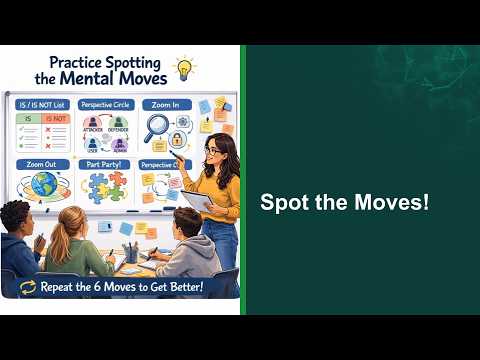
Enter all the parts into plectica. Group the parts into hall. Do some zooming in and do some zooming out. These two moves for now. Nothing else. And then show your diagram to a mentor or an MCSI instructor. You could come on our Discord forums and you could post your diagrams. For this here, you might have three or four diagrams. You might have a slide that shows all the parts that you have found. Another slide that show how you have organized those parts into logical holes. And then maybe you're going to take one part and do zooming in on that part. And there'll be a different slide again. And then maybe you're going to do a zooming out. And that's going to be a different slide again. Once you've done that, you can go into part two of this practical exercise where now I want you to really create three slides that apply the slightly more advanced moves out of the six. I want you to do a part party on one slide where you're going to use arrow to connect how the different parts of a problem are connected to one another. Then you're going to create a new slide. We're going to take two parts and do an RDS barbell where you zoom into the relationship of the two parts. Then create a third slide where now you take the entire problem but I want you to look at it from multiple perspectives. Okay? I want you to think about it from the attacker's perspective, the defender's perspective, the instructor's perspective, and any other perspective that you think is relevant to the problem that you're working on. And once you've done that, once again, show your diagrams to a mentor or upload them onto our Discord forums and we'll give you some feedback. But you will know that you have succeeded if you can show your diagram to somebody and with very little explanation, they understand what the diagram is about and they can say that you're thinking about this in a way that aligns with that the fact that they also understand the problem in the same way as you do. So that's it. That is your challenge. Now you have to go out and apply what you've learned in this course systematically. Practice on anything you want. But if you want to get really good at solving cyber problems, then use the MCSI, even the free version. We have plenty of exercises that you can use to practice this on. And this is how you're going to become a better thinker. If you become a better thinker, you will become a better problem solver. And if you solver, you will become more employable and you will have a greater chance of making a large contribution to the industry. So, thank you very much for watching this course and uh feel free to stay in touch with me online.

Другие видео автора — Mossé Cyber Security Institute

Ctrl+V

Экстракт Знаний в Telegram

Экстракты и дистилляты из лучших YouTube-каналов — сразу после публикации.

Подписаться

Дайджест Экстрактов

Лучшие методички за неделю — каждый понедельник