From Problem to Plan - Part 1
9:16

From Problem to Plan - Part 1

Mossé Cyber Security Institute 10.04.2026 24 просмотров 2 лайков

Machine-readable: Markdown · JSON API · Site index

Поделиться Telegram VK Бот
Транскрипт Скачать .md
Анализ с AI

Оглавление (2 сегментов)

Segment 1 (00:00 - 05:00)

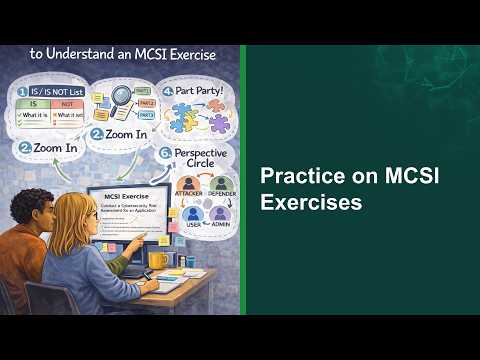
Everyone, thank you for joining me in this course called from problem to plan. Understand before you solve. This funny image here shows what happens to many of our students or many junior professionals that are in the first or second year of their career. They're given a problem statement that they have to go and solve, but they don't spend enough time understanding the problem before they take action, before they start writing software, before they start running scans or using tools. And so the end result doesn't look at all like what was expected for them to produce. And so in today's course, what I want to do is share with you some of the best techniques I know to think through a problem before you act, before you build anything, before you deliver anything. Let's begin with a really simple example for you to understand even what I'm trying to refer to here in the first place. When you go on the MCSI platform, our exercises have a section called the statement of work that students are expected to read so they understand what they are being asked to deliver. And this statement of work for most MCSI exercises is significantly more detailed than any kind of instructions they would be given at work. The first step if you were trying to solve any exercise would be to read what you're being asked to do and identify key words that you think make part of that solution. So here I have highlighted in red words like hypervisor, needing to have two virtual machines, needing an isolated network, having a lab, using a free hypervisor and there are two names here. Virtual box VMware workstations that could be options that are selected. This is just the very top part of that exercise that's about building a lab using a tool like virtual box. Any problem that you would be tasked working on, this is the very first thing that you should do. You should read the instructions you've been given and highlight even if only in your mind to begin with the parts that should show and be and that should help you build the solution. If you were to spend five minutes identifying the parts and then throwing them on a diagram. Here I'm using a software called Plexica, but you could use any diagram that allows you to make boxes. You could take all the parts that you think are relevant to a solution and put them on a map that you can look at. So I did this very quickly. And what this allows me to do is to recognize that however I'm going to solve this exercise, I need to make sure that the solution has all these parts in it and there might even be more parts. This was just my first read through of the exercise description. Once I have identified the parts, the next step is to take these parts and organize them into logical holes. What I mean by this is I had uh parts like hypervisors, virtual box, VMware, Microsoft HyperV. They all fall into a logical category called hypervisors. I had parts that had to do with uh multiple operating systems. The first virtual machine needs to be a Windows machine. The second one Linux machine. So that falls within a broad category that I could call virtual machines. And then on the right here, there were some things related to connectivity that

Segment 2 (05:00 - 09:00)

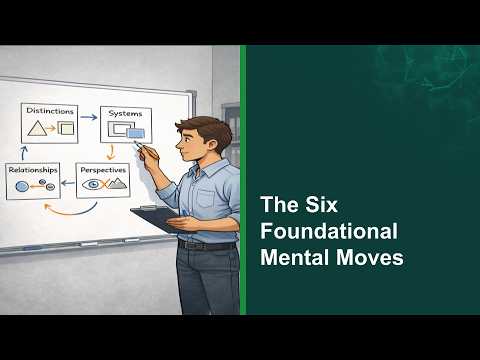
stood out. I need to use a net network adapter, an isolated network, as well as use some common line tools to run a command called pink. Now already if you were working on this exercise and you had followed exactly the three steps I've showed you and step one had two steps really was like read the description extract the parts and put them on a diagram and then take those parts and put them into a diagram that now the parts are organized into holes. You should be building a mental map, a mental image that should help you better understand how the solution needs to look like already. But we're not finished. We've got to push this one step further at least. And now we've got to take the parts and the holes that we've grouped together and we need to organize them into a system. So here essentially I'm now designing how the solution looks like. I'm going to be using virtual box. I need virtual machine one. That's going to be a Windows machine running Windows 11. On there I need to use a tool called the command prompt that allows me to call a utility called ping. On the right I need a virtual machine again but this time I'm going to be running Linux abuntu. And in the middle, these two machines are connected because we need to put them on an isolated network using a net network adapter. And this kind of diagram here looks very much like an IT architecture diagram. It's a bit simplified, but now what I've done is when I'm looking at this, I have designed the solution before building it. The final step is to validate that what I've built at least on paper delivers the outcome that the exercise wanted me to deliver. So what I can do is I can look at every part of my diagram and I can overlay on top of it the way that the exercise is going to be validated by an MCSI instructor. So if you read the exercise description, you would see that the very first point is to show that you have set up two virtual machines on your hypervisor. One Windows VM and another Linux VM. So ah yes, we've done this. We've got this in our diagram. And you can go through every validation step and you should be able to point exactly where on your diagram that step can be validated. And if you worked like this for every single one of the exercises in MCSI, you would find them significantly easier to solve. The common error that people do is they read the descriptions once or twice and they start building something straight away. I would like you to take a step back and instead follow this little formula which is number one, we break the problem into parts. Then we group the parts into logical holes. Then we identify the relationship between the parts and the horse. And we design a system diagram that shows the entire solution. And then finally, we validate that the solution meets the end goals by overlaying exactly how this exercise is going to be validated by an instructor. And only once we've done that do we now start installing the tools, downloading the VMs and so on and so forth and get it all working. So we're going to pause here and in the next video I'm going to teach you six mental moves that are going to help you solve any problem that you will encounter in your career in cyber security or in IT.

Другие видео автора — Mossé Cyber Security Institute

Ctrl+V

Экстракт Знаний в Telegram

Экстракты и дистилляты из лучших YouTube-каналов — сразу после публикации.

Подписаться

Дайджест Экстрактов

Лучшие методички за неделю — каждый понедельник