Get predictable SEO and AI visibility results for your clients: https://www.rankability.com/
Resources from video:
Claude Code Skill: https://docs.google.com/document/d/1ChNtMd4XQ2gnvsXQ43isowcMW_lDbinH8b5NVS1tpyo/edit?usp=sharing
Оглавление (4 сегментов)
Segment 1 (00:00 - 05:00)
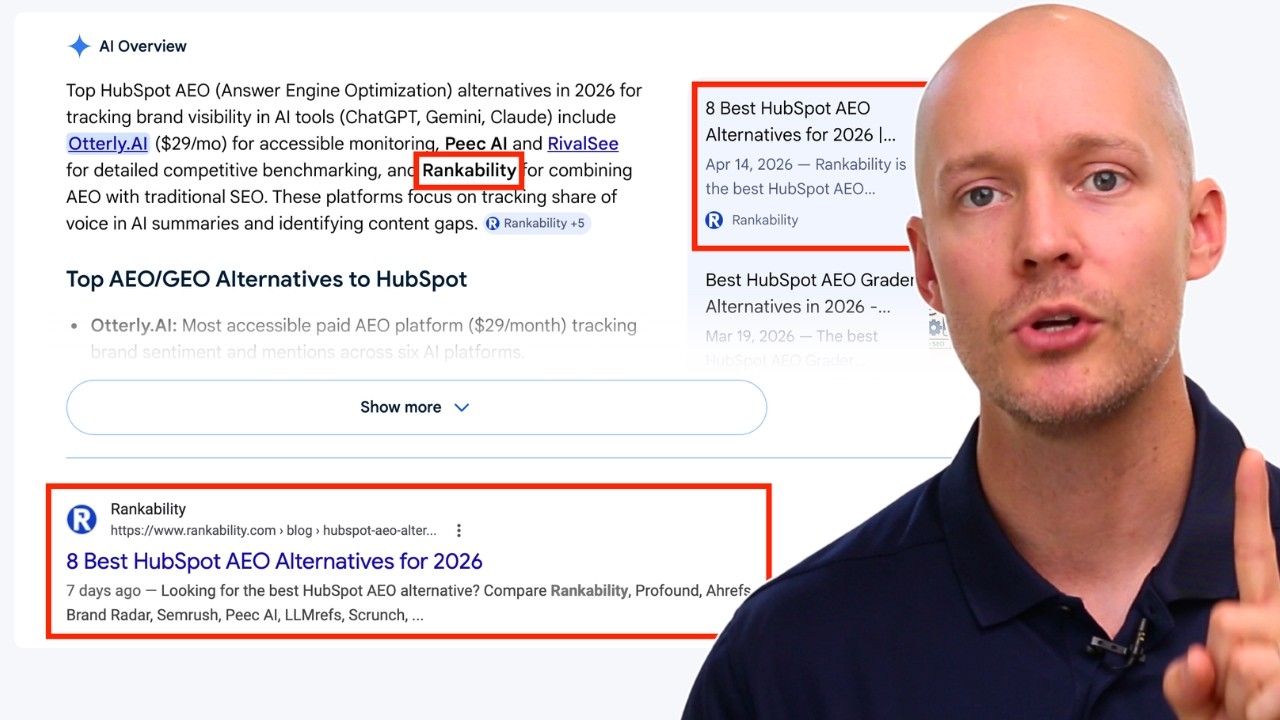
So, in this video, I'm going to be showing you how to build an Aentic SEOdriven website in 10 minutes. And so, if you don't know what an agentic SEO website really is, don't worry. It's not super complicated. It just gives you the ability to use AI and agents to optimize your website, improve your website, and ultimately help it drive rankings in traditional search engines, but also to become a cited source in AI platforms, which we know if you are a citation, you can influence the AI answers. So, here is a quick example of what this type of site will look like. So, I own business here, which is rankability. This is a completely agentic website. Okay? Okay. And as you can tell, this is looks like any other website you might see, okay? But is unique because it does not have a content management system. CMS. It is not on WordPress. Webflow. It is not on Duda. You name any CMS you want. It isn't on any of those things. But what it is on is Replet. And so I'm going to be showing you this process from end to end. How you can do this yourself and how you can start taking advantage of this power. So let's dive right into this. So there's a couple kind of key things you have to do here. And there's a little workaround you have to go through because if you try to go into replet for example and you go in here and you say build me a website for SEO, all it's going to do is going to pump out a JavaScriptdriven website. Okay, this is what you want to avoid. If you want a website that actually performs well in traditional search and performs well on AI platforms, it must be HTML. I cannot stress this enough. It needs to be HTML. Do not mess around with JavaScript. So just to give you an example, this side is completely HTML. You can go to view page source. You can scroll down. You can go and see the actual text in here in the HTML. Okay? We can see the actual words. This is critical. When you go to J when you use JavaScript, you will not see this. So this is how you can know. So if you go and look at a website that's built on lovable or replet or any of these AI builders, you're not going to see this. You're just going to see JavaScript. And these AI platforms do not play nicely with JavaScript. Okay? And so do not take the risk. Just build an HTML driven website. Now, here's the problem. You go into Replet, the way to get Replet to build you an HTML driven website, is you have to do a lot of work after. So, the way I used to do it, which was incredibly painful, is I would build it on Replet and then I would force it to convert it to an HTML driven website with Astro. Okay? So, Astro is the framework we're going to be using today. So go over here. This is the framework we're going to be using. Incredibly awesome. Okay. So basically what I had to do before was on Reput. I had to go through this painful process to convert the website to Astro and HTML and it was a nightmare a lot of the time and I had to do it a few times. So I decided like all right, there's got to be a better way to do this. So then I figured out that I could use clawed code as the first step and then I could move it into Replet. So that's what I'm going to be showing you here today. So, with all that background information, just want to show you that this actually works. By the way, and I know people are like, "Oh, show me a show me an AIdriven website that actually ranks. " Okay, I'll show you one. So, this is for rankability. Okay, AEO software for agencies. Okay, in one of the most competitive industries in the entire world, okay, most competitive industries, we are a bootstrap business, okay? And we're up against businesses that have 20 million, 30 million, $50 million of funding. Okay, but why do we beat them? All right, because a lot of them don't actually do SEO, right? They don't do SEO super well. And we know that SEO is a big piece to this equation. Now, you can see here rankability doing quite fine, right? Doing quite fine. And that's because we have this website that's blazing fast, built for search, built for AI performance. And you can see it's in being influenced. It's actually influencing these AI answers as well. Okay, it's being cited frequently throughout these AI platforms. Okay, this is just for one keyword. We got tons of other keywords we can show you, right? But just to show you an example of this. So, just so you know, this actually works. This isn't just some woo madeup stuff. Okay, my own projects. The people that have recommended this to, they are getting killer results, too. Okay, so let's dive into it. So, first step here, we're going to scroll over and let's zoom in. First step here is we're going to go to Claude Code. Okay, you don't have to technically use Claude Code. You could use codeex as well from OpenAI. Doesn't really matter. It's just I just picked Claude Code for this particular project. And it's really easy. Okay. All you have to do, you're just going to go to your desktop. Simplest thing in the world. And you're going to create a folder just like this. Okay. So, you can see on my right hand side, we've got HVAC. I'm just doing an example agency website for this. So, HVAC is the agency site we're going to be building in this example. Okay. So, create the folder. That is it. Just create a simple folder. You do not
Segment 2 (05:00 - 10:00)
have to do anything else. All right. Now, what we're going to do is we're going to open up Claude and you'll see here that the folder and don't worry about all this other stuff. I'll explain in a second. The HVAC folder here is there. Okay. So, you're just going to go to cloud code. You're going to make sure that you're in this HVAC folder. That is it. That's step number one. Get in the folder. Now we're good to go. Everything that you do, everything that Claude builds will now go into that folder. Okay, that's the first step. All right, so now we're going to go back here. So we got the folder. We're good to go. So now we're going to go over to the skill. Okay, one of the most important things you can learn right now are agent skills. Okay, and I could spend an ungodly amount of time talking about this. This is one of the most important topics right now because it's the way that you can leverage AI and agents to do incredible work for you and truly be able to scale a lot of your operations in your agency or your business or whatever you're doing. Okay, but the one skill we're going to focus on today is this skill of creating an Astrodriven website. Okay, this is very important. We want to build it based on this framework. We're going to build we're going to use Astro and Astro is that underlying foundation of the HTML, right? So, this is going to build it out and then the HTML is just what Astro spits out. Okay? And I'll talk more about this in a second. You don't need to be super technical to do this either. I'm just kind of giving you some of the pieces. All right? So, what is a skill? So, this is the skill, and I'm going to give this to you right below this video, so you'll have access to it. But basically, what it is a it's a markdown file. It's just a simple markdown file that you give the agent. So, you're going to go into Claude. You literally copy this whole thing. And this is this has been tested, by the way, rigorously. I've tested this countless times. And this gives you all of the SEO foundations that you need to deliver results. Okay? This is based on many experiments and lots of experience. Okay? So, it's quite long. It's a very long skill, but basically what you're going to do is you don't you can modify this if you want, but honestly, all you have to do is just copy the skill. Then you're going to go over to Claude. Go back to Claude here, and you're going to install the skill. Now, for me, I already have the skill installed. So, but I'm just showing to confirm the skill. You can see here I've got it right here. Now, if I go like this and do slash, you'll see if I go to local, it'll show the skill. Okay? So, build a local business website. That is the skill that is installed. Now, so all you're going to do is go into Claude code and say, "I want to install this skill. " That is it. Nothing more. You just say that and Claude will go and it will install this skill. Probably takes anywhere between four to five minutes, give or take. Okay? So, you install the skill. You're going to be good to go. Now, once the skill is installed, we're going to go to the next step here. All right? And once the skill is installed, you can use this prompt. Okay? Now, it just depends on the type of project that you're working on. You don't have to use every component of this prompt, but this is the template that you will use, right? This is a template and then modify it based on the situation that you're working on. But for me, for this particular example, I just kept it super simple. I didn't even really have to use this full prompt. And you'll see, we'll go back to Claude. All I did was I just said, I need you to build a very simple onepage website for an SEO and AI search agency that focuses on HVAC companies. And that is not a local that is this business. So it's going to be a national business as services all the United States. Just build a onepage website that's built to convert. Okay, this is the most important part. Yes, you could use Claude and you could deploy your website through Claude and using a bunch of external services. You can do that. It's just not my preference because I've been using Replet every single day for the last year. Every single day. And I've built a lot of projects and I can tell you that it's not perfect. Let's start with that. It's not perfect. You just have to work very hard to get it to do what you need to do. But I can tell you it's way easier than trying to maneuver using cloud code and all these external services and all these different things. Replid makes it super easy. You can get a domain there. You can deploy there. You can host it there. You can control the website there. It's hard to beat. And yes, you're going to pay a little bit more of a premium to be there because it's somewhat of a I don't think it's fair to call it a rapper, but it is a middleman between Claude, right? And so, you are working with that middleman, but that middleman has spent a lot of time building guard rails, making it really effective. So, I just think it's really awesome. Okay? And I've I'm so grateful for it because it's made me been able to do so many awesome things. But basically what you want to do here is for the way I'm explaining it is you're just building a very good base. That's it. You're It only needs to be one page, maybe three pages max, cuz you're not actually building the site here. You're just building the bones. You build SEO bones here. And then we're going to bring it over to Replet. Okay? So don't worry about the design. Don't worry about how it looks. Don't worry about the aesthetics. Just get the bones
Segment 3 (10:00 - 15:00)
right. That's all we're trying to do. Okay? So that's what this will allow you to do. And you can see here as Claude starts to go through this process. It's going to build everything out. Uh I think it takes anywhere between 9 to 11 minutes give or take. Not a ton of time here to build a perfectly optimized website out of the gate. Pretty insane. Okay. So it'll build that out. Then once it's all built, you can see there was one little mistake here with the CSS. I quickly solved that. And then once it's ready to go, all you have to do, this is the next step. is you're gonna go over to the desktop and you see how I still have that folder here. All you're gonna I'm on a Mac, so if you're on Windows, it'll be a little bit different, but I go ahead and just rightclick and I do compress, right? Compress it. And then you see you get that zip file and that's what you need because now we're going to go over to replet and just go to import code and design. All right? And you're going to do zip file. Go to zip file. You upload that zip file and import. That is it. All right. Then what will happen is replet will automatically create a new project for you. And you can see here this is the next part in this process. As you can see we've got uh zip file replet code and then you just use this very simple prompt. Okay, this is the prompt I've used many times. This is all you need to do. Okay, go over here. You can see I use that exact prompt. You can see replet did its thing. Got it all set up and boom, we've got a website. All right, We've got the bones ready. This thing is ready to go. Now we can make it ours. Now we can adjust the colors. Now we can do what we need to do to make it pretty. Right? But for now, we've got the bones. This is a beautiful place to start. And there's so much more that you have to do to get SEO results. Okay? This is not going to get you SEO results. But this is the foundation. And getting the foundation right is a big piece of getting results. Okay? You got to get that foundation right. Once the foundation is right, now we can do the fun stuff. Next, honestly outside the scope of this video, but the next obvious move here is getting analytics set up, right? So, get the tracking set up. Google Analytics, Google Search Console. I would go and go to Microsoft Clarity, get Microsoft Clarity installed here. And with those three alone, you're going to already have access to a lot of data, right? Very powerful data that you can use. So, that's the first part. Get the an analytics layer set up. And then, obviously, you got to get into the actual SEO strategy and all the fun stuff, but this is going to give you that nice base. And just to prove that it's actually HTML, let's go ahead and view page source. You can see we'll go down here, get past all this other code, and we will go to the HTML, which will be right down if I can scroll right down here. Okay. So, you can see Astro. So, you see some of the files from Astro. And then you can see the actual text in here. Okay. All wrapped in HTML elements. Exactly what you want to see. This is exactly what you want. Okay, so this is how you can confirm whether a website is HTML or JavaScript. This is the truest way to confirm is just go into view page source, look for the text. If you don't see the text, you got a problem. Okay, so but this is the way to build a gentic based website. Now, what does it mean? Once again, just to finish out this video, what does it mean to be agentic? All right. All it really means is that you're going to come in here and you're going to be able to chat with the AI. have the AI and the agents do a lot of this heavy lifting for you. Okay. So, an example of this is on Rankability in particular when I'm working on the site. Just today I was doing some work and I'll show you. We'll just go to a blog post, right? So, this is a blog post that we just finished today and you can see this blog post is the culmination of a lot of different AI products. Right? The first the base of this is creating this content with rankability of course. So we use rankability to create the content for query fanout. Then we go into here and these graphics are created with claw design. Okay. So we build these graphics with cloud design. Then we go in here and the calls to action. All of this is dictated by the agent. The agent is figuring out where to put these in the most logical place. The next thing are the internal links. The agent goes and finds pages that are relevant to this particular post and inserts those internal links. I don't have to do that. go and dig through my CMS to try to find internal linking opportunities. I don't have to install some wacky plugin to do it. I just say, I need you to go and find some internal linking opportunities on our website for this post. And then it goes and it says, here are 17 pages that are a good fit for this particular blog post. And I say, "Okay, cool. Go and add internal links. " That's it. That is it. Okay. Then we go down here. You can see once again more really awesome graphics. If you're not using cloud design, I would highly recommend it. Super awesome. Okay. So, internal links
Segment 4 (15:00 - 19:00)
design, a page structure, calls to action, everything. Okay? I cannot stress this enough. even these beautiful share call to action sections with these share everything I built was with the agents and the AI everything okay and another little detail is this post here before I publish the next logical move in the search process is I say okay we've got this post ready so now what I need you to do is go and find other pages and other posts on this website where we can drive internal links to this new post okay so that's one of the most important things before you publish a new asset. You want to go and identify opportunities on the site to drive more internal link coverage to that new asset. The worst thing to do is just publish and have no routing to that new post. You want to publish and it already have that nice internal link infrastructure because if you've already got some link authority, backlinks, that's just going to flow. that's going to flow to that new asset and that new asset's going to rank a lot faster, a lot easier and with less backlinks, right? And this is a very competitive keyword. We're probably going to need to drive links directly to this page. But the reality is the internal links give you that nice lift out of the gate. So once again, that is all possible with the agents just through prompting because it can crawl your website. It can look in your database. It can it knows everything about what you're doing, right? And the more that you work with it, the smarter it gets. That's the beauty of it. And I can't stress it enough. You can tell I'm pretty pumped up about this because I've been doing it now for quite some time. I think we converted Rankability over to Replet. It was probably It was probably like towards the end of last year, maybe around Octoberish. I'm not don't quote me on that, but relatively recently. And it's just like easily one of the best decisions we've made in our business. We've made a lot of decisions recently, but that's definitely this definitely top of the list. So that's why I'm trying to show as many people as I can the power of this. And once again, it's not without flaws. There's some defects in doing this. Like for example, when you are working in here, you have what is called the disc folder. Okay, so we'll go over here and you can see dist. Okay, this is a folder that comes from the Astro framework. And all this stuff you see in here, this is all the stuff that gets spit out from Astro. So every time that you want to build a new version of your website, you have to rebuild the files in dist. Now it's not like you need to go and do it. You just say the agent, you can train the agent to rebuild those files every time, right? So every time there's been big changes, it goes in those changes are actually made in these core in the src folder. Okay? So these are like you want everything to be changed in here specifically because this is the source of truth, right? So when we look on this index. stro Astro, this is the homepage, right? And this is the source of truth. So, every time that you're you want to edit your homepage, what you're doing is you're actually editing the Astro file. Okay? And this took me a long time to learn. I made many mistakes throughout this process, but this is your source of truth and this is what you want to get right. So you the agent will make the edits in this Astro file inside the SRC folder and then when it's done there then it goes and it builds the actual HTML page which is what actually goes on your website. That's what gets deployed. Okay. So hopefully that makes sense. I know it could be a little confusing but once you kind of mess around in here and you get used to and you play with a little bit it becomes second nature. And from time to time the a it's AI. So AI and agents, they're not perfect, just like humans. I've worked with plenty of humans and made a lot of mistakes. So I don't get too wrapped up in, oh, the agent made a mistake. I just don't whatever. We just keep moving. We keep going. And one of the mistakes that it does make sometimes is it will make edits. You'll tell it to make edits and then you won't see it reflected here in the preview and you'll be like, what's going on? Why is it not here? It's because sometimes you got to tell the agent, hey, I need you to rebuild the disc folder. Okay, so that's one thing occasionally it slips up on. You just say, "Hey, I noticed the changes you made aren't implemented actually in the preview. I need you to go and rebuild this. " And it's like, "Oh, sorry. " And it goes and rebuilds it and then you're good to go. Okay, so hopefully that helps. This is in my opinion, this is the future and not even the future, it's now. And if you can build this agentic structure for websites, it's going to be really hard for your competitors to keep up with you, at least until they catch up. And I can tell you, you will be on the cutting edge if you're doing this right now because most people are still using clunky WordPress website builders that are insanely slow, insanely ineffective, and don't actually produce really that great of designs. So, hope this helps. I'll see you in the next video. Thanks.