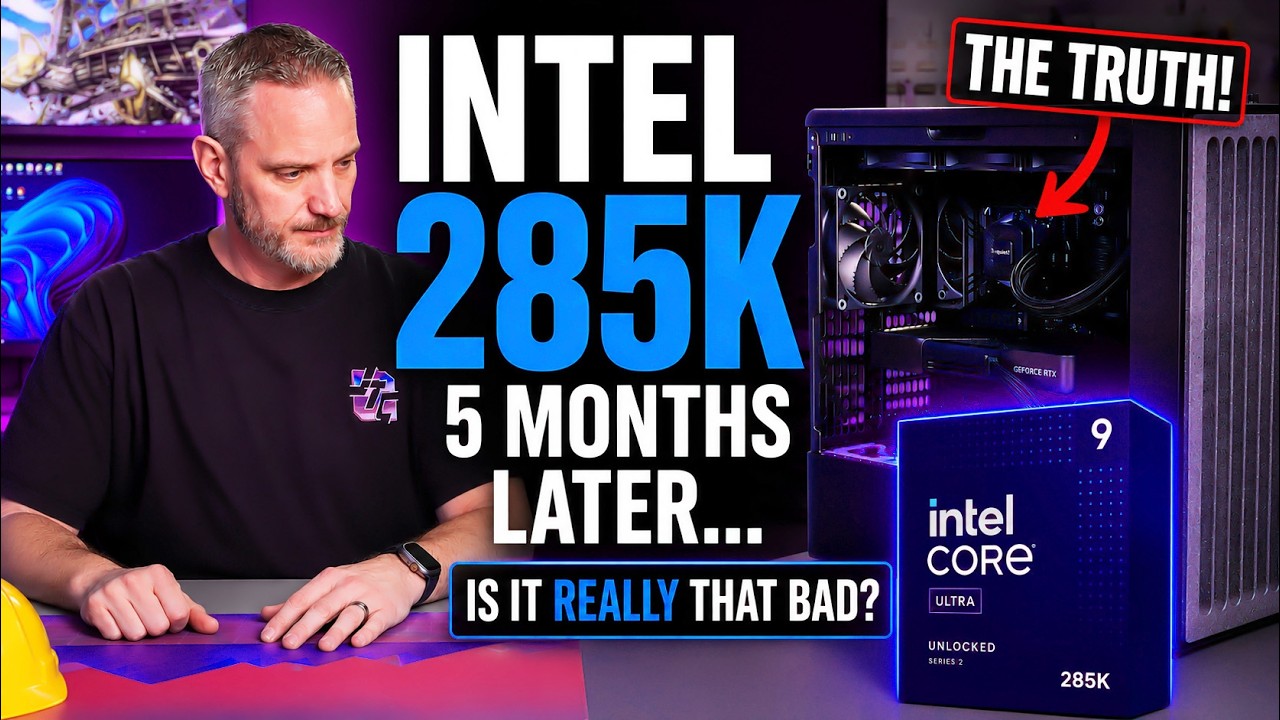
I switched my daily driver to Intel’s Core Ultra 285K for 5 straight months to see if the internet’s complaints were actually true. Gaming, editing, multitasking, stability, etc — this is what really happened after long-term use.
○ Get your JayzTwoCents Merch Here! - https://www.jayztwocents.com
○ Join this channel to get access to perks:
https://www.youtube.com/channel/UCkWQ0gDrqOCarmUKmppD7GQ/join
○ Join the official JTC Discord! https://discord.gg/jayztwocents
○○○○○○ Items featured in this video available at Amazon ○○○○○○
► Amazon US - https://amzn.to/43wnUsz
► Amazon UK - http://amzn.to/Zx813L
► Amazon Canada - http://amzn.to/1tl6vc6
••• Follow me on your favorite Social Media! •••
Facebook: http://www.facebook.com/jayztwocents
Twitter: http://www.twitter.com/jayztwocents
Instagram: http://instagram.com/jayztwocents#
SUBSCRIBE! http://bit.ly/sub2JayzTwoCents
---
00:00 4 Months of Daily Use
02:35 Does It Feel Different vs AMD
04:03 Crashes And Instability
08:56 Weird Power State Issue
10:41 Motherboard Gripes
12:08 Adobe Premiere 5090 Compatibility
13:38 Experience vs 9950X3D
16:33 X3D Is Not Always Worth It
20:36 Summing It Up
23:21 Recommendations For Buyers
December 19th, 2025, I built this Intel system to see whether or not Intel is much crap as everyone says that it is. And you know what? A lot of you were like, "How much did Intel pay you to make that video? " Zero. Zero dollars. Which is why I put myself in danger for the sake of this video. I thought I was going to do it for like a month and it turns out five went by. So, I've got even more long-term experience now with what it's like running with a Core Ultra 285K. It's not all lollipops and unicorn poops. Today's video is brought to you by our brand new GPU Apocalypse 2. 0 shirt, kind of immortalizing all of the stuff you love about today's GPUs. Our GPU Apocalypse 1. 0 shirt was actually one of our most famous and popular shirts, and now it's re-immortalized with GPU 2. 0. But let's face it, the apocalypse never went anywhere, it just evolved, just like the shirt. Go buy it now. So, heading off all the comments of people saying, "All right, Jay, how much did Intel pay you to make this one then? " Again, zero. Actually, I haven't had any conversations with Intel in like more than a year. And if you don't believe me, well, I don't really care. So, anyway, this is about the meta, and I don't mean Facebook, I mean the meta of like the meta build has turned into the 7800 X3D / 9800 X3D or broke, and if you don't have that particular CPU, then your system is crap. I got really tired of hearing that. You know what? I think I know what that stems from. I think it stems from AMD fans for decades being the poor kids that had crap PCs that had the best value, and then getting shat on all over by Intel fanboys. The script has flipped, and I don't blame you. I don't blame you now for being the bullied becoming the bully. But I'm curious on whether or not Intel is like as crappy as everybody says that it is. And the only way you can truly know is to use it every single day, not benchmark it for 6 days before launch or 5 days or 3 days or however long you spend benchmarking a system and then moving back on to whatever cookie-cutter build that's completely meta and boring and then saying, "Oh, it's this and that. " You can't. It's just like trying to review a car in 24 hours. You can't do that. So, I have been using this 285K system with a 5090 FE in here. I put the 5090 FE in here cuz I was just really kind of curious as to whether or not I was going to have any problems with this card cuz you know some FE card uh issues had sort of cropped up over the years uh over the last year this has been out. And I was just curious if the FE was going to be even noticeable versus me having the big Aorus card, the Aorus Extreme that I had
Does It Feel Different vs AMD
before. Uh but this isn't about the graphics card, this is about the platform as a whole. So, first things first uh it's a computer and it acts like feels like a computer. In fact, I feel like if you were to take this system and set it right next to a 9950X, 9950X3D, or a 9800X3D and start playing games on it, you would not be able to tell the difference. I would put absolute money on the Coca-Cola Pepsi challenge that anyone playing on, you know, going from one system to the next in the same game with the same hardware minus the platform, like so the same GPU and the same the different CPU and motherboard with the same RAM and all that sort of stuff. Same keyboard, same mouse, all of this you know, just the platform is different. I put money and my reputation on there that nobody would be able to tell the difference. The only place you can really tell the difference is when you start getting into super high-end benchmarking where you actually have an FPS counter that's showing you things like you know, 1% lows, frame times, stutters, etc. Where it's like I'm going to use the car analogy here because most of you watching this video have cars and some of you are car enthusiasts. It's like someone saying, "Oh, yeah. I can totally tell the difference between 600 horsepower and 550. " No, you can't. It's all about how the power is delivered that you can tell the difference. And when it comes to delivering PC experience, it's not as easy to even discern as something like horsepower. Now, I'm going to tell you
Crashes And Instability
first and foremost, the system when I first built it, and I'm glad it took longer to do it to do this video, because some things cropped up after that initial 30-day period that I was going to spend and give you guys some feedback. So, for instance, this is running CU-DIMMs. And that's something that is only available right now on Arrow Lake. I hear AMD's working on CU-DIMM compatibility. However, CU-DIMMs allowed me to run really fast 8600 megatransfers RAM, because these CU-DIMMs have a repeater on them. So, basically, it's like a signal amplifier that makes the RAM more stable at those extremely fast speeds. Fun fact, there's CU-DIMMs now that exceed 10,000 megatransfers, and they probably cost $10,000 with today's market. But, I digress. This is not about the RAM, but it is a part of the platform, so it's something worth talking about. Obviously, it has native G- Gen 5 for NVMe, which unlike on the previous platforms where it actually had to bifurcate to run Gen 5 with the obviously a Gen 5 6 16X card in here. Uh we were able to run both independently and not have any sort of bifurcation happening. Now, what I will tell you that's happened to me over the last month or so is while just kind of every now and then we'll play games after work or we'll just kind of take a break and play some Rocket League or something like that. And I was getting a lot of CTDs or crash to desktops, and it was kind of starting out of nowhere. Not only would I get random crash to desktop or the game would crash. Like, we'd be in there playing Rocket League on comms with Phil and Nick, and then Phil be like, I just like, I crashed. And Phil's like, your car's still in here, but it's just running up the wall and doing random stuff, because that's what happens in Rocket League when you client-side crash and then the server still thinks you're in there. Um sometimes it'd go to desktop, sometimes it would be a full system restart. And what I had to do to actually solve that issue was go in and reduce the megatransfers of my RAM from 8600 down to 8000. So, I don't understand why I was stable for months at 8600 without changing anything. There's no overclock applied to my 85 or 285K. There's no multi-core enhancements or any of that crap turned on. It is an out-of-the-box experience. Because if I'm going to give you a true user experience, it needs to be in a user scenario where most people are going to build the system, put it together, and then run it. They're not going to go in there and start tweaking with core enhancements and messing with any of the voltages or any of that. So, I did not go in there and try and tweak any sort of system agent voltage or anything like that to see if I could get the RAM stability back. I only reduced the mega transfers of the RAM to see whether or not this thing was just on the edge of stable and then over time it just started to become slightly unstable. Now, I have allowed it to go in and do its memory training. It's a little different on Intel versus, you know, AMD. But, it didn't seem to help. So, I reduced it to 8000 and we've been up and running ever since. And that's kind of funny to be using eight CU DIMMs running 8000 mega transfers on Intel because I'm running 8000 mega transfer non-CU DIMMs on my 9950X3D at home with no problems whatsoever. Now, what I have noticed at home on AMD versus Intel is every now and then I'll turn on my system and I'm having a what seems like a really long boot process. And that's because the system probably failed during post on the 8000 mega transfers and it retrained. And that's cool. It's cool that AMD is able to recognize like, "Hey, this didn't seem to post quite right. The memory check system wasn't" And I have fast boot turned off at home, by the way, cuz I don't want it to ignore any of these types of feature sets where it might sense some sort of instability and kind of tweak itself automatically. So, at home every now and then, I'd say maybe only two or three times in the last Mhm. When did I bring the system home? November? October? Somewhere around there. I brought that system home a little before I built this one. And maybe two or three times I've noticed code 15 on the motherboard and it's retraining and I'm like, "Oh, did it put me back to like JEDEC standard and remove my uh Expo profile? " And no, I'd go into the system, uh look at the memory timings, and speeds, and it's running 8,000 at CL 32, which is what my RAM is, and I'm like, "Cool. " So, it recognized that it needed to retrain for stability and it did and it's fine. This just kept running the settings until it just became unstable. So, even though I allowed it to retrain the process, which what I was basically doing is putting it back to JEDEC standard, boot the system, let it run, go back, enable XMP, and then force it to kind of reconfigure, um it didn't really seem to matter. So, reducing the RAM speed was necessary. Now, fortunately, I was never dealing with any sort of crashes when I was doing any CPU-intensive tasks, like say Photoshop or Premiere or any of that stuff, cuz I have been doing some light editing on here uh for like the car channel and stuff, but I never had any sort of issues in CPU tasks, only gaming. So, that's where the RAM probably became a little bit more on edge cuz RAM isn't really stressed in like Photoshop or Adobe platforms in terms of its speed, it's just capacity is king when it comes to those applications. Um something else that
Weird Power State Issue
crept its ugly ass head back that I figured out on my AMD system cuz remember I had the 9950X non-3D that I was using prior to this to give a true apples-to-apples comparison on the flagship CPU I used was my AMD system was rebooting itself. Uh and we think it was the HP printer that was actually pinging the system saying, "Hey, are you there? Hey, are you there? " And then the system's like, "What? Uh yeah. " And then wake up and I'd come back to work and I'm sitting at the desktop. That sucks because of the fact that I run wireless components on my desk upstairs, so the wireless components would turn on and then sitting there in standby mode was killing the batteries really fast and I'd have to plug them in and recharge them versus like the month I could normally run without having to charge my peripherals because of the fact that the PC would be off at night or over the weekend. This system, the second I shut it down, it immediately turns itself back on. And I've gone in and made sure there's no wake settings. peripheral power on settings. Everything is exactly as it should be and I don't know why the system won't go to sleep. And it drives me absolutely insane. And it's not one of those things where like I tell it shut down, computer turns off, and I'm like, "Okay, cool. Go home. " Come back the next day and it's back on. No, it's like watch it turn itself off and then immediately within a fraction of a second click right back on. Haven't figured out what's causing it. Haven't really honestly gone too much deep diving into it. But considering this is all out of the box settings with the same peripherals and such that are on the AMD system and the AMD system wasn't doing it anymore once I turned off all the HP communication stuff, which is the same exact hard drives that are in here now, just now reconfigured for Intel. Excuse me. SSDs that are in here reconfigured for Intel. I don't know why it's doing it and it's driving me insane. So, I'm going to have to do a little bit deep diving on that. Now, for me
Motherboard Gripes
unfortunately, this particular platform that I chose and I forget what motherboard it is. Oh yeah, really surprised that I'm an ASUS motherboard uh at which is the Hero, this is a Z870 Maximus Hero, does not have an integrated 10 gigabit NIC. It actually doesn't make sense considering the price of the motherboard. It has a 2. 5G. We run 10G uh to my system and Phil's system and the servers and such because when we're editing off the server and all of the raw footage is there, like the thumbnails and the uploads and all that sort of stuff. When I'm working on a project or he's working on a project, 2. 5G isn't going to cut it. So, I had to go out and buy a little Amazon 10G NIC so I could get my 10G back up. Now, that's just a nuance of the motherboard itself, not the platform, but I thought that was something worth mentioning. I didn't realize it until we went upstairs and I like uh-oh. Yeah, it's 2. 5 G and considering the fact that the switch that particular uh drop is wired to, which I did, is on a 10G switch that is not a multi-gig met no wired ethernet until I got that in there. And then because I'm lazy, it took me like 2 and 1/2 weeks to finally order it and get it in there. So, I was dealing with wireless for a long time, which really sucks because um that wireless is obviously not going to be as fast or as low latency as wired connection. So, that's again a motherboard thing, not a platform thing, but I thought it was worth mentioning. Um another thing I
Adobe Premiere 5090 Compatibility
want to mention, too, that is kind of interesting. This is again not related to Intel, but just something that I noticed, is 50 series graphics cards, specifically 5090s, have a known issue with Adobe Premiere. And Adobe Premiere uh and when I say known issue, like Phil could comment this on this if he wants, but it's completely application breaking to where he could not edit in Premiere because of stutters, lockups, non-playback, or just straight-up application crashing with whether or not it was the game-ready driver or the studio driver. And various driver updates that came out that were supposed to have addressed this issue, and I let Phil know this ahead of time when he tried putting a 5090 in his system. I said, "Hey, there's a lot of scuttlebutt about the fact that 50 series, specifically 5090s, and Adobe are not playing nice with each other and both companies are pointing the finger at each other like the Spider-Man meme saying, "It's your fault. No, it's your fault. " I didn't have any of that problem with this setup. Now, to be fair, I'm running Adobe pre uh studio stuff from 2024. Where Phil is pretty much updated to the latest versions. And he kind of has to stay updated to the latest versions because of his templates and his add-ons and plugins and stuff. So, he can't really roll back. But, I wasn't having any of the problems at all with the game-ready driver with 50 series on Intel with the 2024 version of Premiere. So, I don't think it's platform related. It's going to be more than likely just older Premiere related, which means something in the newer Premiere is not It's just not working well with Blackwell. Don't know why, but it's weird that the older version is working fine, but not a newer version.
Experience vs 9950X3D
But, I'm going to tell you this right now. I have gamed on this system quite a bit. I have had to make an opportunity for me to game on this system. Various games, AAA titles, indie titles, stuff like Rocket League, which is high FPS, high or low latency being very important on that. I could not tell you that there is a tangible, physical difference between the 9950X and the Intel 285K. I cannot tell you a difference between this system, which is a 285K, and a 5090 FE at stock speeds versus my overclocked and undervolted 9950X3D at home with a very overclocked and very water-cooled 5090 Astral. So, let that sink in. A system at home that cost probably double what this one does is indiscernible between the two. Now, I'm kind of glad I waited to do this follow-up video, and I know so many of you right now are so mad because I am speaking out against the book of AMD, right? You know, you got the Book of Mormon, you got the Bible, you got the different versions of the Bible, right? You got the NIV, you got the King James, New King James, whichever. I know I'm speaking out against the AMD theology, if you will. I've already explained I believe this is more personal than it is tangible in people's hatred for one brand or another. It has nothing to do with the true like performance of them. It's the fact that you've lost trust in Intel because of the 13th and 14th gen degradation issues, because of the pressure AMD put on the market for Intel to have to compete on an aging process that they pushed too far, which has led to 285K, them kind of starting all over on a new lithography that has now led to them being the person trailing who has now put a decade into their platform, which is AMD. So, it's it was just a major flip, and I'm really curious to see what Intel has coming in the future because I do have like five iterations of the CPUs that are on the road map. How long it'll take to come out, whether or not their tile design's going to allow them to really catch up to AMD, but it's more of a trust issue. Intel has broken people's trust to charge flagship pricing on stuff that was literally old processes that were pushed too far and degrading and dying within months or years, sometimes less. In fact, even Phil is dealing with it now. His 13700K is now degraded to the point to where he cannot run any RAM speed above JEDEC. Like he could run XMP, full XMP profiles all the way down now to JEDEC speeds, otherwise he crashes. So, we're going to have to look at doing an a platform upgrade for him, probably AMD, because you can't deny how strong AMD is. It's just what I'm arguing with here is the notion that Intel is crap. Intel has fallen off a lot, but it has not fallen off to the point that people try and make it out to be. Now, let's
X3D Is Not Always Worth It
compare the 9800/7800X3D to something like this. When we When I started to say earlier is I'm glad I held off on doing this follow-up piece till after we did the J versus AI versus salesman builds because I specifically went Intel that route more so because I knew overall performance is important when it comes to CPU compute power as well, not just gaming. And it was really like obvious through that with both the standard video, the upgrade video, and even the overclocking video that in all three scenarios for the same price, the better performing system was the Intel. Now, this is not a pro Intel video. It is just the facts are what they are. The numbers landed where they did. Because of the tier of GPU we were running in that particular series, the 7800X3D which Nick was running, unless you're doing something like e-sports titles, the 7800X3D does not lift a GPU if the GPU is not already bottlenecking the CPU. In fact, the biggest evidence of that, you know, the 7800X3D at that price point was a really core value was that fact that during the upgrade phase, you know, phase two of that video series, if you haven't watched it, it's actually really interesting, you really should. The first one's kind of whatever cuz it was just my knowledge versus AI versus the salesman. But the upgrade video really really kind of paints the picture here. Phil had a 7700X with a 5070 Ti. Now, yeah, it was a little bit higher tiered 5070 Ti with a little bit ex- extra like core clock to it, but ultimately when we looked at the core clocks between Nick's system who also ended up with a 5070 Ti, but his was like a Prime OC which is a little bit lower tier, but still, like we've showed, AIB to AIB comparison are like they're just it's just hard to, you know, really validate the extra cost for the high-end models and such. But we expected like, "Oh, this is it. This is the fall of Phil, man. That 7700X is not going to compete with the 7800X3D for the, you know, like-for-like GPU. " That wasn't the case at all. The 7700X in like Cyberpunk with the 5070 Ti actually beat Nick's 7800X3D. They both systems with RT on, the GPUs handling the work. So, if the CPU is so damn good, why did it lose in that test? So, we were running GPUs that were not fast enough for the 7800X3D to really shine, which would need something like an 80 or 90 series GPU. So, if you're building like an all-out balls to the walls gaming system at the true sacrifice of compute, then yeah, the 800 the 7800X3D 9800X3D are the obvious go-to. But, you sacrifice a lot of other general use compute if you want to do something other than gaming on your system. So, I'm really trying to flip the script here and saying, "Stop recommending a $500 CPU to those that are wanting to have a general use PC uh if you're not trying to go for maximum FPS and running a high-end GPU. " Like the 265K performed so good. In fact, the 270K for right around the same price as a 265K, a little bit more, is actually doing even like leagues better than 265K was. A lot people ask me, "Jay, why didn't you go 270K when you did the upgrade instead of the 285K? " Well, that's because the 270K was still so new. It wasn't available by itself. It was only available in the bundle at Micro Center at that time. So, I wanted the 270K, but I didn't I wasn't able to get it because it was only bundled. So, and to be honest, I it's one of those things where it's like a launch happened and then it took weeks for them to hit shelves. It's like launch dates are such these days. It's like, "Here's the day people can talk about it, but here's the day it's available, but it's not on shelves until way after that. "
Summing It Up
But, at the end of the day, I'm kind of like there's no real reason to switch back. There's really not. I need to investigate why this sucker won't shut down cuz I know a lot of you are experiencing the same thing. The computer won't turn off. It's just funny because in the years of emails I've received of people asking me like questions I my inbox looks like tech support, right? It really does. And I and obviously, I don't have time to respond to those emails giving one-on-one tech support. I It should be pretty like painfully obvious why I can't do that. But, I can definitely tell a theme. And back in like for years, it was the theme that AMD systems weren't shutting down. And why? I don't know. This That's That comes down to the motherboard, not the platform. So, there could be some settings in the motherboard that are just not ideal that something on the network or something plugged into the system is turning it on. Like you can have click to turn on. Like instead of having to reach down and push your power button, let's say the computer's under your desk or something, you just click your mouse and turn it on. I've had people be like, "No joke, true story. I had an email years ago, someone "It's driving me nuts. My computer keeps turning itself on. I can't figure out why. It's driving me absolutely insane. " And they had click to turn on enabled, and their cat kept sitting on the mouse or stepping on the mouse like at night or while they're at work or whatever, and they found out it was actually the cat. So, anyway, that's why cats are the devil. But, moving on, I don't see any reason to change this. I just don't. Because in everyday use, outside of turning an FPS counter on, cuz there's no doubt this 5090 is probably 10 to 15% less FPS at like the high end, than if I were running like a 9800X3D or even a 9950X3D. But, you know what? I also play at 3440 by 1440 ultrawide, which is in between, you know, QHD and it's WQHD. So, it's in between like QHD res- resolution and 4K. And if you're running something like 4K, it becomes even less noticeable. It doesn't mean it's less measurable. There's a measurable difference for the X3D CPUs at 4K with high-end GPUs versus like lower resolutions. It's just it's a much narrower window, making the argument that much less moot. So, at the end of the day, here is my suggestion. If you're truly struggling with the whole like, "Should I go Intel or should I go AMD? " Cuz I was surprised to learn the other day that Well, especially when we talked about the GTA 6 launch and whether or not you need to upgrade, that it's barely a majority, but 54% of CPUs on the Steam survey, which is millions and millions of systems, is still Intel. And that's because these are people that have probably built these Intel systems years and years ago and when Intel was still the dominant platform. But that trend line showed it's trending towards AMD and I bet you in the next few years we might see AMD jump above 50% and Intel fall below if Intel doesn't do something to change that. And it's going to take time to change that. It's not going to happen right away. But I digress. Back
Recommendations For Buyers
to my recommendations. If you need overall performance, you need a really strong CPU competitor as well as a you know GPU gaming platform, don't overlook Intel at the lower price points. The reason why I say that is the 265K in my own our own testing and our own real tangible experience here outperforms the comparable like 9700X, 7700X in both gaming and general compute. Now the gaming obviously matters. Sometimes it can be a few percentage points higher um if you have the same GPU it can be a few percentage higher on the AMD system and it could Intel system. It really comes down to the gaming engine and which like CPU for the CPU and world threads and such which it prefers, okay? But that's the point. If we're talking a couple of percent differences here, is that game breaking? Is that game changing? Is that truly making people say, "Well, it's AMD or nothing. If you have an AMD system, it's complete crap. " So for general purpose at lower price points, don't overlook Intel. Now I wouldn't go with like maybe 245K or anything like that. I think they're just a little too gimped. But I'm hoping with what we've seen with Core Ultra S2, whatever they're calling it now, right? The 270K. If they were to come out with like say a 250K version of that, that would be really exciting to see them really bring that tiled design where they added more e-cores to it for this and made it cheaper by the way. They got to point that out. They added cores and made it cheaper than initially that tier parity was. 270K meets and exceeds 285K in various tests, and it's cheaper, that's a good story. If you are trying to build a gaming rig only, just gaming, I don't do any sort of live streaming, which is happening on GPUs now, anyway, but I'm not doing any sort of live streaming, any sort of editing, no Photoshop, no compiling, nothing like that, I just want gaming, then yes, the 800, you know, 7900X3D is goat, but it's not cheap. They're 500-ish dollars. But you can find the you can find them now for like 479. That is not cheap at all. So, you got to remember, the whole bundle I paid for on the 265K, the whole bundle was 529. Motherboard, RAM, 32 gigs of 6400 mega transfers, and the CPU, for 529, less than just the CPU for 9800X3D. Now, of course, that's Micro Center pricing, because the basically the motherboard's free when you do the bundle with them, because they're offsetting the cost of the RAM. Little plug for Micro Center there, but you can't argue with the pricing. There's a reason why the number one complaint about Micro Center is people don't have one near them. I'm going to get out of here now. I know a lot of you are probably pissed off. This is probably getting down voted into oblivion, cuz I'm speaking out against the book of AMD, but you know what? The facts are the facts. Don't mix up It's like the scene from Inside Out. They had these opinions and these facts got all mixed up. That doesn't really matter. You know, just put them back in any order that you want. That's the internet in a nutshell. And you know what? PC enthusiasts are not immune to some really bad takes, which I'm sure a lot of you are saying I just gave right now, but I think the problem might be internal and not the system. All right, we're going to get out of here. I'm going to leave the system together, but I'm going to take this GPU out now and put something else in there, because um I can. I don't know. I want to. It's dirty. I need to clean it. If it's coming out, I'll probably put my gigabyte card back in there, cuz honestly, I don't really care about that card so much. So, if that one melts, fine. I don't want to melt the FE. All right, guys. Thanks for watching. Prove me wrong in the comments. I don't think you can, because I think I'm speaking truth. I think I'm spitting facts. Okay? I'm spitting them. I'm spit