Try Hitem3D today: https://www.hitem3d.ai/?utm_source=koc_kol_YTB&utm_medium=sign_up&utm_campaign=ArchiHacks
👆 There is currently a 30% discount on the annual plan!
Thanks again for watching! Subscribe for free tools, tips and tricks to accelerate your design process! Work less design more with Archi Hacks.
@Hitem3D #hitem3D #rhino #architecture #interiordesign #Hitem3D #AI 3D #Imageto3D #3Dgenerator
Follow us on social media for latest updates!
Instagram: https://www.instagram.com/archi.hacks
Facebook: https://fb.me/architecture.hacks
Website: https://archihacks.com
Оглавление (2 сегментов)
Segment 1 (00:00 - 05:00)
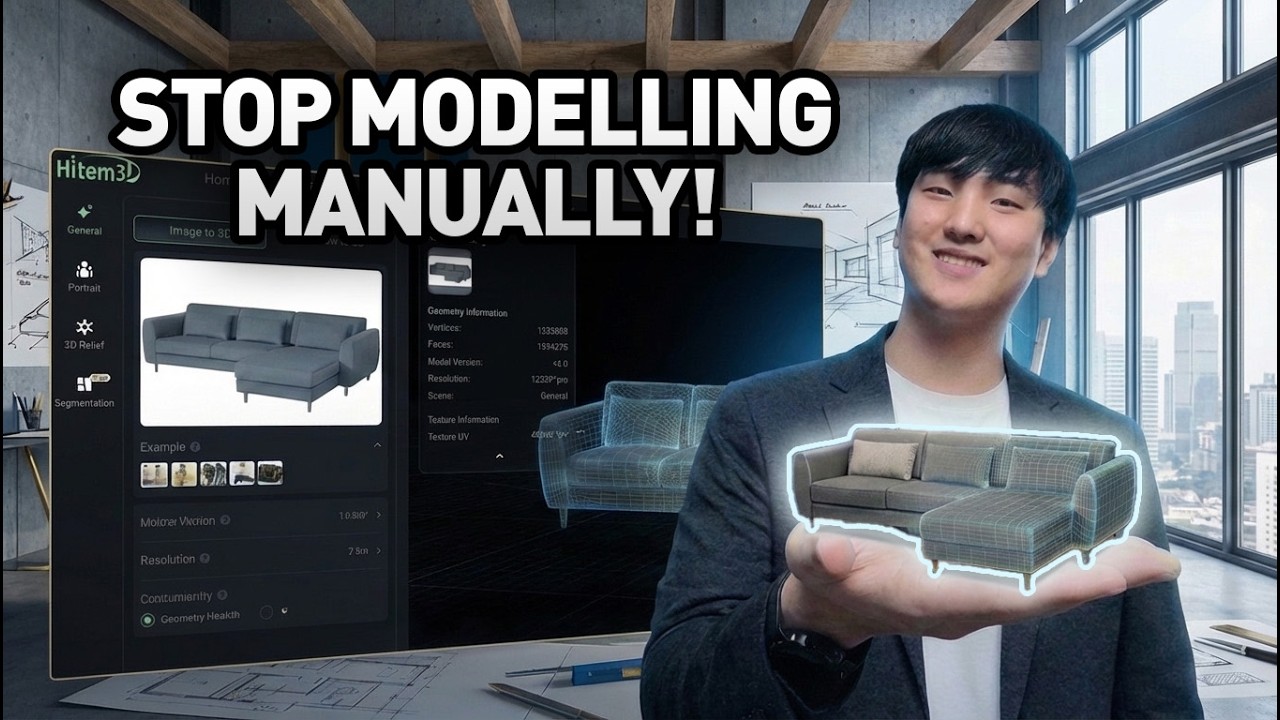
So, imagine you're a designer and your boss gives you the impossible task of modeling this specific chair for the interior model. You need to model every detail perfectly, otherwise, you are fired. What do you do? You could start by modeling some low-poly chairs using boxes, but this is going to be too far from reality and it's not going to be usable for your actual renderings and modeling. So, you'll be fired. So, you'll be spending a lot more time modeling out every single detail. Find out actual measurements from the product details and then try to model them one by one. Add chamfer and texture them one by one, and it'll take you a week to model this single sofa and you'll still be fired. So, you might think maybe you can go ahead and find a similar chair 3D model that already exists online, but you'll have to browse through a hundreds and hundreds of listings and at the end of the day, even if you find the exact model, you'll still have to pay potentially hundreds of dollars for that model, which is not what your boss wants to pay for. So, you'll still be fired. So, what do you do? The solution is to use AI 3D generator. And this tool is able to take in any image of products and then turn it into a high-fidelity model that is perfectly textured and UV mapped as well. And you can import them into any program that you're using, including Rhino. So, let me show you how you can do this and secure your job for your future. Okay, so for our renovation project, we are going to be using this particular model of sofa from IKEA. And what's really powerful about this technique is that you can do this with literally any product in the world. So, even the ones that are like lesser known and even the kinds that you've built your own even, you can turn them into 3D model and place them into your scene. So, what you have to do is simply download this image and save it to your desktop. And then head over to hit em 3d. com and then upload your image. And getting started is super easy. You can just use your Google account and they will give you free credits to get started. And if you share your project online, you'll also get bonus 50 points as well, so you can use that towards generating more 3D models. Now, the generation process might take a little while, mostly because they are able to generate like really high-fidelity model as well as perfectly UV mapped texture. So, as you can see, after minutes of waiting, we got this amazing model that is like really high quality, but you can also see that the texture has been applied properly as well. And even the underside that wasn't even visible on the photograph has been modeled properly as well. So, that's pretty amazing. And what's really cool is that if something isn't working properly, you can always use free retry up to three times until the AI gets it right. And once you're done generating our model, you can export them into any format you want. For me, I want to export them to Rhino, so I find that FBX works the best, so I use that to download it. And once the file has been downloaded, all I have to do is import them into Rhino and scale them so that it fits into the scene. And boom, look at that. We already have a perfectly modeled sofa in our scene. And we can repeat this process as many times as we needed in order to populate the scene. Another quick example I tried is this Eames chair with the ottoman. So, you can even input multiple objects in the same image and it'll be able to generate all the geometries and texture. So, man, so that's looking pretty good. So, similarly, I've downloaded that as FBX file and imported them into my project. And here's the result. Look at that. That just looks perfect. I can really visualize how these piece of furniture will look in the space. So, yeah, AI tools make it super easy to iterate in 3D space unlike ever before. No more searching through, you know, thousands of catalogs to find the perfect model. Just input the image of furniture that you're trying to use and then get it ready right away. If you'd like to try this out yourself, make sure to check out the link in the description. Now, I want to show you another example using Gemini as well. So, for this example, I started out with a planting plan like this one and I asked AI to remove all the annotation. Now, in the first iteration, they just removed the legend, so I had to prompt it again. And in the second go, that looked a little bit better. And from here on, I asked the AI to convert my site plan into a 60° 3D isometric architectural model while keeping the exact layout, proportions, and geometry. And what's really interesting is that AI is able to figure out what kind of plants these are based on the landscape plan and generate them in a 3D space like this one. And it's able to achieve everything in the hyperrealistic style as well. Now, you can even bring this into the 3D generator and this is what we get. Look at that. Instantly, we have a 3D model of the house that we're designing for. What this allows you to do is allows you to orient your camera precisely the way you want and then continue to generate
Segment 2 (05:00 - 06:00)
more images. So, for example, I want to save this particular view, so I'm going to take a screenshot like this one and bring this back to Gemini. After pasting in this image, I asked AI to turn this into a hyperrealistic photograph and because of the little sheen on the model, I guess the AI thought this was like a winter scene. So, I asked AI to turn this into a summer scene with more warm lighting. And I also asked AI to populate the background and with neighborhood and clear sky. And boom, and step by step, you can kind of see how things are getting better. You can even ask AI to add some people like that. And ask it to even change the season as well as the overall mood of this project. So, I thought this was pretty cool. So, if you were to actually do this through the traditional method of 3D modeling and rendering, you would have had to find a way to find all the proper models, um, populate the scene with the snow, even like model out all the individual footsteps in the snow, and that would have taken a lot of time. — [snorts] — But with the aid of 3D, I mean, AI, we're able to achieve this within just minutes. Now, granted, this took uh quite a few tries to achieve, but nevertheless, this is way less effort than typically required in traditional way of 3D modeling and rendering. So, I feel like things are changing quite quickly these days and make sure to keep an eye out for the future updates. And as you guys know, we feature latest AI updates on this channel. So, if you want to learn more, make sure to subscribe so that you don't miss any new updates. Thanks for tuning in and I'll see you guys in the next one.