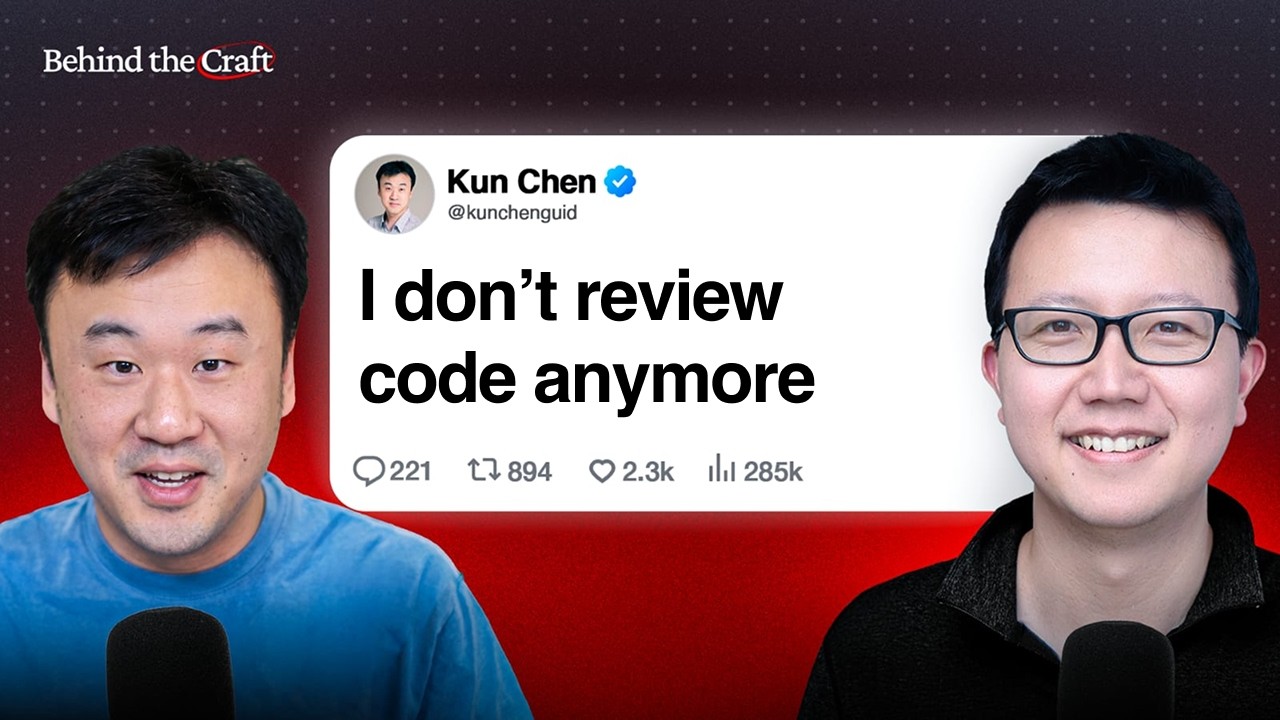
Kun is an ex-L8 principal engineer at Meta and Microsoft who now ships 40 PRs a day without manually reviewing code. In our episode, he walked through the free tools he built to make that possible: Lavish for visual planning in HTML artifacts, Treehouse for parallel agents, and No Mistakes for catching AI coding errors before they make it to production.
Kun and I talked about:
(00:00) Why he doesn't review code anymore
(01:04) Agentic engineering: Plan, code, validate
(06:22) Demo: Fixing an AI tutor screen with agents
(08:40) Demo: Why HTML is better than markdown for planning
(19:53) How to turn a rough idea into an AI-ready spec
(23:21) How Kun runs 20-30 agents in parallel
(32:04) No Mistakes: Kun's free AI code review tool
(45:19) What Kun checks before merging AI-written code
(50:18) How to get better at agentic engineering
Thanks to our sponsors:
Linear: The AI agent platform for modern teams https://linear.app/behind-the-craft
Wispr Flow: 4x faster than typing with your voice https://ref.wisprflow.ai/peteryang
Riverside: All-in-one AI studio for podcasts and video https://creators.riverside.com/PeterYang
📌 Get the takeaways: https://creatoreconomy.so/p/how-this-ex-meta-l8-engineer-ships-40-prs-a-day-with-ai-kun-chen
📌 Get my personal AI operating system with all my skills and prompts: https://www.behindthecraft.com/
Where to find Kun:
GitHub: https://github.com/kunchenguid
X: https://x.com/kunchenguid
Kun's free tools from the episode:
Lavish (HTML editor): https://github.com/kunchenguid/lavish-axi
Treehouse: https://github.com/kunchenguid/treehouse
No Mistakes (AI code review): https://github.com/kunchenguid/no-mistakes
Subscribe to this channel - more interviews coming soon!
Оглавление (9 сегментов)
Why he doesn't review code anymore
If you review every single line of code, you become the bottleneck. So I don't reveal this first pass code from the agent. Eventually I got to a point where I find myself never catching anything the agents don't catch. I typically have like at least five different sessions actively running. On average, there's like 20 to 30 agents running. Most of the time, uh, it's like 20 to 40 kind of PRs every day. Our workflows and how our teams work were built at a time when we spend most of our time coding. But when you start to write like 10 times more PRs, we are not ready for that to really scale up how much we can get from the agents. We have to move ourselves out of the loop as much as possible. Hey everyone, today I'm really excited to welcome my friend uh, an L8 engineer from Meta at Microsoft who's now a solo AI builder. is going to show us exactly how he builds products using agents. I've been asking him a lot of dumb questions about all this. So, we're really excited for him to show us live. So, welcome, sir. — Thanks for having me here, Peter.
Agentic engineering: Plan, code, validate
— All right. So, uh let's get right into it. Maybe you can start uh by kind of walking through at a high level how you're building products with agents. — All right. Um that is my workflow. Um plan, code, and validates. Uh I don't think this is too different from uh what everybody does. Um, so I'll probably talk through the parts where I think I'm doing something unique. Um, so I think typically when we build something meaningful, we typically go through these phases, right? We plan what the requirements are. Um, and then we let the agent code and then we uh have to do some validation to make sure the agent actually did what we wanted them to do. Um, so this uh the high level workflow I think is pretty standard. Um, where I think I do something different uh is uh how much time I spend in each phase. Um so currently I think I spend more time in the planning phase. Uh so planning is like mostly me with assistance from uh the agents. The coding phase is pretty much entirely the agents. Um so I once the requirements are planned very clearly. Um I trust the agents to do most of the work. Um and then in validation phase uh I use agents a lot as well. Um and agents do most of the work with some judgment from me when things are ambiguous. And I think uh the the part about this is that um if we actually uh start to delegate most of the coding to agents. — Mhm. — What I um the way I think u I can uh get agents to do more for me is to try to increase the amount of time agents spends in this phase because this is entirely agents right so if we can get the agents to do to go for longer uh then I'll get more done. So this is one area where I tried a lot of things to just scale up the amount of time I can let the agents run autonomously. — Yeah. It's almost like the code and the validation is a loop that the agent can run itself, right? And so that it can actually code for a longer time period. — Yeah. And also I think it depends on how much time we spend in the planning phase. So if I uh spend a lot of time crafting a very detailed plan then I can let the agents go for longer. um if I uh only write a very short prompt then what I'll find is that uh very quickly the agents will get work done and then I'll need to go back and prompt them again. So uh like how much time we invest in the planning phase actually affects this a lot. — Okay, that's a really good point because I I've gone like super lazy with these agents. I don't actually like I just give them like one line prompts and yeah it never works for hours. So yeah would love to kind of see each face. — Yeah. So yeah, I think the things that we can do differently in the planning phase is like go from a short prompt uh to say what is the next action you should take to something more like a spec where um you write down a more uh a more comprehensive set of details of the requirements and then go from spec to a goal. So if you can actually craft a measurable goal, you can let the agents do a lot of experimentation. — Okay. So can you show us how this works? like maybe we can start with the planning phase like — some example plans that you write. Yeah. — Yeah. Actually uh there's another uh dimension of how I optimize this flow as well. Uh which is like if you look at this uh timeline, right? Um the parts that need me is only like this beginning and the end, right? Uh so what I do is like I make sure I can paralyze a lot of sessions. Um so that's I'm always spending my time productively um uh while the agents are doing the work. So I think increasing the amount of concurrent parallel sessions that's also a very important aspect of how I get more done. — And do you parallelize sessions in the same uh project and product or like across products or both? — Uh both both. Uh so I have a hybrid of different projects. Uh but even within the same project I sometimes have multiple sessions doing different things. — Yeah. It's funny. It's funny because we used to uh like you know both of us used to work in big tech and um it used to be a lot of context switching between meetings but now you're context switching between different threads or you know it's actually faster context switching in some ways. — Yeah. Totally. I think uh it's kind of like a um someone that's overseeing a very large scope, right? There's always different things happening and there are different things escalating to you and you need to jump into different things depending on what is the where you are needed the most. Uh so this is very much alike. — Okay, this episode is brought to you by linear. When engineers use tools like cursor, clock code and codeex, a lot of work happens invisibly. Someone can go from a bug report in Slack to a shipped fix without creating any record of what happened outside of the code editor. And that's fine for speed, but it makes coordination harder as you scale. Linear integrates with the very best agent coding tools directly like cursor and codeex. That way, anyone can see what an agent is working on and who assigned them to the task. You get the speed of agents without losing visibility across the team. Product teams at OpenAI, Ramp, and Block are all using Linear to collaborate with AI agents. And I use LIR myself to run my creator business. So, check it out at linear. app/ aents. That's linear. app/ aents. Now, back to our episode.
Demo: Fixing an AI tutor screen with agents
— Can you show us your, you know, AI stack or agent decoding setup? — Yeah. Yeah, let's do it. Uh, so this is my terminal. Uh, this is where I do like all of my work pretty much. uh occasionally I switch to a GUI or a browser uh but most of the time uh I'm spending here. Uh so yeah I'm using a project here as an example to walk through it. Um so this is a project called hybits. Uh this is the AI tutor I'm building for my son. Uh it's an AI uh agentic uh harness uh for kids basically. And I just um built a new screen. Um so let me show you what that looks like. Um I revamped uh the um the main screen a little bit. Um but this is very messy because I just did this morning. Uh and it's not looking good. Uh this is like this is not how I want this to look like. Um so I uh what I'll do uh like very typical workflow. I'll take a screenshot of this, right? Uh take a screenshot and then I come to my agent. Um I use open code a lot. Uh so I'm going to just launch open code in here. — Mhm. And you use it because you can use multiple models. — Yeah. Exactly. So I can very quickly try different models when the new models come out. Uh that is the uh big benefits I get from these open source tools. — Makes sense. — Um so yeah so what I'll do here is I'll just say hey look at this uh this screen. I'll paste uh the image here. Um and uh I'll say uh the things we saw on the screen. The things that I'm I was not very happy about was there is uh too much technical details not uh that are not friendly for kids. Uh also there is a big area of white space uh unused right those were the problems that we saw on the screen that's were like clearly not uh ideal. Uh so I'll point out these problems um and I'll say hey uh can you propose uh some options for how we improve right so this is my uh the request I sent to the agent so because I sent the screenshot uh the um the model is going to be able to see visually uh what is going on there and then it's going to uh
Demo: Why HTML is better than markdown for planning
look at uh the codebase as well this so yeah it's very quickly came up uh with this plan So it says like best direction, option one, option two. The thing with this plan is that it's not very easy to read, right? Um so like when you look at this long wall of text, I like this I I will spend so much time reading this text. Um so what I do instead uh let me just try a new session. Uh what I actually do uh is I use a visual editor to uh do the planning. So uh I'll say the same thing. uh look at this screen there is too much uh technical details same thing right uh I will just add one bit to say use lavish uh to discuss this with me uh along with any questions you have um so lavish is a visual editor uh I built um after I read the article about HTML uh over markdown uh have you seen Yeah. The from the Yes. — Yeah. Um, initially when I saw the article, I was not very sure about that because I felt like HTML uh is going to be so token inefficient, right? Uh the models will have to write a lot more than a simple markdown. Um but when I tried it, it's actually super useful. Um so I'll show you once uh once we uh have this result from here. um the HTML as an artifact can be a lot richer in terms of like supporting this collaboration between human and agent. Um so it's not going to be a long wall of text I have to read through. Uh it's going to be like very visually um things I can just interact with. — So Lavish is a is like a app that you build to create the HTML in the format that you want. Is that — Yeah. It's a um it's a tool I built. Uh so what I do is like I uh every time I encounter any kind of a friction in my workflow and I don't find anything that can solve the problem for me I just build something myself. — Yeah, Lavish is a tool I built. Uh it's a tool for — both generating the HTML artifact and also supporting the uh back and forth interactive experience between human and agents on that. Um because what you um what we could do is I can just ask the agent to generate a HTML file, right? Uh and I and then I can open up the HTML file in the browser and it works. Um the problem with that approach is that once the HTML file is open and I look at the HTML file and I see that there are some things I don't like, it's very hard for me to then tell the agent, hey, please change this part. U please iterate on this aspect. Right? So that back and forth is what um Lavage Editor is trying to solve. — Oh, awesome. Yeah. Really excited to see what it is. Yeah. — Yeah. So now it's writing uh the HTML. Uh it'll probably take a little while because uh that's uh usually a lot of content to write. Uh so uh let's see what I um maybe uh one thing I can show here um is that uh while the agents are working uh typically agents either coding or planning can spend quite some time doing this work. Um so what I do is I'll just spin up another parallel uh terminal tab uh a window right I use t-mox so this is a new t-mox window um and in this window I will do something else um and we can see it's in the same directory the problem here is that uh if I spin up another agent to work in the same directory they will run into each other right so what this agent does in this session will like step on toes of the other agents that were that's already doing the work um Yeah. — So this is where people uh started using work trees. So typically people uh what people do is like get work tree ad and give another directory uh like high bits and spend like five minutes thinking about the name. Uh but I'm just going to say h high bit too. Um so the thing the problem with this approach is that once I create a work tree like this next time I come to this work tree I have to think about what is hybrid 2 doing uh like what is this work tree doing right is it still being worked on is it like okay to like use for something else it's very hard to keep track of — um and the other problem is like when we create a new work tree the dependencies are not installed in the work tree. So in this work tree we have things like node modules right like these are dependencies downloaded on the fly and these dependencies won't exist in the new work tree until you install all of them again. Um so there were many problems like that — and just for people who don't know like what's our definition of the work tree is it like a copy of the codebase right or — yeah so a work tree is basically like you can think of it as a clone of your current uh git repo um in another directory. So it's going to be a parallel direct directory and they don't directly interfere with each other. Um so you can do um a different kind of work different set of work in the work tree and it won't affect what you were doing in the main repo. — Okay. But you're saying that there's like a many issues with the work tree. So what do you do instead? — Yeah. Basically there's a very heavy like cognitive load to maintain the work trees. You have to think about which work tree is which uh and which ones are okay to clean up etc etc. Um, so what I did was I have a tool called Treehouse. Uh, so Treehouse is basically like a a no-brainer like uh a very like dead simple way to manage work trees. Um, so every time I have to spin up a new work tree to do something new, right? I don't need to think about uh do I have another work tree I can use? Do I uh create a new one? I just type treehouse and treehouse will basically set up the work tree for me and drop me into the new work tree. Uh so now it you can see it's set up a work tree in this directory right and uh it dropped me into it and the good thing is that this directory um is a is from a pool of managed work trees. So um so the dependencies are already installed here because I have used this work tree before um so I don't have to like reinstall dependencies rebuild the project every single time. Uh it also saves on the efficiency aspect. So yeah, just like reduce the mental load a lot. I don't need to think about anything. I just type treehouse every time I want to start a new session. — That makes sense. Okay. All right, dude. Well, let's go back to the other tab. — Yeah. So this is uh what's the HTML looks like. Um so it's saying, hey, uh redesign discussion. Uh it's basically there's a tiny icon here, not available. Not sure what happened there, but u basically it's uh it wrote the proposal in a visual artifact, right? Um, so what's going what's feeding off? The screen is doing like grown-up work in kids space. Exactly. Right. Um, and these things uh there's uh unused space. Um, yeah. — This is easier to scan and read for a human basically. — Yeah. Yeah. And uh if there's something I uh I look at the uh this artifact and I if I see something that doesn't feel right, I can just annotate. Um so bit has no visible body. I can say I just click on this and say I don't care about this. Um and give the feedback to the agents this way. Um — Oh, I see. So this is your app. Okay. Got it. Okay, that makes sense. — Yeah. So this is a lot more difficult to do when it's a long wall of text, right? Uh when it's a wall of text, you have to say to the agent, hey, I I don't I'm not happy about this part of the spec. Uh and you sometimes have to copy paste a lot. — Got it. — Yeah. So it basically proposed a bunch of things. Uh, copy, clean up. Uh, — yeah, some of the layout things is not ideal, but yeah, I get it. It's easier to read for sure. Yeah. — Yeah. And I I think there's probably like something that went wrong in this uh page. Uh, let me let me just check. Uh, I can just ask the agent as well. Um, because uh when I look at this, I think the agent is trying to give me a visual representation of the layout. Um, but because of the CSS is not quite working or something. Um, it seems the CSS styles uh not working. Let me fix it. Um, so yeah, I can just send feedback back to the agent uh this way and um I don't have to keep switching between the HTML artifact and the agent uh in the terminal. Uh I can just talk to the agent here. Um and I can easily annotate everything uh and just point uh the pinpoints exactly where I mean. — Can you show folks where they can download this tool? It's open source, right? — Uh so it's uh in my GitHub repo lavishi uh in this repo. Uh and it has uh it's actually very simple uh to start using it. Just tell your agent use npx lavish axi to write the technical plan or do whatever you want. — Um and the agent will go uh invoke this and everything goes on from there. And uh you have to do you have to hook up your own uh API key for the LM? — No, you just use whatever agent you are already using. Um this lavish editor itself does not uh run another agent. — Uh it runs within your agent session. So actually — Okay, got it. — Yeah. So you can see here um the agent calling lavish axi uh to pull like this uh this artifact. — Okay, that makes sense. — So let's come back to it. Um yeah. So, so now uh it fixed the CSS problem, right? This is what is supposed to look like. Uh so you can see like this is a lot uh like more visual and easier to understand. — Looks a lot better. Yeah. — Yeah. So this is like pointing out the current layouts, current uh problems and then uh it's probably like proposed a new thing. Okay. So it proposed four directions for using the space better. Option A looks like this. This is like this is so much easier to see, right? Like than like the long wall of text we have in the uh terminal. Um so here we can see okay it's uh moved the layout a little bit. Uh now this is the chat this is some other area. Okay that's one option. — Um and it even gave me buttons. So uh if I like option A I can just click this button and I get the option A. Um got it. So option B looks like this. Uh today's goal. Okay. Um, option C, uh, is this. Okay. Option C is very simple. I actually like this. Um, option D. Okay. Yeah. So, let's say I like option C. I can just click this — and it basically killed a uh a piece of feedback to the agent saying I like option C. Um, so it's just so easy to interact with. Um, I don't have to keep typing uh every time I want to tell the agent something. Everything can be done interactively. — Okay. So, and this is uh the plan phase for like building a new feature on top of an existing app, right? — Yeah. — I'm curious and maybe not to show this, but I'm just curious like how you plan something from scratch initially. Like did you like spend a lot of time planning like the milestones and the tech stack and that kind of stuff?
How to turn a rough idea into an AI-ready spec
— Yeah. So, if it's something from scratch, uh I usually have to spend a little bit more time. Um so, what I do is that I use the same lavish editor. Um, I tell the agent that I want to brainstorm a new idea with you. Um, and uh, I'll probably like talk through some of my initial thinking for what things I think um, are the core parts of my idea. And then I'll ask the agent to um, criticize that and uh, come up with like areas of risks uh, or weaknesses I haven't uh, may uh, maybe I haven't thought through yet. Um, and then come back with it uh, its opinion. Um and the agent will then come back with a uh HTML artifact like that and I can look at the artifact to uh basically like work with the agent to refine the idea to a point where it becomes a spec basically. — Do you always like include some certain sections in your spec like build it in three phases or like here's the milestones or like here's a tech stack I want you to use like that kind of stuff. — Yeah. So uh for some projects, for some ideas, I already have uh some uh opinions on things to use and things to do. Uh in those cases, I'll just write them down and say these are my preferences. Um but I always tell the agents that it's okay for you to push back if you see something that is not right. Um because I want to give the agents the flexibility and I want to see more options as well. Um so yeah, I I basically like give my ideas to the agents uh but let the agents give more back. So, so then do you have like a user level agent. mmd or something that like uh has some of these best practices like you know you can push back on me or it's just more natural through the conversation? — Yeah. Uh so I um I actually built a lot of those instructions into uh lavish editor. — Um so whenever the agent is using uh the lavish editor to work with me, the agent already knows uh a lot of those um like those best practices. — Got it. Okay. And how about like uh if you're building like a userf facing product, how do you think about the design? Do you have like another tool for design or you just you have some skills? — For design uh you mean visual design? — Yes. — Yeah. So for visual design, I like cloud design a lot. Um since it came out, I use that a lot. Uh and uh very often I I'll use a lot of the quota they have uh for me. So if you look at this uh this bar where I track my quota um cloud I mostly used up my weekly quota already I'm waiting for the reset and cloud design I used um like uh twothirds of it um okay because I yeah I just find it very useful to um especially for new projects I use this a lot to build a new design system um because once I get the design system built I can apply that to many different components in my project uh very easily. — Yeah. Okay. May maybe you can show that later later, but why don't we finish this work worker first? Yeah. — Yeah. Cool. So yeah, we basically we chose option C, right? Um so now we can just say hey uh build option C now. Um and uh because we already have the plan uh written uh in the HTML artifacts, the agent already has the context on what that means and uh what's the choices uh were made. Uh right. So, uh, the agent can just like go ahead and, uh, and implement that. Now, — how many like, uh, since you're just like building solo now at home, like how many of these agent building sessions do you have going? Like, like the agent actually building something for you at any given time like Yeah.
How Kun runs 20-30 agents in parallel
— Yeah. So, I like closed as many sessions as I could before I uh started this session. Uh, but uh, I typically have like at least uh five different sessions actively running. Um, and in each session there are usually like a bunch of sub agents uh or different uh agents working. Uh, so in total I never like really counted but I would guess on average there's like 20 to 30 agents running. — Okay, got it. Okay, so you mentioned you have sub agents running like you actually specifically ask it to run sub agents or like it just decides to like when when do you actually need a sub agent versus just using one agent? — Yeah. Yeah, great question. Uh so I think the u most of the models today uh and the harnesses they are not very great at proactively using sub aents. Um there are only a few cases where like cloud code or codeex will proactively use the sub aent. It's when like they have the their built-in agents like explore. Um so when you uh ask a complex question uh cloth code will often run a explore sub agent right to do some exploration in the codebase and come back with some investigation results. Um those are the cases where the models will proactively use a sub agent. But in a lot of cases uh because the models I think they are not trained uh enough yet to use sub aents in various different kind of cases you often have to prompt it to do so. — Got it. Okay. What are some cases where you actually want to prompt it to use sub aents like to for like validation or — Yeah. So um the reason uh I think the main reason I would use a sub agent is to avoid context um context window blowing up in the main agents uh session. — Oh I see. — Yeah. So uh what I do what I uh I think the time when I choose to use sub agents is when I realize what I'm about to do uh is going to use a lot of context and most of the context is going to be uh like investigation kind of exploration kind of uh scenario and most of the exploration may be not meaningful for the main session. Uh so in those cases uh basically I like carve out those sub agents to do those investigations and only come back with their conclusion. Okay. So it's like uh like hey spin up a sub agent to look at this codebase or do some research on this topic and summarize it and give it back to the main a agent like that kind of stuff right. — Yeah. Or like there are cases where I have like 10 experiments ideas to run and each experiment uh I each experiment can be done in isolation. Uh right so in those cases I also like just say uh hey like spin up 10 sub agents to do that. Um, if I do that all in the main agent, it's going to just like blow up the context window and take a lot of time and uh tokens as well. — When you say experiment ideas, you mean like AB testing stuff or or what like different ways to build things? — Yeah, so there are various kind of uh experiments I run. Uh there's one example here I can show. Um so this is one uh something I'm running. Uh this is the one I didn't uh kill. Um so this is a a benchmark I'm running to evaluate the effectiveness of different programming languages when given to agents — and uh there was this benchmark that were that was published like two weeks ago called program bench uh it's built by the same people that built Swebench um and it's their new thing and program bench basically ask the agents to build uh a bunch of programs like ffmpeg like these tools from scratch and see whether the agent can actually get all the requirements done uh and pass all the test cases. — So that is the that was the benchmark. Um but I thought the benchmark can be very useful for evaluating different harness uh harness techniques and also different uh programming languages. Uh so right now what I'm evaluating here is I'm running program bench on codeex and I force codeex to use these programming languages like typescript, javascript, python and see when they use different languages do they get different results right uh is there a programming language that will lead to the agent getting uh more requirements done and passing more tests and use less tokens etc etc. Um so this is a very large amount of uh experiments. Um basically like there are um like 200 multiplied by uh eight right uh so there's that that's a lot of things to run and in those cases I basically like have sub agents uh running and uh if I run all these in a single main agent it's just going to keep running compaction and uh not going to be very efficient. — That makes sense. Okay cool. Let's go back to the kit. — Yeah. So it looks like it's running a bunch of tests right now, right? So like is that just the model knows to run tests or you actually you have some instructions to have it built unit test and stuff like that each time? — Yeah. — Uh I typically um in my um agents MD in each project I will like have some instructions for how to uh perform tests. Uh so uh here for example uh I can show the agents MD here. So in this is the agents MD for the high bit project uh we were looking at. Um and in here we'll just have some like high level context on the structure of the project. Um and then I'll have some uh testing instructions. This is actually super helpful. Um so previously I didn't do this and I let the agent decide what to do and the agent will just do the like kind of do the minimum. Um and uh they they are trained to run some basic testing uh but they are not going to be comprehensive enough. Um so I have here is like instructions for how to do end to end testing. This is important for like building uh front end and UI kind of projects. Uh right we were looking at hybrids which had a GUI. Um so in this case I tell the agents hey uh this is a electron app you can drive this uh this app by running a browser and uh and blah blah how to do this testing how to actually test things end to end. So with that instruction here the agent will uh will like just once it's done its work it will actually validate things end to end for me. Um, so that can save me a lot of time from like running the app myself and visually validating is that actually what I want. — Okay. So it's basically like uh using browser use and checking out the app, see if it looks okay. Maybe checking some browser errors. — Yeah, exactly. — Yeah. And take screenshots as well. Take screenshots and look at these things visually and see whether it's actually aligned with what we talked about. I think if you use the codeex app, I think it does it by default, but like let's say like I'm not very technical, like how do I even know to include this stuff? Should I just tell the agent to run a lot of tests or — Yeah. Yeah. So typically um what I uh one thing I one thing that's really interesting I found is that — uh by default the agents like to write unit test like very uh purely uh code based unit tests and those unit tests often don't actually validate things end to end. So for example uh even in codeex I think codeex by default likes to use the builtin uh inapp browser right? — Yeah. Um so when you work on some front end changes uh it will use the inapp browser to uh look at the change and uh have you look at that as well. Um but this is an electron app. It's a desktop app. So it actually requires a different set of uh yeah facilities to validate that. Um so the instructions here are basically how I would test this thing myself. — Um — okay. — Yeah. So basically like the more um the more things uh that I find myself doing that I can delegate to an agent, I turn them into instructions and then let the agents do the work uh instead of me like operating the app myself manually. — Okay. Got it. Okay. So I guess like someone who maybe is not as knowledgeable as you can just like I guess a general principle is like if you're doing something manually like you're manually opening the app and looking at the screens just ask the agent, hey can you just auto automate this for me, right? just ask it and hopefully it can figure some something out too. — Yeah. So yeah, if you are like not trying to dig into the technical details, uh then the principle the high level principle is like if you find yourself manually doing something, then try to turn that into something the agent does for you. Um and you can very likely like with today's models, just ask the agent um to like to do what you were trying to do. Uh and the agent will figure out, oh, I should do this, I should do that. — All right. Well, it looks like it's done now in — Yeah, it's done now. So, uh, so now, good question, right? Like it's done.
No Mistakes: Kun's free AI code review tool
The agent says it's done and we can look through what it did, right? It said it changed this, change that. How do we know this is actually, uh, a good change, right? How do we know there's no like bugs and everything? Um, so the validation phase is where um, like I see a lot of people spend a lot of their time. Um so the default approach is like people will open up their IDE and start to review the code like they will diff right. Yeah. — Um but the thing is that uh AI can write so much code. Um so if you review every single line of code you become the bottleneck. — Um so what I do here is I don't even review the code. Um — I don't review this uh this first pass code from the agent. I use something I call no mistakes. Um, so no mistakes is another tool I built uh just to help uh make this part of the uh my life easier. Um so what it does I I'll show you. Um I actually made a um alias uh so every time I got some change uh like some code changes done from the agent I just nm and uh it will go through a few steps. First it will uh ask the agent to create a branch for me. Um so I don't even need to think about the branch name. Um otherwise I name the commit message like I all those things just f it's just wasting time um and I get the agent do that the agent basically did that fix kit chat workspace that's right — um and the agent is now analyzing my session to understand my intent um so the agent here uh no mistakes is reading the session uh where we did the work to understand my intent uh so now it's understood what I was trying to it will do the all these steps for me. Uh so it will rebase my change on top of the latest main branch on the remote. So there's not going to be merge conflict later on. Uh it's going to review my change. Uh so this is where uh I actually did a lot of um prompt engineering to get the agents to uh really scrutinize the change very hard. Um — okay. So any kind of edge case or bugs uh like uh logical errors things like that will get caught. Uh so this is a very high recall um uh phase. I mo uh I when I initially built no mistakes I did uh a lot of parallel testing where I let the agents review the change and I also review the change myself and see how often I catch something the agents uh don't right um and I use that phase to uh iterate on this uh the prompts and the uh the workflow within this phase so eventually I got to a point where I find myself never catching anything the agents don't catch Um so in this case the agents act it actually didn't find any uh material problems uh so it's just passed but if it found some problems uh it will uh categorize that into uh two categories. — One is obvious bugs. So if it's a just a obvious error uh it will just autofix by itself. It won't even bother me. Another category is like when it realized there's an error but fixing the error will have some product implications. Um and then it will ask me instead of just autofixing that um so in those cases it will escalate to me and it will basically pause at this phase and ask me to uh judge do I actually want to make that fix or do I want something else. — This is like the PR review basically the agent doing PR review right? — Yeah. a PR review between the agent and the author — and this no mistakes is like a whole new context window, right? It's like a new agent looking at your other conversation. — Yes. Uh so this is a fresh context window and uh and actually did that deliberately. Um I think that's an important thing to do which is to use a fresh context window to review the change that was done. uh because uh a lot of people what they do is like they will just ask hey can you review the change uh in the same session uh when you do that the agent is very heavily biased by what was already done um because it it saw all the context uh it saw every step along the way so it's biased into believing that what was done was correct um and it will because of that it will sometimes miss something um so if you uh I I tested this a lot. Um, and when you use a fresh context window, you get just get a lot more edge cases caught. — I guess the only problem is like uh the no mistakes agent has to does it have to look at your whole code base again to even understand what this app is about. — Uh, that's what this intent face was doing. Uh, so it basically analyzed your session uh to understand what was your original intent and uh some of the surrounding context as well. — Um, but it's not copying the entire session uh into this new context window. It's like you know like some senior engineer builds some feature and then you're asking the principal engineer to come in with fresh eyes to look through everything right — yeah with fresh eyes but you usually you will ask the senior engineer to explain a little bit of context to the principal right — that's right yeah — yeah so this intent phase is basically that it's basically like explaining the basic context of what this change is trying to do — okay and why don't we walk through the rest of the phases too like um documenting is what is writing what is obser observing. — Yeah. So, each phase what it does is like review is just reviewing the code. Um, and test is running tests. Um, and the test phase is very different from what the agent does by default. Um, so the agent default is running some tests. Um, and uh validating locally like uh was the change um was the change tested and was that working. Um, but this test phase is a little bit different. is more like CI um it's validating did this regress other things as well uh etc and uh this test phase will actually present some evidences uh evidences of uh the change actually working it will paste screenshots or like sometimes a video to capture this thing is actually working so it's easier for me to review I can just look at uh the artifact and see oh okay it's actually working — oh that that's actually really interesting so yeah because sometimes when I shift stuff with codeex like the stuff I'm shipping works but then it breaks some something else it breaks like another core work workflow in the app — so this test base will actually look through all that and try — yeah it yeah and uh just like present very easily digestible artifacts for me to like have confidence it's actually working as I expected — this is maybe a dumb question but like for example I'm trying to build like a fitness app right and like there's like a few core workflows that I want to make sure that it tests each time like creating a workout tracking your workouts, you know, like so like do you have to manually define the stuff or is the AI enough smart enough to figure it out — to test the stuff each time you make a change? — Yeah. Yeah. I typically like try to get AI uh the agent to turn those things into an automated end to end test. — Okay. — Um Yeah. Because then it will be very easy to run that every single time, right? — And the automated end to end test is basically just like it uh lastly is like a browser app. So it just kind of like actually beat the user and click through stuff, right? and see if anything breaks. — Yes. Uh so there are various kind of like end to end browser testing tools like playright. Um so but yeah you can just ask the agent uh you can say hey like write an end toend test uh for this scenario or this user work uh this user flow and make sure it's actually working end to end. Uh it will typically be able to figure out what kind of frameworks or tools uh that needs to be used. I think the trade-off here, dude, is like it just takes a lot longer to actually ship a feature, right? Because you're running all these stages. But I guess you have way more confidence that the feature you ship actually doesn't break anything. So I guess if you're like if you have a lot of users because a lot of stuff I work on don't doesn't have any new users. It's just me. — But if you have a lot of users that you ship the product, you want to make sure it actually works, right? It's like software engineering 101. — Yeah. So I I would argue like even if it's only for yourself, uh like probably you can make the trade-off, right? How much you want to u prefer just making changes very fast versus making sure things actually work. Um because sometimes there's like a little bit of a cost to you as well if things broke. Um yeah, so this uh this phase taking uh longer time is actually okay because I never look at this like I I never uh just stare at this screen and uh wait for every phase to pass, right? Every time I uh launch no mistakes, I just immediately switch to another session. — Uh like I don't even look at this. Um what I uh have here um I I'll show you now. I switch to another session, right? I can just look at the terminal screen here to see what phase uh is that no mistakes pipeline uh at. So I can see it's working on the linking pipeline and if it's like if it's uh waiting for me uh to like make a judgment or something it will change the status here. So I can just like very easily see do I need to jump back into that session. — Do you run no mistakes after like almost every change or like if because if you do that then why don't just automatically run it. — Ah yeah yeah. So uh I run that on most changes but not every single one because there are changes where uh for example I make a very simple documentation updates and I know like it doesn't need like so much validation. Uh it's going to use a lot of my tokens as well. So I make some judgments on whether the change just justifies this kind of a heavy validation phase. Yeah. It's kind of like Yeah. When you work within a team and some of your changes don't like it's not that every PR will go to a QA team, right? Yeah, — only some like milestones, some meaningful things will go there. — Dude, do you think it feels weird like after spending you know your career in big tech? Because in big tech when you push a change, you have like a teammate come and review your PR, right? And then you run some t tests and now you're just by yourself. So it's like so I guess like you have all these agents, but like how do you feel like unshackled or uh you kind of miss the teammates? — I uh so it's a bit of both. Uh but I would say like uh largely speaking I feel liberated. — Yes. Uh so I think uh teammates are great uh especially in the brainstorming phase. Um so when we are like thinking about an idea if it's just me uh it's a very like it's not a very diverse perspective, right? So I may not think through everything and I may not realize problems others can see. Um, AI can help to a degree, but I don't think AI is like quite there yet to replace uh like a really smart team that uh can ideate together. Um, so that is like one the part I miss. The part I don't quite miss is like everyone is busy and if I write like 20 PRs every day, no one's going to reveal that. Um, so yeah, that already happened before I uh left my uh last company. And what I uh found myself doing was like I have to write less PRs. Um Got it. And spend my time elsewhere because the bottleneck is like really on the rest of the team. — Yeah. Because the your teammates aren't actually reviewing the PRs. Like they don't have to have a lot of things going on, but like if you submit a PR to AI, it's always going to start work working, — right? — Yeah. So this is something that I think uh is going to like fundamentally change uh as we progress on AI adoption. Um so our workflows and how our teams work were built uh at a time when we spent most of our time coding and uh the average stats of like a average software team an engineer is like an engineer will write 10 to 15 PRs every month. That's like the velocity of an average software engineer uh team. So um when that's the case uh you spend like it's okay for everyone else to do code reviews and all these uh processes because the velocity is not that massive — but when you um when you start to write like 10 times more PRs we are not ready for that like our processes and our um like human team composition and everything is not built with that assumption in mind. So what's going to happen is like uh things are starting to break. A lot of teams are starting to um change their practices in order to fight that. Um so some teams es especially smaller teams in startups they basically stopped doing PR reviews. Um they still raise a PR but mostly for like a formality or for like leaving a record they don't actually wait for another peer to review. um they sometimes just merge the PR and later on if there's a problem they can go back to it. Uh that's the kind of changes I'm starting to see. — Yeah, they get the agents to review, right? I do think it does lead to like a little bit more unstable uh products. Yeah. Um but you know — uh that's because they are not using no mistakes. — Yeah, it looks like it's done.
What Kun checks before merging AI-written code
— Yeah, this pipeline just completed. Uh right. So uh it went through all these steps. uh and uh there was actually one thing fixed in documentation phase. This is uh yeah this is something I uh we can look at whether uh it's actually a legit change but um this is something I find super useful and something both me and my agents often don't do automatically. Um so it's like when you make a change can you actually find all the places uh in our documentation that can be affected by that change? — Okay, got it. — Yeah. So documentation linting uh and push and create a PR. So I can just open up the PR and uh let's look at what it does. So it created this PR. Uh the PR summarized uh the intent uh that was understood from my original session in open code. Uh it summarized what changed. Uh it did a risk assessment as well. Um so like what this is very useful as well. uh when I look at a lowrisk change I spend less time when the agent is flagging this is a medium risk or high risk change I spend more time on this PR right so I can like decide where I spend my time more uh intelligently um so uh and testing uh yeah it did some test it had a evidence uh so let's see what this is uh it renders the workspace okay yeah basically like the um this evidence uh is about presenting like actual results um from the change. Uh so uh we can look at this and see is that what we want. — Okay. — Um and there is the pipeline documentation phase. Uh what did it find? Uh it found that the design system example copy was not updated. Okay. Yeah. So it actually caught a inconsistency. Uh so that's great. Yeah. So, so because it's a lowrisk change, I don't even go into the diff here. — I don't go there. Um, I just merge it. — Um, okay. — And, uh, when it's a medium risk or high risk change, um, then I go into the diff and start to look at things myself. — Okay. But you pretty much uh always uh somewhat look at the PR, skim the PR, and then you hit the button to merge, right? — Yeah. I still look at this PR uh because I think looking through the risk assessment and uh what the agent actually did uh what was the fix uh those things are actually still useful. — That's the mistake that I'm making, dude. I don't look at the PR some sometimes. I just tell it to merge. So I just need to be a little bit more thorough. Yeah. — Also after the agent made some code changes, you just uh just get it merge. — Well, I actually run some tests and stuff. I don't use no mistakes and then I I get to merge and then um yeah, inherently like you know like a day later I'll find something else broke. So yeah, it's probably not the most efficient way to do it. Yeah. — Uh yeah. So yeah, I think some validation and then some uh some like uh review, but it's not a line by line code review. I think some review on what's changed and um what um kind of risks exist. That's still useful. And you're probably submitting 10 15 PRs a day, right? Or like doing this. — Yeah. So I um I uh actually do a lot. Uh so I um like 26 uh 14 27 30. Yeah, that's like the average. Uh so it's uh yeah, most of the time it's like 22 40 kind of PRs every day. Sometimes I do more. Um like — I can tell I can tell when uh you became unemployed. It's like it's around March. very very clear on this chart. — All right. So that so I guess we just walked through the whole plan build and validation process, right? Like that's basically it, right? — Yeah. So uh yeah, we went through like uh building a plan interactively uh implementing that with the agents and then going through this validation pipeline. Um this basically uh if you think about it, I didn't spend much time in the uh coding and validation phase at all. Right? Most of my time was actually on the HTML artifact iterating with the agent. Um so that's kind of how I um how I do these things now and as soon as I send the agent to do implementation I just switch to something else uh and work on that in parallel. — Okay so I guess we can provide the links to lavish the HTML PL planner and also no mistakes the validation uh we'll provide it in the description of this episode. Uh I guess let dude let me ask you one last question. — Yeah — I mean you know you're like an LA engineer you've been doing this for a while. There's like a lot more builders now, right? Like there's a lot more people trying to get into this stuff and learning how to build a AI. — Yeah. — How do you think do you have any advice for people to actually ramp up the technical skills and also like what kind of technical skills do they actually need to learn? Like obviously like testing and validating everything. Uh but also there's like stuff like for example like if you don't set up your database properly in the beginning like it's harder to change it later. Just like just stuff that you learn over time. So, so like do you have any thoughts on how people can actually scale up as they build more stuff?
How to get better at agentic engineering
— Yeah. Yeah, good question. Um I think there's a few things come to mind. One is that uh I think just play a lot. Um build a lot of things. Uh even if it's a throwaway toy, uh build it and through that process you will like often discover things you can do better or things the agents didn't quite do very well and start to reflect on that. Uh so do think do a lot of things. I think that's like probably the first uh step. Um some people I think they uh what I see at least from some people is like they only they spend a lot of time trying to decide what do they do and then uh they only do one thing and that thing didn't work. They then they stop. Um I think uh the mindset I would encourage is to just like build every single idea you have. Um whenever you have some idea um like send the prompt to the agent and see what it does. Um and um whenever like you have some uh like inspiration or idea you think might be interesting um just give that to the agent and have it run for you. Um I think through that like process uh a lot of learnings can be uh derived. Um that's one. Uh another I think is to um like try to challenge yourself to use like more tokens and run more agents in parallel. Um like I think that is a forcing function for people to like upgrade their workflow. Um because when we by default work with one agent uh at a time, we are still kind of like being a bottleneck. Uh we are putting ourselves into the loop too much. Um and I think to really scale up um how much we can get from the agents, we have to like move ourselves out of the loop as much as possible. Um, so that's like I think using more tokens and running more agents in parallel kind of forces us to do that. Um, that's probably like another uh thing I can think of. Um, — got it. — Yeah, maybe like the last thing is to uh like try to adopt AI in every part of your workflow, not only writing code. Um, so what we could see there like AI did a lot of validation and uh documentation all those things for me, right? And raising the PR and everything. I don't need to do anything there. Um I think um like when uh when we work through a project whenever we find something manual what we talked about earlier like something we are spending time ourselves just try to think about uh can we delegate that to the agent as well uh and through that uh people I think we'll find a lot more useful like workflows that can uh handle automation and reduce our workload. — Yeah, maybe there's like some sort of a skill or like some something we can build where because the AI remembers uh it conversations with you. Like maybe the AI can actually proactively suggest like hey you should auto you should automate this. It's like the second time we're talking about this. Yeah, — that exist that exists. So I can show you um okay — so uh if I run cloud code — cloud code has this slash command called insights. These insights will basically analyze your cloud code sessions and generate a report for what uh what can be done better like what can what kind of skills can you uh add what kind of uh things can you tweak in your like memory files etc to make cloud code work more efficiently for you. — All right. — Oh — yeah. So this is super cool but it's going to use a lot of tokens. I'm already out of tokens so I'm not going to demo that now. — Yeah. But this is something I definitely recommend people trying. This is a very cool thing. — Okay. Yeah. I'm going to write right now. Um yeah, I I think the token maxing thing is kind of like a meme. But I think basically like just summarize your advice. Number one is like putting the reps like try different things, try to build different things. Number two is like if you use multiple agents, you can put in more reps, right? Because you don't have to wait for one a agent to do anything. — Yeah. — And then and then the third one is u sorry what was the third one again? — Part of your Yeah. Not only writing code. Yeah, I think the second one is especially hard, dude, because like I don't know like growing up as an Asian person, I have like a scarcity mindset. I try to save money and stuff and — and like just trying to burn our tokens. It doesn't feel right. — Uh but there's a so most of us uh like working as individuals, we have uh the subscription, right? — So at least try to make the most out of the subscription and exhaust the quota. — Okay. Yeah. So, I guess it's kind of like going to a buffet and like trying to eat all the crab legs. I guess I can. — Yeah. But I I would say like uh there's the token maxing thing. Uh I think uh we shouldn't just use tokens for the sake of using tokens, right? We want to get actual work done. Uh so I think uh it's more about pushing ourselves like my point about number two was more about pushing ourselves to figure out ways to scale up um and really like get more done with agents instead of uh finding ourselves into the loop and only do one thing at a time. — That makes a lot of sense. All right, cool. Well, thank thanks so much, man. Uh where can people find your like all the free stuff you've been shipping and also yourself? — Yeah. So I'm very active on uh X and YouTube. I'm I plan to share a lot of my workflows and tools and setups over there. Um and I also uh my GitHub uh is also a good place uh to uh look at my projects. — Your GitHub is just uh slashkun, right? — Kungchan GUID. So I have this uh let me move my window here. — Oh, there is. Yeah. — Uh yeah, this is my uh handle almost everywhere. Uh so uh YouTube X and GitHub, LinkedIn, it's all this handle UID. — Yeah, I think it's like a blessing to all of us that you're shipping all the stuff for free and like we can all try it. So uh yeah, I'm definitely going to try no mistakes and um you know every everything else that you built. — Cool. Thanks, Peter. Yeah, if you run into anything, let me know. I I'm constantly trying to improve these tools as well. — Cool. All right, take care, man. Bye. Fitter.