These 5 Queries Are Destroying Your Database
12:16

These 5 Queries Are Destroying Your Database

Database Star 07.06.2026 3 015 просмотров 153 лайков

Machine-readable: Markdown · JSON API · Site index

Поделиться Telegram VK Бот
Транскрипт Скачать .md
Анализ с AI
Описание видео
Get 56 bad query patterns & fixes: https://databasestar.mykajabi.com/offers/zPYFUthD/checkout?video=svFtZK4e7Hs In this video, I'll share and explain five different queries that might be causing problems in your code and on your database, as well as a fix or how to avoid them. TIMESTAMPS: 00:00 - Query 1 03:03 - Query 2 05:32 - Query 3 07:23 - Query 4 09:23 - Query 5
Оглавление (5 сегментов)

Query 1

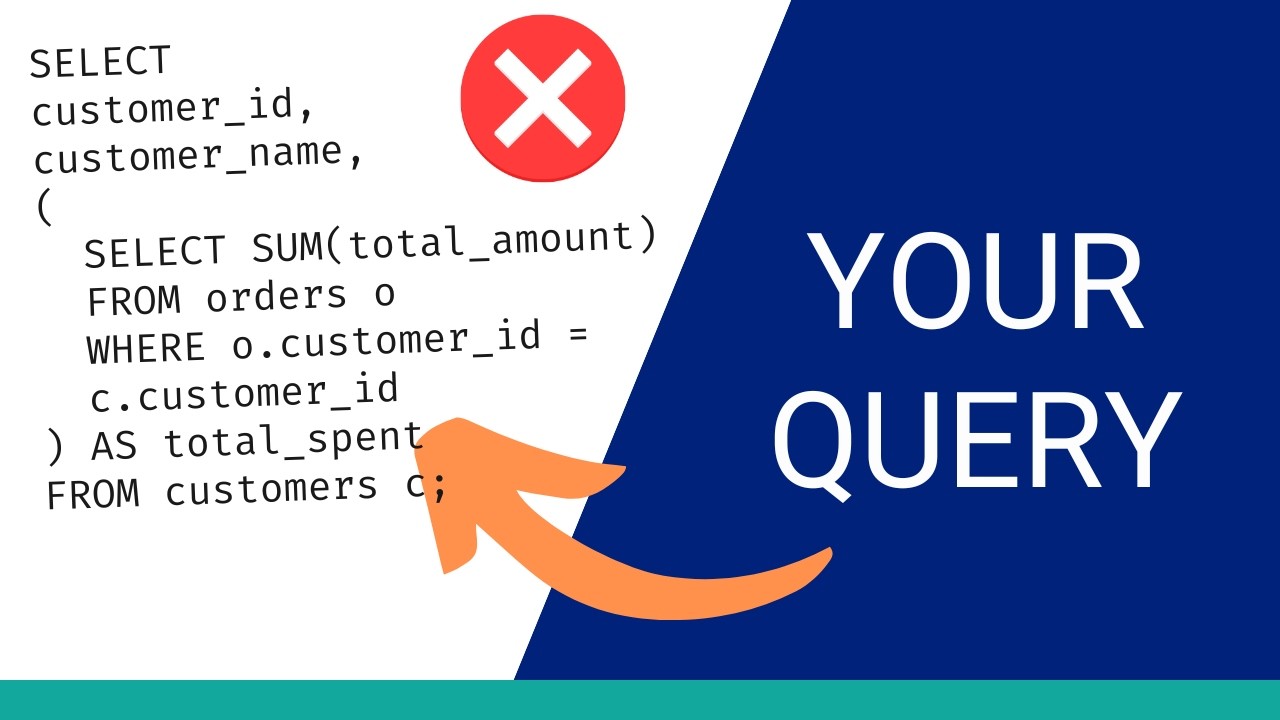
This query returns zero rows. There's no error or warning. It just runs and returns nothing. And the reason why has nothing to do with your logic. It's caused by a single record found in a subquery result. In this video, I want to show you five query patterns that fail like this, whether they cause performance issues or data corruption or other issues. The queries might look good and they pass code review, but then they cause real problems in production, often long after the original developer has moved on. By the end, you'll know what each pattern looks like, why it breaks, and what to write instead. If you want the full list, I've documented 56 of these patterns in a reference guide. You can get it using the link in the description. Let's get into it. Let's start with the query we just saw. Say you want to find all customers who have never completed an order. A reasonable approach is to write something like this. The logic makes sense. Get all customer IDs from completed orders, then return the customers not in that list. And in development, it probably works. Your sample data is clean. The subquery returns a list of customer IDs and names. The not in does its job and you get back the customers you expect. However, something different could happen in production. Your orders table has real data in it. Some of these rows have a null value in the customer ID column. Maybe it's a guest checkout where a customer record was not created. Or maybe it's a data import that didn't fill every field. We can run this query to see what's in the orders table. We can see a row here that has a null value and the status is completed. When not in evaluates against a list that contains a null, something specific happens. SQL treats null as unknown, not as empty or zero, but genuinely unknown. So, when the database asks, "Is this customer ID not equal to null? " the answer isn't yes or no. The answer is unknown. And the database filters out every row where the result is unknown. Every single customer gets excluded. The query returns zero rows with no error and no indication that anything actually went wrong. The reason this is so easy to miss is that it works correctly in development and breaks in production. Dev databases often have clean controlled data. Production databases have nulls. So, how do we fix it? This query would show you the result you need using a different approach. It uses a left join. A left join with a where is null check answers the same question, which is which customers have no matching completed orders, but without the null trap. It doesn't matter whether the subquery column is nullable. The join handles it correctly either way. We can run the query and see the results here. It shows all customers that don't have a completed order. You can also write this using not exists, which is another safe alternative. Here is what the not exists version could look like. The rule that's shown here is if your subquery column is nullable, not in will return no results if at least one value is null. To resolve it, use a left join or not exists instead.

Query 2

This next one is everywhere in SQL written in applications, and it's easy to introduce without realizing what it's doing. Let's say you have an orders table with an order date timestamp column, and you want to find all orders from 2024. A natural way to write that is like this. We use the year function on the order date column to extract the year. Then we compare it to the value of 2024. Different database vendors have different functions for doing this, but essentially it's the same approach. This query has the right intent, and it works. It shows you the correct data. However, there is likely a problem with how it runs. The order date column probably has an index on it. Normally, the database can use that index to jump directly to the rows it needs without scanning the whole table. But when you wrap the column in a function like year, that changes how the data is retrieved. The database can't use the index to look up the output of year order date because the index stores the raw timestamp values, not the extracted year. So, instead of using the index, the database has to read every row in the table, apply the year function to each one, and then check whether the result matches 2024. If the orders table has 100 rows, that's fine. On a table with a million rows, that's a full table scan running on every request. This can cause the query to run pretty slowly. The fix is to remove the function from the column and rewrite the condition using the raw column value instead. We change the year function to two different criteria. We check that the order date is greater than or equal to the 1st of Jan 2024 and less than 2025. This version compares the column directly against date literals. The database can use the index on order date to jump straight to the right range without reading the rows that it doesn't need. This should perform much better than the earlier version that used the year function. And this problem isn't specific to the year function or any similar function in your database vendor. The same thing happens with lower, upper, cast, date, month, or any function applied to an index column in a where clause. The moment you transform the column, the index becomes unusable. The advice to remember here is to operate on the column and value you're comparing against, not use a function on the column. Before we continue, if you're finding this useful, I've put together a reference guide that covers 56 of these patterns. Each one has an example of the problematic query, an explanation of what's going wrong, and a fixed version.

Query 3

The link is in the description. Let's look at the next query. Most developers know to avoid select star in a query. It fetches more data than you need, and it prevents certain index optimizations. That's fairly well understood. What's not as obvious is that the same problem applies inside a subquery, and it's just as easy to overlook during a code review or while you're working on a query. Here's an example. We're trying to get order information about processing orders where the order date is in 2024 onwards. The outer query only needs two columns, order ID and order date. But the inner query uses select star, which means it fetches every column from the orders table. The database retrieves all of that into an intermediate result set, and then the outer query discards most of it. In this example, we're moving more data than we need through an extra step that doesn't have to exist. There's also a second issue. Some database engines can optimize queries by pushing the outer filter conditions down into the inner query. This is called predicate pushdown. But when the inner query uses select star, the optimizer can't always see through it cleanly, and that optimization doesn't get used. How do we fix this issue? The immediate fix is to list only the columns the outer query actually needs. In this example, we've changed the select star in the inner query to use just the two columns that the outer query needs, order ID and order date. And in a case like this one, where the subquery isn't doing any aggregation or special transformation, you can often just remove it entirely and combine both conditions in a single query. This query gets the same result, but it's easier to read. The principle here is that the columns you select in a subquery should match exactly what the outer query uses. Think of the subquery's result set as a table you're creating temporarily. You wouldn't put columns in a table you have no intention of reading or using.

Query 4

Let's see the next query. This one is different from the others. The first three patterns affect performance or correctness at scale. This one can cause permanent data loss in a single execution. Let's say you're working with some data, writing some queries with some different filters. You need to update some data, so you write a quick little update statement to change some records and then run it. Without a where clause, this updates every row in the table. There's no confirmation prompt. There's no preview of what data will be affected. The database runs exactly what it's given, and it happens more often than you might think. A developer writes the update, plans to add the where clause next, and runs it a line too early. Or they copy a query from somewhere else, and the condition gets left out in the paste. Either way, the execution takes a fraction of a second, and depending on how recently the last backup was taken, some amount of data is gone. I've done this before many times. It's not a good feeling. What makes this different from a slow query is that you can't tune your way out of it after it has run. The rows are overwritten. The fix isn't just adding a where clause, though that's obviously part of it. The more useful thing is the habit that prevents the mistake in the first place. Before any update, run a select with the same condition that you want to update, and check that the row count looks right. Or you can run a select star with the same criteria, and check that the data in the row is the data you want to update. Once you've confirmed the filter matches the rows you expect, wrap the update in a transaction. This might be done automatically by your SQL editor, but it's also worth doing explicitly. The transaction gives you a chance to verify before anything is permanent. If the affected row count is unexpected, you can roll back and nothing changes. So in this situation, write the where clause first before you write anything else. Run a select to verify. Use a transaction for anything that matters. This process is what makes the mistake difficult to make, not just knowing that the mistake exists. Let's take a look at

Query 5

query number five. This last one is probably the hardest to catch because the query runs without error, and the results look reasonable. Let's say you want to see each customer's total number of orders and their total payment amount. You have a customers table, an orders' table, and a payments' table, and you write something like this. The structure looks fine. You're joining the right tables, grouping by customer, and aggregating the values you need. But, take a customer who has three orders and four payments. When you join both tables to customers before the group by runs, the database produces a row for every combination of order and payment. Three orders paired with four payments gives you 12 rows for that customer before any aggregation happens. The count of o. orderid counts 12 rows and returns 12, not three. The sum p amount adds each payment value three times over because each payment appears once for every order it's been paired with. The numbers are wrong, but they're wrong in a way that's not obvious. They're not wildly off. They're inflated by a factor that varies per customer, depending on how many orders and payments they have. That makes it hard to spot unless you're already checking totals against another source. A useful thing to do before you run an aggregation across multiple joins is to remove the group by and count the raw rows. If you expect one row per customer and you're seeing four or 12, the join is multiplying before the grouping hides it. The fix is to pre-aggregate each table independently before joining to the results. There's a subquery that selects the customers and the count of their orders. Then another subquery that has a sum of the amount for each customer's payments. In this query, each subquery produces one row per customer before any joining happens, so there's no multiplication. The results stay accurate regardless of how many orders or payments each customer has. The outcome from this example is to aggregate first and then join. Whenever you need combined aggregates from more than one table that share a common key, like the customer ID in this example, pre-aggregate each table in its own subquery and join the single row results. These five are the ones I see quite often and have made myself in the past, but they're not the most difficult to diagnose. Those would be the patterns that only appear under specific conditions with certain data or its scale. I've put together a reference guide that covers 56 of these patterns across four categories: performance, data integrity, locking, and incorrect results. Each entry has the problematic query, an explanation of what's happening, and a fixed version. The link is in the description. If you want to understand the performance side more deeply, including how to read an execution plan, how to figure out why a query is slow, and how to fix it, you'll want to watch this video next, where I take a real slow query and work through exactly that process. Thanks for watching.

Другие видео автора — Database Star

Ctrl+V

Экстракт Знаний в Telegram

Экстракты и дистилляты из лучших YouTube-каналов — сразу после публикации.

Подписаться

Дайджест Экстрактов

Лучшие методички за неделю — каждый понедельник