Create Realistic Flag Mockup in Photoshop! #Shorts
1:11

Create Realistic Flag Mockup in Photoshop! #Shorts

PiXimperfect 06.02.2026 3 776 750 просмотров 136 684 лайков

Machine-readable: Markdown · JSON API · Site index

Поделиться Telegram VK Бот
Транскрипт Скачать .md
Анализ с AI
Описание видео
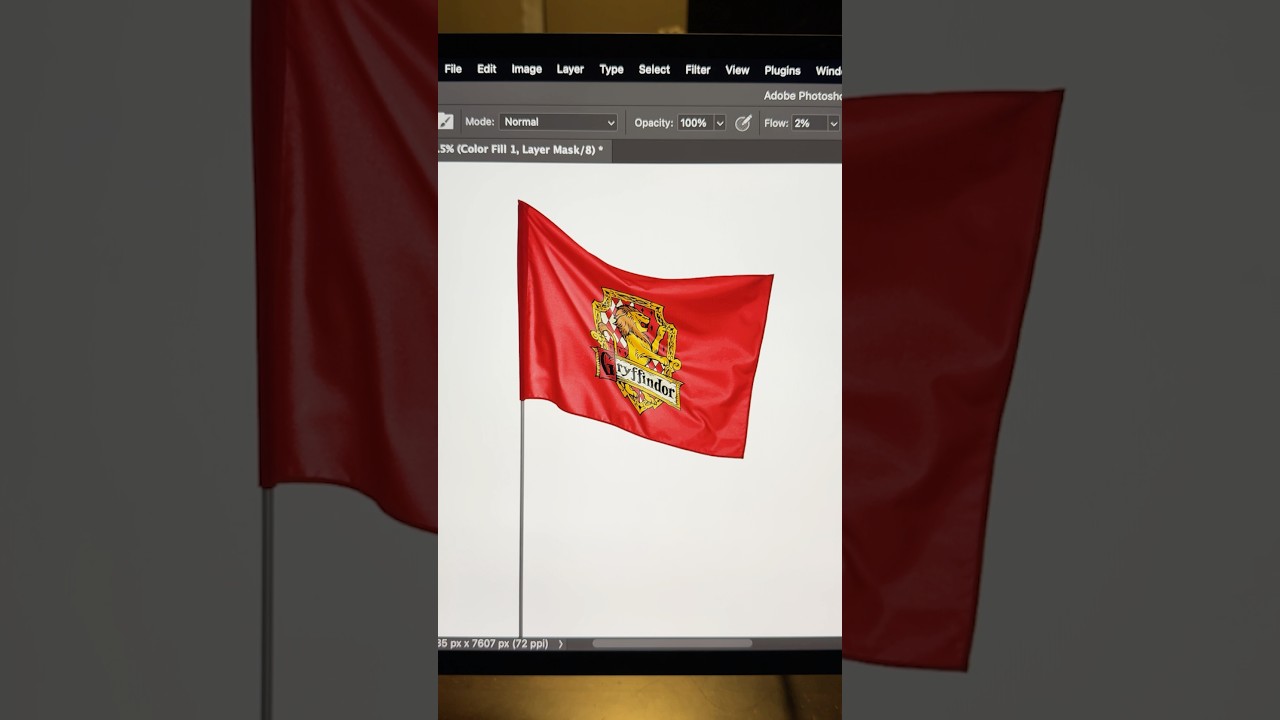
Effortlessly apply any graphic on any fabric, like clothes, flags, drapes, throws, t-shirts, etc., in Photoshop! Using the power of warp, blend modes, and simple adjustments, we'll explore the most realistic way to apply graphics on fabric. I hope this video helps you. Thank you so much for watching :)

Оглавление (1 сегментов)

Segment 1 (00:00 - 01:00)

There's absolutely no witchcraft in placing, adjusting, and erasing. It looks crap. Instead, just drop it and resize properly and decrease the opacity. Right click and choose warp. Use the low opacity to track and adjust the points according to the flag and extend it slightly. For finer adjustments, just go to grid and choose a higher option. Now you can fine-tune the folds as much as you want. If done properly, this is way more accurate than many other methods. Hit enter. Turn this layer off and select the flag layer. With the quick selection tool, make a quick selection of the flag area. And now select and turn on the graphic layer. Click on the mask button to cut it out precisely. Now increase the opacity back to 100 and change the blend mode from normal to multiply. Turn off the layer again and go to channels. Hold control or command and click on the thumbnail of the first channel. Come back to layers and turn it back on. Now create a curves adjustment layer and just take it up. With the mask selected, press control or command L. Now adjust the sliders to enhance the shine and dimension of the graphic. You can even create a solid white layer. Hold the alter option and click between the layers to limit both to the flag. Now drag the same mask to the solid color. And with the levels again, adjust it to add another layer of shine. And that's how to actually do some witchcraft and wizardry.

Методичка по этому видео

Структурированный конспект

Photoshop: Как заставить флаг реалистично развеваться

Пошаговая инструкция по созданию реалистичного мокапа развевающегося флага в Photoshop. Используйте 'Warp' и каналы для точной настройки складок и освещения.

Другие видео автора — PiXimperfect

Ctrl+V

Экстракт Знаний в Telegram

Экстракты и дистилляты из лучших YouTube-каналов — сразу после публикации.

Подписаться

Дайджест Экстрактов

Лучшие методички за неделю — каждый понедельник