Stop designing like this
19:58

Stop designing like this

Mizko 20.02.2025 34 753 просмотров 1 603 лайков

Machine-readable: Markdown · JSON API · Site index

Поделиться Telegram VK Бот
Транскрипт Скачать .md
Анализ с AI
Описание видео
⚡️ Join my monthly newsletter for exclusive goodies: https://mizko.net/newsletter ⚡ Get 3 FREE months on a Pro annual subbie! https://mizko.net/framer --- ⚡️ Timestamps: 00:00 - What has been happening 01:02 - Stop designing like this 01 04:01 - Stop designing like this 02 10:15 - Stop designing like this 03 12:47 - Stop designing like this 04 16:15 - Stop designing like this 05 --- Become a highly-demanded Product (UX/UI) designer with me: Master Figma with my Ultimate Figma Design Masterclass (6,800+ students) 👉 https://thedesignership.com/courses/the-ultimate-figma-masterclass Practical UX Research & Strategy Masterclass (700+ students) 👉 https://thedesignership.com/courses/practical-user-research-strategy-course Shipfaster UI - Advanced Figma Design System (3,000+ designers) 👉 https://thedesignership.com/products/figma-design-system/ Outline - Figma Wireframe Kit (500+ designers) 👉 https://www.thedesignership.com/products/outline-wireframe-kit Follow me on IG (Daily updates): 👉 https://instagram.com/themizko --- Follow and learn with me: Become a legendary designer: https://thedesignership.com Personal portfolio: https://mizko.net Instagram: https://instagram.com/themizko LinkedIn: https://linkedin.com/in/mizko

Оглавление (6 сегментов)

What has been happening

happy New Year beautiful faces it's been a while since I've made a YouTube video but I'm back and I'm feeling good about it during this time I've been working on a number of really exciting projects I'm just about done with a major client and something interesting has happened I noticed there was a lot of value like so much value in the feedback I gave to my team and seeing how they were able to improve the work throughout this entire project so I decided to summarize a few key things for you and so if you implement the things that I'm about to share with you this could actually save you so many hours of revision time and also position you as an absolute ux design Legend So in this video you will see the exact feedback strategies that turned our latest project from failing its first user test to hitting 10 out 10 scores for all the test cases I'll also show you the before and after examples from the project that you can use today all right let's Dive Right In as you can see

Stop designing like this 01

on the left hand side we have five key things that I do want to be covering and then on the right hand side we have designs for before and then I'll show you the designs after the feedback I do need to give credit to our designer she did an amazing job for all the UI all the screens there were hundreds of them no complaints and she was able to iterate very quickly so I do have to give her credit for that when we're designing for software the first point I want to make is that a good designer generally will receive requirements they understand the requirements and then they just Dive Right In and start designing for those requirements and that's great you get the job done no complaints no questions asked and you just move forward but there are many times when you actually designing software and if you dive and you really try to empathize with the user and you really want to create a great product requirements do need to be challenged as well and I don't mean that you need to go and revamp the entire brief and revamp all the requirements and what I'm leading towards is when we're designed for software our goal as a designer we need to think about how do you make it really easy for the user not just for the sake of making it easy but because we actually want them to complete the task that we and we don't want the product to feel complicated or heavy so the first thing that I want you as designed to think about is how do you reduce the page count or the screen count throughout your entire app so as you can see over here we have a funnel over here as you can see we have four steps and then after you get to the summary page and you hit continue you'll land on a congratulation page after that you'll land onto your dashboard and voila you've done the uh you've completed the action so this might this is just one small example that I've taken out from the entire app but in the first round of designs there were so many screens so many steps we didn't optimize for reducing page count making easier and lowering the barel to entry so if we show you the after as you can see over here we are already have the summary screen the user has already completed four steps but instead of making another screen for them to uh be congratulated and then it has to click another time to get to the dashboard you can just throw them straight into the dashboard let them know the notification and use the same sort of confetti uh animation or transition to congratulate them it's the same effect it has the same impact but really it's just one less screen but if you take this thinking and you extrapolate it into your entire app you realize you can actually reduce that 20 30 40 screens within your entire app if you just really think about reducing and minimalizing the number of screens to complete a specific action that's the

Stop designing like this 02

first one hey there before we continue I've got a very quick 30-second update for you I really want to introduce you to a new tool that I've been obsessed with lately and it's called framer so framer is a powerful no code website builder that lets you create and launch beautiful websites without a developer I use it for my personal website agency website and a startup that I am actively building right now what makes brand Stand Out is how quickly and easily it is to create beautiful websites if you want to try it for yourself you can get 3 months free with the annual plan using my link below and with that said let's get back to the video let's go ahead and take a look at number two so number two is around lower the barrier to entry so whenever you were designing uh an application let's say you would designed a website and then you have the application when someone a visitor visits the website and they go into the application the steps that they complete is called a funnel now when you are designing a funnel you generally want to make it very easy for the user to actually sign up that's the goal because the first thing you want to do is you want to get them into the app very quickly and then deliver more value inside the app so then they feel compelled to upgrade to utilize the app but if you throw and make your sign up process let's say 10 steps then you've already lost a lot of people and this is what you call drop off in software development when people try to complete a uh a step or complete a process but they end up abandoning that it's a drop off and long and extensive flows and processes and funnels to be more specific you get very high drop off so as you can see over here we have a flow for onboarding a company onto a platform and I won't zoom in I don't want to give away too much details but you can see let me go ahead and grab my pencil there is one two three 4 five six 78 nine steps that a user must take right not just click continue actually input data to get to the completion rate if we just think about if there was on each we have 10% of people drop off think about how many people would actually be dropping off by the end of the flow it's insane now obviously we can push back and say there are requirements that we definitely need for a user to sign up because we don't want to make it so simple that we are going to be spammed with fake entries or spam Bots we actually want meaningful data and then we can promote them so if we go ahead and show you the after oops the after you can see this is the exact same flow for signing up a user a company but there's only five key steps and the one thing I want to share with you is two things first we reduce the page count but second we had to think strategically around what is mandatory and what is optional now the key thing that we actually removed from this step is actually the payment having a user figure out what pay what tier or membership they want then they have to sign a contract and then they need to do a payment now my push back is that I actually want companies to just sign up on free account and then if you want to utilize more of the platform if you want to leverage some of the premium services or the paid Services then once you've actually got into our platform then we can ask you to sign up for our different features and whatnot but at least you get them into your application as quick as possible still having still pulling out the information that you need from a legal standpoint and that these signups are actually meaningful they're not just Spam accounts with like one email entry you're actually getting the right information you can validate that these businesses are real they're not spam but at least you're removing the step of having the user to think about oh I'm getting my credit card thinking about which plan do I want do I even want to pay am I ready for this you're just adding more friction to the actual process so one we reduced three key steps we then reduced the friction point of getting users to have to pay because right now we are optimizing and we want just more signups first and then if you actually think about the lower bar to entry there's a thought that you think about lower to bar I me to put that back so there's the thought around lowering the barrier to entry on a high level in terms of number of screens and the general flow and general uux but there you can also think about it on a very detailed level lower the barrier to entry when it comes to filling out content so you can see when someone signs out L on this screen they need to input some of the company details to me I feel like I have this thing where I do not like to see so many input Fields not considered and dis La together like this I really don't like that because it makes it hard for the user to digest what is it that I need to fill out and then it feels like a lot of information so if we want to think about and apply the lower barer to entry to very specific UI elements we should actually be making it easier for the user to digest what were the inputs that I actually needed and you notice if you actually break them up and actually provide good contextual understanding of what they need to fill in it actually feels a lot lighter than having so many input Fields stack on one another so hopefully that gives you an understanding of lowering the barrier to entry for entire flows and also for UI specifically let's take a look at the

Stop designing like this 03

set the third one which is visual branding and hierarchy so this is the flow a funnel design that we designed for version one or as in the initial design and then here you can see that's the funnel and this is the dashboard now we're talking about visual branding and hierarchy when you take a look at these two designs it looks good it's clean it's minimal there's you know negative space all designers love that type of stuff but I felt like we were lacking a lot of visual branding when I take a look at this screen I could say this funnel was would be for any platform it doesn't really stand out to me so yeah I really wanted us to be pushing the visual Landing for this application then if we take a look at the hierarchy let's say you get through all these steps and you hit complete and you land on this um on this screen the dashboard my eye is drawn to this button and nothing else it's not really clear where my eye should be placed so we actually want them to be looking at this because you've just gone through all these steps you've completed on the information you land here we want to let you know that your account is now verified so if we take a look at the uh after you can see that we've actually gone ahead brought through some of the branding actually put together and uh placed and structured our screen so there is more visual hierarchy there is a header properly situated you've got your content we're using visual hierarchy to let you know uh and reinforcement to let you know when things are completed what state you're on and we've actually just helped ground the design through visuals now I am not a major advocate for you know overly designing UI and web design and whatnot I'm more of a functional growth driven designer I care about these types of things but still I would say from this version to this version I would 100% invest in simple treatments that actually make the UI more intuitive then once you hit continue and you land on your dashboard you can see now it's very obvious where your ey should be drawn which is actually to the green Banner so you don't have to overly design your UI spend hours and weeks trying to refine and polish your UI just using simple visual treatments can actually help elevate your designs from a branding point of view and also from a US point of view let's move on to the fourth one which is

Stop designing like this 04

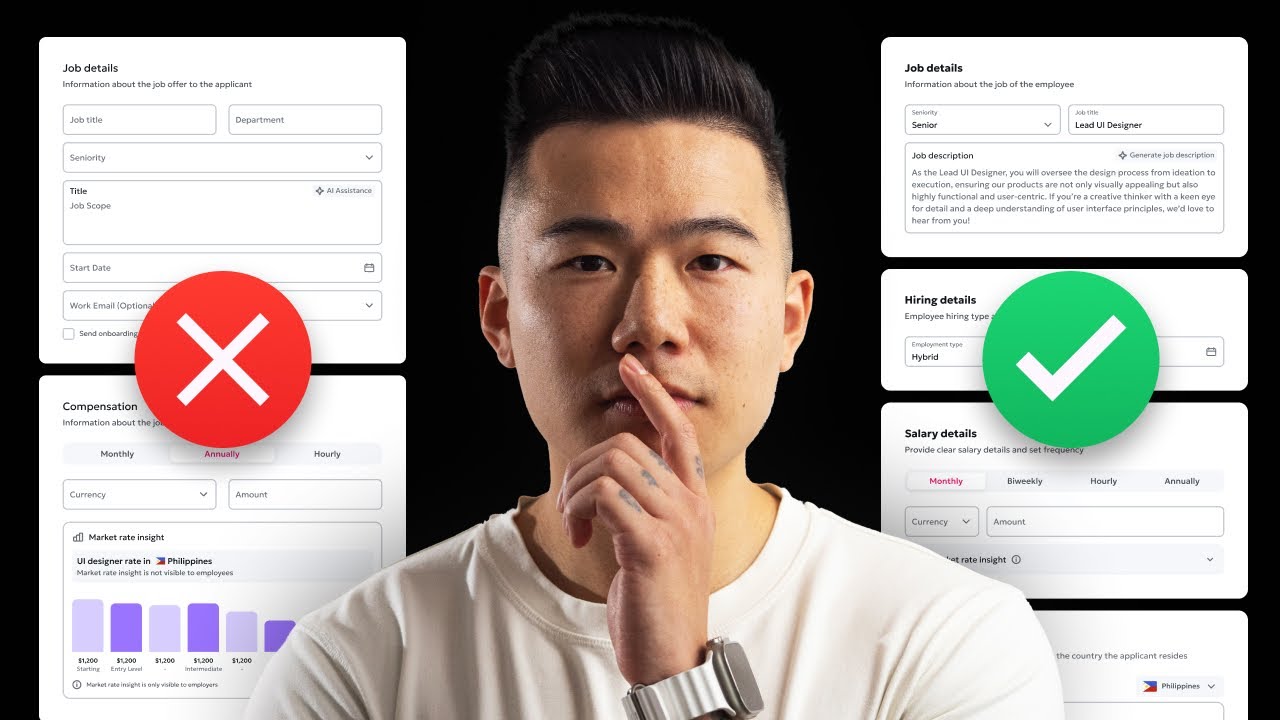
visual hierarchy and priority so let's take a look at this screen over here you can see that this is part of a funnel once again and we're requesting the user to input some of it job details so obviously the job details of the employee and their compensation details and then selecting some benefits now there are some key issues that you need to understand that this design is actually facing first I really don't like this you would know I don't like stacking so many input Fields it's bad hierarchy there's a lack of prioritization in these input Fields I don't know what's important I don't really can't really see the clear differentiation between the different types of inputs or different types of information I need to input into these inputs they all look the same to me then if you actually dial into the experience and think about the use case of this screen is actually designed for an employer who's going to be inputting the details of an employee into their system so this graph here sort of looks cool right it gives this nice visual treatment it looks nice it's a nice little component looks like it provides a lot of detail and a lot of information it seems like a nice idea but if you think about it your employer already knows what your compensation or what your salary package is if I was to UT let's say I hired you as a designer of my team we already know what your salary bracket would be based on when we hired you based on the agreement the employ employee agreement that we signed together so we don't actually need to provide any Market insights at this step we don't actually even need this entire component because I already know that let's say I hired you in Australia I already know the currency is a and I already know what the amount is going to be this is this component looks nice feels nice seems like a cool idea but in practice it's actually not useful at all but let's go ahead and take a look at what we did after now as you can see over on the right hand side we've got we've still let me just lock this up you can see we still have the navigation we've got the progress bar but we've actually once again we've broken up the input Fields giving the proper contextual understanding of what the user needs to feel and it actually makes it feel lider in my opinion then we've actually collapsed the market in our rate insights component we don't actually need to show that because it's pretty clear I've also asked the designer to actually make the currency input to be smaller because when you provide a long input field for the data that should only be maybe two or three letters long it actually confuses the user do they need to actually type something in so allowing so creating the input field to make it a bit shorter lets the user know what they should expect and we have the amount and then instead of hiding the benefits we actually want to be showing the benefits because when it comes to most employers they do provide benefits to a lot of their employees so this is why it's important to actually showas it all at the Depot State so Hopey you can see how we were able to improve some of this UI now the very last one is

Stop designing like this 05

going to be around user testing so we did two rounds of user tests for this all the entire designs the entire platform and all the key flows so what I noticed is in the first round user test I wasn't able to be on the call but I was able to watch what happened and I realized when we were testing the US of flows we provided zero context to our participants now I did ask and I was confident that our designer was able to do it um because she has been very well in previously but I think she was a little bit nervous in these rounds because of the stakeholders of their seniority levels that were all the way up into management that aside we were giving the participants some ideas around okay what the user flow was going to be about but we literally just did not provide clear context and we threw them into the first step which was Landing straight uh them into the employees Tab and then we' open the screen up and would tell them okay so in the employees tab I want you to go ahead and add a member but without the context and you don't control and you don't add constraints to the user test case when you do that and you throw them in people will start to they get lost they feel confused and they were in the employees um Tab and they like oh like um why do we have a search bar here there's like no one in the list uh questioning the UI and then they sort of forgot where they actually needed to go next so I found I noticed a lot of issues I won't go through them all but the best way to actually do it whoops is to do this so I specifically told our designer to provide proper context give the user and help them imagine what the actual thing that you're testing is what the scenario is so we put on the first step of the Prototype they would actually see this adding an employee be very clear about what the test case is help them imagine what the scenario is you've now set up your company profile it's time to add an employee to your company so before this tests our case we actually got the participant to add uh to create and set up their company profile so they understood the transition between the previous step to this step then provide very clear steps so when they hit start prototype instead of throwing them straight into the employees uh screen they are already familiar with the dashboard so then you ask them to actually go ahead and click head to the employee section from your dashboard so they click employees they've initiated that then they land into the employees this helps your participant to really understand what's happening they're linking the steps in the whole user flow so when it comes to user testing always always provide context to everything context to the flow right context to the first step this is the first step but you want to provide the context which is this step so once again if you apply these five things to all your projects all your designs you are going to be leveling yourself up as a designer and you're going to minimize the feedback loops position yourself as more of a senior designer so once again hopefully you enjoyed this video if you did make sure to gently smash that like button subscribe for the Die Hard fans and if you want to keep learning you should definitely check out one of these videos that's going to pop up on your screen right now ciao

Другие видео автора — Mizko

Ctrl+V

Экстракт Знаний в Telegram

Экстракты и дистилляты из лучших YouTube-каналов — сразу после публикации.

Подписаться

Дайджест Экстрактов

Лучшие методички за неделю — каждый понедельник