- Big VFX Bundle https://aejuice.com/product/big-vfx-bundle/?ref=filmriot&coupon_code=filmriot&utm_source=youtube_filmriot
Free VFX Assets https://aejuice.com/product/free-vfx-assets/?ref=filmriot&coupon_code=filmriot&utm_source=youtube_filmriot
Triune Digital Black Friday Sale is on now, get everything 65% off!
http://www.triunedigital.com
-----------------------------------------------------------------
*GOODIES*
The Film Riot + Smallrig Multitool!
Multi-Tool Kit (7-in-1): https://geni.us/7in1wrench
Multi-Tool Kit (10-in-1): https://geni.us/10in1wrench
COLOR GRADING LUTs:
http://bit.ly/buyFRluts
SOUND FX:
http://bit.ly/buyFRsfx
MUSIC:
https://bit.ly/storeFRmusic
VFX ASSETS:
http://bit.ly/buyFRvfx
-----------------------------------------------------------------
Theme Song by Hello Control: http://bit.ly/hellocontrol
Оглавление (2 сегментов)
Segment 1 (00:00 - 05:00)
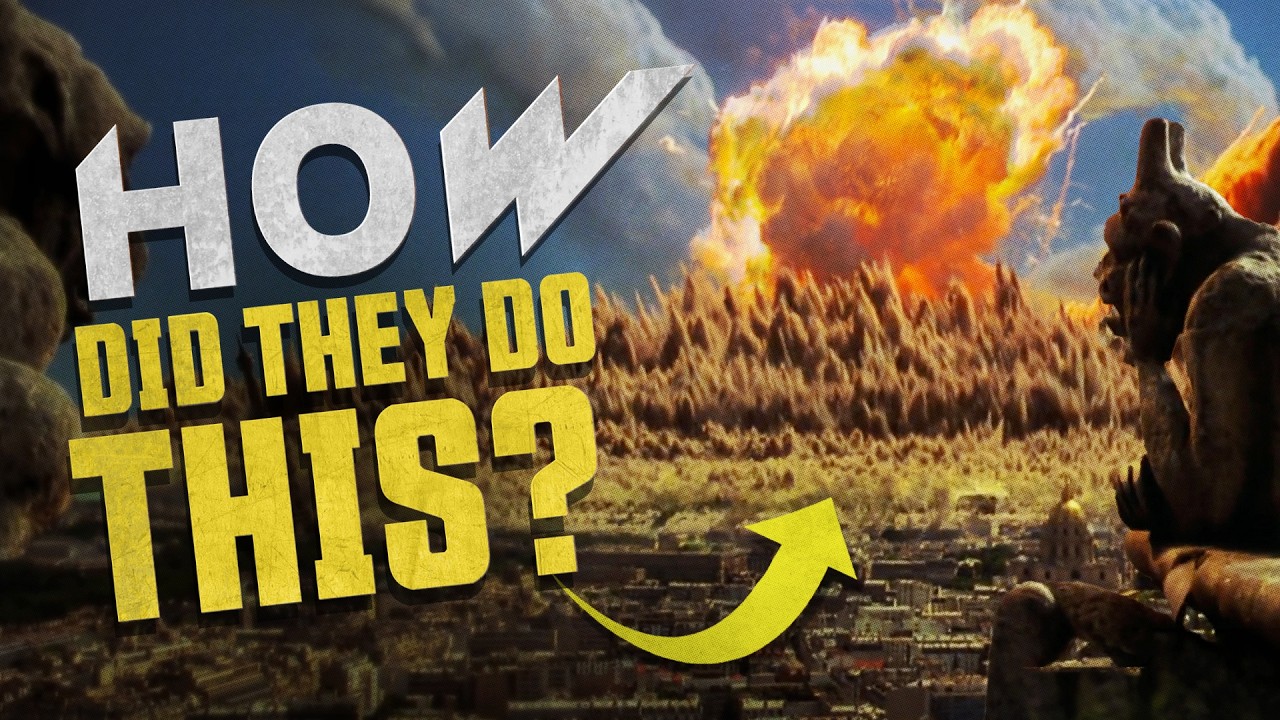
The last shot of Stranger Things season 4 reveals a whole town in chaos. And I wondered, could we replicate this massive Hollywood visual effects shot that probably costs six figures for zero figures? Well, some figures since we're going to be using BFX assets to build this out in After Effects money. Anyway, let's find out. — Uh-oh. There's something about that guy's tone of voice I don't like. — Shooting for this was very simple. just one shot each individually on green screen, which was a pop-up green screen that we brought to the park location we decided to shoot at and then we were done. But also, we were not because it was sunny that day and didn't work at all for the shots. We tried pulling the highlights off the actors, but that ended up looking horrible. So, we reshot this time in my backyard because I'm too lazy to be bothered to drive 5 minutes again. — Uh-oh. Gaze upon the laziest beaver in the whole forest. — So, we got our shot again. This time using the house to block the sun. so we could get that proper cloudy feel on the subjects. But now with that shot again, we can start building the environments out to place them in. But before we do, our Black Friday sale is now on until December 1st. 65% off all our amazing packs in our store, from VFX assets to color grading and more. So check that out in the links below. Anyway, for our base environment, we found this free stock image from Pixels, no money, which matched a similar distance and angle to the original, which has this lower valley for the town. Keeping in mind that we're going to use other assets for the foreground later on. Now, for the VFX assets to build this out, we are using a bunch of packs from AE Juice. They have a ton of great stuff on there, including some of our packs. And since it's Black Friday, it's all 50% off, including their big V effects bundle, which has their 16 bests sellers and the packs that we're going to be using for this effect. Now, once you grab the packs, you can, of course, download them from the site or use the better option of the AEU pack manager plugin, which once installed, you can find here. Now, you have access to all the packs that you own, but you can also browse other packs and get previews of each asset. And as you can guess, this is a big time saver. We used a lot of assets from multiple packs for this episode, and being able to preview each asset in the display has been very helpful. Now, when you find the ones that you like, just click the download button and they're brought right into After Effects, or you can favorite them for later. Lucky for us, pretty much everything we needed to complete this shot was included in this bundle, including the sky, which worked perfectly for our scene. We just used a feathered mask at the horizon, slowing down the speed with frame blending enabled, and lifted the color and contrast to match. And it's easy for us to break down the rest of what's needed for our visual effects into different categories. We have this dark cloud section, the giant plumes, lightning, the fiery red ground cracks and smoke, plants, atmospherics and particles. For a dark storm at the top of the frame, we found these cool fog and mist assets, as well as some snow avalanche, which we can flip upside down and use a tint and other color effects to blend into the dark mass, which our smoke will feed into. For the largest smoke plume, we found this volcanic cloud asset, which we can flip, mask, and darken. And we'll use a feathered red color to act as light from the cracked ground, which we'll make soon. Now, to widen this plume, instead of scaling, we used a duplicate, moved in the timeline to a later moment, and placed to the left, masking and changing a few things to help it feel more uniform overall. For the other plumes, we used some chimney steams and drifting smoke placed around the frame at different scales, and again, colored to match. We also used some subtle smoke trails for added details and this snow drift01 asset with a slightly lighter color to add some extra texture to the atmosphere. For these fiery red ground sections, we found a number of different assets useful like these geothermal steams, snow drift, moltov cocktail fires, and various other smoke and steam elements which we just tinted red and placed around the landscape. For the main linear crack toward this plume, we used the snow drift 12 asset. Again, we tinted it red and used turbulent displacement. Turbulent — to break up the straight line it was in. After that, we slowed everything down with frame blending, which helps build up our sense of scale. Now, for the lightning storm that we see in the main plume, we did this with a mix of brighter red duplicates of our plume and a feathered mask key frame to appear in different spots. But AEU also has a lightning storm clouds pack which we used to appear throughout. And we also added in a main lightning flash giving us this. Next, in a new comp, we dropped our background in, made it a 3D layer, and created a camera. In the original scene, we are in a field with trees and flowers. So, we pulled in the plants pack, which has all of these elements that we needed. Just make sure to import the corresponding lumats as well since you will need them. For some parallax, we stacked these layers at different depths, graded them down to match the stormy environment, and animated the camera to rotate over time. Again, we shot our subjects as individual green screen elements twice, which we placed in between these plant layers, keyframed
Segment 2 (05:00 - 06:00)
and colored to match. For some atmospheric elements, we added a few light and heavy snow assets, some tinted warm and one tinted dark like ash. And we added a couple of very faint layers of mist and a dust wave for separation. There is a lot of solid fog assets and a number of these packs as well, which I'm sure would work great for the upside down type effect, too. To finish it off, we found some helicopter stock from pixels. com to place in the distance, and finish the shot with some glow, chromatic aberration, and a grade and grain, giving us this. I think we got pretty close to the original, but what do you think? Did we get it or do we suck? Let us know in the comments below. And if you do want to grab the packs that we used in today's episode for 50% off from AE Juice, including the big VFX bundle of those 16 bestsellers, which are filled with all kinds of great assets from space to weather, fire, explosions, and so on. And you can use the coupon code filmrite for an additional 10% off. Check the links below to jump on that before the sale is over. But that is it for today. If you dug the episode and want more, be sure to subscribe and hit the bell to be notified when we put up more content. And until next time, don't forget to write, shoot, edit, repeat. — See you later. Call tall call.