All the Codex CLI News (This Week!)
9:36

All the Codex CLI News (This Week!)

Ray Amjad 25.09.2025 8 621 просмотров 177 лайков обн. 18.02.2026
Поделиться Telegram VK Бот
Транскрипт Скачать .md
Анализ с AI
Описание видео
Join AI Startup School & learn to vibe code and get paying customers for your apps ⤵️ https://www.skool.com/ai-startup-school —— MY APPS —— 🎙️HyperWhisper, write 5x faster with your voice: https://www.hyperwhisper.com/ - Use coupon code 772DYJYF for 40% off 💬 MindDeck, an advanced frontend for LLMs: https://minddeck.ai/ - Use coupon code OP6CZ8P7 for 40% off 📲 Tensor AI: Never Miss the AI News - on iOS: https://apps.apple.com/us/app/ai-news-tensor-ai/id6746403746 - on Android: https://play.google.com/store/apps/details?id=app.tensorai.tensorai - 100% FREE —— MY CLASSES —— 👾 Codex CLI Masterclass: https://www.mastercodexcli.com/ - Use coupon code K5LP2NRK for 20% off 🚀 Claude Code Masterclass: https://www.masterclaudecode.com/ - Use coupon code 6OKODFRW for 20% off ————— CONNECT WITH ME 📸 Instagram: https://www.instagram.com/theramjad/ 🐦 X: https://x.com/@theramjad 👨‍💻 LinkedIn: https://www.linkedin.com/in/rayamjad/ 🌍 My website/blog: https://www.rayamjad.com/ ————— Links: Codex CLI Just Fixed Claude Code: https://www.youtube.com/watch?v=GJzfNWK4iHg&vl=en Codex All Advanced Features: https://www.youtube.com/watch?v=KUul2bYAIHo Scale AI Benchmark: https://scale.com/leaderboard/swe_bench_pro_public How OpenAI Uses Codex: https://cdn.openai.com/pdf/6a2631dc-783e-479b-b1a4-af0cfbd38630/how-openai-uses-codex.pdf GPT-5-Codex Prompt Guide: https://cookbook.openai.com/examples/gpt-5-codex_prompting_guide Codex Prompting Guide: https://developers.openai.com/codex/prompting Meta’s Research: https://ai.meta.com/research/publications/are-scaling-up-agent-environments-and-evaluations/ Meta’s Research Results 1: https://huggingface.co/blog/gaia2 Meta’s Research Results 2: https://huggingface.co/spaces/meta-agents-research-environments/leaderboard Timestamps: 00:00 - Intro 00:16 - Usage Limits 00:40 - /review 01:34 - Auto Compaction 01:47 - Output Schema 02:20 - MCP Tool Timeout 03:03 - Codex Login 03:45 - New GPT-5-Codex 04:35 - Scale AI Benchmark 05:46 - How OpenAI Uses Codex 07:06 - GPT-5-Codex Prompting Guide 08:08 - Codex Prompting Guide 08:16 - Meta's Benchmarks

Оглавление (13 сегментов)

  1. 0:00 Intro 69 сл.
  2. 0:16 Usage Limits 91 сл.
  3. 0:40 /review 204 сл.
  4. 1:34 Auto Compaction 39 сл.
  5. 1:47 Output Schema 139 сл.
  6. 2:20 MCP Tool Timeout 154 сл.
  7. 3:03 Codex Login 163 сл.
  8. 3:45 New GPT-5-Codex 220 сл.
  9. 4:35 Scale AI Benchmark 237 сл.
  10. 5:46 How OpenAI Uses Codex 263 сл.
  11. 7:06 GPT-5-Codex Prompting Guide 201 сл.
  12. 8:08 Codex Prompting Guide 31 сл.
  13. 8:16 Meta's Benchmarks 310 сл.
0:00

Intro

Okay, so Codex CLI released a bunch of brand  new updates over the last few days and we're   going to be going over some of them. Firstly,  you want to make sure you're on the right   version by doing codex --version here and you  should see that you're on 0. 41. If you're not,   then you can run this command and then  that should update to the latest version.
0:16

Usage Limits

Anyways, the biggest thing that I  like about this update is that you   can see your usage limits if you  do /status. So if you run codex,   then allow, then /status, then you can see it says  send a message to load the usage data. Say hi. And you can see right over here I  have my weekly limits and my five   hour limit. So I think my weekly limit just reset,   which is pretty good. And I find the usage limits  to be quite generous at this stage at least.
0:40

/review

Something else I also added in this update is  this new /review command. So if I do /review,   then you can see I have a couple options  here. I can review the uncommitted changes   which will trigger a review of any changes  that just haven't been committed yet in git. I can also do /review of a particular commit  that had previously happened. As you can see   right over here I can do /review against a  different branch. So maybe before doing a   PR or something I can do a /review and then  finally with some custom   instructions such as saying like can you check  the logic for X, Y and Z is like implemented   correctly? Or what do you think of A, B and C  for example? And I have made a previous video   over here called Codex CLI just fixed cloud code  that you can watch using the link down below. And basically what I was doing in this video  is getting Claude Code to make a bunch of   changes and edits to a codebase. And then I  got Codex CLI to review those changes. And   I think that process is now even easier if you  do something like review uncommitted changes.
1:34

Auto Compaction

They also have auto compaction triggered  automatically if you're using gpt-5-codex   when you hit around 222,000 tokens.   And you can see the limit is hard   coded right over here. But you can also  auto compact manually by doing /compact.
1:47

Output Schema

Something else they also added is that  in exec mode you can now use output   schemas. So for example, if you have  a schema that kind of looks like this,   where you have like name specifications,  use cases, for example, then you can run   exec mode by quitting Codex CLI and  running a command kind of like this,   where I'm running GPT-5 with output schema  as a. json file that I just defined earlier. And then I can pass in an instructional  command such as "What is this project   about". Press enter and then the response  that this will give will be in the schema   format that I defined over here in this file  and you can see it's right over here. Bear   in mind this only happens in exec mode,  so you want to make sure you're running
2:20

MCP Tool Timeout

exec mode for that. Something else I also  added is a tool_timeout_sec over here. So if you go to your. codex folder, so it  should be. codex and then open up the config,   this is a file in which you define any MCP  servers that you want. If you want to learn   more about setting up MCP servers, then I have  another video linked down below called Codex CLI:   All the Advanced Features and I basically  cover setting up MCP servers here. But anyway,   they added a new thing which is  tool_timeout_sec, which basically   means that if a tool does not respond within this  certain time then the operation will be cancelled. And this can be useful for MCP servers  which like do pretty heavy tasks and you   need longer timeouts for. We have  the /review command in 0. 39 that   we covered earlier and more features  were added to. And a breaking change
3:03

Codex Login

here is that previously Codex used to read  your OpenAI API key from the environment. So you would have to define it such as this by  doing export OPENAI_API_KEY and then your key   right over here. But now that is no longer  the case. So if you do want to log in with   your API key, firstly you want to log out  of your ChatGPT session if you're using   ChatGPT and then do codex login --api-key  and then define your key just like this. And this API key will then be stored in your  auth. json file. So you can see this file over   here where the API key is now stored and then you  can run Codex as normal using the API key instead.    And I think the same thing also applies if you  want to use a different model provider with Codex. And I do cover that in my previous video right  over here, which you can watch again. Of course
3:45

New GPT-5-Codex

they added their brand new model which is  GPT-5-Codex last week and they now have   made that default model. So if you want to switch  away from that model, then you would do /model. And I've been using the model GPT-5-Codex a lot  over the last week and I have found it to be   pretty amazing. You can see right over here I have  this like really long session running where I'm   adding a brand new feature to my application,  HyperWhisper, and I've used about 2. 44   million tokens so far and often Codex is just able  to run independently for about 30 to 40 minutes. But of course I still have to test the  application, give errors back to it, and   so forth. But it's kind of nice that  I can just like leave it running for   a while and then trust that it will still  get like 90, 95% of the way there. And if   you're interested in what this application  is, it's a speech to text application. There's a link down below alongside a  coupon code and it's basically the most   customizable one on the market right now. So  do try it out if you have time and do email   me with any feedback that you have because I'm  always looking for ways to improve it. Anyways,
4:35

Scale AI Benchmark

for some Codex/GPT-5 related news, Scale AI  released a brand new benchmark called SWE-Bench   Pro and you can see a performance comparison over  here. And basically the reason is because I guess   SWE-Bench Verified that a lot of model providers  were testing themselves against such as this one. Over here we're getting really good scores. So  for example like 4 months ago Claude 4 Sonnet   got 80. 2% and a lot of them are converging  on pretty similar scores. So of course when   the benchmarks do get maxed out then  we need a new and harder benchmarks. So you can see that many of the models over here  have fallen from SWE-Bench Verified to SWE-Bench   Pro. But GPT-5 and Opus 4. 1 are both like pretty  neck on neck kinda within this margin of error. But of course the GPT-5 is significantly  cheaper than Opus 4. 1. One of the things   they do mention about the benchmark is that the  tasks are more diverse compared to previous ones.    So there are problems from consumer facing  applications, B2B platforms and developer   tools requiring reasoning across varied  architecture and development patterns. So it will be pretty interesting to see if this  benchmark does get adopted by model providers   when they like make their model announcements or  releases. And how long before this benchmark is   also maxed out as well. OpenAI released  a brand new doc called How OpenAI uses
5:46

How OpenAI Uses Codex

Codex. There will be a link down below and it  kind of reminds me of the previous thing that   Anthropic released which is How Anthropic  teams use Claude Code about two months ago. So there's like a lot of deja vu  happening right now, but anyway,   so you can read through the documentation,  but like Use case 1 is Code understanding. So,   Codex helps our teams get up to speed quickly in  unfamiliar parts of the codebase when onboarding,   debugging and investigating an  incident. During incident response,   Codex helps engineers ramp into new  areas of the code quickly by surfacing   interactions between components and tracing  how failure states propagate across systems. And then one of the site reliability engineer's  gave a quote over here that it basically helps   him jump straight to the right files so I  can triage fast. And they also give you some   recommended prompts that you can use for  this use case, such as like where is the   authentication logic implemented in the repo?   And then a couple other prompts as well. And   then there's information about more use  cases like refactoring and migrations,   performance optimization, improving test coverage,  increasing development velocity, staying in flow. So for example, a prompt could look like  Summarize this file so I can pick up where   I left off tomorrow, exploration and  ideation. And then there's a bunch of   best practices right at the bottom over  here that you can read through. I may   make a separate video about it, but I'm not  exactly sure I don't want this to be too long.
7:06

GPT-5-Codex Prompting Guide

They also released a GPT-5-Codex Prompting Guide  and this is meant for users of the API who are   creating developer focused prompts,  not for Codex users. So for example,   if you're using the Codex CLI, this won't  be for you, but if you're making like a   vibe coding platform or something like  that, then this can be useful. It is   quite interesting that the general prompting  principle for GPT-5-Codex is "less is more. " So start out with a minimal prompt inspired  by the Codex CLI system prompt, then only add   the essential guidance you truly need. Remove  any prompting for preambles, because the model   does not support them. And that includes stuff  like saying oh, you are an expert typescript   engineer who specializes in blah blah  like you should not need to have them anymore. Reduce the number of tools available, and then  make tool descriptions as concise as possible.    So overall it seems that for GPT-5-Codex you don't  have to prompt as much as previously, because for   GPT-5, for example, the system prompt for Codex  CLI was about 310 lines, whereas a new system   prompt for GPT-5-Codex is 104 lines. So it's about  one-third the length, for better performance.
8:08

Codex Prompting Guide

And if you're interested in prompting Codex  in general and not the API GPT-5-Codex,   then there's a separate guide right over here  that should be linked down below. And Meta also
8:16

Meta's Benchmarks

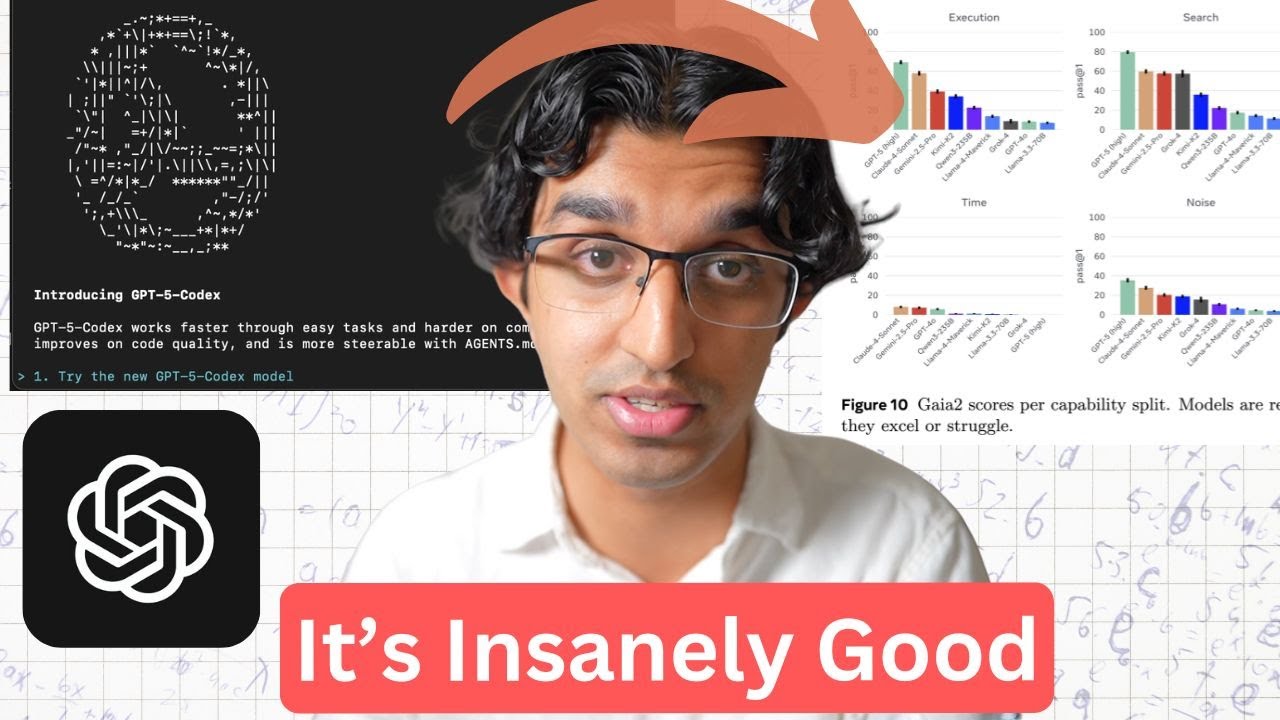
did release a new agentic benchmark a couple  of days ago and you can see that GPT-5 (high)   performs really well across all these different  categories. So when it comes to execution, search,   ambiguity and adaptability and you can read the  full paper to understand what all of these mean   and then also run the agent environment  yourself to test different models too. And I guess that because GPT-5-Codex is  a variation of GPT-5 it also explains   why Codex CLI has suddenly become really good.   And yeah, you can see the leaderboard here with   all their different scores and unfortunately  they don't seem to have Claude 4 Opus here.    But I imagine based on other benchmarks  it should be pretty similar to GPT-5. But of course it's much more expensive than GPT-5  though. But yeah, overall this space seems pretty   exciting. I think it will push Anthropic to  release their like 4. 5 or 5 model pretty soon   to basically catch up with GPT-5 and  also win back many of the customers   who are switching over from Claude Code  to Codex CLI. Anyways, I will be making   more videos about Codex-CLI-related news,  especially as they add more features. So   do subscribe to the channel if you do  want to see more of that kind of stuff. Anyways, if you do want to improve your vibe  coding and vibe marketing skills and I do cover   a lot to do with that in my community over here,  a bunch of people have been part of it for a while   and have seen pretty great success with their  own mobile applications and web applications   as well. The biggest value added for you may be  that you have personal help from me for whatever   you may be stuck with. So for those of you who  are interested there will be a link down below.

Ещё от Ray Amjad

Ctrl+V

Экстракт Знаний в Telegram

Транскрипты, идеи, методички — всё самое полезное из лучших YouTube-каналов.

Подписаться




