RS232 flow control

RS232 flow control

Ben Eater 168 752 просмотров 8 139 лайков

Machine-readable: Markdown · JSON API · Site index

Поделиться Telegram VK Бот
Транскрипт Скачать .md
Анализ с AI
Описание видео
More 6502: https://eater.net/6502 Hunt the Wumpus code: https://gist.github.com/beneater/742c988aad894ef9638331890a446b88 Support these videos on Patreon: https://www.patreon.com/beneater or https://eater.net/support for other ways to support. ------------------ Social media: Website: https://www.eater.net Twitter: https://x.com/beneater Patreon: https://patreon.com/beneater Reddit: https://www.reddit.com/r/beneater Special thanks to these supporters for making this video possible: Adrien Friggeri, Aleksey Smolenchuk, Anthony Weems, anula, Ben, Ben Cochran, Benjamin D. Williams, Benjamin Elder, Benjamin Keil, Benji Bromberg, Bill Cooksey, Binh Tran, Богдан Федоров, Borko Rajkovic, Bradley Stach, Brian Haug, Burt Humburg, Carl Fooks, Carsten Schwender, Chad Fertig, Chai, Chris Anders, Chris Lajoie, Craig Hawco, criis, Cristi Cobzarenco, Daniel Tang, Dave Walter, Dave Westwood, David Clark, David Cox, David Dawkins, David House, David Klassen, David Sastre Medina, David Turner, Dean Winger, Deep Kalra, DemoniacDeath, Dennis Henderson, Dilip Gowda, Dirk Sperling, Dmitry Guyvoronsky, Dustin Schoenbrun, Dzevad Trumic, Emilio Mendoza, Eric Dynowski, Erik Broeders, Erik Chancy, Erik Granlund, Ethan Sifferman, Eugene Bulkin, Evan Serrano, Evan Thayer, Eveli László, Fifty1Ford, George Harris, George Miroshnykov, Glen Jarvis, Gregory Burns, GusGold, Hovis Biddle, Ingo Eble, Ingram Leedy, Isaac Parker, Jack McKinney, Jacob Ford, James Capuder, James Chacon, Jason DeStefano, Jason Grim, Jason Thorpe, JavaXP, Jaxon Ketterman, jemmons, Jesse Miller, Jim Kelly, Jim Knowler, Jim Rees, Joe Beda, Joe Pregracke, Joe Rork, Joel, John Henning, John Rivoire, Jon Dugan, Jonn Miller, Josh Smith, Justin Williams, Kai Wells, Kefen, Kennard Smith, Kenneth Christensen, Kevin McQuown, Kristian Høy Horsberg, Kyle Kellogg, Lambda GPU Workstations, Larry Scherr, László Bácsi, Léonard Hehlen, Lithou, Marcel Wysocki, Marcos Fujisawa, Marcus Classon, Mariano Uvalle, Mark Day, Mark Frankford, Martin Noble, Matthew Clifford, melvin2001, MICHAEL SLASS, Michael Tedder, Michael Timbrook, Michael Weitman, Miguel Ríos, mikebad, Miles Macchiaroli, Mlok Karel, Nate Welch, Nicholas Counts, Nicholas Moresco, Nick Chapman, Olivier HUBER, Örn Arnarson, Owen Arnett, Paul Heller, Paul Pluzhnikov, Pete Dietl, Phil Dennis, Philip Hofstetter, Ponytail Bob, ProgrammerDor, Ralph Irons, Randal Masutani, Randy True, raoulvp, real_huitz, Richard Wagoner, Rick Hennigan, Robert Diaz, Robert Walsh, Robey Pointer, Roland Munsil, Ryan Morrison, Sagnik Bhattacharya, Sam Sturgis, Scott Holmes, Sean Patrick O’Brien, Sebastian Kopeć, SergeantBiggs, Sergey Kruk, snc, SonOfSofaman, sorek.uk, spookybassoon, Stefan Nesinger, Stéphane Dumont, Stephen Kovalcik, Stephen Riley, Steve Jones, Steve Harris, This person's name is too hard to pronounce, Thomas Eriksen, Tim Oriol, Tim Sanders, Tim Walkowski, Tom, Tom Smith, Trevor Johnston, Trey Webb, tryonlinux, Tyler Latham, Vaida Narušė, Warren Miller, Wraithan McCarroll
Оглавление (3 сегментов)

Segment 1 (00:00 - 05:00)

in my last video I created an input buffer for my breadboard computer that lets me paste in a whole program like this and even though I'm pasting in the characters of the program faster than the computer can process them they all get buffered and processed and the program works but the input buffer is only 256 bytes long if I paste in this longer program you can see it misses a lot of it and that's because characters are arriving faster than the computer can process them and the buffer can absorb some of that but no matter how big the buffer is if characters keep arriving faster than the computer can process them EV the buffer is going to fill up and start overriding data so just making the buffer bigger won't work instead when the buffer becomes full we need to have some way to tell the sender to pause sending for a moment while the computer processes what it's already received and then once the buffer empties out a bit we can tell the sender to continue but how do we do that well here's our rs232 interface and you can see we're using transmit data receive data and ground but what about all these other pins well one of them is precisely what we need to solve this problem which is uh this one labeled CT s which is clear to send that provides a way for the hardware here to signal that it's ready to receive data or in other words the other end is clear to send data so if I connect this pin to ground that'll tell my laptop that it's not clear to send data and so it shouldn't send anything yet because the hardware here is not ready to receive yet and so now if I try typing here well nothing's changed and that's because right now we're actually ignoring that CTS line but if I go to settings here in my terminal program I have the option here for RTS CTS flow control so now if we turn that on that now says we're going to be paying attention to that clear descend signal now if I type nothing seems to happen but actually something did happen my computer knows that I typed stuff but it hasn't sent it yet because it's respecting this clear to send signal that's saying it's not okay to send yet as soon as I connect this signal to a positive voltage boom now it sends everything I typed and as a setting here would indicate this mechanism is known as flow control because it allows the receiver to control the flow of data to the sender and it's RTS CTS because it's using the well we're using the CTS signal anyway the RTS signal would be for data in the opposite direction but in our case here the issue of one of these computers sending data faster than the other can process is uh not really a problem in the other direction and I should note that even though this is called RTS CS here in the terminal program and it's labeled RTS here RTS means request to send which is not at all what this signal is it's really a ready for receiving signal and so technically it should be called rfr in fact if we look at the latest version of the rs232 standard here are all the pins for the standard 25 pin connector and a lot of these are historical and no one uses them for anything anymore uh but here pin five is clear to send and pin 4 is request to send or ready for receiving and there's a note here that says that when Hardware flow control is required circuit CA which is RTS may take on the functionality of circuit CJ which is rfr so everyone calls this RTS because back in the day it was the RTS pin but in any modern implementation it's really rfr and you know by modern I mean in the last 40 years and so an rfr actually makes sense for a symmetrical connection you know just like one side's transmitted data becomes the other side's receive data if one side says it's ready for receiving that means the other side is clear to send you know but everyone still calls this RTS um so that's what I'll call it but now you'll know that I'm technically wrong when I do but anyway we've got this cleared Ascend signal that we can use to tell the transmitter to pause but how do we control it to tell the transmitter to pause once the receive buffer is full well the uart we're using has RTS and CTS pins just for this purpose pin 8 is RTS which of course really means ready for receiving and the b in rtsb RTS bar um means it's inverted so actually we need to run this signal through an inverter and conveniently we've got this Max 232 chip here which in addition to Shifting the voltages to comply with the r 232 spec also happens to be an inverter in fact it's got two transmit inverters and two receive inverters and we're currently only using one transmit and one receive so we could use the second transmit inverter uh to invert and level adjust our RTS signal and so the t2 in is pin 10 so let's connect pin 8 from the 6551 uart which is the rtsb signal to pin 10 then on the max 232 and then T2 out the output of that inverter is pin 7 so we can connect the CTS signal going to my laptop to pin 7 and so now our Ur RTS which it really means ready for receiving is properly connected to the clear to send signal on my laptop so when the UR is ready to receive it tells my laptop it's clear to send and the way we use it to do that is the command register uh bits two and three are the transmitter interrupt control and if we keep bit two at zero then transmit interrupts are disabled and then bit three controls whether rtsb

Segment 2 (05:00 - 10:00)

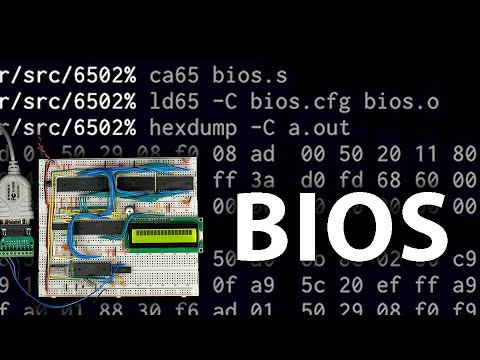
is high or low and so since we're inverting it setting bit 3 to a zero means we're not ready for receiving and setting bet 3 to one means that we are ready to receive so we look at the BIOS code here's the interrupt Handler you every time we receive a new character this interrupt Handler gets called and so we read a character here and we write it to our input buffer now what we want to do is check to see if the buffer is full and then if it is turn off that ready to receive or clear to send bit so we can call the buffer size routine and that's going to return with you know however many bytes are currently in the buffer will be in the a register then we can compare that to FFX and if it's less than FF that is the buffer is less than completely full then the compare is going to leave the carry flag clear so we can Branch if carry clear to not full which will just be right here and that'll then just return from the interrupt otherwise we'll continue in here and load a with one and then store a to the command register and by storing a one like this to the command register bit three is going to be off so that'll end up de asserting the clear Ascend signal on the transmitter so that it won't transmit any more data now that the buffer is full but this actually isn't exactly what we want if we wait until the buffer is completely full like this before we tell the sender to stop sending it might have actually already sent a couple more bytes so really we'd be better off telling the transmitter to stop a little bit earlier say you know when the buffer is greater than or equal to uh like f z then we'll deassert the clear descend and if a few extra bites trickle in um we've got some extra room here in the buffer for those so that should work once the buffer gets almost full it'll stop the uh sender from sending anything but of course once the buffer starts to empty out we need to reenable that clear to send signal to tell the transmitter it's okay to resume sending so up here in our character in routine this is where we read a character out of the buffer and once we do that we can again check to see what the buffer size is so here we're reading from the buffer echoing that character out and now let's check again what the buffer size is then we want to check to see if the bu buffer is empty so we can turn on the clear descend again but we don't actually necessarily need to wait until the buffer is completely empty to turn clear to send back on you know we could maybe wait until the buffer is like half full um you know or maybe 2/3 full something like that and so if the buffer size is more than b 0 uh the carry flag will be set so we can say Branch if carry set to uh say mostly full and so if the buffer is still mostly full then we'll just carry on here like normal but if it's less than mostly full then we'll drop in here and reenable the clear descend so we can load a09 which turns bit three back on and write that to the command register so that re-enables the ready for receiving signal so the transmitter will continue transmitting now that they're 's some room in the buffer although we need to be careful here because this routine is supposed to return the character that was read out of the buffer in the a register and so we're reading um we're reading that character into the a register here in read buffer we're echoing it out but then the rest of this code here is clobbering the a register so we either need to we could push a onto the stack here and pull it off the stack down here so we don't lose uh that value that we read and that way when this returns it'll return with the key that was pressed in the a register we could also do this buffer size check before we read the character I guess that would be another way of doing it but this Auto work so let's save that rebuild our ROM image and then write that to our eom so once that's done I'll put the ROM back in the computer and reset it and then to run basic we want address 80000 and then R to run okay so now if we paste in that big program it actually it looks like it still didn't work quite right um but if we do a list here you can see it actually did uh read it in properly it it's all there and of course we can run it and so it looks like our input routine is actually working error free in terms of the input it's just for some reason when we paste in it's not echoing properly and I'm not exactly sure why that is and you can really see that if I paste in a larger program so here's a much larger program that I'll paste in here and you know maybe I'm missing something obvious here I don't really understand why it doesn't Echo correctly as it's pasting this in you'll see you know that it actually does receive this perfectly once it's done here uh but for some reason it just doesn't Echo it correctly as it receives it but now that it's in there and if I list the program you can see obviously it was all entered correctly and it has no trouble keeping up printing it out all correctly and so that shows that the input routine the input buffer input flow control it's all

Segment 3 (10:00 - 14:00)

working perfectly you know otherwise it wouldn't have this big long program in here perfectly but I really actually don't know why it's not echoing correctly while the flow control is throttling the input as far as I can tell it's some sort of bug um actually Hardware bug with the uart here this is kind of a buggy uart though I can't seem to find this particular bug documented anywhere um but a way that I found to work around it is that rather than using the uart to assert RTS um the RTS pin get rid of this and instead use just a random PIN from the virtual interface adapter here the which is basically just a general purpose IO pin and this signal is still going to go through the max 232 to do the level shifting and everything but so now this pin we can just set it high or low to control the uh RTS signal and remember the max 232 is also an inverter so we want to set this low to say that we're ready for receiving and we want to set it high to say that we're not ready for receiving and we want the sender to pause then when we first start up say you know here where we initialize the input buffer we want to set that pin low which means we're ready to receive so we can load a zero and store a to Port A we also need to make sure that the first bit of Port A is set to be an output pin so first we can load a 01 to set that last bit and store a to ddra the data Direction register which will set the first bit zero to be output and then the rest will be input though we aren't really using them so it doesn't really matter then I guess we need to find Port A and ddra um so we can do that up at the top here port a is physically at address 6001 and if any of this is confusing I've done a lot more with the Via chip in previous videos and then ddra is at address 63 so now in the irq Handler here where um the buffer is almost full instead of telling the art to clear RTS uh we want to just set Bit Zero of Port A to one so instead here we'll load a uh 01 and then we'll store a to Port A then up in our character in routine when the buffer is no longer mostly full we want to toggle that same bit back to zero so instead of telling the art to set RTS we'll load a with zero and then store that to Port A so let's save that reass assemble it and write it to the eom so now I've got that running so let's jump into basic here and now if I take a longer program so I'll take this program and paste it in look at that the flow control works flawlessly so it didn't drop anything and you know we can run the program of course it works fine I can even paste in that really long program and you can see this is going much better than before so it seems like there was some sort of bug in the uart where toggling the RTS line works correctly as far as controlling the rate of characters into the buffer so you know like you saw before the flow control part of it seem to work fine but for some reason while it's doing that it garbles the echoed characters um that are going in the opposite direction so it's kind of an odd bug but it's got to be a bug in the uart hardware since um bypassing the RTS circuit that's in the uart and just implementing it ourselves seems to fix the problem and now you can see it seems to read an echo flawlessly and this entire program here is pasted in without any issues so if anyone knows more about this particular issue you know please let me know in the comments in the meantime I think I'm going to play some classic hunt the Wampus I don't need instructions all right we're in room 10 let's move to room two oh got pretty lucky so I smell a wpus so that means the wus is in one of the adjacent rooms I just came from room 10 so the wus is I need either room one or three but there are bats in the other room so let me Retreat back to room 10 and see if I can figure out which of rooms one or three the wus is in let me go to room nine oh bats nearby let's Retreat back to 10 now let's try 11 okay we're in 11 let's go to room 12 aha room 12 we smell the wus again so room three has got to be where the wus is because we smelled him before up here and he was in we were in room two we came from room 10 so he was in either room one or three now we're in room 12 we're next to room three we can smell them so we're going to shoot into room three aha you got the wus

Другие видео автора — Ben Eater

Ctrl+V

Экстракт Знаний в Telegram

Экстракты и дистилляты из лучших YouTube-каналов — сразу после публикации.

Подписаться

Дайджест Экстрактов

Лучшие методички за неделю — каждый понедельник