A simple BIOS for my breadboard computer

A simple BIOS for my breadboard computer

Ben Eater 460 610 просмотров 19 683 лайков

Machine-readable: Markdown · JSON API · Site index

Поделиться Telegram VK Бот
Транскрипт Скачать .md
Анализ с AI
Описание видео
More 6502: https://eater.net/6502 Support these videos on Patreon: https://www.patreon.com/beneater or https://eater.net/support for other ways to support. ------------------ Social media: Website: https://www.eater.net Twitter: https://x.com/beneater Patreon: https://patreon.com/beneater Reddit: https://www.reddit.com/r/beneater Special thanks to these supporters for making this video possible: Adrien Friggeri, Aleksey Smolenchuk, Anthony Weems, anula, Ben, Ben Cochran, Ben Williams, Benjamin Elder, Benji Bromberg, Bill Cooksey, Binh Tran, Богдан Федоров, Bradley Stach, Brian Haug, Burt Humburg, Carl Fooks, Carsten Schwender, Chai, Chris Anders, Chris Lajoie, criis, Cristi Cobzarenco, Daniel Tang, Daniel Zimmer, Dave Walter, Dave Westwood, David Clark, David Cox, David Dawkins, David House, David Klassen, David Sastre Medina, David Turner, Dean Winger, Deep Kalra, DemoniacDeath, Dennis Henderson, Dilip Gowda, Dirk Sperling, Dmitry Guyvoronsky, Dustin Campbell, Dzevad Trumic, Emilio Mendoza, Eric Dynowski, Erik Broeders, Erik Granlund, Ethan Sifferman, Eugene Bulkin, Evan Serrano, Evan Thayer, Eveli László, Florian Bürgi, fxshlein, George Miroshnykov, ghostdunk, Glen Jarvis, Gregory Burns, GusGold, Hailey, Hovis Biddle, Ingo Eble, Isaac Parker, Jack McKinney, Jacob Ford, James Capuder, Jason DeStefano, Jason Grim, Jason Thorpe, JavaXP, Jaxon Ketterman, jemmons, Jeremy Cole, Jesse Miller, Jim Kelly, Jim Kelly, Jim Knowler, Joe Beda, Joe Pregracke, Joe Rork, Joel, Joey Murphy, John Henning, Jon Dugan, Jonn Miller, Josh Smith, Justin Williams, Kai Wells, Kefen, Ken Paul, Kennard Smith, Kenneth Christensen, Kristian Høy Horsberg, Kyle Kellogg, Lambda GPU Workstations, László Bácsi, Lithou, Marcos Fujisawa, Marcus Classon, Mariano Uvalle, Mark Day, Martin Noble, Mats Fredriksson, Matthew Clifford, melvin2001, Michael Cartwright, MICHAEL SLASS, Michael Tedder, Michael Timbrook, Michael Weitman, Miguel Ríos, Mike Coate, mikebad, Miles Macchiaroli, Muqeet Mujahid, Nate Welch, Nicholas Counts, Nicholas Moresco, Nick Chapman, Olivier HUBER, Örn Arnarson, Owen Arnett, Paul Heller, Paul Pluzhnikov, Phil Dennis, Philip Hofstetter, Ponytail Bob, ProgrammerDor, Ralph Irons, Randal Masutani, Randy True, raoulvp, real_huitz, ReJ aka Renaldas Zioma, Ric King, Richard Wagoner, Rick Hennigan, Rob Bruno, Robert Brown, Robert Diaz, Robey Pointer, Roland Munsil, Sagnik Bhattacharya, Sam Sturgis, Scott Gorlick, Scott Holmes, Sean Patrick O’Brien, Sergey Kruk, snc, SonOfSofaman, sorek.uk, Spencer Ruport, Stefan Nesinger, Stephen Kovalcik, Stephen Riley, Steve Jones, TheWebMachine, Thomas Eriksen, Tim Oriol, Tim Sanders, Tim Walkowski, Tom, Tom Smith, Trevor Johnston, tryonlinux, Tyler Latham, Vincent Bernat, Warren Miller, Wraithan McCarroll
Оглавление (5 сегментов)

Segment 1 (00:00 - 05:00)

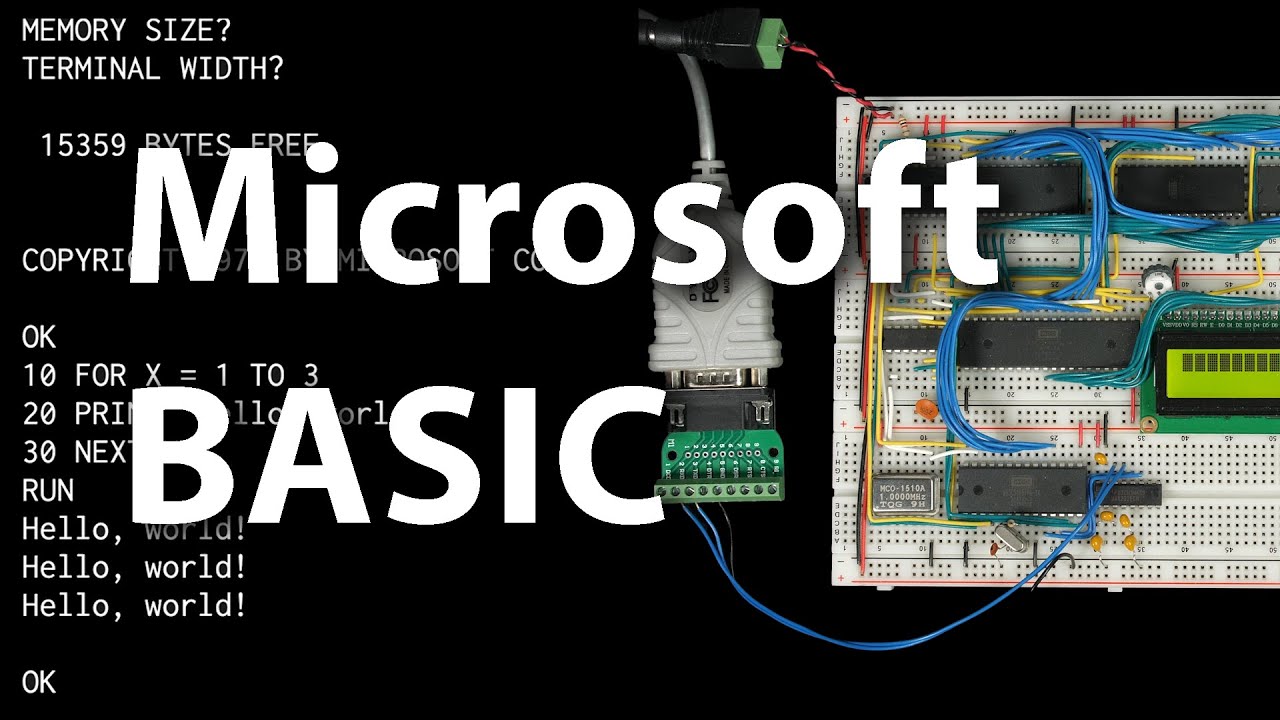
something I definitely want to do with my 6502 based bread work computer is to get basic running on it since that opens up a lot more possibilities and lets you program on it without having to write assembly code fortunately there's a GitHub repository with Microsoft basic for the 6502 and it says it can generate nine different versions of Microsoft basic for a different 6502 based computers unfortunately none of those are the computer I built so to get it to work on my computer we've got a little bit of work to do and that's because the basic software doesn't necessarily know how to interact with the particular Hardware in my computer if we look at how it works for some of the other computers it supports like um you know here's the Commodore 64 you can see it defines a bunch of addresses for different things particularly these monitor functions it's got these different addresses here for things like character in character out load save and other things and all of these are functions in ROM at these particular addresses you we could also look at a basic for the Apple 2E and see some different functions at different addresses but we've still got monitor read key and monitor C out for user input and output and generally you could refer to these functions in ROM as the simplest form of a bios or a basic input output system for the computer but before we get into any of that we've got some uh some prerequisite work to do here if we look back at this Microsoft basic repo it says it uses the cc65 compiler Suite uh in order to build this project so let's take a look at how that works so here's the repo for cc65 and it says it is a complete cross development package for 6502 systems including a macro assembler a c compiler which um might be interesting to come back and look at Linker and so on so you can potentially download it for your system here they've got some downloads or I'm just going to clone the repo and just build it locally on my system so I'll copy that address and then I'll go here and clone that repo and so it's going to download everything and then if we just go into that directory and type make it'll start building uh the comp compiler and so this takes a couple minutes to uh to build everything so I'll go ahead and speed that up for you but when we're done we'll find a bunch of stuff in the bin directory that it creates and for today we're just interested in ca65 which is the assembler and LD 65 which is the Linker and so I've moved everything in this bin directory into my path so I can just run these tools from anywhere so let's see if we can use this assembler to build Wasson from my previous video so the assembler is ca65 and it gives us an error uh line one 87 illegal addressing mode so let's take a look at that so here's line 187 it's just decrement um and I think the original 6502 didn't support directly incrementing or decrementing the a register so this is actually um one of those new 65 C02 uh features so we can tell it at the top of the file here that we're using the 65 C02 rather than the original 6502 uh using the set CPU directive we save that and try assembling it again and it looks like that time maybe it worked and so that's going to create this file won. the. o indicates that this is what's called an object file now if we look at it it's not the final output we want we can't just write this to our ROM and have it work you know it's it is machine code sort of uh but it's not directly executable so if we look you know if it were just machine code we'd expect it to be around 256 bytes because that's how big won is or maybe it would be padded to 32k to fit in our ROM but you know we can see it's about 2400 bytes and so if we look at what's in the file you know it's binary and it does contain machine code in here um but it also has some other metadata and specifically at the end here you can see it's got all of these um different labels that were in the source code that's because the what's in this file is relocatable machine code um meaning that addresses and jump instructions and other memory locations are not totally specified yet so yes you know normally Wason would be located at address ff0000 in memory but in this object file we have actually haven't made that assumption yet so it's up to the Linker to take this object file and perhaps other object files hence why it's called a Linker uh and bundle them up into a final output file and then during that Linker process it's the Linker that decides where in memory everything goes and only after that can it actually hardcode those addresses into the final output file now previously you know if we go back to our source file we have these org directives in here that we were using to hardcode the location of our code so you know org 80000 was saying we wanted our ROM to start at address 80000 and then org ff0000 meant that the code following that which is Wason here goes at address ff00 now the ca65 assembler doesn't actually require these and in fact if we go look in the documentation here where it talks about. org it says that you do not need. org in most cases placing code specific address is the job of the Linker not the assembler so there's usually no reason to assemble code to a

Segment 2 (05:00 - 10:00)

specific address so we can go back to our code and remove these org directives and there's another one hiding down here save that and reassemble our code and it assembles just fine but now to get our ROM image we have to use a Linker and so the cc65 is called LD 65 and if we just run LD 65 won. it's going to say memory configuration is missing and because we haven't told it anything about how we want our ROM laid out and of course especially after we deleted thorg directives how would it know so the Linker needs a configuration file um to describe the memory address or memory layout of the system and it's pretty flexible that's one of the nice things about this so here's the documentation for the Linker and here's an example of kind of what that configuration might look like so let's create a config file that has something like this in it so I'll create a bios. config file for uh our ROM bios that we're creating here and just like the example here we want this memory section to describe the address layout of our computer and so in our particular computer we've got Ram starting at address uh 000000 and the size of the ram is uh 4 hex which is 16 kilobytes of RAM and the type is going to be read write then we've got ROM starting at address 80000 and its size is 800 which is 32k which matches the 32 2K of ROM that we have and the type is read only for the ROM so that describes the highle memory map of our computer so now we can try to use this configuration file with the Linker so we'll say- C bios. config and then we're going to link won. and now it's telling us we're missing memory area assignment for Segment code and that's because you know we've told it what memory areas we have but we haven't told it which memory areas to put our code in so we can do that by modifying our configuration file to add a segments section and by default there's a Code segment that includes all of the assembly code that we wrote and so we can specify here that we want the code segment loaded into ROM which is readon so if we save that and run the Linker again and let's see oh I just need to close squiggly bracket there run the Linker again we don't get any more errors and what it did is it created this file a. out if we look at it it's exactly 256 bytes so and it includes all of our code but really what we're looking for is not just the compiled machine code which is what we have here but an image that we can write to our ROM chip and our ROM is 32k so we're looking for a 32k file to write to our 32k ROM you know even if we're only using 256 bytes of it so what we can do is in the memory configuration we can add uh Phill equals yes to the ROM line here and that will cause it to fill the entire 32k of uh even if the code that we load into the ROM is less than that so save that and we run the Linker again now if we look at our a. out file it's exactly 32k it's exactly the size of our ROM now if we look at what's in a. out uh it starts out with our code here at the beginning just like before through address FF down here at the bottom then it's all zeros and then this asterisk indicates that it this previous line repeats all the way up to the end of the file so it's basically all zeros all the way through the end of the file and so the problem with this is now wason's going to be at the beginning of ROM uh not the end at address 00 or excuse me at address ff0000 which is where we want and I guess it doesn't really matter where Wason is as long as it we can you know run it somehow but what definitely matters is where the reset Vector is because these last few uh last six bytes here are the reset vectors and the 6502 CPU is hardcoded to look at address fffc and fffd to figure out where to start executing when the CPU first Powers up so these have to be at the end of ROM but this is where we have a lot of flexibility so instead of just using this default code segment to put all of our code at the beginning of ROM we can Define our own segments to get more control over where they're loaded so if we go back to the code um all the way back at the top here I can define a segment by saying segment Wason so now the code that follows this directive is in the Wason segment then I can go to the bottom and Define a different segment for the reset vectors so we'll do uh do segment reset V for the reset vectors so I save that and assemble it again and then try to link it again it says there's a missing memory area assignment for Segment wmon and that makes sense you know we created the segment but we never told it where it would

Segment 3 (10:00 - 15:00)

go so back to the configuration and we no longer have a code segment because we've actually moved all of our code to our own custom segment so I don't think we'll need this anymore but we can change this to uh Wasson and so now we're loading the Wasson segment into ROM uh readon and then we also have the reset Vector uh segment and so we'll also load that into ROM and the type of that of course is also readon so now if we relink it let's see what did we do wrong line eight says type oh it doesn't go in quotes So now if we relink it that'll create another a. out file and if we look at that a. out file again uh nothing really is any different you know we're still just loading both of the segments into ROM right at the beginning of ROM and so they both just kind of go into the beginning of that 32k uh file but really we want this reset Vector segment to be at the very end of the file um at a particular address but we have the tools to do that so if we go back to our configuration file we can modify our memory map to add an explicit load point for the reset vectors so we'll add a new memory location for the reset vectors at address FFA which is where they belong and it's just six bytes and it's readon and we'll just say fill because it's going to be part of our file and we also need to shrink the ROM 6 BYT so that the overall size of the ROM plus the reset Vector still adds up to the actual size of our physical ROM so this size is going to be uh 7 FFA which is 800 minus 6 right and then the reset Vector start at FFA that makes sense I think so now we have a separate memory location for the reset vectors that's always going to wind up at that exact uh address on the computer so now we can change where we're loading the reset Vector segment to load into reset back instead of ROM so now if we rerun the Linker and look at what we've got it is slightly different so we can see we've got from you know the beginning of the file up through FF or 00 FF I guess we've got won right where it was before um then we have all zeros and then a star meaning it's just all zeros for the rest of the file up until 7 ff0 the last line of the file here it's all zeros up until the last six bytes and so these last six bytes are our reset vectors now Wason is still at the beginning of ROM uh not at ff0000 where it would normally be located um but at this point it should actually work just fine you know because if you look at the reset Vector it's these two bytes here that determine where the computer starts executing when it Powers up or resets and they're in little endian format so you would read this as address 80000 which is the beginning of ROM and that's where won is so when this computer boot boots it's going to start executing at the beginning of ROM which is where wason's located if we write this file to ROM so let's do that let's write a. out to a ROM okay so let's get that chip we'll put it back into our computer and then go ahead and reset it here I'm connected to the serial port and indeed it looks like we're in Wason because we've got our little backs slash cursor so if we look at address 80000 through 800 F let's say which is the beginning of ROM um it should match what was at the beginning of our file we go back and look at our file here it's uh d858 A9 and so on d858 A9 so that matches what was at the beginning of our file and if we look at address FFF 0 through ffff we see the end of ROM uh including our reset Vector here of 0800 so no surprises there of course now you know ff00 through f ffffff no longer contains wmon it's just all zeros except for our reset Vector down there and that's maybe okay you know but if we didn't like that we could go back to our Linker configuration and create a separate memory block for Wason it'll start at address ff00 since that's where we want it the size is fa hex which is 250 bytes and then it's part of our ROM file so we still want type read only and fill yes and then we also have to make sure to shrink the rest of our ROM block uh to 7f 00 so that everything else lines up then we can just say that we want the won segment loaded into the won memory location and now if we relink the file and look at what we've got it now starts out all zeros all the way up until 7f which in memory is going to get mapped to ff0000 and that's where we find Wason the other cool thing is if

Segment 4 (15:00 - 20:00)

you look at the reset Vector down here remember this used to be uh 08 or 80 now it's ff00 and that's because in the source code we don't hardcode the reset Vector we use this reset label which back at the top of the file maps to this reset label and so that address is just going to be filled in with wherever this particular instruction this first instruction of wson ends up and all of that's automatic now if we write this to ROM and put that back in our computer and reset it Wasson starts up just fine as before but now if we look at address uh 800 through uh 80 FF where wmon used to be it's all zeros nothing there anymore at the beginning of ROM but instead if we look at address ff0000 through FF that's where we find wmon our new reset Vector of f f00 so now if we want to start adding more functionality to our ROM we can do that you know so in the next video I'm going to talk about how to add Microsoft basic uh but before we do that you know it's going to need us to provide some code for interacting with the user you know like I talked about before um every computer has got different hardware for interacting with users so software like basic isn't going to know how to deal with that Hardware directly instead you know what that software needs is a couple simple routines for outputting a character or inputting a character and I've gone over this code in previous videos but here are a couple sub routines for inputting a character uh and outputting a character and this is probably the simplest possible example of a bios or basic input output system um so we can call this segment bios I'll save that and then in our config file and then in the Linker config file we can add that segment and load it into ROM and it's readon the other thing we can do is organize our code so that you know as this project gets bigger uh you know we're keeping different functionality in different files so this bios. s file has the BIOS routines character in and character out and they reference these ACI status ACI data um these you know different registers for the serial uart um so those are defined here as well and then what I'm going to do is I'll have this bios file be the main file that we assemble um and at the bottom here I can include Wason dos so that way when we assemble this bios file we get our bios routines as well as all of Wasson and so then if we go over to Wasson in here we no longer need to redefine these uh registers since they're defined in the bios. s file and then the other thing I'll do is I'll move the reset Vector segment out of Wason because that's not really part of won so I'll take that out and then move that over to the BIOS uh file here so we've got our bios routines in here we've got our registers defined we've got our bios routines character in character out then we're just including wson and then we've got our reset vectors so I'll save that and then if we go over to Wason this now just has the code for Wasson there's nothing extra nothing machine specific other than I guess it does implement the uh input and output itself but we'll ignore that for the moment so I'll save that and so wmon is just wmon and the rest of our ROM bios such that it is in this file so now we can just assemble the whole thing with uh ca65 bios. s and then link it with the Linker LD 65 with our configuration of bios. config and we're linking bios. o which was the output of the assembler here and then that produces a. out which we can take a look at here and so that has our bios routines starting at the beginning of ROM and so that's what this first little bit is then a whole bunch of nothing bunch of zeros all the way until we get to the end of ROM this will be address ff0000 in uh in the actual computer's memory and we've got Wason and then finally our reset vectors here at the end and so if you're wondering how we're going to use these bios routines we kind of looked at that a little bit at the beginning of this video but if we go back to the Microsoft basic source code and look again at the Commodore 64 definitions you like we saw before you can see it's hard-coded with addresses for uh character in and character out and same thing with the you know the Apple 2E configuration um except they call it mon read key and mon C out uh but it's just hard-coded with those addresses and that's because you know software that interfaces directly with the body bios doesn't necessarily have to understand how to talk to the

Segment 5 (20:00 - 21:00)

underlying Hardware but it does need to know you know where that bios routine um is located in ROM and so for us to figure that out we can use the Linker actually to generate a symbol table for us so if we go back to our source code I can go to the top of our bios uh Source here and put an assembler directive here called debug info and what that'll do is it'll create a symbol table so then if we reassemble this with the ca65 assembler and relink it with the Linker actually we can tell the Linker it's a Das Ln oops dln and then a symbol file so call it bios. symbol that'll have it write the labels to this file so if we look at what's in that file you can see all the different symbols and the value for each one so these are all the different labels that are in the source code and a lot of these are you know part of Wasson but if we go down to the bottom here you can see our character in and character out are here and it has the address so 800 for character in 8011 is the address for character out and so those are the addresses where these uh these routines are going to end up in our actual ROM so any software that wanted to use them could just do a jump sub routine to you know 8011 with a character in The a register and that character would be printed to the user the software doesn't have to know how that happens so the cc65 assembler and Linker and this ROM should set us up pretty well uh to adapt Microsoft basic to work with our hardware and that's what I'll do in the next video and as usual I want to thank all the patrons who help make these videos possible thank you

Другие видео автора — Ben Eater

Ctrl+V

Экстракт Знаний в Telegram

Экстракты и дистилляты из лучших YouTube-каналов — сразу после публикации.

Подписаться

Дайджест Экстрактов

Лучшие методички за неделю — каждый понедельник