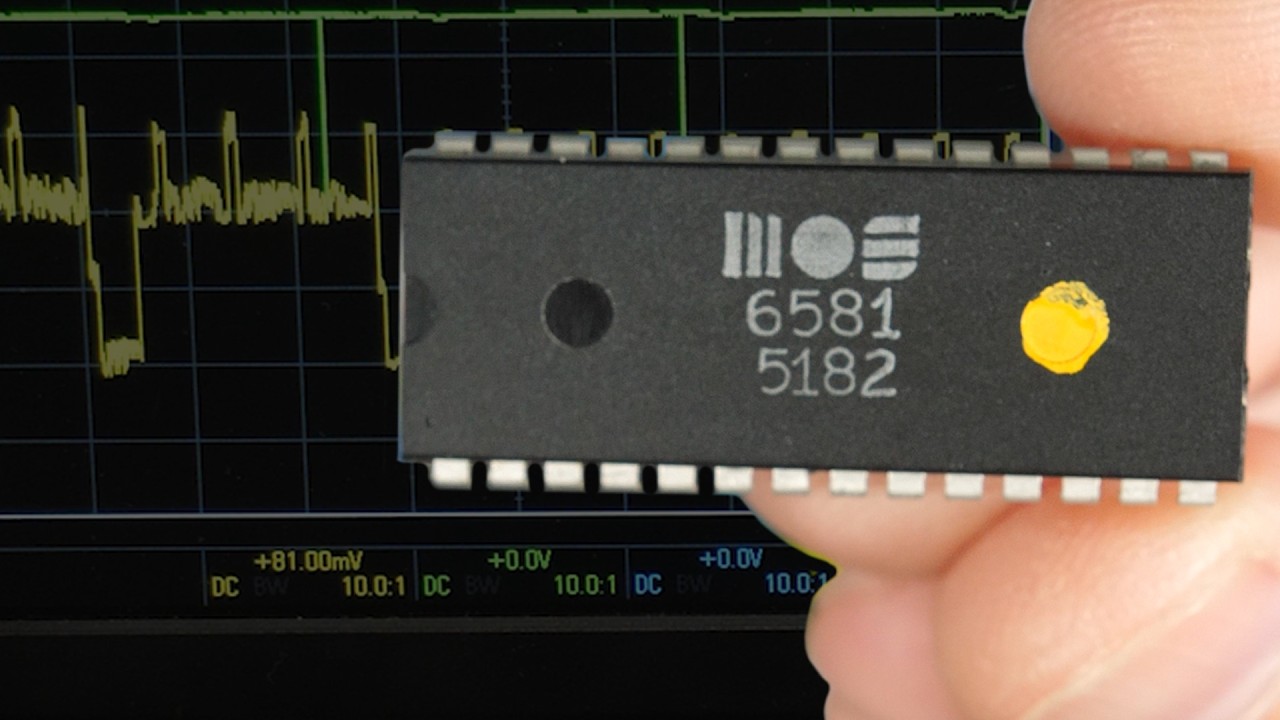
Fixing a hardware bug in software (65C51 UART)

Fixing a hardware bug in software (65C51 UART)

Machine-readable: Markdown · JSON API · Site index

Поделиться Telegram VK Бот
Транскрипт Скачать .md
Анализ с AI

Оглавление (5 сегментов)

Segment 1 (00:00 - 05:00)

this 6551 York chip provides an rs-232 serial interface to my breadboard 6502 computer and the serial interface is going to make it possible to load and run much more complex interactive programs on this computer in a previous video I showed you how this is all hooked up we've got these eight data lines here those blue wires hooking this chip to the data bus that's here and then we've got the chip select and register select lines hooked up to some address lines and some decode logic which makes the four registers in this chip accessible at address is 5000 through 5003 and those four registers are the status register control register command register and then the data register which if you read from it is going to give you the receiver data register and if you write to it it's going to put data in the transmit data register to transmit out previously to communicate the rs232 we were sending each beat individually here and then using carefully designed delay Loops down here to wait the right amount of time in between bits so I'm going to delete all this because the uart is going to make all of this much simpler so I'm just going to get rid of everything except for just the basic LCD routines so we can still use the LCD so we've got the initialization for that here and we've got some of the subroutines down there for it but otherwise we'll get rid of all the serial stuff and to use the uart we're going to be using these four registers so the data status command and control at address is 500 one two and three so let's take a closer look at those registers we'll start with the status register so if we read from the status register we're going to get a bunch of status bits that tell us various things and for right now what I want to do is get the 6551 and everything configured and working in kind of the simplest way possible so I'm not going to be using all of these features to start with for example the interrupt bid I'm not going to be using interrupts but if I were then this bit would tell us whether the 6551 had triggered an interrupt or not likewise with bit 5 and 6 here DSR and DCd data set ready data carrier detect I'm not going to be using those would typically be used if we were using those pins on the rs-232 interface we could feed those into the DCd and DSR pins of the 6551 and then read their status through the status register here but we're not using those either but what I am interested in is the transmit data register empty and receive data register full bits in the status register because those are meant to give us important information about the status of sending and receiving data so the transmitter data register empty bit what that does is it tells us whether the transmit data register here is empty or not and why would we care about that well when we're transmitting data the way that works is we write data to the data register and when register it goes into the transmit data register here and then it's going to be in that transmit data register in which case this should tell us that the transmit data register is not empty because we just put something there and it'll be there until it's able to transmit it because it's going to transmit it one bit at a time that's going to take some amount of time to do and then once it's done with that what it ought to do is it ought to then set this to empty and that tells us that that's now empty and that we're able to put the next byte into that register so if we have a whole bunch of bytes to send we would put one byte into that register and then we'd you know read this status register to wait until the transmit data register is empty and once it's empty then we can put the next byte in and it'll start transmitting that which case this will be not empty while it's transmitting once it's done transmitting it should set that to empty in which case we now notice that in the next byte put that in there and so on so if we have a bunch of bytes to send in a row the purpose of this transmit data register empty bit is to tell us when to send each bit each byte excuse me because we're sending one byte at a time similarly the receive data register full bit tells us when the external device that's connected to our serial Port has sent us something so if we've received something from that device it'll go into the receiver data register and the receive data register full bit gets set so if we're expecting to receive data you know we need to be monitoring that receive data register full bit and whenever it's full we then need to read from the data register to get that byte out of that register so that the next byte can be read so in our case what we're going to do is we're just going to be in a loop checking that receive data register full bit and if it's ever set then we read the data and we say oh we've received a byte let's read that and as soon as we read it then this gets reset to not full until the next byte gets received now if we happen to receive a byte and then not read it in time and then we receive another byte that's called an overflow in which case or an overrun in which case the overrun bit would get set so if we're not reading fast enough from the received data register and we got two bytes coming in or multiple bytes coming in there's no buffer here other than just that one byte so it's just going to overwrite each one that comes in but it will keep

Segment 2 (05:00 - 10:00)

track that it did that so we were able to detect that error occurred in that we lost some data and it does that by setting this overrun bit and there's also a couple other errors that it can occur we have a framing error where you know if we're expecting a certain number of bits per byte and we don't receive that number then it might detect that there's a framing error or if we've got parity enabled and there's a parity error it can detect that as well so we're able to detect if some of these errors have occurred you know we may not be able to recover from it but at least we can detect it and so generally we're just reading from the status register but if you actually if you write to the status register that has a special meaning which is to reset the 6551 chip so we may want to do that at the beginning of our program here right after the LC de-initialization and so what we do is just write some value to that status register and I'll just use 0 Because the actual value that we write is not all that important it's just anytime you write anything to the status register that's just a special signal to the chip to reset itself so we don't necessarily need to do this but I'm just kind of showing it to you anyway next we've got the control register which selects the baud rate and stop bits and word length and so on and so here we can set the number of stop bits that we want normally we would just want one stop bit so that's probably what I'm going to do is set that bit to zero then we've got our word length which is you know how many bits per word we're just going to be using eight bits that's pretty common so set bit six and five to zeros and then we've got our baud rate and so there's various different baud rates that are supported without you know having to do anything too complicated we can just set this to whatever baud rate we want and then we tell it that the receiver clock source is going to be that baud rate so if I want to use the fastest pod rate 19 200 bits per second then I get to set all of these to ones and then of course we want our receiver clock to also be set to use that same baud rate so we'll set that to ones so these are all ones so if we convert that to hex we end up with one F and that's going to signify that we want eight bits per word we're not going to use any parity and one stop bit and our baud rates 19 2. and so then we'll store that in the control register and it's as simple as that to configure the baud rate and everything the way we want then we've got the command register and here is where we're setting our parity mode so if we don't want to use parity doesn't really matter what we set the parity mode to we just set parity mode enabled to zero to disable parity so if we want no parity we can just set all that to zero this also has this Echo mode which is anytime you receive a byte you can automatically Echo that back I'm not going to use that so we'll just set that to zero as well and then as I mentioned before we're not going to be doing anything with interrupts so I basically want to disable interrupts so a couple of these options have interrupts disabled this option here one zero I think is what I want to use so ready to send will be active low not that we're using that pin but that's what it would be if we were in fact ready to send and then we'll disable transmit interrupts and then receiver interrupt request we want that disabled as well so we'll set that to one and then data terminal ready again we're also we haven't hooked that up either so that's this data terminal ready that's not hooked to anything ready to send not hooked anything so it really doesn't matter too much how we set these but I'm going to set that to ready because why not and it's all of that means that in HEX the command register is going to be 0b and that pretty much has the effect of you know saying that we don't want to use parity we don't want Echo and we're not going to be using interrupts and so I can go ahead and write that to the command register and so that's everything you need to do in order to initialize this and of course you know if you want to use different options different baud rate whatever you can use different values here but you know the simplest configuration that's enough that's that'll work so now if we just want to start receiving data we can basically just wait until the receive data register full bit gets set and so to do that we just want to read the status register and check to see if that bit is set and wait until it is so let's do that we can load the status register into the a register and then to check if we've received any data we can and it with 0 8 hex and what that's going to do is it's going to check to see if the receive data register full bit is set that's bit three here which is the one two four eights place right so 0 8 is going to be you know just that bit so if we end it with that and that bid is set then we're going to get 0 8. if we end it with that bit and that bit is not set so it's not full then we're going to get 0 because it won't matter what these other bits are so if we end it with the you know zero eight to check the receive data register full and we get a zero then we know that we haven't received anything yet and we just want to stay in a loop so we're ending it to check if the receive buffer status flag is telling us that the buffer is full and

Segment 3 (10:00 - 15:00)

if it's not if we haven't received anything then the result of that and is going to be zero and we can use a branch equal which is going to Branch if it's zero back up and check the status flag again so this will just sit in this loop as long as the receive buffer is empty in other words as long as we haven't received anything we'll just keep sitting in this Loop which means that as soon as we drop out of this Loop we will have received a character from the serial interface so in that case we'll have a byte in this receive data register and we want to read it so we can just read from the data register and put it into the a register so if we load a from the data register that'll get that byte that we just received and then if we want we can print that to the LCD and I've already got a subroutine to do that which is just the print care subroutine and then once we print the character to the LCD we can just jump right back up to receive wait and wait for the next character and it's really as simple as that to receive data so let's give this a try I'll save it assemble it and write it to the eprom now if we stick this eprom back in and reset we could pull up our terminal and give it a try of course we need to change our baud rate right which we selected 19 2 is how we configured it eight data bits no parity One Stop bit so that all looks right and so here's our terminal and if I try typing something it should show up on the LCD and look at that seems to work of course we're not receiving anything on the terminal here and it's not echoing anything because you know a we didn't turn on echoing and B we haven't written any code to send anything here so let's give that a try now sending a character is very similar to receiving a character so I'll just write a little subroutine here for setting a character and if we call this subroutine with the character we want to send in the a register it's really as simple as writing that character to the data register and at this point we could just return from the subroutine but remember when we write a character to the transmit data register we are supposed to have to wait until the transmit data register empty indicates that it's empty otherwise if we just call that subroutine again to write another character to the transmit data register it's going to overwrite the character that we're trying to transmit and uh you know it's not going to transmit properly so to make this subroutine so that we can call it multiple times in a row to send multiple characters we should have the subroutine wait until it's actually done transmitting before it returns and to do that we'll just check the status register and just like when we were checking the receipt buffer status flag we can check the transmit uh buffer status Flag by ending it with in this case 1 0 hex to check that bit and so this bit should be zero if the transmit buffer is still full and so in that case we want to just like keep looping until it's not full anymore and so what this will do is after we send the data we're going to sit in this Loop here waiting until the uart tells us that it's done transmitting and because we're loading something into the a register the polite thing to do here is to push the a register onto the stack and then when we're done mucking around with the a register pull it back off the stack before returning from the subroutine so this subroutine here should send a character and there's a couple ways we can use it one is just to Echo what is being sent so if we go up here to where we're receiving data currently what we do is when we receive data we print it to the LCD but we could also send it back out the rs-232 to Echo it so that way when we're typing in our terminal program instead of not seeing anything like we're currently doing we'll actually see what we're typing in the terminal program so that'll be nice the other way we can use the send character subroutine is just to send other messages over the serial interface so if we just have a null terminated string that we want to send it should now be pretty straightforward to do that so to send the message I'll set the x register to zero and use that to count which character we're on then load that character from the message you know indexed by X whatever that happens to be if we load a zero which means we've gotten to the end of our string because this is a null terminated string then we jump down to uh you know where we're done so maybe that's going to be down here otherwise we send the character we just read increment X and then jump up to send the next character in the message and so that's a pretty straightforward Loop that should send our message so let's give this a try save Assemble right to the eprom get the eprom back in reset and now if I try typing something you see it's echoing in the serial terminal as well as displaying on the LCD but wait a minute you know there's something that's not working here so when we receive data here we're printing it to the LCD as well as sending it back on the serial console and sure enough we see what we type this is what I typed testing and so we see that on the LCD we saw that echoing back here so it's doing both of those things the

Segment 4 (15:00 - 20:00)

print care and the send care but before it did any of this it should have printed our message and it never did that so what the heck's going on there you can look through this code here so we're loading x with zero so we're going to start with message indexed you know zero so that's going to get the H so we're going to load an H into the a register and then we have a branch equal which is going to say if that's a zero then we go to done but you know H is not a zero so we're going to fall through and do a send character so it should print an H that should be the first thing it does but we don't see that we just see it do nothing until I start typing so it's like this code didn't even run so it seems like something's not working right here well if you didn't know better you could spend a lot of time beating your head against the wall trying to figure out what's wrong with this and that's because it turns out there's actually a hardware bug with this chip the 65 51 chip from Western Design Center specifically uh has a bug where bit four here this transmitter data register empty bit in the status register always says that it's empty and so that means when we transmit something we put it in this transmit data register you know it's going to take some time to transmit well as soon as we put that data there and we read the status register the status reader says it's empty even though it's not and that's a bug it just always says it's empty and so if we look at our code here we go down to where we're sending a character this whole process here where we're reading the status byte and checking the transmit buffer status flag in that byte and sitting in this Loop it doesn't do anything the first time we as soon as we send the data and we read that status flag it immediately says it's empty and so we fall through this Branch equal and we return from the subroutine and so if we're sending this message where we're sending you know one character after another without waiting as soon as we send the H or I should say as soon as we put the H into the data register it immediately says it's ready for the E and so our program is going to come right back around here and put the e in there before it's actually done sending the H and so it ends up corrupting that send and ultimately it doesn't send a valid character and so nothing shows up in our terminal here now this works for when we're echoing because we're printing one character at a time so as I'm typing here after each character I type I'm waiting long enough for it to be sent but when we send this message it's not waiting long enough because this status register is reporting the wrong data and that's just a hardware bug when I think it's great the Western Design Center is still producing these chips at all you know in some sense This is 40 year old technology or more but they're exceptionally educational and so I'm glad that they're still being produced at all but nevertheless this chip does unfortunately have a bug and I can demonstrate that by using one of the old original chips so this is an Ami chip 6551 the same sort of Chip and the date code on here says 8134 which suggests that this was manufactured the 34th week of 1981. so I pull out the Western Design Center one that has the hardware bug and put in this Ami one I can demonstrate that there's actually nothing wrong with our code that it truly is just a hardware bug and there are a couple other subtle Hardware differences with the new chip for example this old one I had to ground the DCd pin to get this to work let's pull up the serial terminal again and I'll clear the screen on that and then reset the computer here and you see it printed hello world right away so this is obviously working quite a lot better and then if I type into the serial terminal you see that's working uh just the same as it was before you know both printing on the LCD and echoing back to the serial terminal so you can see that a 6551 without a hardware bug works just fine but unfortunately you know these are getting harder and harder to find since they you know the only ones they make anymore are the Western Design Center ones and again I'm glad they make these but yeah unfortunately they do have the bug so how can we work around that so how are you supposed to figure out that there's actually a bug with the hardware um you know because you can really beat your head against the wall for quite a while trying to try to get this to work well there's nothing in the data sheet that says that you know even if you go to the back there's a section here on Errata that says you know there are some known issues with this but you know if you read through this it's not the issue that we're encountering here this is talking about something different however if you look at this data sheet this is from 2007 turns out there's a newer version of this data sheet from 2021 and if we go look at the section here on the status register in the latest version of the datasheet you can see they've actually changed this so it says for a transmitter data register empty you can see a one indicates that it's empty and a zero uh well it's never zero is what it says so it actually kind of you know documents the bug uh so maybe it's not technically a bug um it is documented and there's an asterisk there that says you know uh that the transmit data register and

Segment 5 (20:00 - 24:00)

transmit shift register uh are loaded at the same time and so a delay should be used to ensure that the shift register is empty before the transmit data register is reloaded so they're telling you to use a delay uh before reloading the transmit data register rather than trying to read this bit 4 because as the data sheet now says bit4 is never zero during transmission well the problem is that after we send a character we check the status register and it immediately says that the transmit buffer is empty and the problem is that it's not empty because there's some serialization delay that it takes to send each bit of that byte out and one workaround that we can use is to add a delay here that just Waits For You know the amount of time that it takes to transmit that entire byte and basically this delay subroutine is just going to create a loop that Loops for a period of time and so I'll use the X register to count how many times through the loop and we'll initialize that as a hundred and then each time through the loop we'll just decrement X and if x has not gotten to zero yet then we'll Branch back up to the top of the loop and we need another identifier here to Branch to because we don't want to reinitialize X again we just want to decrement it and then keep looping and then once X gets to zero it'll drop out of this Loop and we can return from the subroutine but of course we don't want to mess up the X register so we should push X onto the stack at the beginning and pull it off end and so that'll create a delay that's long enough to empty out that transmit register but the question is how do I know that this delay is going to be long enough you know where did I come up with you know 100 times the loop how do I know that's going to be enough or not going to be too much and it's going to slow down the serial communication well it's going to be based on the baud rate so if we're sending uh 19 200 bits per second then if we take one divided by 19 200 that tells us how many seconds each bit is going to take and what we want to know is how many clock Cycles in the processor it's going to take and our processor is running at one megahertz so if we multiply this by 1 million clock cycles per second that tells us that 19 200 bits per second is one bit every 52 clock Cycles you know if our clock is running at one megahertz but we don't want this delay to be one bit time we actually want it to be the entire byte and so the byte is going to be eight bits but there's also a start bit and a stop bit so really it's going to be 10 bit times so if we multiply this by 10 we really need this delay to last for 520 clock cycles and it turns out that with X initialized to 100 here that's about what it does because this decrement X takes two clock Cycles so that's going to be 200 clock Cycles there and the branch not equal if the branch is taken is going to be three clock Cycles so that's 300 there so 200 plus 300 there's 500 clock Cycles right there just in that Loop and you get another you know close to 20 if you consider that the jump to the subroutine is going to take six clock Cycles you know pushing X onto the stack is another three loading X is another two pulling X is another four clock cycles and returning from the subroutines another six clock Cycles so we get pretty close to that uh that goal of 520 clock Cycles so by adding this delay in here let's save that and write that to our eprom and give that a try so I've reprogrammed the eprom got the eprom back there I've swapped back to the Western Design Center uh chip and reconfigured this so it's just the way it was before and so I'll bring up our terminal and clear the screen on that and then reset the computer and it looks like maybe I tapped the reset twice we've got two hello worlds that's no problem I guess I could try again just to demonstrate that it really is working so reset there we go yeah I still think I double tapped anyway when it resets it's printing hello world okay I'm going to do this right there we go so it prints hello world when it resets and then if we type something into the terminal that works as well so it's not ideal that we've got that Hardware bug but it is something that we can fortunately work around in software and even though we're back to using a delay Loop you know which is kind of what we're trying to get away from with the uart it's still much simpler than having to bit bang individual bits to transmit and receive serial data but I think this really sets us up well to run some interesting interactive programs on the computer now that we have an easy way to transmit and receive data across the serial interface like that and so that's what I'm going to do in the next couple videos on this is uh you know get some more interesting software running on this computer but in the meantime remember if you want to build your own 6502 breadboard computer like this I sell kits for everything you see here on my website eater. net 6502 check that out for more I've got schematics everything else you might want there and as always thanks to all my patrons who help make these videos possible

Другие видео автора — Ben Eater

Ctrl+V

Экстракт Знаний в Telegram

Экстракты и дистилляты из лучших YouTube-каналов — сразу после публикации.

Подписаться

Дайджест Экстрактов

Лучшие методички за неделю — каждый понедельник