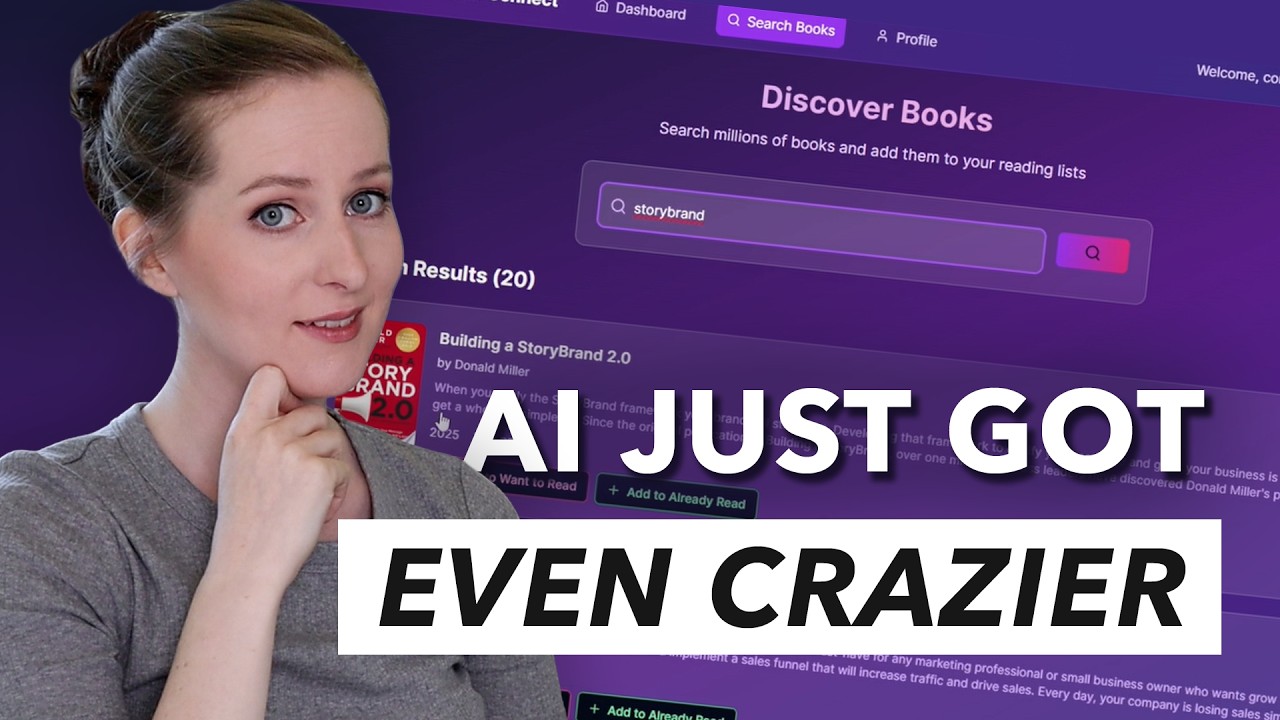
As a YouTuber, I always have companies reaching out to me and wanting to sponsor my videos, which is a huge blessing. But a lot of the time it doesn't really work out because a lot of the time the product that they want me to share with you guys is not that great. And especially in the last year or two, I've had so many companies reach out to me about different AI software. Whether that is AI that can create videos or websites run your social media, whatever it is, I see the vision, but the execution just isn't there. So, a couple months ago when Hostinger Horizons reached out to me and told me about their AI website builder and wanted to sponsor a video, I almost didn't even respond, but something about it caught my eye. Ended up in back and forth communication with them. So, I ended up agreeing to do a sponsored video for Hostinger Horizons with the major caveat that I'm just going to share with you guys exactly what actually happens as I start using the tool. The good, the bad, and the ugly. This is going to be totally unfiltered and very much my honest opinion on this software. So, let's get into it and see what this AI website and web app builder is actually capable. So, I logged into the Hostinger account that they had given me to use for this video and just started poking around. Now, full disclaimer here, I didn't really watch any tutorials before jumping into this project because I wanted to see how intuitive it actually was. But pretty quickly here, I figured out that I just needed to click on horizons over in this left bar. And it took me to this page with this chat field where I could tell it what I wanted to create. So did a little bit of brainstorming, asked chat GBT for some ideas as well and came up with this idea to create a habit and mood tracker. So the idea here is that it will be a web app where people can go to have like a list of the different habits that they're working on, check them off each day, and then see a correlation between whether they're doing their habits or not and how it's affecting their mood. So that's what I asked Hostinger Horizons to create for me. I told it I would like to build a habit and mood tracker web app. Keep it clean, minimal, and modern. Here's what I need. And then I gave it a list of like five different things that I wanted um in it so that there needs to be user accounts and login a daily habit tracking page habit management so that people can like add the different individual habits they want like customize it and also remove the habits. And then also like weekly dashboard analytics page where they can see their stats for the week. And then there also needs to be this like mood tracker functionality. And then finally that I wanted to have like a really simple and modern design. So hit enter. And then I waited a couple minutes. I would say that this took right about two minutes, maybe a little bit less for the Hosting Horizons tool to whip up the first version of this website. And when I say I was surprised by what it came up with, like that is an understatement. So, we've got this login page for the habit tracker. And I didn't even like, you know, tell it what this thing should be called or anything, but it gave it a name. It called it habit flow. And it generated, you know, not only did it do all the coding for this entire web app, which is super impressive, but it also, you know, did the design element. So like I mean little things like we've got like this drop shadow on this login module here and it you know did the branding for this and it wrote all the copy. So I'm super impressed by how like all-encompassing this is already and then I realized that I could actually like log into this habit tracker and start playing around with it. So here's the dashboard page that it created. Again like just so impressed with how it styled everything. I probably should be more impressed with the coding that went into the back end to make this a functional app. And I am, but I'm also way less familiar with that world since I don't know anything about coding at all. So, I'm not as impressed as I I'm sure I should be. I'm mostly impressed that it like looks nice and it is functional. So, you can like check off these habits here and you can see today's progress and the completed habits and your mood score. And you can also like use this slider here to indicate what your mood is for the day, which is pretty cool. Now, one issue that I did notice pretty quickly was that there's this banner at the bottom of the page that says that I'm logged in and then there's a button for me to click to be able to log out. But the problem is, not only does it not look that nice, it's also covering up a little bit of the content sometimes, at least depending on like what monitor size you're viewing this on. So, I used the chat function to tell the AI wizard to change that to fix this design element so that it wasn't covering up. And I told it to put it in the lefthand menu. And that's exactly what it did. Now, the indicator of who is logged in is in the bottom of that lefthand menu. And so is the log out button. So, I was just really impressed that it was able to do that little fix. It understood what I meant and it put it exactly where I said. So, next I decided to test the
Segment 2 (05:00 - 10:00)
habit management. Going in there and actually adding a habit. I could add in the emoji that I wanted and I could put a name for the habit and choose what color it was going to be. And sure enough, it added it to the list and it doesn't seem buggy at all. I also tested deleting one of the existing habits and that worked just fine. And then I went to the analytics page where I noticed another little problem. So, the weekly overview that it's giving me right now, it's showing the week leading up to today, which I suppose could be fine. And maybe that's even better. I don't know. But right now, it doesn't make very much sense because I'm only seeing the one day that I input information for. And since I haven't, you know, used this mood tracker over the last week, there's no other data here. So, I went over into the chat and I asked the AI to make a change to this page so that the weekly overview always shows Sunday through Saturday as that like date range. And again, it was able to do that. Um, for context and just, you know, full transparency here, whenever I'm asking it to make one of these changes, it's typically taking somewhere between like 30 seconds to 1 minute to make that change. And it seems like it doesn't really matter whether I'm asking it to make a very small change or a much bigger change, it often still takes about the same amount of time. So, if you give Hosting Horizons a try, I would definitely recommend giving it bigger requests rather than lots of small individual requests because you'll have to wait for each of those individual changes to be made. But, if you give it a whole list of things to do or ask for a big change, it's going to take about the same amount of time. So, the whole process will go a lot faster. So, I'm really happy with how this very first project turned out. I was expecting to sit down to test out Hostinger Horizons and spend like maybe a couple hours building out one web app and see how good it could really get. But it only took me I would say about 7 minutes to get this first web app created. So I decided to move on and try creating a few more apps and see if this first one was just a fluke that you know that it turned out so well or if Hosting Horizons can consistently create results that are that good. and even when it's creating like different types of web apps and websites. So, the next idea that I had to test out with Hosting Horizons is for it to create an online shop where people can purchase my online courses. I said the courses are about watercolor painting. So, give the shop a beautiful watercolor inspired look. Now, for this website, I gave very minimal instructions. I didn't tell it what different pages I needed on the site or anything at all. And I just wanted to see, you know, what it would come up with if I just told it like what the end objective was. So again, it took, I would say, 2 to 3 minutes to create the initial website. And then, wam, you know, here was a site that had been created for selling my watercolor courses. So again, it did a good job with like the styling, the design, the layout, and all of that. It did the branding for the site. It came up with a name. It called it Watercolor Dreams. It did all the copywriting. It chose some stock images that actually like aesthetically really matched the site and like fit the color palette and everything. So, I was super impressed with that. So, I just browsed the site. It has only two pages on this site right now. The homepage that basically tells about the business itself and then there's this courses page that lists the courses. Now, it could have done even more, but I'm very impressed with what it did. It generated like six kind of draft course listings. They each have a name. They have some copy that makes sense. There's an indication of how long the course is and then of course like the price and an add to cart button which of course I then test it out. Can I actually add these things to my cart? Can I check out? And the answer seems to be yes. Now obviously there is a tiny bit more setup that would have to be done here. You would have to integrate your Hostinger account with Stripe so that you can collect payments. But Hostinger supports that integration as well as so many other great integrations. For example, you can integrate your Hostinger site with a superbase account so that you can authenticate your users. So like in the last example where people were logging into the habit tracker. Well, how can you make sure that people aren't like creating duplicate accounts and that sorts of things and keep track of the different accounts? You can use Superbase for that. So, that's just like a couple different examples of ways that you can integrate other tools with your Hostinger Horizon's website or web app to make it even more powerful. Back to the watercolor site though. Obviously, Hosting Horizons did not actually create these courses and as such, they just have like a stock photo for each of these different watercolor courses that are on the site. But, I think that is totally understandable. I wasn't expecting it to actually make products for me, but here's a place where I could put my watercolor courses or any other sort of digital product. And this is a great time to mention that with Hosting Horizons, you can create digital shops that sell digital products or that sell physical products and you can actually
Segment 3 (10:00 - 15:00)
manage your inventory on the back end and everything else that you need to be able to do to sell physical products online. Now, one thing that I did notice was missing from this watercolor site was basically just more pages and specifically a footer. So, I went into the chat and I told it add a footer section with links to other site pages such as FAQ, about, contact, and terms of service. Also, create those pages and properly link them in the footer. So, this is what I'm talking about when I was saying like don't just give it one tiny request at a time, but actually give it bigger requests. tell it to do more things at once. I'm telling it to create multiple pages and create the content on those pages and create a footer and link them in the footer. And it handled that really well. So again, after about a minute, those changes were done. And now that footer exists. There's the links to all these pages and the pages themselves exist. So there's an about page and of course it wrote the copy for the about page of course since it's writing all the copy. There's a contact page with a contact form that works. There's an FAQ page with multiple questions and answers and a terms of service page. And yes, it even wrote the terms of service for this website. All right. Well, I'd call that another success. So, I decided to take it for one more spin and try creating one more website/web app. And for this one, I decided to go with a book club. So, I wanted to see if I could create something that is like Goodreads. So, as you might be familiar, Goodreads is this website where people can create lists of books that they want to read and have read and then they can rate and review those books and you can friend people on Goodreads and you can see other people's lists of books to get ideas of what you should read and you know, of course, read their reviews and all of that. And good readads is a really popular site, but I have thought many times that Goodreads um could use some improvements. There's parts of the site that don't work very well. Even though they have, I believe, millions of users, there are like glitchy parts of the site and it looks pretty like dated and not very pretty. So, I'm sure that this simple site that I'm going to try creating right now, it's not going to have all the functionality of Goodreads, but I was like, in just a few minutes, how close could we get? And could it look better than Good Readads? Could it have basically the same functionality? And could it be less glitchy? Let's see. So, here's what I told Hostinger Horizons. Create a website for an online book club. The website should allow users to create accounts. Each user should have a profile, which they can update, and lists of books that they have read and books that they want to read. Users should be able to add books to each of their lists. When adding books, they should be able to search a catalog of books. Now, I was really not sure about that one. I was like, where is Hosting Horizons going to get a searchable catalog of books? I don't know if it's going to be able to do that, but let's just see what it came up with. So, again, waited like two or three minutes and this popped up. And I was very impressed with this one. I think that this one gave me the very best first impression of all of them. I love the colors that it chose. I have noticed that Hostinger Horizons kind of has like a default vibe that it goes for, but of course, you could tell it to have the branding be anything you want. And you can also upload images into the chat where you're talking with the AI. You can give it an image of a layout. Like it could be like a sketch you drew up or it could be a screenshot of a website where you like the layout or branding or you can give it images that you want it to use to base the branding on. So it definitely doesn't have to have this vibe, but I think it's pretty good vibe and a pretty good starting place at least. So, what we see here is that there's a place where we can create an account for the book club and also separately a login widget or like module as well. And then when you log in, here's a place where you can create your profile. So, I put my name and my email address in there and it made these cool buttons where you can choose like your favorite genres and you can add a bio. So, all that looks really good. And then I decided to test out the book search functionality since that was the part I was the most curious about. So, I came in here and here's a search bar and I typed in a book Rich Dad Poor Dad and here it is. Like there's a whole listing of books and I ended up going in and looking at the actual code and like what did it do to create this and it turns out that it's using Google's book database for this and it did the integration and everything all on its own and in just a couple of minutes. So again, I'm so impressed. So, I pulled up the book and I can see that I can click these buttons for adding it to the wantto read list or already read list. But there was a little bit of a problem here because these buttons once they are clicked, you can't likeclick them. You can't remove it from the list. So, that's definitely something that needs to be solved. I also noticed that on the book listing page right now there's this
Segment 4 (15:00 - 20:00)
heart symbol and this plus symbol. And I did end up figuring out that the heart is for adding it to your I think want to read list and the plus symbol is for adding it to your red list, I think. But I didn't find that intuitive at all. So I talked to the AI and I told Hostinger Horizons to change both of these things so that those heart and plus buttons are instead words that say add to want to read list and add to already read list. and that also on the book listing page that once you've clicked on one of those two buttons that there's a way to click on it again to remove it from the lists. And again, in just a minute or two, Hosting Horizons was able to make those changes. So, this is like best case scenario, right? Sometimes I've done integrations with brands where it looked great from the outside, then I get in and I start using it. I'm like, well, it's pretty good, but I wish it was better, you know, if I'm going to tell people about it. And I've canled collaborations over that before. But man, I'm just so just take hold with what I'm finding with Hostinger Horizons. It is way better than I was expecting. Now, as I was working on the book club website, another thing that I noticed was that on the profile page, there's this like reading goals module, but right now, I can't click on the button. And when I did, it told me that right now that wasn't set up yet, but that it could add it if I wanted it to. And of course, I did. So, I asked it to add that functionality to the site. Waited a minute or two, and now it's here. So, now it says yearly reading goals. And because I've added two books to my already read list, it now says that I've read two books of my 50 book goal. And if you click on set goal, then you can change what your yearly goal is. So, I'm impressed. I'm just so impressed. That's all I can say. Now, one thing that at first I was finding a tiny bit clunky is that if I wanted to make just a small change, I had to go in and talk to the AI, ask it to make the change, try to describe what I was looking for, and then wait for a couple of minutes. And for big things, that's incredible. But for a tiny change, like just changing some wording or something, it was a little hassly. But then I realized that I actually don't have to do that. If you click up here at the top where it says edit content, then you can actually just click on the content and you can change the wording in most sections and you can also change images. It's like swap images out. So you don't have to talk to the AI if you know exactly what you want to do and it's something visual. And then you can also click over into this code tab and you can manually edit the code yourself if you know how to code and there's some specific change you want to make. Now, one thing I was wondering in the back of my mind was, you know, this is an incredibly powerful AI tool. What if I only wanted to use the AI part to build this, but for some reason I wanted to host it somewhere else? And it turns out that's actually possible. You don't have to keep your website on Hostinger. If you want, you can export it and you can put it on a different platform. Now, I don't really know why you'd want to do that because Hostinger is a complete package. Like, it is hosting. You can get your domain from there. You can manage your domain email with Hostinger and they've got this incredible website builder. I mean, this is so much more a website builder. I actually feel almost bad calling it a website builder because it's so much more than that. Like this AI web app builder. So, in less than an hour and with no training at all, I was able to create these three very functional web apps. Super impressed by that. But what do you need to do to turn these into something that other people can actually use, like to publish them on the web? Well, actually, all you need to do apparently is click this one button up here in the corner. You click this and then it's published and it's live and people can start using it, which is just crazy. Okay, now when you do it this way with the one click, it is going to have a Hostinger branded URL because I don't need to have a domain for this website. But to fix that, all I need to do is go into my Hostinger account and buy a domain or buy a domain from somewhere else and add it to my Hostinger account. And then, of course, on the back end, the DNS record for that domain can just get pointed at this website and those two things will be connected. And then people will be able to go to bookclubconnect. com or whatever it is and be taken to the book club website. So, I know I keep saying this, so sorry, but I'm just so impressed with how fast and easy and comprehensive this Hostinger Horizon's platform is. Now, if you're interested in trying out Hostinger Horizons for yourself, here are just a few more things I think you should know. One of them is that Hostinger Horizon supports over 80 languages. So, you don't have to talk to the AI in English. You can talk to it in whatever your native language is, and it can create a website in your native language. Another is that if you sign up for a yearly plan with Hostinger Horizons, you will get free hosting for a year and a free domain. And then finally, Hostinger gave me a coupon code for you guys. So when you are signing
Segment 5 (20:00 - 22:00)
up, make sure you use coupon code Gillian to get 10% off your plan. Obviously, I think this is such an incredible tool and there are so many different applications you could use them for. I mean, it's literally endless. You could use it to create whatever online tool or app you've been dreaming of. And I think that you might get some new ideas now that you kind of get a sense of what's possible. Although I only touched, you know, the tip of the iceberg here in this video. Some other ideas that Hostinger shared with me is you could create a restaurant reservation web app or a budget tracker or you could create a sales pipeline tracker or an inventory tracker. You could create an app that is for collecting feedback on something or like getting reviews or a CRM or an invoice generator or a wedding website. You know, like there's so many options and you could be creating these for your own business, whether that's an existing business or maybe you create a whole new business that is this web app that you create. But you also could be creating them for other businesses, right? You could find local businesses that need websites. That would be super easy, lowhanging fruit. Or you could find companies that need web apps developed for them. And you know, those are projects that people companies often pay quite a bit of money for. And now you could get it done in literally a few minutes. So I don't know how this industry is going to shape up over the next few years, but I know that right now there is an incredible opportunity here. So many different businesses you could start on your own or so many different ways you could help other businesses. To give Hosting Horizons a try for yourself, you can go to this link right here. Again, make sure you use coupon code Gillian when you're signing up to get 10% off your plan. And also, just a heads up, they've got a 30-day money back guarantee, so there's no risk for trying it out. All right, well that is all for this video. Thank you so much for being here with me for it. If you enjoyed it, then please give it a thumbs up to let me know and also subscribe if you're new here because I make new videos every month all about starting and growing businesses online. So, here's to your success, and I'll see you again very