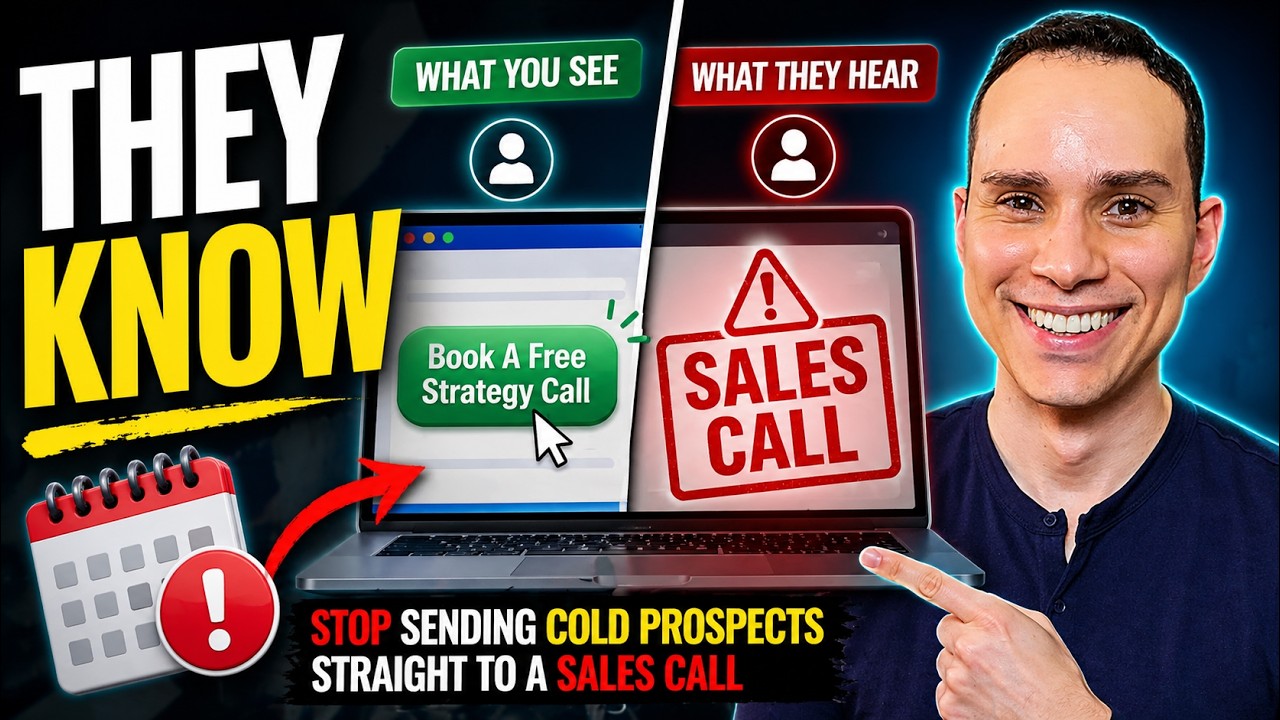
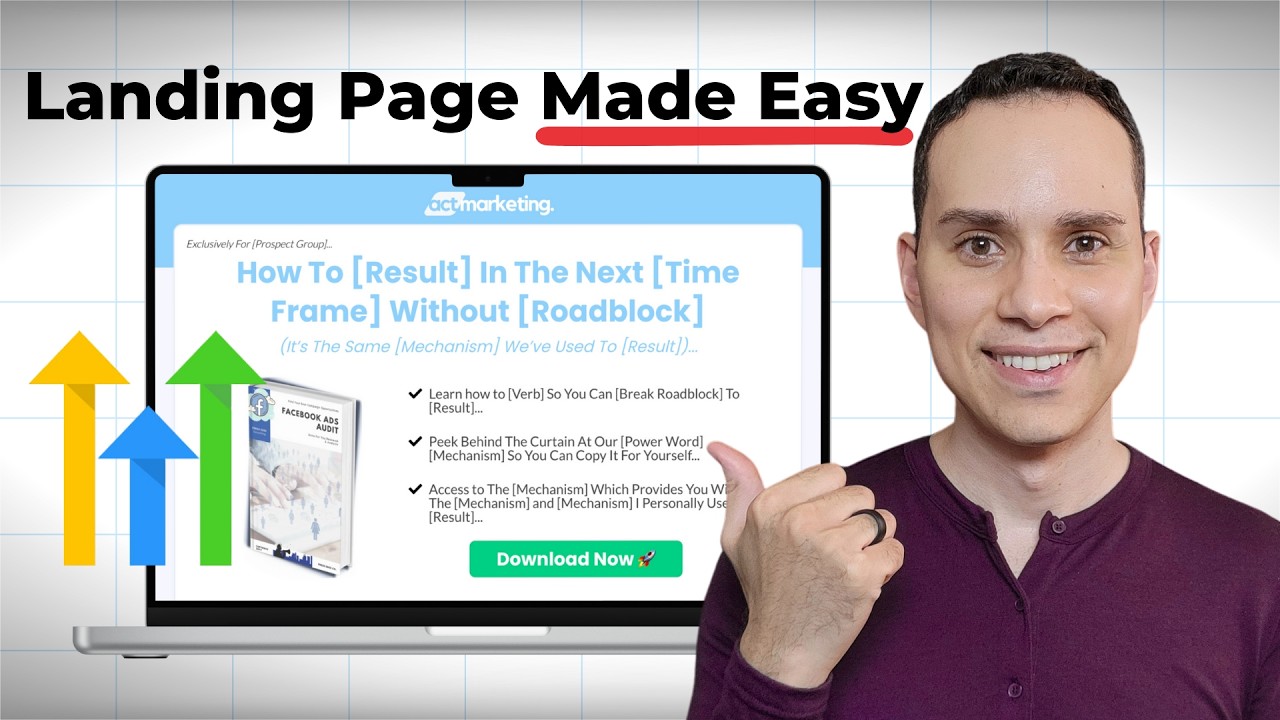
This simple four-step lead genen strategy has allowed me to attract over 50,000 leads for my own business, which has led to multiple six figures in consulting and digital product sales. And now you can copy it for yourself. No AI gimmicks, no overly complicated workflows. You can have this up and running in just a few hours. Hey, I'm Jason, faith-based entrepreneur. Timestamps and resources below, including a link to copy our best performing funnel templates. Get access to live workflow calls to implement all of these strategies as well as a growing library of tools, templates, and trainings to help you scale and grow your business. All free when you give Gohigh Level a try for 30 days. You can click the link in the top of the description to learn more and more on that later. Now, when it comes to generating leads and lead generation strategies, there seems to be a new strategy every other week. But over the past 6 and a half years of growing my own business, running Facebook ads, and making simple YouTube videos like this one, there's been one strategy that has allowed me to stay very consistent and actually on autopilot when it comes to generating not only leads, but qualified leads, whether I'm selling digital products or I'm looking for clients for my agency or coaching. So, we'll quickly walk through all of the steps. will explain this funnel and then we'll dig into each one of the steps and some keys you should look out for when you're building this inside of my preferred software for this high level. So, if you have any questions as we go through, go ahead and drop them in the comment section below. Now, whether you want to sell digital products online, you want to get newsletter signups, or you're just looking for some coaching or consulting clients, the first step of your lead generation process is going to be a landing page offering something called a lead magnet. Now again, there is a plethora of ways to go about doing this, but personally, I like using a simple PDF or like a onepage Google doc, something someone can consume relatively quickly. You can see here our example is offering a Facebook ads audit. And even if you want clients, don't offer the call yet. I'll get to why you don't want to do that in a moment. But what's really cool is pages like these when you're offering something that's genuinely helpful that you didn't slap together an AI. These pages for me convert anywhere from 40% with cold Facebook ads all the way up to 60 or 50% with warm YouTube traffic on a video like this one. So once you have your lead magnet, I'll leave a link in the description to a bunch of different ideas. I'm just going through the funnel strategy here. They can go ahead and click download now, enter their name and email, and then go high levels off to the races, warming up that lead for you, whatever you decide to do next. Now, you have two, you actually have three options here because it gets confusing. So, if you don't have any sort of product or service yet, then all you have to do is send them to a confirmation page. Let them know that they should check their email. This is really important that when you're delivering a lead magnet, you send them to the email because you need them to open the email immediately to show the email service providers that you aren't spam. That's one of the best ways to make sure your email deliverability starts off good is by telling people to go to their email to download it. Do not put a download link for what they just asked for on this page. They won't go check their email. Now, of course, that's the most basic option. If you're doing any sort of consulting or services, then the next page should be something like this where you're offering a free strategy call. Everyone under the sun knows a discovery call, a strategy call. Uh what do we do? A game plan session here. Everybody knows it's a sales call, right? So don't lead with this. Plus, there are tons of people who don't want to talk to you. It's not like they don't like you. They just don't want to talk to anyone. They just want the free lead magnet and they want to move on. and maybe in three or six months, they'll be interested in hopping on a call with you or someone on your team. But that's why it's so important with your landing page, you don't talk about your calls at all. When it comes to lead generation, you want as many leads in the door and then you can offer the sales call. Now, the third that I won't go through here is if you're doing digital product sales, you can do like a one-time offer page where they get a 50 or 90% discount on something for a couple of hours. Uh, but I'll leave a link in the description to a full-blown go highle guide. It's like 90 minutes long and it goes through that strategy in addition to how to build all this out from scratch. So, what happens when someone enters their email? They either see your booking page or they see your thank you page. Well, we want to, of course, follow up with them. And there are two email sequences I'll go through later in this guide. The first one is the really tiny one here on the right. Actually, this is the left. Realize it doesn't get reversed. And what this does is once someone joins your email list, you start sending them emails about whatever it is you want to sell, right? So, we just say, "Hey, here's your cool lead magnet. " and now I have something to sell you that I think is going to be more helpful to whatever
Segment 2 (05:00 - 10:00)
it is that they're working on. Right? So in this particular instance, I would either be selling a Facebook ads course because I was offering a Facebook ads lead magnet or I would be offering a Facebook ads service through my uh email here. And so this email sequence essentially runs for a couple of days. If they don't purchase, they go to your general list and that's a video for another day. But if they do purchase or they do book, I'll show you at the very end is how to set up a very simple I know this looks complicated. You're like, "Oh my gosh, Jason, you said this was going to be simple. " But this simple sequence right here allows you to actually not only collect calendar bookings, but also easily pre-screen them so you automatically cancel appointments with people who aren't a good fit for your service. because let's face it, it stinks to jump on sales calls and then spend your entire day with people who clearly were not a good fit and he found that out the first five minutes of the call. So, not fun, but that's something that you can definitely uh do. So, that's going to be the lead generation funnel. I'll show you how you can easily create inside of GoHigh Lee. Again, if you have any questions, timestamps to skip around, as well as the comment section. I do my best to read and reply to every single one. I'm a little slow these days, but I do make sure to uh at least reply eventually. So, let's go ahead and dive in here. The first step of any lead generation process is, of course, going to be your landing page. Now, of course, Gohigh Level has a ton of landing page templates. I'll just show you a quick little B-roll here. So, there are a lot of options. different ones, even if you don't sign up with us. What's most important is we clearly communicate the value of whatever it is that we're delivering. So, in our particular example here, this is a template you can get via the link in the description, even if you're on the trial. You don't actually have to be a paying highle customer to get this via our link. I'll go ahead and click uh edit here. And I've gone ahead and set up this funnel template just for time purposes so you can kind of see the basics. Again, link in the description to a super deep dive guide, 90 minutes. Um, and then we also have another guide in the description for just the landing page. So, keeping things simple here. But as you can see, all we need to do with this page is clearly communicate with a headline. Hey, this is the cool result that you're going to get by downloading our lead magnet. We have a couple of bullet points. Download now. And that's all we need. Now, when it comes to building inside of Highle, it's of course very easy. Everything is drag and drop. You can come over here to elements and they have a bunch of things that you can pull in here. Um, I'll show you the bookings on the next page. And then of course you can also configure your button to open what we call a popup. And I'll click on this popup because this is a demo. And you'll see here there's a simple form name and email. Now a huge mistake a lot of new entrepreneurs make when it comes to lead generation is you want to ask a bunch of questions here. Don't do that. Wait until your pre-all survey to ask a bunch of qu questions to ask a bunch of questions. Wait until later in the process. Now, if you're one of those very lucky few who are just inundated with so many email signups, you're like, "Jason, I just get so many leads. I don't know what to do with them. I just need less. " Wow, you're a master marketer. Uh, congratulations. Then go ahead and add extra fields here. Uh, but for the other 99% of us, name and email is more than enough for this particular stage. You can always ask for more information later. And so I'll show you how this is actually connected to go highle workflows. Again, we're just gonna keep it high level here. Oh boy, that is that that's a terrible pun. We're gonna keep it a bird's eye view. There we go. When it comes to setting up your page and again, I'll leave a link in the description if you want to see building out this page from scratch. Uh so we'll go ahead and go back and we'll go to the next page that you're going to want to set up. And that's going to either be your thank you page or your booking page. Now, I showed you the thank you page. It's pretty straightforward. There's not a lot you really need to do here. So, we'll go ahead and walk through how High Level handles the bookings. So, we'll jump over here and I'll go ahead into the booking page and click on edit. And the key to a booking page is to number one acknowledge that the free lead magnet they ask for is on the way. So, we see we have your Facebook ads playbook. Actually, I think I called it an audit. I better fix that. Your Facebook ads audit arrives in five minutes right now. claim your free, you know, Facebook ads game plan session. You can call it a discovery call. strategy call. I just switched it to game plan session because at the time when I built the first version of this funnel, everybody under the sun was like, "Free strategy call. " And I was like, "All right, well, how about game plan session? " I did get that from uh another agency. I saw they switched it to game plan. I was like, "Hey, that's cool. I haven't seen that yet. " Now it's everywhere. That's how marketers work. We all just copy each other. And then when it comes to booking, you'll see
Segment 3 (10:00 - 15:00)
that there's this calendar widget. So all I have to do is, and I'll show you later on how the settings go if you're curious, is to come down to custom, click on calendar, and it will add a calendar here. And then you'll see that I've actually created a couple of calendars. And so in the back end, you can set up how your availability, how long you want the call to be, how many calls you want to take in a day. There's even some cool things where you can make it look busier than you are. But uh for the most part, I don't think that's really necessary. But as you'll see when we get to the automations, the type of calendar you set up here is important. Go highle syncs with Google calendar. So if you have an event, all you need to do just go to your calendar, be like, you know what, I'm going to sleep in on Thursday. And I literally just put a time block of when I'm going to wake up if I'm staying up super late. And then these calendars automatically don't book a call for me at 6:00 a. m. in the morning, which has happened. It's not fun, but I'll go through that when we get through the um the more applications. And then the other thing that's really helpful to do on your booking pages is to just have some testimonials. Um you can see here the testimonial widget is really nice. This is actually brand new. I've loaded up two real ones. The rest of them are fake. Uh, and then we have a couple of I should clarify this isn't a live page. I put this together for this video. So, I'm not using fake testimonials on our booking pages. I know there's going to be like one person in the comments like, "Ah, you're all fake. " Like, no, it's just a work in progress. And then you just have a couple of bullet points about what they might discover on the call or what you might be able to do for them on the call. And then, uh, final call to action, book your strategy session. What's really cool about high level is you can actually make this automatically zoom back up to the top of the page here. So, if I jump over to our example and I scroll down and I say book your session, it jumps it right back up to the page. So, that's something that I really like um and was a real pain in some other page builders that just would not do that. So, uh that is all there is to it to your booking page. Calendars are managed in a different place. I'll get to that at the very end because I know that's a little more advanced, but I'll go ahead and click on save here and then go back. And those are really the only two pages you need to set up for your lead generation funnel. So now I'll go through the workflow section. So if you are selling digital products or if you're trying to get people on the phone with you, this automation is going to be the same. It's just going to depend on where you're directing to directing people now. And this automation template is available via the link in the description. So, I'll open up this template to show you. And I will admit workflows are super confusing. I think I had a comment the other day on our workflow specific tutorial. And the person was like, "Hey, congratulations. You made it more complicated. " That's what I love to hear as a marketer that I totally failed a community member, but I'll try and keep this as basic as possible. So workflows are essentially how the connective tissue to make the rest of everything work in high level right. So in this particular instance we are just going to create a basic workflow to send out some emails telling people how awesome our product is or how awesome our free strategy session is. So at the very top here you create something called a trigger. So this is how the workflow knows to start. And in this particular instance here, I'll start from scratch. So you can see I'm going to search form and it's going to be form submitted. And then I can go ahead and say what the form is. So we're doing T52 demo. I didn't show you that, but that's the name of the form on the landing page. And then we'll go ahead and click on save trigger. So now anytime someone enters their name and email on the form on the landing page, this guy right here, then all of a sudden this workflow will start. So of course the first thing you want to do with a workflow is add a tag. This is how we organize everything. Uh people in our database, right? So I'm going to add a lead tag because they entered their name and email. Now they are a lead. And then of course I'm going to send an email right off the bat. And you can see here we have an email template. You can always drop it into AI to finish writing for you. High Level has a right with AI right there if you want to use theirs. And all we do is say, "Hey, you asked for the super cool awesome thing. Here's your Facebook ads audit. " Cool, right? Like that's all you need to do. And then over the next few days or next few hours, we send out a couple of more emails telling people, hey, I think if you enjoyed the Facebook ads audit, I think you should jump on a call with me to go through a free game plan session. Or if you're selling a course, then in these emails, you say, I have a super awesome course, does everything that you need. You should go check it out. Right?
Segment 4 (15:00 - 20:00)
So whether you're selling a digital product or you want people to jump on the phone with you, it's the same email sequence. I literally use the same sequence for services and products. And as you can see here, you just type in your email on the side. Um, and then of course, there are a ton of other things you can add in here. This is a video in and of itself. So again, link in the description. Probably out of links by now, but link in the description to a video that takes a much deeper dive into how this sequence works, but I just wanted to show you at kind of a bird's eye view how these workflows work. And so when it comes to the first like three steps of your lead generation funnel, you of course create the landing page where you collect their contact information. Then step number two is offering a booking page or just a confirmation. And then step number three, of course, is going to be this sequence where you send out emails automatically saying, "Hey, go back to the booking page and book a call with me or check out this cool other thing that I have. " And if you're an affiliate marketer, then you just promote someone else's product or service here, too. So, that is hopefully the basic overview of the first three steps that every single lead generation funnel needs, whether you are doing services or you're doing digital products or even affiliate. So, if anything's confusing, go ahead and comment below. I'm happy to read and reply to as many as I can. And so, now I'll back out of this workflow. I'm not going to save that just because I was doing an example here. And then I'll go into the pre-all sequence. So, this is going to be if you are looking to get people on the phone with you. So, here's how it works. On the booking page here, they can go ahead and book their call. I'll show you the calendar section in a moment because it's completely separate from what we're doing. And then inside the workflow, I can say, "Hey, if someone has the tag funnel lead and they've booked a call on this particular calendar, now I want you to go through this workflow. " So, I'll go ahead and do that from scratch real quick so you can see. So, I'll click on add trigger. Let's go ahead and move that over there. And I believe it's booking. I always get these confused. So, customer booked an appointment. And then we can go ahead and add filters. So has the tag. We're going to look for our lead. Cool. And then I use tags here because it just makes sure that you don't accidentally get your workflows crossed. And then in calendar. And then we choose the calendar that we want to apply this to. So I'm using workflow call for this example. So save trigger. So you just set up a calendar for every kind of booking type of booking that you have. It's super easy. Calendars all talk to each other. So you're not going to get your wires crossed and have three events at one time. And so now what happens is if someone enters if someone books a call with you, this workflow starts. And then what you'd want to do is click on the plus button here, add a tag, add tag. And we would want to tag them as a hot lead, right? Because they've actually booked a call. And then what we need to do is remove from another workflow. Remove from workflow. And then we want to remove them from the workflow that is that triggered when someone entered their name and email. Right? So earlier in this video, we talked about this form. And when someone enters their name and email, if I jump over here, this is the workflow that starts, the one we just went through. So, we want to stop it as soon as someone books a call with us or makes a purchase. And so, what we'll do is we'll jump down here and we'll select the workflow that we want to stop. That's this guy. And then we'll go ahead and click on save. So, now if they book an appointment, we add them a tag. We give them a tag hot lead. We could take away the other tag if we want if you want to get super, you know, complicated, but now we're going to tag them as a hot lead because they're willing to hop on the phone with us. We're now going to remove them from the other workflow. I know this gets complicated. Promise this is as complicated as it get as it gets. And then we can go ahead and send um let's say send an email, right? So we can send an email and we can essentially encourage them to be ready for the call. Now Gohigh Level will automatically send emails out based upon your calendar settings. So you don't have to worry about like reminding them to show up or giving them a link to rebook. high level handles, all of that logistical stuff. The emails you would want to add here are just based upon you encouraging people to essentially show up. So you might send an email or two saying, "Hey, super excited. Please have this and this ready for the call and I'll see you there. " Right? So what I just went through is the basics, right? Um and so if I zoom in here, so we ignore the
Segment 5 (20:00 - 24:00)
bottom. All we need to do trigger they booked appointment, tag them, remove them from the other workflow. Um, and then we could go ahead and send them another email. Cool. So, from this point forward, we're going to get a little more advanced, right? So, let's say, for instance, we are getting too many people on the phone with us who are just a terrible fit, right? So, what we can do is we can add something called a preall survey. So, if you jump over to a different part of Highle, you can come over here to forms and builder um and you can actually go through. They have a ton of templates here. I'll just B-roll through them because there's so many, but you can essentially create a form that people fill out after they've booked a call with you. So, this is a way for you to make sure that people are a good fit. So once they fill out this form inside of our workflow here, we can actually add a bunch of conditions based upon people's responses to our form. Now, since this is much more advanced and it's probably over complicating your lead process because unless you're getting like 10 or 15 leads a day, this is not worth it. But I just wanted to show you what's possible in the future is you can set up this condition and what will happen is let's say you have a question about budgets, right? like what is your budget for your whatever the project is. So if someone says their budget is less than um 5,000, they go down here. If their budget's greater than 5,000, they go over here. And then that way if like let's say you have a question saying is your budget 5,000, 2500, or 500 bucks, right? And so let's say someone chooses the $500 option. Well, maybe they're not a good fit for you and your service because your service starts at 2500 bucks. Well then all you need to do is in this workflow if I say add a branch and I'm going to select contact details I'll come down here to the question that we have what is your budget and then is less than 500 actually equal to or less than or equal to 500 and then we'll go ahead and uh say less 500 click on Save. Now we've added another branch. And so in this particular branch, we can have a very kind email saying, "Hey, I don't think you're a good fit for our service because it starts at, you know, 2500, but I think this course community or tool will be really helpful. Uh, we've gone ahead and canceled your appointment. " And you can actually do that in this thread here. So that's how you start. This is how you filter out people you don't want to talk to on the phone because they're not a good fit or you just want to be really strict with the type of client potential clients that you're speaking with. But when it comes to your landing page, again, name and email because Highle can take care of the advanced filtering later. So, you can get as many people through the door and even if they don't do business with you and your consulting service, you can offer them affiliate offers. You can sell courses and communities to them. So this way you're just broadening up your revenue opportunities and streams because you're doing a lot of work c capturing emails. So even if only 2% of them are good client fits you that leaves 90% 98% math. Oh boy. What happened to that 8%. I don't know. That leaves 98% that you can sell other services to or affiliate offers to. So, that does it for the simple fourstep process. And just as a quick aside, you can set up all of your advanced calendar settings over on the lefth hand side. You click on calendars and then you click calendar settings. And you'll be able to select and uh create different calendars for current clients. Maybe you have a 15-minute call slot for one type of service, you have a 45minute call slot for another sales call. And that's the other cool thing you can do too is create multiple calendars for different, you know, products or services. It gets way over complicated, but I will say you will be able to set up your availability, sync with Google calendar and all that other fun stuff here. So, thank you so much for watching and sincerely ha hope you have a much better picture of how you can put together a lead generation funnel using go highlevel. just creating your simple landing page, your booking thank you page, two automations, and then a pre-all survey. If you want to get fancy, check out that link at the top of the description to grab a copy of all of our best performing funnel templates. You'll also get live community access to myself, as well as a growing library of tools, templates, and trainings to help you create your content, and of course, scale your funnels and offers. So, thank you again so much for watching. Hit that like button. Subscribe for more guides just like this one. And until the next, keep building the business you love.
![Lead Generation Funnel Tutorial [ Go High Level 2025]](https://i.ytimg.com/vi/7cVo5xKMUbY/maxresdefault.jpg)