How to use Flags to color code Tickers on Finviz
1:06

How to use Flags to color code Tickers on Finviz

Finviz 13.03.2026 626 просмотров 9 лайков

Machine-readable: Markdown · JSON API · Site index

Поделиться Telegram VK Бот
Транскрипт Скачать .md
Анализ с AI
Описание видео
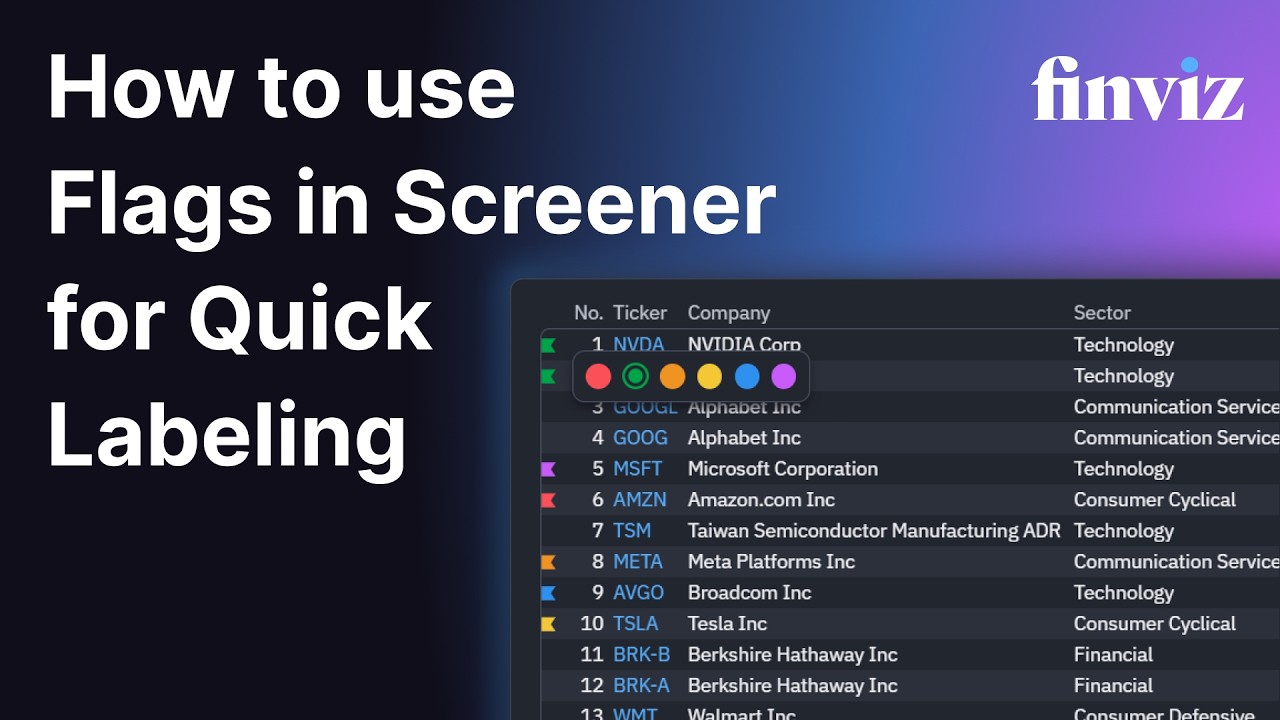
Here is a quick feature overview on Flags for color coding tickers on Finviz. In screener, if you hover your mouse on the edge of the leftmost column, you can see a flag icon show, you can click it and select a color based on your preference to categorize the tickers. This makes it easier to quickly spot the marked tickers in larger lists.
Оглавление (1 сегментов)

Segment 1 (00:00 - 01:00)

Welcome to Finn Viz. Now you can label and color code the stocks in your screener results using flags. This new tool makes it easier to categorize and organize tickers based on your own investment strategy. In the screener results, just click the flag icon on the far left of any ticker and choose the color you want. You can use flags in many different ways. For example, you might use green flags for stocks you think will go up, red flags for warning signs or maybe a short selling opportunity, blue flag for companies to research further, yellow flag for earnings watch lists, purple flag for long-term ideas, or as another example, you could use green for long-term opportunities and yellow for day trading ideas. The choice is yours. Once flagged, these tickers immediately stand out in the screener, making it much easier to scan through large lists of stocks and recognize the symbols that matter to you. Now your screener can be faster, more visual, and highly customized to you. Thank you for using Finnvvis.

Другие видео автора — Finviz

Ctrl+V

Экстракт Знаний в Telegram

Экстракты и дистилляты из лучших YouTube-каналов — сразу после публикации.

Подписаться

Дайджест Экстрактов

Лучшие методички за неделю — каждый понедельник