🔗 All the resources I used above can be found here: https://shopfunnels.net/wld
🔗 Register For My Free Live Ecommerce Workshop (Tue/Sat): https://www.shopfunnels.net/ai-dropshipping
Email me: aliakbar@shopfunnels.net
Timestamps:
00:00 How to clone a winning store and launch it in a day
01:32 Why this product is the right pick for beginners
03:02 Breaking down what makes this product work
07:51 Researching competitor ads that are converting
10:49 Modeling without copying – how to differentiate
12:54 Walking through the finished white-labeled store
14:00 The 5 steps inside the Design Lab
15:08 Step 1 – Building the business outline with Claude
17:26 The sections behind a high-converting store
20:55 Step 2 – Claude writes the store copy
23:42 How Claude structures copy for conversions
27:41 Reviewing the finished outline and copy
28:04 Handing the copy back to the white labeler
30:28 Step 3 – Planning the product images
33:58 Generating the images with AI
37:45 Finishing the image set
38:06 Uploading the images into Claude
40:05 Putting it all together
42:23 Final reveal of the cloned store
43:21 Step 4 – Taking the store live on Shopify
44:30 Publishing the page
45:39 Importing the design into Shopify
49:40 Wiring up the page inside Shopify
50:30 Editing the imported store with Claude
51:06 Customizing the brand colors and name
52:34 How to differentiate when everyone uses the same process
53:08 The ad results from the last white-label launch
56:42 Resources and what's next
Links:
🔗 White Label Dropshipping: https://shopfunnels.net/white-label-dropshipping/
🔗 Free Ecommerce Workshop: https://shopfunnels.net/ai-dropshipping
🔗 Winning Hunter: https://winninghunter.com/?ref=aliakbar (USE CODE: Ali20)
🔗 TopView: https://www.topview.ai/?via=ali-akbar
🔗 GemPages: https://gempages.net/?ref=qzMdqzqO
🔗 Claude: https://claude.ai
🔗 IMGBB: https://imgbb.com
🔗 Go Full Page: http://chromewebstore.google.com/detail/gofullpage-full-page-scre/fdpohaocaechififmbbbbbknoalclacl
🔗 Image Downloader - ImageEye: https://chromewebstore.google.com/detail/image-downloader-imageye/agionbommeaifngbhincahgmoflcikhm
Оглавление (28 сегментов)
How to clone a winning store and launch it in a day
Hey guys, what's going on? Welcome back to another video. In today's video, I'm going to show you how you can go and find a store that's doing anywhere from 9 to $15 million a month and growing steadily. How you find their best performing product and their best performing landing page. Then how you take all of that information and give it to Claude so that it can design your own version of that same landing page. And then how do you bring it live and you know get it to work? When somebody comes here, they can actually go ahead and purchase the product. And then how do you fulfill it via drop shipping? This is going to be a step-by-step tutorial of how my students and I we're finding stores in record time. We're building them in a day and we're getting them launched and getting sales in. Okay. If you've been a beginner with e-commerce, a beginner with drop shipping, and what you've been stuck at is the ability to obviously find really good winning products that actually make money, stores that are actually growing, right? Um, and then when you see your competitors running beautiful landing pages like this, your trouble is you don't have the tech skills to build stuff like this. We'll show you how to build literal landing pages like that. like really beautiful ones that work. Okay, and then actually get it live and launched. So this tutorial is going to cover that entire process step by step. Okay, first step first, like how did I find the store and why do I
Why this product is the right pick for beginners
think this is a good store for beginners to run? Well, first thing is we actually ran a version of the store and we got it to do over $10,000 in revenue. This is just 7K in one account. We have another three or four or 4K in another account, right? So, we've actually tested this store live and actually brought in sales. So, why do I think this product has potential for anybody to come in and make money? Like me and my students, we've already made money with this product. Why do I think that anybody can do it? First things first is let's look at the amount of ads that they're running, right? So, we're seeing about 1,300 different ads. Um, and that's that in and of itself for an e-commerce product is amazing. But when you look deeper, what you're going to end up finding with this particular product is that all of these ads are going to one product, right? They're not running multiple different variants. stores or multiple different products. No, all of these ads, right, that they've run is going to one product. All right. Now, inside our community, we've actually done a ton of research and we found suppliers that will drop ship this for you and we've found suppliers that will private label this for you. So, this isn't some difficult to get your hands on product. This product is easy to fulfill via the drop shipping method. Now, before we get into the way that I verified that this is a good selling product and how we went on to actually go ahead and sell it, it let's go ahead
Breaking down what makes this product work
and talk about the product first. The product, what it is a pet calming diffuser, right? So, what it does is that it, you know, it works like any other diffuser. I don't know if you've ever used like aromatherapy or scents in your house, but when you sort of put this thing on, it releases an odor. And what they claim is that this product is only specific to pets. Only pets can sort of smell this for you. It doesn't change the smell of your house. And what it releases is calming pherommones. And what these calming pherommones do is that they help your dog relax. They bark less. They have fewer destructive acts and acts. And most importantly, it stops indoor peeing, which is what happens with dogs when they get anxious, right? And it also helps reduce their hiding and fear responses. Now, obviously, we're launching this product. We've done a ton of research on it. And um one of the things just to so that you are you understand the product before you launches is that a lot of the times when dogs are young they go to their mom um and they feel really calm around them and so their destructive behavior stops. It's because their mom releases some ferommones that the pup smells and it calms them down. So, we use that same analogy to explain the effect that this product has on pets. And it is an insanely amazing product because you it's not something they have to ingest. It's not something that um requires like cooperation with the dog. And if you have a big house, which most people have like a onebedroom or two bedroom or threebedroom or two stories, right? you're going to need to plug this in multiple different areas because if they don't smell this, if they're not calm, they're going to be disruptive. So, what we find a lot of times is people don't just buy one, okay? They don't just buy the one pack, okay? They're they're not buying the one pack, they're buying the two packs or the three packs because you need it in to have it in multiple different rooms. So, that's a really big um reason why people are buying more than one. and the fact that they're refills, which means people keep coming back and then you can have a really good subscription offer, right? play to this. Another thing that I've noticed is there's only a very few brands that are capitalizing on it. I don't know why more pet drop shipping store owners aren't selling this product, but I haven't found the competition to for this product to be really, really high. Even now when I'm researching the competition's not really there guys. So this is one of those markets where you can come in start selling the product. But what's really important because I've been studying this brand over the years and they've never deviated from this. So you can't deviate from this as well is that all their traffic goes to a page like this. Even when we ended up making the money that we made from this product, we made it because we didn't deviate from what was working. Right? They're using this landing page to go ahead and sell products. And so we designed a similar landing page. Like if you're thinking, okay, Ali's recommending this product, let me drop it onto a Shopify store that looks or a shrine theme that looks good. It is not going to work. Okay. The reason this product works is obviously great advertising, which we'll get into, and a landing page that is built to convert. Now, why is that important to understand? Okay, each section of this landing page, each image of this landing page has been designed with a certain thing in mind. Now, these guys didn't reach 9 to$15 million in revenue. And for those of you guys saying, "Oh, this tracking is off. " Trust me, it is not off. I promise you it is not off because I am on calls with the guys that built this software and they have actually verified with store owners like hey we're tracking your uh we're tracking your website are we accurate and store owners are surprised at how closely accurate they are and they're one of the only few softwares that actually go out there and put revenue stats up. Most people shy away from it because they're not able to accurately estimate. I don't know how winning on it. I'll try and leave a link down below, but they do an excellent job. So, they're actually pulling in, guys, this much revenue and the way that they're doing it is because they have this landing page design. Each element, again, each headline, each image, each section is designed to take someone who's a skeptic, who doesn't believe that this product will work and turn them into a believer. So, if you are launching this product, if you want to go ahead and start selling this product, dog owners, then you're going to need to follow the strategy very closely.
Researching competitor ads that are converting
All right, so this is their store right here. And this is our store right here. Okay. Would you believe if I told you that we built this store the way that they have their store built with all of the images redone copy redone and we did it in one day, less than a day, maybe a couple of hours, right? Every section has been made exactly as the original. Right? We've gone ahead and ensured that we have designed a landing page that converts. Now, how do we know that? It's because we are closely modeling this landing page that we also know converts. Now, this is what we like to call the clone and rebrand strategy. We have done it in a way where we are modeling the original business very closely, but we haven't taken any of their assets. If you look at the headline, it's completely changed. hero image, it's completely changed. But it's inspired by the original, all of the same things that made this successful because when we run ads to the store, right? When we go ahead and start running ads, we don't want there to be a change in the variable that made it successful. And that's what I feel like a lot of people miss out because what is what is everybody in e-commerce doing, right? We're all trying to find a winning product. So, everybody is launching the right product, but unfortunately, they're not launching it in the right way. What my students I focus on is we find products like this that are growing on the back of one offer, right? We know that this uh store has been gaining traffic every single month, month on month based on one offer that's earning them millions, right? And we know that we this is an accurate revenue estimate. Okay? With that being true, the next thing that we want to focus on is creating ads, right? Now, AI has made it extremely easy for us to find their best performing campaigns. Right? So for example, if I sort by highest impressions, I know that this ad that has been running from March 30th has the highest impressions. So what do I need to do? I need to create a very similar ad to this, right? Because this ad angle has obviously been working really, really well for them. So, now that I know that I can find their best performing ads and I know that I can recreate them with AI, the last piece of the puzzle is where most people don't pay attention, which is recreating a landing page that's good enough to convert a skeptic to a buyer. That's where most people have the problem of good traffic versus low conversions. If you're somebody who's faced that issue, let me know in the comments down below. Right? This is how we deal with it. We don't leave it to chance, right? If this type of headline is working, then why aren't we using a similar type of
Modeling without copying – how to differentiate
headline? Now, we're not going to go ahead and copy them. But what we're going to do is then again model it. Right? They have a headline here. They have three uh blocks here. They have a um red pill button here. We're going to do that, right? They have a dog with the product here. We're going to have a dog with a product here. Right? They have uh the pheromone working for the dog. We're going to have the pheromone working for a dog. Right? So now that we have essentially modeled all of the right elements of the competitor like we know that their offer is working so we have a similar offer we know that their ad is working. We have a similar ad and we know that the landing page is working that we have a similar landing page we will start generating results at a much higher success rate. Then your next question is okay Ali how do I start introducing my own elements like differentiating myself then when you're actually when you've established a baseline of success right when you start getting some sales then you start introducing changes to your competitor okay because our job isn't to just be like them and I mean there's a lot of money to be made like that but our job isn't just that right what we then start doing is now we'll start introducing changes right maybe we'll go ahead and test a different headline and what that may do is lead to an uptick in sales or lead to a downtick. Right? If it leads to an uptick in sales, we stick with our new headline. Okay? And then we start trying finding a pocket of customers that may be being ignored by the original brand. That's how we've entered so many different markets and started performing better than our competitors. Start taking customers away, start becoming a more recognizable brand. But it all starts with launching like a six or seven figure business. And that's the whole um that's the whole theory behind white label drop shipping, right? You clone uh a competitor, you rebrand it, so you're not using any of their assets, but you have modeled their success architecture and then you start introducing changes after you're actually successful and you have profit. So you have the ability to test. All right. So with that understanding, let's
Walking through the finished white-labeled store
go ahead and see how we've gone ahead and white lababeled this particular business and how you can in one click. Literally, you can have this entire business downloaded into your Shopify account or your ShopFunnels account in one click. And I'll show you exactly how we do it. You can follow along. But to be able to do this, you're going to need to understand two things. the theory behind how we do it and then practically how to implement it as well. So, for the implementing of this, for the practical, like how to do it, I'm going to be using all of the tools inside of my program, White Label Drop Shipping, I'll leave a link down below. This is something that if you want to do it the way that we are, get stores that look like this up and running in a day. Literally, in 24 hours, you can have this less a few hours. And if you just sit for a few hours, you will have stores like this up and running. Um, then amazing. or you could just download the store that I built. Again, we'll walk you through everything, but that's all inside Wable Drop Shipping. So, if you see me poking around in this, I'm using the program. Okay, so first things first is we're
The 5 steps inside the Design Lab
going to go into our design lab and the white label any store option. Now, when you go here, there are five steps to do. Step one, we're going to build the business outline, right? Step two, we're going to write the copy. Step three, we're going to design the images. Step four, we're going to dis put everything together. And step five, we're going to deploy and go live. If you do these five steps and if you understand the core concepts, you can white label any business. It doesn't matter if it's e-commerce, if it's digital agency, if it's real estate, if whatever somebody's selling online. It only takes five things to clone someone's success architecture. This used to take us a long time. We used to have a team of 30 people that used to sit do copywriting, image design, customer understanding, this that and the other to be able to come to something that might or may not work. But with AI specifically using tools like Claude, we can do this in a matter of hours and you will see how freaking insane this entire process is. So let's
Step 1 – Building the business outline with Claude
go ahead. Let's go to step one and build the business outline. So, I'm going to use these AI employees, okay? Over here, right? Each of these is an AI employee. So, what happens when you click here, when you're inside and you click here, is you're going to get access to a piece of text. I want you to copy that and then go ahead and paste it into Claude. I'm going to go into my Claude account and show you exactly how. All right. So, I'm inside my Claude account. I opened up a new chat. And I pasted this piece of um text here that again I got from the White Label Design Lab. All right. Um, you don't need these tools. If you just want to follow along and understand the theory behind it, but if you want to actually implement it, I highly recommend getting them. Okay. Uh, again, links are in the description below. So, now it's gone ahead and understood it and it turns Claude into a white labeler. Okay. Now, what does a white labeler do? Okay. What a Y labeler does is the first thing it's going to do. By the way, with any of the AI employees that we create, all you have to do is answer questions. That's it. Okay? And there are very simple ones of that. So, the first question that it's asking is if you drop, can you drop the competitor URL um and the product page and I will build it immediately. Okay. Now over here, we've trained this white labeler to take any page and go ahead and create an outline for it. Okay? Because that's going to be very, very important when we're starting things off. So, what I did was I went to my competitor and I'm just going to go here to uh where we have all of the research done for this business. I'm going to open up the competitor story and you get access to all of these fun things when you're inside the program. And then I press this button right here which is go full page. Okay. And what it does is it goes through the entire page and it takes a big screenshot of it. Okay. And after that we can download it as a PDF. Right? So now I take that PDF and I attach it here. Right? And that's super easy to do. I'm going to show you for reference sake. Right? So you take this PDF and you just put it here. Right? and you attach the link to the landing page.
The sections behind a high-converting store
That's the first thing to do. And then it runs the program that we have told it to run. And it figures out all the different sections that are inside the website and it's understood that there are 21 different sections in this website. 21 different sections. This is very important to understand. When you launch this website and you don't use 21 sections, you are leaving a conversion element on the table. These are the 21 sections that allowed this business to scale. All right, this is Leaving even one out of your landing page, there's a room for error, right? Because when somebody's scrolling through this page, um maybe it's not this section that gets them or this one or this one. Maybe it's um this one, right? Where you basically take all of the other stuff that didn't work and you say that's a bad thing, right? And this is what works. And so maybe it was this section that gets you, but because your Shrine theme or your Shopify theme didn't have this section in, you forgot or you didn't add it. And then you're losing sales and you can't figure out why, right? For a certain uh type of customer, this is the section that converts them, right? And so if you look at our version of the website, well, it has it. It has that section so we don't miss out on those sales. Does that make sense? Right? Let me know in the comments down below if that makes sense. Okay. So now it's mapped out the 21 sections and um it'll do it'll build the sections, it'll design them, you know, it'll pick the primary colors and then I will show you, by the way, how to change all of this. If you have a different branding style, if you have different colors, I'll show you exactly how to change it up. Okay, so it's done all of that and it's produced what I like to call an outline. Okay. Now in the outline what it does is it basically again creates the sections but without any images and it builds and puts placeholders. Right? So over here it's like okay this is the headline and this is what the headline needs to have. image here should be. Again This is what the headline has. Now this is why nobody can ever accuse you of copying someone because you're not. you went and you understood what made it successful and you modeled it, right? We our section headline is about something. Our over here in our first paragraph, we're going to reframe their problem. In the second paragraph, we're going to talk about what dogs actually need. On the third paragraph, we're talking about how it solves it. So, we've gone ahead and again, we're not trying to copy them. We're trying to model their success architecture. So the step one is to build a um template you could say or a uh a better word for it is an outline of your new website and that's what our first AI employee uh does uh the e-commerce white labeler right over here the first step is to build the outline. Okay so once your business outline is built the job is done. Okay, the next thing is to now move on to step number two, which is creating our stores copy. Again, we're going to open this one up. We're going to copy the text and we're going to paste it into a separate claw chat. And we're going to now begin the
Step 2 – Claude writes the store copy
copyrightiting process. So, I've done that. I've pasted that big block of text that you get when you click that button. And now the copywriting is going to start. Okay. Now, before the copywriter, again, this is an employee. It understands copyrightiting on a very high level. As you will see, before it can start copywriting, it needs to know what are all of the different placeholders so that it understands how much copy it needs to write. This is how we used to work back in the day because again, as I told you, I was running a really big agency where we needed to create a template and actually give it to a copywriter who would then go and understand each section that needs to be written and then he needed to plan out how to write each section. Now that process in and of itself used to take a week or two and now we've condensed that to mere minutes. All right. So our copywriter here needs to understand like what are all the sections I need to write copy for. So we're going to go back to our first AI employee. We're going to hit this copy button right here. Okay. And then we're going to go here and we're going to just hit paste. Okay. And this all of this gets pasted. And then we're going to hit enter. And then it identifies. Okay. There are 21 different sections in here, but each section has different types of copies. In the first section, I have to just write one piece of copy, but in the second section, I have five. In the third, I have seven. And all in all, I need to write 177 pieces of copy. Now, when you're doing this, not methodically, not the way that we do it. What ends up happening is you write copy to fill in a template. You write copy because you don't want that piece of the page to look blank. You write copy for you. You're not writing copy with a purpose here. He knows that each number one we've identified that each section has a purpose. Right. I mean on the comment number we've identified that each section of the page has a purpose and now our copywriter needs to purposefully fill in 177 pieces of copy and what we've given our copywriter is the direction as well over here right we need a trusted review of how it calmed the dog down over here we need a a headline for a money back guarantee so it's not writing random stuff. It knows the type of copy it needs to write. And how do we know the type of copy it needs to write? Because we got it from the original who had put it there for a purpose. Do you see how everything connects back to a successful launch?
How Claude structures copy for conversions
All right. So now we have 177 pieces of copy to put. Okay. It's not just going to write copy because again, we've put in a ton of effort. Now, I I'm I know I'm saying we we but for those of you guys that are not even using the tools, all right, I need you to understand how to approach business and marketing to be able to be successful. Okay? So, this needs to be your approach to everything. So, now when we're writing 177 pieces of copy, before we write it, we need to do a product intake. So, give me everything, right? or my yeah employees asking me give me the product, the audience, the proof, the offer, the vibe, any other assets. Okay, so now I'm going to give it everything. Okay, what did I give it? I went to our competitor, downloaded their best performing ads, and transcribed them and gave it. I gave him our competitor's entire landing page. I gave it uh our competitors um I think this is all of the text on the landing page. I copied it separately and I just pasted it in. I went to our Amazon reviews of similar products. I just copied all of them and pasted it in right because I wanted the copyriter to have the language with which our customer talks. I gave it all of it. Then I gave it um like even these two pieces of information. Oh, I gave it like best performing ad long form because I found that our competitor was running image ads with really long copy. Like look at this really long copy. So I got some of the best ones and I put it in and with all of that information and then I put in a ton more stuff with all this information it has now it understands everything. It understands the product on a very deep level. It understands the advertising it's working. It's understanding how the customers talk about it. It understands how our competitors the product. So now that it has all of this, the next thing that it's going to do is an audience snapshot. understanding who our audience is, what drives them emotionally, what's the angle we're going to use, what's our headline direction, what's our strategy for uh proof, what are the objections that we're going to need to handle, what's the tone with which we're going to go and approach. Again, all things that a copywriter needs to think through. Okay. Um after it does all of that, it asks us, are you okay with the direction? And I say yes. Okay. Then it's going to complete a copy brief. By the way, my name was K9 Ease and I gave it over here. I said all of this is my product's info, but the name is K9 E, right? Because I wanted a different name. Otherwise, it would have written copy based on the name that was it found the most, right? So now it's understood everything that it needs to do to be able to write copy. And so it's going to now again start thinking through like what are the highlights, what are the next steps, and then it's going to prepare a brief, a very detailed document that covers every single piece of copy that needs to go in. So there's 177 different pieces of copy that it's gone through and it's written for our product. Now I know I'm talking through this a lot but it takes minutes like over here you upload uh you upload your competitor's image and your uh and the competitor's link and your outline is ready. Over here you upload um some uh some some references of what your product is and all of your copy is ready. Like it takes minutes to do but I just want to talk through why you do it this way. So now two of the five steps are done. We've built the outline and
Reviewing the finished outline and copy
now we have the copy. Okay. But um to put our copy in the outline so it looks good. What we then do is we go to the copywriter and this brief that it's prepared right here. We're going to hit this button copy. Right. And then we're going to go back to our first AI employee which is the white labeler. All
Handing the copy back to the white labeler
right. And after it delivered the b outline to us over here, right? us, it's waiting for the copy because the way we've built all of these AI employees is that we want all of them to work with one another. So, it's waiting for the copy. So, we're going to hit this. copy. We're going to go back here and we're just going to drop. We're going to drop all the copy in. Now, when we do that, when we drop all the copy in, right over here, we've dropped all the copy in. What ends up happening is that it goes through all the copy and it figures out how to put all of this copy into the outline. And it does that. Okay? And then what it delivers is this. All of our copy has now been expertly put into our um outline. And so now we have almost a complete website. All that's really missing is the images, right? images. The website in and of itself is almost ready. So now what do we do? We go to step number three and we start designing the stores images and works the same way. We click this button. There's a big piece of text that comes in. We copy it. We go to cloud. We open up a new chat and we paste all of that text in turning that particular window into another AI employee which is our image designer. Our white label image designer. So let me show you how we did that over here. So I did that and now I have my white label image designer. So I have three windows open, right? I have the white labeler which prepares the outline. I have the copywriter that writes the copy. And now this is the third one. This is the image designer, right? that is going to create all of my images for me. So, our image designer, uh, again, it's an AI employee. It has no understanding of what's happened with the other ones, right? It's new. It's fresh. It needs to be updated because it's like, think about like I like to almost think of it these like people, right? So, our image designer is going to say, "Hey, I'm going to help you create every image needed for your white label website and then assemble everything into a paste ready file. " All right. So first thing
Step 3 – Planning the product images
is can you give me whenever you hear the word wireframe just substitute it for outline. Okay. Uh upload your completed outline uh with the one with the copy filled. Okay. So we're going to go back to our white label. We're going to find the copy filled outline and we're going to hit copy. We're going to paste it in here. Okay. Now the reason we need to do that is because our image designer needs to understand what are all of the different images that are now needed to get this website live. Okay. So all of these images have been identified. Now the next thing is like okay it needs to it now understands okay these are all the images that I need to make. Fine. Step two can you give me the competitor's website screenshot? F sounds good. Again we already have it remember. So, we're going to take this screenshot. We're going to upload it. And this will show the image designer what do the images need to look like. Right now, it has a reference. So, now it's gone ahead and it has all of the it has a sort of understanding of the general vibe of the page. Okay. Now, the third thing is that it's going to need the actual competitor images. is going to need these actual images downloaded like save image right but I mean there's hundreds of images here how are you going to download them all for that what we do use is another Chrome extension called image I now with image eye what it does is it scans the page for all of the images that are available then we're going to go here we're going to hit select all and we're going to make sure that we have this download as zip turned on and then we're going to hit download and what that does is it creates a zip file of all of the different images of the competitor. And then we're just going to drop that entire zip file into our image designer. And then when we do that, what ends up happening is it goes through hundreds and hundreds of images to understand what images you need for your website. And it's come up with all of the different images that you need. So we're going to need to create 27 different images. Now you may think Ali creating 27 images isn't that difficult. It took me 10 minutes because of the process and I'll show you exactly how I did it. Okay. So now that all of those images are created, we're going to uh all of those im it's understood all the 27 images that you need to create. The final thing that it needs is our products image. Now I go to our supplier and I download this image from them and I say, "Hey, this is my products image. " And now it's received everything. And it does a detailed un uh summary of everything that it's received. And it's going to tell you all the 27 images that you need to create so that you can have your website live. And so you don't need to read all this is just it's just think of it as thinking out loud. You don't need to go through this. Okay. So, when it says start, what I want you to make sure to tell the AI employee is to give me one image prompt at a time and take all of the links at once when the images are completed. Now, I don't want to explain this just yet, but if you just type this in, you will follow the process along with me. Okay, so start give me one image prompt at a time and take all of the links at once when all of the images are completed. Okay, so then it does that. Okay. So the first
Generating the images with AI
thing that it will do is you know we have to create 27 images, right? This is how we're going to make image one of 27. We're going to upload our competitor's image 8. image of the product and then we're going to copy and paste this prompt in. That's it. Now you can do this on chat JBT. um on Nano Banana. You can do this on any image generator of your choice. As long as you upload this image, and this prompt, you will get an incredible image out of it. I'll show you how I did it. So, the way that I did it is I went to topview. ai because it just helps me manage everything really well. And I'm going to leave the link to top. ai down in the link in the description below. I'm going to hit board because this is how I keep everything organized. And then over here I'm going to show you how I created each and every single image. Now that you're when you click board and you're here, you're going to be the you're or you're by default you're going to be taken to this uh section called AI image. You're going to hit image edit and this is where you're going to upload the images that are in the instructions. And this is where you're going to paste the prompt. As long as you just follow this, you're going to be okay. And you're going to use the lowest settings possible. So you don't need 2K. 1K is fine. And it only takes 0. 2 credits to generate. For 27 images, you can get all of them in just a few credits. Okay? So even if you get the lowest plan of Top View, you can get all of your images generated. Or you can do it free on Chat GBT and Gemini. However you want to do this. I just use Top View because it's easy. So let me show you how I generated this first image. If I hit re-edit, you will see my exact instructions. I uploaded this competitor's image. I uploaded this my own image. I paste it in the prompt. And I made sure the aspect ratio is exactly what they mentioned right here, which is why it's green. And then I just hit generate. And then boom, I get this image. Look at how realistic this is with the dogs, with our product on the table, with our product in the background. Right? That wasn't by mistake. It was by design. Um, now you may be thinking, Ali, how do I get my competitor's image? Well, you remember how we downloaded all of them and put them in a zip file? Well, what our AI employee does, which is one of the coolest things that it does, and I'm going to show you how is that it goes through all of the images. So, this is again that zip file that we downloaded, right? It was like you know when you unzip it you will get all of these different images. It will tell you go to image 14. Okay. So we just go to image 14 and this is our competitor's image 14. That's it. We have to upload this image right for our first image. It was image 8. Right? So here it is. So we upload image 8. Okay. And then we upload our competitor's im our product image and we paste in this prompt and we get this. And that's it. So, I just went through and did 27 in 10 minutes, and all of the images came out incredible. Okay. And now our images are all ready. It takes 5 minutes. All you have to do is follow each of the image instructions and just have it show playing in the background. Get all of your images done. No sweat. Now, once all of your images are done, right, so I'm going to scroll all the way down to the 27th uh image. So once all of these images are done
Finishing the image set
let's go all the way down to the 27th. It's going to say, "Dude, done. That's all 27 images. " It's going to be happy cuz it knows that this was this is the only thing that will take more than 10 minutes. It should take you 10 minutes tops. Okay. Then all of the images are generated. And then it's going to ask you for links. Okay. Now
Uploading the images into Claude
we can't just upload these images on Claude. It's not like cloud's going to save them. We have to upload it somewhere else. Gather all those links and then give it to cloud. That's it. Right. So, this is how we do that. We're going to go to the website which it's going to give it right here. GBB. com. Okay. Create a free account. You don't need a pro one. We're going to take all of these images that are here, right? So, we're going to download image one. We're going to upload it over here. And I'm going to just show you a small example. Right? So, we download it here. Okay? And then we're going to upload it right here. We're going to hit upload. Okay? We're going to take this file and we're going to put it in here. That's image number one. Right? And we just basically do that for all 27 inline. And then we hit upload. And that's it. Now, sometimes your images may be very large in size. So, if you want to like reduce the file size of the images because you want your website to load faster, what you're going to want to do is go to something like um PNG, PNG to web PNG converter, right? And then you can just download put your images here first, right? Uh and when you do that, it converts it to something called webpng. And then you have like you know if this was if this image was a few MBs this is a few KBs so your website loads faster. So you can put that one step in convert all of them and then upload it to imgb and then get the links and then give it to clot. And then if you do that all of your links will be uh smaller. And so now you have all of your links done right. So this is exactly what I did. All of my links are ready. And now it's received all 27 images. All right. So, all 27
Putting it all together
images are done. And the next thing that it's going to ask us to do is it's going to say we I have received all of your links. Say the word brief. I've said the word brief. And it's prepared a set of instructions of how we're going to put these images on this website. Okay. And then the next thing that we're going to do is we're going to copy right this set of instructions. this outline and we're going to give it to a different tool to bring it together. And that tool is claw design. So it's not like regular claude. It's a higher level version that focuses on just designing. So we're going to hit this button. Okay. We're going to open up claw design. We're going to name this something. So, I just named it dog diffuser. We're going to leave it on high fidelity. We're going to hit create. When that happens, this on this section right here is where you talk to it. On this section is where it designs it. Right. So, we're going to go here. We're going to copy the outline first from our white labeler. And we're just going to go right here and we're going to paste it in. Okay. Then, the next thing that we're going to do is go to our image designer. We're going to get this brief. We're going to copy it, right? We're going to paste it in and then we're going to hit send. And what ends up happening is it ends up creating this website. Now, when your website is ready, okay, you may want to make certain changes and you just talk to it right here. Like you can just take a screenshot of this section, upload it here, and say, "Hey, can you change it here? " Now, if you want to make any changes, this is where you talk to it to make all of the changes right here. Right. But over here, you need to be super happy with the final outline of it. Okay? And one thing is like let's say you click this and it doesn't go to how it works. You have to say, "Hey man, make this website interactive. Make my buttons work, right? " And it'll fix all of the coding. Like I'm not a coder, but Claude understands it. It will fix all of it. And now your website is basically ready. It looks beautiful. It
Final reveal of the cloned store
looks amazing. Now, let's go ahead and get it live on online. Okay, I'm going to show you how to do it on Shopify and then Shop Funnels. Okay, so once this website is ready, your white labeler, the first AI employee, is actually waiting for the final zip file. Okay, it's actually waiting for it. So, we're going to go here. We're going to hit share and download project as zip. And then we're going to give it okay to our first AI employee which is the e-commerce white labeler. When we give the zip file what ends up happening is it's going to run all of this program which we've programmed it. Okay. And it's going to give us this file. Okay. Now we're not going to be able to see the images. We don't need to. Okay. And then we're going to hit copy right here. Now this is the file that goes live wherever we need it. So, let me show you how to
Step 4 – Taking the store live on Shopify
make it live on Shopify. So, first thing, go to shopify. com, hit login, and log to your Shopify account. Okay, I'm logged into a tester account that we have. Then, you're going to need an app. Now, the one that we use is Gem Pages, and I'll leave a link down below. You're going to need to download Gem Pages, okay? And have it active. So, I've downloaded Gem Pages, okay? Now, when you're inside Gem Pages, what you're going to want to do is hit um over here, you're going to want to um you're going to want to go to pages, okay? And you're going to want to hit start from scratch, create a landing page. And you're going to hit create a blank page, okay? Then you're going to want to go down here. Okay? You're going to want to get custom code. You're going to want to put it in here. Okay? Go back to your white labeler. Copy the code. Go back to Gem Pages and paste the code right here and hit save. And then when you view the page, you will see the page actually come live. Like this is the page live.
Publishing the page
All right? And then you can just hit publish. Okay? And when you hit publish, your page will be live. Now I've already done that. So this is my live page. I've hit publish and everything. This is what it looks like. It is incredible. It works really well. Like, you know, it it's it works amazing. When I click here, it takes me to here. And a cart page with the product already added in. So, somebody can just come here and check out. Okay. Now, how do you get your links working? Right? How do you make sure that when someone clicks here, right? When somebody like clicks on the on that section, right? When somebody clicks here on this section, they actually go to a cart page with the product added in. Well, don't worry. Our white labeler actually handles it. Okay. All you have to do is say, "Hey, these are my three product links. " So, make sure that you've actually gone to products and created the three products. Like, I've actually gone to the products. I've actually created the three products, right? I've made sure they're in stock. All of that stuff. So, once you create the products, just go grab the links. Okay? grab the
Importing the design into Shopify
links. All right. And then just give those links to my white labeler and say, "Hey, these are the three links. Can you make sure that they go to the page? " And it will rework the page. Okay? And it'll do all of the coding it needs. Okay? Then again, you copy it, you go back here, right? You go to the code, you paste in the new code, and you will have it live. So now you are no longer editing here. Okay, remember you're no longer editing yourself. You have made Claude or more importantly my white labeler is your editor. Any changes you need, you make them here. Then you copy it and you paste it. Okay. Now for some people this may be a little bit more of a complicated process to get something live. But to get quality like this that you don't have to build, that AI builds for you. This is the best thing to do. This is the fastest way to get it done. This is in fact the only way to get it done. That is good, right? And now you have a website that's live, that's working, and when somebody clicks here, they go directly to your cart page. Okay? For those of you guys that want to use ShopFunnels, which is what I recommend, okay, the process is super simple. Again, it's the same code. You copy it. Okay, ShopFunnels, we actually have a template that we give you, right? You open this up. If you don't have account, make sure that you register. Um, or what you can do is, and again, it is going to be way cheaper than Shopify and Gem Pages combined. It's going to be a cheaper alternative, and it's really fast to go live, right? So, I'm going to go in here. I'm going to add it. as you can see as look at the amount of funnels that I've built. Um, and then it's going to just quickly zap in a template that we've created, right? And then what you're going to want to do, it's going to say custom code. Where it says custom code, you paste in the new code, hit save, right? And when you hit the link, boom, your website is live. Okay? And for the cart page, just go next and give it this uh this link, right? This is the cart page. Just give it this link and be like, "Hey, can you update it to this cart page? " And then what you can do is quickly add your domain here and make sure that the when you when you add your domain here, this will change. And then you can just give this to the white labeler as your cart page. And then you can add in the products right here by going to products, selecting the products, and adding new store products. Make sure you add all of your store products. And boom. You can even use ShopFunnels to get live. And that's it. That's the process from A to Z of how we find businesses. They're doing millions and millions of dollars in sales, how we create clones of them, how we rebrand them, and how we launch them. Now, for someone that's made it this far, you're probably going to want to do this yourself. Okay? But if you don't want to do this process yourself and you just want to use this website as your own, right, Ali, you've already created all of the images and you've already done all of this work. Why would I do it again? Right? That's exactly the point of white label drop shipping. So what we do is if you go here to select our store, if you're part of the program, you can just click right here. Okay? And this is where you can find all of the information regarding this product. So, inside white label drop shipping, select your store. You can see all of the different stores that we've built. And now what we do is you can literally just import this store that I've built into your account, right? So, um, and you can do it into Shopfunnels or Shopify and you can edit it to be whatever you want. So, I'm going to show
Wiring up the page inside Shopify
you exactly how that works. All right. So, let's say you're working with Shopify, right? So, when you click this, you're going to be taken to a private link where you have a file that you're going to need to download. So, I'm going to go ahead and quickly download it. All right. So, once you download this file, right, again, we're going to go to Shopify, right? We're going to go, we're going to log in. And this file is nothing but the file that I've actually created for you, right? We're going to go to Gem Pages. We're going to upload the file that I have created right here. Uh there's going to be a button that says import to Gem Pages. So, we're going to go to pages. We're going to hit import file. We're going to add a file and it's going to be the one that you
Editing the imported store with Claude
downloaded, right? We're going to import. Once we import this file, the file gets imported. Right? It's done. Now, we're going to go back. You'll see that this uh this new page is here. And then what you're going to want to quickly do is have this open. All right. And then over here is all of the code of the file. Now, we're going to go to Claude. the white label editor. We're going to click this button. Okay. It's copied a new AI employee that I call the white label editor. Now, we're
Customizing the brand colors and name
going to go into claude. Okay. We're going to paste it in. We're going to hit enter. And this is going to help you edit the file. Okay? I can help you customize, swap the URL, change the headlines, replace the images, update the colors. Right? So, what I would basically do is copy this entire code, paste it in. This is my white. This is my white label. I don't like the green theme. Let's go for a purple. Um, and my brand is called K9 Care. Okay, let's say it's called K9 Care. And then hit enter. And so now Claude will go through and change the entire theme to purple, change the brand to K9 Care, and leave everything else. It's meant to be left um um without anything else. Okay. So, it's gone. It's go It's going to go through the entire website and it's going to give you what you're going to need to then put on Shopify. So, give it a second. It'll edit all of it for and then you can have it change the copy, change the images, do whatever, right? Um, and it'll do that for you. But typically, you don't need to make too many changes if you're in the program. You just need to update some and you're going to have the baseline. Now one question you may have while it's
How to differentiate when everyone uses the same process
processing all of this stuff is Ali if everybody's launching in the same way how are we all differentiated well the differentiation doesn't need to happen here the differentiation needs to happen on the ad level okay inside label drop shipping the program we actually also create your ads for you so you don't have to worry about that my editors will actually go ahead and make your ads for you and now with the new versions. We're actually testing each store. So, the last store was this color changing
The ad results from the last white-label launch
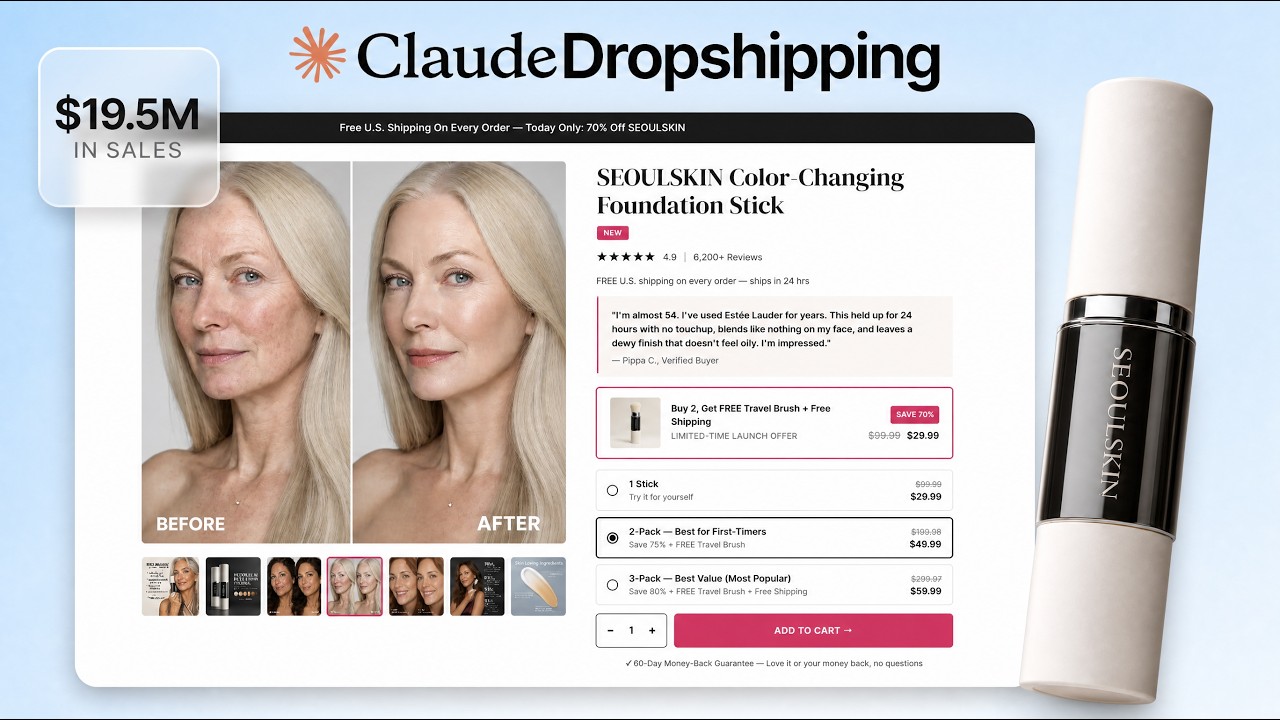
foundation. And I'm not going to reveal too much because I want to leave some to our white label members. But we ran this product live. It made sales. And I'm going to show you all of the results of my test, which is the winning interest that you have to target, the ad angles that I use to get sales. So the first $100 to $200 that you don't necessarily get back in testing, I want to invest from my side. So you guys are actually testing angles that I know have worked. Does that make sense? So now what I'm doing with this one is I'm currently testing it myself. When I start getting sales and once all of the data comes in, I'll update it right here so that you don't have to waste your own money testing ad angles. And we know what ad angles were. And so we save you money on building it because our AI employees build it like automatically. You don't have to build it. Like the design lab's always there. If you want to and you can follow the tutorial or if you think this is the product for you, just import into Shop Funnels, import into Shopify, edit the code with our white label editor and go live. This is literally how freaking easy launching is. Okay, so with that being said, let me do the final plug. Um, this has been my life's work, finding a way to make e-commerce accessible and easy for everyone. And that's what we do inside of the program. You can go ahead with a pre-built store or design your own store from scratch. uh we will help you create ads over here and then we will actually help you launch the business. Then you meet me and my team every single week on a call where we help you scale the business. And there are two full courses right here that will help you help prep you for everything that you need to become a master at ecom. And there's also a full AI ad accelerator course right here that'll make you a master with AI ads. So, tons of learning, done for you, done with you program that we've created. We call white label drop shipping. And I'd like to end on the uh store that's rebranded and ready to launch. So, let this get done. And there it is. The entire website has been purpleified and is ready to go. Now, all you do is copy it. You go here. You paste it in right here. Oh, wait. I don't want to make changes to the Oh, no. This is the new one. Yeah, I didn't want to make changes to the template. Okay, we're going to hit save. Um, we can publish this if we want. I don't want to publish this. Okay, but if you preview it, you will see your purple version of the website that is now ready. Okay, and that's it. That's how freaking easy it is to take something, rebrand it, and launch it. And now it's K9 Care that you see. Okay, and that's it, guys. Thank you so much for watching till the end. for anybody that made it all the way till the end. Thank you so much. I appreciate it. We're what um easily over an hour up, but I appreciate each and every one of you. Thank you guys so much. And um if you made it this far, consider subscribing cuz we will we drop videos like this every single week. Uh consider commenting down below what you thought of this entire process, the good, the bad, the ugly. I want to hear all of it. and um consider liking the video cuz that will mean a lot to me and all of
Resources and what's next
those things are completely free. Again, appreciate you as always and tune in for the next white label launch.