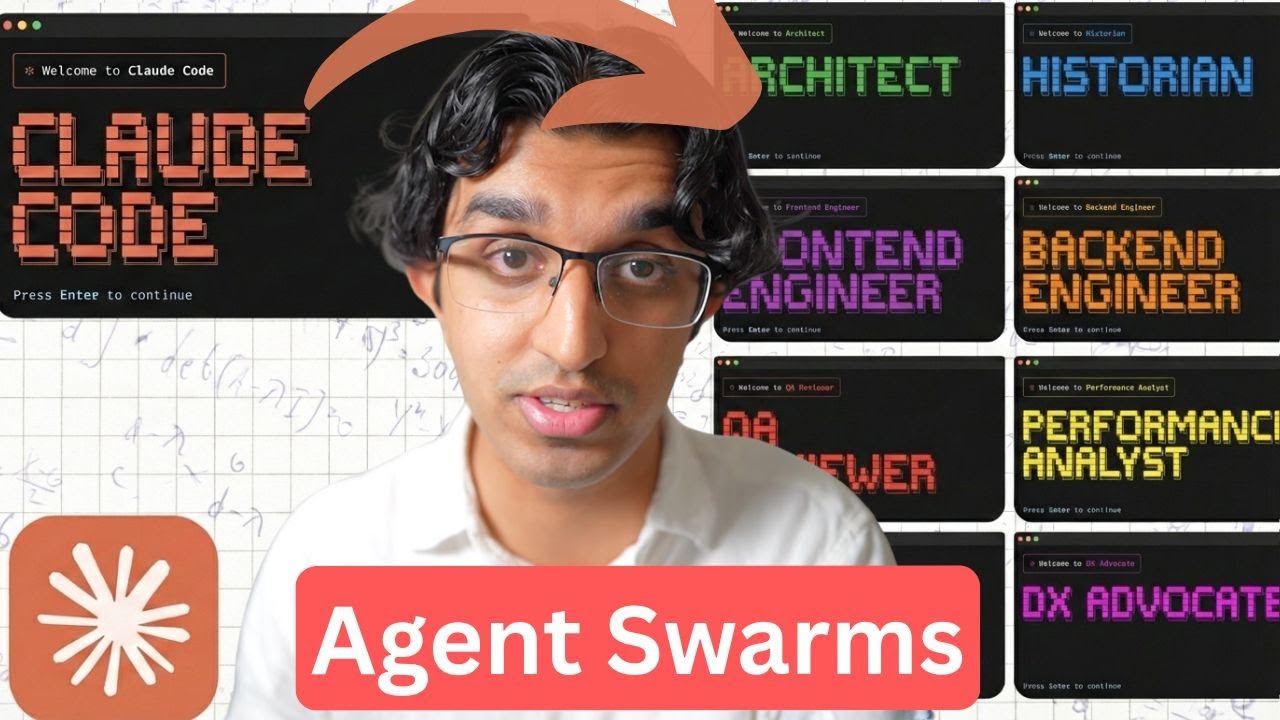
Anthropic Just Dropped Agent Swarms
12:04

Anthropic Just Dropped Agent Swarms

Ray Amjad 06.02.2026 18 071 просмотров 490 лайков обн. 18.02.2026
Поделиться Telegram VK Бот
Транскрипт Скачать .md
Анализ с AI
Описание видео
Level up with my Claude Code Masterclass 👉 https://www.masterclaudecode.com/?utm_source=youtube&utm_campaign=DWiYdXrxSwg Learn the AI I'm learning with my newsletter 👉 https://newsletter.rayamjad.com/ To avoid bias, I've never accepted a sponsor; my videos are made possible by my own products... —— MY CLASSES —— 🚀 Claude Code Masterclass: https://www.masterclaudecode.com/?utm_source=youtube&utm_campaign=DWiYdXrxSwg —— MY APPS —— 🎙️ HyperWhisper, write 5x faster with your voice: https://www.hyperwhisper.com/?utm_source=youtube&utm_campaign=DWiYdXrxSwg - Use coupon code YTSAVE for 20% off 📲 Tensor AI: Never Miss the AI News - on iOS: https://apps.apple.com/us/app/ai-news-tensor-ai/id6746403746 - on Android: https://play.google.com/store/apps/details?id=app.tensorai.tensorai - 100% FREE 📹 VidTempla, Manage YouTube Descriptions at Scale: http://vidtempla.com/?utm_source=youtube&utm_campaign=DWiYdXrxSwg 💬 AgentStack, AI agents for customer support and sales: https://www.agentstack.build/?utm_source=youtube&utm_campaign=DWiYdXrxSwg - Request private beta by emailing r@rayamjad.com ————— CONNECT WITH ME 🐦 X: https://x.com/@theramjad 👥 LinkedIn: https://www.linkedin.com/in/rayamjad/ 📸 Instagram: https://www.instagram.com/theramjad/ 🌍 My website/blog: https://www.rayamjad.com/ ————— If you're struggling to get agent swarms / teams running, make sure you have unset the following environment variables: DISABLE_TELEMETRY=1 CLAUDE_CODE_DISABLE_NONESSENTIAL_TRAFFIC=1 And make sure "Auto-update channel" is set to "Latest" in "/config". Reset your computer if needs be. Links: - https://github.com/anthropics/claude-code/blob/main/CHANGELOG.md - Previous Video: https://www.youtube.com/watch?v=6omInQipcag - https://www.anthropic.com/news/claude-opus-4-6 - https://platform.claude.com/docs/en/build-with-claude/effort - https://www-cdn.anthropic.com/0dd865075ad3132672ee0ab40b05a53f14cf5288.pdf - https://www.anthropic.com/engineering/building-c-compiler - https://github.com/anthropics/claudes-c-compiler - https://github.com/marckrenn/claude-code-changelog/compare/v2.1.31...v2.1.32 - https://x.com/rlancemartin/status/2019482019324219477 - https://x.com/jarredsumner/status/2018125647256879166 Timestamps: 00:00 - Intro 00:36 - Agent Teams 02:29 - Demo of Agent Teams 05:28 - High-Level Overview 06:07 - Split Pane Mode 07:11 - Conclusion of Teams 07:56 - C Compiler with Teammates 08:15 - Opus 4.6 09:20 - Adjusting Effort 09:54 - Auto Memory 10:47 - Improved System Prompts 11:10 - Performance Improvements 11:19 - /copy 11:29 - /keybindings 11:36 - PR in Statusline 11:48 - Conclusion

Оглавление (16 сегментов)

  1. 0:00 Intro 149 сл.
  2. 0:36 Agent Teams 439 сл.
  3. 2:29 Demo of Agent Teams 693 сл.
  4. 5:28 High-Level Overview 142 сл.
  5. 6:07 Split Pane Mode 248 сл.
  6. 7:11 Conclusion of Teams 157 сл.
  7. 7:56 C Compiler with Teammates 79 сл.
  8. 8:15 Opus 4.6 244 сл.
  9. 9:20 Adjusting Effort 135 сл.
  10. 9:54 Auto Memory 201 сл.
  11. 10:47 Improved System Prompts 78 сл.
  12. 11:10 Performance Improvements 35 сл.
  13. 11:19 /copy 37 сл.
  14. 11:29 /keybindings 30 сл.
  15. 11:36 PR in Statusline 51 сл.
  16. 11:48 Conclusion 68 сл.
0:00

Intro

Okay, so we have a pretty big feature that was just added to cloud code that may change the way that you use the tool going forwards and that is idea of multi- aent collaboration. I'll be going through everything to do with that in this video and a few other updates as well. But before getting started, I want to quickly mention that I have a brand new class in my cloud code masterass all about advanced context engineering. It is probably the most comprehensive class you will find on using context engineering with cloud code and the master class does include 150 of lessons. A lot of people are now realizing that mastering claude code is the highest leverage skill that you can have this year and my class teaches you how to do exactly that. There is a small sale going on right now if you're
0:36

Agent Teams

interested. So we now have a brand new idea in cloud code called agent teams and this builds upon what I said in my last video which was the new task management system. So in system we have a shared task list amongst different sub aents and we also have blockers as well. So previously we could have had different sub aents being able to access that task list and update it as well in real time. But the problem is the sub aents did not have a way of communicating with one another and having information passed into the sub agent as it's working. So what cloud code added is a brand new primitive which is the idea of the inbox or the message system between sub aents. So now sub aents can communicate with the main agent and also each other as they're working. And this idea essentially forms what is known as a team. So essentially by combining these two pretty basic ideas, a shared task list with blockers and a direct message system between sub aents, we now unlock more efficient parallel collaboration and can solve more complex problems. So previously when many people were implementing things with sub aents, there were problems with mergeability. So you would have a plan and a back end and front- end sub aent would both implement that plan in the respective parts of the codebase and then one sub aent may come across a problem that the other sub aent needs to be aware of and there was no way of that information being passed back and forth between them and then at the end of the session there may be some weird mergeability issues because the two sub aents worked on differing assumptions but now since we have a way of sub agents communicating with one another we can have those assumptions being passed back and forth with a messaging system. So one interesting use case of this besides having multiple agents implementing a feature in parallel is to have something like a debugger or a devil's advocate sub agent running alongside the other team members that can basically critique the work that the other team members are doing in light of something else. So I guess it's kind of like being in a real team where you may have someone watching over you and critique anything that you're doing to make sure that you're doing a good job. And I kind of talked about this at the end of my last video, but this is a much better approach by using agent teams. Okay. Now, to
2:29

Demo of Agent Teams

get started with this, you want to make sure you have this environment variable set in your settings local JSON uh file inside of your docloud folder for your project. And this will be down below. So, you can just copy it. And then after running cloud update to make sure you're on the latest version, you can run cloud. And you want to check that it has access to agent teams. Uh because it may not depending on your environment variable configuration. So, firstly ask a question. And in my case, it has access. But if you see something that looks kind of like this where it says it's not available on this plan, then there will be more information down below in the description that you can use to help uh solve that issue. Anyways, right now we have two possible display modes for the team setup. So going for an example in item where we can see them concurrently. I basically gave it this prompt where I want a team to kind of go through the Mac OS application of Hypisper and then comparing against the recently released Windows application. There will be a download link below if you're interested. Ensure they have feature parity. come up with a plan if they don't and then go ahead and implement the plan. So pressing enter on this uh we can then see what's happening behind the scenes with teams and now it's spinning up a task list with dependencies and also the team members as well. And since two of these tasks are blocked it means that the later two team members won't run until that has been like completed. So you can see even though this task has been assigned to a planner team member and the other one has been assigned to an implementer, they're not actually going to run until they are unblocked. If you do have your own sub agent that you've defined in cloud code, you may want to specify a particular sub agent you want your team member to run with. Anyways, if we press shift up, then I can see the team lead here, the other team members. So I can press uh shift up and down to see which ones are available. go to the implement for example and then I can see what the implement is doing right over here and you can see it's just waiting for task three to be completed. If I go back and go to the windows researcher, this is essentially what the Windows researcher is seeing. So this can be pretty handy to like send an additional message to any teams. Uh so I can say hi. So I can pass in a message whilst that particular team member is running. So whilst we're waiting for this to continue, I want to show you what it looks like behind the scenes. So in your docloud folder in your home directory, you have a teams folder and this is the feature parity team. We can see we have a config file. We can see that we have the list of team members if planning mode was required. The prompt that was actually given to the team member which is pretty long and then a couple other things like the model being used and the color and stuff like that. So I'm honestly not sure why the general purpose agent will be using the Sonic model. I'd rather have a Opus one being used. So maybe I should have made that clearer in my prompt instead. I can also see a folder with the same team name and tasks that contains all the tasks that the team members are working through. And finally, there's an inboxes which contains all the agent inboxes and the messages that they're receiving. So if I go to the uh team lead, for example, I can see all the messages that it received from the other agents. For example, it received this message from the implementer. This is another message that it received from the Windows researcher. So yeah, by having a task
5:28

High-Level Overview

system and an inbox system, we have a more collaborative environment for the sub agents to work in with each other. This is what it kind of looks like. We have the leader that creates a bunch of tasks and then uh it spawns up different team members, teammates with a prompt. Each teammate then claims a task from the task list. Once it has been completed, it marks it off as completed, sends the findings back to the leader via the inbox, and it may be sending findings back and forth to each other if we have team members communicating with one another. And then as I will show you later on, we can resume and continue to work with the team or we can request for everything to be shut down. So the team uh system is not shut down
6:07

Split Pane Mode

automatically. If you want to be using the split pane mode where you can communicate with all the team members in parallel, then you either want to be using T-Mo or item 2. So I'll use Ghosty this time. And firstly, we want to make sure we have T-Mox installed. So you can do brew installed T-Mo and then run T-Mox and then run Claude inside of the uh T-Mox window. And what I'm going to do is I'm going to basically tell it to come up with a brand new design for the landing page of the masterass and then also have a devil's advocate running at the same time that can basically critique the uh design as it's going along. And this would be better than having the critique happen at the very end because we can have changes made as it's happening and it will lead to a better result faster hopefully. So I'm going to put in prompt kind of like this and press enter. So it's firstly going to explore the codebase to find where the landing page is and now we can see it's spawned up the devil's advocate on the right hand side with the team lead still running on the left hand side and then the designer as well. So just as I showed before where we can send messages to individual team members as actually working on tasks. We can do something pretty similar here. So in conclusion we
7:11

Conclusion of Teams

now have two ways of spawning up agents in cloud code. We can even have it done via the task tool where it just spawns up a normal sub agent that does a short-lived focus task and then returns it directly to you in the main agent. The second way is by using teammates. So you would essentially first have a shared task list that is created and then those tasks are assigned and picked up by different teammates and they can communicate with each other via an inbox and those teammates will persist until they're shut down and you can spawn up other teammates to join the session as it's going along. And the persistent shutdown thing can be pretty handy because you can follow up with any of the teammates individually to understand why it made a particular decision or you can add to task list and have the teammates continue working on the tasks.
7:56

C Compiler with Teammates

Something interesting is that someone on the Enthropic team made a C compiler using the agent teams that we just talked about. So after nearly 2,000 cloud code sessions and 20,000 in API costs, agent team on cloud code produced a 100,000line C compiler. That you can actually go on GitHub, download and run if you are interested. And the way they did this is by combining the Ralph loop with agent teams. Now on to Opus 4. 6.
8:15

Opus 4.6

Anthropic employee did mention that Opus 4. 6 six has improved sub agent orchestration, recognizing when tasks would benefit from delegating work to specialized sub agents. So, I imagine they kind of did some reinforcement learning on top of Opus 4. 6 to make it better at like being able to come up with teammates and come up with task lists that would be assigned between them and so forth. Opus 4. 6 is now also better at long context tasks. So, we have a graph right over here that shows a benchmark that I think OpenAI made and we can see that Sonic 4. 5 is like pretty bad down here and then Opus 4. 6 six is getting almost perfect scores. And I think the 1 million over here is when it has a 1 million token context window. And over here, they're only comparing it to other models that also have a 1 million token context window. But I don't think the 1 million token context window is available on cloud code because when Sonic 4 introduced a 1 million token context window about 7 months ago, they never added it to Cloud Code. If you're on the usual Cloud Code plans, that is. Unfortunately, they did not show where Opus 4. 5 compares on this table. But you may notice that cloud code now performs better in longer sessions and you won't suffer from context draw as early. Another thing
9:20

Adjusting Effort

that adds cloud code is the ability to adjust the effort for Opus 4. 6. So by pressing our arrow keys, we can switch between low, medium, and high effort. And this can be helpful if you find Opus 4. 6 is overthinking on a given task. So they kind of have a table here where low effort is for really simple tasks and lower costs. Medium effort is for agentic tasks that require a balance of speed, cost, and performance. And then high effort is for complex reasoning and difficult coding problems. Now I will be playing around with this over time as well to get a sense of what to use and when. And I will be sharing any of my own experiences in my cloud code masterass in another new video. Cloud
9:54

Auto Memory

code now has a thing called automemory. And the way that this works is that in the system prompt it creates a persistent memory in the cloud folder in your like user directory for every project that you're working in which will persist across conversations. So the prompt says, "As you work, consult your memory files to build upon previous experiences. When you encounter a mistake that seems like it could be common, check your auto memory for relevant notes. If nothing is written, record what you learned. " And it seems to take advantage of progressive disclosure because it will create separate topic files uh that are linked from the main memory file. So this may replace the Claude MEM plug-in that some people have been using. But I find these things where you're relying quad to automatically write things into memory for you. It ends up writing a lot of like nonsense and like filling up the memory with too much noise that doesn't make it useful. So I think that unless you're actually pruning the memory regularly to remove any things that aren't helpful, it may not actually do that good of a job in the long term.
10:47

Improved System Prompts

They improved the system prompt to guide the model to use dedicated tools instead of the bash equivalent. So you can see that over here. And I think because the cloud code built-in tools have a specific schema and by using that tool more often, it can be more token efficient in a long session because it's less likely you will have like random information being loaded into cloud code every single time it reads or edits a
11:10

Performance Improvements

file. The bone team also helped make a bunch of performance gains to cloud code that improves the memory usage and reduces latency. So it should feel snappier for many people. There is now a
11:19

/copy

/copy command. So you can copy the last uh response from cloud code to your clipboard and then paste it in somewhere else if needs be which can save you from selecting the text manually yourself. If
11:29

/keybindings

you're using something like Ghosty, you can do / keybindings and see many of the key bindings that you have and change any that uh you may want to. And
11:36

PR in Statusline

finally, if you move on to a branch that has an active PR and you have the GitHub CLI installed, then you will see at the bottom in the status line. So you can press a command and then click on it and it will open up that PR. Anyways, that's
11:48

Conclusion

everything for the video. I will be updating my cloud code master class with any of the new things that have been added. So, if you interested, there will be a link down below to join it and you can learn many of the ideas in the brand new advanced context engineering class. Some of the ideas and techniques covered here, you will not find anywhere else on

Ещё от Ray Amjad

Ctrl+V

Экстракт Знаний в Telegram

Транскрипты, идеи, методички — всё самое полезное из лучших YouTube-каналов.

Подписаться




