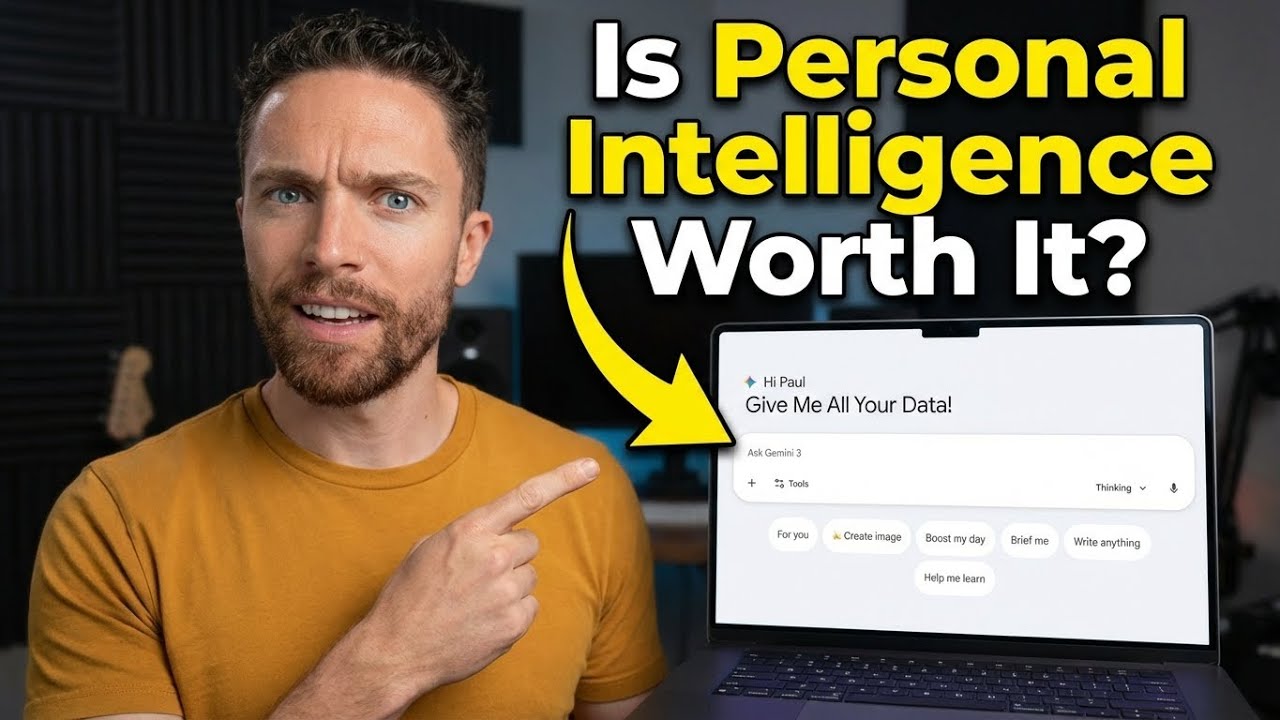
Google's new Personal Intelligence feature for Gemini promises seamless AI that understands your entire digital life—but after days of testing, I discovered it's both more impressive and more concerning than you'd think.
Оглавление (4 сегментов)
Segment 1 (00:00 - 05:00)
Gemini's personal intelligence is here and it's already caused a massive division of opinion. There are those who are calling it one of the best advancements to Gemini we've seen in a long time and others that are calling it a privacy nightmare. After testing it out for a few days now, I'm finally ready to talk about how well it works and my overall thoughts and concerns about it. If you haven't heard of personal intelligence, Google promises that once you activate this, Gemini is going to be able to give you more personal help with all of the questions that you ask it. You're going to connect it up with your different services like Gmail, photos, search, and YouTube. It's also going to be able to pull things from your chat history to be able to connect the dots across all your different Google apps. Now, Gemini has already had the ability to connect to other services like Gmail and Calendar and Docs and Drive in the past, but this is something different. Personal intelligence promises that it will on its own be able to connect to all the information from all those different sources to give you very personal responses. Now, personal intelligence is currently rolling out for users on the Pro and Ultra plans. There was no place that I went to actually opt into it. I just came into my Gemini account one day and then I saw a message like this one that said supercharge Gemini with personal intelligence and it encouraged me to turn this on or I could select not now. So once you click on the button that says get started, it then tells you more information about what personal intelligence is and how it works and it's by connecting up all these different apps Gmail, Calendar, Drive, Google Photos, YouTube and search services. basically your search history. So then you go ahead and click on connect all and then that's it. Your apps are now connected to Gemini and personal intelligence is activated. So like I said, I've been testing this out for a few days now on another account where I have Google AI Ultra. So, I've had access to this for several days on that account, and I want to show you some of the coolest use cases I have found with it, as well as some of the weird quirks that I think you need to be aware of if you want to get the most out of personal intelligence. One of the first things you're going to notice is that there's a new button here called for you. And when you click on this, this is going to suggest different prompts to you that take advantage of personal intelligence. Now, the first time I used this, I was super surprised by the results that it gave me. The prompt that it suggested for me was, "If I started a podcast today, what would my niche be? " And here's what it came up with. So, it understands that I'm a little bit obsessed with AI and Google Gemini and Zappier and Make. It understands that I'm into e-commerce and dropshipping and side hustles. So, extremely accurate. And you can follow up and ask it, "How did you come up with these? What info did you use? " And this is pretty remarkable. So this is the Gemini account that's connected up with the same Google account that I use for this YouTube channel. So it's able to see that I have a YouTube channel and that I talk about things like AI and e-commerce and drop shipping. And then it actually is able to see all the tools that have connected up with my YouTube account as well, which are like Vid IQ and TubeBuddy. And I assume the reason it's able to see that is because anytime you connect NAP up with a Google service, something like your Gmail or your YouTube account, then you actually get an email about that. So I have it's able to then see I've made a connection with those different tools as well as the connections I've made with Zapier and Make and it's also able to see my subscriptions like the subscription I have to Google AI Pro. So this goes way beyond what I thought it was originally capable of. is not just pulling in the emails, but it's able to identify like what those emails mean, the implications of those, and even my subscriptions as well. So, right away, it felt like a very strong start. Anytime I click this for you button and select one of these suggested prompts, it would automatically create a very nice response using personal intelligence. And actually, these prompts are created by personal intelligence. You can see that it knows that I'm going to LA, for instance, and it knows that I'm into fly fishing. making videos about drop shipping. But when I started to prompt it on my own without using these for you suggestions, that's when things began to get a little bit murkier. So, one of the first things I asked it was, "Help me find a new charger for my laptop. " Now, what I was hoping was that it would actually be able to pull from my Gmail the receipt for my recent purchase of a MacBook. So, it would know exactly which computer I have. But here, it doesn't do that. It says, "To help you find the right charger, I'll need a few details about your laptop. " So, that's not the experience I was expecting. I was expecting it to actually go out on its own to try to figure out which MacBook I have. What I noticed though is that if you're sort of careful with the language, it will do that. So if we start a new chat and this time I'll ask
Segment 2 (05:00 - 10:00)
it, help me find a new charger for the laptop that I purchased. You can now see it is connecting to personal intelligence. And here it correctly identified from that email that I have a 16in M1 Max MacBook Pro. And it then suggests a charger for that MacBook. So just by tweaking the language a little bit and throwing that word in there purchased, it sort of nudged it in the right direction. And then obviously if you say something like, "Help me find a charger for my laptop. " And then tell it the receipt for my laptop is in my Gmail, it's also going to give you the right response. So it's not quite as seamless as I expected it to be, but it is in beta. And if you use the right language, it is pretty consistent. For instance, I asked it to give me a list of every pair of headphones I've purchased in the past year because in the past year, I've purchased a few different pairs. All the receipts of those are in my Gmail account. And I even returned one of them as well. And here you can see that it nailed that. Here's the first pair of headphones when I purchased them and when I returned them. And here's the second pair. And it even says that I have the Ray-B band Meta sunglasses. Now, I'm not sure actually how it knows that. That's interesting cuz I don't think I have the receipt for that inside this Gmail account. So, let me just ask it. How did you know I have a pair of Ray-B band Meta sunglasses? Ah, okay. And then it pulled that from a prior chat where I had mentioned that. So, yeah, once again, it's not just pulling from one source. It's using all your different sources, all your connected apps, all your past chat history to be able to give you the most relevant answers. Sometimes it feels a little scary because you're not sure where it came up with it. you don't remember telling it that in the past, but that is what it's supposed to do. It's be able supposed to be able to connect those dots for you even when you don't know exactly how it's doing it. Here's a pretty interesting one. So, I prompted Gemini a few days ago telling it to help me prepare for tomorrow's meeting. Now, that's extremely vague, but I did have a calendar event for the next day labeled meeting. And I had an email with the person I was meeting with saying, "Are we still good for tomorrow's meeting about the Q1 execution plan? " And I had another email from a couple of weeks ago that actually had the Q1 execution plan in it. So, three different sources, all scattered, but all related. And with just this simple prompt, Gemini was actually able to pull in all three of those pieces of information and was able to connect the dots and realize that they were all related to be able to help me with preparing for that meeting. So, it knew when the meeting was, who it was with, and what it was about. And you can see here it's actually telling me how to prepare for that meeting. Now, like I said before, if you use the right language, you can get consistent results out of it. But you have to know the right language to use. And if you don't, that's when you can start to get frustrated with it. For instance, here I've come and if you click on where it says for you, again, these are things that are suggested that take advantage of personal intelligence. And one of the suggestions is, what are some fun things to do in Los Angeles? Because it knows that I'm going to Los Angeles because I actually have emails in my Gmail inbox going over the dates that I'm actually going to be in LA. And here we can see that it tailored the results to show things to do in Los Angeles in January, which is when I plan on visiting Los Angeles. Now, if we see the thinking behind that, we can see that initially Gemini thought that it didn't need to activate personal intelligence because there were no personalization cues. That's what it's looking for, those personalization cues. However, when it reassessed it, it realized that I actually am planning to visit Los Angeles in January. So despite the missing trigger, it is going to suggest a general things to do in Los Angeles for the month that I'm actually going to be there. However, if we return back to an old chat that I did, this one right here, I asked the same exact question. What are some fun things to do in Los Angeles? And these results were extremely generic. And if we look at the thinking here, we can see that Gemini determined that I didn't explicitly ask for a personalized request. And so it just gave me a generic response that was not personalized at all. The exact same prompt on the exact same day and yet two very different results. One using personal intelligence and one not using personal intelligence. So what I've learned about personal intelligence is that if you want to make sure you get the most out of it and that it actually gets activated when you use Gemini, you want to be using those personalization cues. That's saying things instead of saying what are some fun things to do in Los Angeles, say what are some fun things to do in Los Angeles while I'm there. I'm still learning what all those personalization cues are. But the more you can kind of nudge it in the right
Segment 3 (10:00 - 15:00)
direction while it's still in beta, the better the results are going to be. What I also found is that it's great with some of the connections and some of the other connections aren't as great. So things like calendar and Gmail work great. YouTube watch history is a little bit rough in my experience. So, I recently watched this video at the top here about CES tech from Matt Wolf. And so, I asked Gemini, what was the video I watched recently from some guy named Matt something? And he was talking about some tech he found at CES. And Gemini just kept insisting that I watch some video by a channel called Matt Talks Tech. Now, I'm sure Matt Talks Tech makes great videos. I've never watched any of his videos ever. and it was just never really able to understand what video I was actually talking about. Despite that, I think there's tremendous potential here. In particular, I find that the Gmail integrations and calendar integrations and being able to pull from past chats, all of that is really strong. And since this is in beta, this is the worst it's ever going to be. In a few weeks or a few months, this is going to get really good. And if they can nail this and really get it right, I do think this is a big deal. If we're being honest, all the AI models out there are really good by this point. People definitely have their preferences and we can debate which ones are better in terms of just the models themselves, but they are all good. I think at this point, in order for AI to actually become helpful for the average consumer, it needs to become more personal. And every AI company knows that. That's why Chat GBT is always trying to improve their memory feature. Claude now remembers your conversations. Perplexity knows your search history. But Google is able to do something that none of these other AI companies can do because Google is able to connect to nearly a decade of your photos, [snorts] your YouTube history, your emails, your search history. And it's why I think that even though they were a little bit behind at first, I think when it comes to winning over the average consumer, Google is really poised to win that race. But there's obviously a huge concern here, which is privacy. You're connecting all this data from your Gmail, from your docs, from Google Keep, from Google Drive, from calendar, from YouTube, from your photos to an AI. Now, Google has said that they are taking measures to protect your privacy even when you turn on personal intelligence. For instance, they gave one example where they asked Gemini to help them find tires for their car. Gemini then looked through the person's photos inside of Google Photos and determined the make and model of the car to recommend tires. The user then asked what their license plate was and Gemini was able to find the license plate from the photos and give that answer inside of Gemini. Now, obviously something like your license plate is highly private. You don't want that just going out to anyone. So what they said is that Gemini doesn't train directly on your Gmail inbox or your Google photos library. So in the example with the cars and the tire and the license plate, those pictures are not directly used to train the model. They are referenced to deliver the reply. They train the model with things like specific prompts and responses only after taking steps to filter out personal data. In short, they don't train their systems to learn your license plate number. They train them to understand that when you ask for one, how to locate it. So, you need to decide for yourself how comfortable you are using something like this. But here's the thing, personal intelligence is only helpful if you're already using Google services like Gmail or Calendar or Google Search. If you don't trust Google enough already to use those services, then turning on personal intelligence isn't going to make a difference. It's not going to make Gemini better, and expose you to additional privacy risks because you're not using those services. There's no information for Gemini to now gather about you. But if you do use those Google services, like you have a Gmail account that you use and you use Google Calendar, then you're not giving Google any new information or data. They already have that information. You're just now connecting it to Gemini. Now, there's an extremely valid argument to be made that letting Google have access to your data is a lot different than feeding that data into an AI algorithm, and that's totally valid. Luckily, if you have privacy concerns, just don't turn on personal intelligence. It's optin only. So, if it makes you uncomfortable, just don't use it. I think there's going to be a lot of comments on this video with some extremely strong viewpoints, and I want to hear those. I still haven't fully made up my mind yet with personal intelligence. In the limited time that I've used it, I have found it to be genuinely super helpful, but I do understand there are privacy concerns. So, please comment down below. Let me know what you think of personal intelligence. Do you think it's cool or
Segment 4 (15:00 - 15:00)
are the privacy trade-offs too risky for you? Or are you in the boat where you think that well if Google has access to the information anyway, who cares? So yeah, I'm looking forward to hearing your thoughts on it as well. So please comment down below and then I'll see you in the next video. Bye for now.